Greer County Transfer on Death Deed Form
Last validated September 28, 2026 by our Forms Development TeamFormatted for recording in Greer County, for property anywhere in the county: rural and unincorporated areas as well as Granite, Mangum, Willow.
- 3 documents included
- Immediate PDF download
- Formatting guarantee
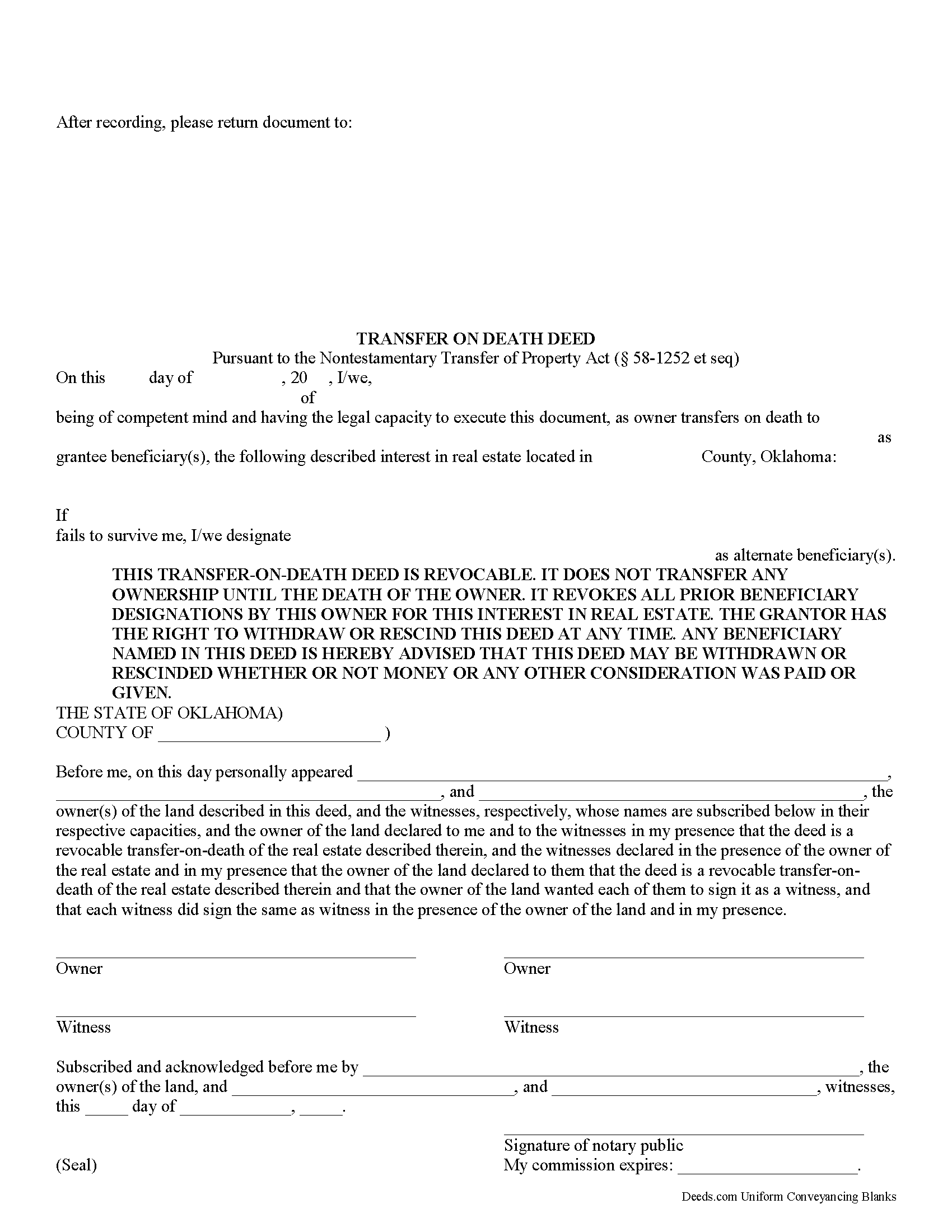
Greer County Oklahoma Transfer on Death Deed
Fill in the blank form formatted to comply with all recording and content requirements.
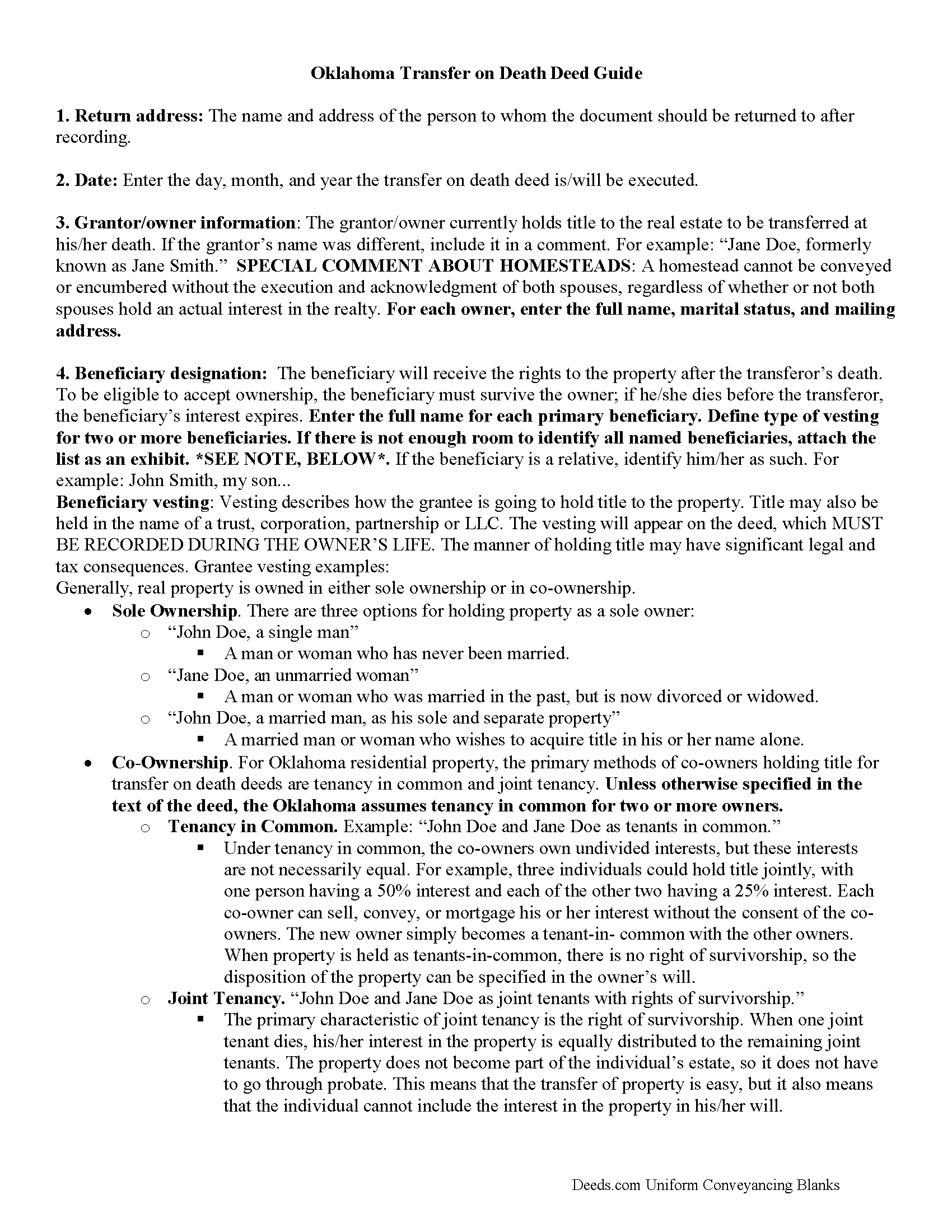
Greer County Transfer on Death Deed Guide
Line by line guide explaining every blank on the form.
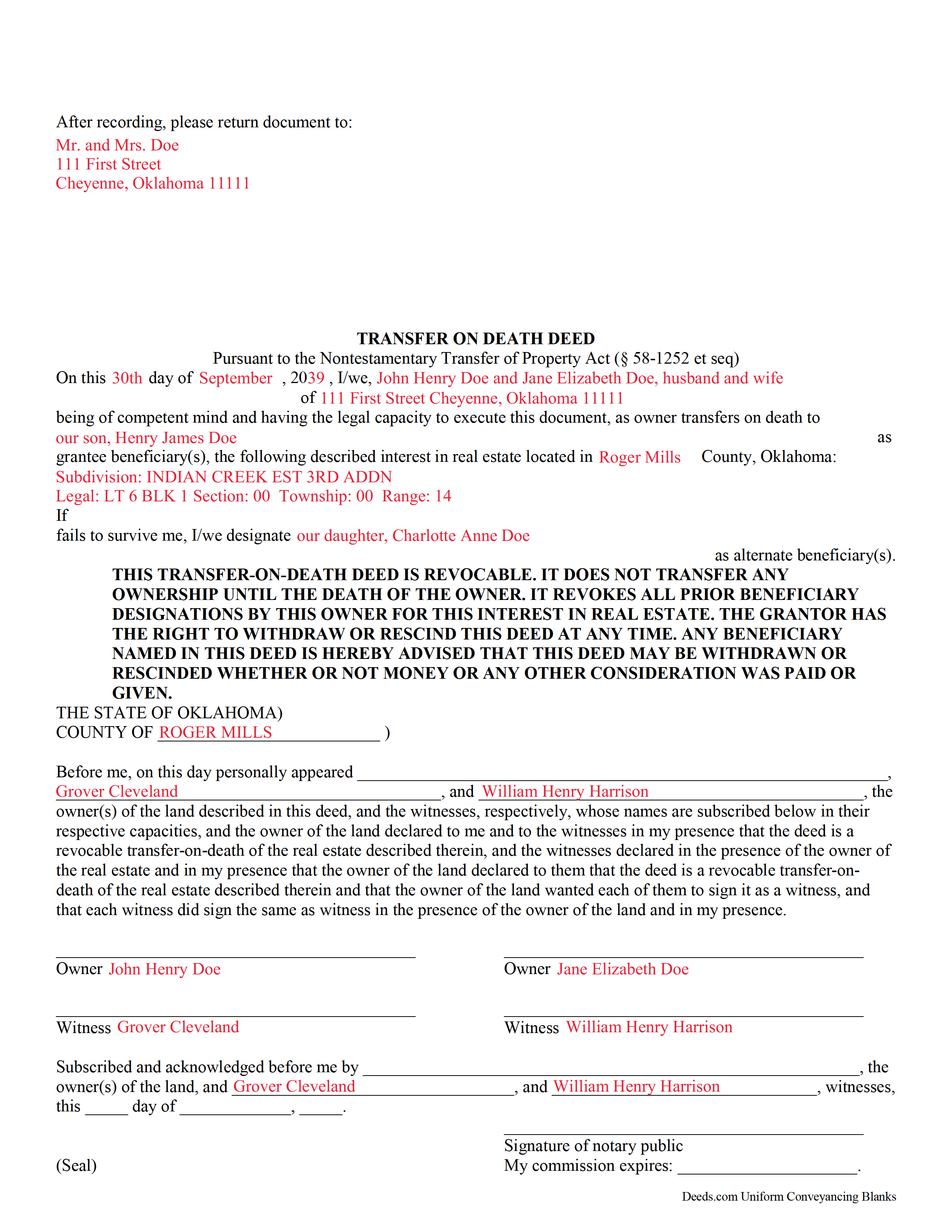
Greer County Completed Example of the Transfer on Death Deed Form
Example of a properly completed form for reference.
All 3 documents above included • One-time purchase • No recurring fees
Immediate Download • Secure Checkout
Additional Oklahoma and Greer County documents included at no extra charge:
Where to Record Your Documents
Greer County Clerk
Mangum, Oklahoma 73554
Hours: 8:00 to 4:00 Monday through Friday
Phone: (580) 782-3664
Recording Tips for Greer County:
- Bring your driver's license or state-issued photo ID
- Ensure all signatures are in blue or black ink
- Check that your notary's commission hasn't expired
- Documents must be on 8.5 x 11 inch white paper
- Double-check legal descriptions match your existing deed
Cities and Jurisdictions in Greer County
Properties in any of these areas use Greer County forms:
- Granite
- Mangum
- Willow
Hours, fees, requirements, and more for Greer County
How do I get my forms?
Forms are available for immediate download after payment. The Greer County forms will be in your account ready to download to your computer. An account is created for you during checkout if you don't have one. Forms are NOT emailed.
Are these forms guaranteed to be recordable in Greer County?
Yes. Our form blanks are guaranteed to meet or exceed the applicable formatting requirements used for recording in Greer County, including margin requirements, font requirements, and other layout standards. This guarantee applies to formatting, not to the legal sufficiency of information entered by the user or the suitability of a form for a particular transaction.
Can I reuse these forms?
Yes. You can reuse the forms for your personal use. For example, if you have multiple properties in Greer County you only need to order once.
What do I need to use these forms?
The forms are PDFs that you fill out on your computer. The free Adobe Acrobat Reader is recommended, and most PDF apps also work. You do NOT enter your property information online - you download the blank forms and complete them privately on your own computer.
Are there any recurring fees?
No. This is a one-time purchase. Nothing to cancel, no memberships, no recurring fees.
How much does it cost to record in Greer County?
Recording fees in Greer County vary. Contact the recorder's office at (580) 782-3664 for current fees.
Questions answered? Let's get started!
Transfer on death deeds (TODDs) in Oklahoma are governed by the Nontestamentary Transfer of Property Act (Title 58 O.S. 1251-1258), enacted in 2008. This law allows owners of interests in real property located in Oklahoma to designate one or more beneficiaries to receive those interests after the owner dies, but without the need for probate.
Owners who execute and record a TODD retain absolute control over and use of the property interest while living. In addition, they may modify, revoke, or otherwise convey the land any way they wish, without penalty or obligation to the beneficiaries. This is possible because unlike a traditional conveyance, there is no delivery requirement to notify the beneficiaries about what they might receive -- the deed only conveys a potential future interest in whatever remains after the owner's death ( 58-1252(B), 1257).
The statutes define an interest in real property to include "any estate or interest in, over or under land, including surface, minerals, structures and fixtures" ( 58-1252)(A)), meaning that the transfer is not limited to land, but can also include mineral rights and royalties.
Even though a TODD is not impacted by the owner's will, to reduce the likelihood of fraud and coercion, it demands the same standards of competence and capacity. Additionally, the document must be signed and acknowledged, in the presence of a notary, by the owner and two disinterested witnesses (individuals with no potential claims on the property rights) prior to recording ( 58-1253, 1258).
After the owner dies, each surviving beneficiary must execute and record an affidavit affirming his/her acceptance of the transfer ( 58-1252(C), (D)). The beneficiary takes the interest subject to all recorded obligations related to it.
NOTE: The transfer on death deed and any associated changes or revocations must be recorded, DURING THE OWNER'S LIFE, in the county where the property is located.
Overall, a transfer on death deed offers a convenient, flexible estate planning tool for owners of interests in Oklahoma real property. Each circumstance is unique, so consider all options carefully. For additional information or complex situations, contact a local attorney.
(Oklahoma TODD Package includes form, guidelines, and completed example)
Important: Your property must be located in Greer County to use these forms. Documents should be recorded at the county recording office listed above.
This Transfer on Death Deed meets all recording requirements specific to Greer County.
Our Promise
The documents you receive here are guaranteed to meet or exceed the applicable Greer County recording format requirements. If there is a rejection caused by our formatting, we will correct the issue or refund your payment. This guarantee applies to document formatting only and does not extend to information entered by the user, the selection of the form, or the legal effect of the completed document.
Save Time and Money
Get your Greer County Transfer on Death Deed form done right the first time with Deeds.com Uniform Conveyancing Blanks. At Deeds.com, we understand that your time and money are valuable resources, and we don't want you to face a penalty fee or rejection imposed by a county recorder for submitting nonstandard documents. We constantly review and update our forms to meet rapidly changing state and county recording requirements for roughly 3,500 counties and local jurisdictions.
4.8 out of 5 - ( 4,830 Reviews )
wayne s. 5 out of 5 stars
Wonderful forms! Thanks for making this available.
Thank you Wayne, have a great day!
Thomas H. 5 out of 5 stars
Great service! The example completed form and instructions provided by Deeds.com were extremely helpful for properly filling out the blank form they provided. After completing my form and getting it notarized, I e-filed it to my county clerk's office and it was approved right away with no issues. The entire process was well worth the price and I'm very happy with the results.
Thanks, Thomas. First-try acceptance is the goal every time, and we're glad yours went that way. We appreciate your business.
Keri C. 5 out of 5 stars
It was confusing at first, but the customer service was excellent and fast and I got everything taken care of right away. I'll use Deeds.com even after the recorder's office is open to the public.
Thank you for your feedback. We really appreciate it. Have a great day!
Brends I. 5 out of 5 stars
I had a problem because I was using a phone, so had to get my daughter to request again in her name so it went to her computer..but eventually got it printed
Thank you for your kind words and for choosing us.
Michael O. 5 out of 5 stars
Received everything that was promised.
We appreciate your business and value your feedback. Thank you. Have a wonderful day!
David C. 5 out of 5 stars
This has been a lifesaver for me. Exactly what I needed. Forma are easy to fill in. Thank you for offering this instead of going thru a lawyer. faster and no wait time.
We appreciate your business and value your feedback. Thank you. Have a wonderful day!
John G. 5 out of 5 stars
Applied for my Notice of Commencement to be recorded and it went very smoothly and fast. Will use again if a need irises. Thank You
Thank you for your feedback John, glad we could help.
Charlene H. 5 out of 5 stars
Deeds.com is a wonderful website. I highly recommend them and would use them again in the future.
Thank you, Charlene! We're so glad to hear you had a great experience. We truly appreciate your recommendation and look forward to helping you again in the future.
Feng T. 5 out of 5 stars
Professional product, with clear instructions that gave me high confidence in the accuracy my document. The sample form was super useful. I highly recommend and will reuse Deed.com
Thank you for your feedback. We really appreciate it. Have a great day!
rita t. 5 out of 5 stars
Thanks for asking, everything was fine. Forms worked as expected, no problems.
We appreciate your business and value your feedback. Thank you. Have a wonderful day!
Karen C. 5 out of 5 stars
Quick and easy download. Got everything I needed. I would recommend deeds.com
We appreciate your business and value your feedback. Thank you. Have a wonderful day!
bill h. 5 out of 5 stars
so far getting what i needed was easy the site is well done thank you
We appreciate your business and value your feedback. Thank you. Have a wonderful day!
Boyd B. 5 out of 5 stars
I had an issue because of what I was doing, thanks to these guys. I received an email and lickety-split done no more problems.
We appreciate your business and value your feedback. Thank you. Have a wonderful day!
LINDA C. 5 out of 5 stars
EASY, FAST, AND CONVENIENT.
Thank you!
Patricia R. 5 out of 5 stars
Great Transaction. Easy to follow instructions!
We appreciate your business and value your feedback. Thank you. Have a wonderful day!