Juniata County Certificate of Trust Form
Last validated October 9, 2026 by our Forms Development TeamFormatted for recording in Juniata County, for property anywhere in the county: rural and unincorporated areas as well as Cocolamus, East Waterford, Honey Grove, Mc Alisterville, Mexico, Mifflin, Mifflintown, Oakland Mills and 3 more.
- 2 documents included
- Immediate PDF download
- Formatting guarantee
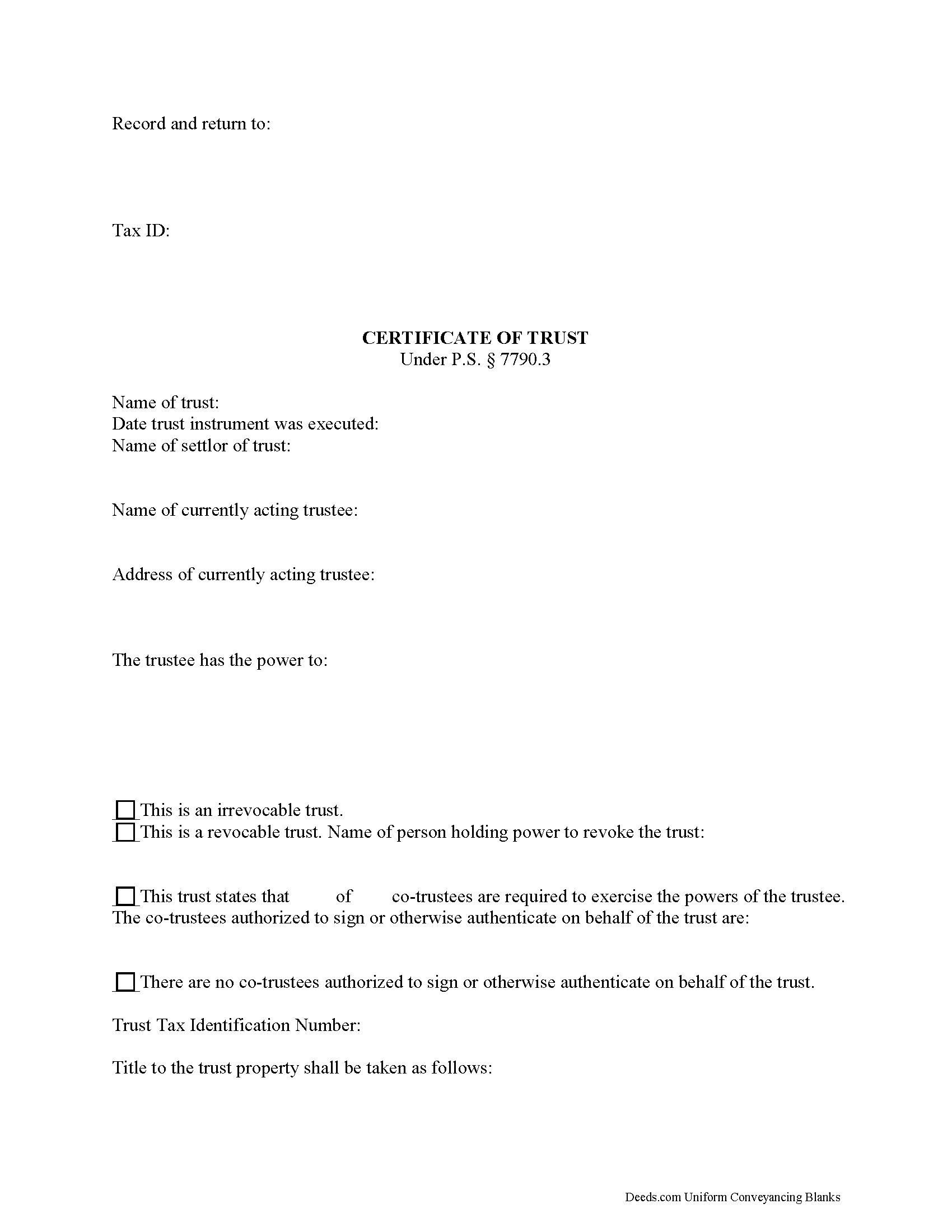
Juniata County Certificate of Trust Form
Fill in the blank form formatted to comply with all recording and content requirements.
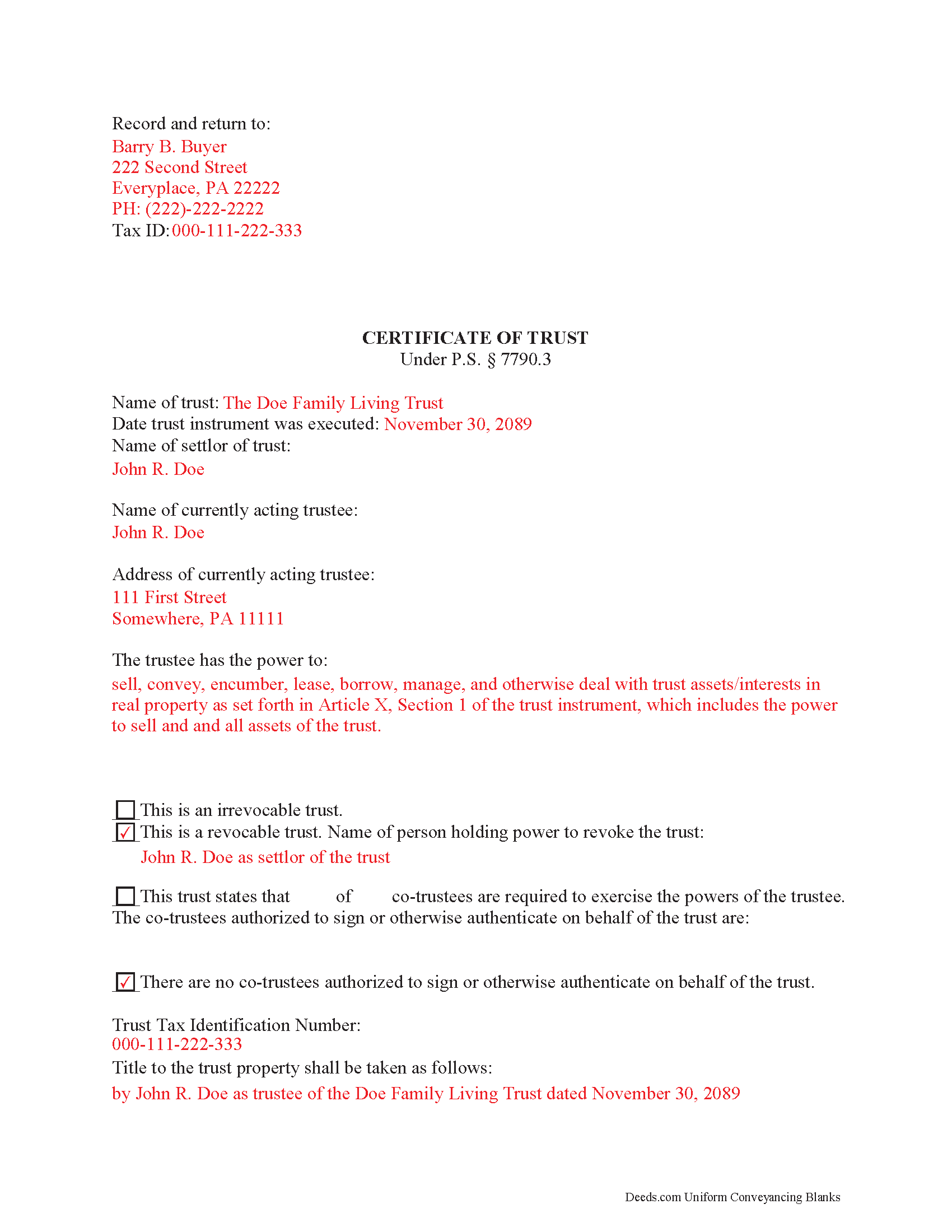
Juniata County Completed Example of the Certificate of Trust Document
Example of a properly completed form for reference.
All 2 documents above included • One-time purchase • No recurring fees
Immediate Download • Secure Checkout
Additional Pennsylvania and Juniata County documents included at no extra charge:
Where to Record Your Documents
Juniata County Recorder of Deeds
Mifflintown, Pennsylvania 17059
Hours: 8:00am to 4:30pm Monday through Friday
Phone: (717) 436-7709
Recording Tips for Juniata County:
- Bring your driver's license or state-issued photo ID
- Ensure all signatures are in blue or black ink
- Ask for certified copies if you need them for other transactions
- Ask if they accept credit cards - many offices are cash/check only
- Check that your notary's commission hasn't expired
Cities and Jurisdictions in Juniata County
Properties in any of these areas use Juniata County forms:
- Cocolamus
- East Waterford
- Honey Grove
- Mc Alisterville
- Mexico
- Mifflin
- Mifflintown
- Oakland Mills
- Port Royal
- Richfield
- Thompsontown
Hours, fees, requirements, and more for Juniata County
How do I get my forms?
Forms are available for immediate download after payment. The Juniata County forms will be in your account ready to download to your computer. An account is created for you during checkout if you don't have one. Forms are NOT emailed.
Are these forms guaranteed to be recordable in Juniata County?
Yes. Our form blanks are guaranteed to meet or exceed the applicable formatting requirements used for recording in Juniata County, including margin requirements, font requirements, and other layout standards. This guarantee applies to formatting, not to the legal sufficiency of information entered by the user or the suitability of a form for a particular transaction.
Can I reuse these forms?
Yes. You can reuse the forms for your personal use. For example, if you have multiple properties in Juniata County you only need to order once.
What do I need to use these forms?
The forms are PDFs that you fill out on your computer. The free Adobe Acrobat Reader is recommended, and most PDF apps also work. You do NOT enter your property information online - you download the blank forms and complete them privately on your own computer.
Are there any recurring fees?
No. This is a one-time purchase. Nothing to cancel, no memberships, no recurring fees.
How much does it cost to record in Juniata County?
Recording fees in Juniata County vary. Contact the recorder's office at (717) 436-7709 for current fees.
Questions answered? Let's get started!
Find the laws regarding certificates of trust at section 7790.3 of the Pennsylvania Statutes.
A trustee is a person or entity who holds title to a trust's assets on behalf of a settlor. Trustees use an official document called a certificate of trust to validate the trust's existence and confirm their authority to act on its behalf.
In order to facilitate transactions dealing with real property in a trust, lenders may require the trustee to furnish a certificate of trust. Third parties may also request a certificate to confirm the trustee has the authority, for example, to transfer real property out of the trust and to them.
The certificate presents essential information about the (unrecorded) full trust instrument, while protecting the confidentiality of its specific details. A recipient of a certificate may still request copies of certain sections of the trust instrument, particularly those establishing the appointment of a trustee and the trustee's powers, as well as amendments to the trust, but the request opens up certain liabilities, as enumerated in P.S. 7790.3(e),(h).
Section 7790.3 governs the contents and effect of the certificate. Requirements of the certificate include basic information such as the name of the settlor of the trust, the type of trust, the taxpayer identification number assigned to the trust, the acting trustee's name, and the relevant powers of the trustee. The trustee executes and signs the certificate and submits it for recording in the county in which the real property with which the trust is concerned is located.
(Pennsylvania COT Package includes form, guidelines, and completed example)
Important: Your property must be located in Juniata County to use these forms. Documents should be recorded at the county recording office listed above.
This Certificate of Trust meets all recording requirements specific to Juniata County.
Our Promise
The documents you receive here are guaranteed to meet or exceed the applicable Juniata County recording format requirements. If there is a rejection caused by our formatting, we will correct the issue or refund your payment. This guarantee applies to document formatting only and does not extend to information entered by the user, the selection of the form, or the legal effect of the completed document.
Save Time and Money
Get your Juniata County Certificate of Trust form done right the first time with Deeds.com Uniform Conveyancing Blanks. At Deeds.com, we understand that your time and money are valuable resources, and we don't want you to face a penalty fee or rejection imposed by a county recorder for submitting nonstandard documents. We constantly review and update our forms to meet rapidly changing state and county recording requirements for roughly 3,500 counties and local jurisdictions.
4.8 out of 5 - ( 4,839 Reviews )
Michael D. 1 out of 5 stars
I sent Deeds.com an email with a question, asking for a little guidance as to which form(s) I need, but I'm waiting for a reply. My wife and I own 3 homes (2 in Indiana & 1 in Florida). We are needing to deed each to ourselves and put them into our living trust. I asked Deeds.com to please help by suggesting which forms I need for this. I do not want to get the wrong ones. I have not received a reply yet. When I receive a helpful reply and am able to purchase the correct forms, I am fairly certain my rating will go from 1 to 5. I withhold judgement until later.
Thank you for your feedback Michael. We make available do it yourself deed documents. We do not prepare documents or provide legal advice. If you have done research and are still unsure of which documents you need we are not the website for you. We highly recommend seeking the advice of a legal professional familiar with your specific situation moving forward. Have a wonderful day.
Georgia R. 5 out of 5 stars
Great experience, fast and efficient, no hassle. Will use again!
Thank you for your feedback. We really appreciate it. Have a great day!
Carolyn K. 5 out of 5 stars
Very easy to use and very knowledgeable. All information needed to complete the documents was provided. Affordable too!
Thank you for your kind words and for choosing us.
DAVID JOHN M. 5 out of 5 stars
The Transfer On Death Deed did work for New Mexico! Though I did have to add the long property description to the "Exhibit" page that was included with the document. Great website! Will use again! Thanks!!!
We appreciate your business and value your feedback. Thank you. Have a wonderful day!
Donnajean L. 5 out of 5 stars
The site is user friendly and uncomplicated.
Thank you!
Johannah H. 5 out of 5 stars
Deeds.com made my experience recording a Deed in Weld County, CO so easy! The representative went above and beyond by assisting me with the preparation of a high-quality digital document for recording. Highly Recommend!
We appreciate your business and value your feedback. Thank you. Have a wonderful day!
Karen F. 3 out of 5 stars
Form needs to be gender neutral. Also, while the format prompts for the correct information to be included, more of the form needs to be open for editing and to eliminate unnecessary spacing.
Karen, thank you for your helpful feedback. We appreciate you pointing this out and are reviewing the form to make the language gender neutral, improve editability, and reduce unnecessary spacing so it is easier to complete.
Jayne B. 5 out of 5 stars
This makes it so easy and I'm so glad I found you. I visited two other sites before I found this one. They were cumbersome to use to the point where I abandoned them and kept on looking. Then I found yours, and it was a breeze. Thank you so much!
We appreciate your business and value your feedback. Thank you. Have a wonderful day!
Joseph S. 5 out of 5 stars
THIS IS MY FIRST EXPERIENCE WITH DEEDS.COM. I DLED THE ESTATE DEED FORM THAT I HOPE WILL GO THROUGH OK WITH THE COUNTY. IT WILL BE SOMETIME UNTIL I HAVE IT FILLED IN AND ALL THE NAMES IN, NORARIZED AND FILED. CAN I RECONTACT YOU FOLKS IF THERE IS A PROBLEM? THANK YOU, JOE SEUBERT
We are motivated by your feedback to continue delivering excellence. Thank you!
Janice S. 5 out of 5 stars
Well, you couldn't find the deeds, but you didn't charge me for it so great! Thanks Jan
Thank you for your feedback. Sorry we were not able to assist you better with your deed search. Have a wonderful day!
Shari S. 5 out of 5 stars
Deeds.com is a wonderful resource providing helpful information, forms, examples, and instructions. Thank you for your service.
We appreciate your business and value your feedback. Thank you. Have a wonderful day!
Kevin C. 3 out of 5 stars
Nice site but $30 to download a blank form is a bit much.
Thank you for your feedback. We really appreciate it. Have a great day!
Glenn W. 5 out of 5 stars
Efficient, helpful & easy! I highly recommend Deeds.com to anyone. Such a joy to use especially after trying to navigate the Cooks County Clerks office.
Thank you for your kind words and for choosing us.
Roy C. 5 out of 5 stars
Great Product no problems filing
Thank you for your feedback. We really appreciate it. Have a great day!
Gloria H. 5 out of 5 stars
Very content with the service received. The document was recorded in the city in no time. Will definitely use Deeds.com again in the near future.
Thank you!