Adams County Conditional Lien Waiver on Progress Payment Form
Last validated August 24, 2026 by our Forms Development TeamFormatted for recording in Adams County, for property anywhere in the county: rural and unincorporated areas as well as Abbottstown, Arendtsville, Aspers, Bendersville, Biglerville, Cashtown, East Berlin, Fairfield and 10 more.
- 3 documents included
- Immediate PDF download
- Formatting guarantee
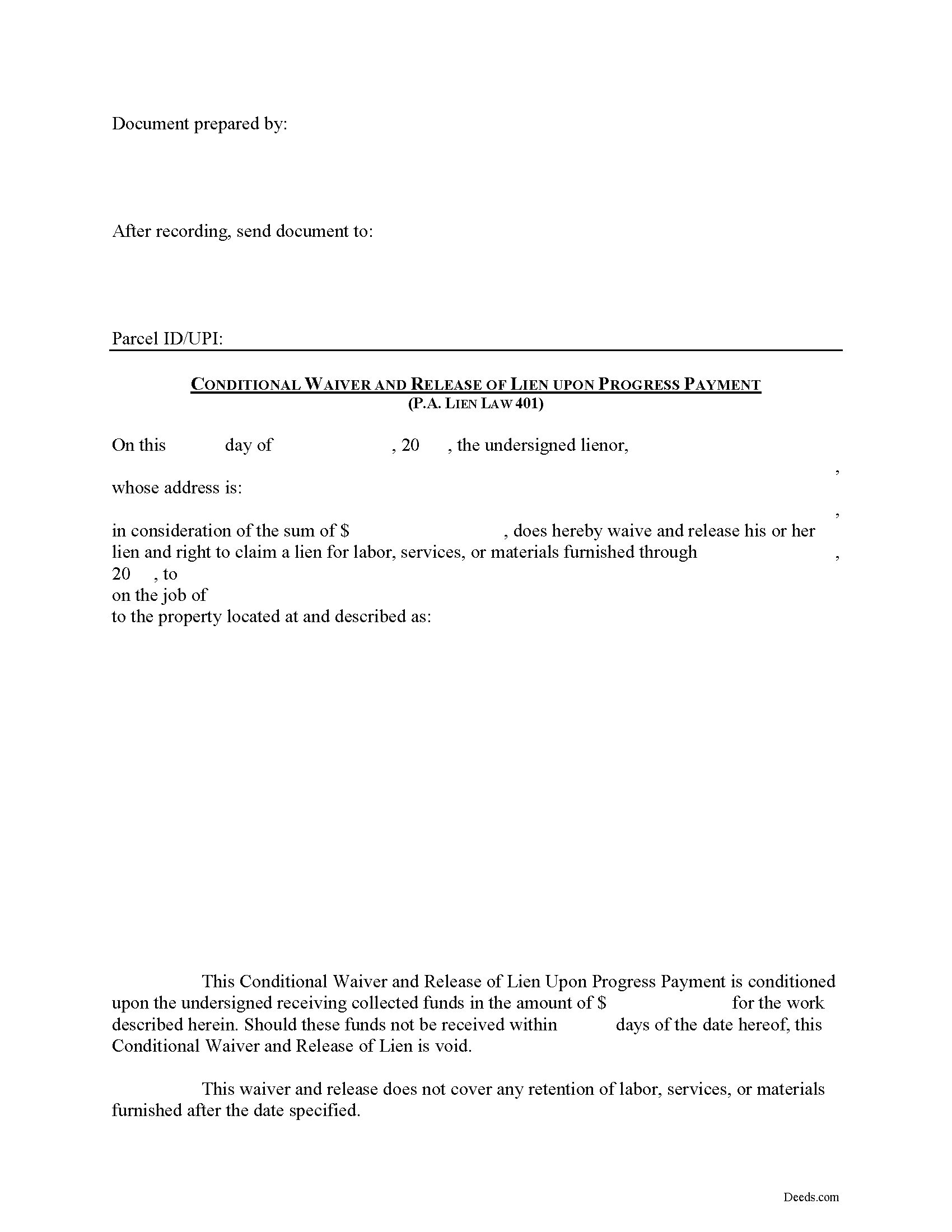
Adams County Conditional Lien Waiver on Progress Payment Form
Fill in the blank Conditional Lien Waiver on Progress Payment form formatted to comply with all Pennsylvania recording and content requirements.
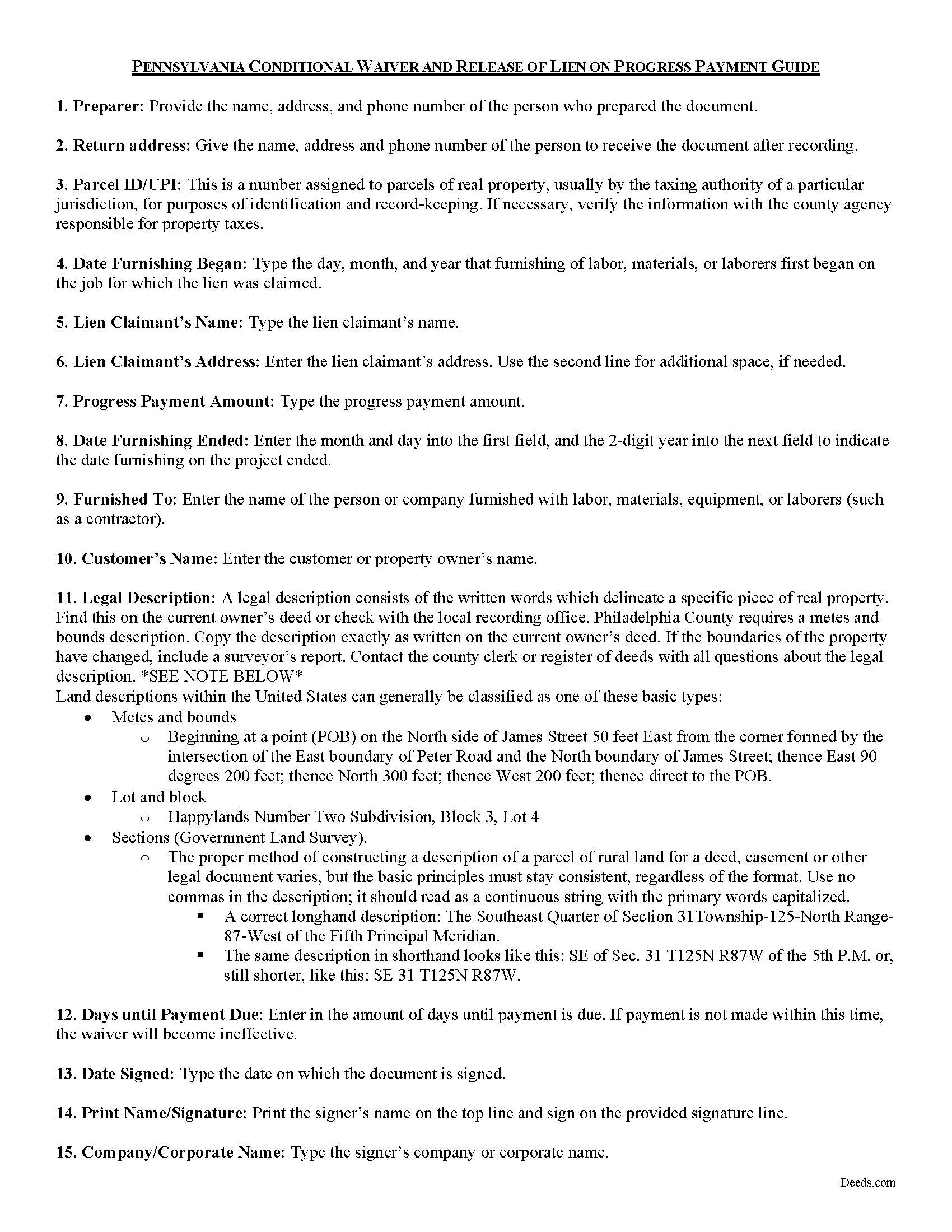
Adams County Conditional Lien Waiver on Progress Payment Guide
Line by line guide explaining every blank on the form.
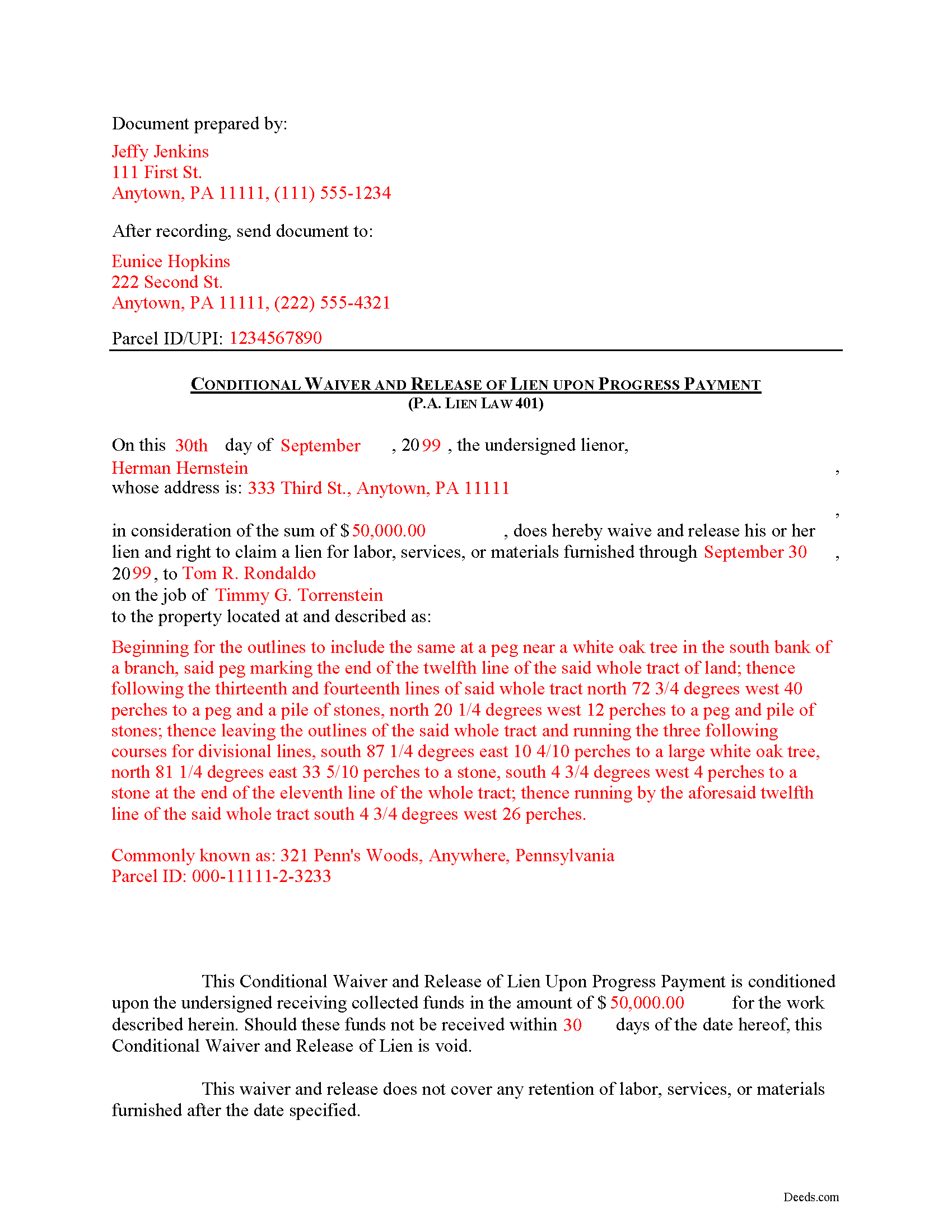
Adams County Completed Example of the Conditional Lien Waiver on Progress Payment Document
Example of a properly completed form for reference.
All 3 documents above included • One-time purchase • No recurring fees
Immediate Download • Secure Checkout
Additional Pennsylvania and Adams County documents included at no extra charge:
Where to Record Your Documents
Adams County Recorder of Deeds
Gettysburg, Pennsylvania 17325
Hours: 8:30 to 4:30 M-F
Phone: (717) 337-9826
Recording Tips for Adams County:
- Bring your driver's license or state-issued photo ID
- Ensure all signatures are in blue or black ink
- Recorded documents become public record - avoid including SSNs
- Recording fees may differ from what's posted online - verify current rates
- Request a receipt showing your recording numbers
Cities and Jurisdictions in Adams County
Properties in any of these areas use Adams County forms:
- Abbottstown
- Arendtsville
- Aspers
- Bendersville
- Biglerville
- Cashtown
- East Berlin
- Fairfield
- Gardners
- Gettysburg
- Idaville
- Littlestown
- Mc Knightstown
- Mc Sherrystown
- New Oxford
- Orrtanna
- Peach Glen
- York Springs
Hours, fees, requirements, and more for Adams County
How do I get my forms?
Forms are available for immediate download after payment. The Adams County forms will be in your account ready to download to your computer. An account is created for you during checkout if you don't have one. Forms are NOT emailed.
Are these forms guaranteed to be recordable in Adams County?
Yes. Our form blanks are guaranteed to meet or exceed the applicable formatting requirements used for recording in Adams County, including margin requirements, font requirements, and other layout standards. This guarantee applies to formatting, not to the legal sufficiency of information entered by the user or the suitability of a form for a particular transaction.
Can I reuse these forms?
Yes. You can reuse the forms for your personal use. For example, if you have multiple properties in Adams County you only need to order once.
What do I need to use these forms?
The forms are PDFs that you fill out on your computer. The free Adobe Acrobat Reader is recommended, and most PDF apps also work. You do NOT enter your property information online - you download the blank forms and complete them privately on your own computer.
Are there any recurring fees?
No. This is a one-time purchase. Nothing to cancel, no memberships, no recurring fees.
How much does it cost to record in Adams County?
Recording fees in Adams County vary. Contact the recorder's office at (717) 337-9826 for current fees.
Questions answered? Let's get started!
In Pennsylvania, a contractor or subcontractor may waive his right to file a claim against residential property by a written instrument signed by him or by any conduct which operates equitably to estop such contractor from filing a claim. 49 P.S. 401(a).
Contractors use lien waivers to forfeit or give up their right to claim a mechanic's lien. Usually, the purpose of a waiver is to alleviate concerns by a property owner or other contractor that a lien will be levied on the property. In return for waiving lien rights, the owner or other party makes a full or partial payment. The type of waiver used depends on the type of payment made.
Use a conditional waiver when payment hasn't been made at the time of the waiver or the payment method takes time to clear (such as a check or bank draft). Unconditional waivers are appropriate when a full or final payment has been made and evidence of the payment can be verified. Within each of these two categories, waivers can be granted for a full payment or a partial (or progress) payment.
A waiver by a contractor of lien rights is against public policy, unlawful and void unless given in consideration for payment for the work, services, materials or equipment provided and only to the extent that such payment is actually received. 49 P.S. 401(b). Therefore, waivers will not be recognized by a Pennsylvania court unless payment is made and received. Also, conditional waivers are only available for residential property. In this regard, Pennsylvania grants more protection to parties using lien waivers (and less for the property owner).
In regard to subcontractors, a waiver by a subcontractor of lien rights is against public policy, unlawful and void, unless given in consideration for payment for the work, services, materials or equipment provided and only to the extent that such payment is actually received, or unless the contractor has posted a bond guaranteeing payment for labor and materials provided by subcontractors. 49 P.S. 401(c).
Use the Conditional Waiver and Release of Lien on Progress Payment when a partial payment is made towards the total amount due. In return for the payment, the contractor agrees to waive a lien right towards the partial amount. Because the waiver is conditional, it should be used when the payment hasn't been made or payment is made through a check and some additional time is needed to make sure the bank has properly processed the payment. If the payment is not made within the time allotted for in the waiver, the waiver becomes invalid and the claimant may seek a lien for that amount.
A valid waiver identifies the parties, the location where the work or improvement took place, relevant dates, and amounts paid. In addition, the form must meet state and local standards for recorded documents. Submit the completed waiver to the recording office for the county where the property is situated.
Mechanic's Liens are governed by Title 49 of the Pennsylvania Consolidated Statutes.
This article is offered for informational purposes only and is not legal advice. This information should not be relied upon as a substitute for speaking with an attorney. Please speak with a Pennsylvania attorney familiar with lien laws for questions regarding lien waivers or with any other issues related to mechanic's liens.
Important: Your property must be located in Adams County to use these forms. Documents should be recorded at the county recording office listed above.
This Conditional Lien Waiver on Progress Payment meets all recording requirements specific to Adams County.
Our Promise
The documents you receive here are guaranteed to meet or exceed the applicable Adams County recording format requirements. If there is a rejection caused by our formatting, we will correct the issue or refund your payment. This guarantee applies to document formatting only and does not extend to information entered by the user, the selection of the form, or the legal effect of the completed document.
Save Time and Money
Get your Adams County Conditional Lien Waiver on Progress Payment form done right the first time with Deeds.com Uniform Conveyancing Blanks. At Deeds.com, we understand that your time and money are valuable resources, and we don't want you to face a penalty fee or rejection imposed by a county recorder for submitting nonstandard documents. We constantly review and update our forms to meet rapidly changing state and county recording requirements for roughly 3,500 counties and local jurisdictions.
4.8 out of 5 - ( 4,829 Reviews )
Pouya N. 5 out of 5 stars
THEY ARE AWSOME. MAKE IT REALLY EASY AND EFFICIENT TO WORK. THANK YOU
We appreciate your business and value your feedback. Thank you. Have a wonderful day!
Billy A. 5 out of 5 stars
Documents were as described, Will not be able to tell if it works or not.. Will be Dead, but easy enough to fill out.
Thank you for taking a moment to share your thoughts.
Janet R. 5 out of 5 stars
Thanks great site
Thank you!
Tim H. 5 out of 5 stars
Found the service useful and straightforward. The only recommendation would be to send an e-mail notification to the request or when their package is ready for download. Mine, apparently, was ready within and hour or so after placing the request but did not go back onto the site until a day later to find it was ready.
Thank you for your feedback. We really appreciate it. Have a great day!
Ricky N. 5 out of 5 stars
Great service and instructions are excellent.
Thank you for your feedback. We really appreciate it. Have a great day!
Jesse C. 5 out of 5 stars
I had a little problem understanding how to copie and use.
Thank you for your feedback Jesse. If you are having any issues please contact us so our customer care department can help you out.
Jose D. 5 out of 5 stars
A little difficult in the beginning but with the messaging back and forth it was very simple and fast. Thank you for your help.
We appreciate your business and value your feedback. Thank you. Have a wonderful day!
Trina F. 5 out of 5 stars
Easy to purchase. Everything you need to get the job done!
Thank you!
Charlotte B. 5 out of 5 stars
I was very impressed with this service. It's a very important tool to be able to get the documents filed properly. I was not able to understand how to fill in the blanks on line.
Thank you for your feedback. We really appreciate it. Have a great day!
Susann T. 5 out of 5 stars
I have been very happy with the prompt assistance that I have received from deeds.com! How refreshing this is when so often good customer service seems rare these days!
Thank you for your feedback. We really appreciate it. Have a great day!
sharon s. 5 out of 5 stars
great site for downloading forms
Thank you!
David P. 5 out of 5 stars
This service and company are THE best. We are out of State and needed to efile, and we got it done for the closing. Thanks Deeds.com
We appreciate your business and value your feedback. Thank you. Have a wonderful day!
Carmen H. 5 out of 5 stars
your site was a godsend for us, really appreciate the sample and instructions you provide, was very useful. And that we can save and use later, you guys are great. I have used your service twice, and will be using you in the future too. Thank you again.
Thank you for your feedback. We really appreciate it. Have a great day!
Robert D. 5 out of 5 stars
I was trying to register a financial statement (non real estate document). There was no link or statement on the home page to indicate that this could be done. All I had to do was to create an account, name and then upload the document. It took me over a day and several phone calls to the local deed recording office to try to figure this out. A simple link or statement to this effect would have saved me a lot of time
Thank you for your feedback. We really appreciate it. Have a great day!
Michael M. 5 out of 5 stars
This company gets it right! All the forms you need for your jurisdiction along with guides, and more
Thank you for your feedback. We really appreciate it. Have a great day!