Montour County Quitclaim Deed (Corrective) Form
Last validated October 19, 2026 by our Forms Development TeamFormatted for recording in Montour County, for property anywhere in the county: rural and unincorporated areas as well as Danville, Washingtonville.
- 3 documents included
- Immediate PDF download
- Formatting guarantee
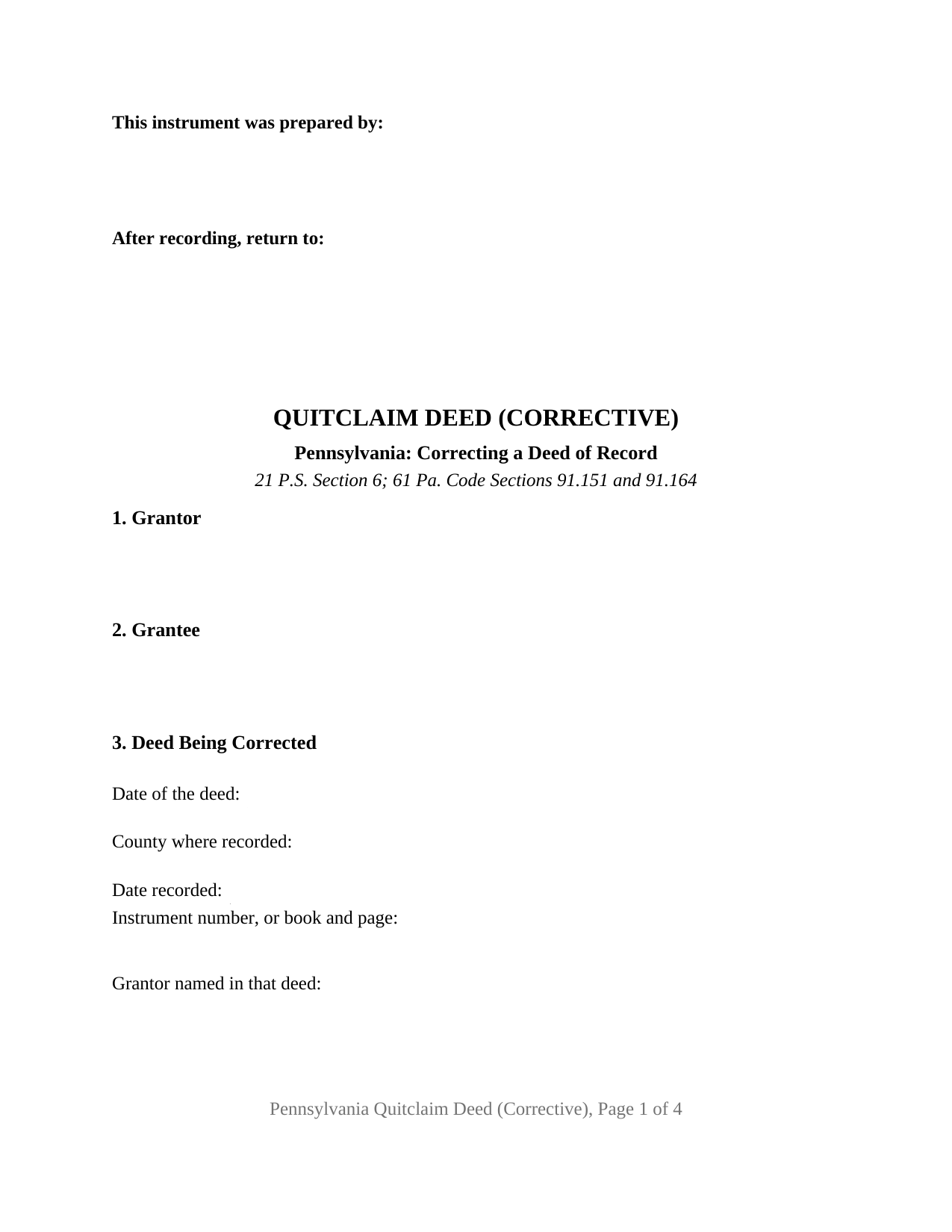
Montour County Quitclaim Deed (Corrective) Form
Fill in the blank Quitclaim Deed (Corrective) form formatted to comply with all Pennsylvania recording and content requirements.
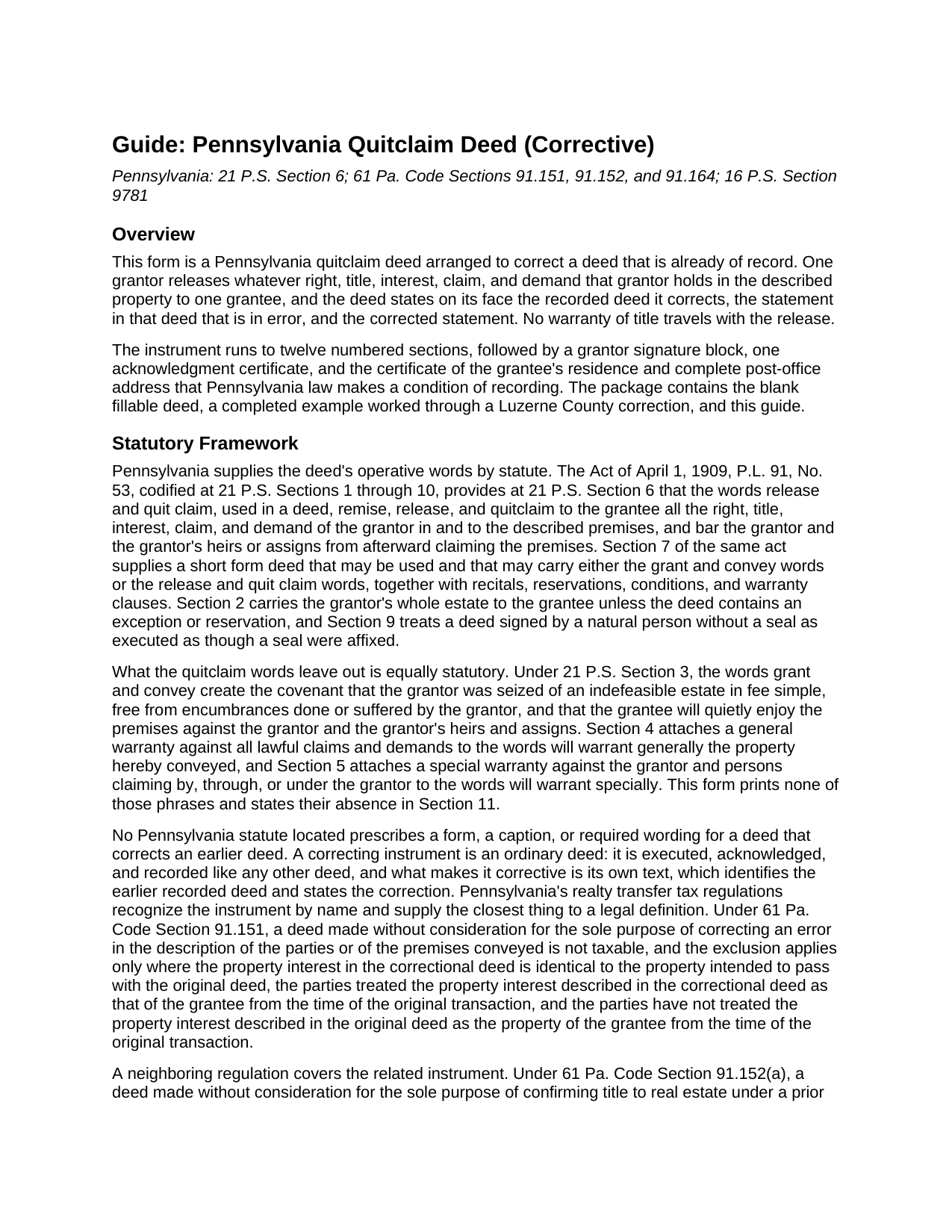
Montour County Quitclaim Deed (Corrective) Guide
Line by line guide explaining every blank on the Quitclaim Deed (Corrective) form.
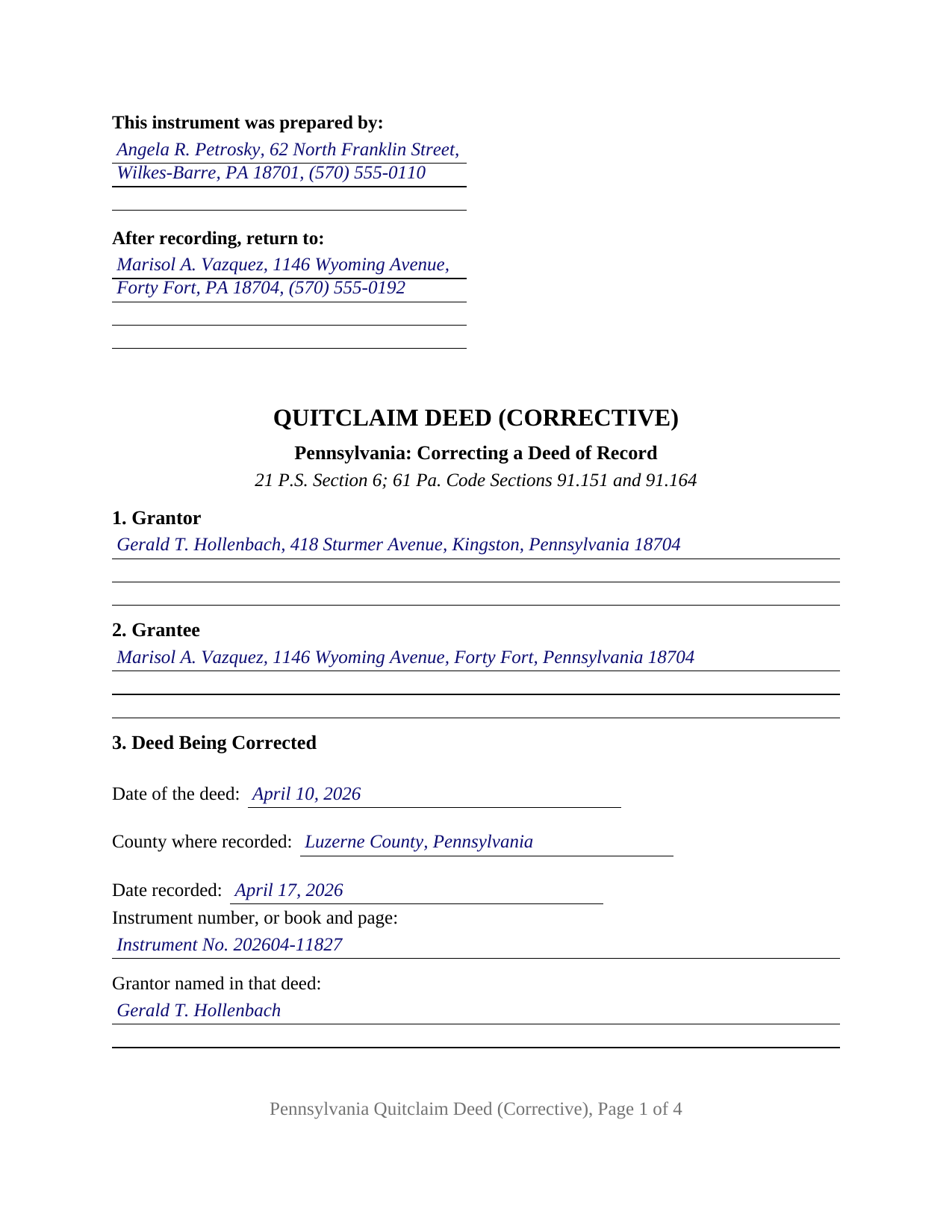
Montour County Completed Example of the Quitclaim Deed (Corrective) Document
Example of a properly completed Pennsylvania Quitclaim Deed (Corrective) document for reference.
All 3 documents above included • One-time purchase • No recurring fees
Immediate Download • Secure Checkout
Additional Pennsylvania and Montour County documents included at no extra charge:
Where to Record Your Documents
Recorder of Deeds - County Courthouse
Danville, Pennsylvania 17821
Hours: 9:00am to 4:00pm Monday through Friday
Phone: (570) 271-3012
Recording Tips for Montour County:
- Bring your driver's license or state-issued photo ID
- Ensure all signatures are in blue or black ink
- Recording fees may differ from what's posted online - verify current rates
- Request a receipt showing your recording numbers
- Ask about accepted payment methods when you call ahead
Cities and Jurisdictions in Montour County
Properties in any of these areas use Montour County forms:
- Danville
- Washingtonville
Hours, fees, requirements, and more for Montour County
How do I get my forms?
Forms are available for immediate download after payment. The Montour County forms will be in your account ready to download to your computer. An account is created for you during checkout if you don't have one. Forms are NOT emailed.
Are these forms guaranteed to be recordable in Montour County?
Yes. Our form blanks are guaranteed to meet or exceed the applicable formatting requirements used for recording in Montour County, including margin requirements, font requirements, and other layout standards. This guarantee applies to formatting, not to the legal sufficiency of information entered by the user or the suitability of a form for a particular transaction.
Can I reuse these forms?
Yes. You can reuse the forms for your personal use. For example, if you have multiple properties in Montour County you only need to order once.
What do I need to use these forms?
The forms are PDFs that you fill out on your computer. The free Adobe Acrobat Reader is recommended, and most PDF apps also work. You do NOT enter your property information online - you download the blank forms and complete them privately on your own computer.
Are there any recurring fees?
No. This is a one-time purchase. Nothing to cancel, no memberships, no recurring fees.
How much does it cost to record in Montour County?
Recording fees in Montour County vary. Contact the recorder's office at (570) 271-3012 for current fees.
Questions answered? Let's get started!
A correcting quitclaim deed is one of the few Pennsylvania instruments whose subject is another instrument. Three numbered sections do that work: one identifies the recorded deed being corrected by date, county, and instrument number or book and page; the next sets out the statement in it that is wrong; the third states it as it belongs. Underneath sits an ordinary quitclaim, passing to one grantee whatever the single grantor holds, with no warranty of title.
The regulation that names this deed
Pennsylvania statutes prescribe no form, caption, or wording for a deed that fixes an earlier one. The instrument is an ordinary deed whose own text makes it corrective, and the nearest thing to a definition sits in the realty transfer tax regulations. Under 61 Pa. Code Section 91.151, a deed made without consideration for the sole purpose of correcting an error in the description of the parties or of the premises conveyed is not taxable, on three stated conditions, among them that the property interest in the correctional deed is identical to the property intended to pass with the original deed. Section 91.193(b)(4) carries both the correctional deed and the confirmatory deed into the list of excluded transactions, and Section 91.152 supplies separate conditions for a deed made solely to render a grantee's record title sure and unavoidable. Because an exclusion is claimed, a REV-183 Statement of Value goes to the counter under Section 91.112.
What the three correction sections collect
Section 3 takes six entries: the date of the deed being corrected, the county and date of recording, the instrument number or book and page, and the grantor and grantee as named there. Holding those names apart from the current party blocks is what lets a misspelled name be fixed without ambiguity: Section 3 preserves the name the county index carries, and Sections 1, 2, and 5 carry the corrected one. Section 11 then performs the release in the words 21 P.S. Section 6 supplies and adds the sentence a title examiner reads first: the property interest described here is the interest the earlier deed was made to pass, and no other term of that deed is changed.
One grantor, one grantee, one certificate
The architecture is narrow: one grantor block, one grantee block, one signature line with a printed name and date, and one acknowledgment certificate printing the short form wording of 57 Pa.C.S. Section 316, so the grantor may appear before a notarial officer in any state, or remotely under 57 Pa.C.S. Section 306.1. Corrections of this shape reach Pennsylvania record rooms constantly: a surname misspelled in the earlier deed and caught when the next transaction is searched, a transposed lot number in a platted description, and an identifier carried over from the adjoining lot. The form recites one grantor releasing to one grantee; entireties property is a single indivisible estate that both spouses convey together, and a signature made for a company, a trustee, or an agent rests on capacity and authority entries this quit claim deed does not print.
Where correcting stops and reforming begins
A correcting deed is a consensual instrument, and it settles nothing that is contested. Where the parties disagree about what the earlier deed was meant to say, the question goes to court: the Supreme Court in Regions Mortgage, Inc. v. Muthler, 889 A.2d 39 (Pa. 2005), traced the rule that equity reforms a written instrument for fraud, accident, or mistake, the mistake ordinarily required to be mutual. The later deed also leaves the earlier record standing: both instruments sit in the chain under their own recording dates, and 21 P.S. Section 351 protects anyone who acquired an interest for value between the two filings without notice.
At the county recorder of deeds
The correcting deed goes back to the office that recorded the first one. It closes with the certificate of the grantee's precise residence and complete post-office address that 16 P.S. Section 9781 makes a condition of recording, and carries a parcel identifier entry for the ordinance counties. Counties differ on whether a correction travels as a newly recorded deed or as the earlier deed re-recorded; this form takes the first route.
The download holds the blank corrective quitclaim deed as a fillable PDF, a completed example worked through a Luzerne County correction of a misspelled grantee name, and a guide covering the twelve sections, notarization, the transfer tax regulations, and county recording. These materials describe Pennsylvania law in general terms and are not legal advice.
Important: Your property must be located in Montour County to use these forms. Documents should be recorded at the county recording office listed above.
This Quitclaim Deed (Corrective) meets all recording requirements specific to Montour County.
Our Promise
The documents you receive here are guaranteed to meet or exceed the applicable Montour County recording format requirements. If there is a rejection caused by our formatting, we will correct the issue or refund your payment. This guarantee applies to document formatting only and does not extend to information entered by the user, the selection of the form, or the legal effect of the completed document.
Save Time and Money
Get your Montour County Quitclaim Deed (Corrective) form done right the first time with Deeds.com Uniform Conveyancing Blanks. At Deeds.com, we understand that your time and money are valuable resources, and we don't want you to face a penalty fee or rejection imposed by a county recorder for submitting nonstandard documents. We constantly review and update our forms to meet rapidly changing state and county recording requirements for roughly 3,500 counties and local jurisdictions.
4.8 out of 5 - ( 4,833 Reviews )
Nancy C. 5 out of 5 stars
Easy to use, found what I was looking for.
We are grateful for your feedback and looking forward to serving you again. Thank you!
Regina W. 5 out of 5 stars
So glad I found this form. Very easy to download and looks like all the instructions are there to correctly fill out my paperwork. Thanks.
We appreciate your business and value your feedback. Thank you. Have a wonderful day!
Roberta U. 5 out of 5 stars
Thanks for the quick reply Will use in future. Thanksgivings
Thank you!
STEPHANIE S. 5 out of 5 stars
The documents received and information provided to assist with the recording was exactly what was needed for a successful title transfer. I would highly recommend this site and will continue using it for future transactions.
We appreciate your business and value your feedback. Thank you. Have a wonderful day!
Gary M. 5 out of 5 stars
This was such an easy experience
We are grateful for your feedback and looking forward to serving you again. Thank you!
Michael M. 5 out of 5 stars
Great service that satisfied all my needs. Great prices too.
We appreciate your business and value your feedback. Thank you. Have a wonderful day!
Thomas D. 2 out of 5 stars
The documents themselves are fine and the information provided with them is helpful. I find the actual processing of the documents, however, to be difficult particularly once the document has been saved. First, I note that the box for the date only allows entry of the last 2 digits of the year. Unfortunately, my download only allows me to enter one of the 2 digits required. When I delete it repeatedly, it eventually allows both digits to be entered but puts them in extremely small text and in superscrypt. I have not found a solution to this problem and am not sure the deed can even be recorded with this problem. Another problem is that if you try to revise the document after you have saved it the curser goes to the end of the line after each key entry. This means that there basically is no way to efficiently save the document for reworking later since you will have to delete everything you have entered in the text box unless you only need to make a single keystroke change or are willing to replace the curser after each entry. Try that with a long property description! Please note that I am using a Mac to prepare my documents and perhaps this is part of an "incompatibility problem". However, I didn't see a disclaimer regarding Mac use and so would expect the documents to perform correctly. Overall, I give the program a "2 star" rating because I am experiencing significant difficulties in entering dates in the documents even before saving them and because saving your work for later revision appears to be basically unworkable.
Thank you for your feedback Thomas, we appreciate you being specific about the issues you encountered. Adobe and Mac have a fairly long history of issues working together.
Erica W. 5 out of 5 stars
Very easy and convenient. I will use this service again!
Thank you!
ROBERT B. 5 out of 5 stars
The staff of DEEDS.COM is in a class of excellence all by themselves! From my own personal experience, I had multiple problems with some documents I was submitting. DEEDS.COM stayed with me and held my hand through the project until it was completed! I have never met the staff at DEEDS, but their personal service & professionalism make me feel like part of the DEEDS Family! If I ever need legal documents submitted to government agencies nationwide ever again, THE ONLY STOP ONLINE I WILL MAKE WILL BE DEEDS.COM!
Thank you for your feedback. We really appreciate it. Have a great day!
Brian H. 2 out of 5 stars
Forms are good. But need to be able to fill in information and blanks so these can be filed. Disappointed.
Thank you for your feedback. The forms are fill in the blank, Adobe PDFs. As is noted on the site, make sure you download the documents to your computer and open them with Adobe. Sounds like you may be trying to complete them online in your browser.
Janet R. 5 out of 5 stars
The site was easy to navigate...all the information needed to fill in the forms was included, which was very helpful and a pleasant surprise...form completed in short order...made taking care of business quick and easy...Thanks for the thoughtful and excellent help, I will share the link with others and I will use the site again...Thanks
We appreciate your business and value your feedback. Thank you. Have a wonderful day!
Sheryl Kae Y. 4 out of 5 stars
Really good forms, no complaints.
We appreciate your business and value your feedback. Thank you. Have a wonderful day!
Gary B. 2 out of 5 stars
After spending $21 to obtain a Quit Claim Deed form, I realized that I was in over my head. There are a lot of legal considerations and I am not familiar enough with the legal terms and choices to feel confident doing it myself. I since hired a paralegal service to prepare my Quit Claim. I wish I knew the knowledge required before I purchased.
Glad to hear you sought the assistance of a legal professional familiar with your specific situation Gary. We always recommend this to anyone not completely sure of what they are doing.
Myron M. 5 out of 5 stars
This is what we need and it was very helpful and easy to fill out. Thanks
We appreciate your business and value your feedback. Thank you. Have a wonderful day!
Yunyan B. 5 out of 5 stars
Great website, fraction of the price if doing title research elsewhere
Thank you for your feedback. We really appreciate it. Have a great day!