Jefferson County Quitclaim Deed Form
Last validated October 14, 2026 by our Forms Development TeamFormatted for recording in Jefferson County, for property anywhere in the county: rural and unincorporated areas as well as Anita, Big Run, Brockway, Brookville, Coolspring, Corsica, De Lancey, Falls Creek and 16 more.
- 3 documents included
- Immediate PDF download
- Formatting guarantee
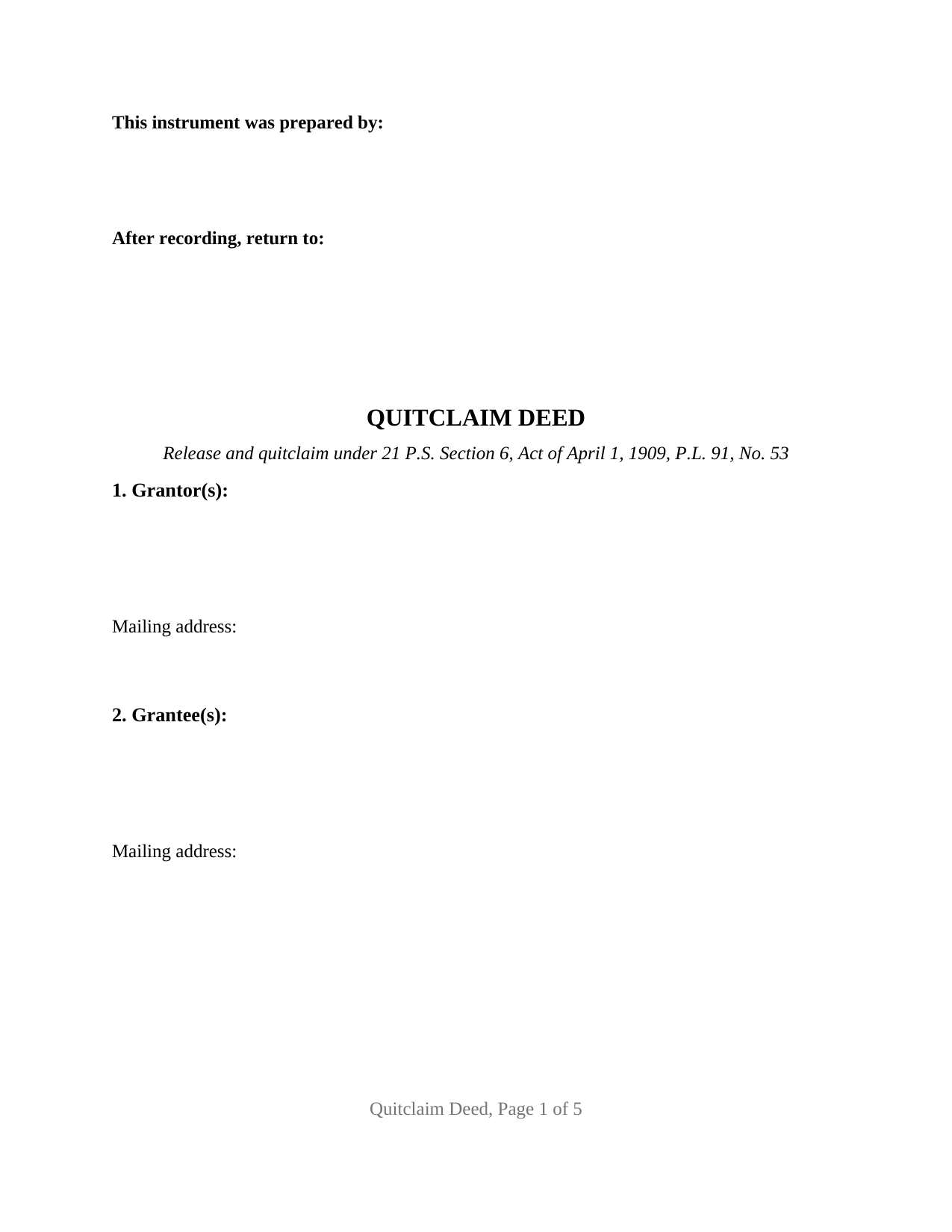
Jefferson County Quitclaim Deed Form
Fill in the blank Quitclaim Deed form formatted to comply with all Pennsylvania recording and content requirements.
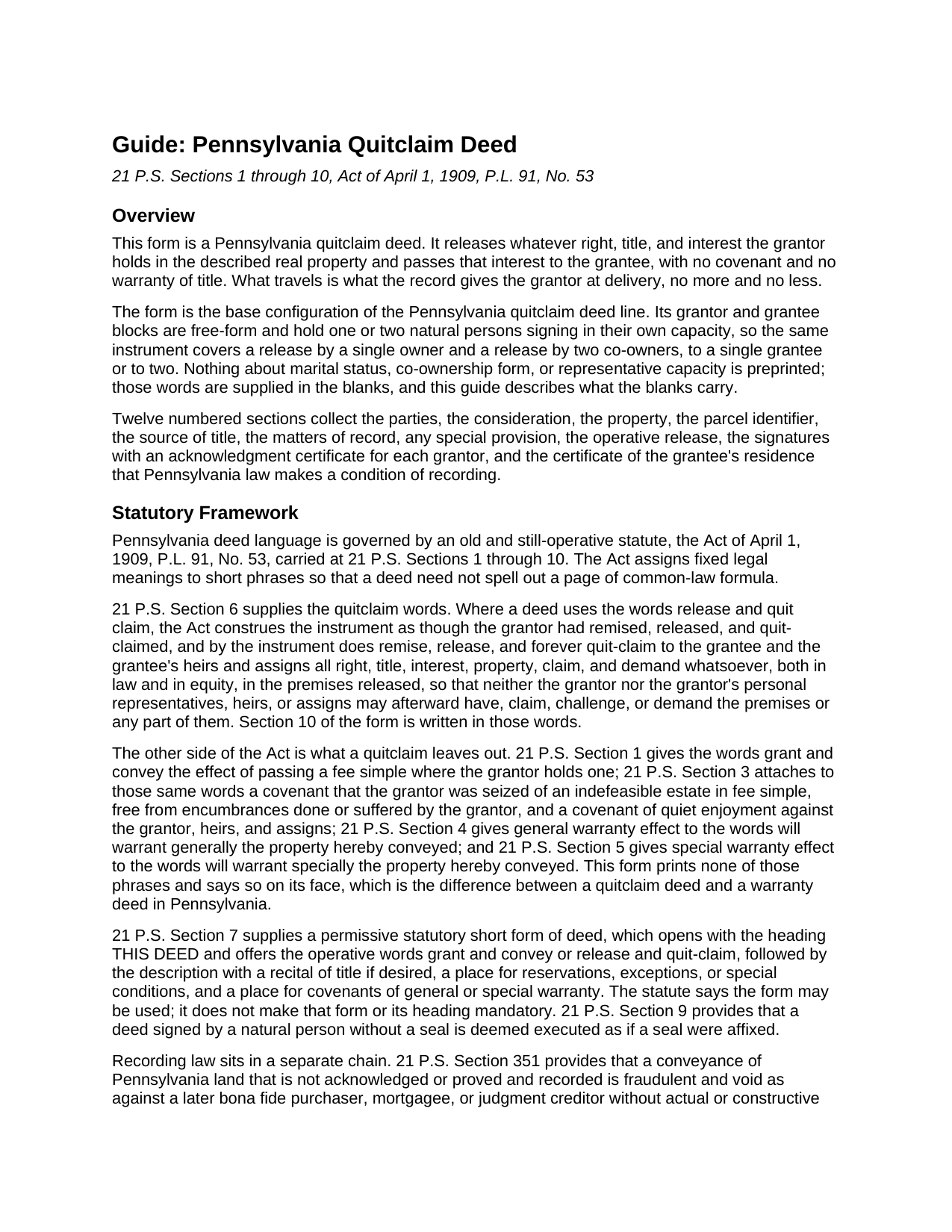
Jefferson County Quitclaim Deed Guide
Line by line guide explaining every blank on the Quitclaim Deed form.
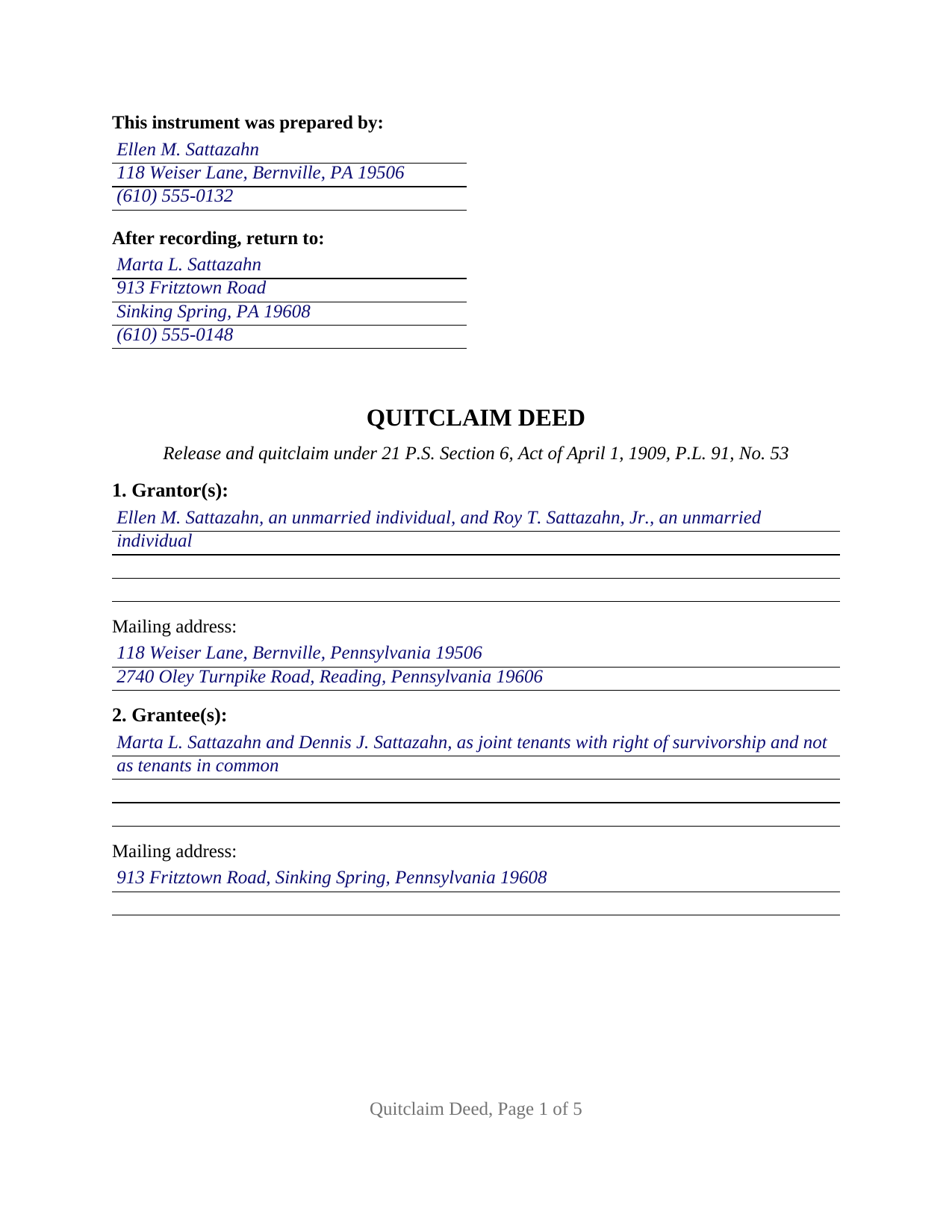
Jefferson County Completed Example of the Quitclaim Deed Document
Example of a properly completed Pennsylvania Quitclaim Deed document for reference.
All 3 documents above included • One-time purchase • No recurring fees
Immediate Download • Secure Checkout
Additional Pennsylvania and Jefferson County documents included at no extra charge:
Where to Record Your Documents
Jefferson County Recorder of Deeds
Brookville, Pennsylvania 15825
Hours: 8:30am to 4:30pm Mon - Fri / Recording until 4:00pm
Phone: 814-849-1610
Recording Tips for Jefferson County:
- Bring your driver's license or state-issued photo ID
- Ensure all signatures are in blue or black ink
- Ask about their eRecording option for future transactions
- Avoid the last business day of the month when possible
- Both spouses typically need to sign if property is jointly owned
Cities and Jurisdictions in Jefferson County
Properties in any of these areas use Jefferson County forms:
- Anita
- Big Run
- Brockway
- Brookville
- Coolspring
- Corsica
- De Lancey
- Falls Creek
- Frostburg
- Hamilton
- Knox Dale
- Oliveburg
- Punxsutawney
- Reynoldsville
- Ringgold
- Sigel
- Sprankle Mills
- Stump Creek
- Summerville
- Sykesville
- Timblin
- Valier
- Walston
- Worthville
Hours, fees, requirements, and more for Jefferson County
How do I get my forms?
Forms are available for immediate download after payment. The Jefferson County forms will be in your account ready to download to your computer. An account is created for you during checkout if you don't have one. Forms are NOT emailed.
Are these forms guaranteed to be recordable in Jefferson County?
Yes. Our form blanks are guaranteed to meet or exceed the applicable formatting requirements used for recording in Jefferson County, including margin requirements, font requirements, and other layout standards. This guarantee applies to formatting, not to the legal sufficiency of information entered by the user or the suitability of a form for a particular transaction.
Can I reuse these forms?
Yes. You can reuse the forms for your personal use. For example, if you have multiple properties in Jefferson County you only need to order once.
What do I need to use these forms?
The forms are PDFs that you fill out on your computer. The free Adobe Acrobat Reader is recommended, and most PDF apps also work. You do NOT enter your property information online - you download the blank forms and complete them privately on your own computer.
Are there any recurring fees?
No. This is a one-time purchase. Nothing to cancel, no memberships, no recurring fees.
How much does it cost to record in Jefferson County?
Recording fees in Jefferson County vary. Contact the recorder's office at 814-849-1610 for current fees.
Questions answered? Let's get started!
Pennsylvania decides what a deed promises by reading two short phrases. The Act of April 1, 1909, carried at 21 P.S. Sections 1 through 10, gives one fixed meaning to the words grant and convey and another to the words release and quit claim, and a Pennsylvania quitclaim deed is the instrument that prints the second and withholds the first. This is the base form of that instrument: one or two natural persons releasing whatever interest they hold to one or two grantees, with no warranty riding along.
The phrase this deed prints, and the four it leaves out
Under 21 P.S. Section 6, a deed using the words release and quit claim is read as though the grantor had remised, released, and forever quit-claimed to the grantee and the grantee's heirs and assigns all right, title, interest, property, claim, and demand whatsoever, both in law and in equity, barring any later claim by the grantor or the grantor's heirs. Section 10 is written in those words. Four phrases from the same Act never appear: grant and convey, which passes a fee simple under Section 1 and carries the Section 3 covenants of seizin, encumbrance, and quiet enjoyment; will warrant generally, the Section 4 general warranty; and will warrant specially, the Section 5 special warranty. Their absence is stated on the deed's face, which is the whole distance between a quit claim deed and a warranty deed in Pennsylvania.
One or two names on either side, and nothing preprinted
The party blocks are free-form and hold natural persons signing in their own capacity. A four-line grantor block takes one or two names with whatever status wording the parties want on the instrument; a four-line grantee block takes one or two names followed by a designation of how they hold. Marital status, co-ownership form, and capacity are preprinted nowhere, so one document performs the release in all four count patterns: one owner to one taker, one owner to two, two owners to one, two owners to two. Two signature blocks headed GRANTOR and SECOND GRANTOR (if applicable) follow, each with a printed name and a date, and an acknowledgment certificate for each prints the short-form sentence of 57 Pa.C.S. Section 316, so two signers may appear on different dates and before officers in different states. On a release by one grantor, the second block and its certificate stay blank. What the form omits marks its outer edge: an authority section for a signer acting for a company, holding a fiduciary office, or signing under a power of attorney, and a consent line for a signer who conveys nothing.
The coal notice a quitclaim deed does not carry
Pennsylvania puts a coal and right-of-support severance notice on the face of most surface conveyances, in type distinctly different from the rest of the instrument, under the Act of July 17, 1957, P.L. 984, No. 431. The Act excepts three instruments by name, a quitclaim deed among them, so no coal notice is printed here. That exception reaches the notice and not the coal: a recorded severance of coal, oil, gas, or other minerals rides through the release untouched, and Section 8 gives the parties a place to list it.
What a recorder refuses a deed for
16 P.S. Section 9781 directs the recorder of deeds to refuse a deed unless the grantee has attached and made part of it a signed certificate giving the grantee's precise residence and complete post-office address; Section 12 is that certificate. Where a county ordinance invokes 16 P.S. Section 9781.1, the Uniform Parcel Identifier goes in or on the instrument, and Section 6 collects it. Recording answers priority rather than validity: under 21 P.S. Section 351 an unrecorded conveyance is void against a later purchaser, mortgagee, or judgment creditor without notice.
Tax that ignores the caption
Realty transfer tax pays no attention to the caption. Under 61 Pa. Code Section 91.164 the question is whether real estate actually changed hands, and where it did the 1 percent Commonwealth rate and the local municipal and school rate attach as on any deed. A nominal consideration or a claimed exclusion travels on the REV-183 Statement of Value.
The download holds the blank deed as a fillable PDF, a completed example following a Berks County release, and a guide to the twelve sections, the vesting words a Pennsylvania grantee block can carry, notarization, transfer tax paperwork, and county recording. It describes Pennsylvania law in general terms and is not legal advice.
Important: Your property must be located in Jefferson County to use these forms. Documents should be recorded at the county recording office listed above.
This Quitclaim Deed meets all recording requirements specific to Jefferson County.
Our Promise
The documents you receive here are guaranteed to meet or exceed the applicable Jefferson County recording format requirements. If there is a rejection caused by our formatting, we will correct the issue or refund your payment. This guarantee applies to document formatting only and does not extend to information entered by the user, the selection of the form, or the legal effect of the completed document.
Save Time and Money
Get your Jefferson County Quitclaim Deed form done right the first time with Deeds.com Uniform Conveyancing Blanks. At Deeds.com, we understand that your time and money are valuable resources, and we don't want you to face a penalty fee or rejection imposed by a county recorder for submitting nonstandard documents. We constantly review and update our forms to meet rapidly changing state and county recording requirements for roughly 3,500 counties and local jurisdictions.
4.8 out of 5 - ( 4,836 Reviews )
Maria W. 5 out of 5 stars
Really, the best and easiest service given us to complete a process for recorder office! Thank you!!
Thank you!
Greg F. 5 out of 5 stars
Sorry that this a little late. I'm VERY HAPPY with everything. The deeds paperwork was just what I was looking for. It was very to fill out, it was different than n the folks used years ago. I called the county clerk, and they were very helpful. Thank you for the paperwork it was easy to use and understand.
Thank you for your feedback. We really appreciate it. Have a great day!
ZENOBIA D. 5 out of 5 stars
I Love Deeds.com. They have all of the documents you need to take care of your needs. IT is also safe and convenient way to send your documents safely and secure.
Thank you!
Sara R. 5 out of 5 stars
Worked well for me to create a deed for a house I inherited. It was very thorough and easy to use. I have no experience with the law so I just googled terms I didn't understand and was fine. I also called land records a lot and ended up not needing a lot of the material included, but it was still good to have it.
We appreciate your business and value your feedback. Thank you. Have a wonderful day!
Brian T. 5 out of 5 stars
Great to find this makes for easy work when you need to secure your ownership of a property!!Thanks guys Brian the Mann
We appreciate your business and value your feedback. Thank you. Have a wonderful day!
Thomas T. 5 out of 5 stars
Amazing site, been using it since 2018 for forms and never an issue.
Thank you for your feedback. We really appreciate it. Have a great day!
Doug C. 5 out of 5 stars
Great Job guys! I would not even have thought to look for this service. The county recorder's office and kiosks are all closed because of covid. I was directed to you because of a referral on the county site. I wish I had known you had forms available as well. I searched for a day to find the appropriate form.
Thank you for your feedback. We really appreciate it. Have a great day!
Penny S. 5 out of 5 stars
Easy to access information needed.
We’re always here to help. Thank you for your feedback.
Jeffrey L. 5 out of 5 stars
I like using Deeds.com for all of our out-of-state deeds because they make the process almost completely hassle free for us and our clients. I am confident that the service they provide for us is the absolute best anywhere. Because of Deeds.com, we look great to our clients and our people enjoy a level of trust that other firms do not offer them.
Thank you for your feedback. We really appreciate it. Have a great day!
Anthony N. 3 out of 5 stars
The site was not easy to navigate. Maybe putting the different things offered at the heading instead of searching for it.
Thank you for your feedback. We really appreciate it. Have a great day!
Holly M. 5 out of 5 stars
This was the simplest method of filing a document that I've ever encountered. I've already recommended it my colleagues, and would highly encourage anyone to use it. Fast, easy, simple.
We appreciate your business and value your feedback. Thank you. Have a wonderful day!
Darlene P. 5 out of 5 stars
Deeds.com was a money saver for me. It made a daunting task of preparing a Quit Claim Deed a very simple task. I was happy that my documentation was accepted by my state and County first round. Thank you Deeds.com
We appreciate your business and value your feedback. Thank you. Have a wonderful day!
Lavonia L. 5 out of 5 stars
Found exactly what I was looking for and it helped tremendously.
Thank you for your feedback. We really appreciate it. Have a great day!
Kate J. 5 out of 5 stars
Easy to use.
Thank you!
Ralf J. 5 out of 5 stars
PDF documents extremely helpful, documents user friendly and easy to navigate.
Thanks for the kind words, Ralf. Glad everything was easy to navigate. We appreciate your business.