Kershaw County Certificate of Trust Form
Last validated October 30, 2026 by our Forms Development TeamFormatted for recording in Kershaw County, for property anywhere in the county: rural and unincorporated areas as well as Bethune, Camden, Cassatt, Elgin, Liberty Hill, Lugoff, Westville.
- 3 documents included
- Immediate PDF download
- Formatting guarantee
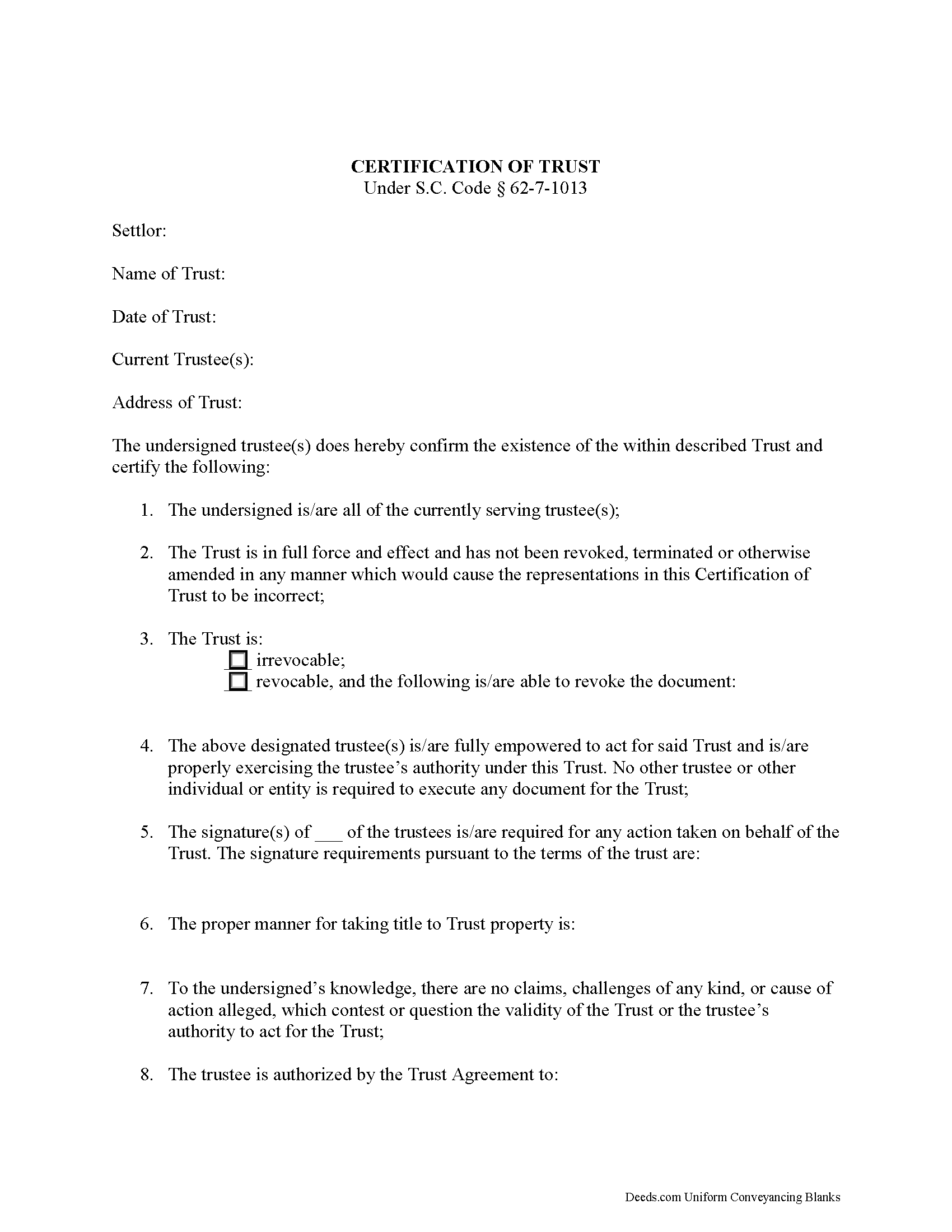
Kershaw County Certificate of Trust Form
Fill in the blank form formatted to comply with all recording and content requirements.
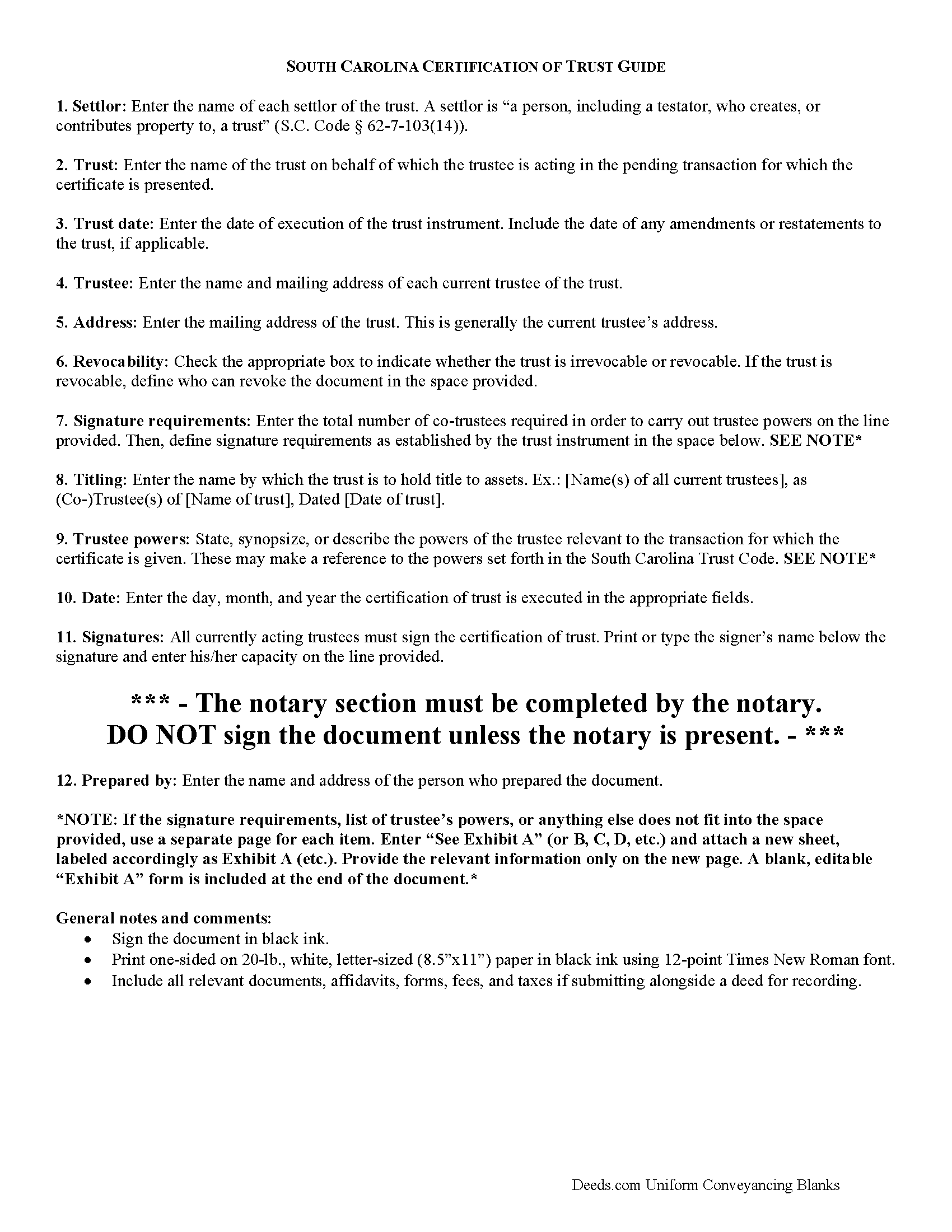
Kershaw County Certificate of Trust Guide
Line by line guide explaining every blank on the form
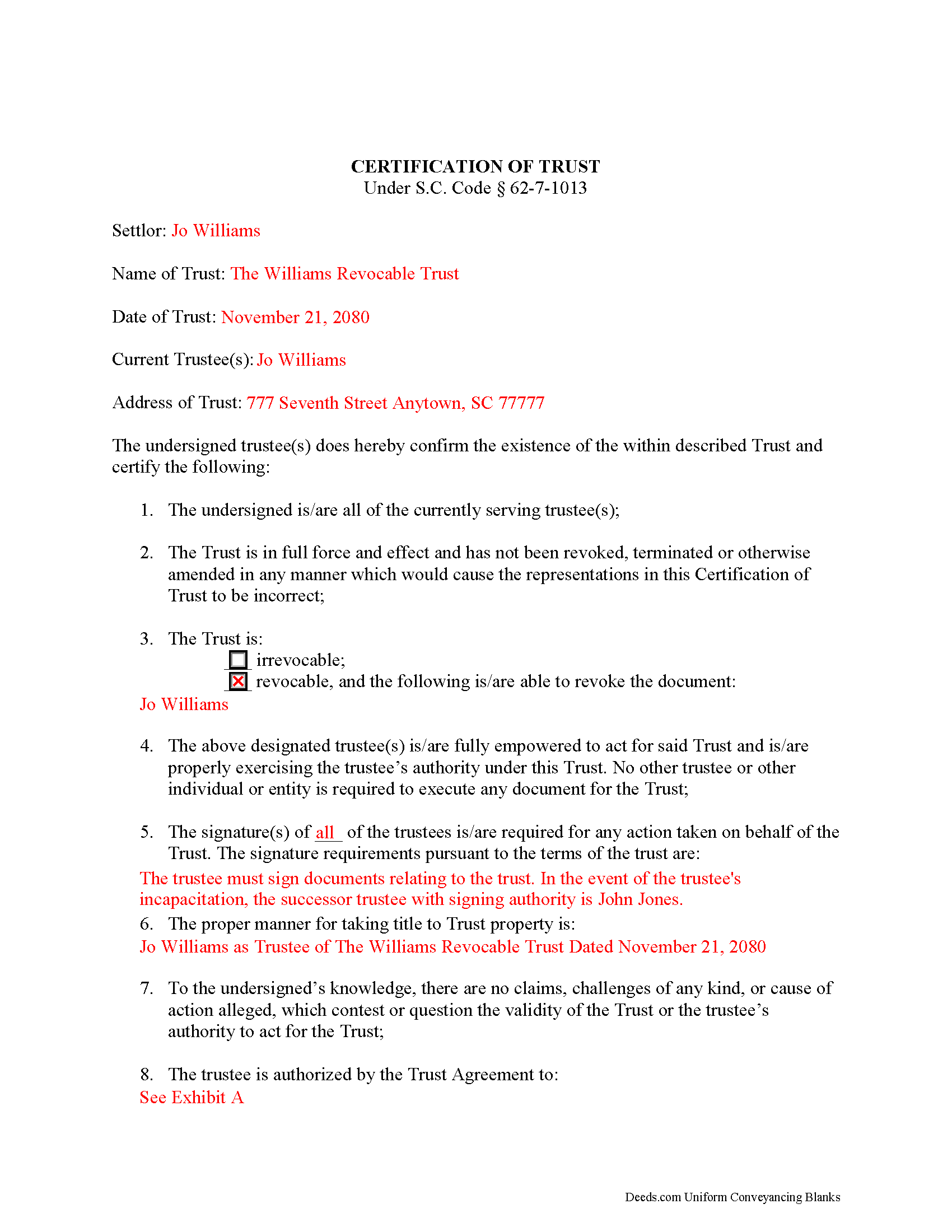
Kershaw County Completed Example of the Certificate of Trust Document
Example of a properly completed form for reference.
All 3 documents above included • One-time purchase • No recurring fees
Immediate Download • Secure Checkout
Additional South Carolina and Kershaw County documents included at no extra charge:
Where to Record Your Documents
Kershaw County Register of Deeds
Camden, South Carolina 29020
Hours: 8:30am - 5:00pm Monday - Friday
Phone: (803) 425-7235
Recording Tips for Kershaw County:
- Bring your driver's license or state-issued photo ID
- Ensure all signatures are in blue or black ink
- Avoid the last business day of the month when possible
- Both spouses typically need to sign if property is jointly owned
- Bring extra funds - fees can vary by document type and page count
Cities and Jurisdictions in Kershaw County
Properties in any of these areas use Kershaw County forms:
- Bethune
- Camden
- Cassatt
- Elgin
- Liberty Hill
- Lugoff
- Westville
Hours, fees, requirements, and more for Kershaw County
How do I get my forms?
Forms are available for immediate download after payment. The Kershaw County forms will be in your account ready to download to your computer. An account is created for you during checkout if you don't have one. Forms are NOT emailed.
Are these forms guaranteed to be recordable in Kershaw County?
Yes. Our form blanks are guaranteed to meet or exceed the applicable formatting requirements used for recording in Kershaw County, including margin requirements, font requirements, and other layout standards. This guarantee applies to formatting, not to the legal sufficiency of information entered by the user or the suitability of a form for a particular transaction.
Can I reuse these forms?
Yes. You can reuse the forms for your personal use. For example, if you have multiple properties in Kershaw County you only need to order once.
What do I need to use these forms?
The forms are PDFs that you fill out on your computer. The free Adobe Acrobat Reader is recommended, and most PDF apps also work. You do NOT enter your property information online - you download the blank forms and complete them privately on your own computer.
Are there any recurring fees?
No. This is a one-time purchase. Nothing to cancel, no memberships, no recurring fees.
How much does it cost to record in Kershaw County?
Recording fees in Kershaw County vary. Contact the recorder's office at (803) 425-7235 for current fees.
Questions answered? Let's get started!
South Carolina Certification of Trust
The certification of trust is codified at S.C. Code 62-7-1013 as part of the South Carolina Trust Code. A certificate of trust presents a summary of the trust to which it pertains, and verifies a trust's existence and the trustee's authority to act on behalf of the trust. A trustee may present the document in lieu of the trust instrument any person who is not a trust beneficiary. This allows the trustee to maintain the privacy of the settlor's estate plans by presenting only necessary information about the trust to parties outside the trust arrangement.
The format of the South Carolina certificate presents the most basic information about the trust first, including the name of the trust and date of execution of the trust instrument, and the name of each settlor and the acting trustee's name and address.
The certificate then presents certified statements, made by the trustees, that all currently serving trustees have executed and acknowledged the instrument, and that the trust "has not been revoked, modified, or amended in any manner that would cause the representations contained in the certification of trust to be incorrect" ( 62-4-1013(7)(c)).
Information about the trust's ability to be revoked, and the identity of any person who may revoke the trust pursuant to the terms of the trust instrument comes next, and information regarding the execution of trust documents follows. For trusts with co-trustees, the certificate shows how many trustees are required to execute trustee powers and enumerates the signature requirements established in the trust.
The certificate also requires the name by which the trust is to hold title to assets, typically by way of the trustee (e.g. "John Doe as Trustee of the Doe Revocable Trust Dated..."). In addition, the certificate presents the exact powers of the trustee to enter the transaction for which the certificate is presented, and may make a reference to the powers set forth in the South Carolina Trust Code.
Persons doing business with trustees have certain protections under the statutes. Recipients of a certification of trust, for example, "may assume without inquiry the existence of the facts contained in the certification" and "may enforce the transaction against the trust property as if the representations contained in the certification were correct" ( 62-4-1013(7)(f),(g)). Recipients may request that a trustee provide copies of excerpts from the trust instrument which designate the trustee and present the trustee's relevant powers, in addition to the certificate. Requesting the entire trust instrument opens them up to liabilities, however ( 62-4-1013(7)(h)).
Where a certification of trust is presented for transactions involving real property, the document should meet standards for recording documents in the State of South Carolina. The certificate must be acknowledged by the acting trustees and witnesses in the presence of a Notary Public before it is recorded in the county where the subject real property is situated.
Consult a lawyer with questions regarding certifications of trust in South Carolina.
(South Carolina COT Package includes form, guidelines, and completed example)
Important: Your property must be located in Kershaw County to use these forms. Documents should be recorded at the county recording office listed above.
This Certificate of Trust meets all recording requirements specific to Kershaw County.
Our Promise
The documents you receive here are guaranteed to meet or exceed the applicable Kershaw County recording format requirements. If there is a rejection caused by our formatting, we will correct the issue or refund your payment. This guarantee applies to document formatting only and does not extend to information entered by the user, the selection of the form, or the legal effect of the completed document.
Save Time and Money
Get your Kershaw County Certificate of Trust form done right the first time with Deeds.com Uniform Conveyancing Blanks. At Deeds.com, we understand that your time and money are valuable resources, and we don't want you to face a penalty fee or rejection imposed by a county recorder for submitting nonstandard documents. We constantly review and update our forms to meet rapidly changing state and county recording requirements for roughly 3,500 counties and local jurisdictions.
4.8 out of 5 - ( 4,842 Reviews )
Bridgit L. 5 out of 5 stars
I must admit I was a bit hesitant to record a document online, but I am impressed by how quickly the process took from the initial sign-on, uploading and recording! I will definitely use your services again.
We appreciate your business and value your feedback. Thank you. Have a wonderful day!
Dean L. 3 out of 5 stars
The template isn't that easy to work with, with you have to type out large amounts of text. Also copy and paste doesn't seem to work. Furthermore, the code listed on the guide is out of date. However, the DQC is decent in that it has all the required fields you need.
Thank you for your feedback. We really appreciate it. Have a great day!
Mary D. 5 out of 5 stars
LOVE this site.. easy to use and very very quick to record
Thank you for your feedback. We really appreciate it. Have a great day!
Veronica F. 5 out of 5 stars
Im so happy with this site. It was quick and painless and worth the money hassle free if I ever need to settle another deed I will be back.
Thank you Veronica, we really appreciate your feedback.
Truc T. 5 out of 5 stars
great DIY site.
Thank you!
Stephen D. 5 out of 5 stars
Very good hope to use in the future.
Thank you for your feedback. We really appreciate it. Have a great day!
Daniel L. 5 out of 5 stars
so far appears to meet my needs!
Thank you for your feedback. We really appreciate it. Have a great day!
Sue B. 5 out of 5 stars
Easy to download and complete. Thank you for this service!
Thank you for your feedback Sue, we really appreciate it!
Hilary C. 5 out of 5 stars
Within 10 minutes I had my Deed!!! Fantastic!!!!
Thank you for your feedback. We really appreciate it. Have a great day!
Gerald C. 2 out of 5 stars
Pros, quick purchase and document availability including instructions and examples. Cons, For the cert. of trust, the form would not accept the length of our trust name with no way to get around. The pdf file printing did not meet the requirements for 2.5" top margin and .5" other margins as well as the 10pt font size as the form information was shrunk down even when normal printing.
Thank you for your feedback. We really appreciate it. Have a great day!
Penny S. 5 out of 5 stars
Easy to access information needed.
We’re always here to help. Thank you for your feedback.
Maricela N. 5 out of 5 stars
very easy and quick to get all the forms needed! Thank you!
Thank you for your feedback. We really appreciate it. Have a great day!
Shelly S. 4 out of 5 stars
was fairly easy to work through the forms but needed better information on what goes on a few of the lines
Thank you for your feedback. We really appreciate it. Have a great day!
Randy F. 5 out of 5 stars
SO FAR SO GOOD, DOC'S DOWNLOADED WITHOUT A PROBLEM
Thank you!
Troy D. 5 out of 5 stars
Excellent Service. Great time savings over having to send someone to the recording office. Am planning on utilizing this service for our recording needs.
We appreciate your business and value your feedback. Thank you. Have a wonderful day!