Dorchester County Mineral Deed with Quitclaim Covenants Form
Last validated September 28, 2026 by our Forms Development TeamFormatted for recording in Dorchester County, for property anywhere in the county: rural and unincorporated areas as well as Dorchester, Grover, Harleyville, North Charleston, Reevesville, Ridgeville, Saint George, Summerville.
- 3 documents included
- Immediate PDF download
- Formatting guarantee
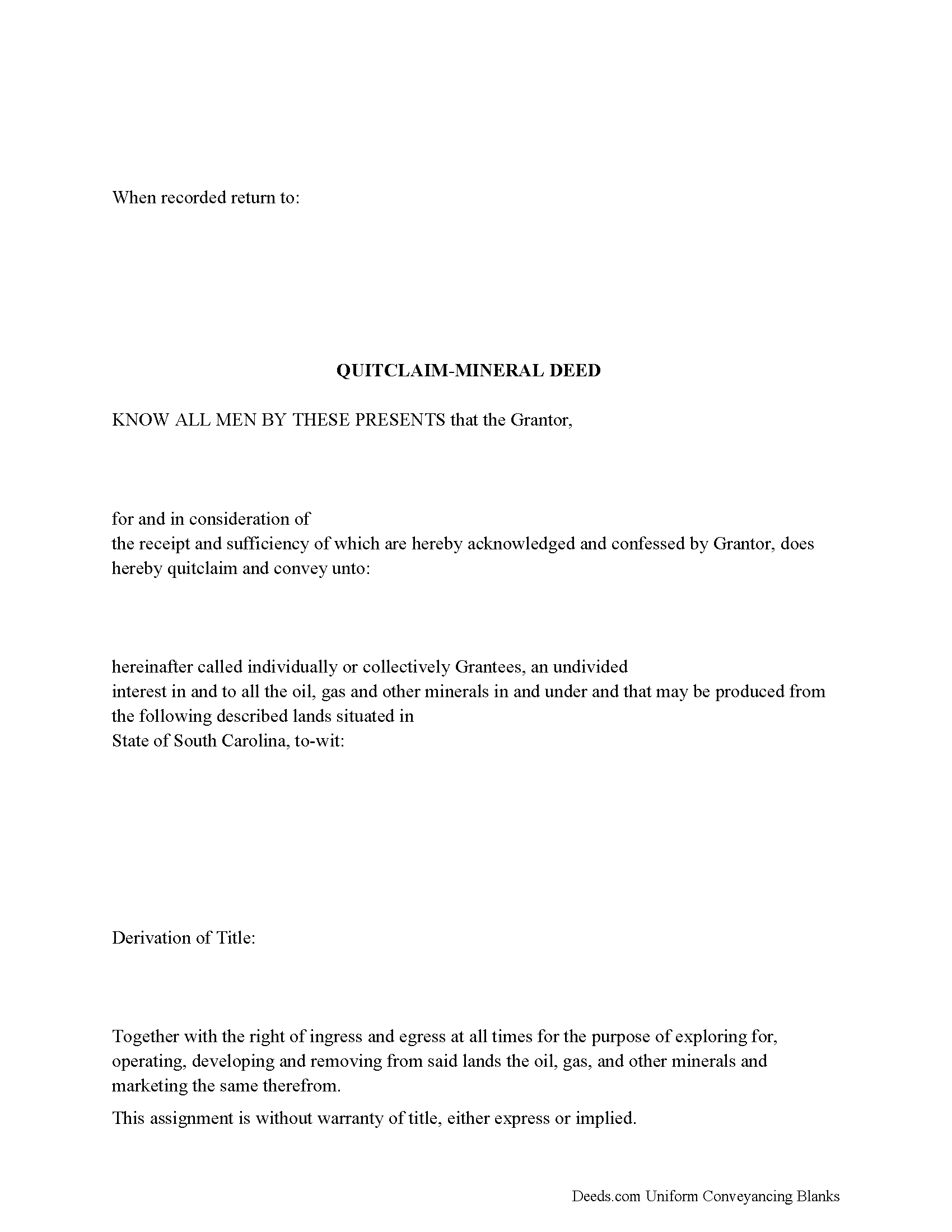
Dorchester County Mineral Deed with Quitclaim Covenants Form
Fill in the blank Mineral Deed with Quitclaim Covenants form formatted to comply with all South Carolina recording and content requirements.
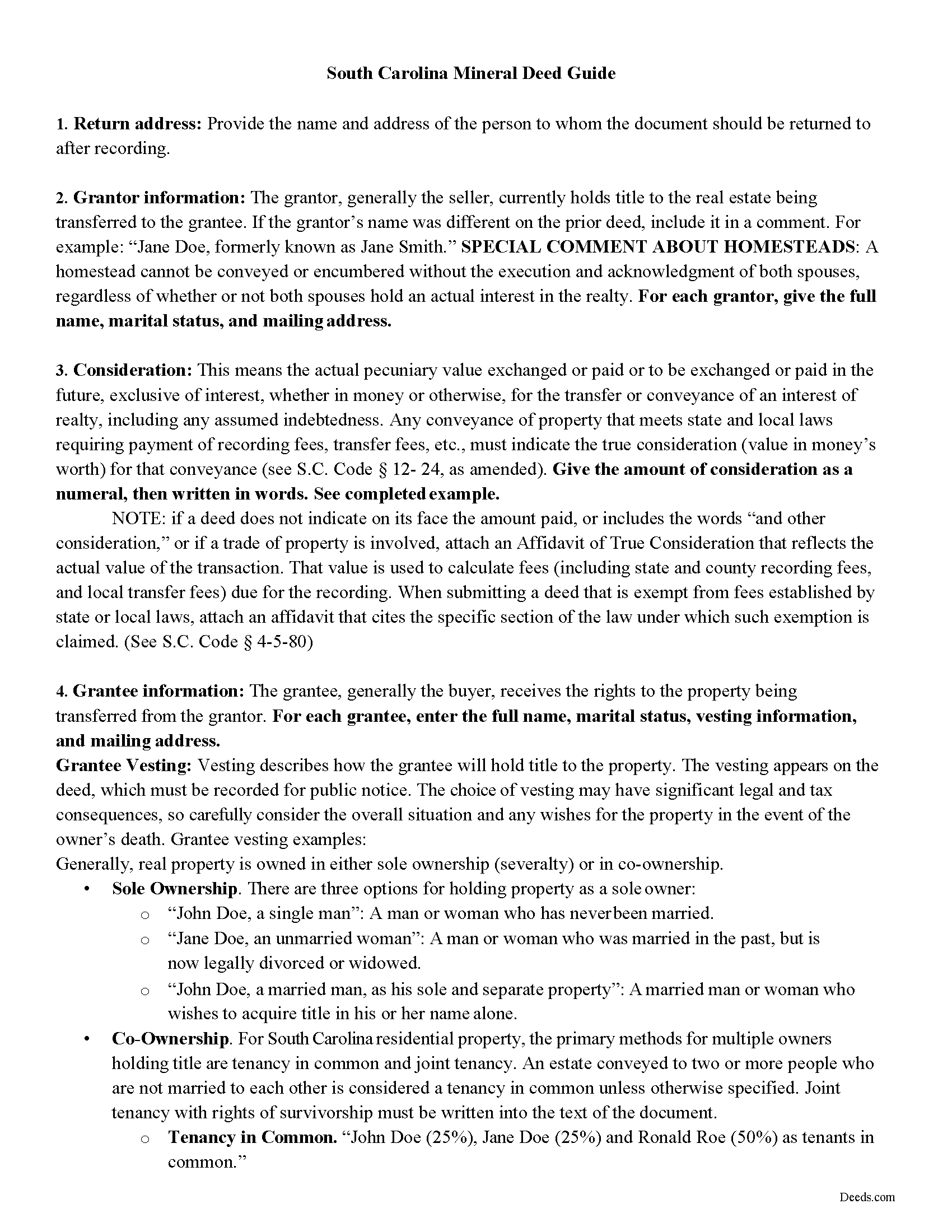
Dorchester County Mineral Deed with Quitclaim Covenants Guide
Line by line guide explaining every blank on the Mineral Deed with Quitclaim Covenants form.
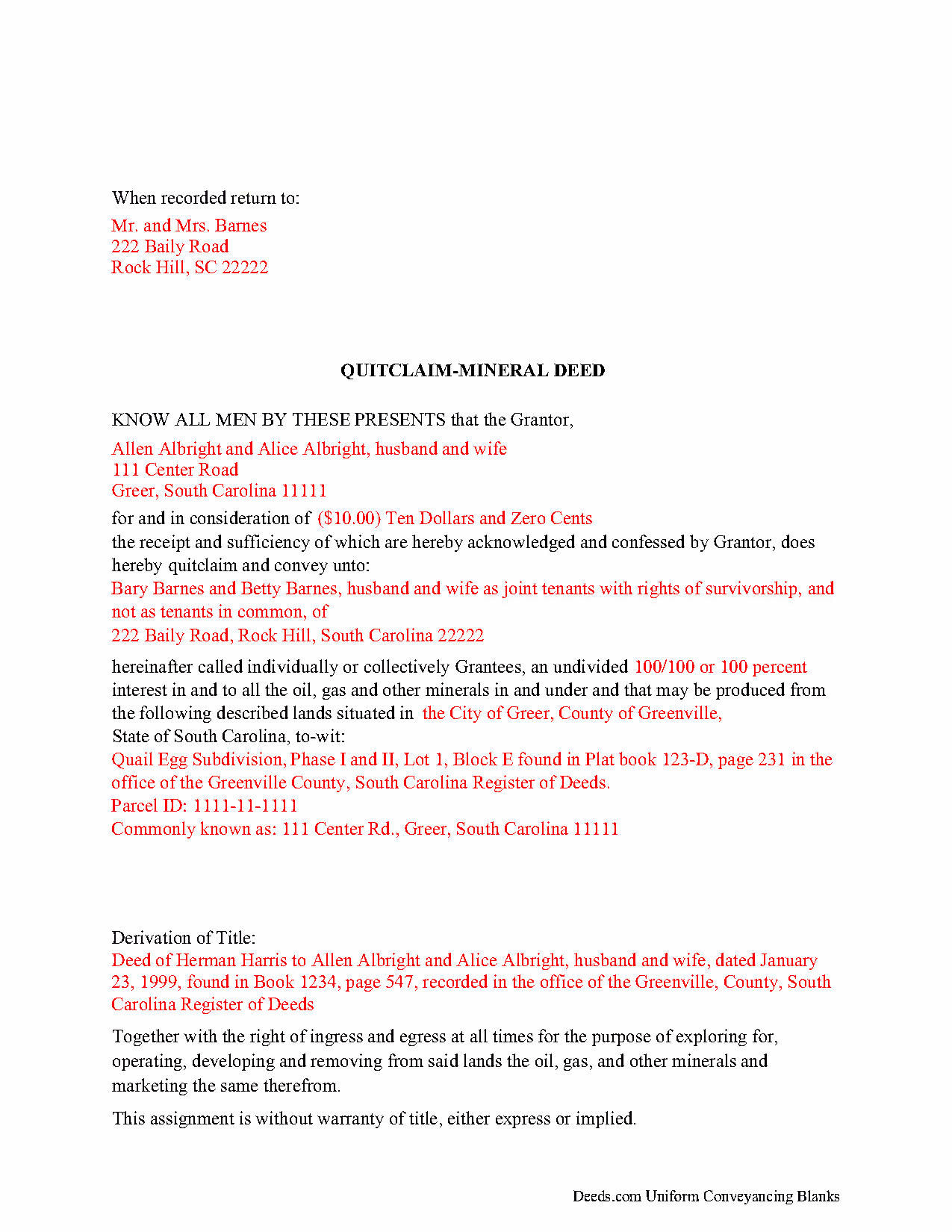
Dorchester County Completed Example of the Mineral Deed with Quitclaim Covenants Document
Example of a properly completed South Carolina Mineral Deed with Quitclaim Covenants document for reference.
All 3 documents above included • One-time purchase • No recurring fees
Immediate Download • Secure Checkout
Additional South Carolina and Dorchester County documents included at no extra charge:
Where to Record Your Documents
Dorchester County Register of Deeds
Saint George, South Carolina 29477
Hours: 8:30 to 5:00 Monday through Friday
Phone: (843) 563-0181 and 832-0181 for Summerville
Recording Tips for Dorchester County:
- Bring your driver's license or state-issued photo ID
- Ensure all signatures are in blue or black ink
- Verify all names are spelled correctly before recording
- White-out or correction fluid may cause rejection
- Ask about their eRecording option for future transactions
Cities and Jurisdictions in Dorchester County
Properties in any of these areas use Dorchester County forms:
- Dorchester
- Grover
- Harleyville
- North Charleston
- Reevesville
- Ridgeville
- Saint George
- Summerville
Hours, fees, requirements, and more for Dorchester County
How do I get my forms?
Forms are available for immediate download after payment. The Dorchester County forms will be in your account ready to download to your computer. An account is created for you during checkout if you don't have one. Forms are NOT emailed.
Are these forms guaranteed to be recordable in Dorchester County?
Yes. Our form blanks are guaranteed to meet or exceed the applicable formatting requirements used for recording in Dorchester County, including margin requirements, font requirements, and other layout standards. This guarantee applies to formatting, not to the legal sufficiency of information entered by the user or the suitability of a form for a particular transaction.
Can I reuse these forms?
Yes. You can reuse the forms for your personal use. For example, if you have multiple properties in Dorchester County you only need to order once.
What do I need to use these forms?
The forms are PDFs that you fill out on your computer. The free Adobe Acrobat Reader is recommended, and most PDF apps also work. You do NOT enter your property information online - you download the blank forms and complete them privately on your own computer.
Are there any recurring fees?
No. This is a one-time purchase. Nothing to cancel, no memberships, no recurring fees.
How much does it cost to record in Dorchester County?
Recording fees in Dorchester County vary. Contact the recorder's office at (843) 563-0181 and 832-0181 for Summerville for current fees.
Questions answered? Let's get started!
The General Mineral Deed in South Carolina Quitclaims oil, gas, and mineral rights from the grantor to the grantee. THIS IS NOT A LEASE. There are no Exceptions or Reservations included.
The transfer includes the oil, gas and other minerals of every kind and nature. The Grantor can stipulate the percentage of Mineral Rights the Grantee will receive.
This general mineral deed gives the grantee the right to access, for the purpose of mining, drilling, exploring, operating and developing said lands for oil, gas, and other minerals, and storing handling, transporting and marketing of such.
The seller, or grantor Quitclaims the mineral rights and does NOT accept responsibility to any discrepancy of title (This assignment is without warranty of title, either express or implied)
Uses: Mineral deeds with quitclaim are often used in situations where the grantor wants to quickly release any interest they might have in mineral rights, such as in settling estates, resolving disputes, clearing up uncertainties about ownership in a title's history or when mineral rights have previously been severed or fragmented from surface rights and cloud a title, making it difficult to transfer property. Resolution often involves the holder(s) of the mineral rights, quit-claiming any rights he/she/they have or might have in the subject property.
Use of this document can have a permanent effect on your rights to the property, if you are not completely sure of what you are executing seek the advice of a legal professional.
(South Carolina MD with Quitclaim Package includes form, guidelines, and completed example)
Important: Your property must be located in Dorchester County to use these forms. Documents should be recorded at the county recording office listed above.
This Mineral Deed with Quitclaim Covenants meets all recording requirements specific to Dorchester County.
Our Promise
The documents you receive here are guaranteed to meet or exceed the applicable Dorchester County recording format requirements. If there is a rejection caused by our formatting, we will correct the issue or refund your payment. This guarantee applies to document formatting only and does not extend to information entered by the user, the selection of the form, or the legal effect of the completed document.
Save Time and Money
Get your Dorchester County Mineral Deed with Quitclaim Covenants form done right the first time with Deeds.com Uniform Conveyancing Blanks. At Deeds.com, we understand that your time and money are valuable resources, and we don't want you to face a penalty fee or rejection imposed by a county recorder for submitting nonstandard documents. We constantly review and update our forms to meet rapidly changing state and county recording requirements for roughly 3,500 counties and local jurisdictions.
4.8 out of 5 - ( 4,847 Reviews )
Roberta M. 5 out of 5 stars
I found a lot of useful information regarding the Lady Bird Deed and feel it will serve my needs as opposed to a Revocable Living Trust. The information was easy to understand and very helpful. The forms seem easy to complete and I plan to get them notarized and filed at the courthouse very soon.
Thank you for your feedback. We really appreciate it. Have a great day!
Thomas T. 5 out of 5 stars
Amazing site, been using it since 2018 for forms and never an issue.
Thank you for your feedback. We really appreciate it. Have a great day!
James G. 5 out of 5 stars
Very Happy. Forms saved me from making some very silly mistakes had I done them on my own.
Thank you!
John v. 4 out of 5 stars
Process is well laid out, clear and concise. Check out is easy. Recommendations: * Assign names to the downloadable files that are meaningful, such as: WARRANTY DEED instead of the useless and cryptic 1420490866F11417.pdf. * Provide a ONE BUTTON DOWNLOAD for all forms ordered. It's aggravating to have to click on each of the 20 documents and download them individually.
Thank you for your feedback. We really appreciate it. Have a great day!
Susan T. 5 out of 5 stars
This was perfect for my county I will be recommending your forms to all my clients thank you.
Thank you Susan, have a great day!
John S. 5 out of 5 stars
Easy system to use. good information.
Thank you for taking a moment to share your thoughts.
Lloyd T. 5 out of 5 stars
Example deed given did not apply to married couples as joint owners with both being grantors. The example and directions also did not show how to write more than one grantee as equal grantees. Both would have been helpful when husband and wife are granting their property to their children equally. Also when attaching the exhibit A with the property description the example did not say "see exhibit A"in the property description area, so I didn't write that. Luckily the recorder of deeds allowed me to write it in. I think directions and examples for multiple scenarios would be helpful.
Thank you for your feedback. We really appreciate it. Have a great day!
Rebecca M. 4 out of 5 stars
EASY DOWNLOAD AND PRINT AND / OR SAVE TO YOU PC WHICH SHOULD BE DONE BEFORE FILLING OUT. AFTER I actually use them I'll let you know if its all good, Thanks
Your feedback is greatly appreciated. Thank you for taking the time to share your experience!
Julie K. 4 out of 5 stars
The process for obtaining document itself was easy, and the included guide and example are great! I do have an issue with the format itself, though. The form has pre-defined text boxes, which cannot be altered without partially rebuilding the entire document. For the 'property description' field on the Mineral Deed form, the text box is not large enough for the rather lengthy legal description entered on my original plat. Fortunately, I have a copy of Adobe Pro, so I have been able to re-build the doc to accommodate this short-coming.
Thank you for taking the time to provide feedback on our legal form. We're pleased to hear that you found the process for obtaining the document and the included guide beneficial.
We understand and appreciate your concern regarding the formatting and size limitations of certain fields, especially the 'property description' field. Our forms are designed to adhere to specific formatting requirements that are often mandated for legal compliance. Making direct alterations to the document can result in them becoming non-conforming, which is why we advise customers to use an exhibit page when their legal description is extensive or does not fit.
Doris P. 4 out of 5 stars
Easy to understand and fill out Beneficiary Deed, but when I tried to download finished form, it disappeared! Luckily I had printed it first and had to fill out again.
Thank you!
Gary M. 5 out of 5 stars
This was such an easy experience
We are grateful for your feedback and looking forward to serving you again. Thank you!
J O. 5 out of 5 stars
It's okay, seems you need to make it easier to search deeds on properties without having to go through a lot of researching issues, make it simple!
Thank you!
Michael N. 5 out of 5 stars
This is an extremely helpful and very fast way to file with property recorders. It saved me time away from work and provided a receipt for the filing
Thank you, Michael! We're glad to hear the process was fast and efficient for you—and that it saved you time from work. Appreciate you sharing your experience!
harry S. 4 out of 5 stars
Just created account. Very easily done. have not recorded anything yet. Hope to do so soon.
Thank you for your feedback. We really appreciate it. Have a great day!
Deborah C. 5 out of 5 stars
I would recommend these forms to others.
Thank you!