Abbeville County Satisfaction of Mortgage or Deed of Trust Form
Last validated September 29, 2026 by our Forms Development TeamFormatted for recording in Abbeville County, for property anywhere in the county: rural and unincorporated areas as well as Abbeville, Calhoun Falls, Donalds, Due West, Lowndesville.
- 3 documents included
- Immediate PDF download
- Formatting guarantee
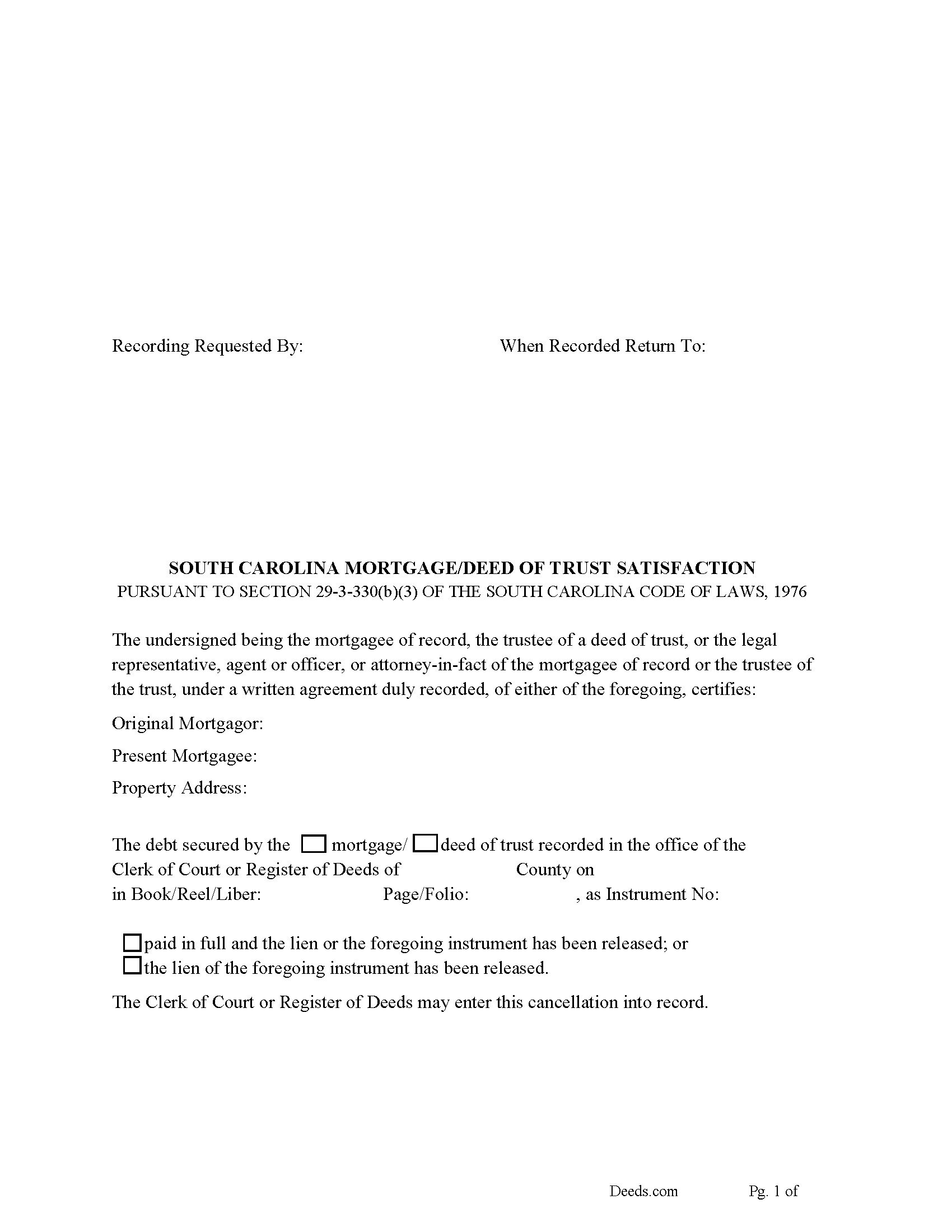
Abbeville County Satisfaction of Mortgage or Deed of Trust Form
Fill in the blank form formatted to comply with all recording and content requirements.
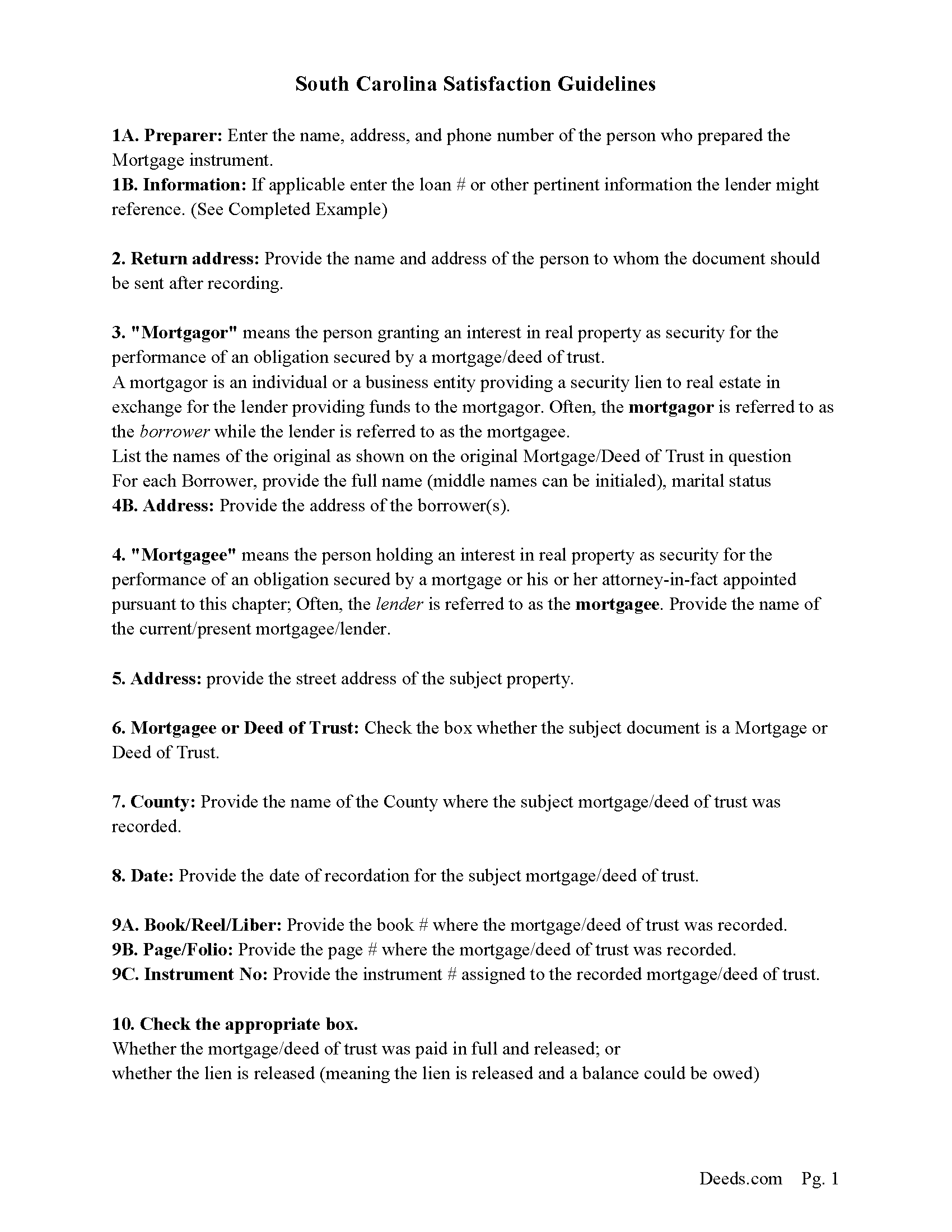
Abbeville County Guidelines for Satisfaction of Mortgage or Deed of Trust
Line by line guide explaining every blank on the form.
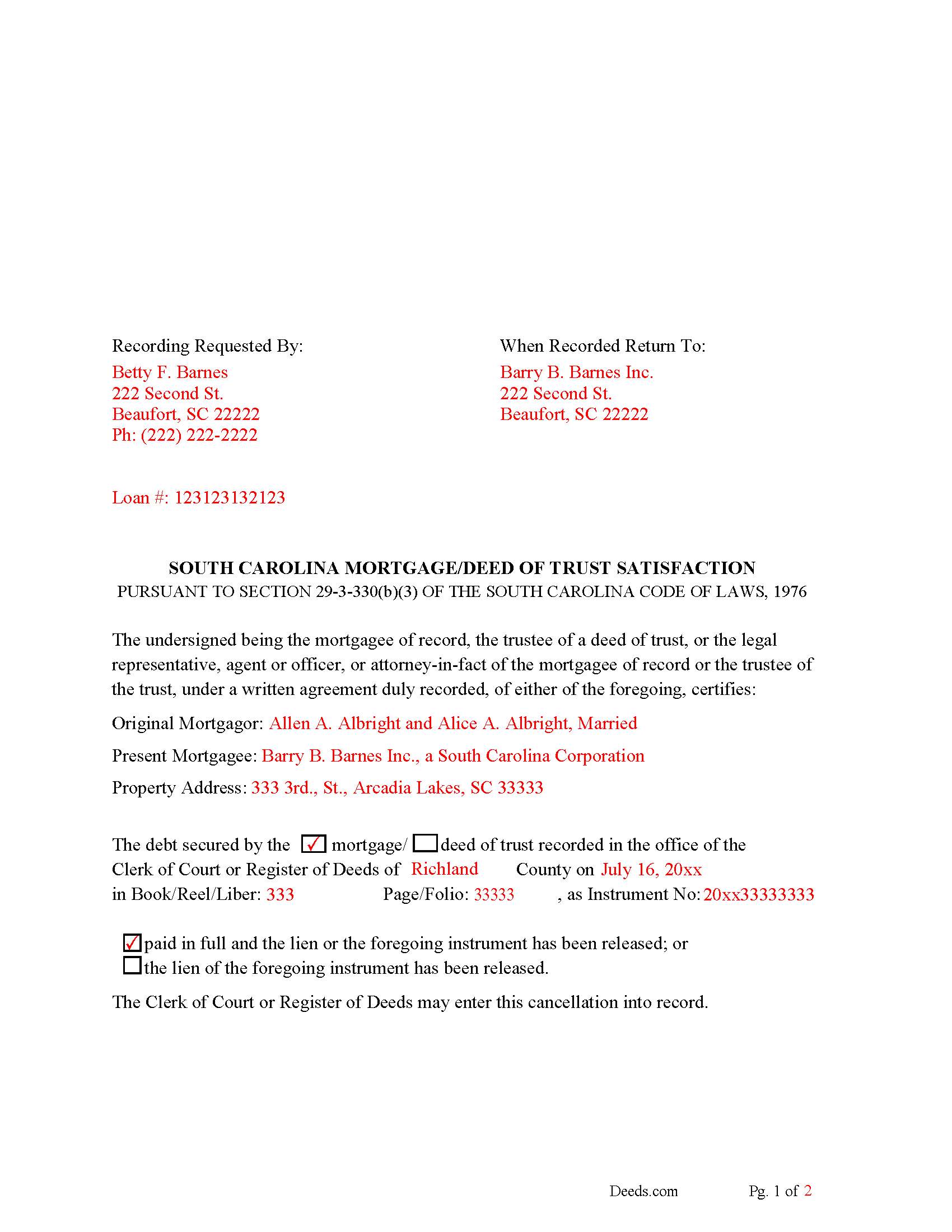
Abbeville County Completed Example of the Satisfaction of Mortgage of Deed of Trust Document
Example of a properly completed form for reference.
All 3 documents above included • One-time purchase • No recurring fees
Immediate Download • Secure Checkout
Additional South Carolina and Abbeville County documents included at no extra charge:
Where to Record Your Documents
Abbeville County Register of Deeds
Abbeville, South Carolina 29620
Hours: 8:30am - 5:00pm M-F
Phone: (864) 366-5312 Ext 2203
Recording Tips for Abbeville County:
- Bring your driver's license or state-issued photo ID
- Ensure all signatures are in blue or black ink
- Ask about their eRecording option for future transactions
- Avoid the last business day of the month when possible
- Both spouses typically need to sign if property is jointly owned
Cities and Jurisdictions in Abbeville County
Properties in any of these areas use Abbeville County forms:
- Abbeville
- Calhoun Falls
- Donalds
- Due West
- Lowndesville
Hours, fees, requirements, and more for Abbeville County
How do I get my forms?
Forms are available for immediate download after payment. The Abbeville County forms will be in your account ready to download to your computer. An account is created for you during checkout if you don't have one. Forms are NOT emailed.
Are these forms guaranteed to be recordable in Abbeville County?
Yes. Our form blanks are guaranteed to meet or exceed the applicable formatting requirements used for recording in Abbeville County, including margin requirements, font requirements, and other layout standards. This guarantee applies to formatting, not to the legal sufficiency of information entered by the user or the suitability of a form for a particular transaction.
Can I reuse these forms?
Yes. You can reuse the forms for your personal use. For example, if you have multiple properties in Abbeville County you only need to order once.
What do I need to use these forms?
The forms are PDFs that you fill out on your computer. The free Adobe Acrobat Reader is recommended, and most PDF apps also work. You do NOT enter your property information online - you download the blank forms and complete them privately on your own computer.
Are there any recurring fees?
No. This is a one-time purchase. Nothing to cancel, no memberships, no recurring fees.
How much does it cost to record in Abbeville County?
Recording fees in Abbeville County vary. Contact the recorder's office at (864) 366-5312 Ext 2203 for current fees.
Questions answered? Let's get started!
Use this form to release a mortgage or deed of trust document. (The mortgagee of record, the trustee of a deed of trust, or an agent or officer, legal representative, or attorney-in-fact, under a written instrument duly recorded, of either of the foregoing, may execute a satisfaction or release of a mortgage or deed of trust.) Section 29-3-330(b)(3)
The mortgagee is often referred to as the lender.
(South Carolina SOM Package includes form, guidelines, and completed example) For use in South Carolina only.
Important: Your property must be located in Abbeville County to use these forms. Documents should be recorded at the county recording office listed above.
This Satisfaction of Mortgage or Deed of Trust meets all recording requirements specific to Abbeville County.
Our Promise
The documents you receive here are guaranteed to meet or exceed the applicable Abbeville County recording format requirements. If there is a rejection caused by our formatting, we will correct the issue or refund your payment. This guarantee applies to document formatting only and does not extend to information entered by the user, the selection of the form, or the legal effect of the completed document.
Save Time and Money
Get your Abbeville County Satisfaction of Mortgage or Deed of Trust form done right the first time with Deeds.com Uniform Conveyancing Blanks. At Deeds.com, we understand that your time and money are valuable resources, and we don't want you to face a penalty fee or rejection imposed by a county recorder for submitting nonstandard documents. We constantly review and update our forms to meet rapidly changing state and county recording requirements for roughly 3,500 counties and local jurisdictions.
4.8 out of 5 - ( 4,837 Reviews )
Deborah B. 5 out of 5 stars
I was skeptical after experiencing other websites. However not only did we get the form we needed for a fraction of the cost vs going to an attorney, the additional resources (guides and samples) made the completion of the Enhanced Life Quitclaim deed quite simple, quick, and painless. We were having difficulty getting my mom to agree to meeting with an attorney or even considering a Lady Bird deed. Deeds.com gave us the ability to move forward with necessary actions with family members walking my mom through the steps, explaining the process and giving her plenty of time to find the needed information. She became part of the process which made it easy for her at a time when decision making was hard. We did everything in the comfort of her own home. I can't think of a better experience or service and I would consider Deeds.com for future needs.
Thank you for the kinds words Deborah. We appreciate you taking the time to share your experience.
Timmy S. 5 out of 5 stars
The form gave me a perfect place to start. I was looking for something regarding time-shares, so the form was not perfect, but the register of deeds worked with me to get it right. I would not have even been able to start without the form from deeds.com
Thank you for your feedback. We really appreciate it. Have a great day!
iris e. 5 out of 5 stars
Easy to use website. customer service messages you back super quickly. They also double check your work and if anything is missing they message me right away. Price is reasonable. I highly recommend their services. 5 Star hands Down!!
We are grateful for your engagement and feedback, which help us to serve you better. Thank you for being an integral part of our community.
Faye C. 5 out of 5 stars
Product was ok; except in divorce cases there are usually two grantors - your form had only one signature and notary line for a grantor on the Quitclaim deed.
Thank you for your feedback. We really appreciate it. Have a great day!
charles g. 5 out of 5 stars
very good forms. they covered everything i needed.
Thanks Charles, we really appreciate your feedback. Have a great day!
Meridith B. 5 out of 5 stars
Well, When I got the question right I got the answers right from Claim Deed. In the end it all worked out very, very good. I'm pleased with the deed and the price was very fair. Thank you for answering all my crazy questions. Now all we have to do is go to UPS and sign it. Thank, again.
Thank you!
Dennis S. 3 out of 5 stars
I am still working on the forms. I am having problems doing the forms as you can only save as pdf and it is difficult to change or modify the pdf. You have to purchase a pdf convertor program. but all seems to be there to do the deed submittals.
Thank you for your feedback. We really appreciate it. Have a great day!
Gloria S. 5 out of 5 stars
I needed a Contest of Lien form and was told by our County Department that the forms could be obtained online. The whole process of paying and receiving a PDF re-usable form was user friendly and the items that came with the purchase;the directions about filling out the form ect., were a fantastic addition for the price of the document. Happy customer!
We appreciate your business and value your feedback. Thank you. Have a wonderful day!
Theresa J. 5 out of 5 stars
The beginning of the process was very simple. In the middle now waiting for the invoice to move forward.
Thank you for your feedback. We really appreciate it. Have a great day!
Joan P. 5 out of 5 stars
Thank you for combining all necessary documents in one simple location.
Thank you!
Jennifer H. 5 out of 5 stars
Deeds.com is amazing. It made finding out how to file legal documents worry free and easily understood. Thank You
Thank you for your feedback. We really appreciate it. Have a great day!
John C. 5 out of 5 stars
Great site and information. Very useful.
Thanks John, we appreciate your kind words.
Leonard H. 5 out of 5 stars
Just perfect for what I needed. Made the property transfer very easy.
Thank you!
JOANNE W. 5 out of 5 stars
Excellent product and so easily obtained. Well worth the price.
Thank you for your feedback. We really appreciate it. Have a great day!
Annie R. 5 out of 5 stars
Excellent service. Documents easy to understand and use.
We appreciate your business and value your feedback. Thank you. Have a wonderful day!