Buffalo County Affidavit of Deceased Joint Tenant Form
Last validated October 29, 2026 by our Forms Development TeamFormatted for recording in Buffalo County, for property anywhere in the county: rural and unincorporated areas as well as Fort Thompson, Gann Valley.
- 3 documents included
- Immediate PDF download
- Formatting guarantee
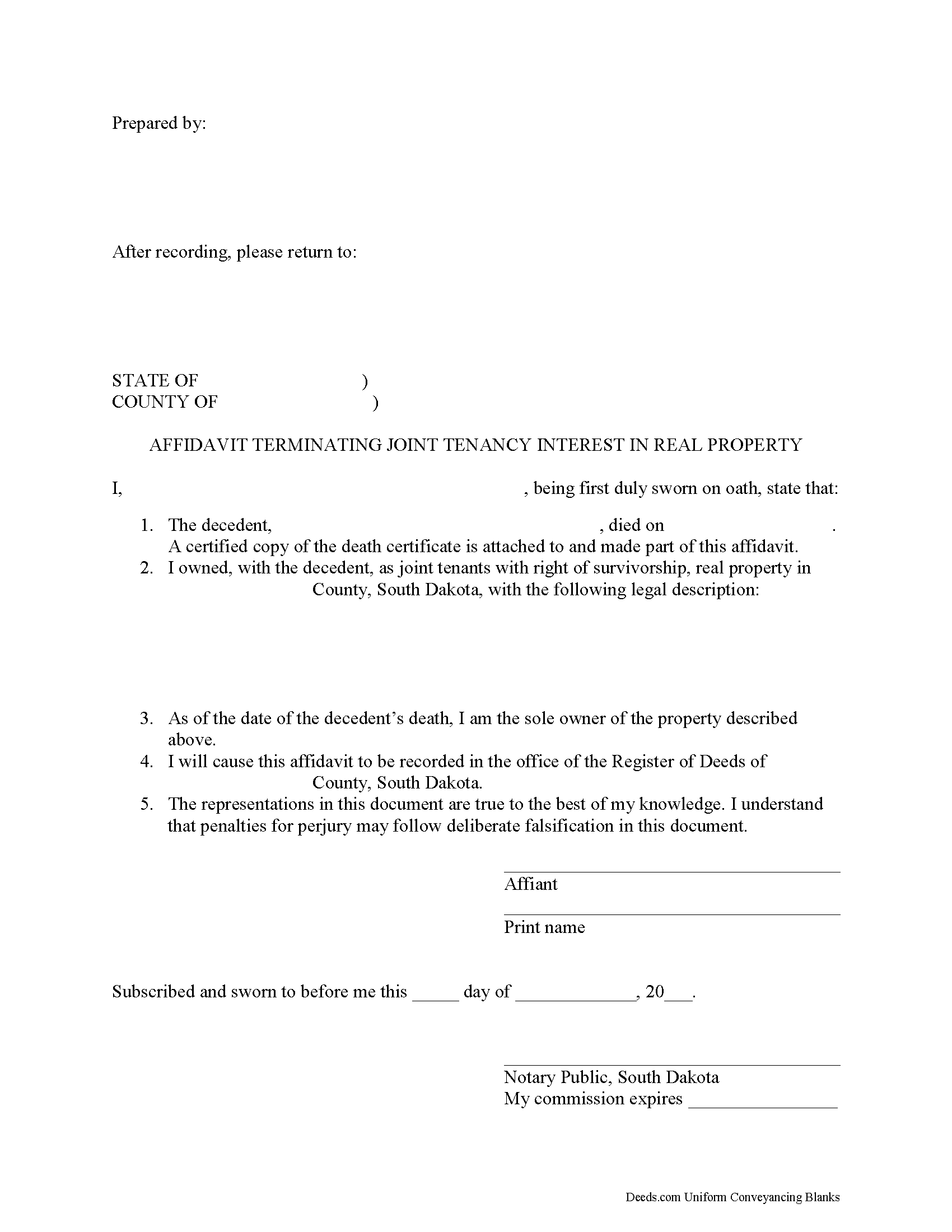
Buffalo County Affidavit of Deceased Joint Tenant Form
Fill in the blank form formatted to comply with all recording and content requirements.
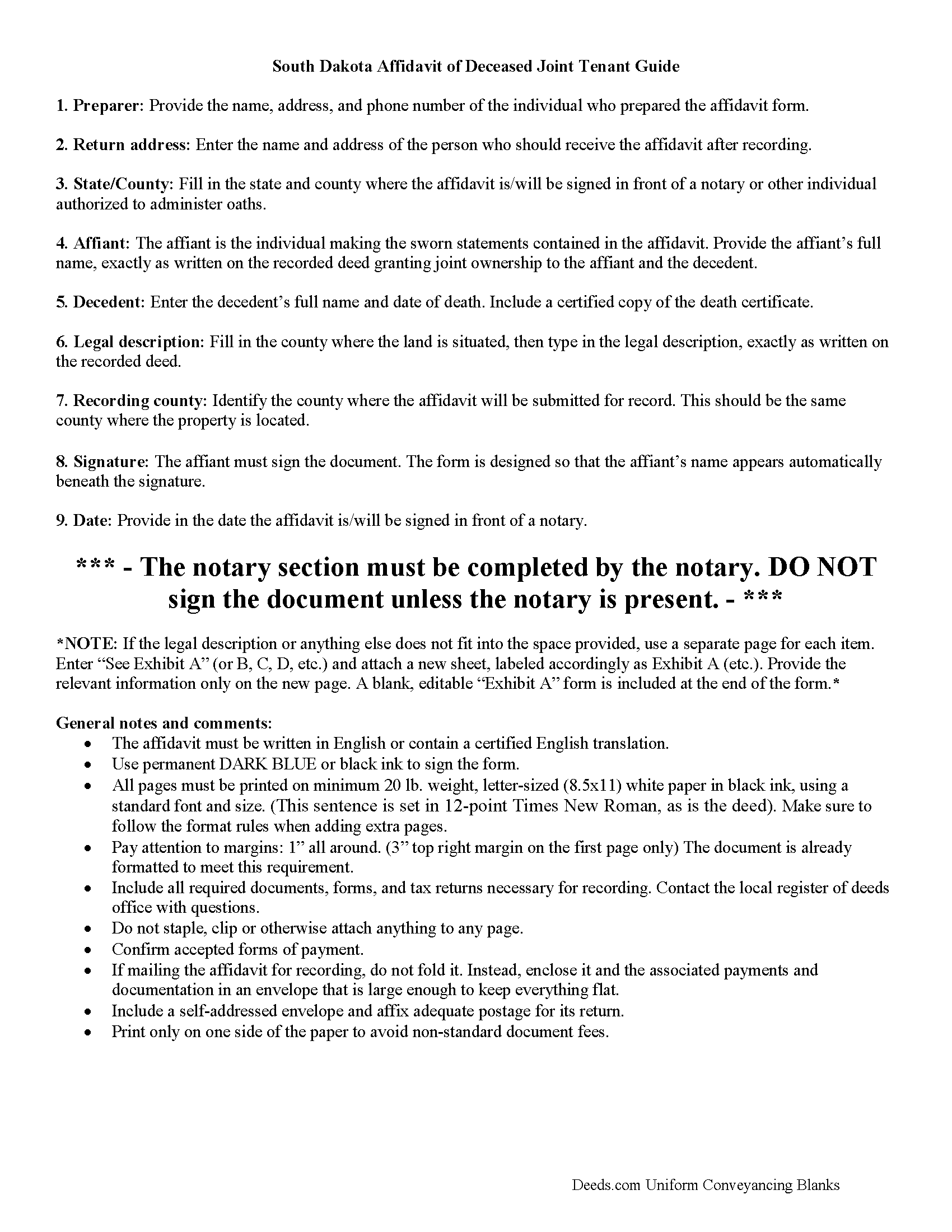
Buffalo County Affidavit of Deceased Joint Tenant Guide
Line by line guide explaining every blank on the form.
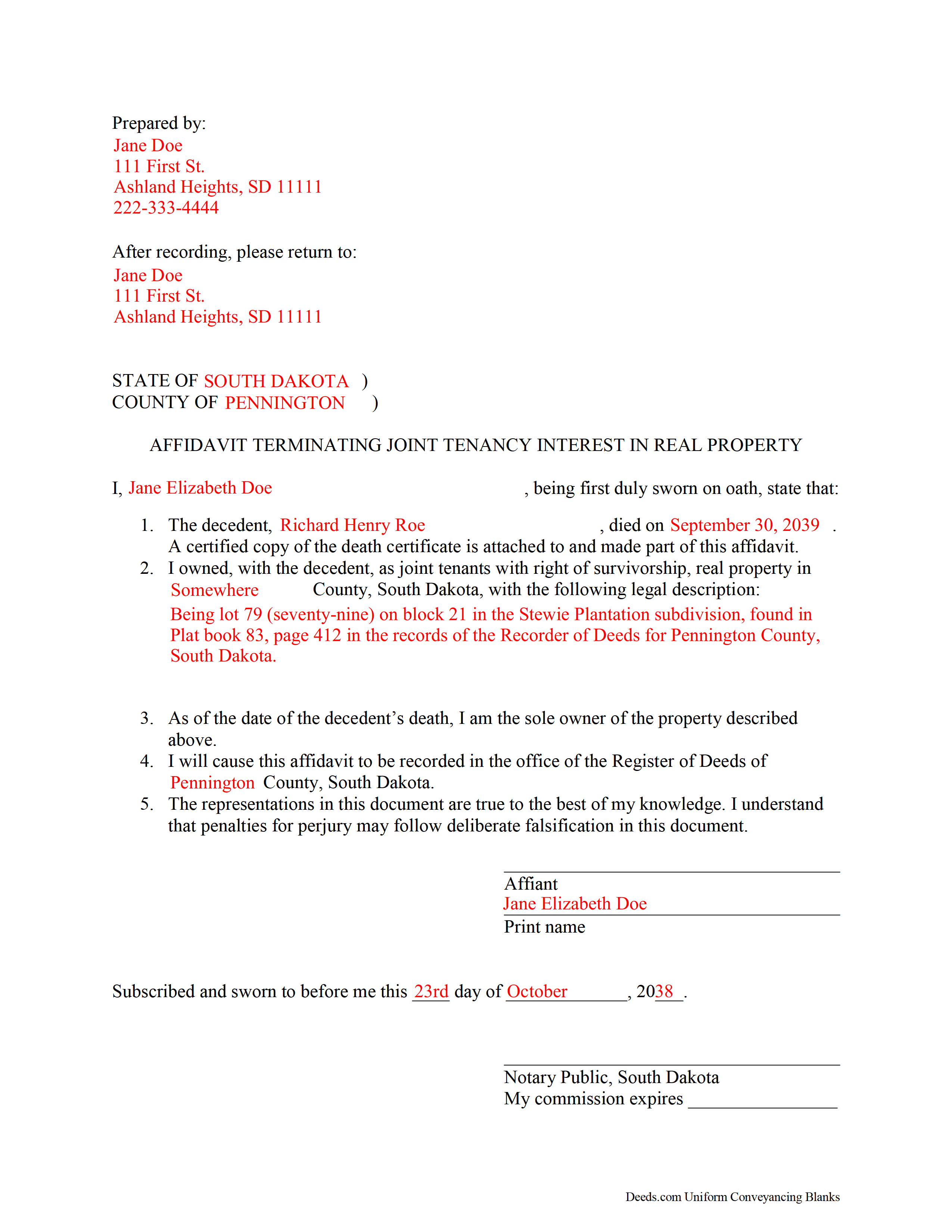
Buffalo County Completed Example of the Affidavit of Deceased Joint Tenant Document
Example of a properly completed form for reference.
All 3 documents above included • One-time purchase • No recurring fees
Immediate Download • Secure Checkout
Additional South Dakota and Buffalo County documents included at no extra charge:
Where to Record Your Documents
Buffalo County Register of Deeds
Gann Valley, South Dakota 57341-0174
Hours: 8:30 to 4:30 Monday through Friday
Phone: (605) 293-3239
Recording Tips for Buffalo County:
- Bring your driver's license or state-issued photo ID
- Ensure all signatures are in blue or black ink
- Avoid the last business day of the month when possible
- Both spouses typically need to sign if property is jointly owned
- Bring extra funds - fees can vary by document type and page count
Cities and Jurisdictions in Buffalo County
Properties in any of these areas use Buffalo County forms:
- Fort Thompson
- Gann Valley
Hours, fees, requirements, and more for Buffalo County
How do I get my forms?
Forms are available for immediate download after payment. The Buffalo County forms will be in your account ready to download to your computer. An account is created for you during checkout if you don't have one. Forms are NOT emailed.
Are these forms guaranteed to be recordable in Buffalo County?
Yes. Our form blanks are guaranteed to meet or exceed the applicable formatting requirements used for recording in Buffalo County, including margin requirements, font requirements, and other layout standards. This guarantee applies to formatting, not to the legal sufficiency of information entered by the user or the suitability of a form for a particular transaction.
Can I reuse these forms?
Yes. You can reuse the forms for your personal use. For example, if you have multiple properties in Buffalo County you only need to order once.
What do I need to use these forms?
The forms are PDFs that you fill out on your computer. The free Adobe Acrobat Reader is recommended, and most PDF apps also work. You do NOT enter your property information online - you download the blank forms and complete them privately on your own computer.
Are there any recurring fees?
No. This is a one-time purchase. Nothing to cancel, no memberships, no recurring fees.
How much does it cost to record in Buffalo County?
Recording fees in Buffalo County vary. Contact the recorder's office at (605) 293-3239 for current fees.
Questions answered? Let's get started!
Clearing the Title on South Dakota Real Estate after a Joint Tenant Dies
In South Dakota, land owned by two or more people can be held as a tenancy in common, a partnership, or a joint tenancy (SDCL 43-2-11).
Joint tenancy, as defined at 43-2-12, is a property interest "owned by several persons in equal shares, by a title created by a single will or transfer, when expressly declared in the will or transfer to be a joint tenancy, or when granted or devised to personal representatives or trustees as joint tenants." South Dakota's joint tenancy includes the right of survivorship, meaning that if one of the co-owners dies, that person's share is distributed equally among the remaining owners. This distribution is identified as a nonprobate transfer under 29A-2-205(ii).
Nonprobate transfers are not included in the deceased owner's estate; instead, they cause the property to descend to the survivors as a function of law. Still, it makes sense, especially with real estate titles, to formalize and update the changed status. One way to accomplish this is by executing and recording an affidavit stating the relevant facts, attach a certified copy of the decedent's death certificate, and file it with the register of deeds for the county where the property is located.
Each circumstance is unique. Contact an attorney with specific questions or for complex situations.
(South Dakota AODJT Package includes form, guidelines, and completed example)
Important: Your property must be located in Buffalo County to use these forms. Documents should be recorded at the county recording office listed above.
This Affidavit of Deceased Joint Tenant meets all recording requirements specific to Buffalo County.
Our Promise
The documents you receive here are guaranteed to meet or exceed the applicable Buffalo County recording format requirements. If there is a rejection caused by our formatting, we will correct the issue or refund your payment. This guarantee applies to document formatting only and does not extend to information entered by the user, the selection of the form, or the legal effect of the completed document.
Save Time and Money
Get your Buffalo County Affidavit of Deceased Joint Tenant form done right the first time with Deeds.com Uniform Conveyancing Blanks. At Deeds.com, we understand that your time and money are valuable resources, and we don't want you to face a penalty fee or rejection imposed by a county recorder for submitting nonstandard documents. We constantly review and update our forms to meet rapidly changing state and county recording requirements for roughly 3,500 counties and local jurisdictions.
4.8 out of 5 - ( 4,843 Reviews )
Jean K. 4 out of 5 stars
The website worked fine and I would have been happy to pay the extra money except the deed I needed was "not available". Ended up calling the courthouse anyway.
Thank you for your feedback. We really appreciate it. Have a great day!
LAWRENCE P. 4 out of 5 stars
How about a single button zip download of the files displayed instead of downloading them one at a time?
Thank you for your feedback. We really appreciate it. Have a great day!
Roger G. 4 out of 5 stars
was difficult to find the location on the website to actually download the form I needed. Initially was directed only to information pages related to the form I needed
Thank you for your feedback. We really appreciate it. Have a great day!
Susan S. 5 out of 5 stars
What a delight to find this Website. Professionally done and easy to work with.
Thank you for your feedback. We really appreciate it. Have a great day!
Michael D. 5 out of 5 stars
Your Guide is very good but does not explain precisely where one can find the Instrument Number for the originally filed Claim of Lien.
Thank you for your feedback. We really appreciate it. Have a great day!
Don M. 3 out of 5 stars
I find the site very difficult to nagitagte.
Sorry to hear that Don, we’ll try harder.
Cindy N. 5 out of 5 stars
Our home was in only my husband’s name and as we are getting older, it was time to add my name to the Deed to avoid potential issues in the future. Our experience with Deeds.com was wonderful. The website is user friendly, instructions written in layman’s terms, straightforward and easy to follow. Very reasonably priced. I highly recommend using Deeds.com.
Thank you for the kind words Cindy. We appreciate you. Have an amazing day!
Phyllis B. 5 out of 5 stars
I saved a ton of money doing it on my own versus through legal counsel. When I took it to the auditor/recorder today, there was absolutely no problems.
Thank you for your feedback. We really appreciate it. Have a great day!
Ron B. 5 out of 5 stars
Solved my requirement. Happy to have found the site
Thank you for your feedback. We really appreciate it. Have a great day!
Virginia S. 5 out of 5 stars
Very quick process and forms were downloaded. I am very pleased with the detailed information for filling out the forms. Would use again.
We appreciate your business and value your feedback. Thank you. Have a wonderful day!
nannette b. 5 out of 5 stars
got what I needed quick and easy thank you!!!
Thank you for your feedback. We really appreciate it. Have a great day!
Jason B. 5 out of 5 stars
You saved me $275.00 perfect! Thank you!!
We appreciate your business and value your feedback. Thank you. Have a wonderful day!
Lynda D S. 5 out of 5 stars
Sorry, I did not see that I was in the wrong review and just sent a review of a "product" I ordered online. As for Deeds.com I was very happy with the process and speed of getting the forms. I have used this site before. Highly recommend.
We appreciate your business and value your feedback. Thank you. Have a wonderful day!
Barry B. 5 out of 5 stars
I was very impressed on how simple the process was to record the documents I needed recorded. Thank you for all of your help.
Thank you!
Lillian B. 5 out of 5 stars
Easy peasy
Thank you!