Jerauld County Certificate of Trust Form
Last validated November 19, 2026 by our Forms Development TeamFormatted for recording in Jerauld County, for property anywhere in the county: rural and unincorporated areas as well as Alpena, Lane, Wessington Springs.
- 3 documents included
- Immediate PDF download
- Formatting guarantee
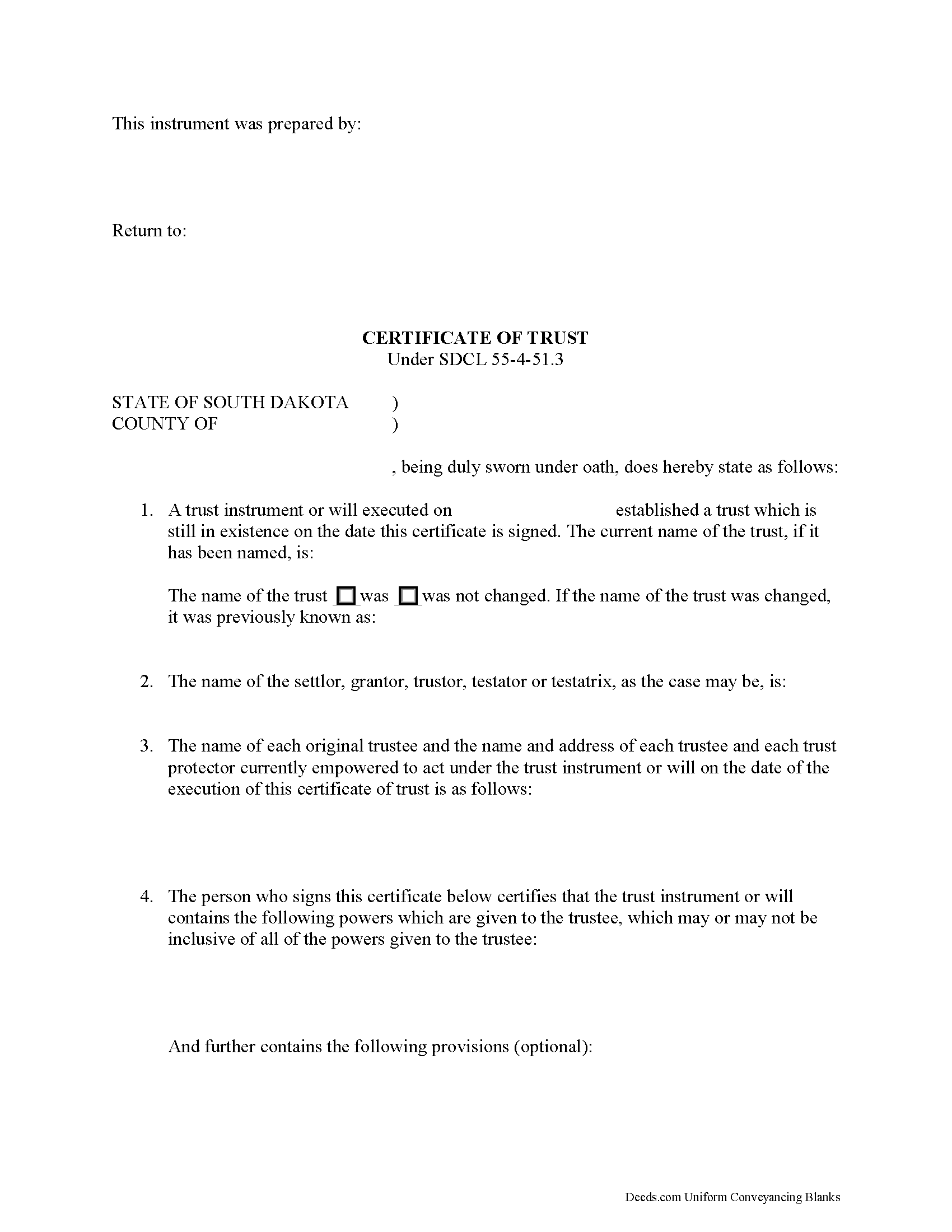
Jerauld County Certificate of Trust Form
Fill in the blank form formatted to comply with all recording and content requirements.
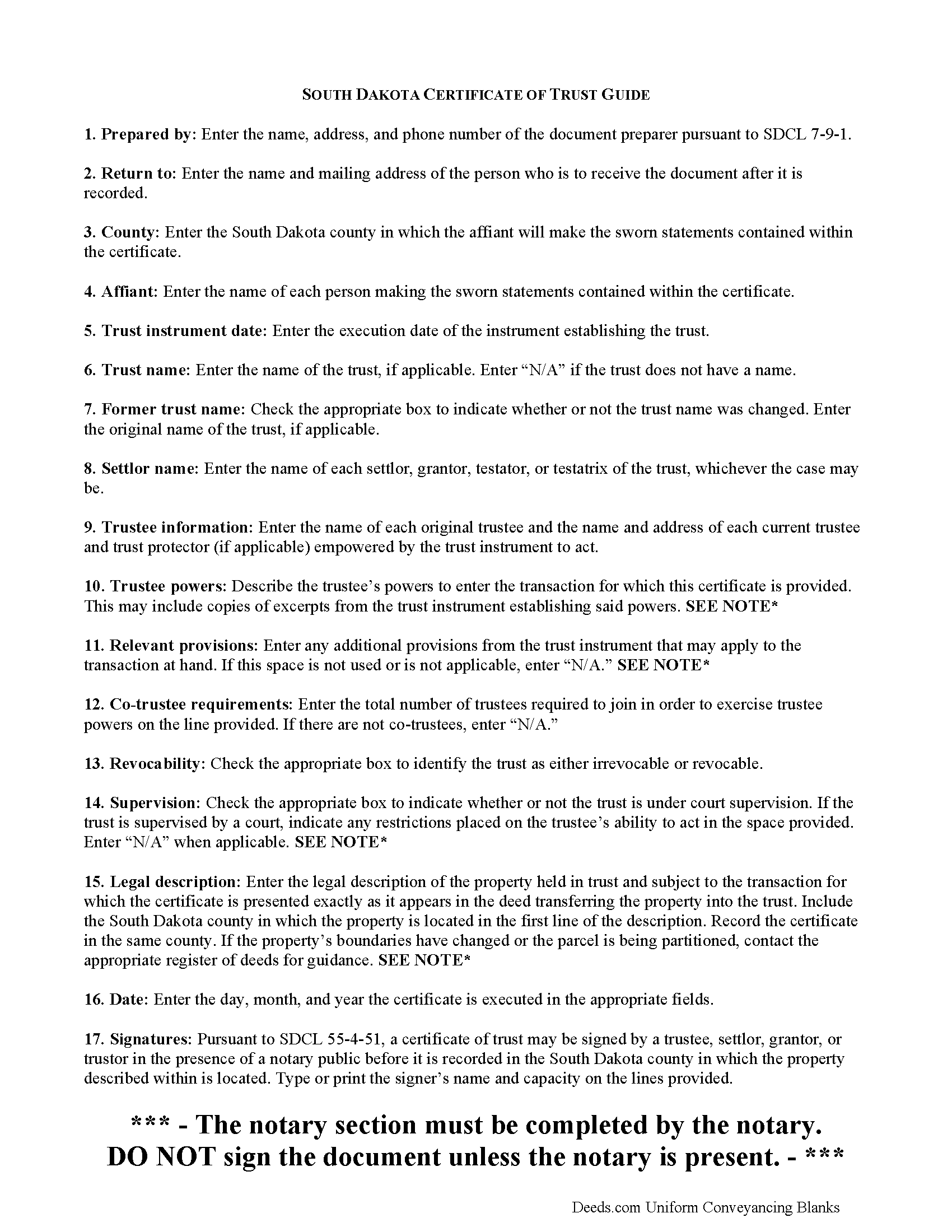
Jerauld County Certificate of Trust Guide
Line by line guide explaining every blank on the form.
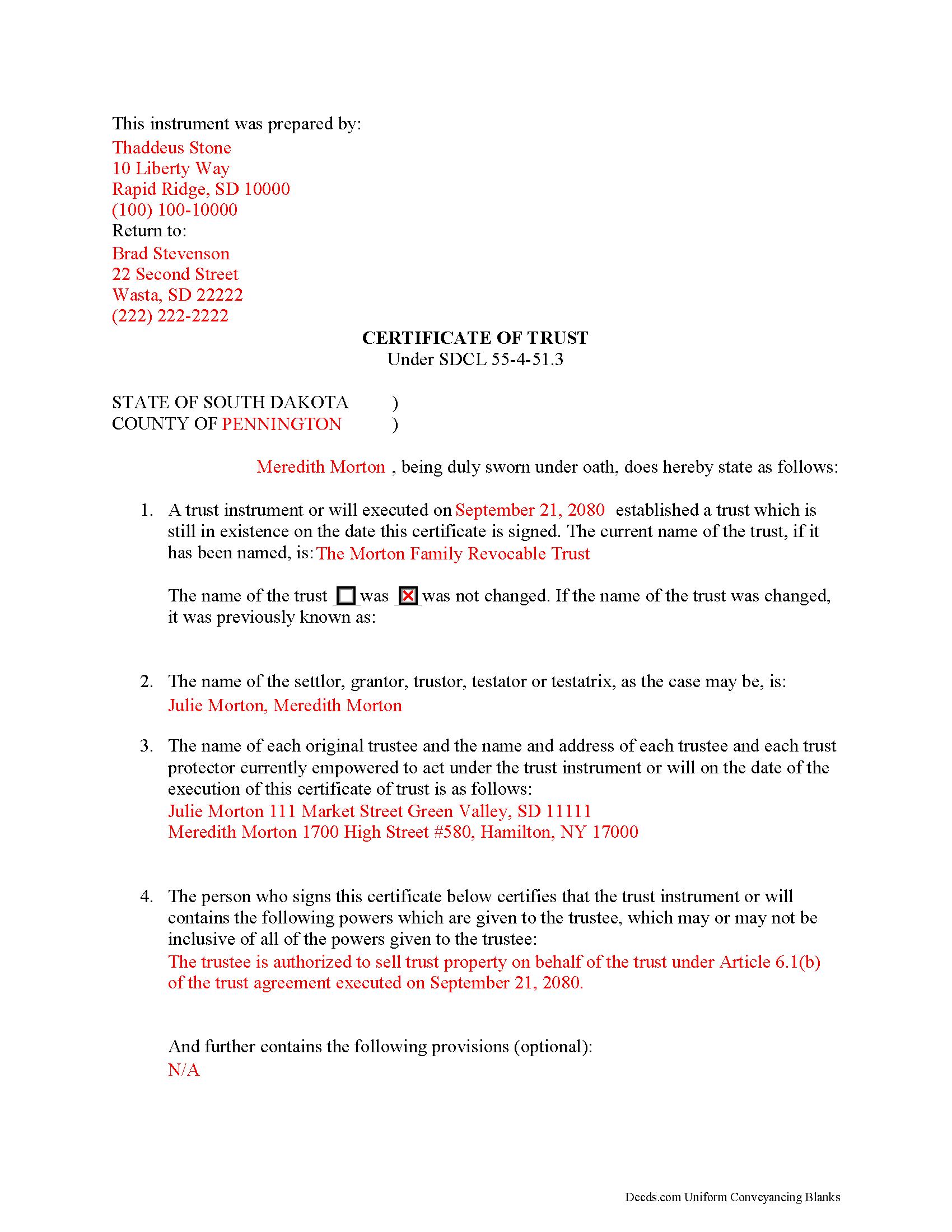
Jerauld County Completed Example of the Certificate of Trust Document
Example of a properly completed form for reference.
All 3 documents above included • One-time purchase • No recurring fees
Immediate Download • Secure Checkout
Additional South Dakota and Jerauld County documents included at no extra charge:
Where to Record Your Documents
Jerauld County Register of Deeds
Wessington Springs, South Dakota 57382-0452
Hours: 8:30 to 4:30 M-F
Phone: (605) 539-1221
Recording Tips for Jerauld County:
- Bring your driver's license or state-issued photo ID
- Ensure all signatures are in blue or black ink
- White-out or correction fluid may cause rejection
- Ask about their eRecording option for future transactions
- Avoid the last business day of the month when possible
Cities and Jurisdictions in Jerauld County
Properties in any of these areas use Jerauld County forms:
- Alpena
- Lane
- Wessington Springs
Hours, fees, requirements, and more for Jerauld County
How do I get my forms?
Forms are available for immediate download after payment. The Jerauld County forms will be in your account ready to download to your computer. An account is created for you during checkout if you don't have one. Forms are NOT emailed.
Are these forms guaranteed to be recordable in Jerauld County?
Yes. Our form blanks are guaranteed to meet or exceed the applicable formatting requirements used for recording in Jerauld County, including margin requirements, font requirements, and other layout standards. This guarantee applies to formatting, not to the legal sufficiency of information entered by the user or the suitability of a form for a particular transaction.
Can I reuse these forms?
Yes. You can reuse the forms for your personal use. For example, if you have multiple properties in Jerauld County you only need to order once.
What do I need to use these forms?
The forms are PDFs that you fill out on your computer. The free Adobe Acrobat Reader is recommended, and most PDF apps also work. You do NOT enter your property information online - you download the blank forms and complete them privately on your own computer.
Are there any recurring fees?
No. This is a one-time purchase. Nothing to cancel, no memberships, no recurring fees.
How much does it cost to record in Jerauld County?
Recording fees in Jerauld County vary. Contact the recorder's office at (605) 539-1221 for current fees.
Questions answered? Let's get started!
Codified at SDCL 55-4-51.3 as part of the Uniform Trusts Act, the certificate of trust "in support of a real property transaction" is recorded in the South Dakota county where the subject property is located and "serves to document the existence of the trust...and other matters...as though the full trust instrument had been recorded" (SDCL 55-4-51.3, 55-4-51.1).
In a trust relationship, a settlor transfers property to another person (trustee), who holds it for the benefit of a third (beneficiary). In the course of their fiduciary duties, trustees may present a certificate to parties who are not beneficiaries of the trust in lieu of providing the entire trust instrument. The trust instrument, executed by the settlor, establishes the trust and sets forth directions for its administration, including designating the trustee, the trustee's powers, and identifying a trust beneficiary. The certificate of trust allows the settlor's estate plan to remain off-record by providing only the information about the trust relevant to the transaction at hand.
The document names the trust, its settlor, and each trustee empowered to act for the trust. Aside from certifying the existence of the trust and confirming it has not been revoked or modified in a way that would invalidate the statements contained within, the certificate also confirms the trustee's role and authority to act on behalf of the trust by identifying powers relevant to the transaction, how many trustees are required to carry out those powers (if there are multiple trustees) and any restrictions imposed by a court on those powers (if applicable).
When used in transactions involving real property, the certificate requires a legal description of the subject property. The document must be recorded in the South Dakota county where the subject property is located and in compliance with the recording requirements established at SDCL 43-28-23.
Pursuant to SDCL 55-4-51, the document should be signed by a trustee or settlor (grantor or trustor, as the case may be) in the presence of the notary public witnessing the sworn statements made in the certificate. Recipients may request parts of the trust instrument establishing the trustee and the relevant powers (55-4-52). Persons entering transactions may rely on the statements within the certificate without further inquiry (55-4-53).
Consult a lawyer with questions about South Dakota trusts and certificates of trust, as each situation is unique.
(South Dakota COT Package includes form, guidelines, and completed example)
Important: Your property must be located in Jerauld County to use these forms. Documents should be recorded at the county recording office listed above.
This Certificate of Trust meets all recording requirements specific to Jerauld County.
Our Promise
The documents you receive here are guaranteed to meet or exceed the applicable Jerauld County recording format requirements. If there is a rejection caused by our formatting, we will correct the issue or refund your payment. This guarantee applies to document formatting only and does not extend to information entered by the user, the selection of the form, or the legal effect of the completed document.
Save Time and Money
Get your Jerauld County Certificate of Trust form done right the first time with Deeds.com Uniform Conveyancing Blanks. At Deeds.com, we understand that your time and money are valuable resources, and we don't want you to face a penalty fee or rejection imposed by a county recorder for submitting nonstandard documents. We constantly review and update our forms to meet rapidly changing state and county recording requirements for roughly 3,500 counties and local jurisdictions.
4.8 out of 5 - ( 4,863 Reviews )
LOUISE W. 5 out of 5 stars
Thank you for your help on my Quit Claim deed. I am very pleased with your patience and the resolving of the deed.
Thank you for your feedback. We really appreciate it. Have a great day!
Joanne D. 5 out of 5 stars
Loved your easy to follow instructions along with the paperwork forms that I was looking for. Would highly suggest this service to everyone. You should share this platform with other counties!! Extremely helpful
Thank you!
A. S. 3 out of 5 stars
First, I am glad that you gave a blank copy, an example copy, and a 'guide'. It made it much easier to do. Overall I was very happy with your products and organization... however, things got pretty confusing and I have a pretty 'serious' law background in Real Estate and Civil law. With that said, I spent about 10+ hours getting my work done, using the Deed of Trust and Promissory note from you and there were a few problems: First, it would be FANTASTIC if you actually aligned your guide to actually match the Deed or Promissory Note. What I mean is that if the Deed says 'section (E)' then your guide shouldn't be 'randomly' numbered as 1,2,3, for advice/instructions, but should EXACTLY match 'section (E)'. Some places you have to 'hunt' for what you are looking for, and if you did it based on my suggestion, you wouldn't need to 'hunt' and it would avoid confusion. 2nd: This one really 'hurt'... you had something called the 'Deed of Trust Master Form' yet you had basically no information on what it was or how to use it. The only information you had was a small section at the top of the 'Short Form Deed of Trust Guide'. Holy Cow, was that 'section' super confusing. I still don't know if I did it correctly, but your guide says only put a return address on it and leave the rest of the 16 or so page Deed of Trust beneath it blank... and then include your 'Deed of Trust' (I had to assume the short form deed that I had just created) as part of it. I had to assume that I had to print off the entire 17 page or so title page and blank deed. I also had to assume that the promissory note was supposed to be EXHIBIT A or B on the Short Form Deed. It would be great if someone would take a serious look at that short section in your 'Short Form Deed of Trust Guide' and realize that those of us using your products are seriously turning this into a county clerk to file and that most of us, probably already have a property that has an existing Deed... or at least can find one in the county records if necessary... and make sure that you make a distinction between the Deed for the property that already exists, versus the Deed of Trust and Promissory note that we are trying to file. Thanks.
Thank you for your feedback. We'll have staff review the document for clarity. Have a great day!
Alan C. 5 out of 5 stars
The Transfer on Death Deed paperwork was easy to complete, as it included a detailed guide and a completed example. We encountered no issues recording the document with our County. Thanks to Deeds.com, we were also able to save time and money by utilizing a DIY approach for our situation.
We are delighted to have been of service. Thank you for the positive review!
Richard S. 5 out of 5 stars
Prompt and reliable service!!
Thank you!
Gwen N. 5 out of 5 stars
Easy to use
Thank you!
Essence L. 5 out of 5 stars
Ordered and filled out the quitclaim forms. Had no issues with preparing or recording, smooth process.
Thank you!
Linda D C. 5 out of 5 stars
This was so easy to use. I appreciated the finished sample to guide me and the proper attachments necessary to process my Quit Claim Deed. I am gifting it to my nephew as I am too old to run farm and I live in a different state now. I tried other websites but their info was not up to date or accurate. Thank you so much. 71 Y/O Nana.
Thank you for your feedback. We really appreciate it. Have a great day!
Sharon B. 5 out of 5 stars
My questions were answered promptly. I was not able to locate the deed I was searching for because my county has not uploaded the documents to be accessed through this system. I am sure I could have found what I was looking for had the information been available through the system. Thank you for your assistance.
Thank you!
Jeffrey G. 5 out of 5 stars
The documents requested were perfect! Very helpful, with instructions on how to complete and submit and unique to the county. They provided additional helpful documents that I would not have thought to ask for. Great job!
Thank you!
Renasha P. 5 out of 5 stars
I was searching information about my boyfriend family home and received the results in a timely manner. I now have the information that we were seeking.
Thank you for your feedback. We really appreciate it. Have a great day!
nancy h. 5 out of 5 stars
Once I figured out what I wanted it was great!
Thank you Nancy.
David B. 5 out of 5 stars
I'm not sure how a forms web-site could be so, but I find deeds.com to be sweet.
Thank you for your feedback. We really appreciate it. Have a great day!
Dennis S. 3 out of 5 stars
I am still working on the forms. I am having problems doing the forms as you can only save as pdf and it is difficult to change or modify the pdf. You have to purchase a pdf convertor program. but all seems to be there to do the deed submittals.
Thank you for your feedback. We really appreciate it. Have a great day!
Vickie M. 5 out of 5 stars
The website was easy to use even for me with little computer knowledge.
We appreciate your business and value your feedback. Thank you. Have a wonderful day!