Mcpherson County Transfer on Death Affidavit Form
Last validated May 19, 2026 by our Forms Development Team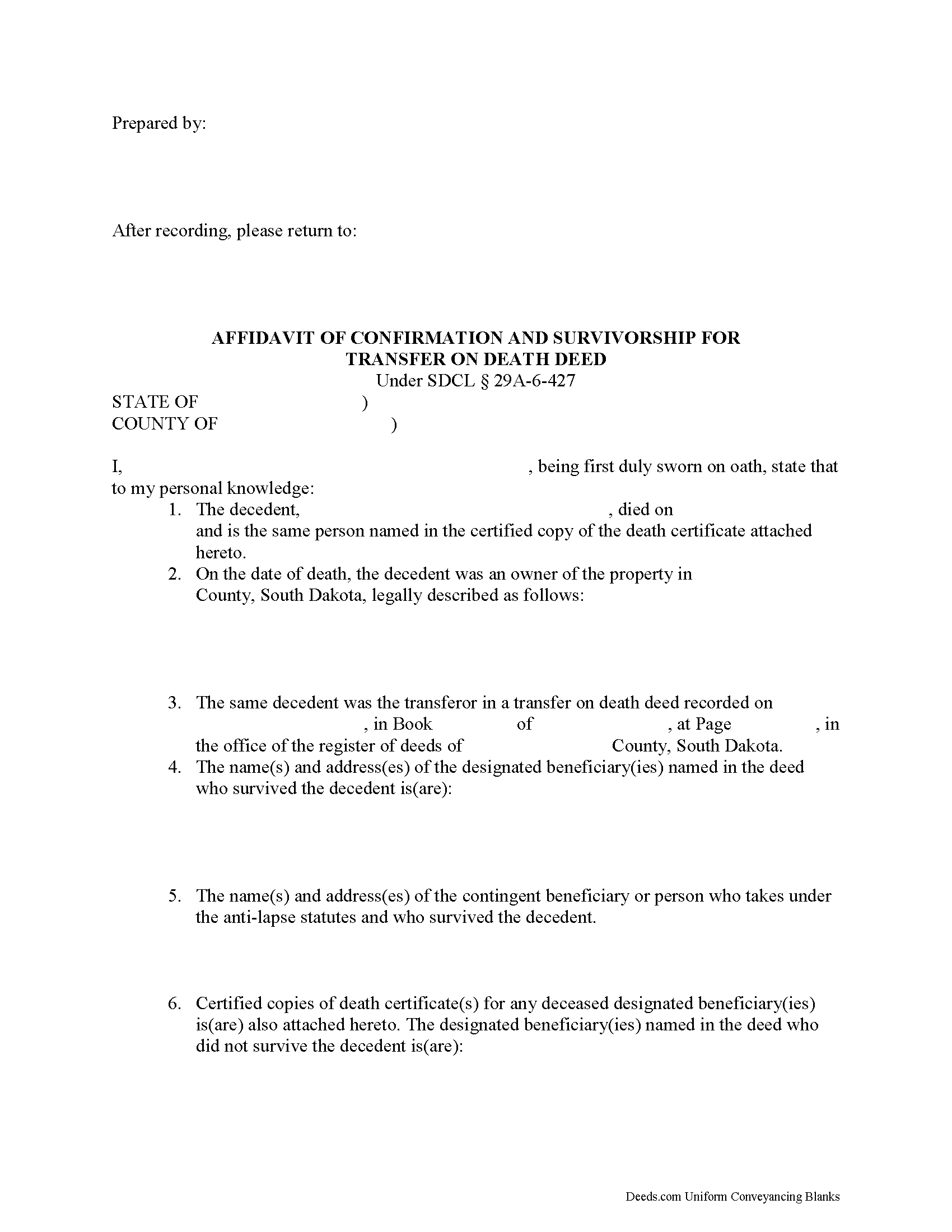
Mcpherson County Transfer on Death Affidavit Form
Fill in the blank form formatted to comply with all recording and content requirements.
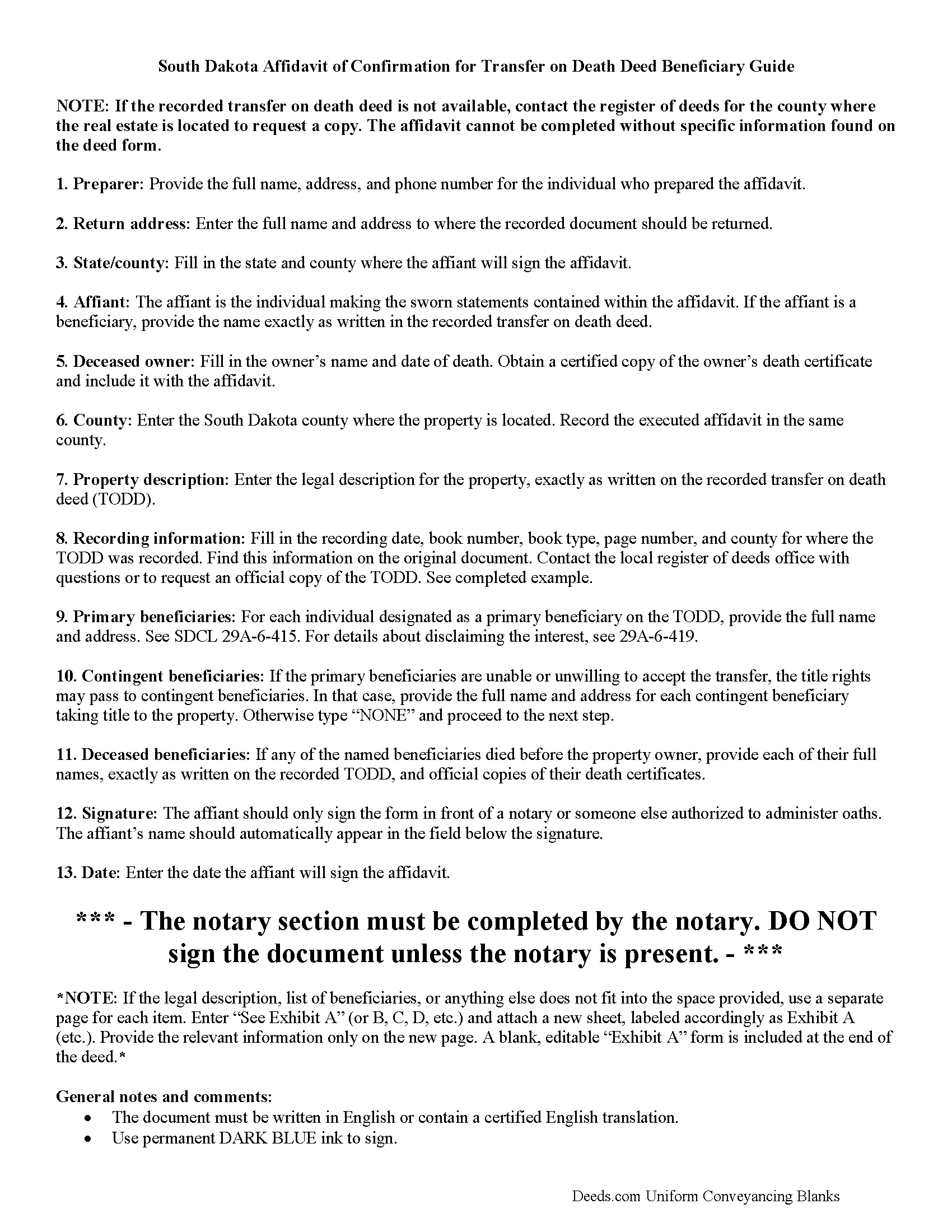
Mcpherson County Transfer on Death Affidavit Guide
Line by line guide explaining every blank on the form.
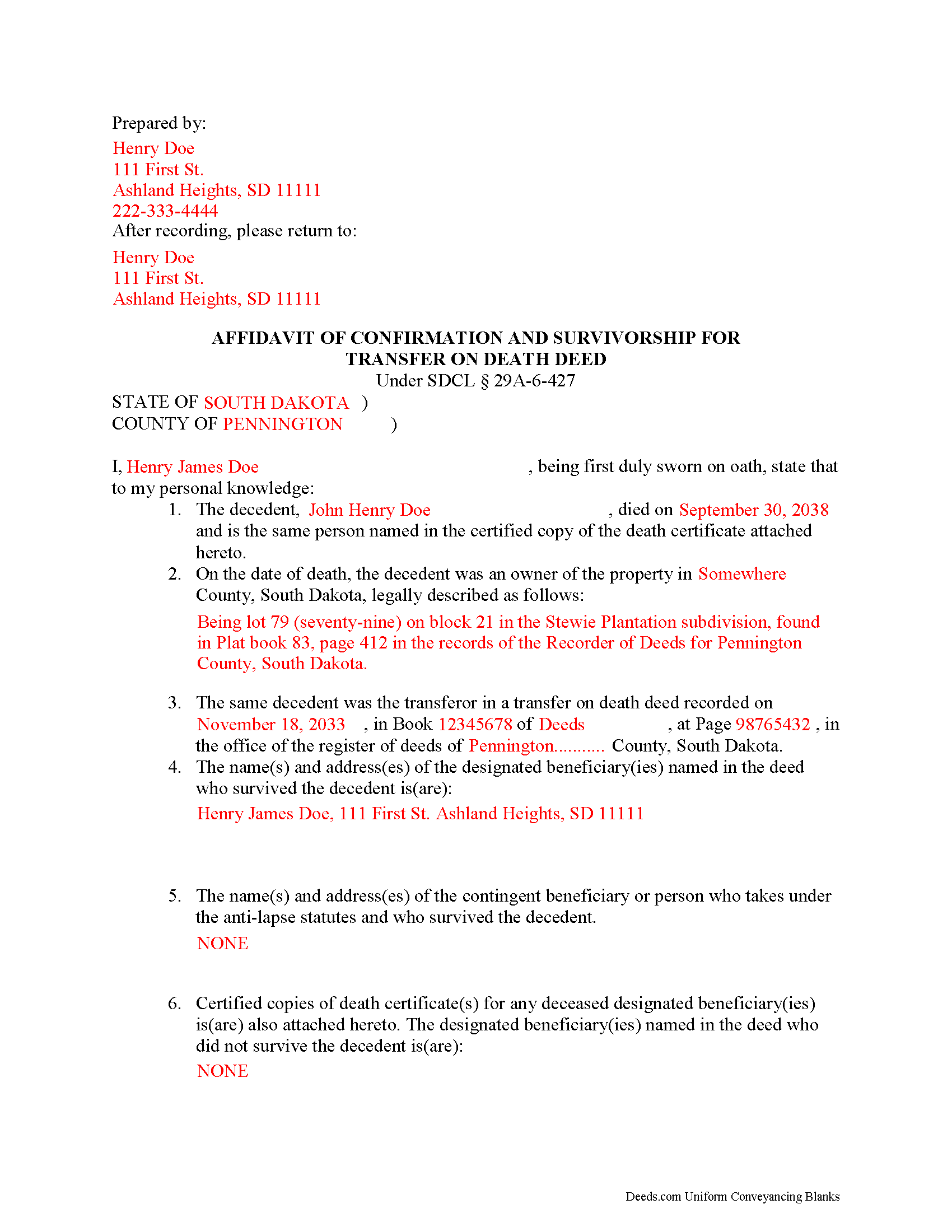
Mcpherson County Completed Example of the Transfer on Death Affidavit Document
Example of a properly completed form for reference.
All 3 documents above included • One-time purchase • No recurring fees
Immediate Download • Secure Checkout
Additional South Dakota and Mcpherson County documents included at no extra charge:
Where to Record Your Documents
McPherson County Register of Deeds
Leola, South Dakota 57456
Hours: 8:00 to 12:00 & 1:00 to 5:00 M-F
Phone: (605) 439-3151
Recording Tips for Mcpherson County:
- White-out or correction fluid may cause rejection
- Double-check legal descriptions match your existing deed
- Request a receipt showing your recording numbers
Cities and Jurisdictions in Mcpherson County
Properties in any of these areas use Mcpherson County forms:
- Eureka
- Leola
- Longlake
Hours, fees, requirements, and more for Mcpherson County
How do I get my forms?
Forms are available for immediate download after payment. The Mcpherson County forms will be in your account ready to download to your computer. An account is created for you during checkout if you don't have one. Forms are NOT emailed.
Are these forms guaranteed to be recordable in Mcpherson County?
Yes. Our form blanks are guaranteed to meet or exceed the applicable formatting requirements used for recording in Mcpherson County, including margin requirements, font requirements, and other layout standards. This guarantee applies to formatting, not to the legal sufficiency of information entered by the user or the suitability of a form for a particular transaction.
Can I reuse these forms?
Yes. You can reuse the forms for your personal use. For example, if you have multiple properties in Mcpherson County you only need to order once.
What do I need to use these forms?
The forms are PDFs that you fill out on your computer. You'll need Adobe Reader (free software that most computers already have). You do NOT enter your property information online - you download the blank forms and complete them privately on your own computer.
Are there any recurring fees?
No. This is a one-time purchase. Nothing to cancel, no memberships, no recurring fees.
How much does it cost to record in Mcpherson County?
Recording fees in Mcpherson County vary. Contact the recorder's office at (605) 439-3151 for current fees.
Questions answered? Let's get started!
Completing a Transfer on Death Using South Dakota's Affidavit of Confirmation
The South Dakota Real Property Transfer on Death Act can be reviewed in its entirety at SDCL 29A-6-401 et seq. By applying this law, owners of real estate located in South Dakota may designate one or more beneficiaries to gain title to their land after the transferor's death, without a will or the need for probate distribution. A lawfully executed and recorded transfer on death deed (TODD) allows owners to retain absolute possession of and control over their property. The TODDs are revocable, so the owners may also modify or even cancel the potential future interest without penalty.
The act contains the specific requirements for conveying ownership after the owner's death (29A-6-427). According to this section, the beneficiary must complete an affidavit of confirmation and submit it for recording to the register of deeds in the county where the property is located. The affidavit of confirmation must be verified before a person authorized to administer oaths and must be accompanied by a certified copy of the death certificate for the deceased owner and for each designated beneficiary who died while the owner was still alive.
A valid affidavit of confirmation provides the name and address of each transfer on death beneficiary who survives the deceased owner. If the named beneficiary is deceased, include the name and address of the contingent beneficiary or person who takes under the anti-lapse statutes. It must also contain the date of the owner's death, the legal description of the property, names and addresses of all primary beneficiaries identified on the original TODD.
Because each situation is unique, please contact an attorney with specific questions or for complex circumstances.
(South Dakota TOD Affidavit Package includes form, guidelines, and completed example)
Important: Your property must be located in Mcpherson County to use these forms. Documents should be recorded at the office below.
This Transfer on Death Affidavit meets all recording requirements specific to Mcpherson County.
Our Promise
The documents you receive here are guaranteed to meet or exceed the applicable Mcpherson County recording format requirements. If there is a rejection caused by our formatting, we will correct the issue or refund your payment. This guarantee applies to document formatting only and does not extend to information entered by the user, the selection of the form, or the legal effect of the completed document.
Save Time and Money
Get your Mcpherson County Transfer on Death Affidavit form done right the first time with Deeds.com Uniform Conveyancing Blanks. At Deeds.com, we understand that your time and money are valuable resources, and we don't want you to face a penalty fee or rejection imposed by a county recorder for submitting nonstandard documents. We constantly review and update our forms to meet rapidly changing state and county recording requirements for roughly 3,500 counties and local jurisdictions.
4.8 out of 5 - ( 4729 Reviews )
ralph m.
March 1st, 2019
Overall the experience was pleasant and the services were delivered In a timely fashion
Thank you Ralph. Have a great day!
Matthew F.
May 29th, 2026
Experience was very positive. It's very easy to use and I like the chat/feedback feature. It almost doubles the recording fees that is a little expensive but otherwise it works great.
We truly value your business and appreciate your review.
Nicole M.
February 24th, 2020
Very helpful and happy with my service. Thanks much!
Thank you!
Thomas D.
July 10th, 2019
The site is fine with one exception. About half the pdf files I downloaded were corrupted. I could not open them or view their contents. Fortunately, the link continued to work, so after I discovered this, I downloaded the corrupted files again, and they now seem fine. I do not know if my computer or the website caused this odd problem.
Thank you for your feedback. We really appreciate it. Have a great day!
Chad N.
March 16th, 2021
Thank you for taking care of a recording very quickly. I am very impressed by your service an would recommend to anyone. Easy to navigate.
Thank you for your feedback. We really appreciate it. Have a great day!
Kari G.
July 15th, 2021
The service was prompt and attentive to my questions. I would've just appreciated a heads up that I also needed to contact the county directly (and provide contact info) to receive a certified copy of the document (Notice of Commencement) in order to submit the certified copy to the Building Department. This was an extra step that I haven't had to complete before using another eRecording service. Even if this extra step is a result of the county's system. I would still have expected a head's up (since there wasn't any info regarding this on the county's site for eRecording).
Thank you for your feedback. We really appreciate it. Have a great day!
Jill S.
June 27th, 2023
This was highly convenient and successful.
Glad to hear we could help Jill, thanks for the kind words!!
Louise S.
May 15th, 2022
The form was easy to download and complete however you should be able to convert to a word document.
Thank you for your feedback. We really appreciate it. Have a great day!
Ann C.
October 18th, 2023
Very responsive and helpful. Made a big task quite easy and effecient. I would highly recommend. Reasonable fees as well
Your feedback is greatly appreciated. Thank you for taking the time to share your experience!
Peggy L.
November 16th, 2020
Exactly what I needed and so nice to not have to pay a lawyer
We appreciate your business and value your feedback. Thank you. Have a wonderful day!
Paul R.
October 22nd, 2021
Worked very quickly and smoothly. Helps if you know what documents you need. Thanks.
Thank you for your feedback. We really appreciate it. Have a great day!
Ronald P.
July 24th, 2025
Forms easy to download but experienced problems trying to type in my information into the forms. Then when I went to print a form, Adobe wanted to charge me for printing. I ended up printing the blank forms and then filling them out manually.
Thank you, Ronald. We're glad you found the forms easy to download, though we're sorry to hear about the printing and fill-in experience. Our forms are designed to be fillable and printable using free software like Adobe Reader. If you ever run into issues, our support team is happy to help!
Jan M.
June 5th, 2019
Fantastic company. They are the absolute best and helped me get the information I needed.
We appreciate your business and value your feedback. Thank you. Have a wonderful day!
MARCO G.
May 9th, 2019
Very easy to use. Got the emailed documents within minutes.
We appreciate your feedback Marco, thank you.
Dawn L.
May 26th, 2022
Not totally satisfied as unable to edit as needed on signature page of the deed. I want to be able to date the document and don't want the verbage "signed, sealed and delivered in the presence of" to appear and cannot remove it. The notary will make his or her own statement below as to the date executed.
Thank you for your feedback. We really appreciate it. Have a great day!