Dyer County Certificate of Trust Form
Last validated October 5, 2026 by our Forms Development TeamFormatted for recording in Dyer County, for property anywhere in the county: rural and unincorporated areas as well as Bogota, Dyersburg, Finley, Lenox, Newbern, Tigrett, Trimble.
- 3 documents included
- Immediate PDF download
- Formatting guarantee
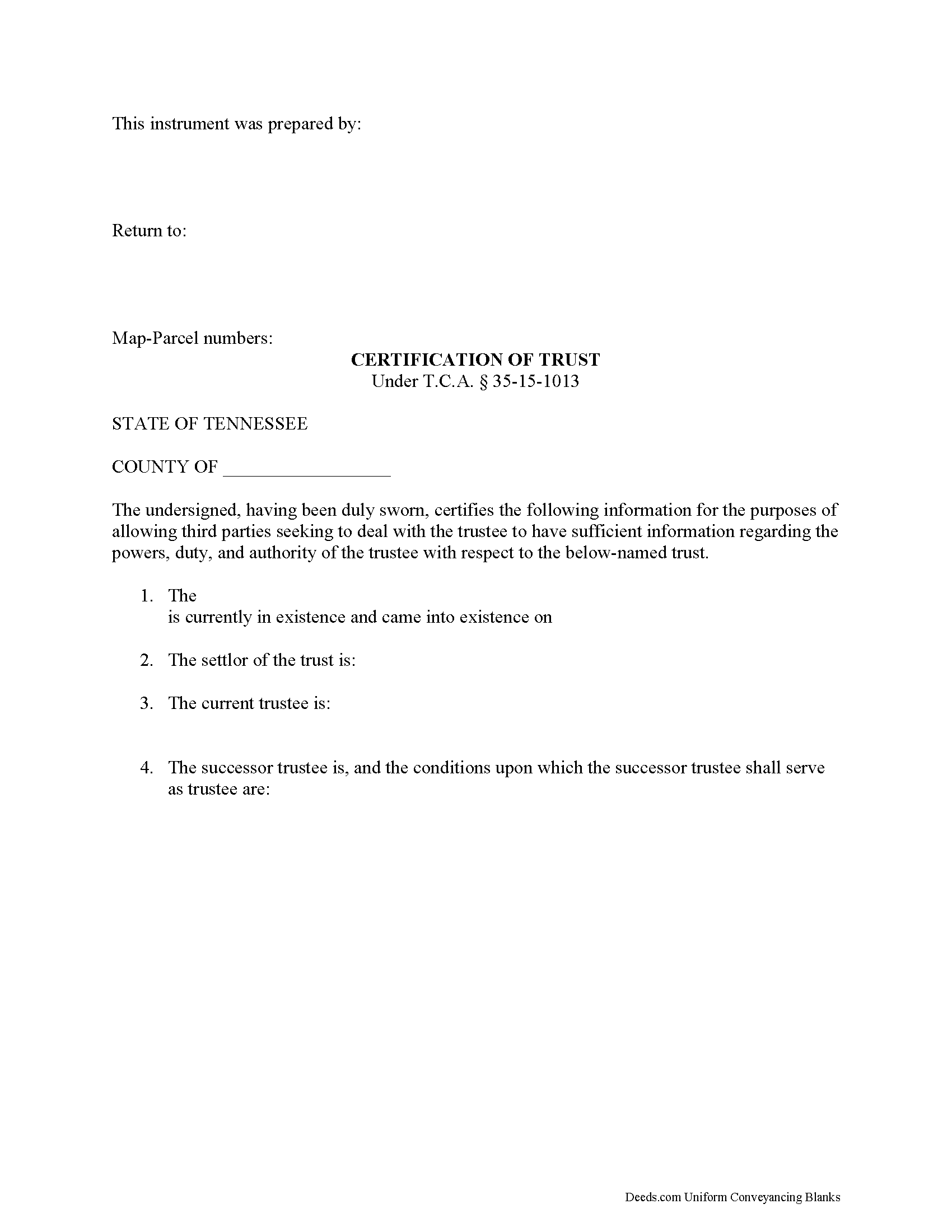
Dyer County Certificate of Trust Form
Fill in the blank form formatted to comply with all recording and content requirements.
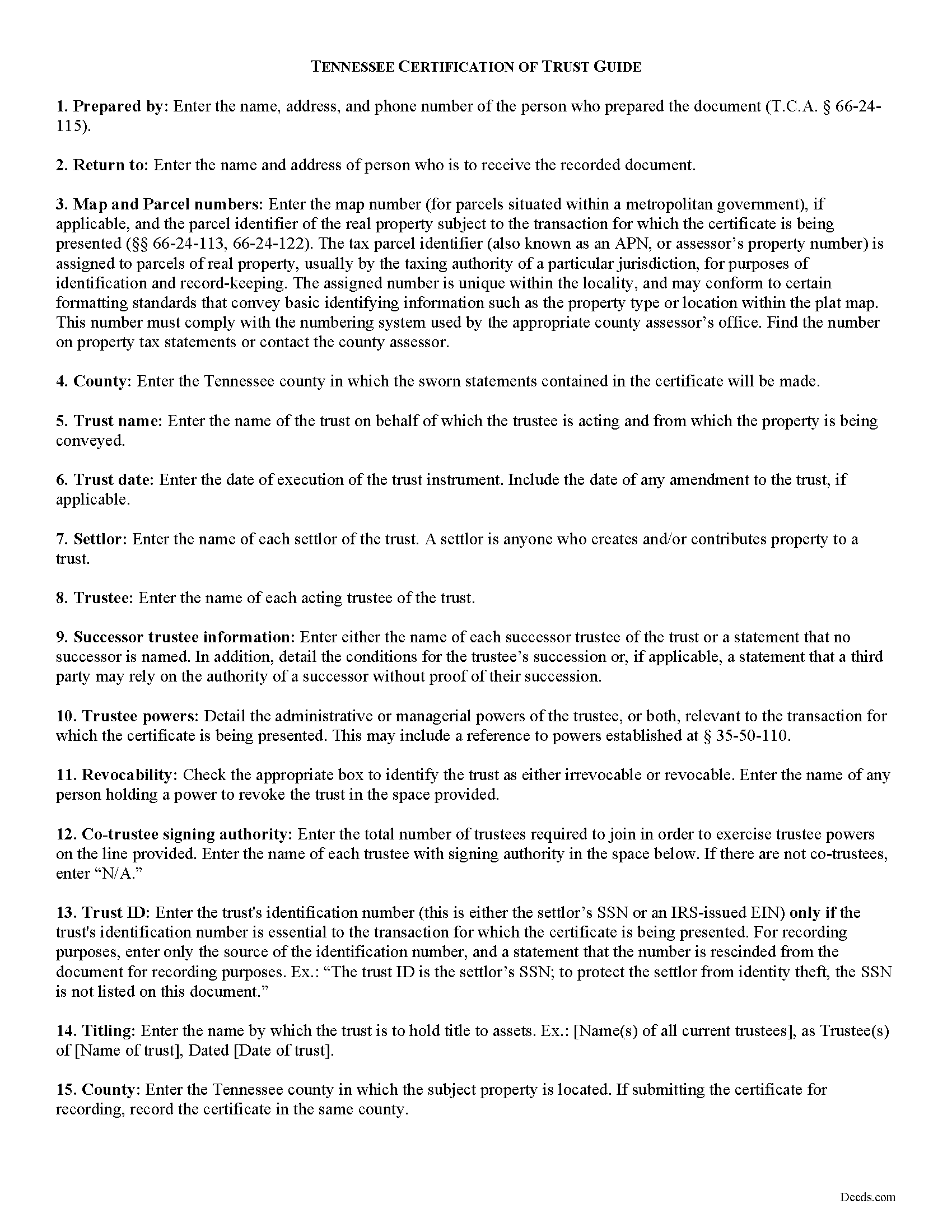
Dyer County Certificate of Trust Guide
Line by line guide explaining every blank on the form.
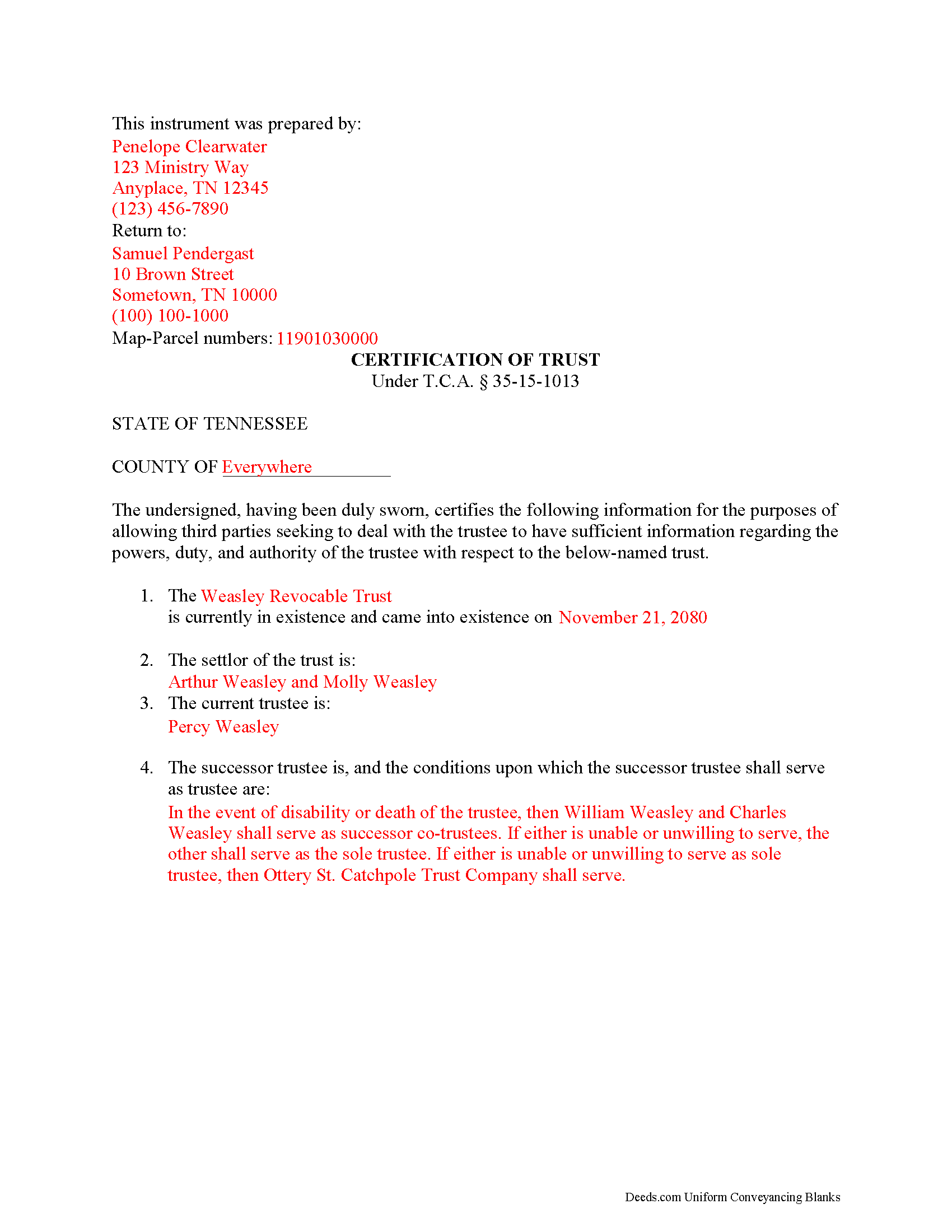
Dyer County Completed Example of the Certificate of Trust Document
Example of a properly completed form for reference.
All 3 documents above included • One-time purchase • No recurring fees
Immediate Download • Secure Checkout
Additional Tennessee and Dyer County documents included at no extra charge:
Where to Record Your Documents
Dyer County Register of Deeds
Dyersburg, Tennessee 38024
Hours: 8:30am to 4:30pm M-F
Phone: (731) 286-7806
Recording Tips for Dyer County:
- Bring your driver's license or state-issued photo ID
- Ensure all signatures are in blue or black ink
- Check margin requirements - usually 1-2 inches at top
- Leave recording info boxes blank - the office fills these
- Make copies of your documents before recording - keep originals safe
Cities and Jurisdictions in Dyer County
Properties in any of these areas use Dyer County forms:
- Bogota
- Dyersburg
- Finley
- Lenox
- Newbern
- Tigrett
- Trimble
Hours, fees, requirements, and more for Dyer County
How do I get my forms?
Forms are available for immediate download after payment. The Dyer County forms will be in your account ready to download to your computer. An account is created for you during checkout if you don't have one. Forms are NOT emailed.
Are these forms guaranteed to be recordable in Dyer County?
Yes. Our form blanks are guaranteed to meet or exceed the applicable formatting requirements used for recording in Dyer County, including margin requirements, font requirements, and other layout standards. This guarantee applies to formatting, not to the legal sufficiency of information entered by the user or the suitability of a form for a particular transaction.
Can I reuse these forms?
Yes. You can reuse the forms for your personal use. For example, if you have multiple properties in Dyer County you only need to order once.
What do I need to use these forms?
The forms are PDFs that you fill out on your computer. The free Adobe Acrobat Reader is recommended, and most PDF apps also work. You do NOT enter your property information online - you download the blank forms and complete them privately on your own computer.
Are there any recurring fees?
No. This is a one-time purchase. Nothing to cancel, no memberships, no recurring fees.
How much does it cost to record in Dyer County?
Recording fees in Dyer County vary. Contact the recorder's office at (731) 286-7806 for current fees.
Questions answered? Let's get started!
The certificate of trust is codified at T.C.A. 35-15-1013 as part of the Tennessee Uniform Trust Code. The purpose of the certificate is "to evidence the existence and validity of the trust" (35-15-1013(a)). The document contains sworn statements made "by the trustee or trustees having signatory authority as identified" within the document (35-15-1013(a)). The recipient of a certificate of trust may rely on the statements made within as factual without additional inquiry (35-15-1013(d)).
Instead of furnishing the trust document, a trustee may present a certificate of trust to third parties when doing business on behalf of the trust. The certificate is a condensed summary of the trust and its provisions, and allows the settlor's estate plans, including the identities of trust beneficiaries, to remain private.
A certificate of trust contains statements that the trust exists and that it "has not been revoked, modified or amended in any manner that would cause" the information in the certificate to be incorrect. The document recites the name and date of trust, the settlor, trustee, and relevant powers of the trustee to conduct the business for which the certificate is presented.
If there is a successor trustee, the document details the conditions of their succession. Certificates for trusts with multiple trustees define how many trustees are required to jointly act to conduct trustee powers. If the trust is revocable, the form includes the name of anyone with a power to revoke the trust. Finally, it presents the name by which the trust holds title to assets and, if necessary for the transaction for which the certificate is given, the trust's identification number.
If recorded to facilitate acquisitions or transfers of real property, a certificate of trust should include the legal description of the property subject to the transfer. The document must meet requirements for recording in Tennessee before submitted in the register of deeds in the appropriate county.
The protections under 35-15-1013 for persons dealing with trustees are not dependent on receipt of a certificate.
Contact a lawyer for questions about preparing a certificate of trust or any other matters involving trusts in Tennessee.
(Tennessee COT Package includes form, guidelines, and completed example)
Important: Your property must be located in Dyer County to use these forms. Documents should be recorded at the county recording office listed above.
This Certificate of Trust meets all recording requirements specific to Dyer County.
Our Promise
The documents you receive here are guaranteed to meet or exceed the applicable Dyer County recording format requirements. If there is a rejection caused by our formatting, we will correct the issue or refund your payment. This guarantee applies to document formatting only and does not extend to information entered by the user, the selection of the form, or the legal effect of the completed document.
Save Time and Money
Get your Dyer County Certificate of Trust form done right the first time with Deeds.com Uniform Conveyancing Blanks. At Deeds.com, we understand that your time and money are valuable resources, and we don't want you to face a penalty fee or rejection imposed by a county recorder for submitting nonstandard documents. We constantly review and update our forms to meet rapidly changing state and county recording requirements for roughly 3,500 counties and local jurisdictions.
4.8 out of 5 - ( 4,828 Reviews )
Kent B. 2 out of 5 stars
Disappointed on most recent order. Format did not permit changing the "boilerplate" language to change "grantor" to "grantors". In so restricting, could not use pre-printed form to make a joint party conveyance.
Sorry to hear of your disappointment. We've canceled your order and payment for the warranty deed document. Have a wonderful day.
Jacqueline G. 5 out of 5 stars
Great site, user friendly. Exactly what we needed and the detailed instructions/completed sample were a nice touch.
We appreciate your business and value your feedback. Thank you. Have a wonderful day!
Deborah H. 5 out of 5 stars
Wonderful service, very fast and great customer service will be using you guys from now on. Thanks a bunch
Thank you for your feedback. We really appreciate it. Have a great day!
Cleatous S. 3 out of 5 stars
The deed form is hard to fill in. There is no way to fill in the county in the "reviewed by" section. Also, there is no place for the Grantee's address on the form. I had to include it in the fill-in space for the legal description.
Thank you!
Terry S. 4 out of 5 stars
Worked well for us except for not being able to edit. Got it completed and recorded with the county clerk! Having the instructions and example made it easy!
Thank you for your feedback. We really appreciate it. Have a great day!
Karen M. 5 out of 5 stars
I'm not too bright. Ordered one thing when I wanted something else. Deeds staff fixed it for me.
Glad we could help.
Christine L. 5 out of 5 stars
I would like the ability to edit the document.
Thank you for your feedback Christine.
Michael W. 5 out of 5 stars
I needed a quitclaim deed to transfer ownership of a home. An attorney wanted $400.00 to file the deed. I downloaded a blank deed for my area from deeds.com. I received it instantly. (Small fee) it came with instructions and a template. I filled it out and submitted it to the County Clerks office.it was simple and I saved a lot of money. There may be other forms you need, check with whoever you are submitting the deed. You'll have additional fees, but that is up to the municipality in which you reside. It will be helpful if you have the latest deed on file. It was much easier than I thought. This is an easy website to navigate through and it is 100% legitimate. I recommend Deeds.com.
Thank you for your feedback. We really appreciate it. Have a great day!
Dorothy B. 5 out of 5 stars
Love your deed service. Simple and easy.
Thank you!
Erik N. 5 out of 5 stars
I liked it, very much.
Thank you!
Janice W. 5 out of 5 stars
Great instructions, samples, ease in getting the form I needed, filling it out as a PDF, and having it ready for a Notary's signature. I was hesitant a first, but glad I paid the fee - now it is done!
Great to hear Janice! Thanks, have a great day!
Rebecca G. 5 out of 5 stars
Very user friendly. Forms professional and acceptable to state applicable to. Appreciate the sample & instructions.
Thank you for your feedback. We really appreciate it. Have a great day!
Glenn M. 5 out of 5 stars
Fast, easy, saves money!!!
Thank you!
Joy V. 5 out of 5 stars
Very helpful and efficient!
Thank you for your feedback. We really appreciate it. Have a great day!
Joyce M. 5 out of 5 stars
Great website, but not helpful in locating my deed dated 1747.
Thank you for your feedback. We really appreciate it. Have a great day!