Cumberland County Deed of Trust Form
Last validated October 1, 2026 by our Forms Development TeamFormatted for recording in Cumberland County, for property anywhere in the county: rural and unincorporated areas as well as Crab Orchard, Crossville, Pleasant Hill.
- 8 documents included
- Immediate PDF download
- Formatting guarantee
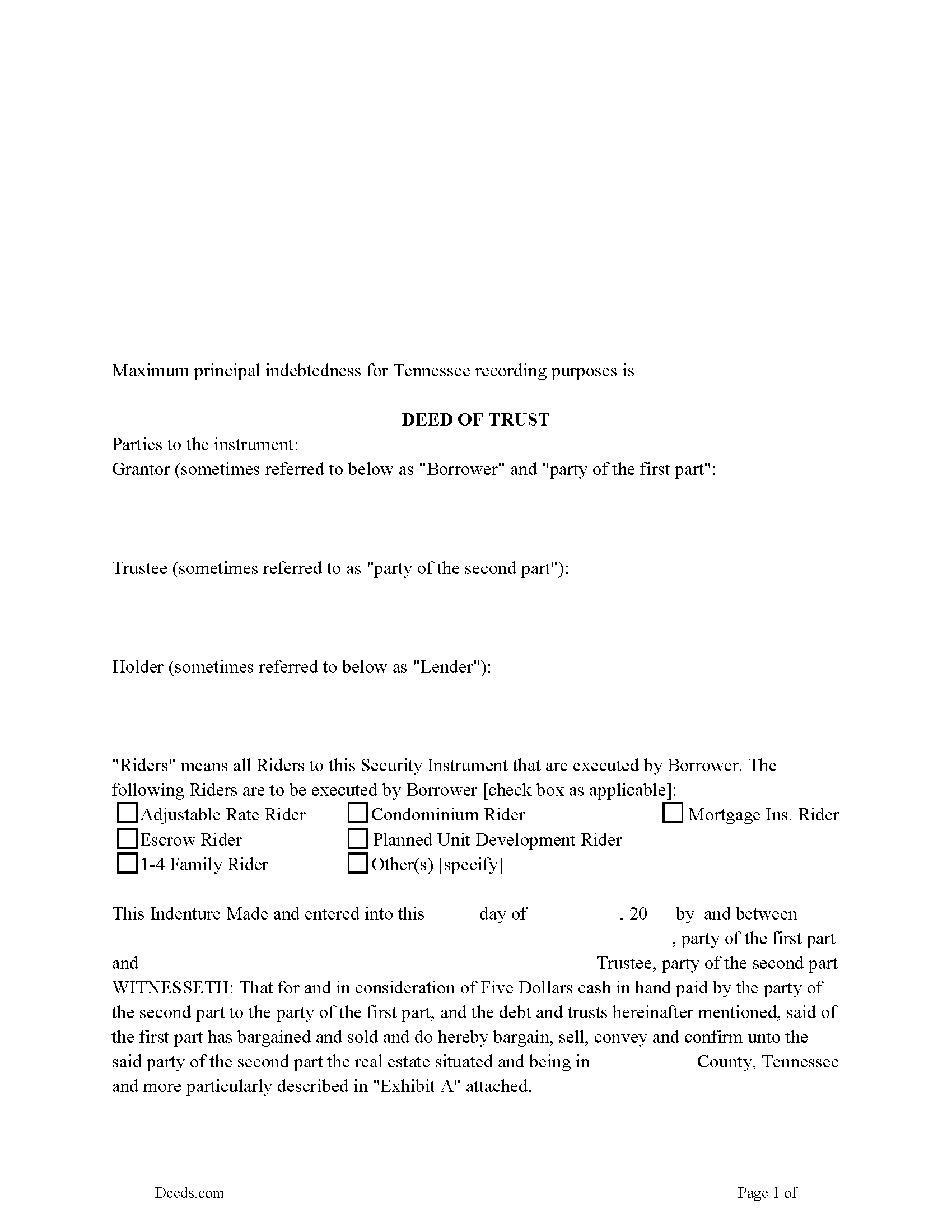
Cumberland County Deed of Trust Form
Fill in the blank form formatted to comply with all recording and content requirements.
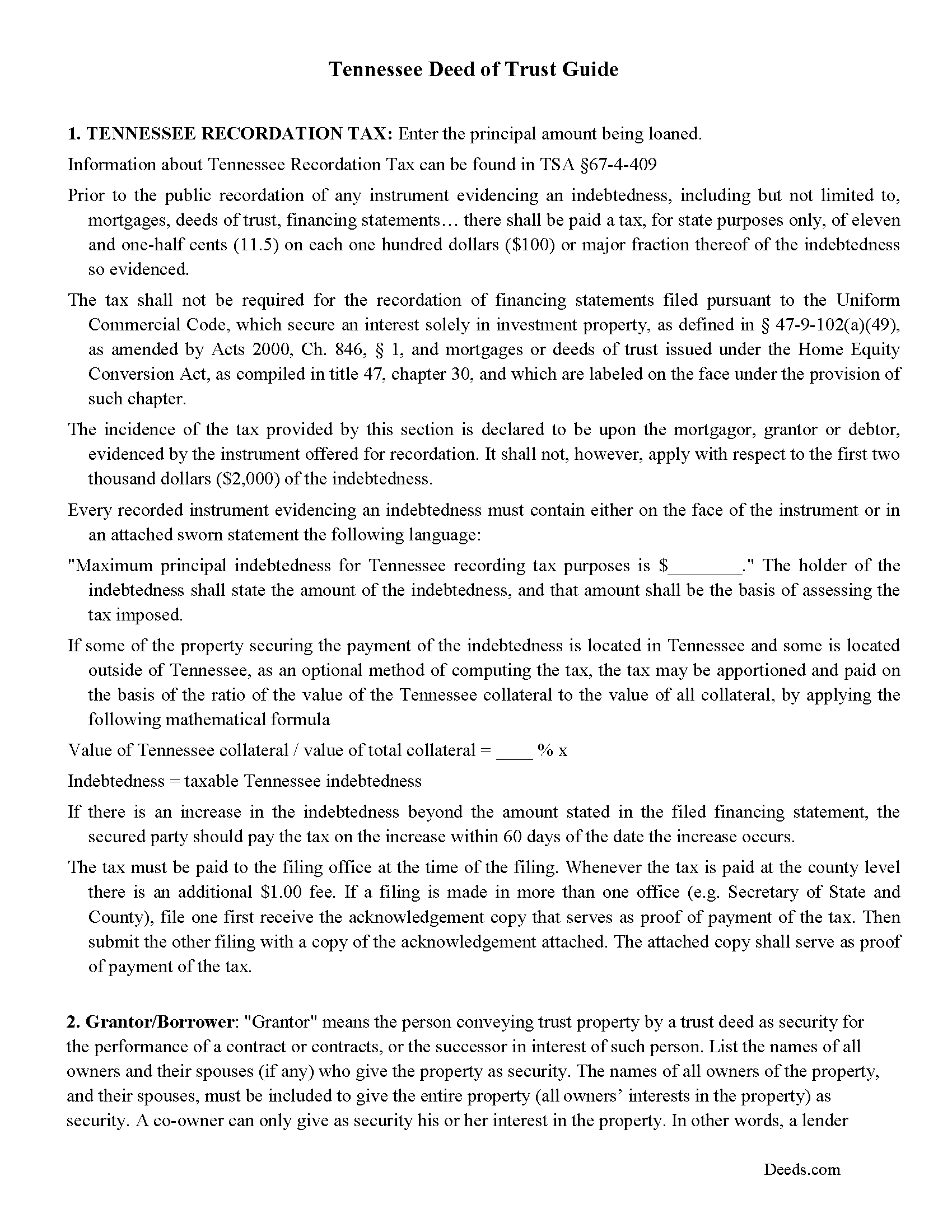
Cumberland County Deed of Trust Guidelines
Line by line guide explaining every blank on the form.
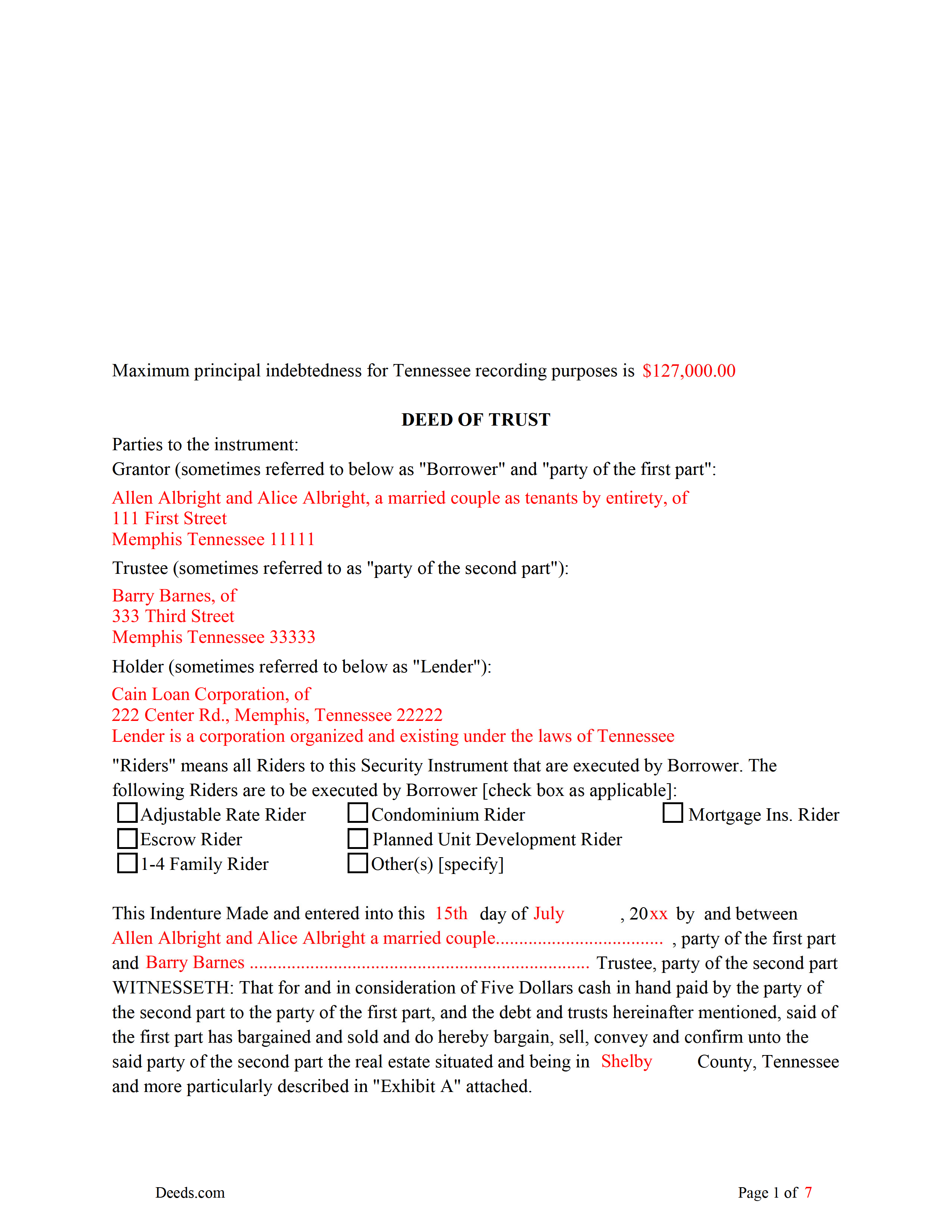
Cumberland County Completed Example of the Deed of Trust
Example of a properly completed form for reference.
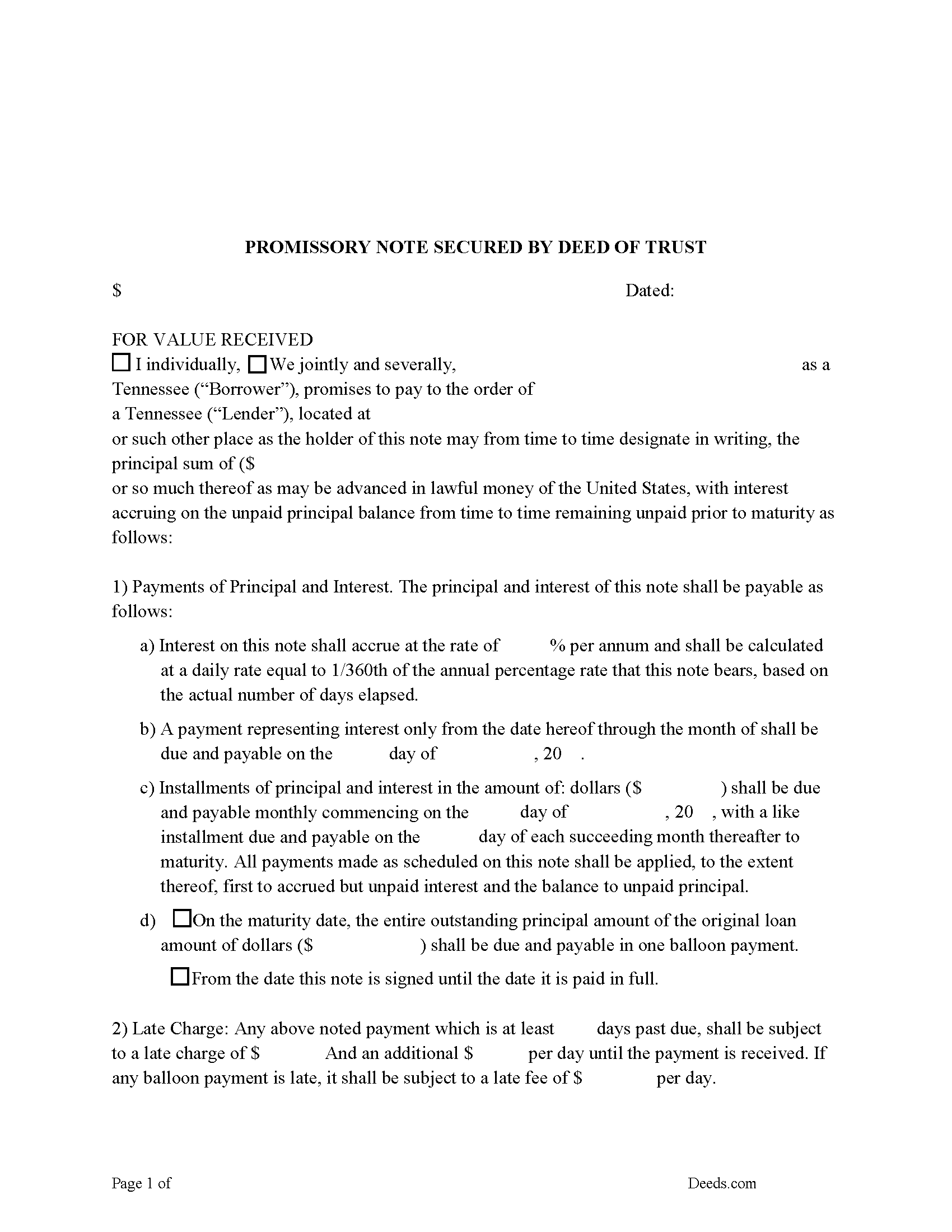
Cumberland County Promissory Note Form
Note that is secured by the Deed of Trust. Can be used for traditional installments or balloon payment.
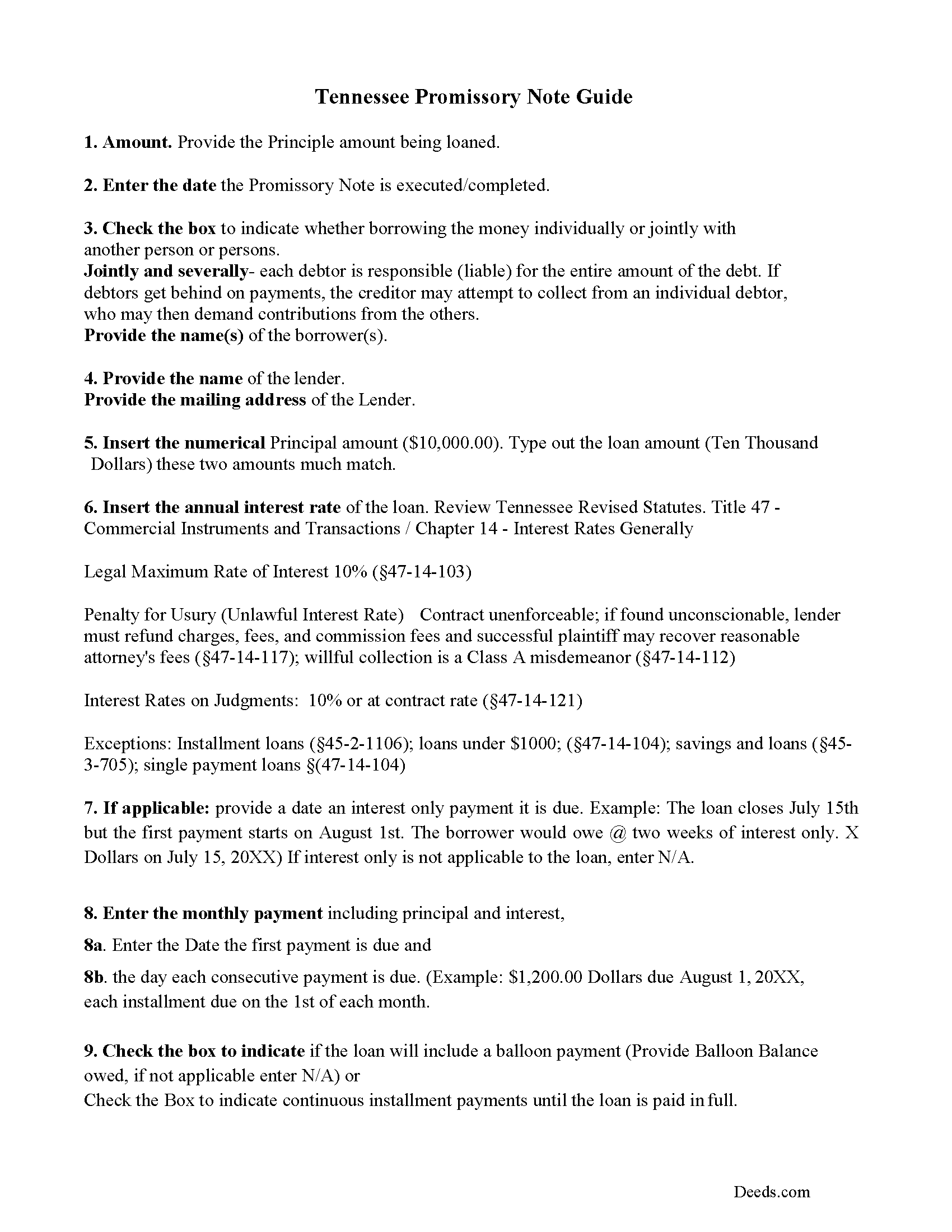
Cumberland County Promissory Note Guidelines
Line by line guide explaining every blank on the form.
Cumberland County Completed Example of the Promissory Note Document
This Tennessee Promissory Note is filled in and highlighted, showing how the guideline information, can be interpreted into the document
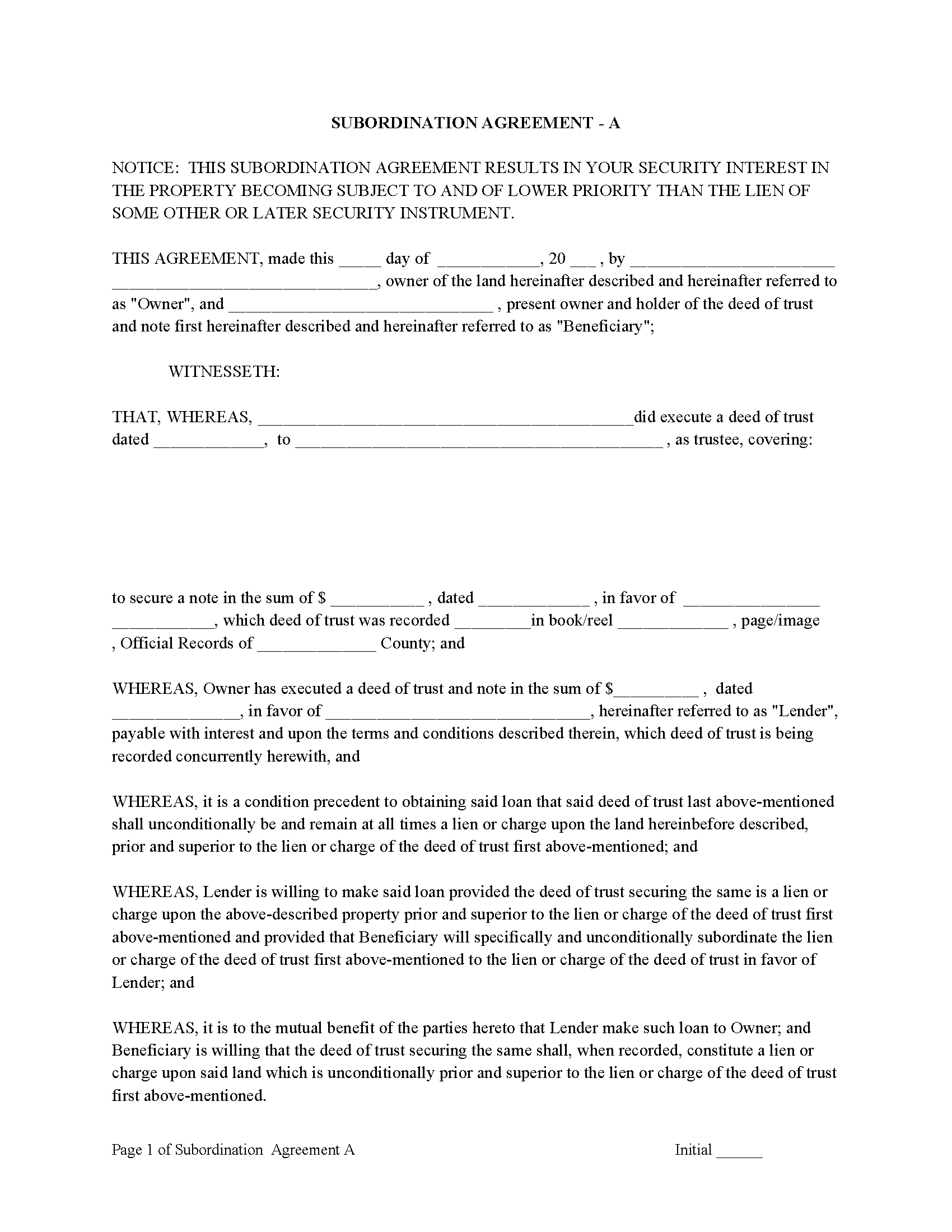
Cumberland County Subordination Agreements
Used to place priority on claim of debt. Included are 4 clauses for unique situations. If needed, add to Deed of Trust as an addendum or rider.
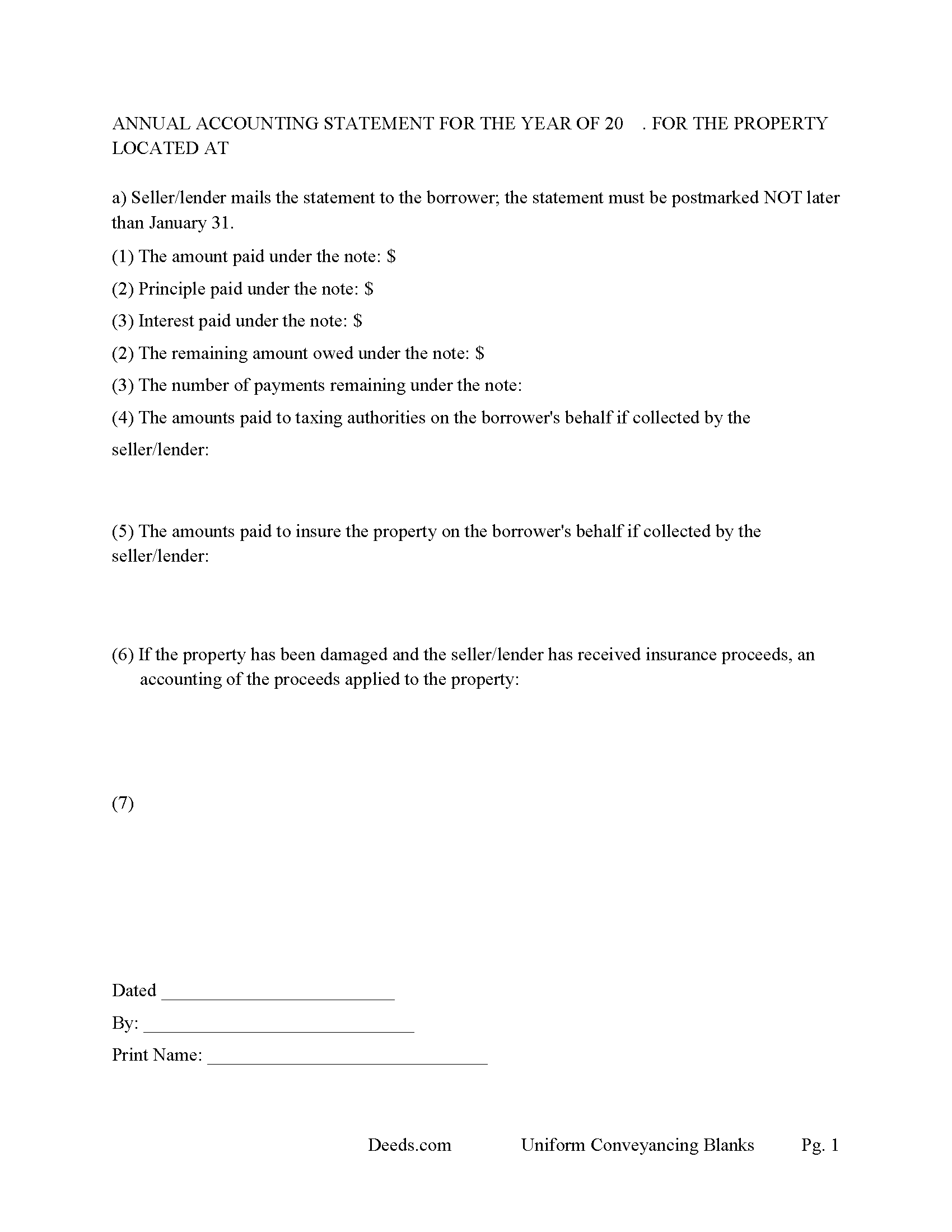
Cumberland County Annual Accounting Statement
Mail to borrower for fiscal year reporting.
All 8 documents above included • One-time purchase • No recurring fees
Immediate Download • Secure Checkout
Additional Tennessee and Cumberland County documents included at no extra charge:
Where to Record Your Documents
Cumberland County Register of Deeds
Crossville, Tennessee 38555
Hours: 8:00am to 4:00pm M-F
Phone: (931) 484-5559
Recording Tips for Cumberland County:
- Bring your driver's license or state-issued photo ID
- Ensure all signatures are in blue or black ink
- Ask if they accept credit cards - many offices are cash/check only
- Check that your notary's commission hasn't expired
- Documents must be on 8.5 x 11 inch white paper
Cities and Jurisdictions in Cumberland County
Properties in any of these areas use Cumberland County forms:
- Crab Orchard
- Crossville
- Pleasant Hill
Hours, fees, requirements, and more for Cumberland County
How do I get my forms?
Forms are available for immediate download after payment. The Cumberland County forms will be in your account ready to download to your computer. An account is created for you during checkout if you don't have one. Forms are NOT emailed.
Are these forms guaranteed to be recordable in Cumberland County?
Yes. Our form blanks are guaranteed to meet or exceed the applicable formatting requirements used for recording in Cumberland County, including margin requirements, font requirements, and other layout standards. This guarantee applies to formatting, not to the legal sufficiency of information entered by the user or the suitability of a form for a particular transaction.
Can I reuse these forms?
Yes. You can reuse the forms for your personal use. For example, if you have multiple properties in Cumberland County you only need to order once.
What do I need to use these forms?
The forms are PDFs that you fill out on your computer. The free Adobe Acrobat Reader is recommended, and most PDF apps also work. You do NOT enter your property information online - you download the blank forms and complete them privately on your own computer.
Are there any recurring fees?
No. This is a one-time purchase. Nothing to cancel, no memberships, no recurring fees.
How much does it cost to record in Cumberland County?
Recording fees in Cumberland County vary. Contact the recorder's office at (931) 484-5559 for current fees.
Questions answered? Let's get started!
A deed of trust (DOT), is a document that conveys title to real property to a trustee as security for a loan until the grantor (borrower) repays the lender according to terms defined in an attached promissory note. It's similar to a mortgage, but differs in that mortgages only include two parties (borrower and lender).
In Tennessee, a Deed of Trust is the most commonly used instrument to secure a loan. Foreclosure can be done non-judicially, saving time and expense. This process is called a Trustee Sale.
There are three parties in this Deed of Trust:
1- The Grantor (Borrower)
2- Holder (Lender) and a
3- Trustee (Neutral Third Party)
Basic Concept. The Trustor (Borrower) conveys property title to a Trustee (Neutral Party). A Trustee or beneficiary/Lender can take an action against any person for damages.
This form can be used by a party selling/financing their own house, rental, condominium or small office building. A Promissory Note and Deed of Trust combined with stringent default terms, can be advantageous to the Lender.
(Tennessee DOT Package includes form, guidelines, and completed example)
Important: Your property must be located in Cumberland County to use these forms. Documents should be recorded at the county recording office listed above.
This Deed of Trust meets all recording requirements specific to Cumberland County.
Our Promise
The documents you receive here are guaranteed to meet or exceed the applicable Cumberland County recording format requirements. If there is a rejection caused by our formatting, we will correct the issue or refund your payment. This guarantee applies to document formatting only and does not extend to information entered by the user, the selection of the form, or the legal effect of the completed document.
Save Time and Money
Get your Cumberland County Deed of Trust form done right the first time with Deeds.com Uniform Conveyancing Blanks. At Deeds.com, we understand that your time and money are valuable resources, and we don't want you to face a penalty fee or rejection imposed by a county recorder for submitting nonstandard documents. We constantly review and update our forms to meet rapidly changing state and county recording requirements for roughly 3,500 counties and local jurisdictions.
4.8 out of 5 - ( 4,819 Reviews )
Joanna L. 5 out of 5 stars
This is a great tool. It is easy to use and saves me a lot of time.
Thank you for your feedback. We really appreciate it. Have a great day!
EUGENE S. 5 out of 5 stars
SIMPLE EASY TO UNDERSTAND PROCESS
We appreciate your business and value your feedback. Thank you. Have a wonderful day!
Marcus W. 5 out of 5 stars
The Service was excellent the county recorder’s can sometimes cause issues and or delays because of certain filing requirements , but overall I am more than satisfied with DEEDS.com fast friendly services.
Thank you Marcus, we appreciate you.
Suzanne D. 5 out of 5 stars
Information found, thank you. I own Ground Rent on property and needed to know name of property owner and address for mailing bill.
Thank you!
Christine K. 5 out of 5 stars
This site was fast and easy to use. I would highly recommend using them. Thank you Deeds.com!!!!
We appreciate your business and value your feedback. Thank you. Have a wonderful day!
Kahn B. 4 out of 5 stars
The Quitclaim deed seems pretty simple However I wonder if I can fll out the paper as easily as it looks I appreciate very much the sample and the direction for filling out the deed. Now I am in the process of gathering document to fill out the deed and I think only when after everything done, I may have a clear idea how good the Quitclaim Deed is. I hope I can follow instruction and will successfully done the paperwork. Thank you very much.
Thank you for your feedback. We really appreciate it. Have a great day!
Rachel E. 5 out of 5 stars
Our firm is working remotely and a lot of court services are limited with the corona-virus shutdowns, but we needed to record a Deed at the last minute. There was no other way we'd could get it done that quick without Deeds.com (staff) helped us work out some kinks and we got it recorded in less than 1 business day! Thank you!
Thank you for your feedback, we really appreciate it. Glad we could help.
Margaret S. 5 out of 5 stars
Great experience, quick and easy, thank you!
Thank you for your feedback. We really appreciate it. Have a great day!
ELOISA F. 5 out of 5 stars
Once I had everything right;the recording was fast and easy. I was updated at every juncture and apprised of my mistakes in order to fix and record my deed. To improve service: I think that several different examples and scenarios would have helped. If you have different names from your children; birth certificates and marriage certificates are a requirement in Clark County, NV. If you want to add anyone to the deed in a Quit Claim Deed; you have to add yourself as a grantee even if you are the grantor along with the other grantees.
Thank you for your feedback. We really appreciate it. Have a great day!
Cynthia D. 5 out of 5 stars
It turned out I didn't need the information was taken care of by my husband. Thank you.
Thank you!
ALFRED B. 5 out of 5 stars
I was counting on deeds.com to help me with a closing I was working on. I stumbled with the instructions but when I recovered there were no problems. The instructions were helpful and the deeds etc. were just what I needed. I give deeds five stars. I am 76 years old and when the application asks for the user's name I always think they want my name. WRONG. I am trying to learn computer speak.
Thank you Alfred, have an amazing day!
Kellie Z. 5 out of 5 stars
Wow! So much simpler & faster than I had expected. I had thought it would take weeks to get filed & took days- yea! Super easy & speedy!
Thank you!
Suhila C. 5 out of 5 stars
This site is awesome. It has everything I need to purchase and sell (transfer deed ownership) land and property. I cannot wait to get our new land and building for business. Thanks, Suhila
We appreciate your business and value your feedback. Thank you. Have a wonderful day!
Patricia C. 5 out of 5 stars
Deeds.com saved me time and research by offering a beneficiary deed and full instructions for filling it out. My home will now pass directly to my only son without probate. This form and other complimentary forms was an excellent value.
Thank you for your feedback. We really appreciate it. Have a great day!
Jenifer L. 3 out of 5 stars
I'm an attorney. I see youve mixed up the terms "grantor" and "grantee" and their respective rights in this version. Anyone using it like this might have title troubles down the line.
Thank you for your feedback Jenifer, we have flagged the document for review.