Anderson County Mineral Deed with Quitclaim Covenants Form
Last validated November 23, 2026 by our Forms Development TeamFormatted for recording in Anderson County, for property anywhere in the county: rural and unincorporated areas as well as Andersonville, Briceville, Clinton, Lake City, Norris, Oak Ridge.
- 3 documents included
- Immediate PDF download
- Formatting guarantee
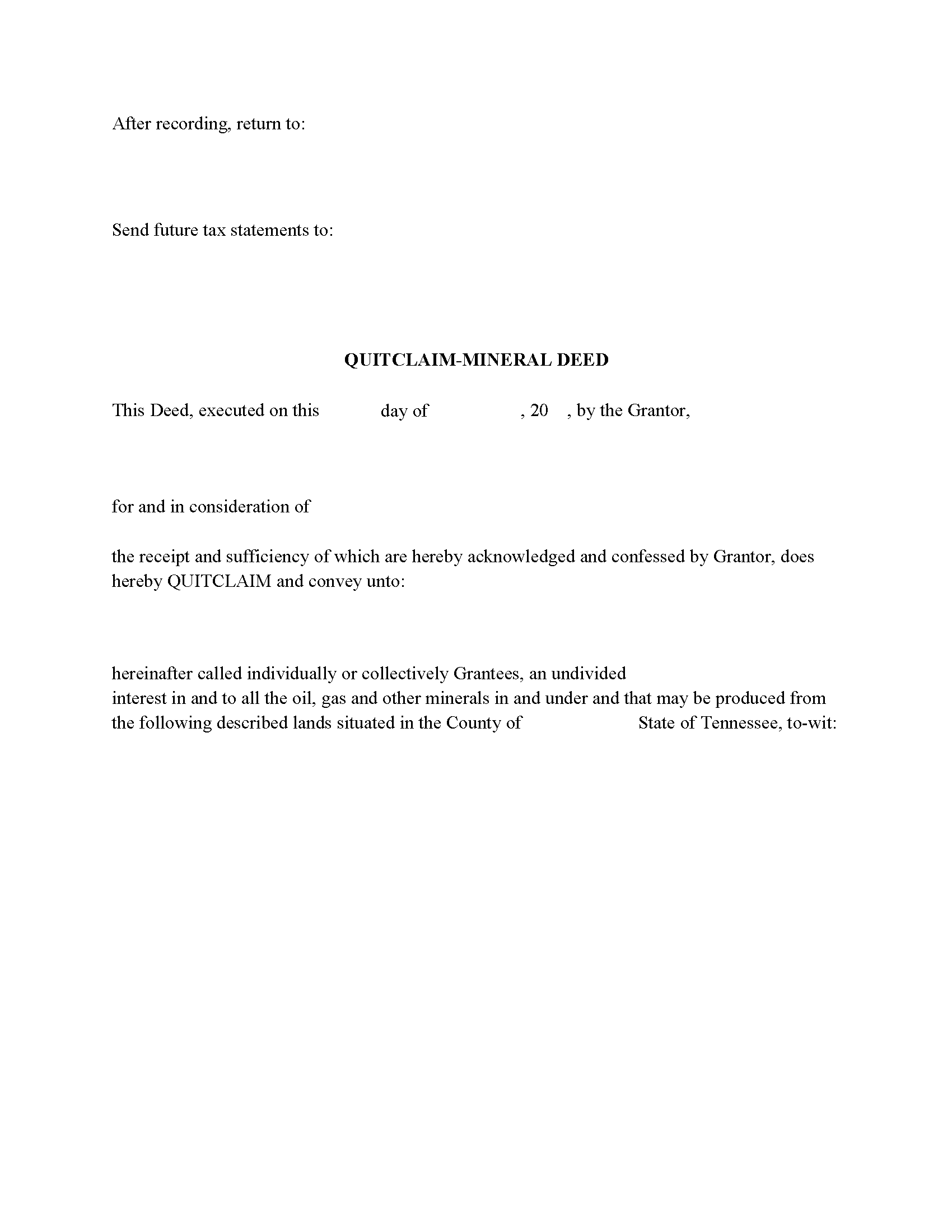
Anderson County Mineral Deed with Quitclaim Covenants Form
Fill in the blank Mineral Deed with Quitclaim Covenants form formatted to comply with all Tennessee recording and content requirements.
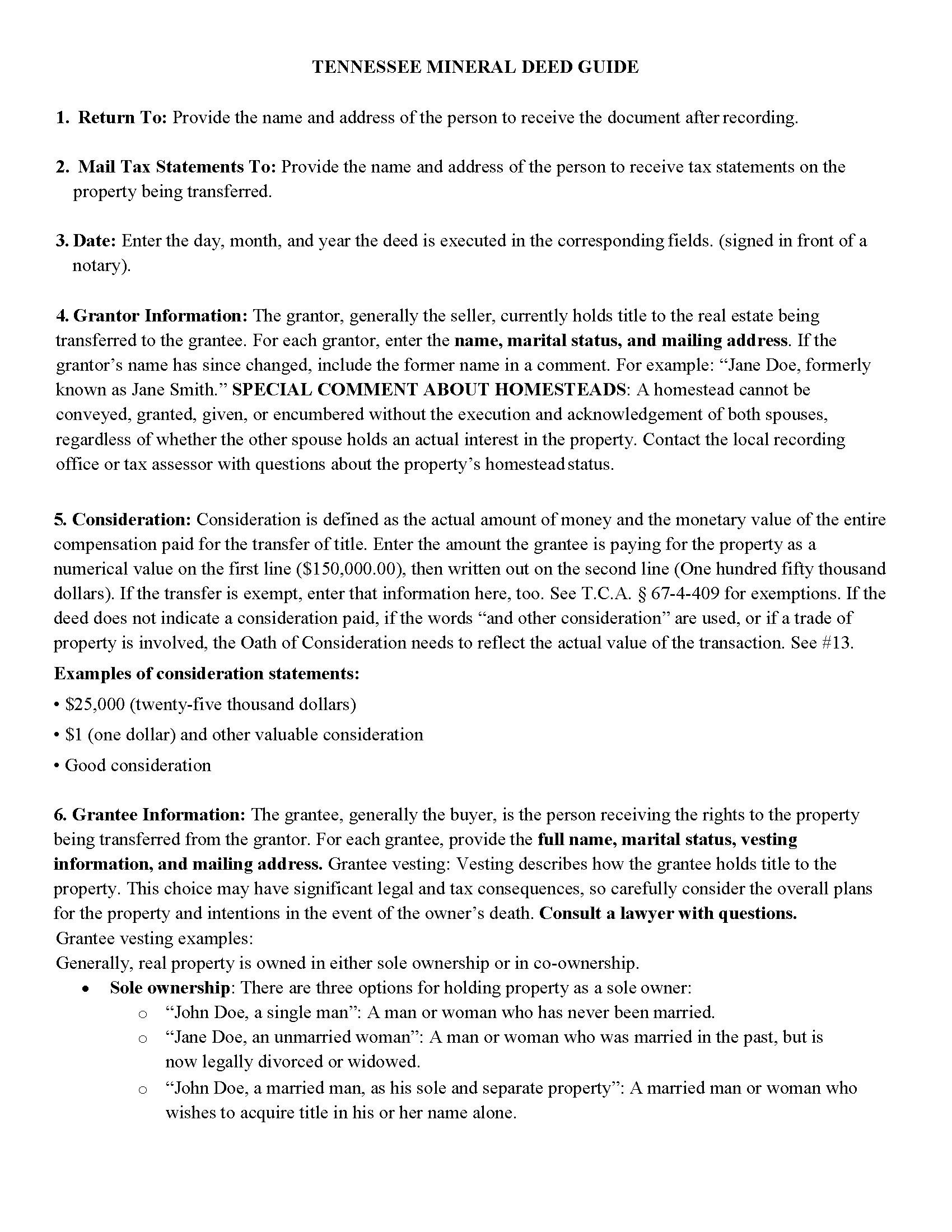
Anderson County Mineral Deed with Quitclaim Covenants Guide
Line by line guide explaining every blank on the Mineral Deed with Quitclaim Covenants form.
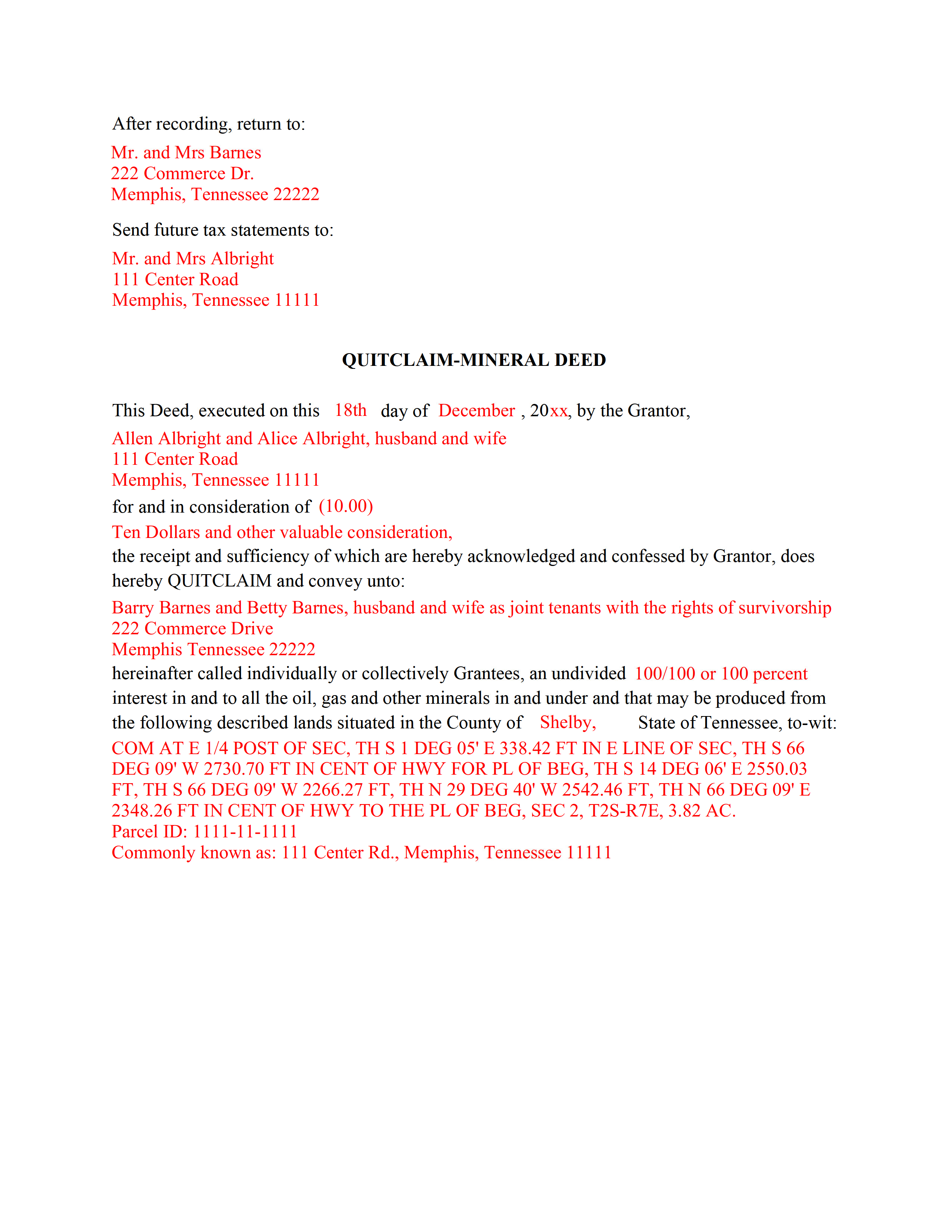
Anderson County Completed Example of the Mineral Deed with Quitclaim Covenants Document
Example of a properly completed Tennessee Mineral Deed with Quitclaim Covenants document for reference.
All 3 documents above included • One-time purchase • No recurring fees
Immediate Download • Secure Checkout
Additional Tennessee and Anderson County documents included at no extra charge:
Where to Record Your Documents
Anderson County Register of Deeds
Clinton, Tennessee 37716
Hours: 8:00 to 5:00 M-F
Phone: (865) 457-6236
Recording Tips for Anderson County:
- Bring your driver's license or state-issued photo ID
- Ensure all signatures are in blue or black ink
- Recording fees may differ from what's posted online - verify current rates
- Request a receipt showing your recording numbers
- Ask about accepted payment methods when you call ahead
Cities and Jurisdictions in Anderson County
Properties in any of these areas use Anderson County forms:
- Andersonville
- Briceville
- Clinton
- Lake City
- Norris
- Oak Ridge
Hours, fees, requirements, and more for Anderson County
How do I get my forms?
Forms are available for immediate download after payment. The Anderson County forms will be in your account ready to download to your computer. An account is created for you during checkout if you don't have one. Forms are NOT emailed.
Are these forms guaranteed to be recordable in Anderson County?
Yes. Our form blanks are guaranteed to meet or exceed the applicable formatting requirements used for recording in Anderson County, including margin requirements, font requirements, and other layout standards. This guarantee applies to formatting, not to the legal sufficiency of information entered by the user or the suitability of a form for a particular transaction.
Can I reuse these forms?
Yes. You can reuse the forms for your personal use. For example, if you have multiple properties in Anderson County you only need to order once.
What do I need to use these forms?
The forms are PDFs that you fill out on your computer. The free Adobe Acrobat Reader is recommended, and most PDF apps also work. You do NOT enter your property information online - you download the blank forms and complete them privately on your own computer.
Are there any recurring fees?
No. This is a one-time purchase. Nothing to cancel, no memberships, no recurring fees.
How much does it cost to record in Anderson County?
Recording fees in Anderson County vary. Contact the recorder's office at (865) 457-6236 for current fees.
Questions answered? Let's get started!
The General Mineral Deed in Tennessee Quitclaims oil, gas, and mineral rights from the grantor to the grantee. THIS IS NOT A LEASE. There are no Exceptions or Reservations included.
The transfer includes the oil, gas and other minerals of every kind and nature. The Grantor can stipulate the percentage of Mineral Rights the Grantee will receive.
This general mineral deed gives the grantee the right to access, for the purpose of mining, drilling, exploring, operating and developing said lands for oil, gas, and other minerals, and storing handling, transporting and marketing of such.
The seller, or grantor Quitclaims the mineral rights and does NOT accept responsibility to any discrepancy of title (This assignment is without warranty of title, either express or implied)
Uses: Mineral deeds with quitclaim are often used in situations where the grantor wants to quickly release any interest they might have in mineral rights, such as in settling estates, resolving disputes, clearing up uncertainties about ownership in a title's history or when mineral rights have previously been severed or fragmented from surface rights and cloud a title, making it difficult to transfer property. Resolution often involves the holder(s) of the mineral rights, quit-claiming any rights he/she/they have or might have in the subject property.
Use of this document can have a permanent effect on your rights to the property, if you are not completely sure of what you are executing seek the advice of a legal professional.
(Tennessee MD with Quitclaim Package includes form, guidelines, and completed example)
Important: Your property must be located in Anderson County to use these forms. Documents should be recorded at the county recording office listed above.
This Mineral Deed with Quitclaim Covenants meets all recording requirements specific to Anderson County.
Our Promise
The documents you receive here are guaranteed to meet or exceed the applicable Anderson County recording format requirements. If there is a rejection caused by our formatting, we will correct the issue or refund your payment. This guarantee applies to document formatting only and does not extend to information entered by the user, the selection of the form, or the legal effect of the completed document.
Save Time and Money
Get your Anderson County Mineral Deed with Quitclaim Covenants form done right the first time with Deeds.com Uniform Conveyancing Blanks. At Deeds.com, we understand that your time and money are valuable resources, and we don't want you to face a penalty fee or rejection imposed by a county recorder for submitting nonstandard documents. We constantly review and update our forms to meet rapidly changing state and county recording requirements for roughly 3,500 counties and local jurisdictions.
4.8 out of 5 - ( 4,864 Reviews )
deborah k. 5 out of 5 stars
was very easy to fill out the directions were very helpful
Thank you!
Donald B. 5 out of 5 stars
Pretty good forms, they would probably be better if I read the directions but...
Thank you!
Norbert C. 5 out of 5 stars
Great resource and everything went smoothly except email was performed through autofill prompted by the system but the autofill added a letter that gave wrong email. I can still sign in with wrong email since the system recognizes it as mine even though it is wrong. May be my fault and not the system since I did not catch the discrepancy in time. I would suggest a field that allows a correction to any misinformation prior to signing out from the initial sign on. Still think it is a great resource if all documents are processed and accepted by the pwers to be. Thanks.
Thank you!
AARON D. 5 out of 5 stars
Forms were great ! Cancelled my lawyer's appointment & utilized your forms.
We are grateful for your feedback and looking forward to serving you again. Thank you!
Rick L. 5 out of 5 stars
I love it! Very convenience.
Thank you!
Geoffrey M. 5 out of 5 stars
Very convenient online document recording with great and quick service. Thank you!
Thank you!
Gary R. 5 out of 5 stars
Very prompt response to my questions.
Thank you!
Jason U. 5 out of 5 stars
Extremely useful! The guide was excellent with the sample. Used and went exceptionally smoothly.
Thank you for your positive words! We’re thrilled to hear about your experience.
Tressa P. 5 out of 5 stars
This online service was very easy to use. I highly recommend Deeds.com. The quick response from the representative upon submitting your document is quick. If something needed to be adjusted they will send you message and you can in turn respond right away with a message. The pricing of this service is very reasonable.
Thank you!
Michaela D. 1 out of 5 stars
I purchased this form to add my boyfriend to the deed of our home. He owns his own business so he cannot be on our mortgage. The guide doesn't clearly explain adding a person rather than focusing on transferring during a purchase or selling of a home. For future, I'd recommend make a few different examples for those who are trying to use this for the other options a Quit Claim Deed is needed for.
Thank you for your feedback. We really appreciate it. Have a great day!
Neil S. 5 out of 5 stars
Very impressive. The only change I would suggest is a smaller font on the title.
Thank you for your feedback. We really appreciate it. Have a great day!
Jearsel W. 5 out of 5 stars
I was surprised how helpful the completed example was. It was nice to see what the form should look like when it is filled out. Great job!
That's wonderful to hear Jearsel, thanks for your feedback. Have an awesome day.
Annette H. 5 out of 5 stars
Deeds.com has done a wonderful job! They are quick to get back to me either with the Deed or reason why there is no Deed. You have saved me so much time using your services that I hope to keep using them for years to come! Thank you!
Thank you!
Vicky M. 5 out of 5 stars
I would give Deeds.com 10 stars if I could!! The staff were super friendly and easy to work with. They kept me constantly updated during the process of uploading and forwarding my deeds for recording. And, the price was extremely reasonable. I look forward to utilizing Deeds.com every time I need to record a deed no matter what U.S. State. I wholeheartedly recommend them!
Thank you for your feedback. We really appreciate it. Have a great day!
SHIRLEY H. 3 out of 5 stars
I like that they have all the forms, but I could not find it they would submit the forms to the recorders office
Thank you!