Hawkins County Notice of Non-Payment Form
Last validated October 12, 2026 by our Forms Development TeamFormatted for recording in Hawkins County, for property anywhere in the county: rural and unincorporated areas as well as Bulls Gap, Church Hill, Eidson, Mooresburg, Mount Carmel, Rogersville, Surgoinsville.
- 3 documents included
- Immediate PDF download
- Formatting guarantee
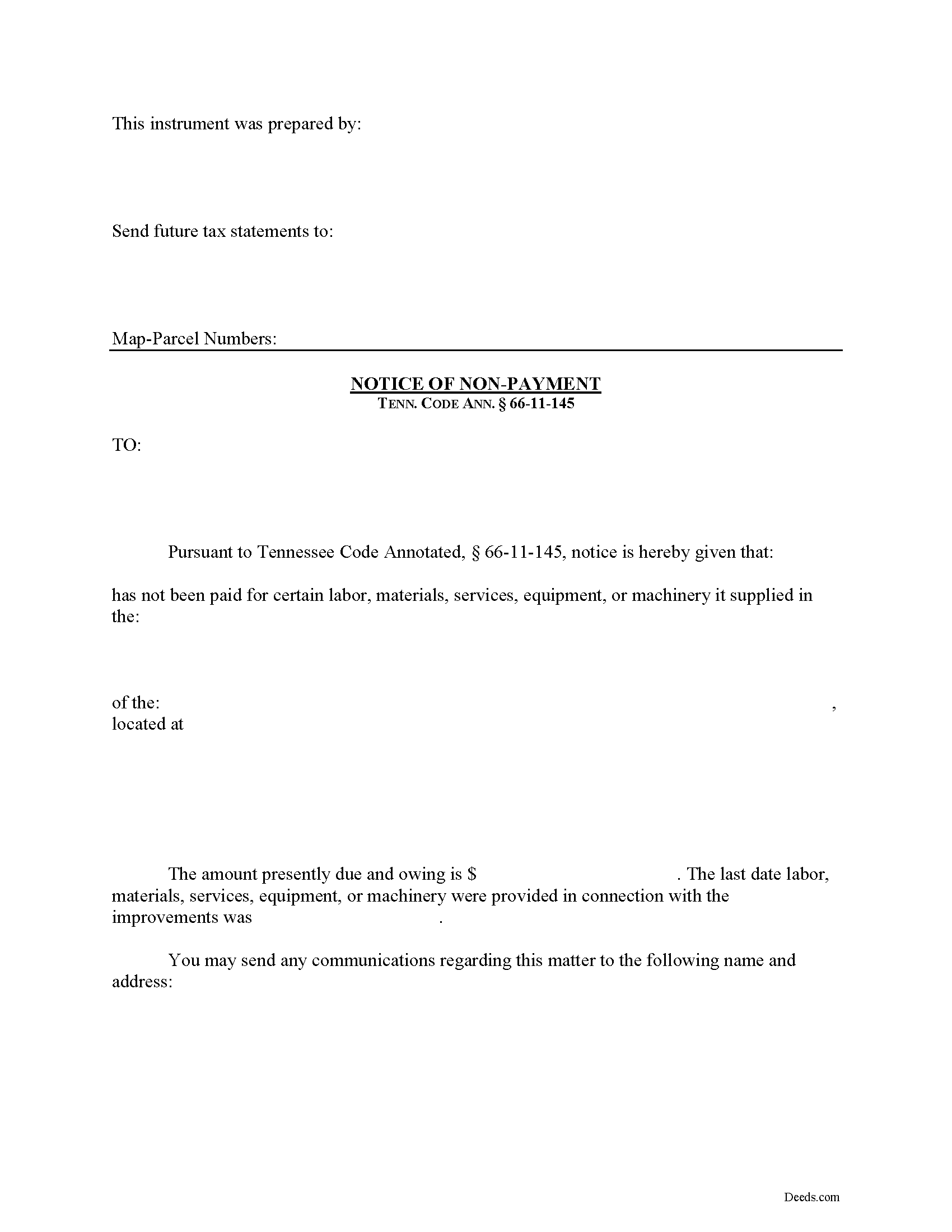
Hawkins County Notice of Non-Payment Form
Fill in the blank Notice of Non-Payment form formatted to comply with all Tennessee recording and content requirements.
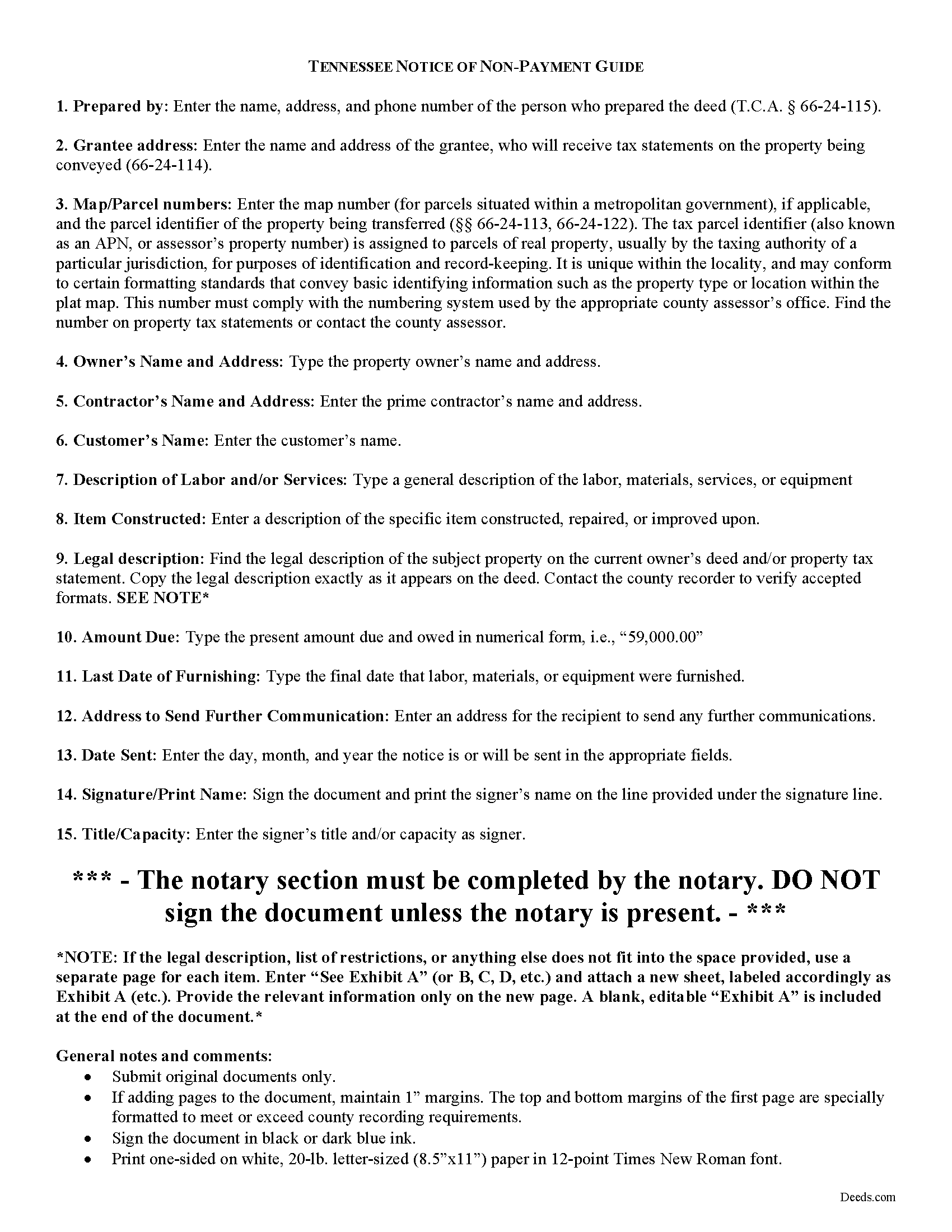
Hawkins County Notice of Non-Payment Guide
Line by line guide explaining every blank on the form.
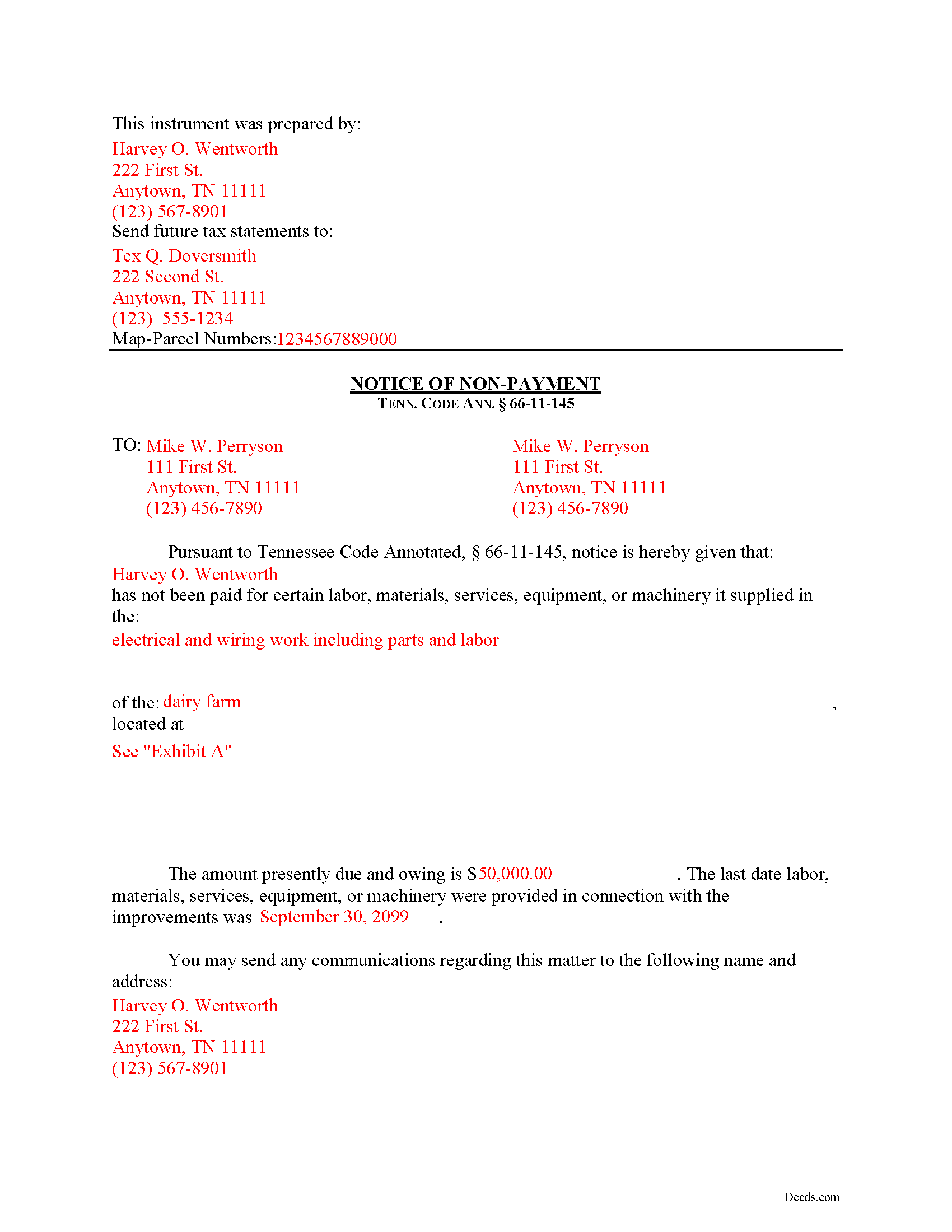
Hawkins County Completed Example of the Notice of Non-Payment Document
Example of a properly completed form for reference.
All 3 documents above included • One-time purchase • No recurring fees
Immediate Download • Secure Checkout
Additional Tennessee and Hawkins County documents included at no extra charge:
Where to Record Your Documents
Hawkins County Register of Deeds
Rogersville, Tennessee 37857
Hours: 8:00 to 4:00 Monday through Friday
Phone: (423) 272-8304 and 272-3091
Recording Tips for Hawkins County:
- Bring your driver's license or state-issued photo ID
- Ensure all signatures are in blue or black ink
- Double-check legal descriptions match your existing deed
- Verify all names are spelled correctly before recording
- White-out or correction fluid may cause rejection
Cities and Jurisdictions in Hawkins County
Properties in any of these areas use Hawkins County forms:
- Bulls Gap
- Church Hill
- Eidson
- Mooresburg
- Mount Carmel
- Rogersville
- Surgoinsville
Hours, fees, requirements, and more for Hawkins County
How do I get my forms?
Forms are available for immediate download after payment. The Hawkins County forms will be in your account ready to download to your computer. An account is created for you during checkout if you don't have one. Forms are NOT emailed.
Are these forms guaranteed to be recordable in Hawkins County?
Yes. Our form blanks are guaranteed to meet or exceed the applicable formatting requirements used for recording in Hawkins County, including margin requirements, font requirements, and other layout standards. This guarantee applies to formatting, not to the legal sufficiency of information entered by the user or the suitability of a form for a particular transaction.
Can I reuse these forms?
Yes. You can reuse the forms for your personal use. For example, if you have multiple properties in Hawkins County you only need to order once.
What do I need to use these forms?
The forms are PDFs that you fill out on your computer. The free Adobe Acrobat Reader is recommended, and most PDF apps also work. You do NOT enter your property information online - you download the blank forms and complete them privately on your own computer.
Are there any recurring fees?
No. This is a one-time purchase. Nothing to cancel, no memberships, no recurring fees.
How much does it cost to record in Hawkins County?
Recording fees in Hawkins County vary. Contact the recorder's office at (423) 272-8304 and 272-3091 for current fees.
Questions answered? Let's get started!
Remote Contractor Claims in Tennessee
Remote contractors who have not contracted directly with the owner, must send a special type of notice when they are not paid at time. In Tennessee, that notice is called the "Notice of Non-Payment."
Every remote contractor with respect to an improvement, except one-to-four-family residential units, shall serve, within ninety (90) days of the last day of each month within which work, material, or labor was provided, or machinery furnished and for which the remote contractor intends to claim a lien, a notice of nonpayment to the owner and prime contractor in contractual privity with the remote contractor if its account is, in fact, unpaid. Tenn. Prop. Code 66-11-145(a). Serve the notice via registered or certified US Mail, or any other service with official delivery confirmation.
The notice shall contain the following: (1) The name of the remote contractor and the address to which the owner and the prime contractor in contractual relation with the remote contractor may send communications to the remote contractor; (2) A general description of the work, labor, materials, services, equipment, or machinery provided; (3) The amount owed as of the date of the notice; (4) A statement of the last date the claimant performed work and/or provided labor or materials, services, equipment, or machinery in connection with the improvements; and (5) A description sufficient to identify the real property against which a lien may be claimed. Id.
If a remote contractor fails to provide the notice of nonpayment in compliance with the law, he or she may lose the right to claim a lien (except with regard to a certain amount or percentage of the contract amount retained to guarantee performance of the remote contractor). Tenn. Prop. Code 66-11-145(b). Even though the notice of nonpayment is a required step in the lien process, be aware that it is NOT the same notice required to fulfill a notice of an impending lien, which must be drafted and sent separately. Tenn. Prop. Code 66-11-145(c).
This article is provided for informational purposes only and should not be considered legal advice or relied upon as any substitute for speaking with an attorney. Please consult a Tennessee attorney familiar with construction law for any issues regarding mechanic's liens.
Important: Your property must be located in Hawkins County to use these forms. Documents should be recorded at the county recording office listed above.
This Notice of Non-Payment meets all recording requirements specific to Hawkins County.
Our Promise
The documents you receive here are guaranteed to meet or exceed the applicable Hawkins County recording format requirements. If there is a rejection caused by our formatting, we will correct the issue or refund your payment. This guarantee applies to document formatting only and does not extend to information entered by the user, the selection of the form, or the legal effect of the completed document.
Save Time and Money
Get your Hawkins County Notice of Non-Payment form done right the first time with Deeds.com Uniform Conveyancing Blanks. At Deeds.com, we understand that your time and money are valuable resources, and we don't want you to face a penalty fee or rejection imposed by a county recorder for submitting nonstandard documents. We constantly review and update our forms to meet rapidly changing state and county recording requirements for roughly 3,500 counties and local jurisdictions.
4.8 out of 5 - ( 4,832 Reviews )
Larry T. 5 out of 5 stars
Excellent service!!!!! A 5STAR
Thanks Larry! We appreciate you.
Allen H. 5 out of 5 stars
Your program was invaluable to us, I used it for my Mom's estate and when she passed the transition was seamless and no probate was involved. I am going to use this for myself to transfer my property over to my children in upon my death. Can't say enough positive things about it. Thanks, Allen
Thank you!
James S. 5 out of 5 stars
unbelievable Deeds Rocks Start to finish 2=Day Recommended by Coconino County Recorders office in Arizona there were incomplete sections. I would correct and resubmit . All done Yeah!!!!!!
Thank you for your feedback. We really appreciate it. Have a great day!
Jacquelyn W. 4 out of 5 stars
Great site with great info. Almost made the job seamless but form would not adjust to my longer than usual legal description -- I ended up having to recreate the form in word processing software (Libre). But could not have done it without the guidelines.
Thank you!
LISA R. 5 out of 5 stars
I was very pleased to find your website and the range of services you offer. I was recommended to hire an estate attorney, but the forms you provided will eliminate the need for that. Thank you for the help!
Thank you for your feedback. We really appreciate it. Have a great day!
Ron S. 4 out of 5 stars
Fair price and beneficiary deed was recorded without issue. Completion instructions provided were insufficient in some cases.
Thank you!
Lisa W. 5 out of 5 stars
Great E-Service Provider!
Thank you!
Ena D. 5 out of 5 stars
Very easy process. great customer service
We appreciate your business and value your feedback. Thank you. Have a wonderful day!
Tammy B. 5 out of 5 stars
I am so happy that I was able to get these forms. So simple to get and seems like will be easy to fill out . Thank you
We appreciate your business and value your feedback. Thank you. Have a wonderful day!
Michael V. 5 out of 5 stars
Exactly what I needed and VERY fair price. I paid $19.97 for what a local attorney wanted $200 to do. I filled out the form using the line by line guide and filed it at the court house today. Absolutely no problems.
We appreciate your business and value your feedback. Thank you. Have a wonderful day!
Madline J. 5 out of 5 stars
amazing job!!
Thank you!
Carol D. 5 out of 5 stars
No review provided.
Thank you!
Pierre M. 5 out of 5 stars
The form was very easy to fill out. The instructions were clear. Overall, a very user friendly product that made my job easier. Thanks you.
Thank you!
Rebecca C. 5 out of 5 stars
Great service ! Hawaii is not a "forms state" so unfortunately the public has no way to get templates on our local gov site but deeds.com to the rescue. The template was affordable and easy to use and successfully recorded. Great to use when you don't need to involve title or attorneys for simple deed changes, thank you
Thank you for your feedback. We really appreciate it. Have a great day!
Cynthia H. 5 out of 5 stars
No review provided.
Thank you!