Weakley County Quitclaim Deed (Corporation Grantor) Form
Last validated October 27, 2026 by our Forms Development TeamFormatted for recording in Weakley County, for property anywhere in the county: rural and unincorporated areas as well as Dresden, Dukedom, Gleason, Greenfield, Martin, Palmersville, Sharon.
- 3 documents included
- Immediate PDF download
- Formatting guarantee
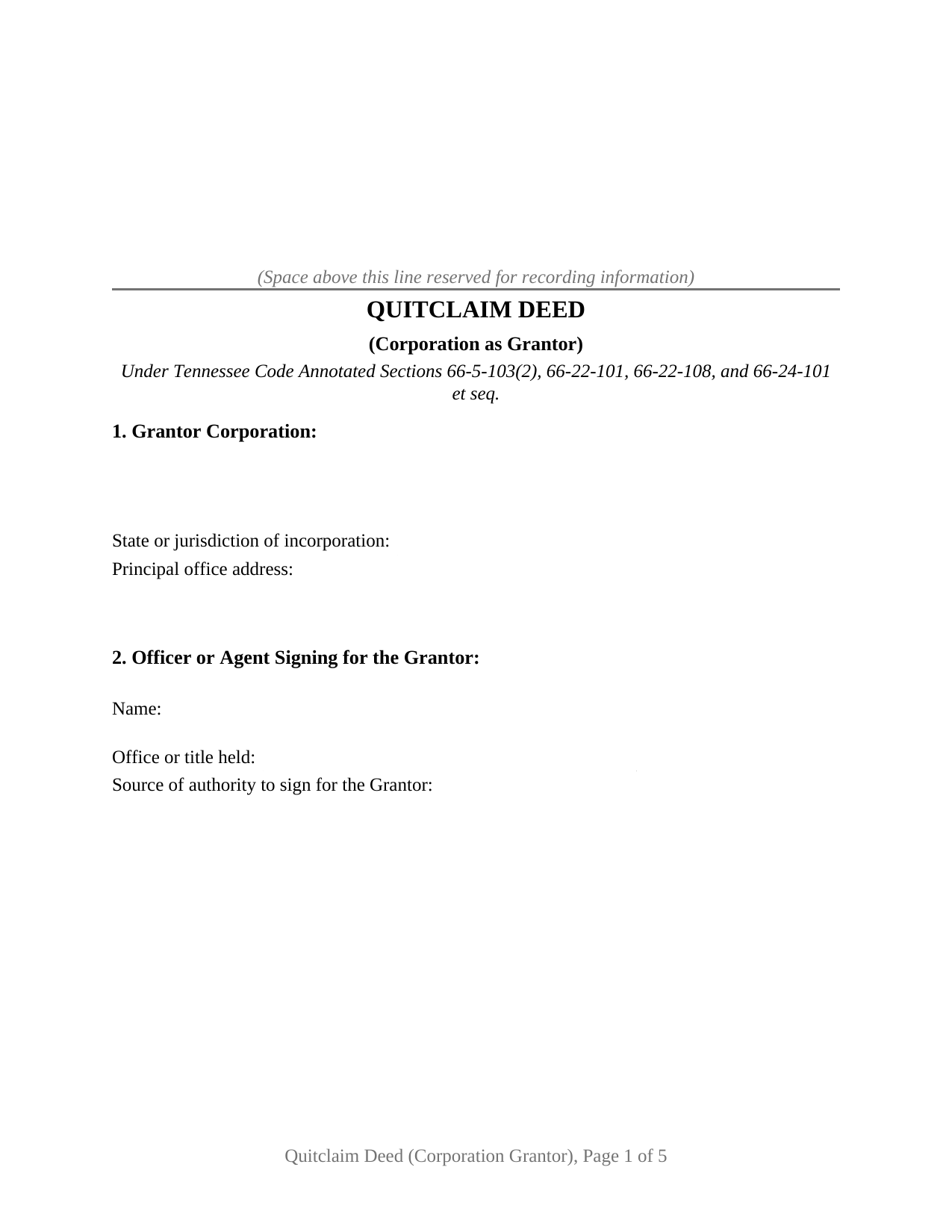
Weakley County Quitclaim Deed (Corporation Grantor) Form
Fill in the blank Quitclaim Deed (Corporation Grantor) form formatted to comply with all Tennessee recording and content requirements.
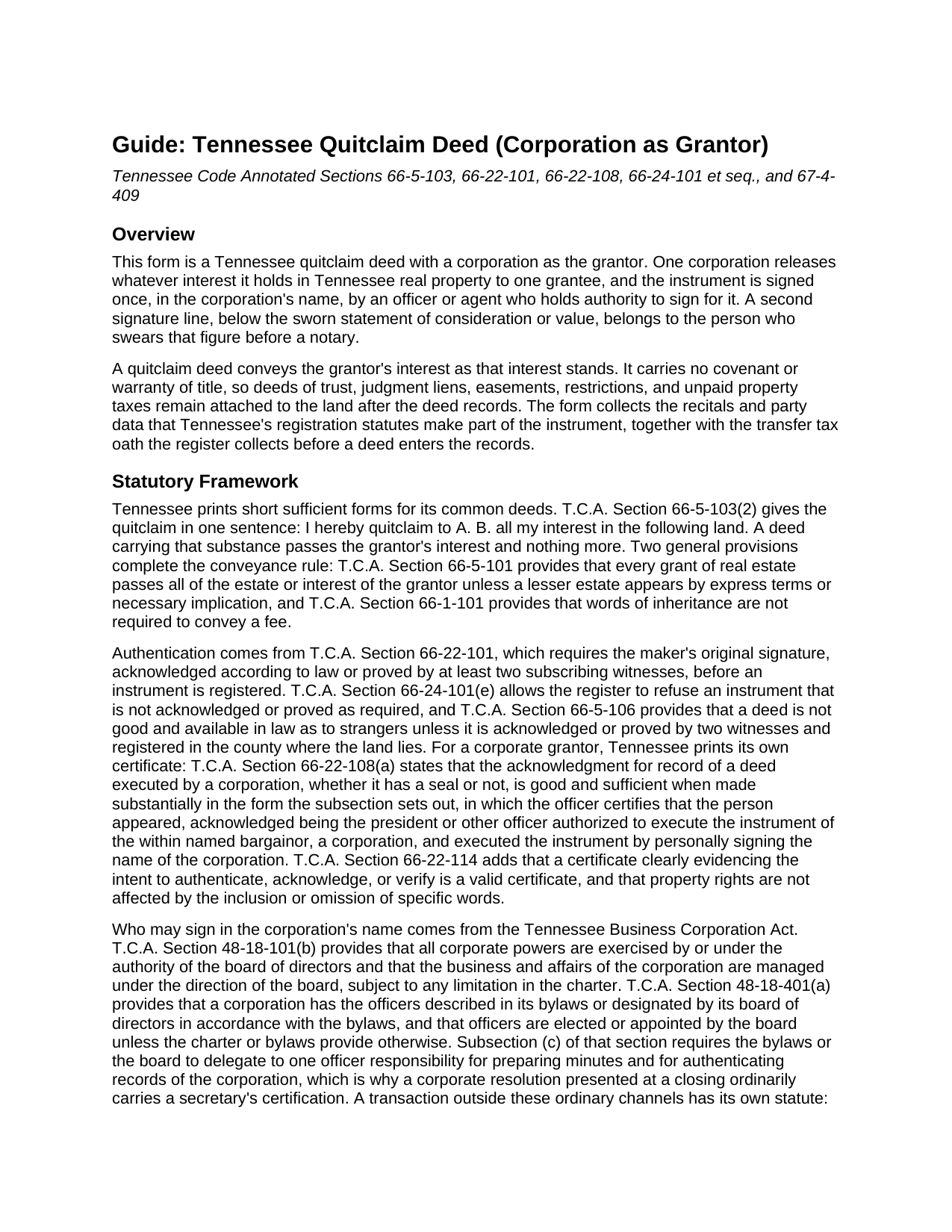
Weakley County Quitclaim Deed (Corporation Grantor) Guide
Line by line guide explaining every blank on the Quitclaim Deed (Corporation Grantor) form.
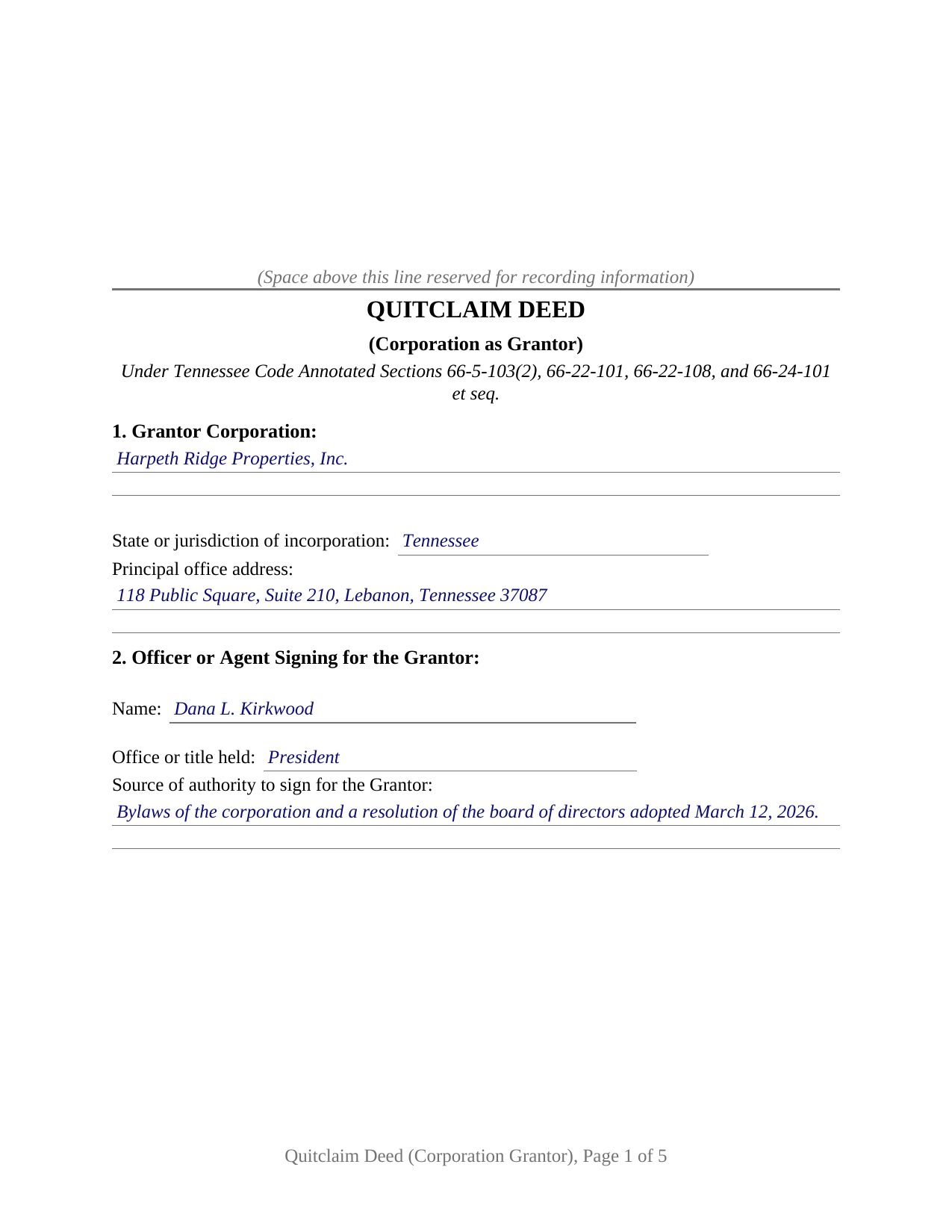
Weakley County Completed Example of the Quitclaim Deed (Corporation Grantor) Document
Example of a properly completed Tennessee Quitclaim Deed (Corporation Grantor) document for reference.
All 3 documents above included • One-time purchase • No recurring fees
Immediate Download • Secure Checkout
Additional Tennessee and Weakley County documents included at no extra charge:
Where to Record Your Documents
Weakley County Register of Deeds
Dresden, Tennessee 38225
Hours: 8:00 to 4:30 Monday through Friday
Phone: (731) 364-3646
Recording Tips for Weakley County:
- Bring your driver's license or state-issued photo ID
- Ensure all signatures are in blue or black ink
- Ask if they accept credit cards - many offices are cash/check only
- Check that your notary's commission hasn't expired
- Documents must be on 8.5 x 11 inch white paper
Cities and Jurisdictions in Weakley County
Properties in any of these areas use Weakley County forms:
- Dresden
- Dukedom
- Gleason
- Greenfield
- Martin
- Palmersville
- Sharon
Hours, fees, requirements, and more for Weakley County
How do I get my forms?
Forms are available for immediate download after payment. The Weakley County forms will be in your account ready to download to your computer. An account is created for you during checkout if you don't have one. Forms are NOT emailed.
Are these forms guaranteed to be recordable in Weakley County?
Yes. Our form blanks are guaranteed to meet or exceed the applicable formatting requirements used for recording in Weakley County, including margin requirements, font requirements, and other layout standards. This guarantee applies to formatting, not to the legal sufficiency of information entered by the user or the suitability of a form for a particular transaction.
Can I reuse these forms?
Yes. You can reuse the forms for your personal use. For example, if you have multiple properties in Weakley County you only need to order once.
What do I need to use these forms?
The forms are PDFs that you fill out on your computer. The free Adobe Acrobat Reader is recommended, and most PDF apps also work. You do NOT enter your property information online - you download the blank forms and complete them privately on your own computer.
Are there any recurring fees?
No. This is a one-time purchase. Nothing to cancel, no memberships, no recurring fees.
How much does it cost to record in Weakley County?
Recording fees in Weakley County vary. Contact the recorder's office at (731) 364-3646 for current fees.
Questions answered? Let's get started!
Tennessee printed a certificate for this deed. Tucked into the state's acknowledgment chapter is a form written for an instrument executed by a corporation, and this Tennessee quitclaim deed is built around it: a single corporate grantor, giving up whatever interest the corporation has in a Tennessee parcel, over one signature made in the corporate name by an officer authorized to execute it.
The certificate the code wrote for a corporate deed
T.C.A. Section 66-22-108(a) makes the acknowledgment for record of a deed executed by a corporation good and sufficient when made substantially in the form that subsection prints, and it settles the seal question: the certificate serves whether the corporation has a seal or not. The officer certifies that the person appeared and acknowledged being the president, or another officer authorized to execute the instrument, of the within named bargainor, a corporation, and executed the deed by signing the corporate name. This form's certificate carries that substance, with Section 66-22-114 behind it, validating a certificate that clearly evidences the intent to acknowledge without regard to particular words.
Where the authority to sign comes from
The Tennessee Business Corporation Act supplies the chain the instrument recites. Section 48-18-101(b) places all corporate powers under the authority of the board of directors, and Section 48-18-401(a) gives a corporation the officers described in its bylaws or designated by the board, with subsection (c) assigning one officer responsibility for authenticating corporate records. One transaction answers to a rule of its own: under Section 48-22-102(a), disposing of all or substantially all of the corporation's property outside the usual and regular course of business takes a board proposal plus shareholder approval. Section 2 collects the signer's office and the authority relied on.
One corporation, one signature, two notarial acts
The form recites a single corporate grantor, with its jurisdiction of incorporation, and one grantee. Section 13 places the corporate name above one signature line carrying printed name, date, and capacity, followed by one acknowledgment certificate. Beneath Section 14, the sworn statement of consideration or value has its own signature line and a jurat, since swearing to a figure and acknowledging a signature are distinct notarial acts. A corporation deeding a parcel to the entity that acquired substantially all of its assets, a corporation quitclaiming its interest to settle a boundary question, and a corporation clearing a lot left clouded after a corporate name change, present the movements this deed recites. It is not drawn for an individual signing personally, for two corporations conveying together, or for a signer whose authority runs from an operating agreement or a trust instrument. A corporation incorporated elsewhere still signs here: Section 48-25-102(f) provides that failure to obtain a certificate of authority does not impair the validity of a foreign corporation's corporate acts.
What the register collects before the deed goes on record
Tax is settled at the counter, at $0.37 for each $100 of consideration or value, whichever is greater, paid by the grantee. Keeping the statutory quitclaim wording of Section 66-5-103(2) matters to that arithmetic, because Section 67-4-409(a)(4) measures such a deed on the actual consideration rather than appraised value. Corporations have one exemption written for them, in Section 67-4-409(e), which reaches instruments made under plans of reorganization: mergers, consolidations, and sales or transfers of substantially all of a corporation's assets in this state. Ordinary transfers between a corporation and its shareholders sit outside it. The numbered sections also gather the derivation of title recital of Section 66-24-110, the owner and tax party entries of Section 66-24-114, and the assessor's parcel number.
A release, and the limits of one
What passes is the corporation's interest exactly as it stands, with no covenant or warranty behind it: liens, easements, restrictions, and unpaid taxes stay attached to the land. Homestead never enters the analysis, because Section 26-2-301 ties that exemption to an individual's principal residence. The deed carries no proof of its own authority: Section 12 states what the corporation asserts, while an examiner traces the charter record, the bylaws, and the resolution. Searchers reach this instrument as a corporate quitclaim deed or a quit claim deed from a corporation.
The download holds the deed as a blank fillable PDF, a completed Wilson County example worked from the corporate grantor line to the jurat under the oath, and a plain language guide covering the fourteen numbered sections, the corporate certificate, and filing with the register of deeds. It describes Tennessee law in general terms for information and is not legal advice.
Important: Your property must be located in Weakley County to use these forms. Documents should be recorded at the county recording office listed above.
This Quitclaim Deed (Corporation Grantor) meets all recording requirements specific to Weakley County.
Our Promise
The documents you receive here are guaranteed to meet or exceed the applicable Weakley County recording format requirements. If there is a rejection caused by our formatting, we will correct the issue or refund your payment. This guarantee applies to document formatting only and does not extend to information entered by the user, the selection of the form, or the legal effect of the completed document.
Save Time and Money
Get your Weakley County Quitclaim Deed (Corporation Grantor) form done right the first time with Deeds.com Uniform Conveyancing Blanks. At Deeds.com, we understand that your time and money are valuable resources, and we don't want you to face a penalty fee or rejection imposed by a county recorder for submitting nonstandard documents. We constantly review and update our forms to meet rapidly changing state and county recording requirements for roughly 3,500 counties and local jurisdictions.
4.8 out of 5 - ( 4,838 Reviews )
Omar F. 5 out of 5 stars
Great! Thank you!
Thank you!
RICHARD A. 5 out of 5 stars
Smooth, simple, and complete. A great forms service.
We appreciate your business and value your feedback. Thank you. Have a wonderful day!
Gloria J. 5 out of 5 stars
I needed a Missouri Notice of Intent to Sell without a named designated buyer. Mo Statutes require notice be notarized and filed 45 days before any closing to protect buyer from liens. You do not have that document. We are flipping a house so it must be filed. Our lawyer was on vacation. Cannot find one anywhere on net. Finally got a template from our title company.
Thank you for your feedback Gloria.
Johnna G. 5 out of 5 stars
Fantastic experience. Deeds.com worked with me on any corrections required by the county. Filing was super easy.
We appreciate your business and value your feedback. Thank you. Have a wonderful day!
Sinh L. 5 out of 5 stars
Deeds.com did such a wonderful job that I had to leave a positive review. I did a deed retrieval and ran across some hiccups. Deeds.com was able to help me get my deed and even went beyond to help me have a more in depth understanding of it's title history. They responded quickly to all my messages. Great customer service. Definitely recommend! Thank you Deeds.com and thank you KVH.
We appreciate your business and value your feedback. Thank you. Have a wonderful day!
Bverly C. 5 out of 5 stars
I got the form and guide just fine, but the "completed example" showed up as another blank form.
Thank you for your feedback. We really appreciate it. Have a great day!
Larry L. 5 out of 5 stars
Great product, worked as it advertised.
Thank you!
Donald H. 5 out of 5 stars
Easy to use and very quick turn around ... Very satisfied with ease of use and services provided ...
Thank you for your feedback. We really appreciate it. Have a great day!
Ardith T. 5 out of 5 stars
Very clear and complete. Good value.
We appreciate your business and value your feedback. Thank you. Have a wonderful day!
DONNA P. 5 out of 5 stars
Deeds.com was quick, efficient, and cost effective. Deeds.com works with individuals where I found other companies only offer services to title companies, settlement companies, etc. Thank you Deeds.com!
Thank you for your feedback. We really appreciate it. Have a great day!
AHMED E. 5 out of 5 stars
5 stars
Thank you!
albert C. 5 out of 5 stars
thumbs up
Thank you!
Oldemar T. 5 out of 5 stars
Messaging system should reach customer email. It took me a couple of days to find out the processor had messaged me. A customer notification should be implemented for every message left in the account.
Thank you!
Frankie A. 4 out of 5 stars
Deeds.com recorded documents for me without any issue. It's a good service and provides a lot of assistance on its web site. However, I asked for a printed receipt (i.e. an pdf copy of one), but after a staff provided me with an obvious answer, they simply ignored my follow up requests. I also asked a simple formatting question that they should have been able to answer; instead, they passed the buck and referred me to the recorder, which currently is a very time-consuming venture. They also have no telephone number for any issue. Generally, the service saves me the time and effort of physically recording a document, but when you think about $19.00 per recording seems like a steep price for the services rendered.
We appreciate your feedback Frankie. We are glad that we were able to submit your documents as requested. Sorry to hear that we let you down in other areas. We do encourage you to shop around for services that may better suit your needs. Have a wonderful day.
Arnold R. 5 out of 5 stars
this online service worked efficiently and as quickly as the registry allowed it to record new deeds. Thank you for providing services
Thank you for your feedback. We really appreciate it. Have a great day!