Tom Green County Certification of Trust (Sworn Certification) Form
Last validated September 29, 2026 by our Forms Development TeamFormatted for recording in Tom Green County, for property anywhere in the county: rural and unincorporated areas as well as Carlsbad, Christoval, Goodfellow Afb, Knickerbocker, Mereta, San Angelo, Vancourt, Veribest and 2 more.
- 3 documents included
- Immediate PDF download
- Formatting guarantee
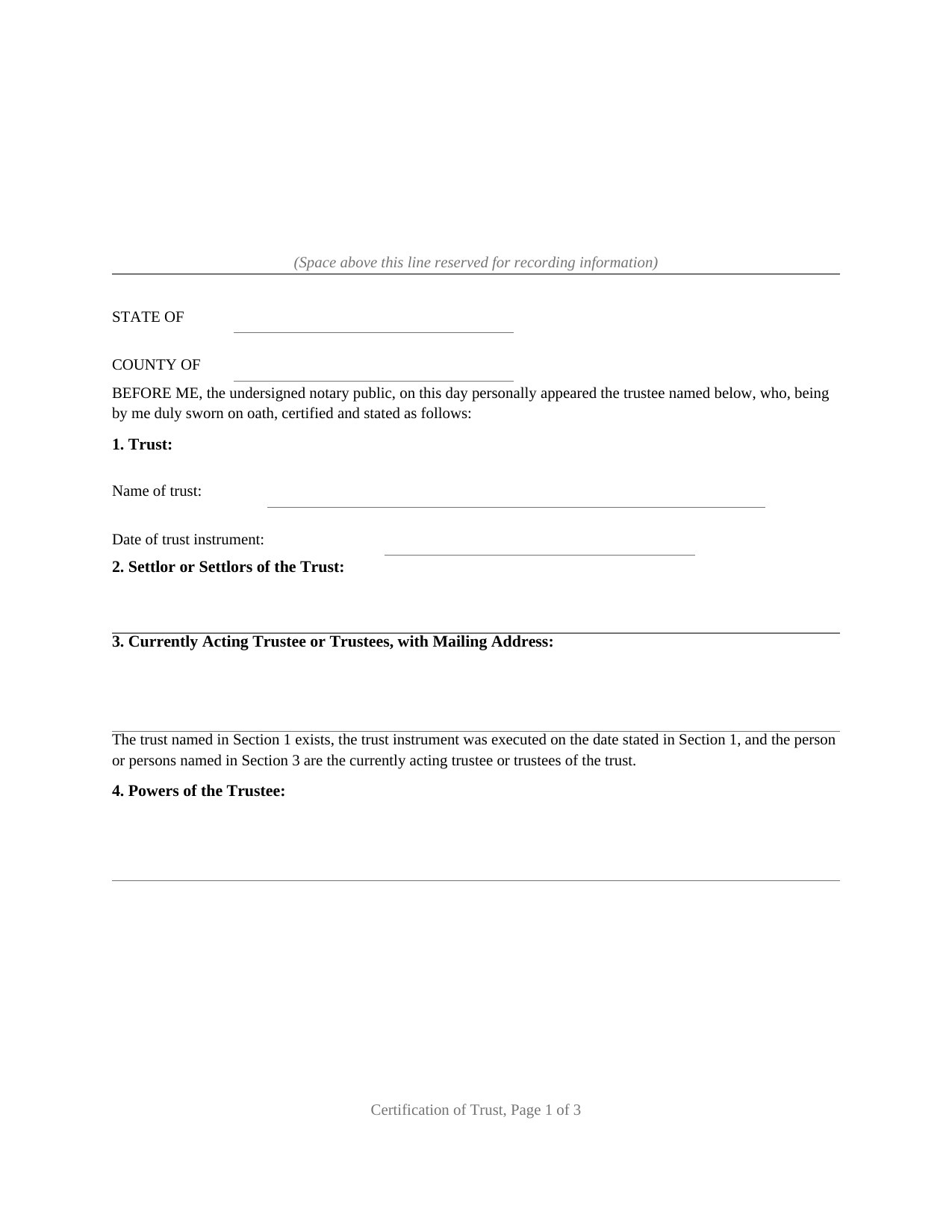
Tom Green County Certification of Trust (Sworn Certification) Form
Fill in the blank Certification of Trust (Sworn Certification) form formatted to comply with all Texas recording and content requirements.
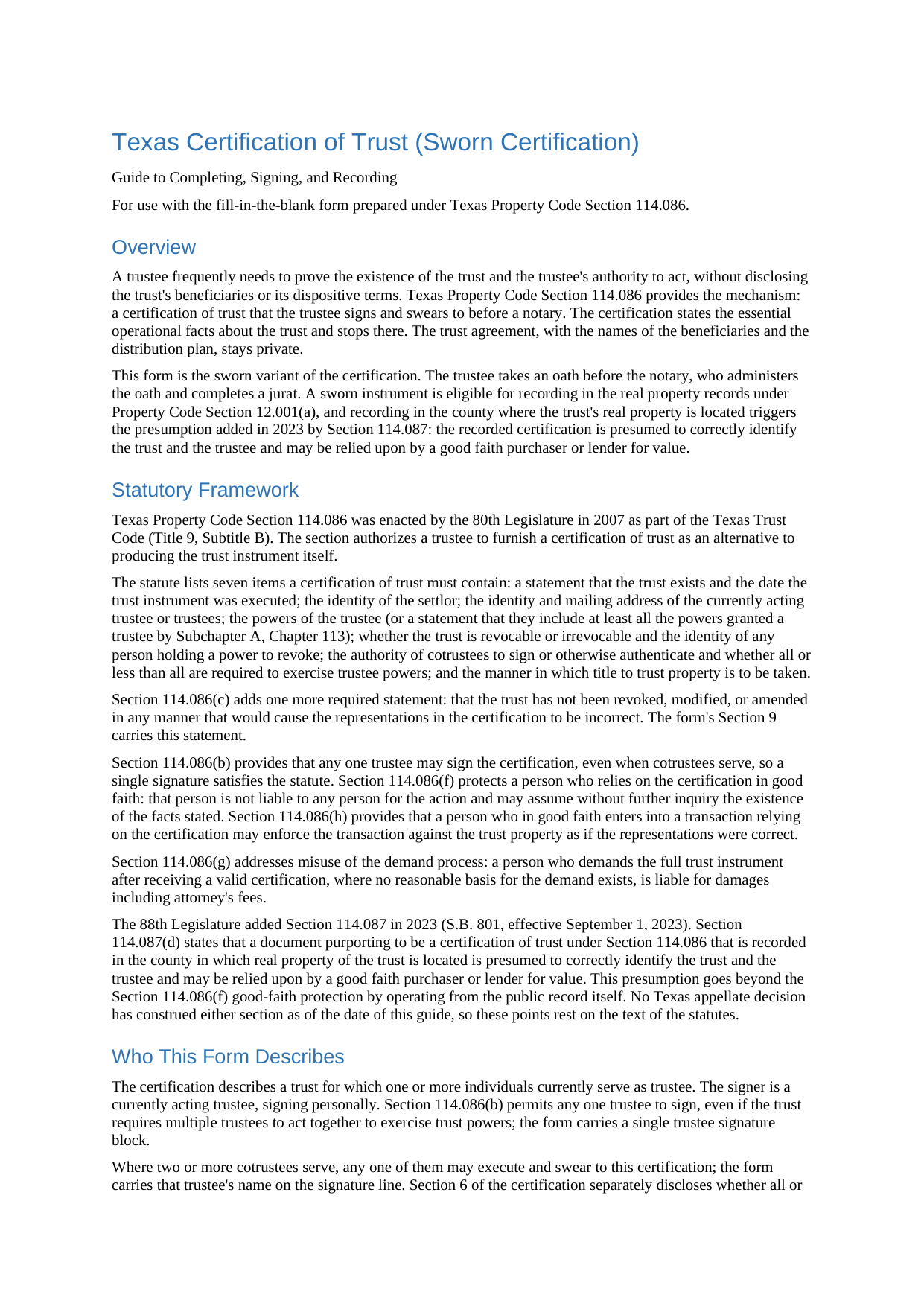
Tom Green County Certification of Trust (Sworn Certification) Guide
Line by line guide explaining every blank on the Certification of Trust (Sworn Certification) form.
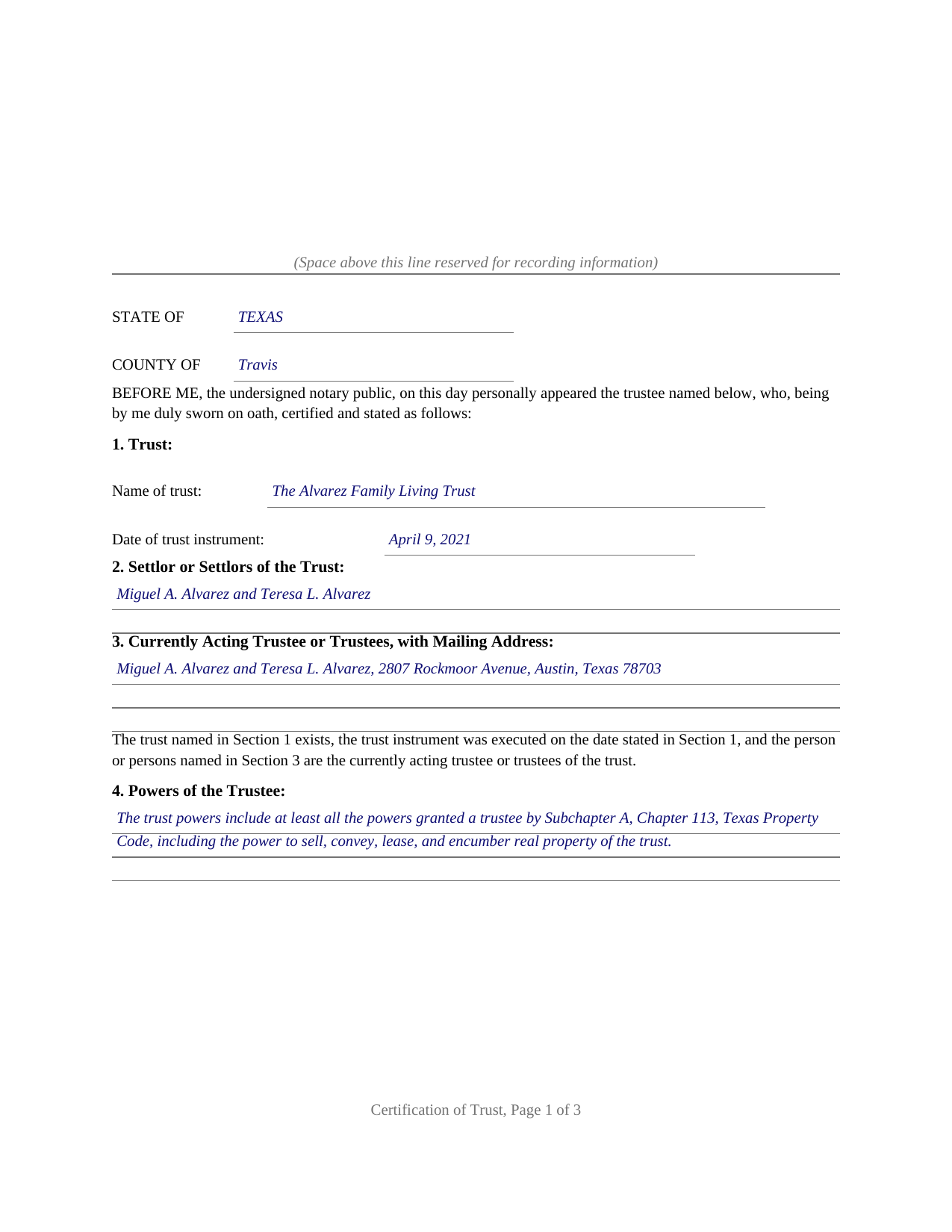
Tom Green County Completed Example of the Certification of Trust (Sworn Certification) Document
Example of a properly completed Texas Certification of Trust (Sworn Certification) document for reference.
All 3 documents above included • One-time purchase • No recurring fees
Immediate Download • Secure Checkout
Additional Texas and Tom Green County documents included at no extra charge:
Where to Record Your Documents
Tom Green County Clerk
San Angelo, Texas 76903
Hours: 7:30 to 4:30 M-F
Phone: (325) 659-6553
Recording Tips for Tom Green County:
- Bring your driver's license or state-issued photo ID
- Ensure all signatures are in blue or black ink
- Check margin requirements - usually 1-2 inches at top
- Leave recording info boxes blank - the office fills these
- Make copies of your documents before recording - keep originals safe
Cities and Jurisdictions in Tom Green County
Properties in any of these areas use Tom Green County forms:
- Carlsbad
- Christoval
- Goodfellow Afb
- Knickerbocker
- Mereta
- San Angelo
- Vancourt
- Veribest
- Wall
- Water Valley
Hours, fees, requirements, and more for Tom Green County
How do I get my forms?
Forms are available for immediate download after payment. The Tom Green County forms will be in your account ready to download to your computer. An account is created for you during checkout if you don't have one. Forms are NOT emailed.
Are these forms guaranteed to be recordable in Tom Green County?
Yes. Our form blanks are guaranteed to meet or exceed the applicable formatting requirements used for recording in Tom Green County, including margin requirements, font requirements, and other layout standards. This guarantee applies to formatting, not to the legal sufficiency of information entered by the user or the suitability of a form for a particular transaction.
Can I reuse these forms?
Yes. You can reuse the forms for your personal use. For example, if you have multiple properties in Tom Green County you only need to order once.
What do I need to use these forms?
The forms are PDFs that you fill out on your computer. The free Adobe Acrobat Reader is recommended, and most PDF apps also work. You do NOT enter your property information online - you download the blank forms and complete them privately on your own computer.
Are there any recurring fees?
No. This is a one-time purchase. Nothing to cancel, no memberships, no recurring fees.
How much does it cost to record in Tom Green County?
Recording fees in Tom Green County vary. Contact the recorder's office at (325) 659-6553 for current fees.
Questions answered? Let's get started!
A Texas trustee is regularly asked to prove the trust: a title company examining a sale of trust real property, a bank retitling an account, a lender confirming who holds the power to sign. Handing over the trust instrument answers the question at the cost of privacy, because the trust agreement carries the dispositive terms, the beneficiaries, and the family arrangements. Texas Property Code Section 114.086 supplies the alternative this form prepares: a certification of trust, the trustee's own statement of the operational facts, sworn before a notary so it is ready for the county real property records.
Proof of the trust without the trust agreement
The certification carries the seven items the statute lists: that the trust exists and the date its instrument was executed, the settlors, the currently acting trustees with a mailing address, the trustee's powers, whether the trust is revocable and who holds a power to revoke it, the authority of cotrustees, and the manner in which title to trust property is taken. Section 114.086(c) requires one more statement, and the form's certification section carries it verbatim: that the trust has not been revoked, modified, or amended in any manner that would cause the representations contained in the certification to be incorrect. The dispositive terms of the trust are expressly not required, so the trust agreement itself stays private.
The statute then makes the certification worth accepting. A person who relies on it without knowledge that its representations are incorrect may assume the stated facts without inquiry, a good faith transaction made in reliance on it is enforceable against the trust property, and a person who demands the entire trust instrument anyway risks damages where a court finds the demand was not made in good faith. Any one trustee may sign, even where cotrustees serve.
Sworn with a jurat, presumed correct when recorded
This variant of the form is sworn rather than acknowledged: the trustee takes an oath before the notary, who completes a jurat. An instrument sworn to with a proper jurat is eligible for recording under Property Code Section 12.001(a), and recording is where a 2023 addition to the Trust Code does its work. Under Section 114.087, a certification of trust recorded in the county in which real property of the trust is located is presumed to correctly identify the trust and the trustee, and a good faith purchaser or lender for value may rely on it. The form's optional property section identifies that county and the legal description, so the recorded certification sits in the chain of title where later examiners look.
What the package prepares
The download includes the blank certification as a fillable PDF with a removable instructions page, a completed example showing the entire document filled in for a realistic Texas trust, and a plain language guide that walks through every numbered section, the oath and jurat, and the recording step, including the photo identification requirement at the recording counter for instruments filed in person on or after December 4, 2025. The certification is formatted to Texas recording standards, with space reserved on page one for the clerk's stamp. The materials are informational and are not legal advice; a Texas attorney can address how the statute operates on a particular trust or transaction.
Important: Your property must be located in Tom Green County to use these forms. Documents should be recorded at the county recording office listed above.
This Certification of Trust (Sworn Certification) meets all recording requirements specific to Tom Green County.
Our Promise
The documents you receive here are guaranteed to meet or exceed the applicable Tom Green County recording format requirements. If there is a rejection caused by our formatting, we will correct the issue or refund your payment. This guarantee applies to document formatting only and does not extend to information entered by the user, the selection of the form, or the legal effect of the completed document.
Save Time and Money
Get your Tom Green County Certification of Trust (Sworn Certification) form done right the first time with Deeds.com Uniform Conveyancing Blanks. At Deeds.com, we understand that your time and money are valuable resources, and we don't want you to face a penalty fee or rejection imposed by a county recorder for submitting nonstandard documents. We constantly review and update our forms to meet rapidly changing state and county recording requirements for roughly 3,500 counties and local jurisdictions.
4.8 out of 5 - ( 4,843 Reviews )
Richard W. 5 out of 5 stars
Very happy I tried your service/product. The quit deed forms were excepted by the register of deeds with no issue. Thank You
We appreciate your business and value your feedback. Thank you. Have a wonderful day!
Lutz P. 5 out of 5 stars
Your forms are great but I couldn’t use them with my computer and acrobats reader didn’t work. And then my thermal printer would only print 1/3 size pages with no way to fix it. I ordered a new color printer and we’ll see what happens.
Thank you, Lutz. We're glad you like the forms, and we're sorry getting them working turned into such a hassle. That shrunken page is typical of thermal printers: most use narrow receipt or label paper, so a full page gets scaled down to fit, and no setting can change that. Thermal paper also fades over time, which you don't want on a document you're recording, so the new printer is the right call. When it arrives, print on plain white paper with “Actual size” selected in the print settings so the page comes out full size with its margins intact. If Acrobat Reader gives you trouble again, save the form to your computer first and open the saved file in Acrobat Reader rather than in your web browser. Still stuck? Contact our support team and we'll walk you through it.
Shelleen A. 5 out of 5 stars
Very helpful.
We appreciate your business and value your feedback. Thank you. Have a wonderful day!
JUDITH G. 5 out of 5 stars
So far, so good! I appreciate a no-hassle website.
Thank you!
Timothy G. 5 out of 5 stars
Easy peezy.
Thank you!
Robert T. 5 out of 5 stars
Very quick thank you.
Thank you!
Linda R. 5 out of 5 stars
I was happy to have my payment cancelled when no information was found. And I was given a link to contact the deed office directly.
Thank you!
JoAnn L. 5 out of 5 stars
The process was easy, and efficient. There was a person available to help if needed. Very pleased, would use this again.
Thank you!
Joe H. 5 out of 5 stars
Very pleased with the service provided. Will use again if the need arises. Thank you
We appreciate your business and value your feedback. Thank you. Have a wonderful day!
Timothy M. 5 out of 5 stars
I like what I see so far!
Thank you!
Jo Anne M. 5 out of 5 stars
good I think
Thank you!
Brenda R. 5 out of 5 stars
This site was a great help to us. It was worth the money to get it right!
We appreciate your business and value your feedback. Thank you. Have a wonderful day!
Darrell W. 5 out of 5 stars
Fast and easy to use. Nice to have available online.
Thank you for your feedback. We really appreciate it. Have a great day!
Michael M. 5 out of 5 stars
Great service that satisfied all my needs. Great prices too.
We appreciate your business and value your feedback. Thank you. Have a wonderful day!
Shari S. 5 out of 5 stars
Deeds.com is a wonderful resource providing helpful information, forms, examples, and instructions. Thank you for your service.
We appreciate your business and value your feedback. Thank you. Have a wonderful day!