Glasscock County Collateral Assignment of Leases, Rents and Rights Form
Last validated October 23, 2026 by our Forms Development TeamFormatted for recording in Glasscock County, for property anywhere in the county: rural and unincorporated areas as well as Garden City.
- 4 documents included
- Immediate PDF download
- Formatting guarantee
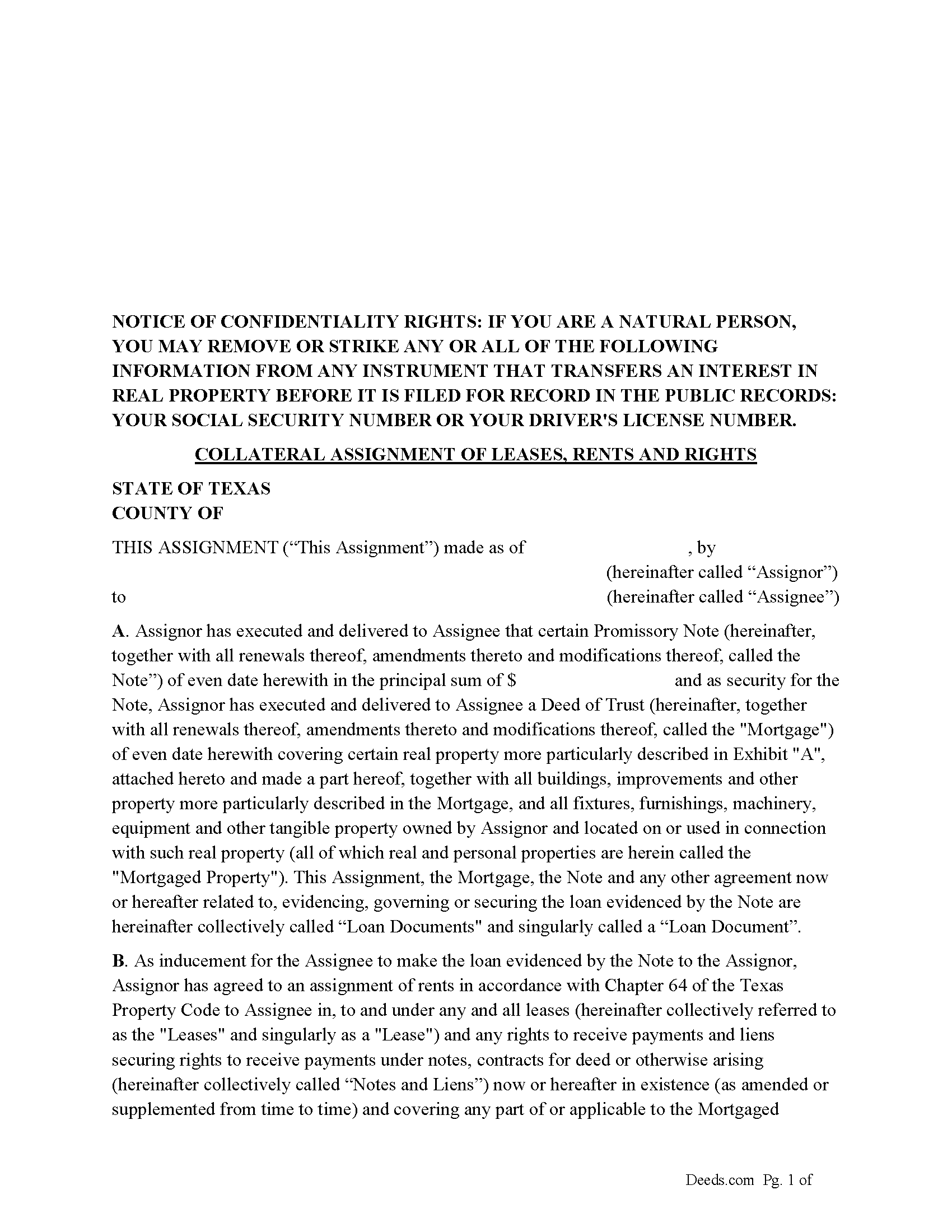
Glasscock County Collateral Assignment of Leases, Rents and Rights Form
Fill in the blank form formatted to comply with all recording and content requirements.
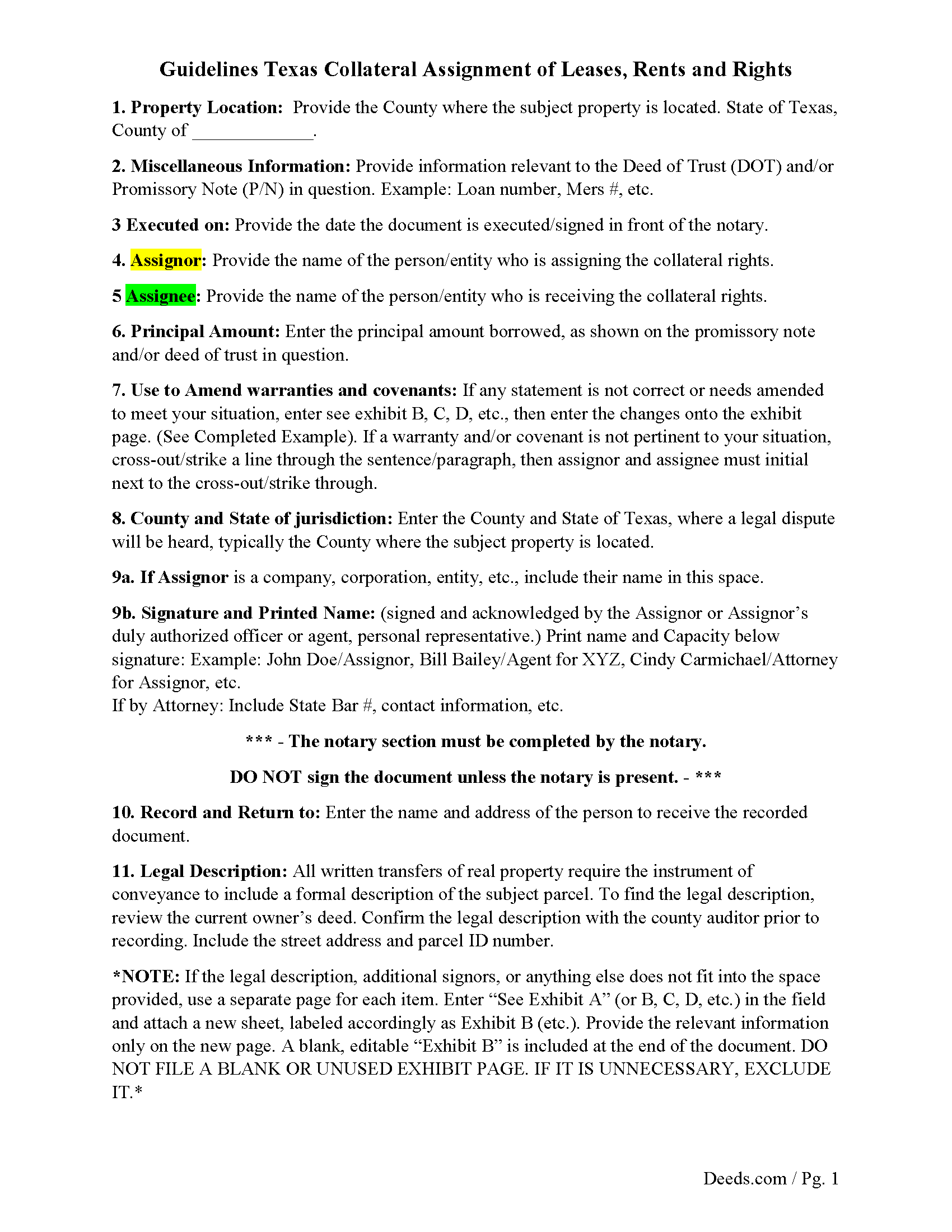
Glasscock County Guidelines for Collateral Assignment
Line by line guide explaining every blank on the form.
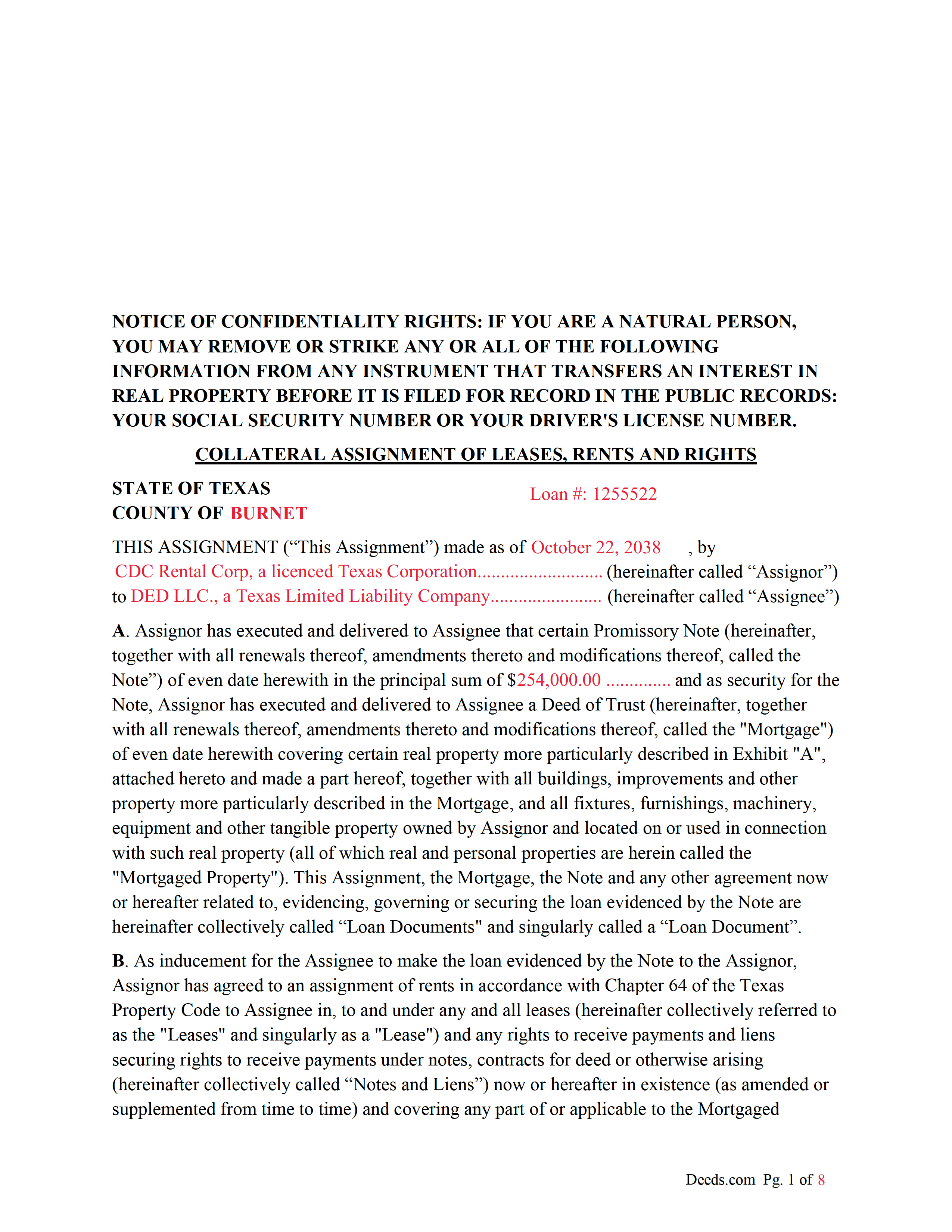
Glasscock County Completed Example of the Collateral Assignment Document
Example of a properly completed form for reference.
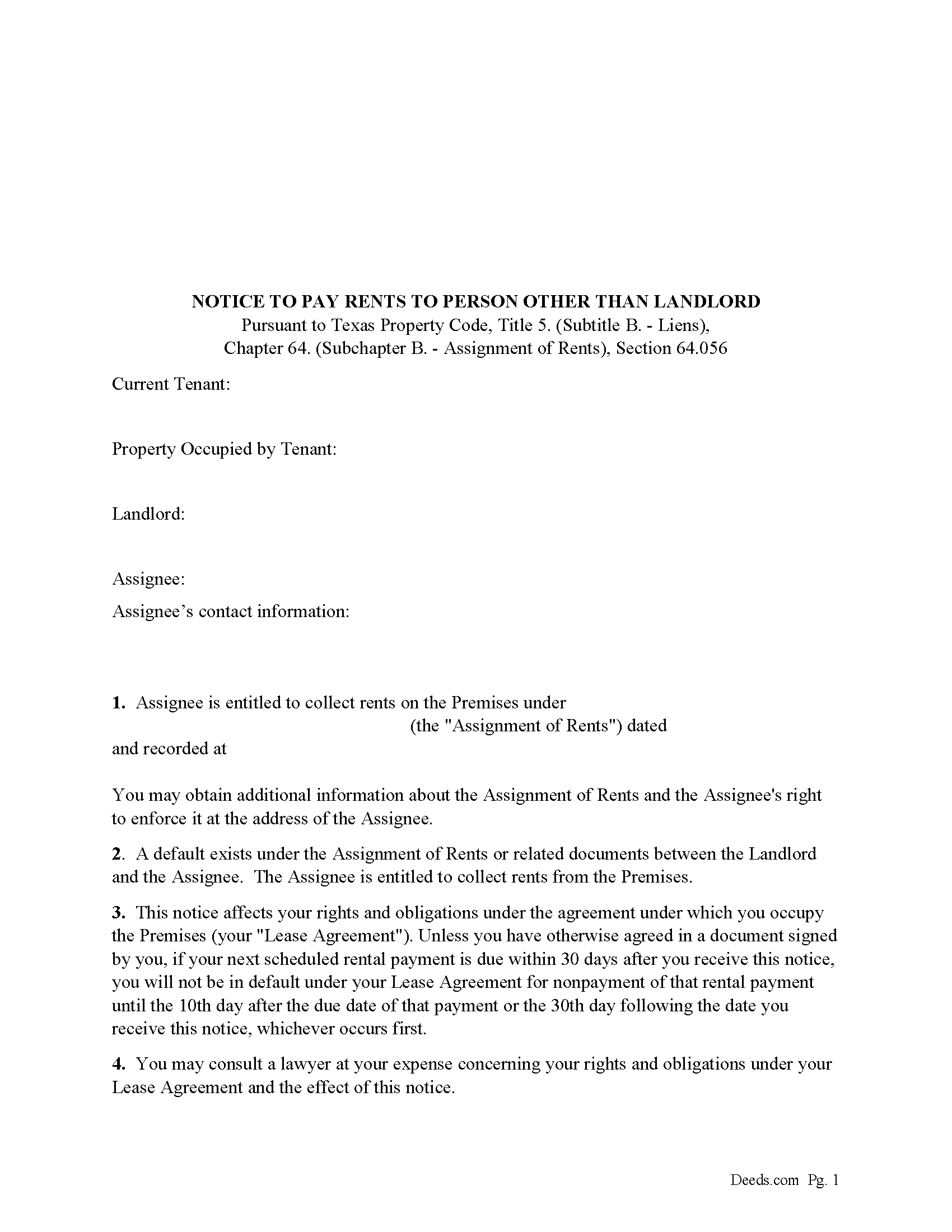
Glasscock County Notice to Pay Rents to Person Other than Landlord Form
Correct form used by lender upon default to notify tenants of Lenders rights to collect rents.
All 4 documents above included • One-time purchase • No recurring fees
Immediate Download • Secure Checkout
Additional Texas and Glasscock County documents included at no extra charge:
Where to Record Your Documents
Glasscock County Clerk
Garden City, Texas 79739
Hours: Monday - Friday 8:30am - 4:00pm
Phone: (432) 354-2371
Recording Tips for Glasscock County:
- Bring your driver's license or state-issued photo ID
- Ensure all signatures are in blue or black ink
- Recording fees may differ from what's posted online - verify current rates
- Request a receipt showing your recording numbers
- Ask about accepted payment methods when you call ahead
Cities and Jurisdictions in Glasscock County
Properties in any of these areas use Glasscock County forms:
- Garden City
Hours, fees, requirements, and more for Glasscock County
How do I get my forms?
Forms are available for immediate download after payment. The Glasscock County forms will be in your account ready to download to your computer. An account is created for you during checkout if you don't have one. Forms are NOT emailed.
Are these forms guaranteed to be recordable in Glasscock County?
Yes. Our form blanks are guaranteed to meet or exceed the applicable formatting requirements used for recording in Glasscock County, including margin requirements, font requirements, and other layout standards. This guarantee applies to formatting, not to the legal sufficiency of information entered by the user or the suitability of a form for a particular transaction.
Can I reuse these forms?
Yes. You can reuse the forms for your personal use. For example, if you have multiple properties in Glasscock County you only need to order once.
What do I need to use these forms?
The forms are PDFs that you fill out on your computer. The free Adobe Acrobat Reader is recommended, and most PDF apps also work. You do NOT enter your property information online - you download the blank forms and complete them privately on your own computer.
Are there any recurring fees?
No. This is a one-time purchase. Nothing to cancel, no memberships, no recurring fees.
How much does it cost to record in Glasscock County?
Recording fees in Glasscock County vary. Contact the recorder's office at (432) 354-2371 for current fees.
Questions answered? Let's get started!
This form is executed/signed by the borrower/Assignor as inducement for the Lender/Assignee to make the loan evidenced by a Note secured by a Deed of Trust, borrower/Assignor has agreed to an assignment of rents in accordance with Chapter 64 of the Texas Property Code to Lender/Assignee in, to and under any and all leases (hereinafter collectively referred to as the "Leases" and singularly as a "Lease") and any rights to receive payments and liens securing rights to receive payments under notes, contracts for deed or otherwise arising (hereinafter collectively called "Notes and Liens")
Sec. 64.053. ENFORCEMENT OF SECURITY INTEREST IN RENTS GENERALLY.
(a) An assignee may enforce an assignment of rents using one or more of the methods provided by Section 64.054 or 64.055 or any other method sufficient to enforce an assignment of rents under a law of this state other than this chapter.
(b) On and after the date on which an assignee begins to enforce an assignment of rents, the assignee is entitled to collect all rents that:
(1) have accrued but remain unpaid on that date; and
(2) accrue on or after that date.
For use in Texas only.
Important: Your property must be located in Glasscock County to use these forms. Documents should be recorded at the county recording office listed above.
This Collateral Assignment of Leases, Rents and Rights meets all recording requirements specific to Glasscock County.
Our Promise
The documents you receive here are guaranteed to meet or exceed the applicable Glasscock County recording format requirements. If there is a rejection caused by our formatting, we will correct the issue or refund your payment. This guarantee applies to document formatting only and does not extend to information entered by the user, the selection of the form, or the legal effect of the completed document.
Save Time and Money
Get your Glasscock County Collateral Assignment of Leases, Rents and Rights form done right the first time with Deeds.com Uniform Conveyancing Blanks. At Deeds.com, we understand that your time and money are valuable resources, and we don't want you to face a penalty fee or rejection imposed by a county recorder for submitting nonstandard documents. We constantly review and update our forms to meet rapidly changing state and county recording requirements for roughly 3,500 counties and local jurisdictions.
4.8 out of 5 - ( 4,836 Reviews )
willie B. 5 out of 5 stars
I love how you can get information you need online great program ,outstanding just love it....
Thank you!
Peter R. 5 out of 5 stars
Great site makes this procedure easy to do,thanks
Thank you!
Diane W. 3 out of 5 stars
The forms were immediately available for download, which was nice. However, I was not impressed by the lack of several features: 1) there was no way to edit set text in the form, such as where it says you should consult an attorney. That is not necessary for recording the deed and I wanted to deleted it, but could not. 2) Also, under the "Notes" section, there is a limited area to write; I tried adding a fuller explanation of something, but the form would not accept or include it when I printed the final document. The form may do the job, but it's not very sophisticated or elegant.
Thank you for your feedback. We really appreciate it. Have a great day!
Karina C. 5 out of 5 stars
The process was very convenient, fast, and efficient. I appreciated the messaging feature which provided real-time communication. I would certainly recommended this service to anyone needing it.
We appreciate your business and value your feedback. Thank you. Have a wonderful day!
MARY LACEY M. 5 out of 5 stars
Excellent service! From setting up an account to successfully recording, the instructions were clear and easy to follow. I am very pleased to have this service available, and favorably impressed by our current Maricopa County Recorder for pursuing its availability. Thank you.
We appreciate your business and value your feedback. Thank you. Have a wonderful day!
Bonnie V. 5 out of 5 stars
I was very pleased with Deeds.Com. It was easy to use.
Thank you!
Donna O. 5 out of 5 stars
Quick and easy to use. I was able to download the Transfer on Death Deed form to my computer so that I can read through and fill them out at a later time. That made it convenient and "no pressure". The complimentary guide and completed example that came with the form was also very helpful.
We appreciate your business and value your feedback. Thank you. Have a wonderful day!
Jan H. 5 out of 5 stars
This is a great service. It was easy to find and the instructions were complete and easy to follow.
Thank you!
Wilburn R. 5 out of 5 stars
absolutely great
Thank you!
Marilyn G. 5 out of 5 stars
Easy to follow instructions
Thank you for your feedback. We really appreciate it. Have a great day!
Evtishios D. 5 out of 5 stars
good site only recommendation would to allow to down load multiple forms at one time
Thank you for your feedback Evtishios.
Aldona P. 5 out of 5 stars
Awesome Job! thank you
We appreciate your business and value your feedback. Thank you. Have a wonderful day!
Earnest K. 4 out of 5 stars
I used the "personal representative's deed." There were a few errors, after I went to record it at the county recorder's office. For #7, it should've stated "The estate of Joe Schmoe, hereby grants Mr. Personal Representative....." instead of, "I Mr. Personal Representative, as personal representative, hereby grant to personal representative...." The person at the recorder's office said you cannot state "you are granting property to yourself." Just fix that, and everything else is fine.
Your insights are invaluable to us and help us strive for better service. Thank you for taking the time to share your thoughts.
Dorothy R. 5 out of 5 stars
Actually, it was user friendly once I figured out where to go to get the forms. Thank you.
Thank you for your feedback. We really appreciate it. Have a great day!
Jennifer M P. 5 out of 5 stars
Locating the deed I needed was not too hard. I love that you can download and complete it on your time frame.
Thank you!