Nueces County Correction Deed Form
Last validated October 26, 2026 by our Forms Development TeamFormatted for recording in Nueces County, for property anywhere in the county: rural and unincorporated areas as well as Agua Dulce, Banquete, Bishop, Chapman Ranch, Corpus Christi, Crp Christi, Driscoll, Port Aransas and 1 more.
- 3 documents included
- Immediate PDF download
- Formatting guarantee
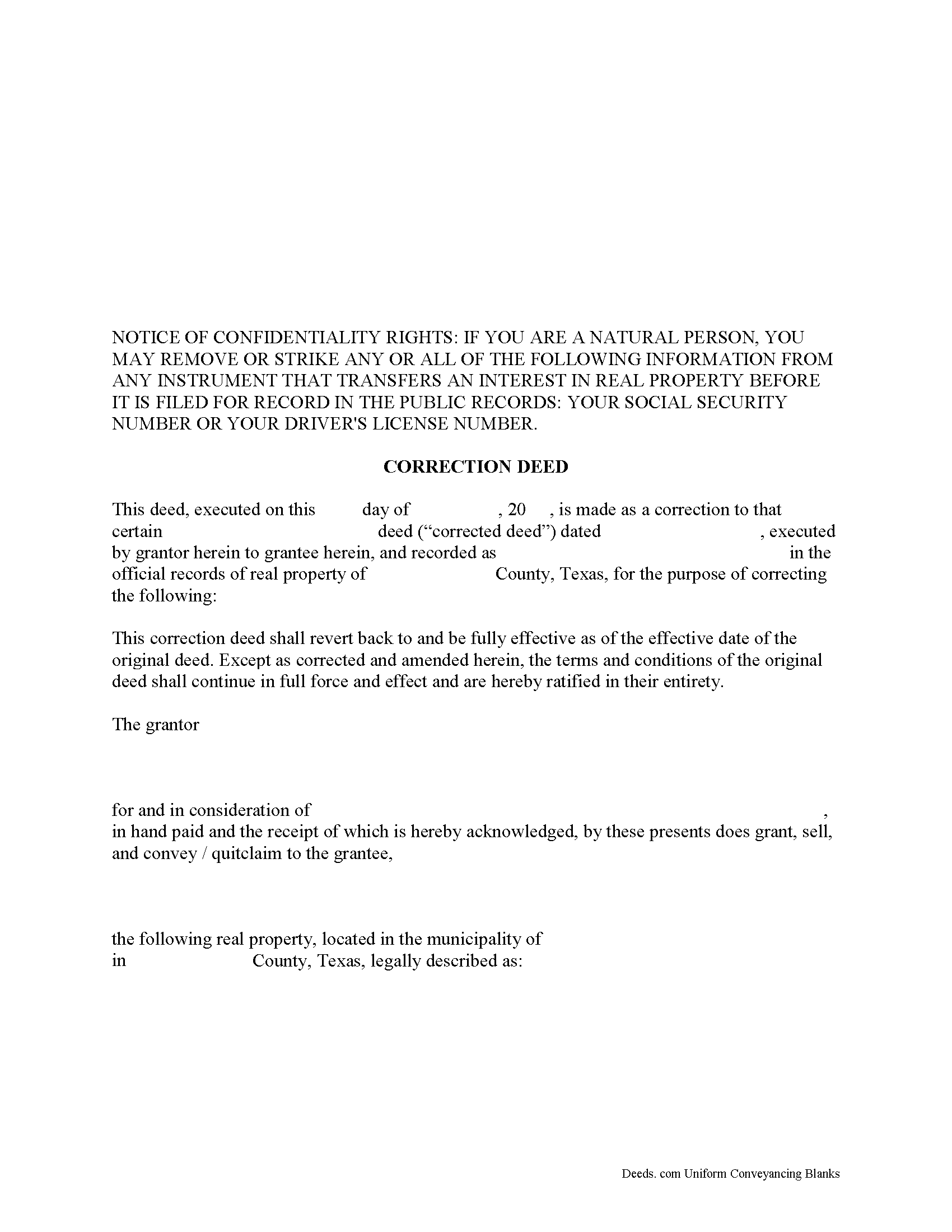
Nueces County Correction Deed Form
Fill in the blank form formatted to comply with all recording and content requirements.
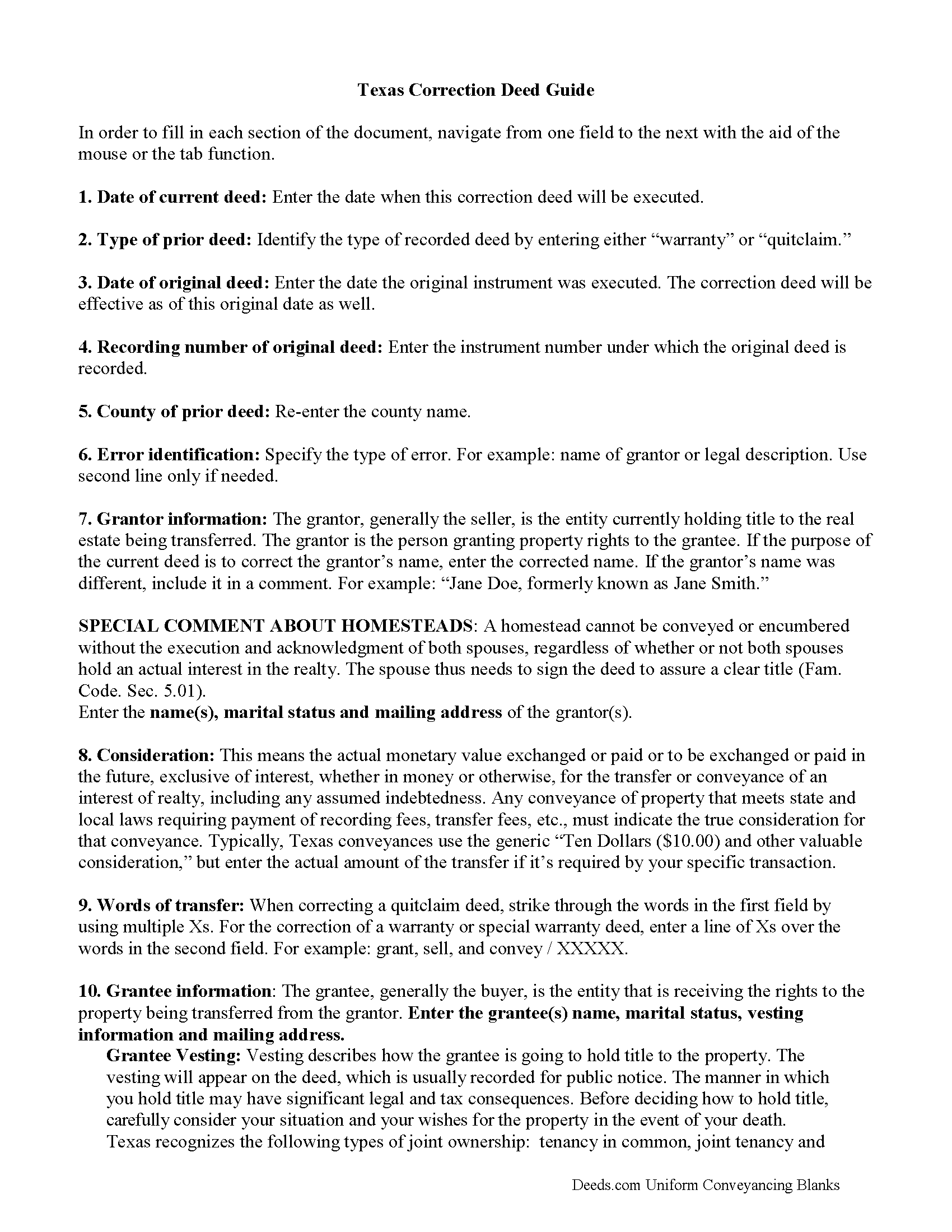
Nueces County Correction Deed Guide
Line by line guide explaining every blank on the form.
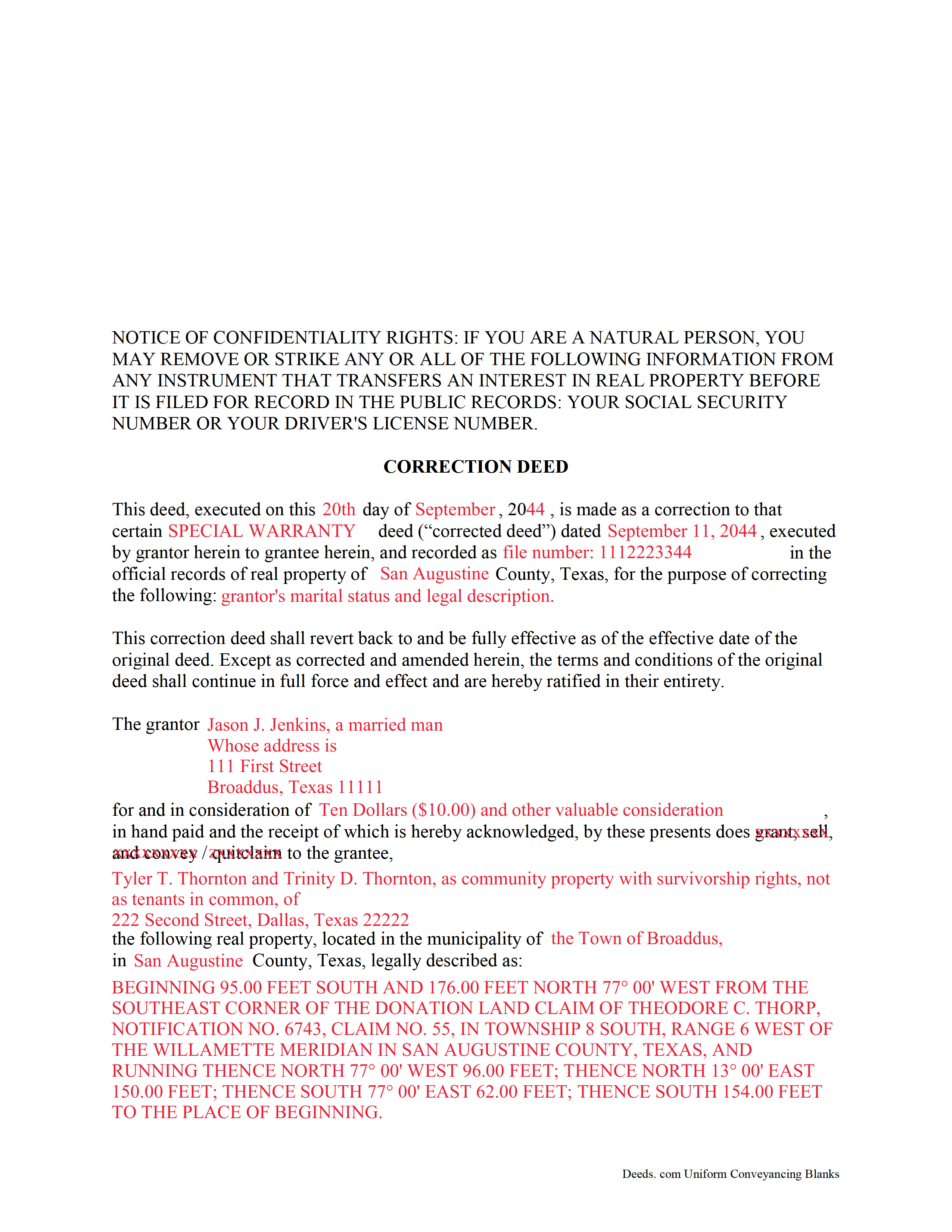
Nueces County Completed Example of the Correction Deed Document
Example of a properly completed form for reference.
All 3 documents above included • One-time purchase • No recurring fees
Immediate Download • Secure Checkout
Additional Texas and Nueces County documents included at no extra charge:
Where to Record Your Documents
Nueces County Clerk
Corpus Christi, Texas 78403
Hours: Monday - Friday 8:00am - 5:00pm
Phone: (361) 888-0580
Robstown Office
Robstown, Texas 78380
Hours: Tuesday & Thursday 8:00am - 12:00pm & 1:00pm - 5:00pm
Phone: (361) 888-0580
Recording Tips for Nueces County:
- Bring your driver's license or state-issued photo ID
- Ensure all signatures are in blue or black ink
- Ask for certified copies if you need them for other transactions
- Ask if they accept credit cards - many offices are cash/check only
- Check that your notary's commission hasn't expired
Cities and Jurisdictions in Nueces County
Properties in any of these areas use Nueces County forms:
- Agua Dulce
- Banquete
- Bishop
- Chapman Ranch
- Corpus Christi
- Crp Christi
- Driscoll
- Port Aransas
- Robstown
Hours, fees, requirements, and more for Nueces County
How do I get my forms?
Forms are available for immediate download after payment. The Nueces County forms will be in your account ready to download to your computer. An account is created for you during checkout if you don't have one. Forms are NOT emailed.
Are these forms guaranteed to be recordable in Nueces County?
Yes. Our form blanks are guaranteed to meet or exceed the applicable formatting requirements used for recording in Nueces County, including margin requirements, font requirements, and other layout standards. This guarantee applies to formatting, not to the legal sufficiency of information entered by the user or the suitability of a form for a particular transaction.
Can I reuse these forms?
Yes. You can reuse the forms for your personal use. For example, if you have multiple properties in Nueces County you only need to order once.
What do I need to use these forms?
The forms are PDFs that you fill out on your computer. The free Adobe Acrobat Reader is recommended, and most PDF apps also work. You do NOT enter your property information online - you download the blank forms and complete them privately on your own computer.
Are there any recurring fees?
No. This is a one-time purchase. Nothing to cancel, no memberships, no recurring fees.
How much does it cost to record in Nueces County?
Recording fees in Nueces County vary. Contact the recorder's office at (361) 888-0580 for current fees.
Questions answered? Let's get started!
In Texas, a correction deed is the deed issued to make changes to an erroneous deed, referred to as the corrected deed. These two instruments are closely linked, and all corrections are effective as of the date of the original recorded instrument (Property Code Sec. 5.030).
Texas Property Code distinguishes between material and non-material corrections, giving specific examples in each category. Non-material changes are generally clerical in nature and include additions to or corrections of: party names and marital status; elements of the property description, such as, an error in a metes and bounds description or incorrect acreage; the recording date or reference data to an earlier instrument; a missing or defective acknowledgement. All these corrections can be made by persons other than the parties of the original instrument, as long as reasons for the correction and knowledge of the facts corrected are stated and evidence of notification of the original parties or their heirs is provided (Property Code Sec. 5.028).
Material corrections, on the other hand, can only be made by the original parties or their heirs and must be executed by all of parties involved. Such changes include the addition or removal of land, disclaimers, a mortgagee's consent or subordination to a recorded instrument, and changes of lot or unit number (Property Code Sec. 5.029). A Texas Supreme Court decision from 2009 also specified the addition or removal of mineral rights as among the material changes that can only be made by the original parties.
In some areas of Texas, it has been common practice for the attorney who made the error to correct it through a scrivener's affidavit when the parties are not available and the error is only minor in nature. This type of correction is ineffective when a title company employee makes it or when it is made to a certified copy of the original instrument. Only when the parties initial the changes and sign a statement why they are being made is the correction of a certified copy acceptable for recording, but even then, can it be only made for the types of errors specified in the statutes (see above). It is always advisable to check with the local county recorder.
(Texas Correction Deed Package includes form, guidelines, and completed example)
Important: Your property must be located in Nueces County to use these forms. Documents should be recorded at the county recording office listed above.
This Correction Deed meets all recording requirements specific to Nueces County.
Our Promise
The documents you receive here are guaranteed to meet or exceed the applicable Nueces County recording format requirements. If there is a rejection caused by our formatting, we will correct the issue or refund your payment. This guarantee applies to document formatting only and does not extend to information entered by the user, the selection of the form, or the legal effect of the completed document.
Save Time and Money
Get your Nueces County Correction Deed form done right the first time with Deeds.com Uniform Conveyancing Blanks. At Deeds.com, we understand that your time and money are valuable resources, and we don't want you to face a penalty fee or rejection imposed by a county recorder for submitting nonstandard documents. We constantly review and update our forms to meet rapidly changing state and county recording requirements for roughly 3,500 counties and local jurisdictions.
4.8 out of 5 - ( 4,836 Reviews )
Eleanor W. 5 out of 5 stars
This link thankfully saved us much time and expense with positive correct completion of the forms needed and verifyed with the county office where to be filed.
Your kind words have lifted our spirits! Thank you for sharing your positive experience.
Patricia And James J. 5 out of 5 stars
No review provided.
Thank you for your feedback. We really appreciate it. Have a great day!
Chris M. 5 out of 5 stars
The personal attention and the ease of use is beyond any other service I have used. Thank you for making my work so much easier.
Thank you for your positive words! We’re thrilled to hear about your experience.
Mary C. 5 out of 5 stars
The Deeds.com site made is relatively simple to download a Beneficiary Deed form specific to St Louis, which is great, because neither the city or state provide this. Thanks!
Thank you for your feedback. We really appreciate it. Have a great day!
Glenn H. 5 out of 5 stars
Searched online 3 hours until I found Deeds.com, afterwards smooth sailing definitely 5 stars
Thank you for your feedback. We really appreciate it. Have a great day!
John D. 5 out of 5 stars
Forms were easy to complete, with the instructions that were provided. Very satisfied!
Thank you!
michael k. 5 out of 5 stars
fast and easy to fill out forms.
Thank you!
Wava B. 5 out of 5 stars
Obtaining the form was quick and easy. Thank You
We appreciate your business and value your feedback. Thank you. Have a wonderful day!
Scott A. 5 out of 5 stars
Good site. Saved me a trip to one or two courthouses.
Thank you for your feedback. We really appreciate it. Have a great day!
Eva S. 5 out of 5 stars
I was able to download the forms and I needed and fill out quickly. There were examples to review if I needed any assistance. I would recommend this site to anyone.
We are delighted to have been of service. Thank you for the positive review!
Alice L. 5 out of 5 stars
County accepted Quit Claim Deed without any issues! Saved money using Deeds.com - thank you!!!!
Thank you for your feedback. We really appreciate it. Have a great day!
Rick W. 1 out of 5 stars
Hi, I must have done something wrong. I need a QuitClaim North Carolina Dare County form. I don't need the Warranty Claim that appeared in my download list. Can I exchange forms?
As a one time courtesy we have canceled the order and payment you made for the warranty deed in error. Have a wonderful day.
Evelyn L. 5 out of 5 stars
very easy to print
Thank you!
Deneene C. 5 out of 5 stars
Was a great help to me. I'm very pleased .
Thank you!
Roger W. 5 out of 5 stars
worked very good or me
Thank you Roger, have a great day!