Cochran County Demand for Payment Form
Last validated October 29, 2026 by our Forms Development TeamFormatted for recording in Cochran County, for property anywhere in the county: rural and unincorporated areas as well as Bledsoe, Morton, Whiteface.
- 3 documents included
- Immediate PDF download
- Formatting guarantee
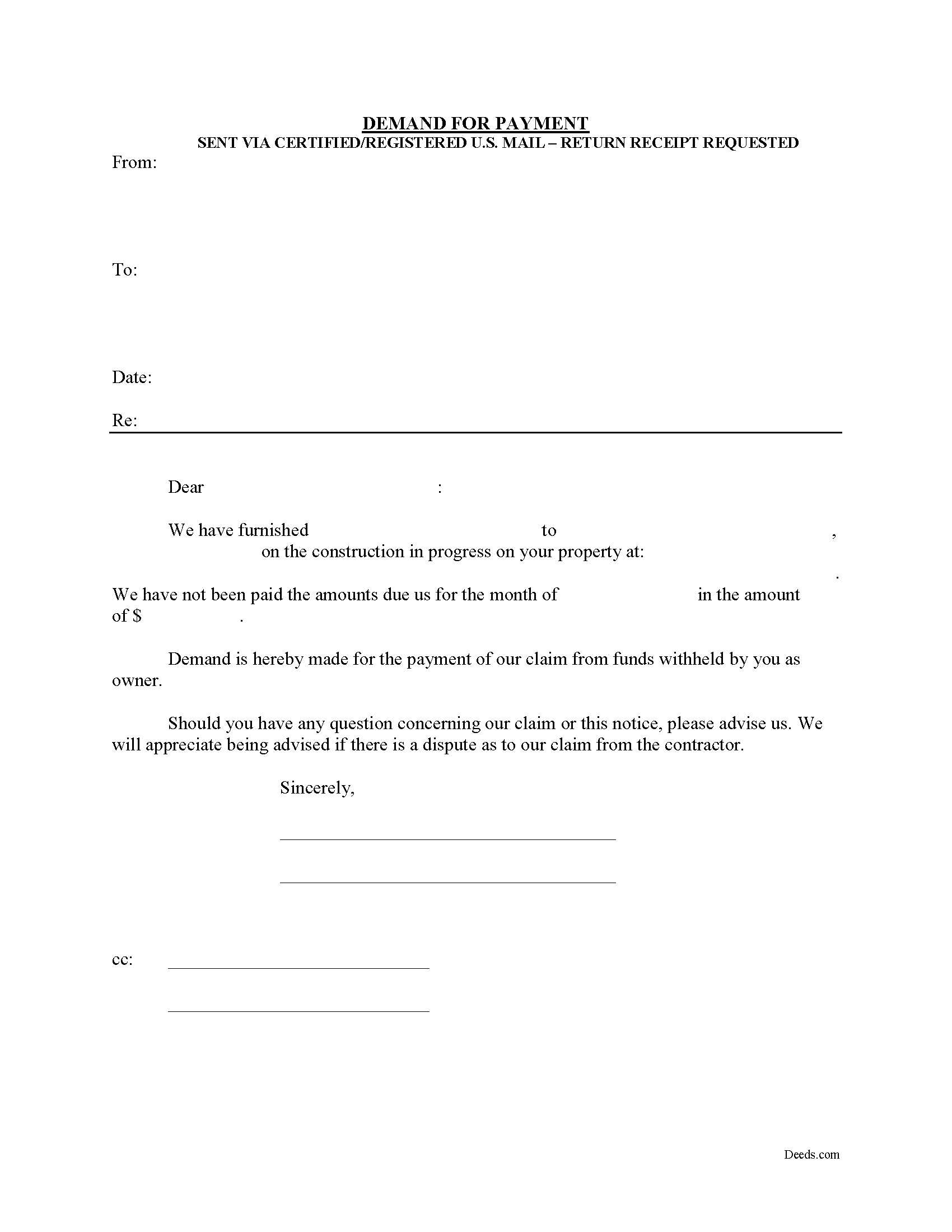
Cochran County Demand for Payment Form
Fill in the blank Demand for Payment form formatted to comply with all Texas recording and content requirements.
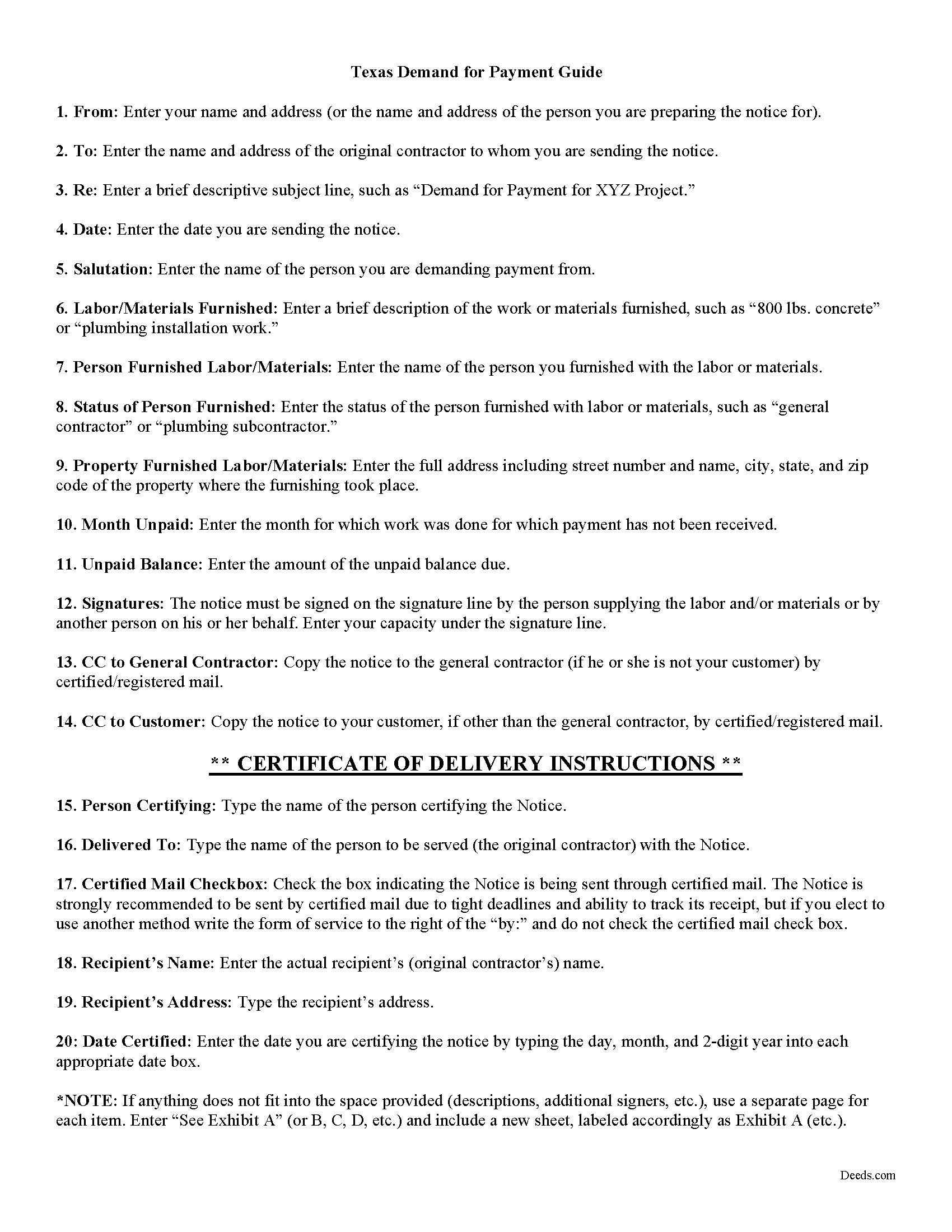
Cochran County Demand for Payment Guide
Line by line guide explaining every blank on the form.
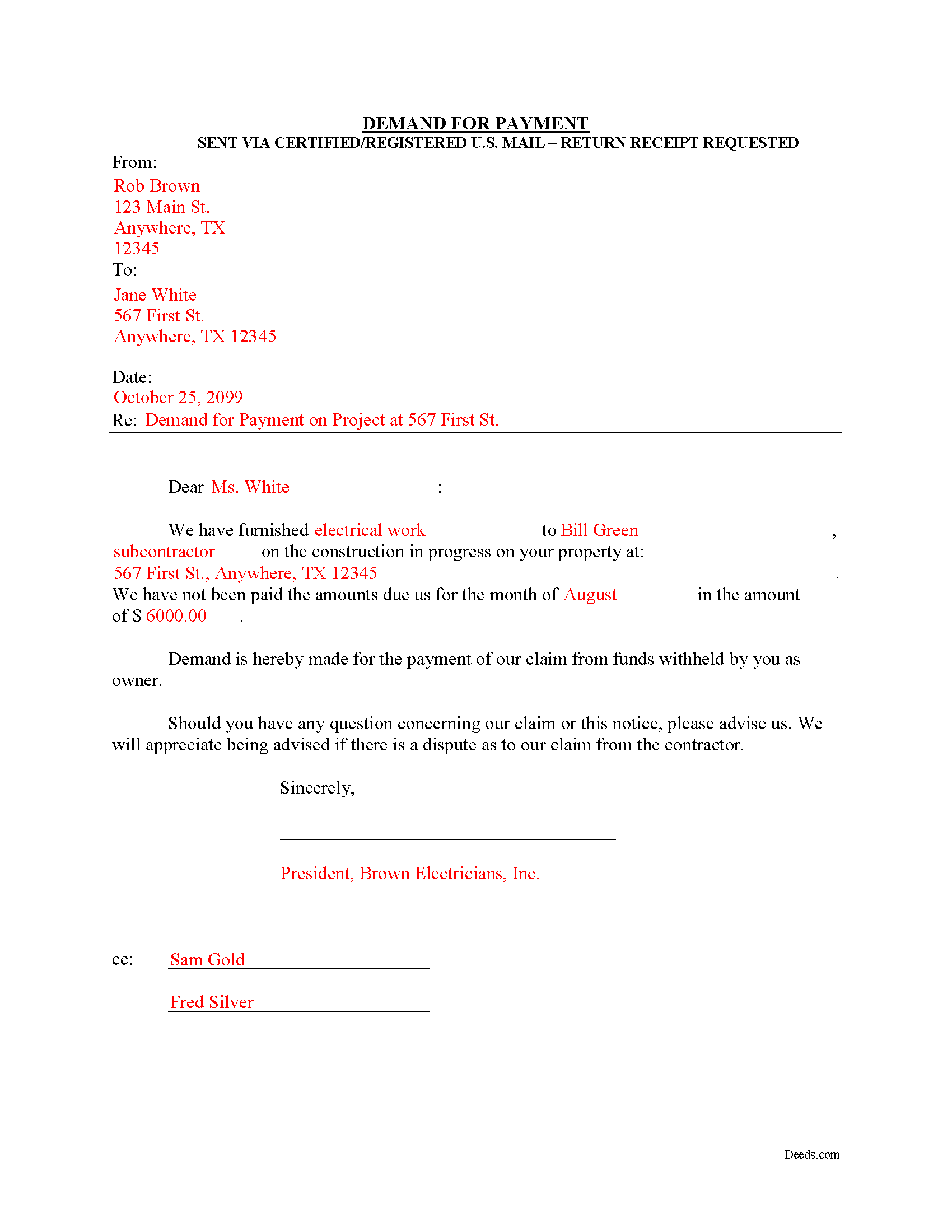
Cochran County Completed Example of the Demand for Payment Document
Example of a properly completed form for reference.
All 3 documents above included • One-time purchase • No recurring fees
Immediate Download • Secure Checkout
Additional Texas and Cochran County documents included at no extra charge:
Where to Record Your Documents
Cochran County Clerk - Courthouse
Morton, Texas 79346
Hours: Monday - Friday 8:00am - 12:00 & 1:00 - 5:00pm
Phone: 806-266-5450
Recording Tips for Cochran County:
- Bring your driver's license or state-issued photo ID
- Ensure all signatures are in blue or black ink
- Avoid the last business day of the month when possible
- Both spouses typically need to sign if property is jointly owned
- Bring extra funds - fees can vary by document type and page count
Cities and Jurisdictions in Cochran County
Properties in any of these areas use Cochran County forms:
- Bledsoe
- Morton
- Whiteface
Hours, fees, requirements, and more for Cochran County
How do I get my forms?
Forms are available for immediate download after payment. The Cochran County forms will be in your account ready to download to your computer. An account is created for you during checkout if you don't have one. Forms are NOT emailed.
Are these forms guaranteed to be recordable in Cochran County?
Yes. Our form blanks are guaranteed to meet or exceed the applicable formatting requirements used for recording in Cochran County, including margin requirements, font requirements, and other layout standards. This guarantee applies to formatting, not to the legal sufficiency of information entered by the user or the suitability of a form for a particular transaction.
Can I reuse these forms?
Yes. You can reuse the forms for your personal use. For example, if you have multiple properties in Cochran County you only need to order once.
What do I need to use these forms?
The forms are PDFs that you fill out on your computer. The free Adobe Acrobat Reader is recommended, and most PDF apps also work. You do NOT enter your property information online - you download the blank forms and complete them privately on your own computer.
Are there any recurring fees?
No. This is a one-time purchase. Nothing to cancel, no memberships, no recurring fees.
How much does it cost to record in Cochran County?
Recording fees in Cochran County vary. Contact the recorder's office at 806-266-5450 for current fees.
Questions answered? Let's get started!
The Demand for Payment form is used by unpaid individual claimants to demand payment of their claim on an owner who is authorized to withhold funds under 53.083(a) of the Texas Property Code. The demand form also provides notice to the owner that all or part of the claim has accrued under Texas Code 53.053 or is past due under the agreement between the parties.
The claimant must also send a copy of the demand to the original contractor. If the original contractor intends to dispute the claim, he must give the owner written notice no later than the 30th day after the day he receives the copy of the demand. Failure to respond in a timely fashion implies approval of the demand and the owner must then pay the claim.
The Demand for Payment identifies the parties, the project, and relevant dates, services/materials, and fees. It is a required step in securing an eventual mechanic's lien on the owner's property if the claim remains unpaid after demand is sent.
The form does not require a notary seal or other verification, nor is it filed in the local land records. Instead, deliver the demand for payment via certified or registered mail, with a return receipt requested.
Each case is unique, and the mechanic's lien law in Texas can be complicated. Contact an attorney for complex situations, with specific questions about sending a demand for payment, or any other issue related to mechanic's liens.
Important: Your property must be located in Cochran County to use these forms. Documents should be recorded at the county recording office listed above.
This Demand for Payment meets all recording requirements specific to Cochran County.
Our Promise
The documents you receive here are guaranteed to meet or exceed the applicable Cochran County recording format requirements. If there is a rejection caused by our formatting, we will correct the issue or refund your payment. This guarantee applies to document formatting only and does not extend to information entered by the user, the selection of the form, or the legal effect of the completed document.
Save Time and Money
Get your Cochran County Demand for Payment form done right the first time with Deeds.com Uniform Conveyancing Blanks. At Deeds.com, we understand that your time and money are valuable resources, and we don't want you to face a penalty fee or rejection imposed by a county recorder for submitting nonstandard documents. We constantly review and update our forms to meet rapidly changing state and county recording requirements for roughly 3,500 counties and local jurisdictions.
4.8 out of 5 - ( 4,842 Reviews )
Greg M. 5 out of 5 stars
This is a great site! Very easy to use and has all the documents I required. Thank you!
Thank you!
John L. 5 out of 5 stars
excellent...exactly what i need....
Thank you!
Gary H. 5 out of 5 stars
The package was very helpful and very easy to use. I saved me a lot of time and eliminated attorneys being involved. I would highly recommend your forms.
It was a pleasure serving you. Thank you for the positive feedback!
James M. 5 out of 5 stars
Awesome product. Quick and easy. Thanks
Happy we could assist. Thank you for sharing your experience.
Leo b. 5 out of 5 stars
Awesome site great paperwork EZ Forms great.
Thank you Leo.
David K. 5 out of 5 stars
Excellent instructions to guide one through the warranty deed.
Thank you for your feedback. We really appreciate it. Have a great day!
Beaugwynn Wigley S. 5 out of 5 stars
Thanks so much for all your help! That was painless.
Thank you!
Jeffry C. 5 out of 5 stars
Deeds.com has been a lifesaver for my house buying business. Excellent support!
Thank you Jeffry, glad we could help.
Lloyd T. 5 out of 5 stars
Example deed given did not apply to married couples as joint owners with both being grantors. The example and directions also did not show how to write more than one grantee as equal grantees. Both would have been helpful when husband and wife are granting their property to their children equally. Also when attaching the exhibit A with the property description the example did not say "see exhibit A"in the property description area, so I didn't write that. Luckily the recorder of deeds allowed me to write it in. I think directions and examples for multiple scenarios would be helpful.
Thank you for your feedback. We really appreciate it. Have a great day!
Stephanie S. 5 out of 5 stars
I received my information almost immediately. I read a few more things on the website and then refreshed and it was there! SO much easier than having to go to the office myself - thanks!!
Thank you!
David P. 5 out of 5 stars
Easy to use and very straight forward. Glad I used Deeds.com
We appreciate your business and value your feedback. Thank you. Have a wonderful day!
Barbara S. 5 out of 5 stars
I found your site easy to use, though I would prefer an option to download to MWords but Adobe works well. The cost is very, very reasonable and provides documents I didn't know were needed. I would recommend this to anyone trying to deal with legal documents.
Thank you!
Ginger M. 5 out of 5 stars
Deeds.com shares alot of useful information for home owners home buyers and investors i give it a thumbs up
We appreciate your business and value your feedback. Thank you. Have a wonderful day!
Patrick N. 5 out of 5 stars
I was very satisfied with your service. Prompt, and thorough. Price was reasonable. Will use your service again when needed.
Thank you for your feedback. We really appreciate it. Have a great day!
Gary J. 5 out of 5 stars
Whomever "KCH" is, that person was of great help. It took me several tries due my inexperience with ADOBE SCAN, but that certainly is no fault of yours!! KVH was very patient with me, and in fact resolved the things I was doing wrong for me, without my even requesting the assistance.
Thank you!