Kinney County Demand for Payment Form
Last validated November 10, 2026 by our Forms Development TeamFormatted for recording in Kinney County, for property anywhere in the county: rural and unincorporated areas as well as Brackettville.
- 3 documents included
- Immediate PDF download
- Formatting guarantee
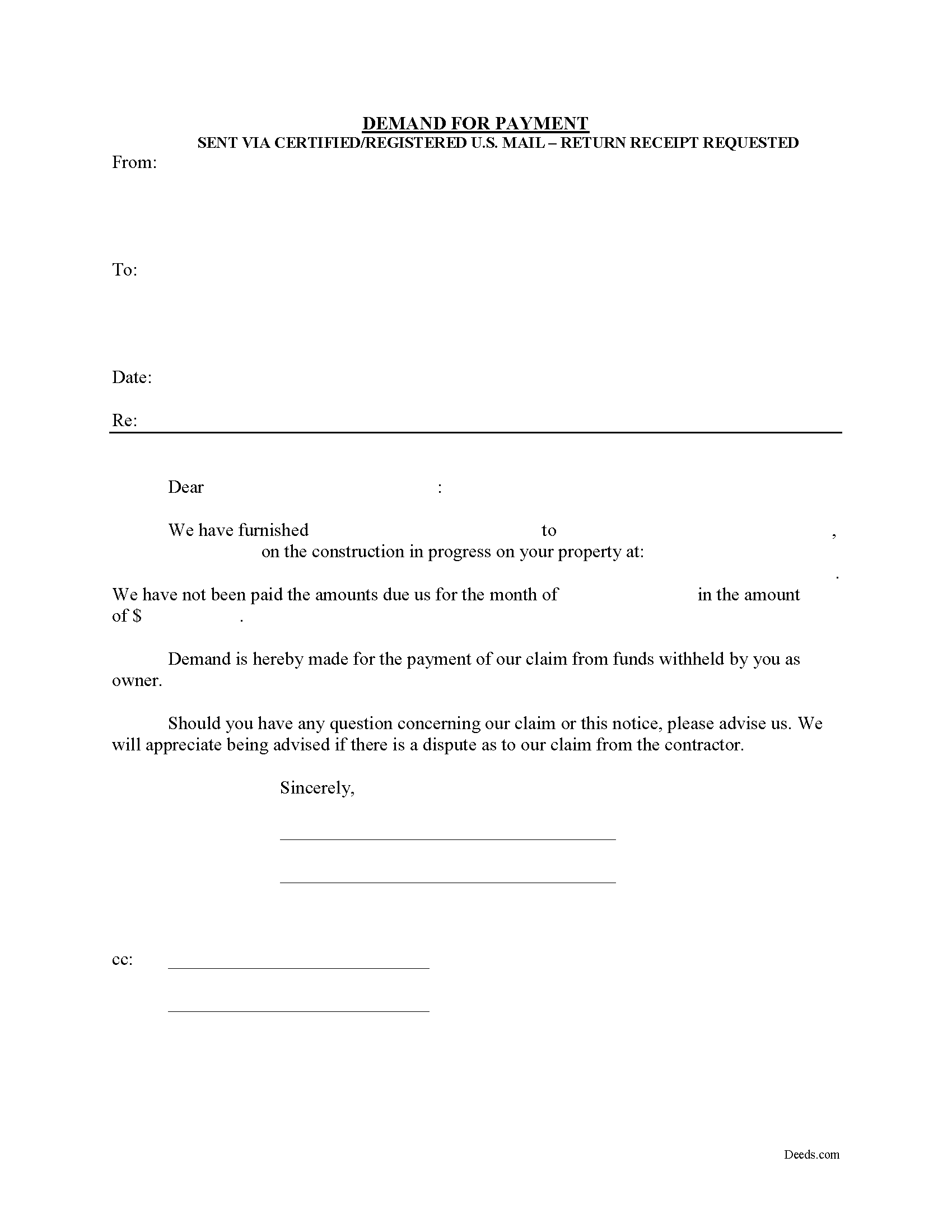
Kinney County Demand for Payment Form
Fill in the blank Demand for Payment form formatted to comply with all Texas recording and content requirements.
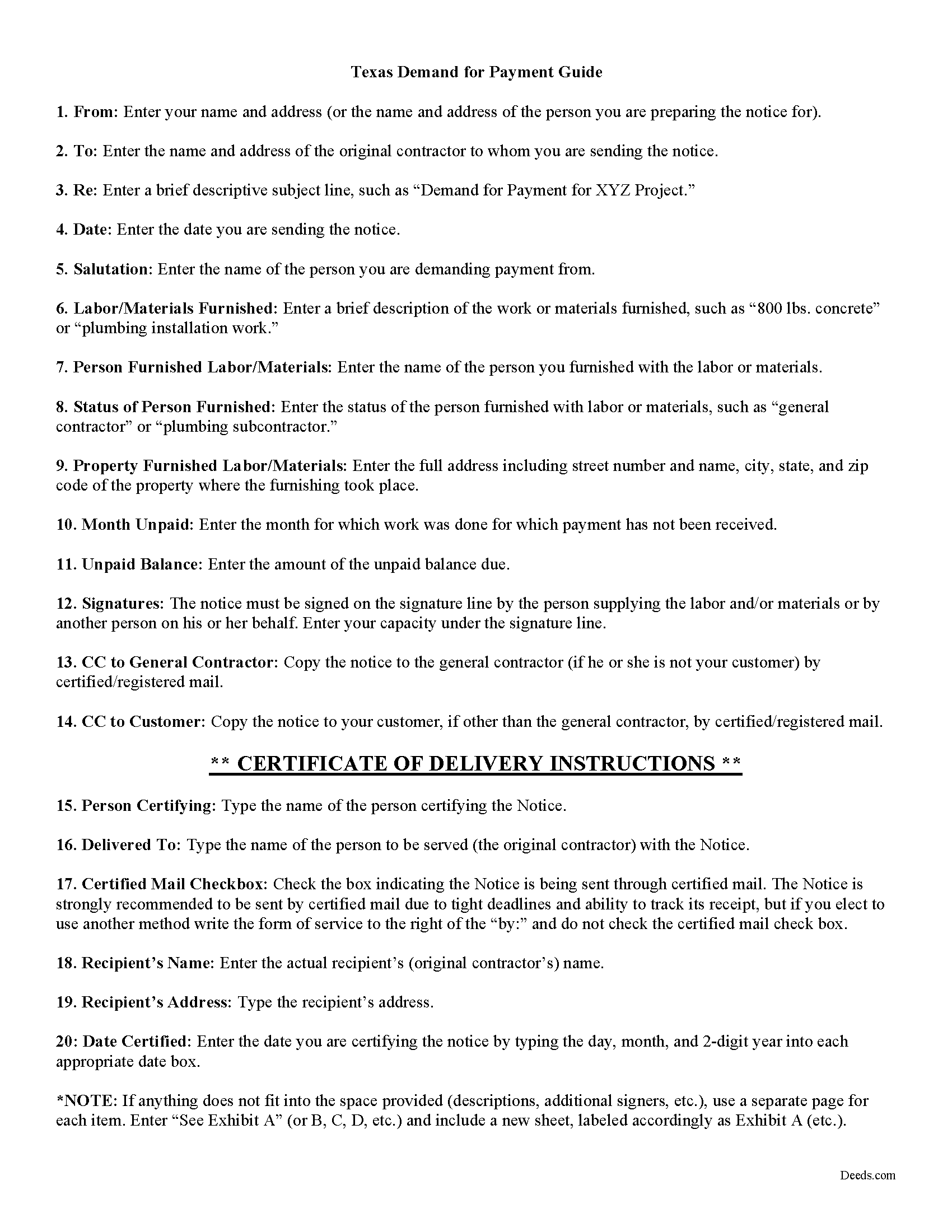
Kinney County Demand for Payment Guide
Line by line guide explaining every blank on the form.
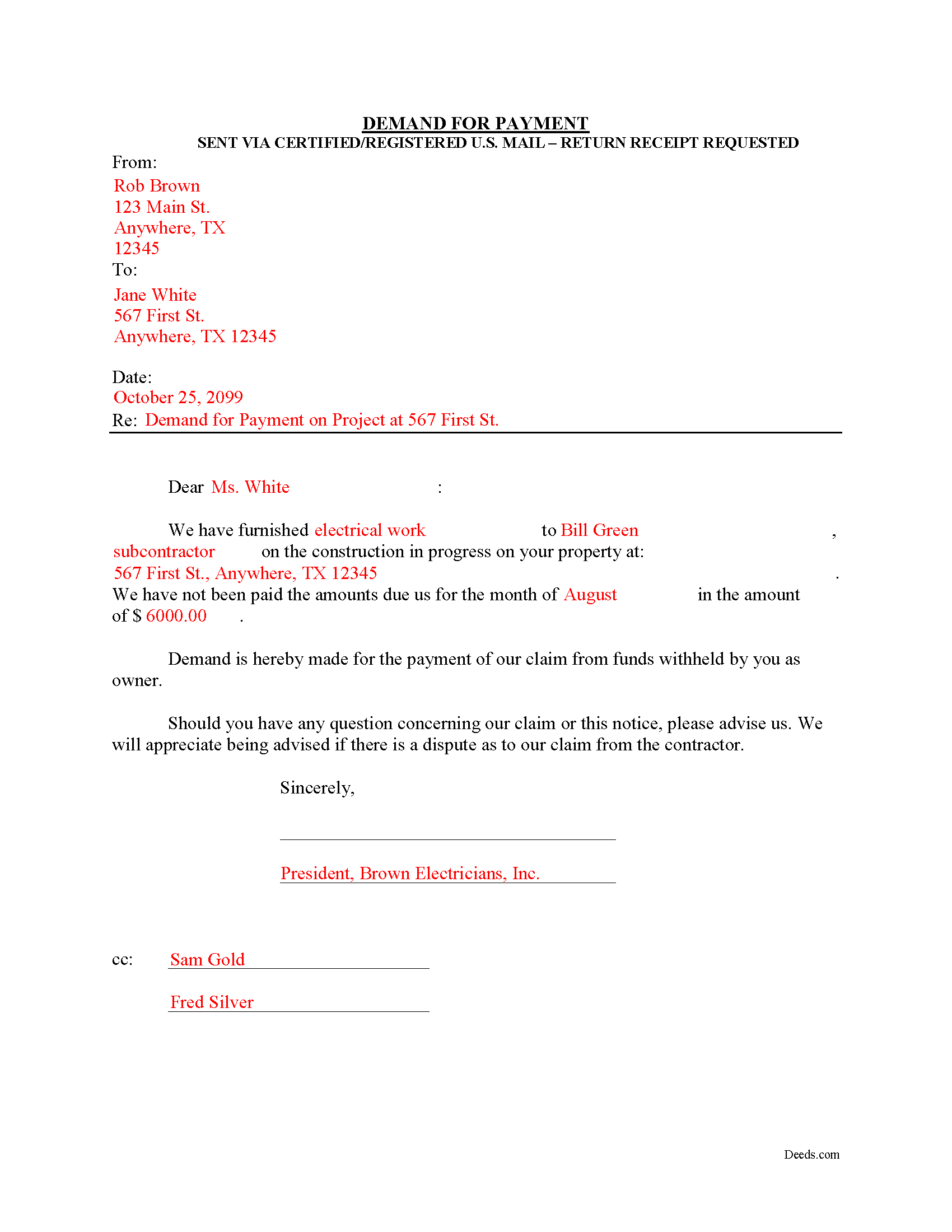
Kinney County Completed Example of the Demand for Payment Document
Example of a properly completed form for reference.
All 3 documents above included • One-time purchase • No recurring fees
Immediate Download • Secure Checkout
Additional Texas and Kinney County documents included at no extra charge:
Where to Record Your Documents
Kinney District & County Clerk
Brackettville , Texas 78832
Hours: Monday-Friday 8am-12 & 1-5pm
Phone: (830) 563-2521
Recording Tips for Kinney County:
- Bring your driver's license or state-issued photo ID
- Ensure all signatures are in blue or black ink
- White-out or correction fluid may cause rejection
- Ask about their eRecording option for future transactions
- Avoid the last business day of the month when possible
Cities and Jurisdictions in Kinney County
Properties in any of these areas use Kinney County forms:
- Brackettville
Hours, fees, requirements, and more for Kinney County
How do I get my forms?
Forms are available for immediate download after payment. The Kinney County forms will be in your account ready to download to your computer. An account is created for you during checkout if you don't have one. Forms are NOT emailed.
Are these forms guaranteed to be recordable in Kinney County?
Yes. Our form blanks are guaranteed to meet or exceed the applicable formatting requirements used for recording in Kinney County, including margin requirements, font requirements, and other layout standards. This guarantee applies to formatting, not to the legal sufficiency of information entered by the user or the suitability of a form for a particular transaction.
Can I reuse these forms?
Yes. You can reuse the forms for your personal use. For example, if you have multiple properties in Kinney County you only need to order once.
What do I need to use these forms?
The forms are PDFs that you fill out on your computer. The free Adobe Acrobat Reader is recommended, and most PDF apps also work. You do NOT enter your property information online - you download the blank forms and complete them privately on your own computer.
Are there any recurring fees?
No. This is a one-time purchase. Nothing to cancel, no memberships, no recurring fees.
How much does it cost to record in Kinney County?
Recording fees in Kinney County vary. Contact the recorder's office at (830) 563-2521 for current fees.
Questions answered? Let's get started!
The Demand for Payment form is used by unpaid individual claimants to demand payment of their claim on an owner who is authorized to withhold funds under 53.083(a) of the Texas Property Code. The demand form also provides notice to the owner that all or part of the claim has accrued under Texas Code 53.053 or is past due under the agreement between the parties.
The claimant must also send a copy of the demand to the original contractor. If the original contractor intends to dispute the claim, he must give the owner written notice no later than the 30th day after the day he receives the copy of the demand. Failure to respond in a timely fashion implies approval of the demand and the owner must then pay the claim.
The Demand for Payment identifies the parties, the project, and relevant dates, services/materials, and fees. It is a required step in securing an eventual mechanic's lien on the owner's property if the claim remains unpaid after demand is sent.
The form does not require a notary seal or other verification, nor is it filed in the local land records. Instead, deliver the demand for payment via certified or registered mail, with a return receipt requested.
Each case is unique, and the mechanic's lien law in Texas can be complicated. Contact an attorney for complex situations, with specific questions about sending a demand for payment, or any other issue related to mechanic's liens.
Important: Your property must be located in Kinney County to use these forms. Documents should be recorded at the county recording office listed above.
This Demand for Payment meets all recording requirements specific to Kinney County.
Our Promise
The documents you receive here are guaranteed to meet or exceed the applicable Kinney County recording format requirements. If there is a rejection caused by our formatting, we will correct the issue or refund your payment. This guarantee applies to document formatting only and does not extend to information entered by the user, the selection of the form, or the legal effect of the completed document.
Save Time and Money
Get your Kinney County Demand for Payment form done right the first time with Deeds.com Uniform Conveyancing Blanks. At Deeds.com, we understand that your time and money are valuable resources, and we don't want you to face a penalty fee or rejection imposed by a county recorder for submitting nonstandard documents. We constantly review and update our forms to meet rapidly changing state and county recording requirements for roughly 3,500 counties and local jurisdictions.
4.8 out of 5 - ( 4,857 Reviews )
HELENA M. 5 out of 5 stars
Quick, super easy and very reasonable charge!!
Thank you for your feedback. We really appreciate it. Have a great day!
Samantha Ann F. 5 out of 5 stars
I needed more knowledge to feel comfortable for using this form. I am sure it will work great for some people...for me I needed to contact an Estate Manager.
We understand that not every situation is a good fit for a do-it-yourself form package, especially when estate matters are involved. We’re glad you recognized when additional guidance would make you more comfortable, and we appreciate you giving our forms a try. Best wishes moving forward with your estate matter.
Paula S. 5 out of 5 stars
The document form was easily retrieved and the sample provided was extremely helpful and no problems were encountered when presenting the completed document to the county. I am grateful for this website and the help and confidence it gave me to complete this task
We appreciate your comments and your trust in us. Thank you.
Calvin S. 5 out of 5 stars
Service is convenient,easy, fast and helpful.
Thanks for your feedback. We’re glad we could help.
Mack H. 5 out of 5 stars
I got what I was looking for! Turned out well and like I thought it would.
Thank you!
Michael D. 1 out of 5 stars
I did not like the size of the Warranty Deed form which took 2 pages to print. It should be no larger than 8 1/2 by 14 inches. I did not like that I could not reformat it to be smaller, could not eliminate unused lines, could not delete the excessive 4 signature lines, could not copy or paste into text editor. Very unsatisfactory rating.
Thank you for your feedback Michael. Unfortunately we don't make the requirements, we only make the documents to be compliant with the requirements. Have a great day!
Jeffrey G. 5 out of 5 stars
Nice an easy. Just wondered if I can come back and still have my order (forms) available to get again, if I have an issue with saving them.
Thank you for your feedback. We really appreciate it. Have a great day!
Nancy J. 5 out of 5 stars
Forms were not to hard to fill out, Will go to Douglas County Oregon Recorders office in a few weeks and hope I filled them out correctly.
Thank you for your feedback. We really appreciate it. Have a great day!
Jo Anne C. 5 out of 5 stars
Excellent documentation. Thank you.
Thank you for your feedback. We really appreciate it. Have a great day!
LISA R. 5 out of 5 stars
I was very pleased to find your website and the range of services you offer. I was recommended to hire an estate attorney, but the forms you provided will eliminate the need for that. Thank you for the help!
Thank you for your feedback. We really appreciate it. Have a great day!
Anthony T. 4 out of 5 stars
Would be better if you could save the forms to word for easier use on your computer.
Thank you!
Thomas D. 2 out of 5 stars
The documents themselves are fine and the information provided with them is helpful. I find the actual processing of the documents, however, to be difficult particularly once the document has been saved. First, I note that the box for the date only allows entry of the last 2 digits of the year. Unfortunately, my download only allows me to enter one of the 2 digits required. When I delete it repeatedly, it eventually allows both digits to be entered but puts them in extremely small text and in superscrypt. I have not found a solution to this problem and am not sure the deed can even be recorded with this problem. Another problem is that if you try to revise the document after you have saved it the curser goes to the end of the line after each key entry. This means that there basically is no way to efficiently save the document for reworking later since you will have to delete everything you have entered in the text box unless you only need to make a single keystroke change or are willing to replace the curser after each entry. Try that with a long property description! Please note that I am using a Mac to prepare my documents and perhaps this is part of an "incompatibility problem". However, I didn't see a disclaimer regarding Mac use and so would expect the documents to perform correctly. Overall, I give the program a "2 star" rating because I am experiencing significant difficulties in entering dates in the documents even before saving them and because saving your work for later revision appears to be basically unworkable.
Thank you for your feedback Thomas, we appreciate you being specific about the issues you encountered. Adobe and Mac have a fairly long history of issues working together.
Linda D C. 5 out of 5 stars
This was so easy to use. I appreciated the finished sample to guide me and the proper attachments necessary to process my Quit Claim Deed. I am gifting it to my nephew as I am too old to run farm and I live in a different state now. I tried other websites but their info was not up to date or accurate. Thank you so much. 71 Y/O Nana.
Thank you for your feedback. We really appreciate it. Have a great day!
Ed C. 5 out of 5 stars
I purchased the DIY quitclaim deed forms for Florida and couldn’t be happier. The forms were clear, professional, and easy to follow. I had everything filled out and recorded without a single issue. Worth every penny — the site is great, and the forms are exactly what I needed. Highly recommend!
Thanks so much, Ed! We’re thrilled to hear that the Florida quitclaim deed forms worked perfectly for you and that the recording process went smoothly. We appreciate your trust and recommendation!
Scott s. 5 out of 5 stars
Information requested was provided and time to reply was quick!
Thank you!