San Jacinto County Notice of Contractual Retainage Form
Last validated October 20, 2026 by our Forms Development TeamFormatted for recording in San Jacinto County, for property anywhere in the county: rural and unincorporated areas as well as Coldspring, Oakhurst, Pointblank, Shepherd.
- 3 documents included
- Immediate PDF download
- Formatting guarantee
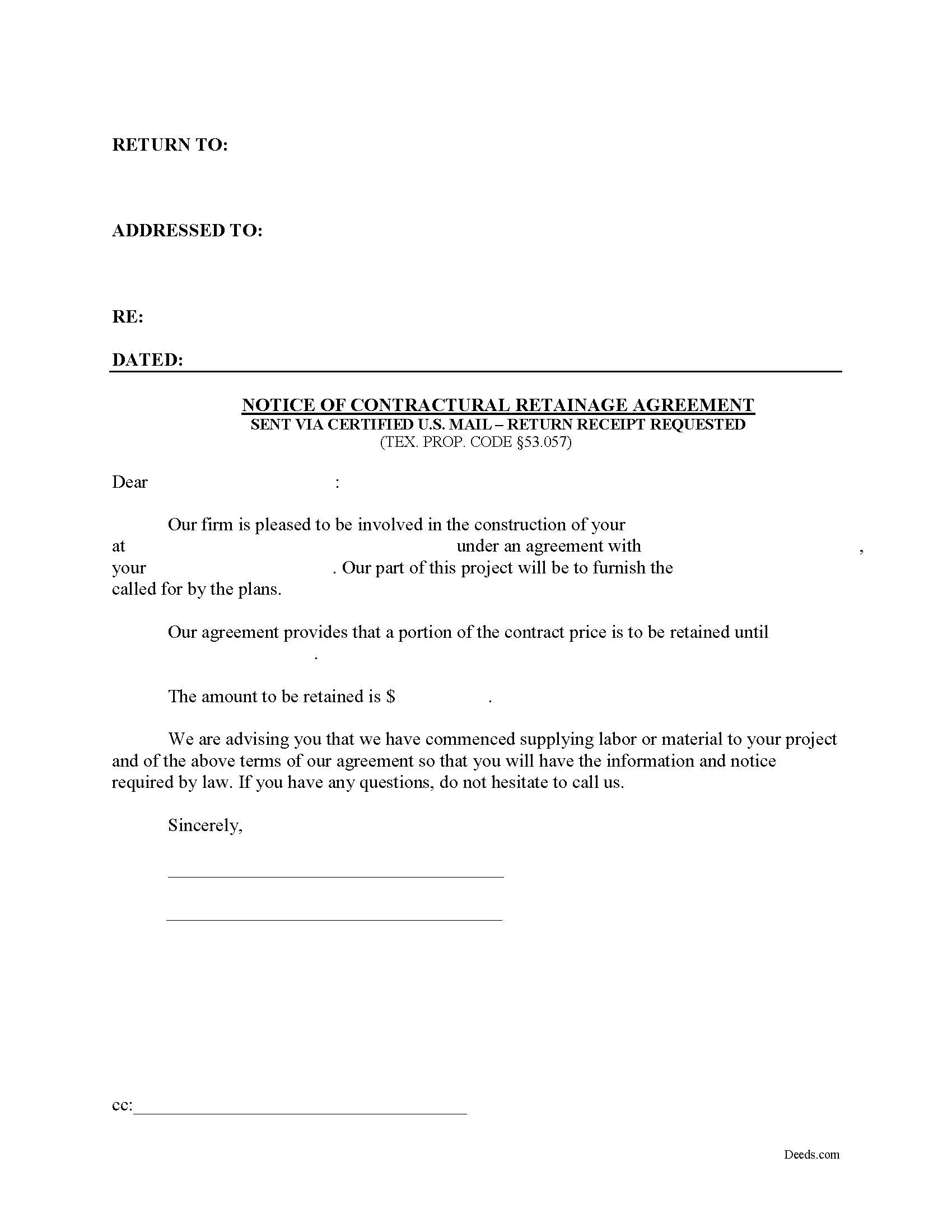
San Jacinto County Notice of Contractual Retainage Form
Fill in the blank Notice of Contractual Retainage form formatted to comply with all Texas recording and content requirements.
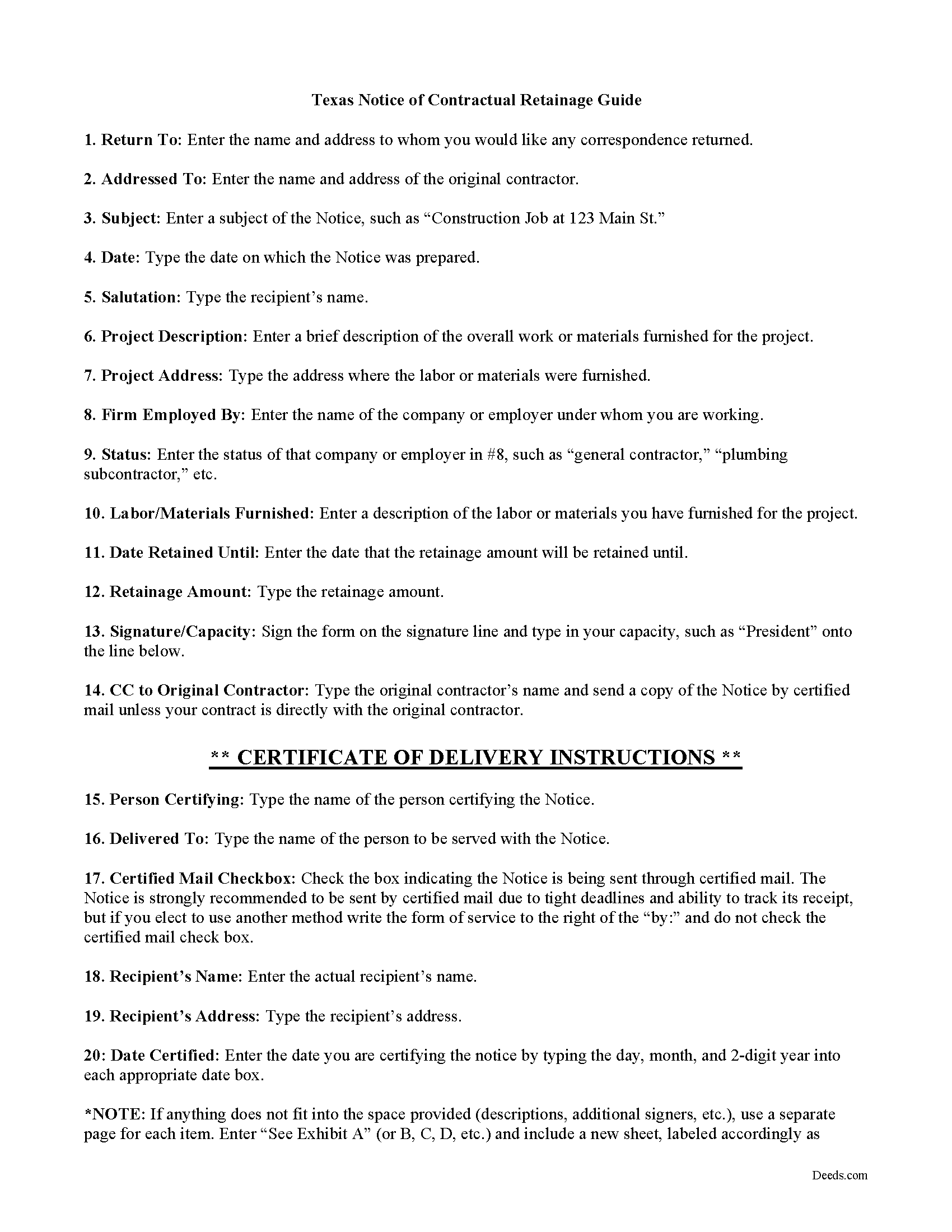
San Jacinto County Notice of Contractual Retainage Guide
Line by line guide explaining every blank on the form.
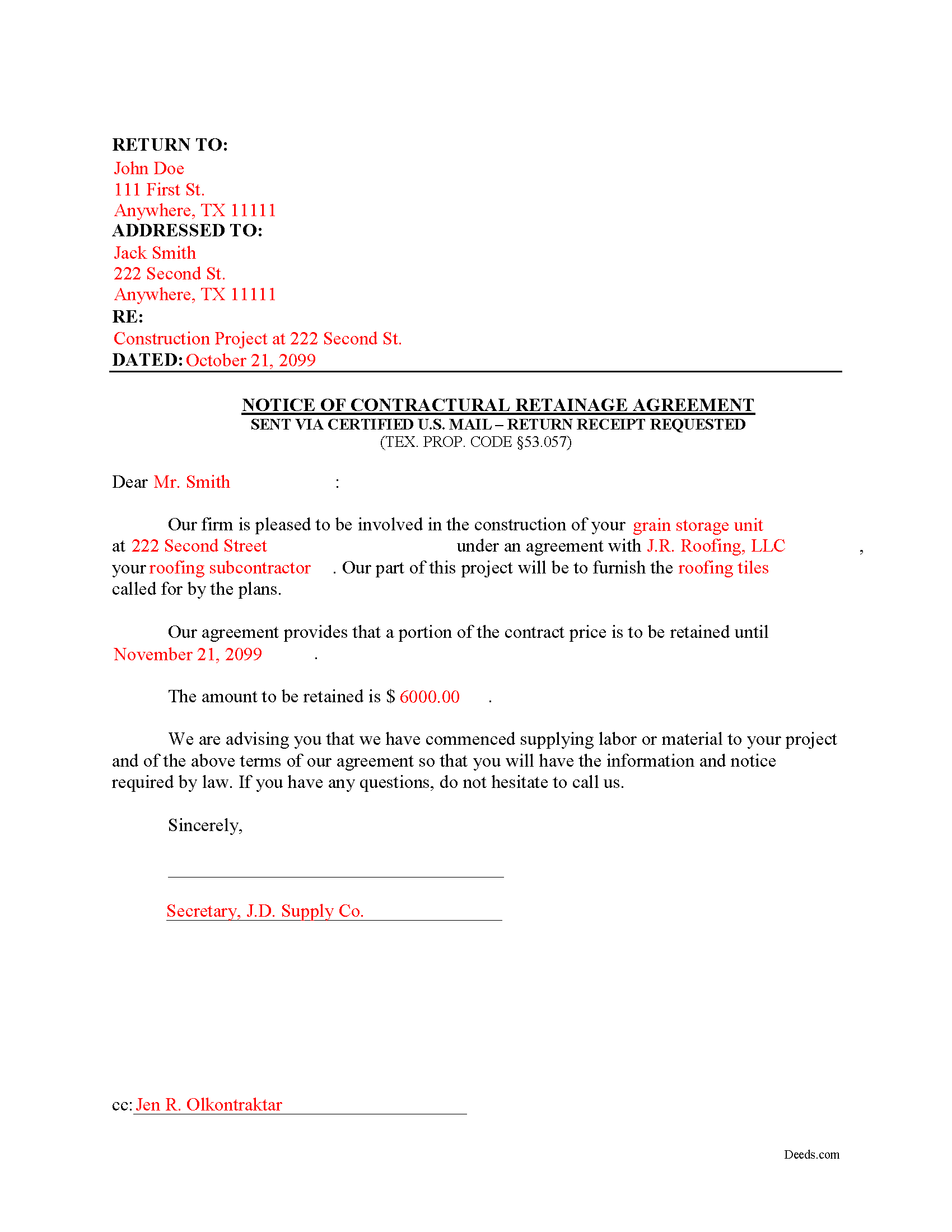
San Jacinto County Completed Example of the Notice of Contractual Retainage Document
Example of a properly completed form for reference.
All 3 documents above included • One-time purchase • No recurring fees
Immediate Download • Secure Checkout
Additional Texas and San Jacinto County documents included at no extra charge:
Where to Record Your Documents
San Jacinto County Clerk
Coldspring, Texas 77331
Hours: Mon - Thu 8:00am - 5:00pm, Fri 8:00am - 4:00pm
Phone: (936) 653-2324
Recording Tips for San Jacinto County:
- Bring your driver's license or state-issued photo ID
- Ensure all signatures are in blue or black ink
- Both spouses typically need to sign if property is jointly owned
- Bring extra funds - fees can vary by document type and page count
- Check margin requirements - usually 1-2 inches at top
Cities and Jurisdictions in San Jacinto County
Properties in any of these areas use San Jacinto County forms:
- Coldspring
- Oakhurst
- Pointblank
- Shepherd
Hours, fees, requirements, and more for San Jacinto County
How do I get my forms?
Forms are available for immediate download after payment. The San Jacinto County forms will be in your account ready to download to your computer. An account is created for you during checkout if you don't have one. Forms are NOT emailed.
Are these forms guaranteed to be recordable in San Jacinto County?
Yes. Our form blanks are guaranteed to meet or exceed the applicable formatting requirements used for recording in San Jacinto County, including margin requirements, font requirements, and other layout standards. This guarantee applies to formatting, not to the legal sufficiency of information entered by the user or the suitability of a form for a particular transaction.
Can I reuse these forms?
Yes. You can reuse the forms for your personal use. For example, if you have multiple properties in San Jacinto County you only need to order once.
What do I need to use these forms?
The forms are PDFs that you fill out on your computer. The free Adobe Acrobat Reader is recommended, and most PDF apps also work. You do NOT enter your property information online - you download the blank forms and complete them privately on your own computer.
Are there any recurring fees?
No. This is a one-time purchase. Nothing to cancel, no memberships, no recurring fees.
How much does it cost to record in San Jacinto County?
Recording fees in San Jacinto County vary. Contact the recorder's office at (936) 653-2324 for current fees.
Questions answered? Let's get started!
As a contractor, it's important to send out early notice forms shortly after beginning work on a construction job. By putting all interested parties on notice, claimants can help protect their lien rights. One important early notice form is called a Notice of Contractual Retainage, as defined at Sec. 53.057 of the Texas Property Code.
Retainage means an amount representing part of a contract payment that is not required to be paid to the claimant within the month following the month in which labor is performed, material is furnished, or specially fabricated material is delivered. TEX. PROP. CODE 53.001(11). Simply put, it is a portion of the agreed upon contract price that is deliberately withheld until the work reaches substantial completion to assure that contractor or subcontractor will satisfy its obligations and complete a construction project. If the job is not up to par, the retainage amount is used to make any changes or fixes.
Give this notice to all other interested parties to make them aware that the person who hired you is withholding a retainage amount from you under your contract. Therefore, once provided with the notice, the other parties above you can withhold a matching retainage amount. If you are an original contractor on the job, the notice is not required since the owner already has such notice of any retainage agreement.
Use this form if you do not have a direct contract with the owner or the original contractor. Thus, you need to provide this notice to these parties to make them aware of the existing retainage agreement. The claimant must give the owner or reputed owner the notice of contractual retainage no later than the earlier of: (a) the 30th day after the date the claimant's agreement providing for retainage is completed, terminated, or abandoned; or (b) the 30th day after the date the original contract is terminated or abandoned. TEX. PROP. CODE 53.057(b).
The Notice of Contractual Retainage does not need to be notarized or recorded. Instead, deliver it to relevant parties via certified or registered US mail, with return receipt requested.
Each case is unique, and the Texas lien law is complicated. Contact an attorney for complex situations, with specific questions about sending a notice of contractual retainage, or any other issue about mechanic's liens.
Important: Your property must be located in San Jacinto County to use these forms. Documents should be recorded at the county recording office listed above.
This Notice of Contractual Retainage meets all recording requirements specific to San Jacinto County.
Our Promise
The documents you receive here are guaranteed to meet or exceed the applicable San Jacinto County recording format requirements. If there is a rejection caused by our formatting, we will correct the issue or refund your payment. This guarantee applies to document formatting only and does not extend to information entered by the user, the selection of the form, or the legal effect of the completed document.
Save Time and Money
Get your San Jacinto County Notice of Contractual Retainage form done right the first time with Deeds.com Uniform Conveyancing Blanks. At Deeds.com, we understand that your time and money are valuable resources, and we don't want you to face a penalty fee or rejection imposed by a county recorder for submitting nonstandard documents. We constantly review and update our forms to meet rapidly changing state and county recording requirements for roughly 3,500 counties and local jurisdictions.
4.8 out of 5 - ( 4,832 Reviews )
Jeannine G. 5 out of 5 stars
Very helpful and just what I needed for the job I was doing.
Thank you!
Cindy N. 5 out of 5 stars
Our home was in only my husband’s name and as we are getting older, it was time to add my name to the Deed to avoid potential issues in the future. Our experience with Deeds.com was wonderful. The website is user friendly, instructions written in layman’s terms, straightforward and easy to follow. Very reasonably priced. I highly recommend using Deeds.com.
Thank you for the kind words Cindy. We appreciate you. Have an amazing day!
raymond w. 5 out of 5 stars
answeed many questions I had.
Thank you!
Wayne S. 5 out of 5 stars
The website is quick and easy to navigate and the downloading of forms is a simple process.
Thank you, Wayne! We're thrilled to hear that you found our website quick and easy to navigate. Making the process simple for our customers is our goal! If you ever need anything, we're here to help. Appreciate your support!
Cecil S. 5 out of 5 stars
Fast service done well
We appreciate your business and value your feedback. Thank you. Have a wonderful day!
Bryan R. 5 out of 5 stars
Deeds.com was very helpful and user friendly! Their team has been very prompt to respond to my emails. I highly recommend Deeds.com to fulfill deed recording needs!
Thanks so much, Bryan! We appreciate the kind words and your recommendation.
David B. 5 out of 5 stars
Prompt review and submission of documents could be an appropriate tagline for this business. The attention to detail and rapid response makes the company a great go to for servicing needs related to deeds.
Your feedback is greatly appreciated. Thank you for taking the time to share your experience!
Lucille F. 5 out of 5 stars
Instructions very detailed and clear.
We appreciate your business and value your feedback. Thank you. Have a wonderful day!
James B. 5 out of 5 stars
Does everything I expected it to do. Very helpful. It is in compliance with applicable Nevada State regulations
Thank you for your feedback. We really appreciate it. Have a great day!
Jason P. 5 out of 5 stars
Price is fair and system is so user friendly. Highly recommend
We appreciate your business and value your feedback. Thank you. Have a wonderful day!
MARY LACEY M. 5 out of 5 stars
The recording process was done perfectly. We much appreciate your communication, prompt service and highly professional assistance. Thank you.
Thank you so much for the kind words. We're glad the recording went smoothly and that our team kept you informed along the way. Keeping things prompt and professional is exactly what we aim for, so it means a lot to hear it landed. We appreciate you taking the time to share this, and we're here whenever you need us again.
Angela B. 5 out of 5 stars
Great forms! Quick, easy, and to the point. The completed document, when printed out, looks really professional.
We appreciate your business and value your feedback. Thank you. Have a wonderful day!
Gary F. 5 out of 5 stars
5 star review. Was able to order and download what I wanted in just a few minutes without any glitches.
Thank you for your feedback. We really appreciate it. Have a great day!
Jacqueline G. 5 out of 5 stars
I'm 84 and not all that smart when it comes to what a Lawyer usually helps you with, but I took a chance to see if I could do this. Walla, I was able to do it. I was helping my son who had a stroke a few years ago and the transaction went well. Thank you.
Thank you for your feedback Jacqueline. We appreciate you.
Sharon M. 5 out of 5 stars
I will be going through title, so didn't order deed, but I think your website is wonderful. It's great to offer online services, such a great time saving for me with my work. Thank you, Sharon M.
Thank you for taking the time to leave your feedback Sharon, we really appreciate it. Have a fantastic day!