Brown County Owelty of Partition Agreement Form
Last validated November 11, 2026 by our Forms Development TeamFormatted for recording in Brown County, for property anywhere in the county: rural and unincorporated areas as well as Bangs, Blanket, Brookesmith, Brownwood, Early, May, Zephyr.
- 3 documents included
- Immediate PDF download
- Formatting guarantee
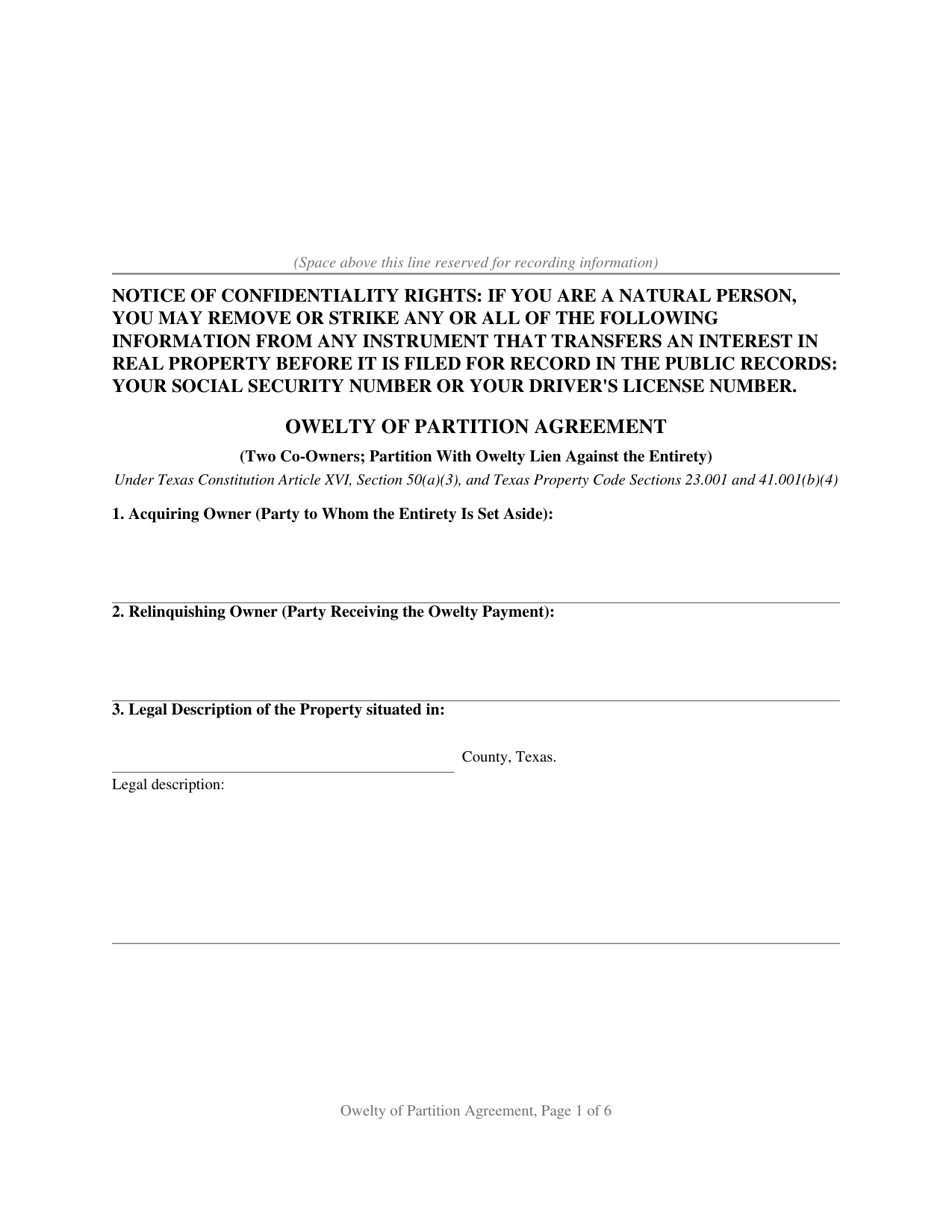
Brown County Owelty of Partition Agreement Form
Fill in the blank Owelty of Partition Agreement form formatted to comply with all Texas recording and content requirements.
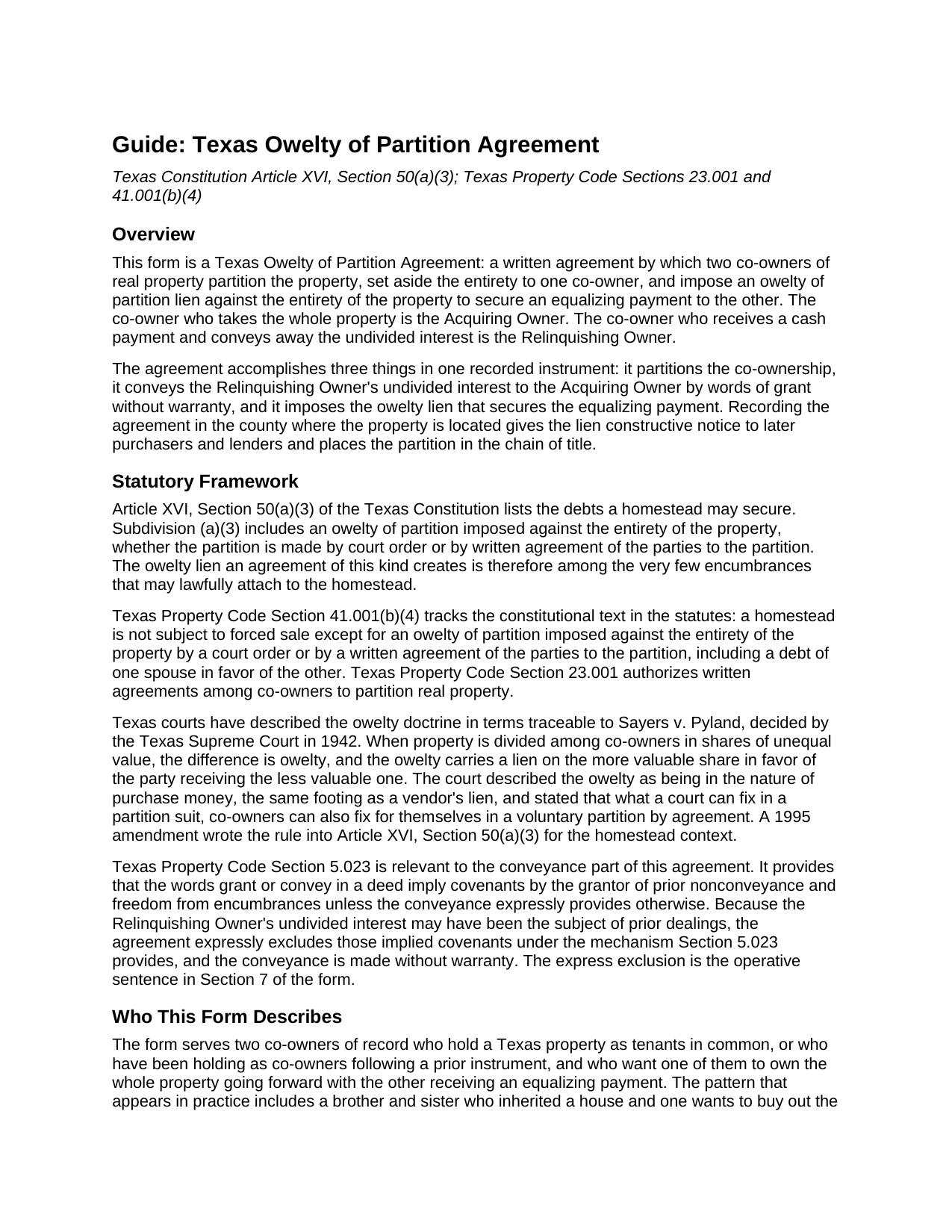
Brown County Owelty of Partition Agreement Guide
Line by line guide explaining every blank on the Owelty of Partition Agreement form.
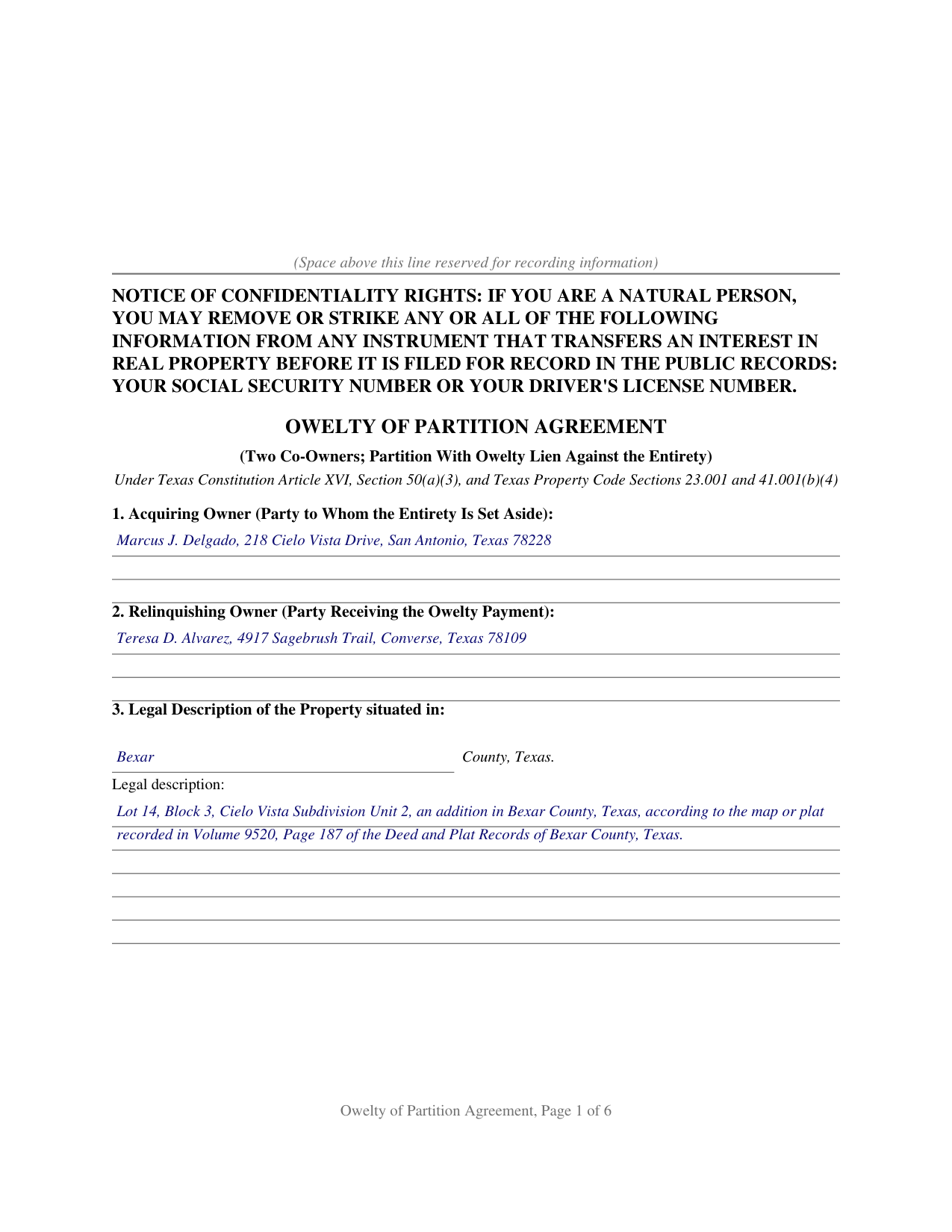
Brown County Completed Example of the Owelty of Partition Agreement Document
Example of a properly completed Texas Owelty of Partition Agreement document for reference.
All 3 documents above included • One-time purchase • No recurring fees
Immediate Download • Secure Checkout
Additional Texas and Brown County documents included at no extra charge:
Where to Record Your Documents
Brown County Clerk
Brownwood, Texas 76801
Hours: Monday - Friday 8:00 am - 5:00 pm
Phone: (325) 643-2594 or 2595
Recording Tips for Brown County:
- Bring your driver's license or state-issued photo ID
- Ensure all signatures are in blue or black ink
- Leave recording info boxes blank - the office fills these
- Make copies of your documents before recording - keep originals safe
- Recorded documents become public record - avoid including SSNs
Cities and Jurisdictions in Brown County
Properties in any of these areas use Brown County forms:
- Bangs
- Blanket
- Brookesmith
- Brownwood
- Early
- May
- Zephyr
Hours, fees, requirements, and more for Brown County
How do I get my forms?
Forms are available for immediate download after payment. The Brown County forms will be in your account ready to download to your computer. An account is created for you during checkout if you don't have one. Forms are NOT emailed.
Are these forms guaranteed to be recordable in Brown County?
Yes. Our form blanks are guaranteed to meet or exceed the applicable formatting requirements used for recording in Brown County, including margin requirements, font requirements, and other layout standards. This guarantee applies to formatting, not to the legal sufficiency of information entered by the user or the suitability of a form for a particular transaction.
Can I reuse these forms?
Yes. You can reuse the forms for your personal use. For example, if you have multiple properties in Brown County you only need to order once.
What do I need to use these forms?
The forms are PDFs that you fill out on your computer. The free Adobe Acrobat Reader is recommended, and most PDF apps also work. You do NOT enter your property information online - you download the blank forms and complete them privately on your own computer.
Are there any recurring fees?
No. This is a one-time purchase. Nothing to cancel, no memberships, no recurring fees.
How much does it cost to record in Brown County?
Recording fees in Brown County vary. Contact the recorder's office at (325) 643-2594 or 2595 for current fees.
Questions answered? Let's get started!
Texas homestead law keeps nearly every voluntary lien off a home. Article XVI, Section 50 of the Texas Constitution lists the only debts a homestead can secure, and Section 50(c) makes any other lien on the homestead invalid. An owelty of partition sits on that short constitutional list. When two co-owners of Texas real property end their co-ownership by setting the entire property aside to one of them, the equalizing payment owed to the other, called the owelty, can be secured by a lien imposed against the entirety of the property by a court order or by a written agreement of the parties to the partition. The Texas Owelty of Partition Agreement is that written agreement.
A lien the homestead admits
The Texas Supreme Court described the doctrine in Sayers v. Pyland (1942): when property is divided into shares of unequal value, the difference is owelty, secured by a lien on the more valuable share in favor of the party receiving the less valuable one, and the owelty is in the nature of purchase money, the same footing as a vendor's lien. The court added that what a court can fix in a partition suit, co-owners can fix for themselves in a voluntary partition by agreement. A 1995 constitutional amendment wrote the rule into Article XVI, Section 50(a)(3), and Property Code Section 41.001(b)(4) repeats it in the statutes: an owelty of partition imposed against the entirety of the property is among the encumbrances that may properly attach to homestead property.
One instrument, three moving parts
The form works in a single recorded instrument. The entirety of the property is set aside and awarded to one co-owner, the Acquiring Owner. The other co-owner, the Relinquishing Owner, conveys the undivided interest with words of grant and without warranty. And the parties impose an owelty of partition in a stated amount against the entirety, expressly reserving a lien in favor of the Relinquishing Owner until the owelty is paid. Because the lien reaches the whole property rather than a half interest, and because it carries purchase-money character, it fits the way title companies and refinance lenders handle a buyout: a lender advancing funds to pay the owelty at closing can take the note and lien by transfer, and the recorded agreement is what the title examiner finds in the chain of title.
Decrees, sibling buyouts, and the two constitutional routes
The constitution recognizes two routes to an owelty lien: a court order, which includes a divorce decree dividing or awarding the family homestead, and a written agreement of the parties to the partition. This form documents the agreement route between two co-owners of record: siblings who inherited a house together, partners who bought together, or former spouses who hold as tenants in common after a divorce. The form carries a joining-spouse signature block for homestead joinder under Family Code Section 5.001, a separate notary certificate for each signer, and the confidentiality notice required by Property Code Section 11.008 at the top of the first page, ready for the county clerk of the county where the property is located.
The download includes the agreement as a fillable PDF, a completed example documenting a Bexar County buyout, and a plain-language guide that walks through every numbered section, the signing formalities, and the recording steps. The materials describe Texas law in general terms and are not legal advice.
Important: Your property must be located in Brown County to use these forms. Documents should be recorded at the county recording office listed above.
This Owelty of Partition Agreement meets all recording requirements specific to Brown County.
Our Promise
The documents you receive here are guaranteed to meet or exceed the applicable Brown County recording format requirements. If there is a rejection caused by our formatting, we will correct the issue or refund your payment. This guarantee applies to document formatting only and does not extend to information entered by the user, the selection of the form, or the legal effect of the completed document.
Save Time and Money
Get your Brown County Owelty of Partition Agreement form done right the first time with Deeds.com Uniform Conveyancing Blanks. At Deeds.com, we understand that your time and money are valuable resources, and we don't want you to face a penalty fee or rejection imposed by a county recorder for submitting nonstandard documents. We constantly review and update our forms to meet rapidly changing state and county recording requirements for roughly 3,500 counties and local jurisdictions.
4.8 out of 5 - ( 4,865 Reviews )
Carl T. 5 out of 5 stars
Awesome! Quick service and well worth the very minimal fee for the convenience of being able to quickly record my mothers will without having to leave the house. Also, our court is currently closed due to Covid. So happy to have found Deeds.com
We appreciate your business and value your feedback. Thank you. Have a wonderful day!
Evelyn B. 5 out of 5 stars
Wow! Deeds.com provided proficient eRecording with great response time and great service... and it was super easy, super fast, and very reasonably priced. What more could you possibly want?! Highly recommended!
We appreciate your business and value your feedback. Thank you. Have a wonderful day!
Paul R. 5 out of 5 stars
Worked very quickly and smoothly. Helps if you know what documents you need. Thanks.
Thank you for your feedback. We really appreciate it. Have a great day!
linda l. 4 out of 5 stars
I was very impressed with the Mineral Deed form, especially with the instructions to fill it out AND a copy of a completed for to compare against. This definitely saved me money for an attorney. The one thing I don't understand, though, is why I could not save the completed Deed to my hard drive. I did have to change a few things after the fact and I had to re-type the entire page to make the corrections. If not for this, I would definitely rate the forms and instructions as a 5 star.
Thank you for your feedback. We really appreciate it. Have a great day!
Michael S. 5 out of 5 stars
So easy.
Happy we could assist. Thank you for sharing your experience.
Johanna R. 5 out of 5 stars
As soon as payment was received the forms were downloaded, printed and were useable. The guide was helpful and I was able to get my forms filled out and filed with no problem here in Linn County Oregon. I would recommend the site to anyone.
Thank you for your feedback. We really appreciate it. Have a great day!
A. S. 3 out of 5 stars
First, I am glad that you gave a blank copy, an example copy, and a 'guide'. It made it much easier to do. Overall I was very happy with your products and organization... however, things got pretty confusing and I have a pretty 'serious' law background in Real Estate and Civil law. With that said, I spent about 10+ hours getting my work done, using the Deed of Trust and Promissory note from you and there were a few problems: First, it would be FANTASTIC if you actually aligned your guide to actually match the Deed or Promissory Note. What I mean is that if the Deed says 'section (E)' then your guide shouldn't be 'randomly' numbered as 1,2,3, for advice/instructions, but should EXACTLY match 'section (E)'. Some places you have to 'hunt' for what you are looking for, and if you did it based on my suggestion, you wouldn't need to 'hunt' and it would avoid confusion. 2nd: This one really 'hurt'... you had something called the 'Deed of Trust Master Form' yet you had basically no information on what it was or how to use it. The only information you had was a small section at the top of the 'Short Form Deed of Trust Guide'. Holy Cow, was that 'section' super confusing. I still don't know if I did it correctly, but your guide says only put a return address on it and leave the rest of the 16 or so page Deed of Trust beneath it blank... and then include your 'Deed of Trust' (I had to assume the short form deed that I had just created) as part of it. I had to assume that I had to print off the entire 17 page or so title page and blank deed. I also had to assume that the promissory note was supposed to be EXHIBIT A or B on the Short Form Deed. It would be great if someone would take a serious look at that short section in your 'Short Form Deed of Trust Guide' and realize that those of us using your products are seriously turning this into a county clerk to file and that most of us, probably already have a property that has an existing Deed... or at least can find one in the county records if necessary... and make sure that you make a distinction between the Deed for the property that already exists, versus the Deed of Trust and Promissory note that we are trying to file. Thanks.
Thank you for your feedback. We'll have staff review the document for clarity. Have a great day!
Clifford J. 5 out of 5 stars
a lil pricey but i was able to knock out what needed to be done within 2 hours and not all day.
We appreciate your business and value your feedback. Thank you. Have a wonderful day!
Margaret S. 5 out of 5 stars
Great experience, quick and easy, thank you!
Thank you for your feedback. We really appreciate it. Have a great day!
Timothy B. 5 out of 5 stars
Information was very helpful and straight forward, Thankyou!
Thank you!
Duncan M. 2 out of 5 stars
Forms are fine, but the inability to download a completed form is not. Nor is the ability to convert to another format. Everytime I went to download, the form erased. I didn't have a printer available, so everything I did was to waste.
Thank you for your feedback Duncan. The blank forms should be downloaded first and then completed on your computer.
Larry P. 5 out of 5 stars
Love your site. I found just what I needed and it was so easy. Saved me countless time and effort. Worth every penny.
We appreciate your business and value your feedback. Thank you. Have a wonderful day!
Gina I. 5 out of 5 stars
Found the forms I needed with no problem and easy to fill out thanks to the guide that is with it. Big help!
Thank you for your feedback. We really appreciate it. Have a great day!
Eric P. 5 out of 5 stars
Great experience downloading the form I needed. The guide and example of a completed form was very helpful. Without using Deeds.com, I'm afraid I may have had my form, which needed to be notarized, rejected by the Office of Deeds due to formatting and specific legal wording that was mandatory. It was very much worth the cost that I was hesitant to pay. I am a satisfied first time customer.
Thank you for your kind words and for choosing us.
Debby P. 5 out of 5 stars
First time user and the service was great.. I typically go to recording kiosk at the libraries. This was fast and easy.. I appreciate the great service
Thank you for your feedback. We really appreciate it. Have a great day!