Henderson County Owelty of Partition Deed Form
Last validated September 9, 2026 by our Forms Development TeamFormatted for recording in Henderson County, for property anywhere in the county: rural and unincorporated areas as well as Athens, Brownsboro, Chandler, Eustace, Larue, Mabank, Malakoff, Murchison and 2 more.
- 3 documents included
- Immediate PDF download
- Formatting guarantee
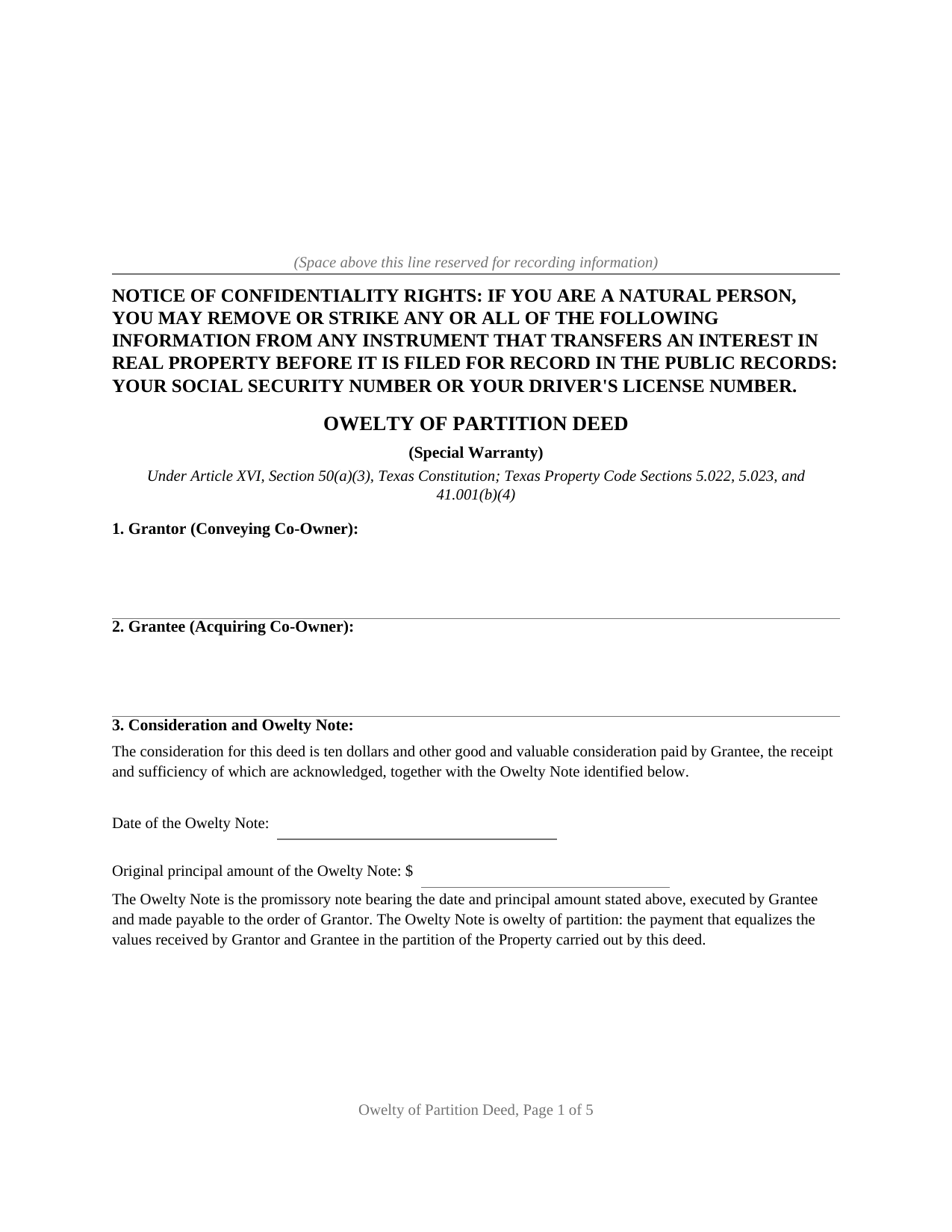
Henderson County Owelty of Partition Deed Form
Fill in the blank Owelty of Partition Deed form formatted to comply with all Texas recording and content requirements.
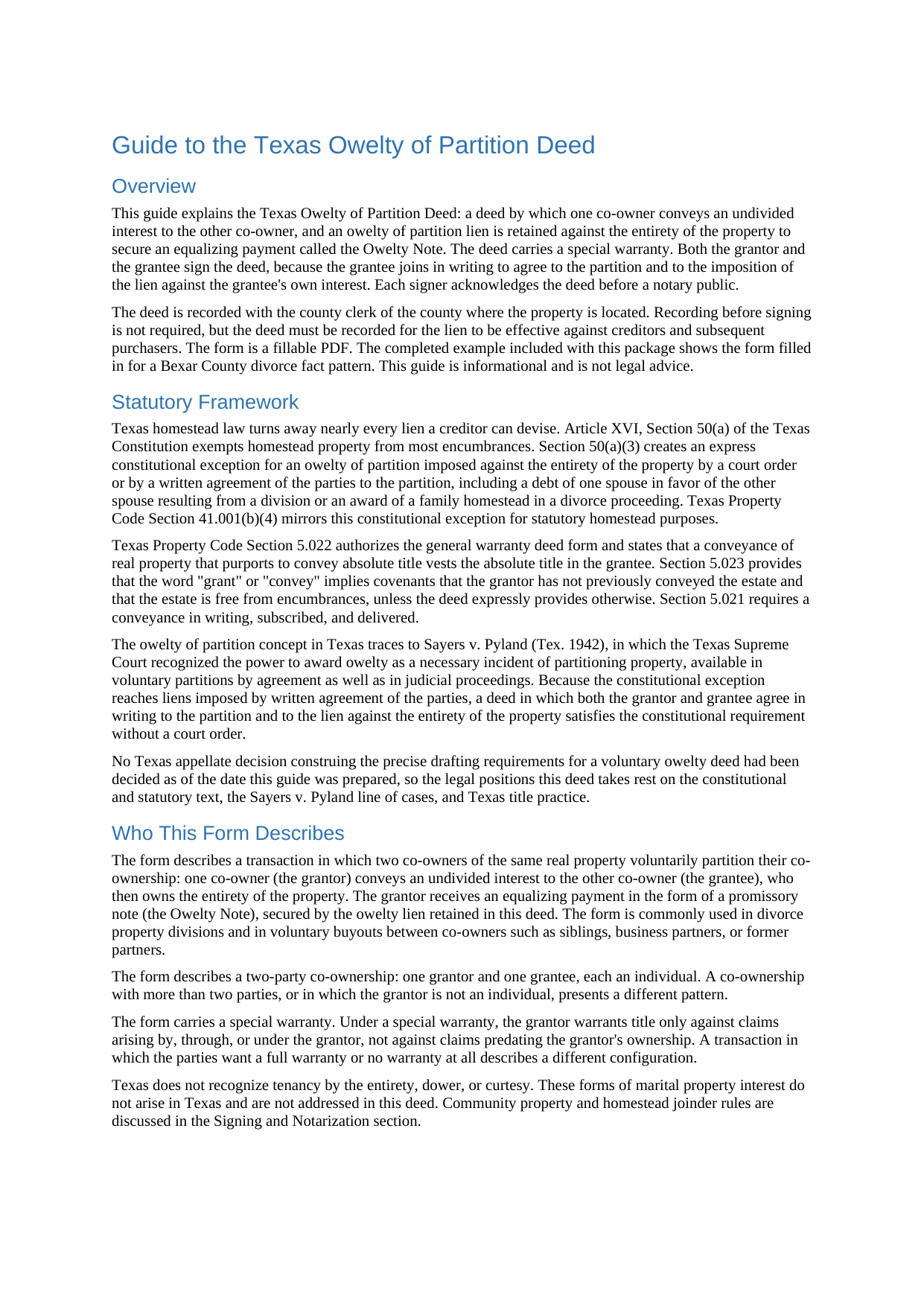
Henderson County Owelty of Partition Deed Guide
Line by line guide explaining every blank on the Owelty of Partition Deed form.
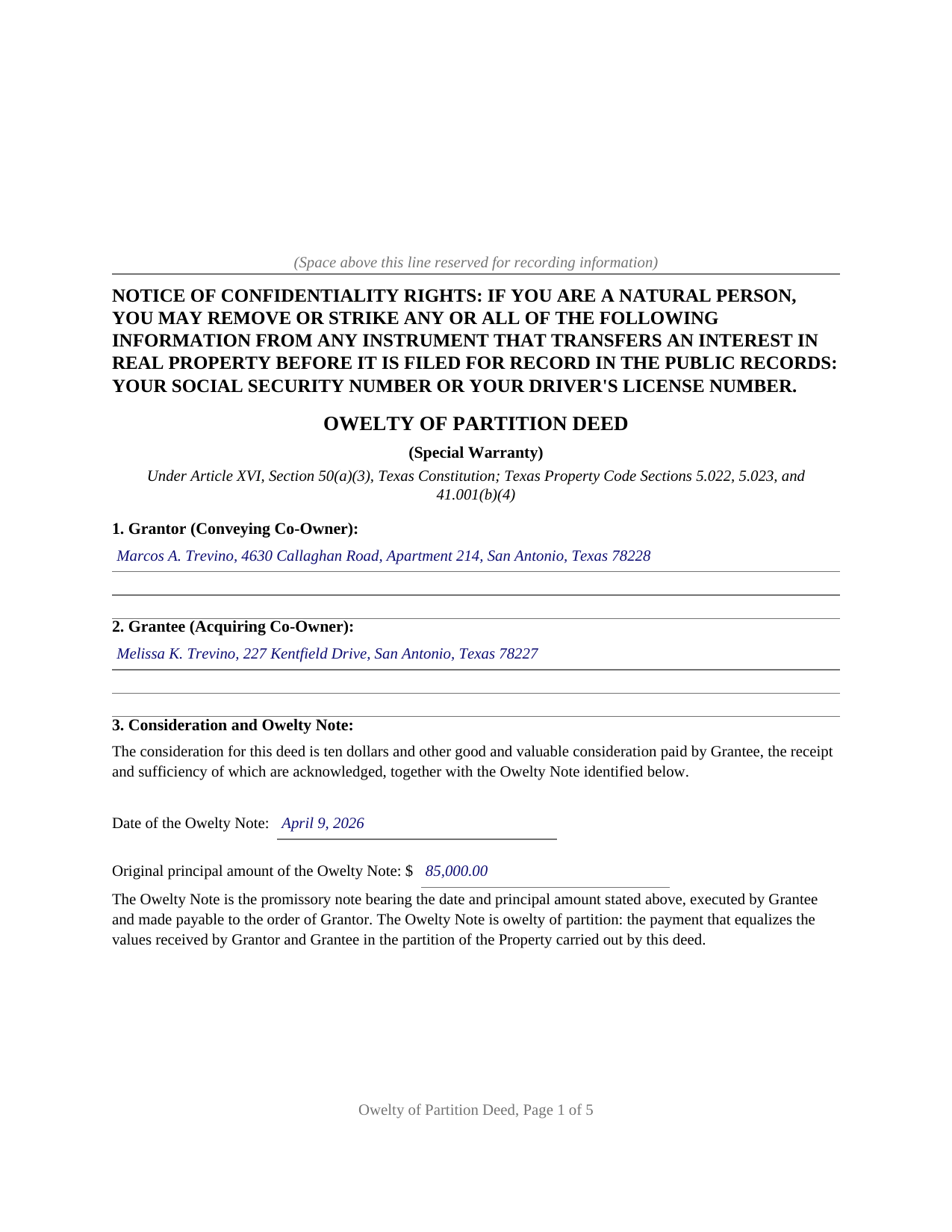
Henderson County Completed Example of the Owelty of Partition Deed Document
Example of a properly completed Texas Owelty of Partition Deed document for reference.
All 3 documents above included • One-time purchase • No recurring fees
Immediate Download • Secure Checkout
Additional Texas and Henderson County documents included at no extra charge:
Where to Record Your Documents
Henderson County Clerk
Athens, Texas 75751
Hours: Monday - Friday 8:00am - 5:00pm
Phone: (903) 675-6140
Recording Tips for Henderson County:
- Bring your driver's license or state-issued photo ID
- Ensure all signatures are in blue or black ink
- Avoid the last business day of the month when possible
- Both spouses typically need to sign if property is jointly owned
- Bring extra funds - fees can vary by document type and page count
Cities and Jurisdictions in Henderson County
Properties in any of these areas use Henderson County forms:
- Athens
- Brownsboro
- Chandler
- Eustace
- Larue
- Mabank
- Malakoff
- Murchison
- Poynor
- Trinidad
Hours, fees, requirements, and more for Henderson County
How do I get my forms?
Forms are available for immediate download after payment. The Henderson County forms will be in your account ready to download to your computer. An account is created for you during checkout if you don't have one. Forms are NOT emailed.
Are these forms guaranteed to be recordable in Henderson County?
Yes. Our form blanks are guaranteed to meet or exceed the applicable formatting requirements used for recording in Henderson County, including margin requirements, font requirements, and other layout standards. This guarantee applies to formatting, not to the legal sufficiency of information entered by the user or the suitability of a form for a particular transaction.
Can I reuse these forms?
Yes. You can reuse the forms for your personal use. For example, if you have multiple properties in Henderson County you only need to order once.
What do I need to use these forms?
The forms are PDFs that you fill out on your computer. The free Adobe Acrobat Reader is recommended, and most PDF apps also work. You do NOT enter your property information online - you download the blank forms and complete them privately on your own computer.
Are there any recurring fees?
No. This is a one-time purchase. Nothing to cancel, no memberships, no recurring fees.
How much does it cost to record in Henderson County?
Recording fees in Henderson County vary. Contact the recorder's office at (903) 675-6140 for current fees.
Questions answered? Let's get started!
Texas homestead law turns away nearly every lien a creditor can devise, and an owelty of partition lien is one of the few it admits. Article XVI, Section 50(a)(3) of the Texas Constitution excepts from homestead protection an owelty of partition imposed against the entirety of the property by a court order or by a written agreement of the parties to the partition, including a debt of one spouse in favor of the other resulting from the award of a family homestead in a divorce. This form prepares the deed built on that exception: one co-owner conveys an undivided interest to the other, and the deed retains an owelty of partition lien against the whole property to secure the equalizing payment.
Equality money, secured by the entire property
Owelty is an old word for the money that makes a division equal. When two owners split co-owned real estate and one keeps property worth more than that owner's share, the difference is owed as owelty, and partition law secures it with a lien on the share of greater value. The Texas Supreme Court described the power to award owelty as a necessary incident of partitioning property in Sayers v. Pyland (1942) and confirmed that the lien can arise in a voluntary partition by agreement, not only in a courtroom. What makes the owelty lien unusual is its reach: it attaches to the entirety of the property, including the interest the paying owner already held, and it holds even where the property is the paying owner's homestead.
Why the grantee signs too
Most deeds carry one signature. This one carries two, and the second is where the lien's constitutional footing lives. The exception reaches a lien imposed by a court order or by a written agreement of the parties to the partition, so the deed is drafted as that written agreement: the grantor conveys the undivided interest with a special warranty, retaining the owelty lien, and the grantee joins to agree in writing to the partition and to the imposition of the lien against the entirety of the property, the grantee's own original interest included. The deed provides a place to identify a divorce decree or separate partition agreement, and it states in capital letters that the lien holds until the owelty note is fully paid, at which time the deed becomes absolute.
The paperwork around the deed
The recorded deed travels with companions: the owelty note that states the payment terms, commonly a deed of trust to secure owelty of partition, and, at payoff, a recorded release of lien. Because a properly imposed owelty lien is valid against a homestead, Texas title and lending practice treats the buyout as secured financing rather than a home equity transaction. The deed records with the county clerk of the county where the property is located and carries the confidentiality notice of Property Code Section 11.008 on its first page.
The download includes the deed as a fillable PDF formatted to Texas recording standards, a completed example filled in for a Bexar County divorce fact pattern, and a plain language guide covering each numbered section, the two signature design, and recording. The materials describe the law in general terms and are not legal advice.
Important: Your property must be located in Henderson County to use these forms. Documents should be recorded at the county recording office listed above.
This Owelty of Partition Deed meets all recording requirements specific to Henderson County.
Our Promise
The documents you receive here are guaranteed to meet or exceed the applicable Henderson County recording format requirements. If there is a rejection caused by our formatting, we will correct the issue or refund your payment. This guarantee applies to document formatting only and does not extend to information entered by the user, the selection of the form, or the legal effect of the completed document.
Save Time and Money
Get your Henderson County Owelty of Partition Deed form done right the first time with Deeds.com Uniform Conveyancing Blanks. At Deeds.com, we understand that your time and money are valuable resources, and we don't want you to face a penalty fee or rejection imposed by a county recorder for submitting nonstandard documents. We constantly review and update our forms to meet rapidly changing state and county recording requirements for roughly 3,500 counties and local jurisdictions.
4.8 out of 5 - ( 4,828 Reviews )
Joel B. 5 out of 5 stars
I would have liked more room in the text fields for describing the potential claim. had to use Exhibit A. Could not delete Exhibit B. Alo would like to have a custom footer - not deeds.com. Unprofessional.
Thank you for your feedback. We really appreciate it. Have a great day!
Shirley C. 5 out of 5 stars
I liked that the documents could be filled in on my computer. All the documents came out nice, better than I expected really.
Thank you Shirley, we appreciate your feedback. Have a great day!
chris m. 5 out of 5 stars
Was warned by attorney that forms from internet have lots of mistakes. But after looking all over, took a chance on here. So far, I am satisfied, and actually happy that I got something that (I believe) meets my state and local requirements. Haven't filed the deed yet, or had to put it into effect, but being able to pick the local area, and have the relevant state law listed on the deed, gives me confidence. Also, got the whole package of possibly relevant forms, and a very good guide how to prep the deed with a sample completed deed - greatly appreciated!
We appreciate your business and value your feedback. Thank you. Have a wonderful day!
JOHN S. 5 out of 5 stars
They had everything for a living trust but the form to transfer your house into the living trust
We appreciate your business and value your feedback. Thank you. Have a wonderful day!
Sharom B. 5 out of 5 stars
Easy to navigate site and download forms to PC!
We appreciate your business and value your feedback. Thank you. Have a wonderful day!
Steve V. 5 out of 5 stars
This service is an amazing time saver. No more trips to the recorder's office. Well worth the service fee.
We are delighted to have been of service. Thank you for the positive review!
Robert L. 5 out of 5 stars
It was easy for me to open an account and upload a document for recording.
Thank you for your feedback. We really appreciate it. Have a great day!
Spencer A. 5 out of 5 stars
Deeds.com made it so easy to file my paper work with the county. It saved me half a days travel and cost me about a tank of gas. This service was well worth the saved travel time and energy. I would highly recommend this service to other individuals. The other companies I spoke with only service law firms, title companies & banks etc. Thanks deed.com, I'll be back and will refer all my friends too.
Thank you so much Spencer, we really appreciate your feedback!
Bruce C. 5 out of 5 stars
Easy to navigate. The guide and sample helped a lot, including the availability of "Exhibit A". Knowing your documents are guaranteed to be in the required format and the ease of using your forms has been a great service, Thank you!
Your feedback is greatly appreciated. Thank you for taking the time to share your experience!
Gregory B. 5 out of 5 stars
I believe you need more instruction on the use of the web site. I would type and nothing would appear on the form. When I tried to save a completed form I ended with a blank form with no detail.
Thank you!
Phillip B. 5 out of 5 stars
Nice. Quick and very easy to find and download the exact forms I needed.
Thank you for your feedback. We really appreciate it. Have a great day!
Joan L. W. 5 out of 5 stars
Excellent Service
Thank you!
SAMANTHA P. 5 out of 5 stars
Very easy very clear very informative of direct information stating the obvious and the underlining of both contexts. Right place for the right Tools to establish ,verify ,correct then guidance for not only myself, but for our legacy that should and will be live on to be know. Thank you deeds.com!
Thank you!
Lillian F. 5 out of 5 stars
I LOVE THE EASE OF GETTING THE INFORMATION I REQUESTED. YOUR SERVICE IS MORE THAN WHAT I EXPECTED.
We appreciate your business and value your feedback. Thank you. Have a wonderful day!
Nora T. 5 out of 5 stars
The forms are easy to fill in but too restricted for editing.
Thank you!