Lynn County Quitclaim Deed (Divorce) Form
Last validated October 7, 2026 by our Forms Development TeamFormatted for recording in Lynn County, for property anywhere in the county: rural and unincorporated areas as well as New Home, Odonnell, Tahoka, Wilson.
- 3 documents included
- Immediate PDF download
- Formatting guarantee
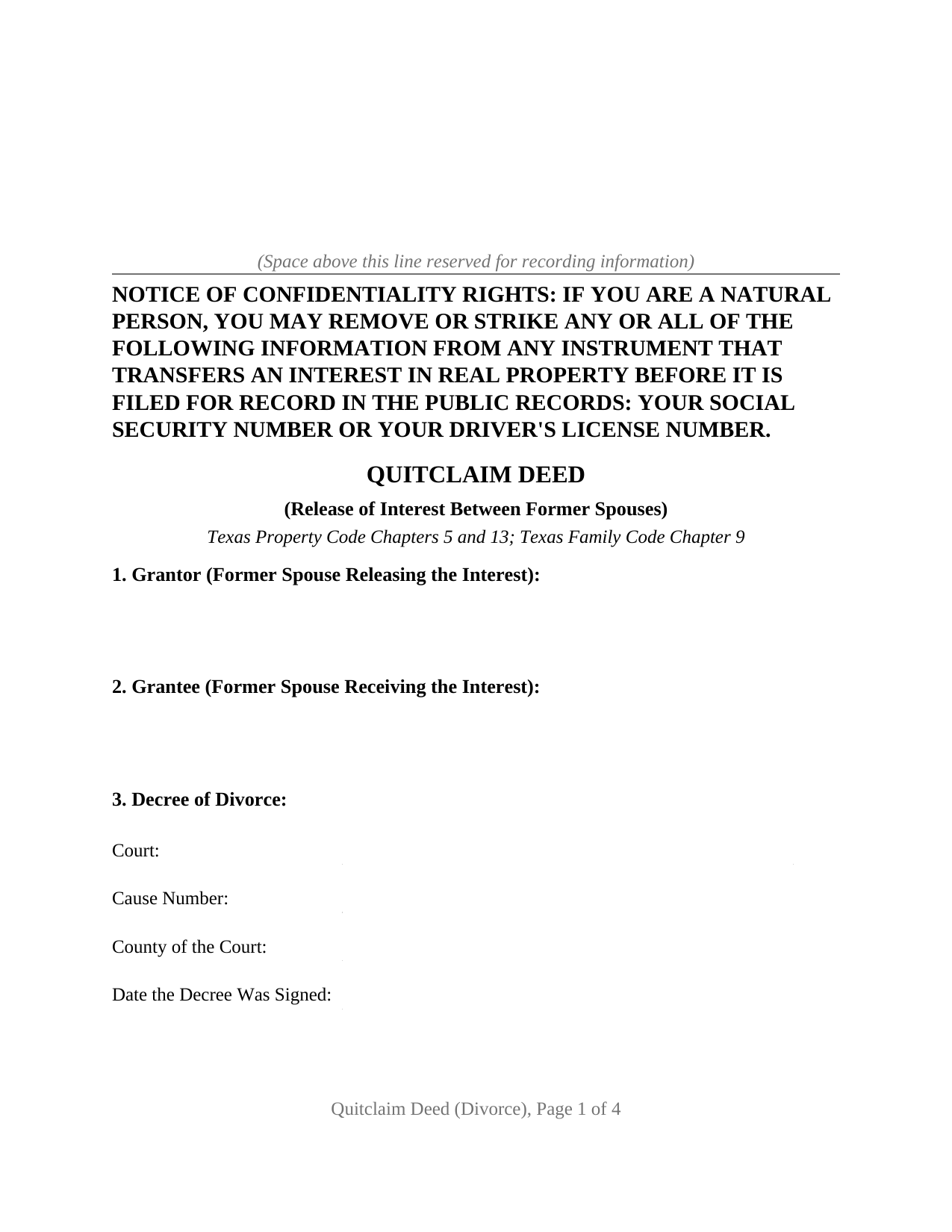
Lynn County Quitclaim Deed (Divorce) Form
Fill in the blank Quitclaim Deed (Divorce) form formatted to comply with all Texas recording and content requirements.
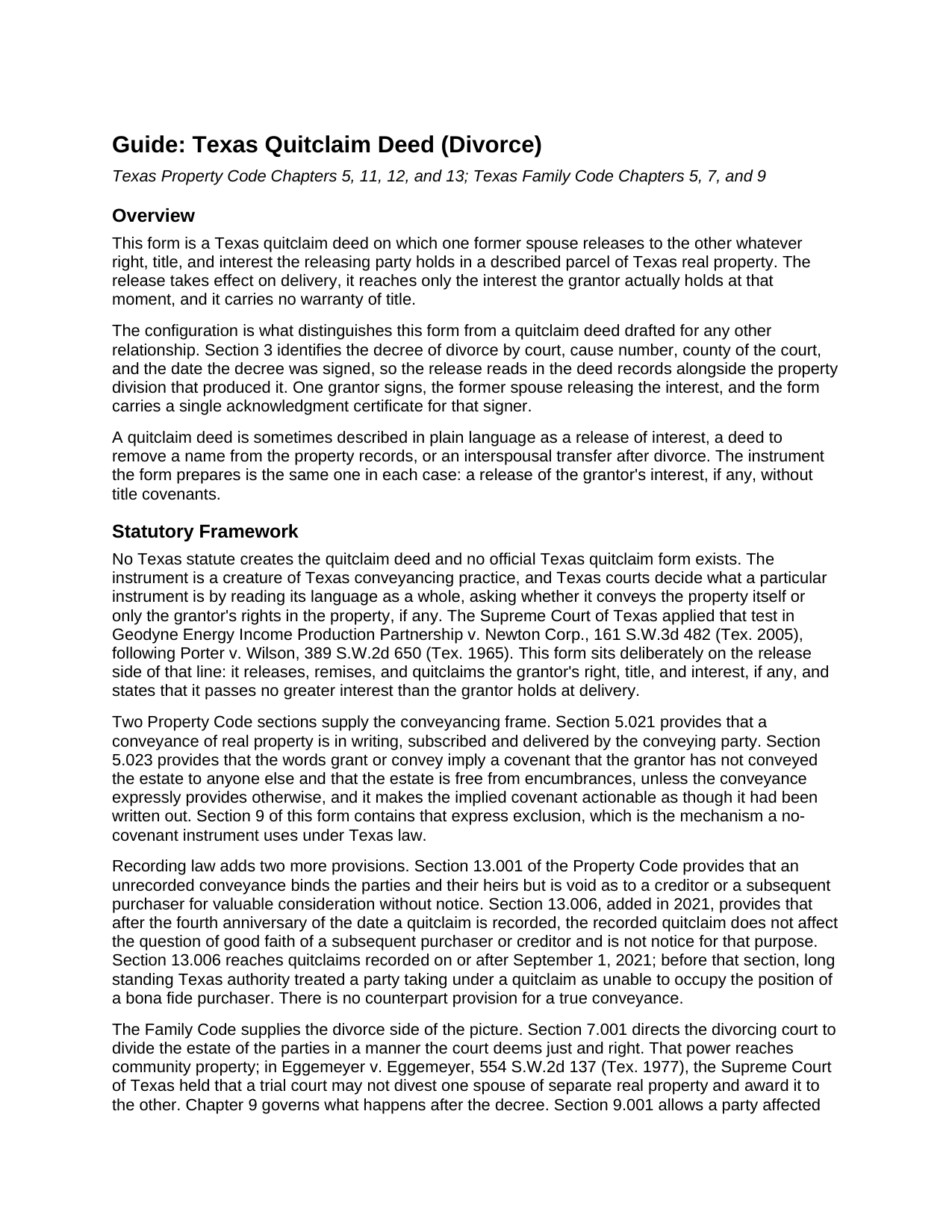
Lynn County Quitclaim Deed (Divorce) Guide
Line by line guide explaining every blank on the Quitclaim Deed (Divorce) form.
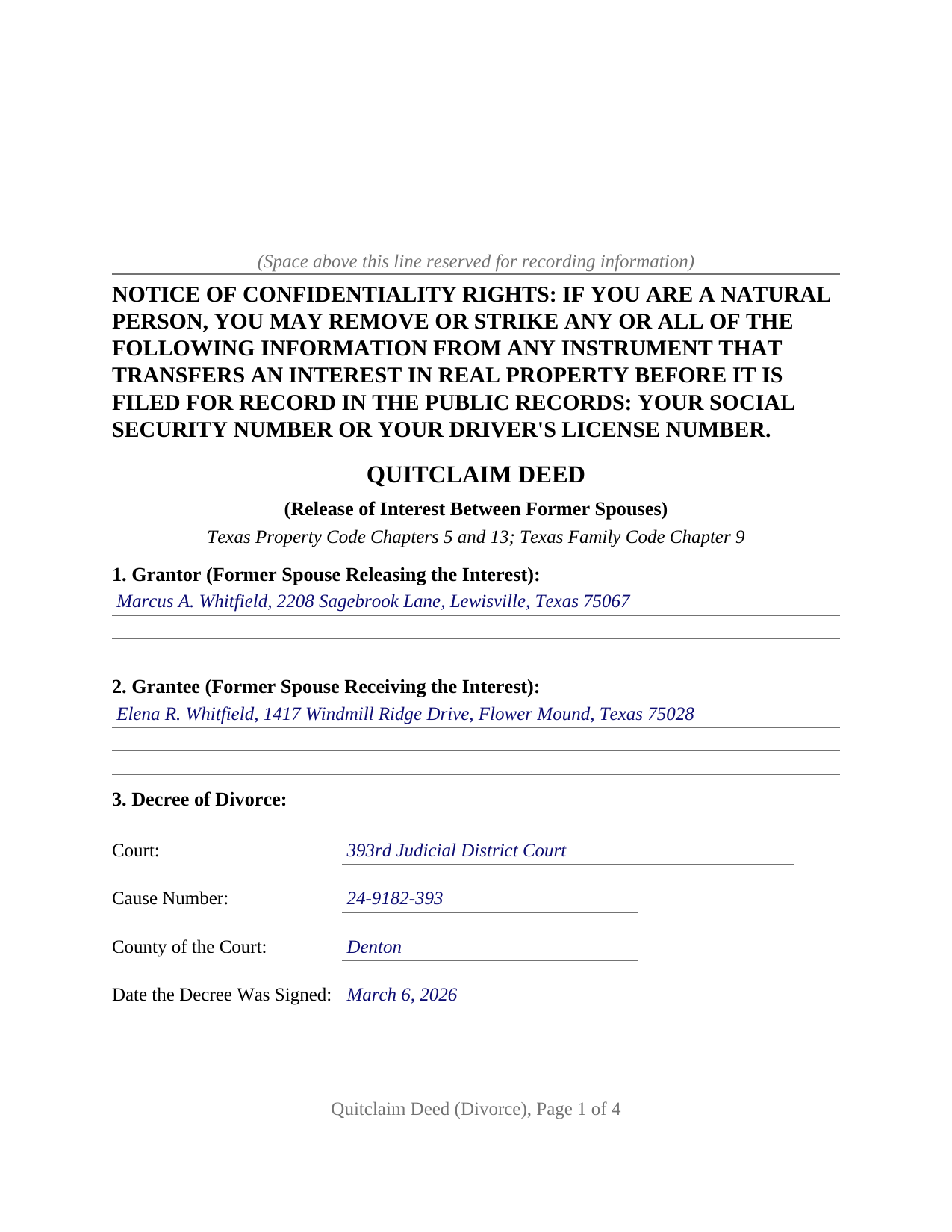
Lynn County Completed Example of the Quitclaim Deed (Divorce) Document
Example of a properly completed Texas Quitclaim Deed (Divorce) document for reference.
All 3 documents above included • One-time purchase • No recurring fees
Immediate Download • Secure Checkout
Additional Texas and Lynn County documents included at no extra charge:
Where to Record Your Documents
Lynn County Clerk
Tahoka, Texas 79373
Hours: Monday - Friday 8:30am - 12:00 & 1:00 - 5:00pm
Phone: (806) 561-4750
Recording Tips for Lynn County:
- Bring your driver's license or state-issued photo ID
- Ensure all signatures are in blue or black ink
- Leave recording info boxes blank - the office fills these
- Make copies of your documents before recording - keep originals safe
- Recorded documents become public record - avoid including SSNs
Cities and Jurisdictions in Lynn County
Properties in any of these areas use Lynn County forms:
- New Home
- Odonnell
- Tahoka
- Wilson
Hours, fees, requirements, and more for Lynn County
How do I get my forms?
Forms are available for immediate download after payment. The Lynn County forms will be in your account ready to download to your computer. An account is created for you during checkout if you don't have one. Forms are NOT emailed.
Are these forms guaranteed to be recordable in Lynn County?
Yes. Our form blanks are guaranteed to meet or exceed the applicable formatting requirements used for recording in Lynn County, including margin requirements, font requirements, and other layout standards. This guarantee applies to formatting, not to the legal sufficiency of information entered by the user or the suitability of a form for a particular transaction.
Can I reuse these forms?
Yes. You can reuse the forms for your personal use. For example, if you have multiple properties in Lynn County you only need to order once.
What do I need to use these forms?
The forms are PDFs that you fill out on your computer. The free Adobe Acrobat Reader is recommended, and most PDF apps also work. You do NOT enter your property information online - you download the blank forms and complete them privately on your own computer.
Are there any recurring fees?
No. This is a one-time purchase. Nothing to cancel, no memberships, no recurring fees.
How much does it cost to record in Lynn County?
Recording fees in Lynn County vary. Contact the recorder's office at (806) 561-4750 for current fees.
Questions answered? Let's get started!
Section 3 of this Texas quitclaim deed asks four things about a decree of divorce: the court that rendered it, the cause number, the county of that court, and the date the decree was signed. Those four lines are what set this version of the form apart. Everything after them releases whatever interest one former spouse holds in a described parcel to the other, on a single signature line, with no warranty of title attached to what passes.
Four lines that put the release beside the decree
A divorce court divides the marital estate. It does not update the index kept by the county clerk, and Texas leaves two routes for closing that gap. A certified copy of a decree drafted with the necessary terms may be filed in the real property records, which puts the decree's contents into public view. Alternatively, the former spouse being divested signs a deed, and the record changes without the decree ever being filed. This form takes the second route and names the decree on its own face, so an examiner reading the release years later finds the court, cause number, and date without hunting for them. The operative section adds that the deed neither modifies the decree nor enlarges any right it awards.
What a release reaches after a decree, and what it leaves alone
No statute creates the quitclaim deed in Texas. Courts read an instrument's own words and ask whether the language passes the land itself or only the signer's rights in it. This form sits squarely on the release side: it releases, remises, and quitclaims the grantor's right, title, and interest, if any, and it expressly excludes the covenants that Property Code Section 5.023 would otherwise imply from words of grant. Nothing greater than the interest held at delivery passes, and after acquired title stays behind. Family Code Section 7.001 gives a divorcing court power to divide the community estate, while Texas case law keeps separate real property outside that power, so a release covers exactly what the signer actually owned.
Debt is untouched. A release of an interest in land leaves the note and the deed of trust where they were, so a former spouse who signed a mortgage stays liable on it and the lien keeps burdening the parcel. Refinancing, assumption, or a lender release reach a loan; a deed does not.
One grantor, one grantee, one certificate
The form recites exactly two people, the same two the decree names: the former spouse releasing the interest and the former spouse receiving it. One signature block appears, with one acknowledgment certificate, because a quitclaim operates on the granting side alone and the receiving party signs nothing. No joining spouse block appears either. Family Code Section 5.001 conditions a homestead conveyance on the joinder of both spouses, and the decree recited in Section 3 has ended the marriage between the two parties on this deed, so that section supplies no joinder between them. Two arrangements present this configuration in the Texas records: a decree awarding the residence to one former spouse while the other signs a release, and a jointly titled parcel the decree left undivided, held afterward as a tenancy in common, that the parties settle between themselves. Sections 7 and 8 carry the vesting instrument and the exceptions the release is subject to.
Filing it, and the four year clock a quitclaim starts
Filing happens with the clerk of the county holding the land, which need not be the county of the divorce court. Formatting standards sit in Local Government Code Section 191.007, and a page outside them draws a doubled fee rather than a refusal. Since December 4, 2025, an individual handing an instrument across the counter presents photo identification, copied at no charge and kept confidential. One rule belongs to this instrument alone: under Property Code Section 13.006, a quitclaim filed on or after September 1, 2021 stops bearing on the good faith of a later purchaser or creditor once four years have run from the date of filing, so the filing date starts a clock a title examiner reads much later.
Included with the purchase are the fillable deed, a completed example worked through a Denton County release following a 2026 decree, and a plain language guide that walks from the decree lines to the clerk's counter, section by section. The materials are informational and are not legal advice.
Important: Your property must be located in Lynn County to use these forms. Documents should be recorded at the county recording office listed above.
This Quitclaim Deed (Divorce) meets all recording requirements specific to Lynn County.
Our Promise
The documents you receive here are guaranteed to meet or exceed the applicable Lynn County recording format requirements. If there is a rejection caused by our formatting, we will correct the issue or refund your payment. This guarantee applies to document formatting only and does not extend to information entered by the user, the selection of the form, or the legal effect of the completed document.
Save Time and Money
Get your Lynn County Quitclaim Deed (Divorce) form done right the first time with Deeds.com Uniform Conveyancing Blanks. At Deeds.com, we understand that your time and money are valuable resources, and we don't want you to face a penalty fee or rejection imposed by a county recorder for submitting nonstandard documents. We constantly review and update our forms to meet rapidly changing state and county recording requirements for roughly 3,500 counties and local jurisdictions.
4.8 out of 5 - ( 4,827 Reviews )
Yvette D. 5 out of 5 stars
Excellent service and customer support. Thank you for your help and time.
Thank you!
Wilfrid J. 5 out of 5 stars
It was fast and easy but it's really official
Thank you!
Ashley H. 5 out of 5 stars
Thank you for the quick response time messaging back and forth to get this completed, and also the fairly speedy e-recording! Excellent customer service!!!
We appreciate your business and value your feedback. Thank you. Have a wonderful day!
Robert F. 5 out of 5 stars
This service is excellent. I submitted a Quickclaim Deed so my home would be in the name of a Living Trust I had just created. This was my first attempted at any of this and the staff person, KVH, who reviewed my Deed was extremely helpful and quick to respond to any questions I had and to make sure the Deed had the correct information before submittal to the county for recording. I started the process one afternoon and by the next day, the Deed was submitted to, and recorded in, my county. I will use them again whenever needed.
We appreciate your business and value your feedback. Thank you. Have a wonderful day!
Robin G. 5 out of 5 stars
Easy to navigate! Will use your services again!
Thank you!
Richard R. 5 out of 5 stars
Kind of expensive for a 3 page item...but I received it pronto and it will fill the bill.
Thank you!
Martin B. 5 out of 5 stars
Excellent Detailed and clear Easy to use
We appreciate your business and value your feedback. Thank you. Have a wonderful day!
Thomas G. 5 out of 5 stars
fast and easy
Thank you!
steven l. 3 out of 5 stars
As a first time user and not having knowledge of how your site worked it was awkward to upload a file and not know what to do next. I found out there is nothing to do next but that after some time looking for a submit button or some kind of confirmation that I was doing the right thing. Ended up being very easy, just wasted time trying to figure out what to do when there was nothing left to do.
Thank you!
Charles K. 5 out of 5 stars
Was successful, I'm happy. Tks
Glad to hear everything went smoothly. Thanks for your feedback, Charles!
Betty Z. 5 out of 5 stars
Thank you so much for giving us a service so important to many. I will pass on this pertinent process to all who need it. again, thank you. bz
Thanks so much Betty. We appreciate you. Have a spectacular day!
Arthur H. 5 out of 5 stars
Deeds.com was informative, quick, and complete. Found everything I needed complete with instructions and examples. Easy to use and understand. And VERY reasonably priced.
We appreciate your business and value your feedback. Thank you. Have a wonderful day!
Eugenia T. 5 out of 5 stars
I am the Kent County Recorder of Deeds in Central Delaware. I am impressed by the accuracy of your website. All data you post is correct regarding forms, fees, etc. We have just spent several months researching Property Theft, using many cites from various sources. I just discovered your white paper on this subject, and it is excellent. It also covers a few things we did not, such as house flipping and immigrants. Congratulations!
Thank you for your kind words and thoughtful review! It's an honor to know that our resources have been valuable to the Kent County Recorder of Deeds. Your feedback is particularly meaningful to us, and we are glad that our white paper contributed to your research on Property Theft. We fully support your vital efforts to combat property theft and deed fraud, and if there's anything else we can assist you with or any further insights you'd like to share, please don't hesitate to reach out. Keep up the outstanding work!
Larry T. 5 out of 5 stars
Ordered a 'Gift Deed' form The 'Example' form was most helpful. The actual form was very detailed, and seemed to 'cover all the bases'
We appreciate your business and value your feedback. Thank you. Have a wonderful day!
Earline S. 5 out of 5 stars
Total package. Very prompt with complete instructions & example to complete forms. If you don't want to hire a lawyer, this is pretty simple & will bypass probate.
Thank you, we really appreciate your feedback.