Garza County Release of Collateral Transfer of Note and Lien Form
Last validated November 3, 2026 by our Forms Development TeamFormatted for recording in Garza County, for property anywhere in the county: rural and unincorporated areas as well as Justiceburg, Post.
- 3 documents included
- Immediate PDF download
- Formatting guarantee
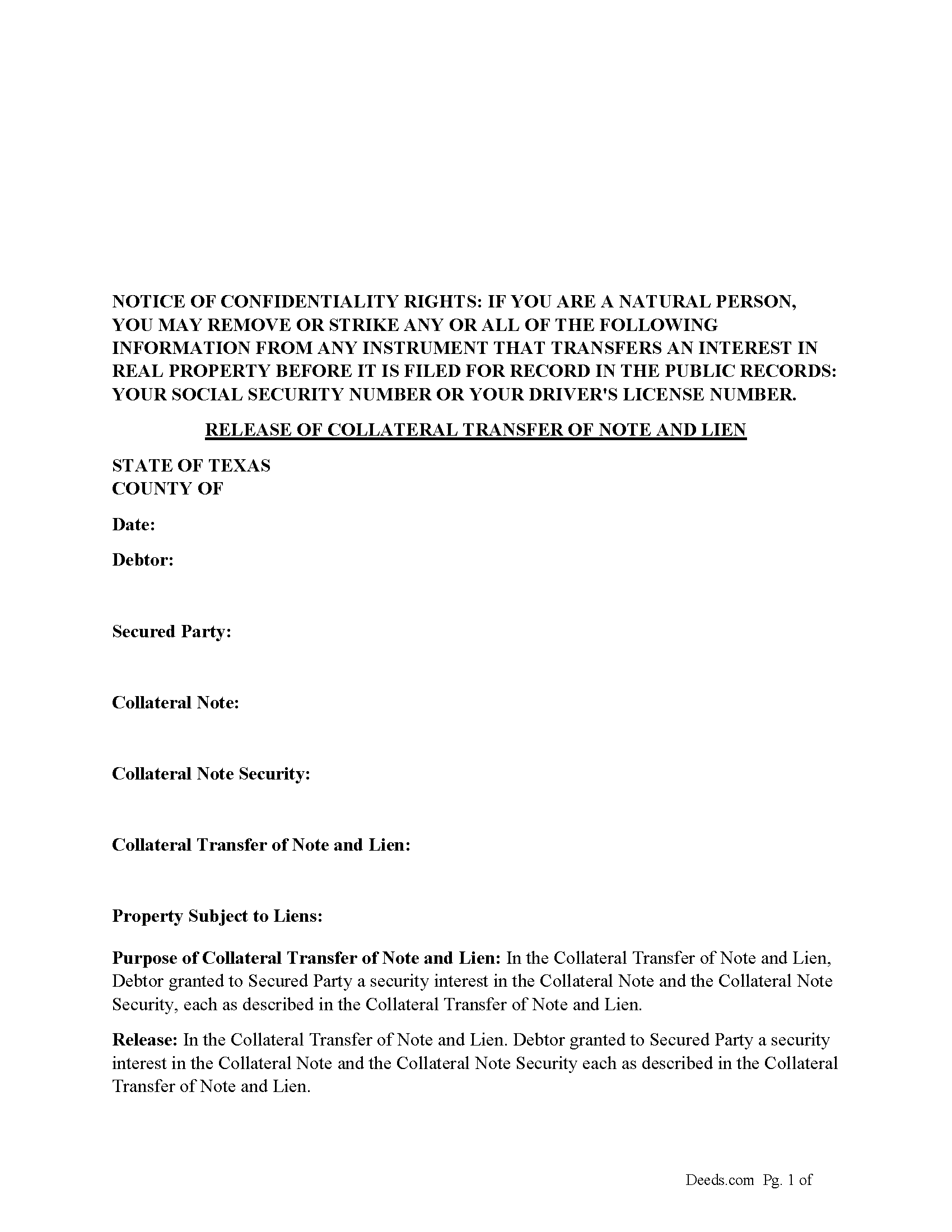
Garza County Release of Collateral Transfer of Note and Lien Form
Fill in the blank form formatted to comply with all recording and content requirements.
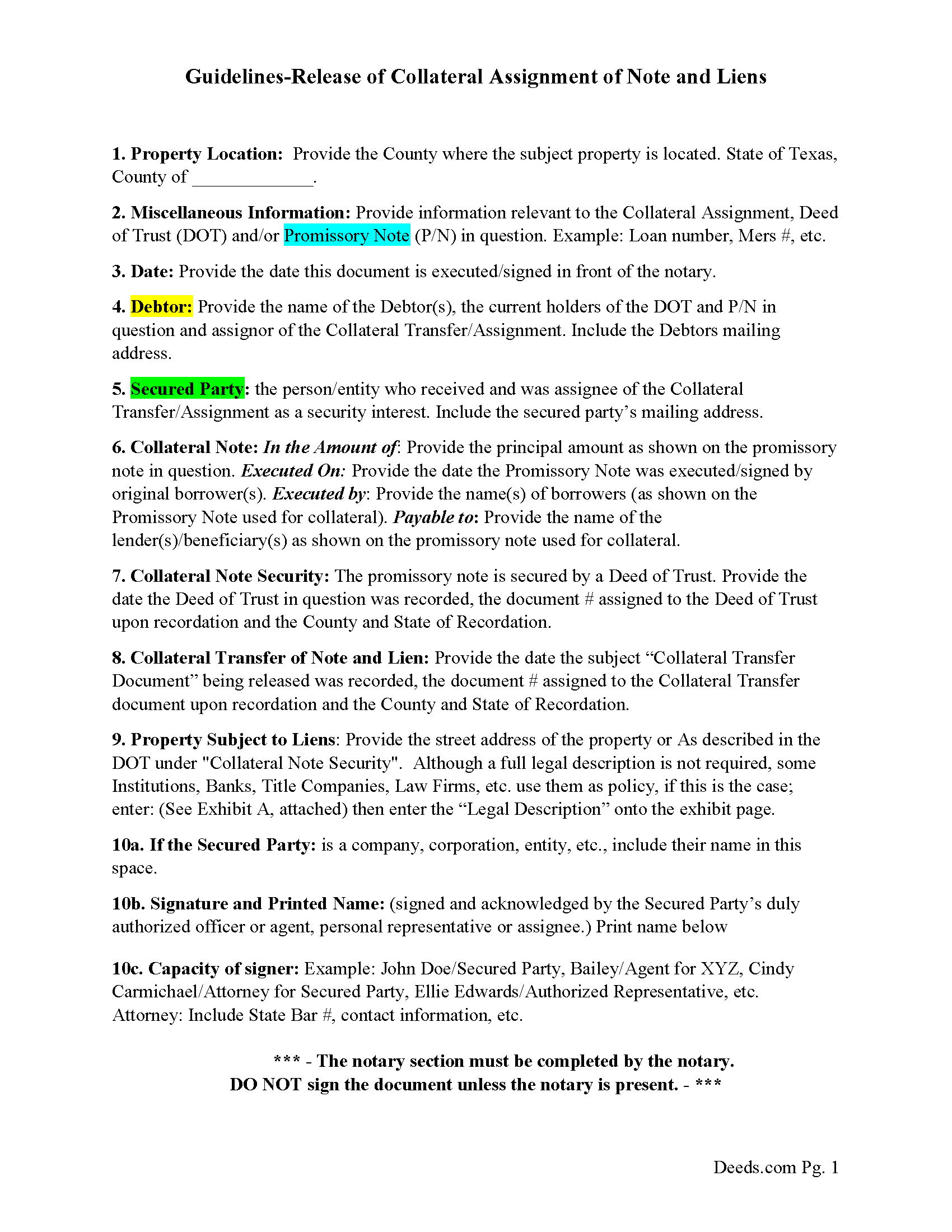
Garza County Guidelines for Release of Collateral Transfer of Note and Lien
Line by line guide explaining every blank on the form.
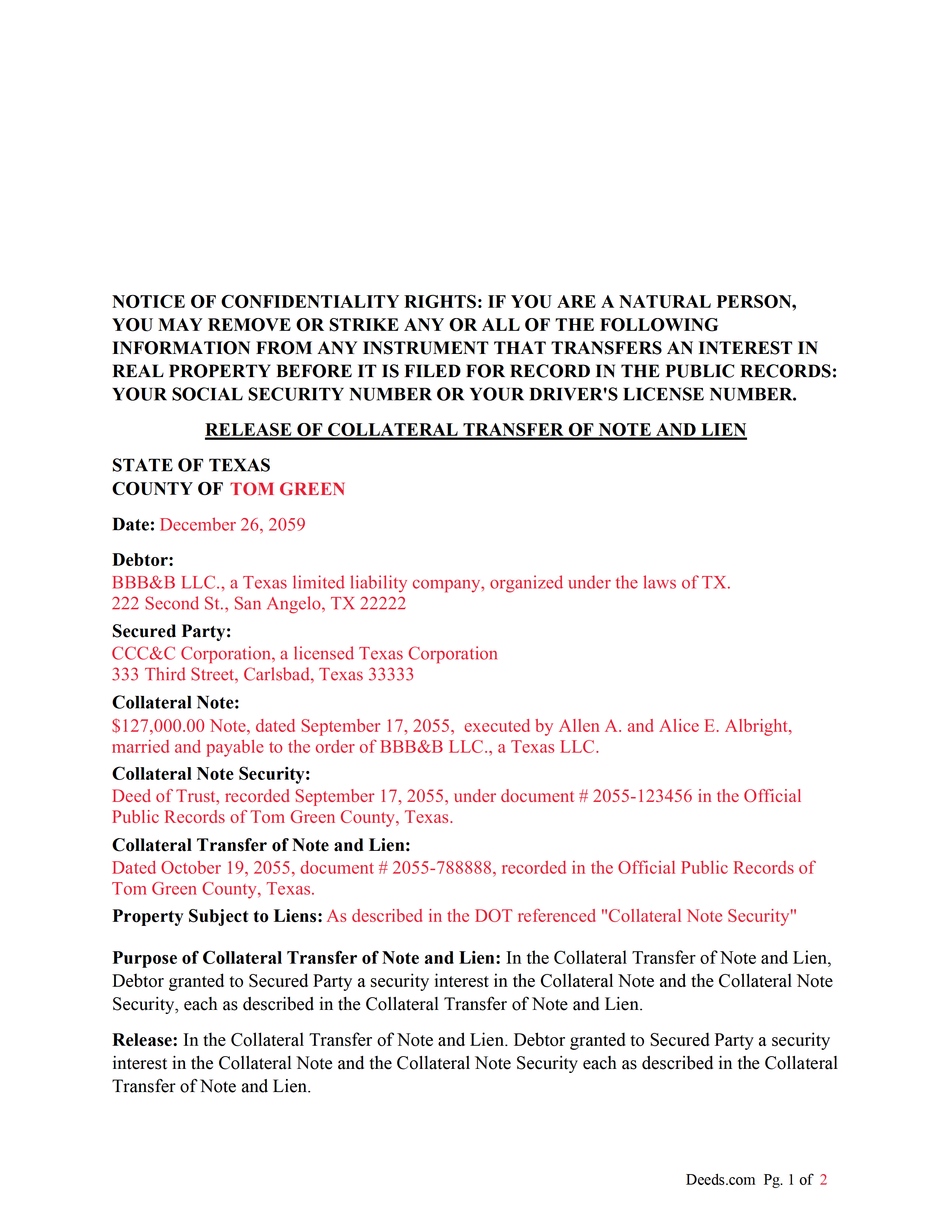
Garza County Completed Example of the Release of Collateral Transfer of Note and Lien Document
Example of a properly completed form for reference.
All 3 documents above included • One-time purchase • No recurring fees
Immediate Download • Secure Checkout
Additional Texas and Garza County documents included at no extra charge:
Where to Record Your Documents
Garza County Clerk - Courthouse
Post, Texas 79356
Hours: Monday - Friday 8:00am - 12:00 & 1:00 - 4:30pm
Phone: (806) 495-4430
Recording Tips for Garza County:
- Bring your driver's license or state-issued photo ID
- Ensure all signatures are in blue or black ink
- Documents must be on 8.5 x 11 inch white paper
- Double-check legal descriptions match your existing deed
- Verify all names are spelled correctly before recording
Cities and Jurisdictions in Garza County
Properties in any of these areas use Garza County forms:
- Justiceburg
- Post
Hours, fees, requirements, and more for Garza County
How do I get my forms?
Forms are available for immediate download after payment. The Garza County forms will be in your account ready to download to your computer. An account is created for you during checkout if you don't have one. Forms are NOT emailed.
Are these forms guaranteed to be recordable in Garza County?
Yes. Our form blanks are guaranteed to meet or exceed the applicable formatting requirements used for recording in Garza County, including margin requirements, font requirements, and other layout standards. This guarantee applies to formatting, not to the legal sufficiency of information entered by the user or the suitability of a form for a particular transaction.
Can I reuse these forms?
Yes. You can reuse the forms for your personal use. For example, if you have multiple properties in Garza County you only need to order once.
What do I need to use these forms?
The forms are PDFs that you fill out on your computer. The free Adobe Acrobat Reader is recommended, and most PDF apps also work. You do NOT enter your property information online - you download the blank forms and complete them privately on your own computer.
Are there any recurring fees?
No. This is a one-time purchase. Nothing to cancel, no memberships, no recurring fees.
How much does it cost to record in Garza County?
Recording fees in Garza County vary. Contact the recorder's office at (806) 495-4430 for current fees.
Questions answered? Let's get started!
This form is used by the secured party to release a collateral interest in a property, that was previously assigned and recorded with a "Collateral Transfer of Note and Lien" document, in which Debtor granted to Secured Party a security interest in the Collateral Note and the Collateral Note Security (typically a Deed of Trust), each as described in the Collateral Transfer of Note and Lien.
For use in Texas only.
Important: Your property must be located in Garza County to use these forms. Documents should be recorded at the county recording office listed above.
This Release of Collateral Transfer of Note and Lien meets all recording requirements specific to Garza County.
Our Promise
The documents you receive here are guaranteed to meet or exceed the applicable Garza County recording format requirements. If there is a rejection caused by our formatting, we will correct the issue or refund your payment. This guarantee applies to document formatting only and does not extend to information entered by the user, the selection of the form, or the legal effect of the completed document.
Save Time and Money
Get your Garza County Release of Collateral Transfer of Note and Lien form done right the first time with Deeds.com Uniform Conveyancing Blanks. At Deeds.com, we understand that your time and money are valuable resources, and we don't want you to face a penalty fee or rejection imposed by a county recorder for submitting nonstandard documents. We constantly review and update our forms to meet rapidly changing state and county recording requirements for roughly 3,500 counties and local jurisdictions.
4.8 out of 5 - ( 4,842 Reviews )
JoAnn L. 5 out of 5 stars
The process was easy, and efficient. There was a person available to help if needed. Very pleased, would use this again.
Thank you!
Connie B. 5 out of 5 stars
Needed to remove a deceased person from my mother's title. I live in another state. Deeds.com made it SO EASY to accomplish. I loved the example forms showing me how to fill out the forms that were provided. It went incredibly well at the County offices (all 3 departments!). Definitely will use Deeds.com again!
We appreciate your business and value your feedback. Thank you. Have a wonderful day!
Kathryn C. 5 out of 5 stars
I truly appreciate you and you service for all you do to help me ThankYou kathrynchertock
Thank you for your feedback. We really appreciate it. Have a great day!
Anne H. 5 out of 5 stars
After some initial general confusion -- (we sold a small piece of land privately and therefore do not typically prepare such documentation (!)) -- we were able to purchase and download all forms from Deeds.com and understand how to complete it/them. The help is all there, we just needed to read and study it - the "Example" helped alot. We were able to complete the Document per your online form(s) and then take it to be signed/notarized - and take the completed paper document to the Registry -- and it is now all registered and we are All Set. Took the morning (only). THANK YOU. A wonderful tool!!
We appreciate your business and value your feedback. Thank you. Have a wonderful day!
Richard W. 5 out of 5 stars
I found that the product wasn't what I was looking for. But ordering the product was smooth and easy and when I notified them it wasn't the right product for my situation, they promptly refunded my credit card. If looking for docs again, I will try deeds.com again.
Thank you!
Scott G. 5 out of 5 stars
Frankly, if our tax dollars were being used to run government "services" correctly, we wouldn't need Deeds.com Since the sun will burn out before government is run correctly, Deeds.com provides an important, efficient, time-saving service that, all things considered, offers big savings over time-and-soul-draining struggles with government agencies.
Your feedback is greatly appreciated. Thank you for taking the time to share your experience!
Biagio V. 5 out of 5 stars
Process was quick , through and completed with no problems. Excellent service for the price involved.
We appreciate your business and value your feedback. Thank you. Have a wonderful day!
Thomas Z. 5 out of 5 stars
Excellent site! Very informative and easy to navigate. I would highly recommend to anyone requiring documents in a quick and through fashion.
Thank you for your feedback. We really appreciate it. Have a great day!
Erik J. 5 out of 5 stars
First time using Deeds.com and feel that your platform is clear and easy to use. I was also pleased with the messaging center and follow-up and also surprised at how quickly our particular deed was recorded and available to view. Having said that, when I first investigated Deeds.com the fee was $15 and as of 1/1/21 it has increased to $19 which I feel is pretty steep for the handling of 1 simple document especially when the turnaround was basically the same day. Your fee was nearly the equivalent of the cost of the Clerk's recording fee. Perhaps you should offer a fee schedule for those of us who are not volume recorders. Just a thought.
Thank you!
Emy G. 5 out of 5 stars
Thank you for the form that help me.
Thank you for your kind words and for choosing us.
George A. M. 5 out of 5 stars
User friendly and fast to use. I was pleased with experience.
We appreciate your business and value your feedback. Thank you. Have a wonderful day!
Troy B. 4 out of 5 stars
Very pleased with website very simple to navigate through
Thank you for your feedback. We really appreciate it. Have a great day!
Carl T. 5 out of 5 stars
Awesome! Quick service and well worth the very minimal fee for the convenience of being able to quickly record my mothers will without having to leave the house. Also, our court is currently closed due to Covid. So happy to have found Deeds.com
We appreciate your business and value your feedback. Thank you. Have a wonderful day!
Lillian F. 5 out of 5 stars
Very well satisfy with my results. I could not ask for better service d
Thank you for your feedback. We really appreciate it. Have a great day!
Robert R. 5 out of 5 stars
Big savings and easy to use. Thanks so much.
We appreciate your business and value your feedback. Thank you. Have a wonderful day!