Sabine County Release of Lien - by Deed of Trust and Note Form
Last validated November 4, 2026 by our Forms Development TeamFormatted for recording in Sabine County, for property anywhere in the county: rural and unincorporated areas as well as Bronson, Hemphill, Milam, Pineland.
- 3 documents included
- Immediate PDF download
- Formatting guarantee
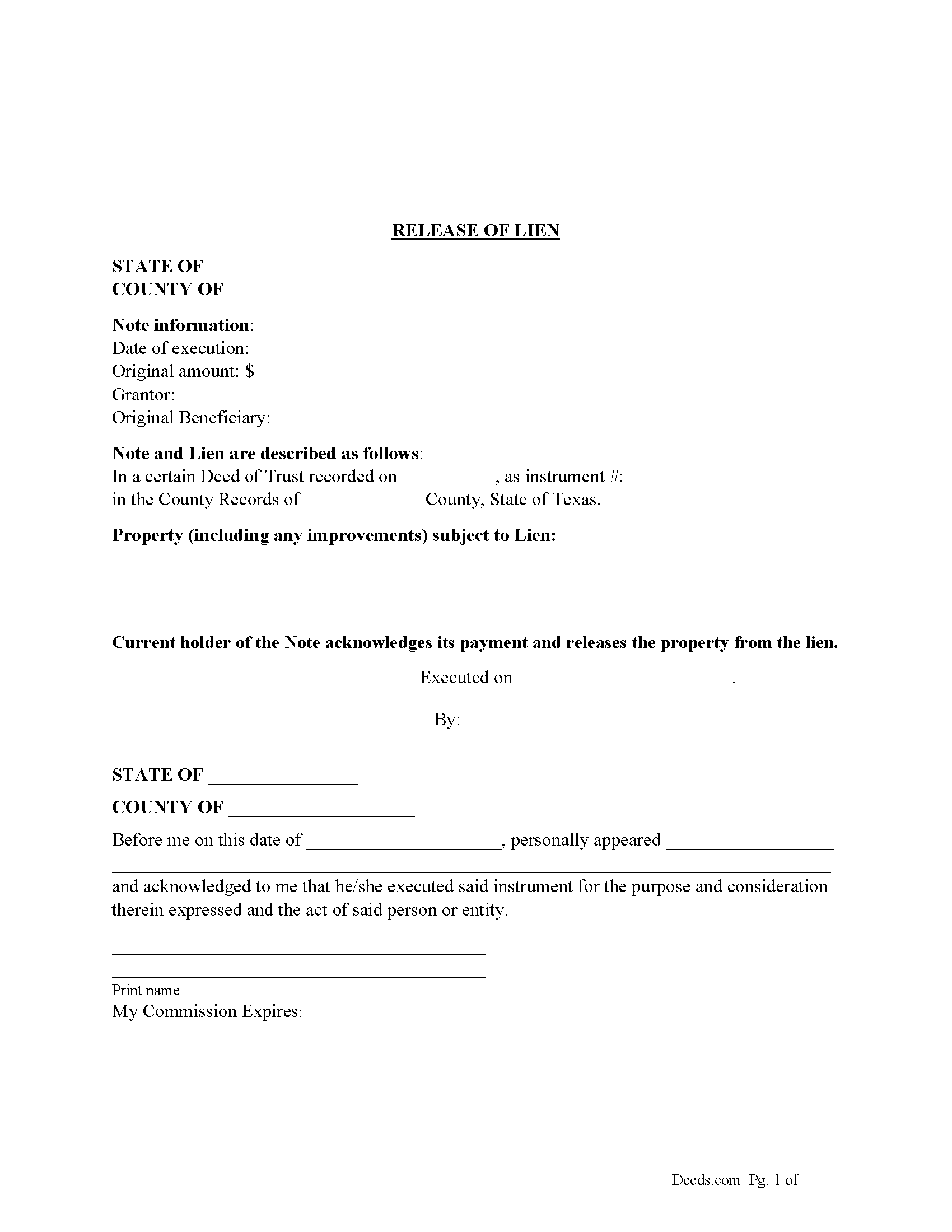
Sabine County Release of Lien Form
Fill in the blank form formatted to comply with all recording and content requirements.
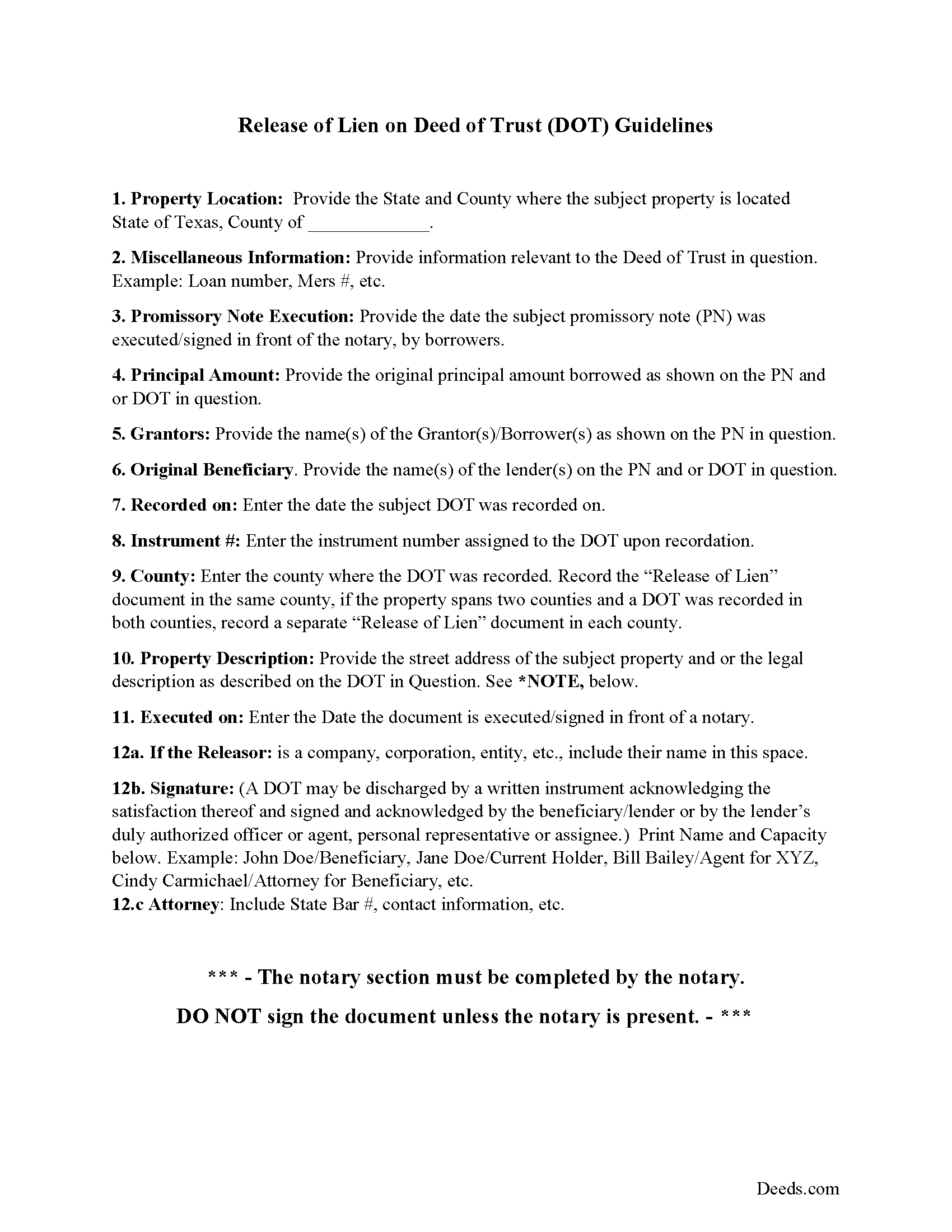
Sabine County Guidelines for Release of Lien
Line by line guide explaining every blank on the form.
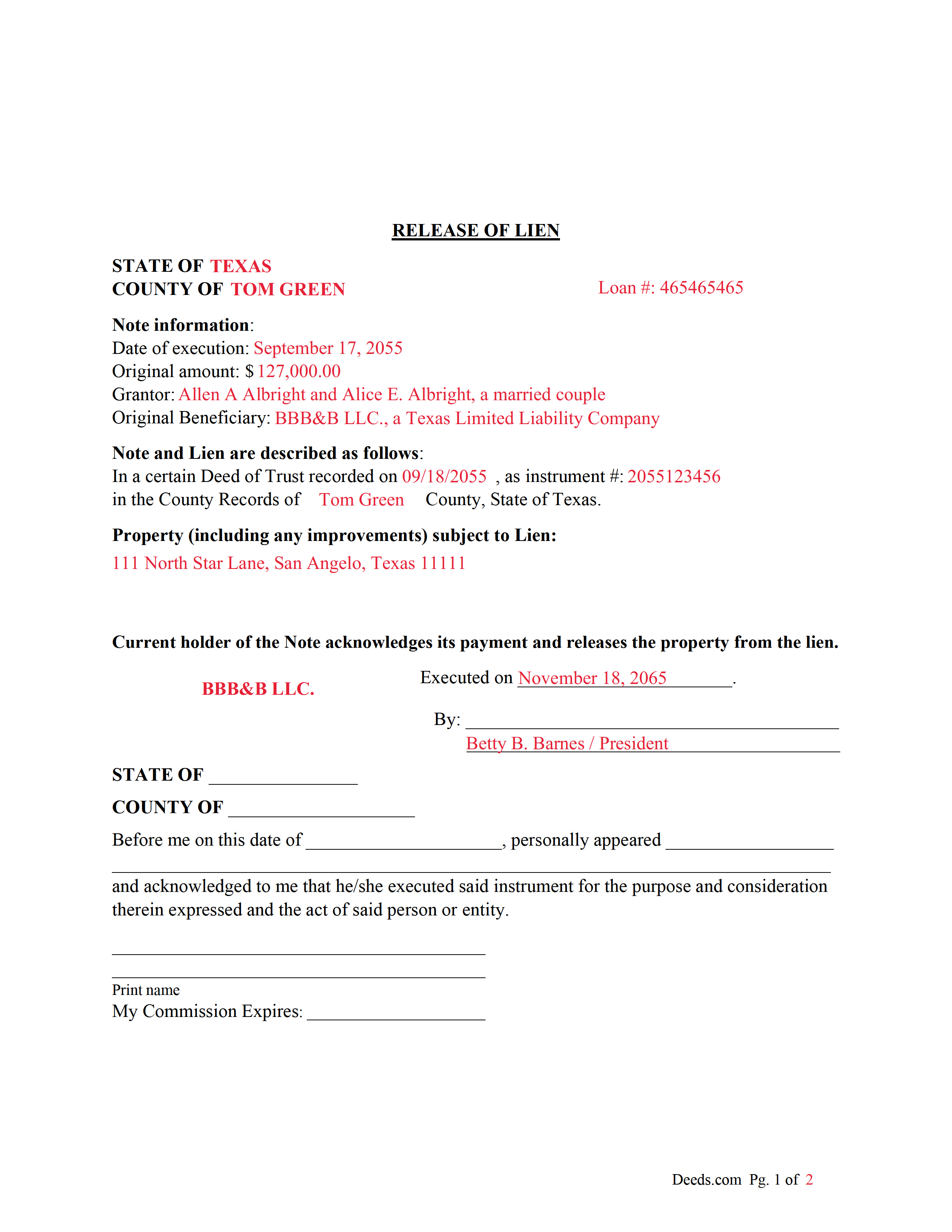
Sabine County Completed Example of the Release of Lien Document
Example of a properly completed form for reference.
All 3 documents above included • One-time purchase • No recurring fees
Immediate Download • Secure Checkout
Additional Texas and Sabine County documents included at no extra charge:
Where to Record Your Documents
Sabine County Clerk
Hemphill, Texas 75948
Hours: 8:00am to 4:00pm M-F
Phone: (409) 787-3786
Recording Tips for Sabine County:
- Bring your driver's license or state-issued photo ID
- Ensure all signatures are in blue or black ink
- Verify all names are spelled correctly before recording
- White-out or correction fluid may cause rejection
- Ask about their eRecording option for future transactions
Cities and Jurisdictions in Sabine County
Properties in any of these areas use Sabine County forms:
- Bronson
- Hemphill
- Milam
- Pineland
Hours, fees, requirements, and more for Sabine County
How do I get my forms?
Forms are available for immediate download after payment. The Sabine County forms will be in your account ready to download to your computer. An account is created for you during checkout if you don't have one. Forms are NOT emailed.
Are these forms guaranteed to be recordable in Sabine County?
Yes. Our form blanks are guaranteed to meet or exceed the applicable formatting requirements used for recording in Sabine County, including margin requirements, font requirements, and other layout standards. This guarantee applies to formatting, not to the legal sufficiency of information entered by the user or the suitability of a form for a particular transaction.
Can I reuse these forms?
Yes. You can reuse the forms for your personal use. For example, if you have multiple properties in Sabine County you only need to order once.
What do I need to use these forms?
The forms are PDFs that you fill out on your computer. The free Adobe Acrobat Reader is recommended, and most PDF apps also work. You do NOT enter your property information online - you download the blank forms and complete them privately on your own computer.
Are there any recurring fees?
No. This is a one-time purchase. Nothing to cancel, no memberships, no recurring fees.
How much does it cost to record in Sabine County?
Recording fees in Sabine County vary. Contact the recorder's office at (409) 787-3786 for current fees.
Questions answered? Let's get started!
This form used to release a lien placed on real property by a previously recorded Deed of Trust. The current holder/lender or representative signs the Release of Lien document, acknowledging payment and release of the lien.
(Texas Release of Lien Package includes form, guidelines, and completed example) For use in Texas only.
Important: Your property must be located in Sabine County to use these forms. Documents should be recorded at the county recording office listed above.
This Release of Lien - by Deed of Trust and Note meets all recording requirements specific to Sabine County.
Our Promise
The documents you receive here are guaranteed to meet or exceed the applicable Sabine County recording format requirements. If there is a rejection caused by our formatting, we will correct the issue or refund your payment. This guarantee applies to document formatting only and does not extend to information entered by the user, the selection of the form, or the legal effect of the completed document.
Save Time and Money
Get your Sabine County Release of Lien - by Deed of Trust and Note form done right the first time with Deeds.com Uniform Conveyancing Blanks. At Deeds.com, we understand that your time and money are valuable resources, and we don't want you to face a penalty fee or rejection imposed by a county recorder for submitting nonstandard documents. We constantly review and update our forms to meet rapidly changing state and county recording requirements for roughly 3,500 counties and local jurisdictions.
4.8 out of 5 - ( 4,858 Reviews )
Stephen M. 5 out of 5 stars
The process to record took five minutes of my time, and within 45 minutes, my document was recorded! Simple, efficient and affordable! Thanks!
Thank you for your feedback. We really appreciate it. Have a great day!
Dagmar R. 5 out of 5 stars
Great Service, very helpful and knowledgeable.
Thank you for your feedback. We really appreciate it. Have a great day!
LANDON C. 5 out of 5 stars
Process was simple, with a reasonable fee and within the suggested timetable for recordation. I highly recommend Deeds.com
Thank you!
Shelton S. 5 out of 5 stars
This site provided everything I needed to get the job done. Next step is a trip to the County Clerk!
We deeply appreciate the trust you have placed in our services. Thank you for your valuable feedback and for choosing us.
Bernadette W. 5 out of 5 stars
It was very easy to use the website. I wish there was an option to pay for multiple documents at once instead of having to pay for each one individually.
We appreciate your business and value your feedback. Thank you. Have a wonderful day!
Gordon J. 5 out of 5 stars
The experience was generally very satisfactory. I was able to fill out the Trust Deed and send it via email no problem. However, I was not able to send the filled out form of the Note. It always erased my fill-ins when it was sent. I found that very frustrating.
Thank you, Gordon. Glad the Trust Deed worked well. Issues like the one you reported with the Note can sometimes be related to how the file is opened or sent. Using Adobe Reader to fill, save, and send the form is recommended. We also pass along all feedback like this to our team to confirm there are no issues.
Wes C. 5 out of 5 stars
The forms are easy to use and the examples and guidance are easy to understand and follow.
Thank you for your feedback. We really appreciate it. Have a great day!
FRANCIS P. 5 out of 5 stars
Finding what I needed was easy. The payment process was easy. Using what I found was easy. Easy-peasy and GREAT results. Professional and succinct all for the price of a steak dinner. I'll be back to DEEDS.COM when I need any paperwork/forms related to deeds.
Thank you for your feedback. We really appreciate it. Have a great day!
Timothy M. 5 out of 5 stars
I like what I see so far!
Thank you!
Gina M. 5 out of 5 stars
Wow, great forms. They do have some protections in place to keep you from doing something stupid but if you use the forms as intended they will work perfectly for you.
Thank you for your feedback. We really appreciate it. Have a great day!
Alan K. 5 out of 5 stars
All I needed was a simple Certificate of Trust. Deeds.com had a template for exactly what I needed. I didn't have to make an appt with an attorney, wait for one to be available, nor pay a ridiculous amount for a standardized document. Super easy.
Thank you for your feedback. We really appreciate it. Have a great day!
Thomas E. 4 out of 5 stars
For the most part the process went smoothly. However, I have some suggestions to make the photo verification process better. 1) State up front that you must configure your appearance to conform with the photo on your state issued ID. In other words, take off you glasses if you are not wearing them in the photo. I know you issued that suggestion AFTER a couple of failed attempts. 2) I do not need glasses for driving, but I do need them for reading and close up work. I had difficulty reading the instructions about turning my head right and left on the screen without my glasses.
Thank you, Thomas. Both suggestions are fair and we have passed them along for the ID verification step. Glad the rest of the process went smoothly.
William G M. 5 out of 5 stars
This site is very easy to use.
Thank you!
Carla F. 5 out of 5 stars
Forms were easily accessible along with guides. Great resource. Thank you.
We appreciate your business and value your feedback. Thank you. Have a wonderful day!
James G. 5 out of 5 stars
Very Happy. Forms saved me from making some very silly mistakes had I done them on my own.
Thank you!