Lamb County Release of Lien (Owelty of Partition) Form
Last validated October 5, 2026 by our Forms Development TeamFormatted for recording in Lamb County, for property anywhere in the county: rural and unincorporated areas as well as Amherst, Earth, Fieldton, Littlefield, Olton, Spade, Springlake, Sudan.
- 3 documents included
- Immediate PDF download
- Formatting guarantee
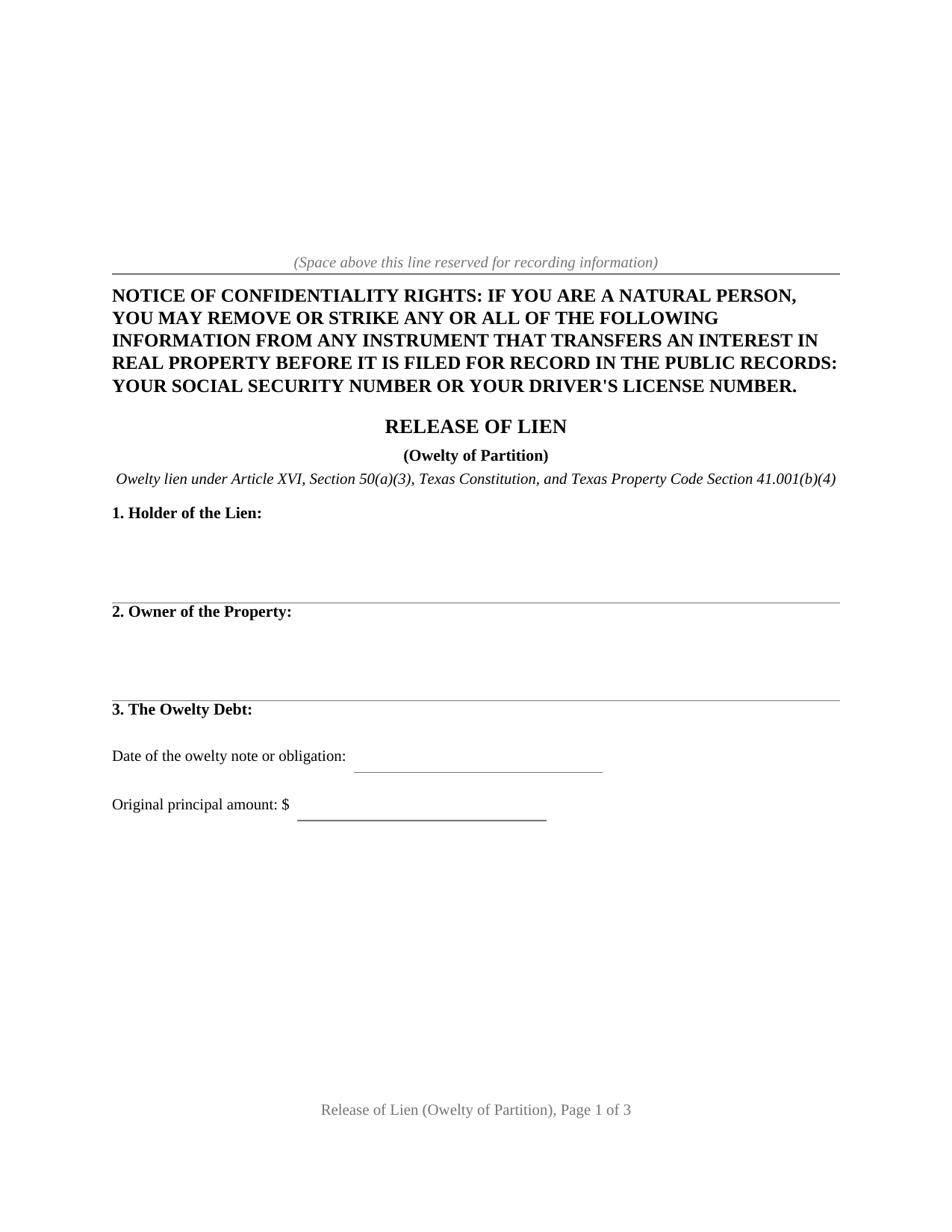
Lamb County Release of Lien (Owelty of Partition) Form
Fill in the blank Release of Lien (Owelty of Partition) form formatted to comply with all Texas recording and content requirements.
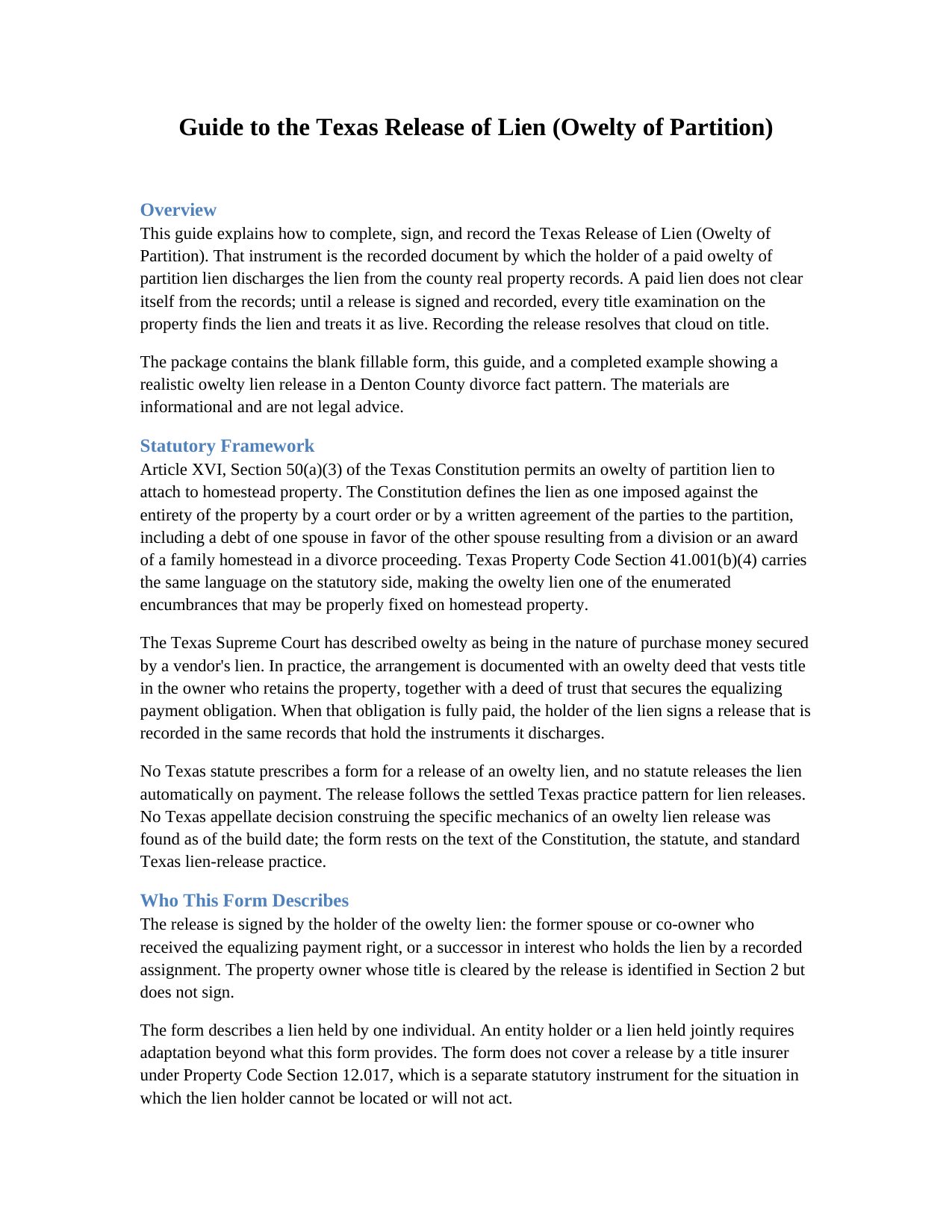
Lamb County Release of Lien (Owelty of Partition) Guide
Line by line guide explaining every blank on the Release of Lien (Owelty of Partition) form.
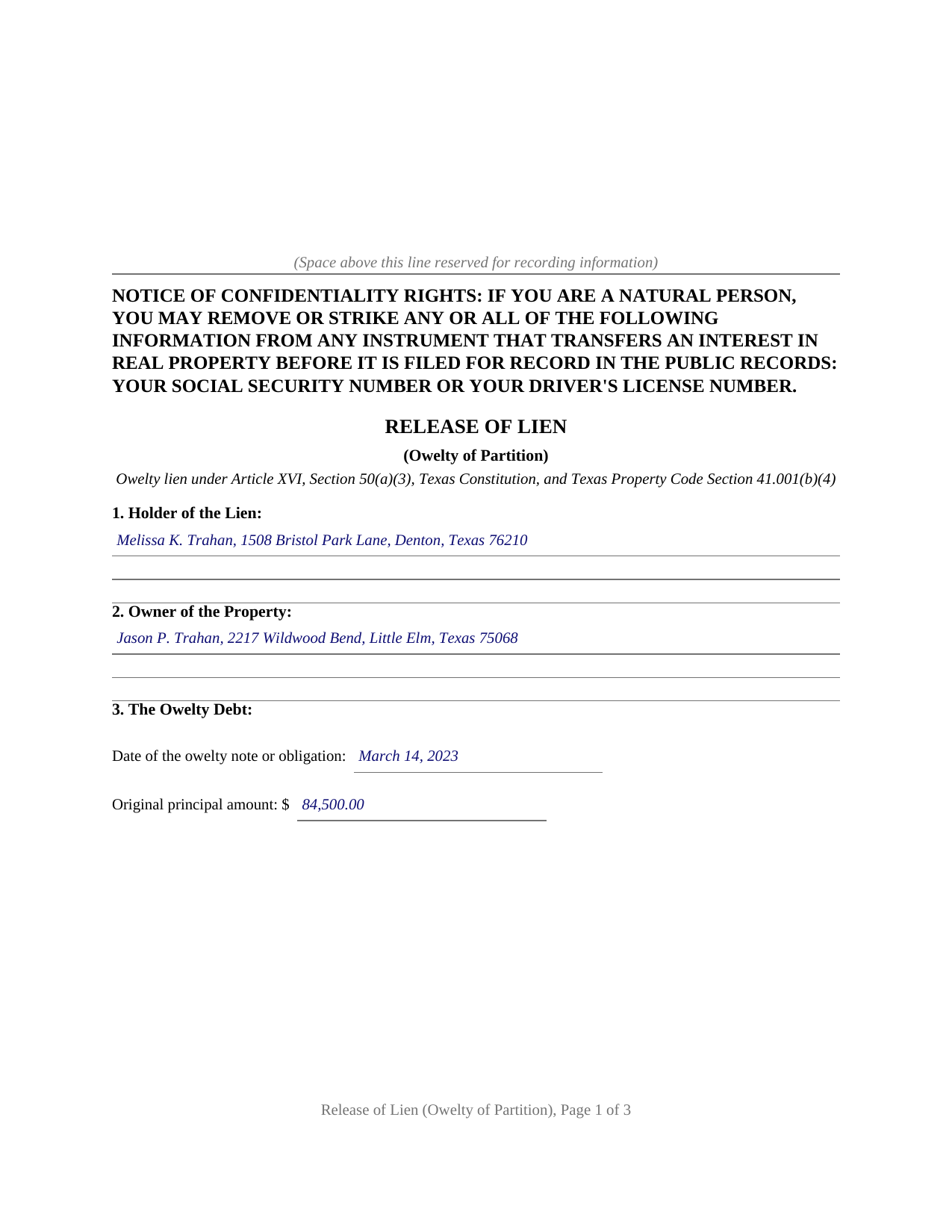
Lamb County Completed Example of the Release of Lien (Owelty of Partition) Document
Example of a properly completed Texas Release of Lien (Owelty of Partition) document for reference.
All 3 documents above included • One-time purchase • No recurring fees
Immediate Download • Secure Checkout
Additional Texas and Lamb County documents included at no extra charge:
Where to Record Your Documents
County Clerk's Office - Courthouse
Littlefield, Texas 79339
Hours: Monday - Friday 8:00am - 12:00 & 1:00 - 5:00pm
Phone: (806) 385-4222 x210 and 214
Recording Tips for Lamb County:
- Bring your driver's license or state-issued photo ID
- Ensure all signatures are in blue or black ink
- Check margin requirements - usually 1-2 inches at top
- Leave recording info boxes blank - the office fills these
- Make copies of your documents before recording - keep originals safe
Cities and Jurisdictions in Lamb County
Properties in any of these areas use Lamb County forms:
- Amherst
- Earth
- Fieldton
- Littlefield
- Olton
- Spade
- Springlake
- Sudan
Hours, fees, requirements, and more for Lamb County
How do I get my forms?
Forms are available for immediate download after payment. The Lamb County forms will be in your account ready to download to your computer. An account is created for you during checkout if you don't have one. Forms are NOT emailed.
Are these forms guaranteed to be recordable in Lamb County?
Yes. Our form blanks are guaranteed to meet or exceed the applicable formatting requirements used for recording in Lamb County, including margin requirements, font requirements, and other layout standards. This guarantee applies to formatting, not to the legal sufficiency of information entered by the user or the suitability of a form for a particular transaction.
Can I reuse these forms?
Yes. You can reuse the forms for your personal use. For example, if you have multiple properties in Lamb County you only need to order once.
What do I need to use these forms?
The forms are PDFs that you fill out on your computer. The free Adobe Acrobat Reader is recommended, and most PDF apps also work. You do NOT enter your property information online - you download the blank forms and complete them privately on your own computer.
Are there any recurring fees?
No. This is a one-time purchase. Nothing to cancel, no memberships, no recurring fees.
How much does it cost to record in Lamb County?
Recording fees in Lamb County vary. Contact the recorder's office at (806) 385-4222 x210 and 214 for current fees.
Questions answered? Let's get started!
Texas homestead law turns away almost every lien a creditor can devise, and the short constitutional list of exceptions makes the ones it admits distinctive. The owelty of partition lien is on that list: the lien that secures an equalizing payment when co-owned property is divided unevenly, most often when a divorce decree awards the home to one spouse and a buyout sum to the other. This form prepares the instrument that ends that arrangement, a release of lien signed by the holder after the owelty debt is paid and recorded with the county clerk.
The lien Texas homestead law lets through
Article XVI, Section 50(a)(3) of the Texas Constitution permits an owelty of partition imposed against the entirety of the property by a court order or by a written agreement of the parties to the partition, including a debt of one spouse in favor of the other resulting from a division or an award of a family homestead in a divorce proceeding. Property Code Section 41.001(b)(4) carries the same language on the statutory side. The Texas Supreme Court has long treated owelty as being in the nature of purchase money secured by a vendor's lien, which is why the arrangement is documented like a financing: an owelty deed, an owelty deed of trust against the whole property, and, when the debt is paid, a release.
Paid off is not the same as released
Payment satisfies the debt, but the county records do not know it happened. The recorded owelty deed of trust stays of record indefinitely, and a title examiner handling a later sale or refinance finds it and looks for a discharge. Until a release is recorded, the records show a live lien against the property. The release closes that gap: it identifies the owelty note, the deed of trust by its recording information, and the decree or partition agreement that created the equalization, then states that the debt is paid in full and that the holder releases, satisfies, and discharges every lien securing it, including any vendor's lien and any constitutional owelty lien.
Who signs, and who does not
The release runs from the holder of the lien alone: the former spouse or co-owner named in the owelty instruments, or a lender that took the lien by a recorded transfer at refinance. The property owner is identified in the instrument but does not sign it, and no joinder of the holder's spouse applies, since releasing a lien on another person's property is not a conveyance of the holder's homestead. The holder signs once, before a notary, and the form carries a complete acknowledgment certificate ready for recording.
Recording with the county clerk
The release is recorded in the county where the property is located, the same records that hold the lien it discharges, and the confidentiality notice required by Property Code Section 11.008 appears at the top of the first page. The package includes the blank release as a fillable PDF, a plain language guide that walks through each numbered section and the recording step, and a completed example showing the entire instrument filled in for a realistic Denton County divorce fact pattern. The materials are informational and are not legal advice; a Texas attorney can apply the law to a particular decree or title.
Important: Your property must be located in Lamb County to use these forms. Documents should be recorded at the county recording office listed above.
This Release of Lien (Owelty of Partition) meets all recording requirements specific to Lamb County.
Our Promise
The documents you receive here are guaranteed to meet or exceed the applicable Lamb County recording format requirements. If there is a rejection caused by our formatting, we will correct the issue or refund your payment. This guarantee applies to document formatting only and does not extend to information entered by the user, the selection of the form, or the legal effect of the completed document.
Save Time and Money
Get your Lamb County Release of Lien (Owelty of Partition) form done right the first time with Deeds.com Uniform Conveyancing Blanks. At Deeds.com, we understand that your time and money are valuable resources, and we don't want you to face a penalty fee or rejection imposed by a county recorder for submitting nonstandard documents. We constantly review and update our forms to meet rapidly changing state and county recording requirements for roughly 3,500 counties and local jurisdictions.
4.8 out of 5 - ( 4,845 Reviews )
arturo b d. 5 out of 5 stars
just what I needed...thanks
Thank you!
Kevin B. 4 out of 5 stars
It looks like it can be a huge time saver. I did a deed and appeared very professional.
Thank you for your feedback. We really appreciate it. Have a great day!
Virginia W. 5 out of 5 stars
Easy instructions and a example on how to fill out the form.
Thank you for your feedback. We really appreciate it. Have a great day!
Norma C. 5 out of 5 stars
Great service and process for recording deeds quickly and easily. Also impressed with prompt replies to messages providing clear and specific instructions/guidance.
We appreciate your business and value your feedback. Thank you. Have a wonderful day!
Donna F. 5 out of 5 stars
Straight forward easy to understand completing my document. The guide readily explained filing all portions of the document.
Thank you Donna, we appreciate your feedback.
Kathy-Louise A. 5 out of 5 stars
I found the process of downloading and completing the documents very user friendly. Thank you for the Declare Value instructions. It was easy to follow, though a sample of the declaration form would be very useful. I didn't know how to list my "capacity" so I left it blank so the recorder could advise me. Otherwise, thank you so much for being available for people who are capable of completing simple legal tasks without the expense of a lawyer. Thank you, thank you, thank you!!!
Your appreciative words mean the world to us. Thank you.
Diane W. 3 out of 5 stars
The forms were immediately available for download, which was nice. However, I was not impressed by the lack of several features: 1) there was no way to edit set text in the form, such as where it says you should consult an attorney. That is not necessary for recording the deed and I wanted to deleted it, but could not. 2) Also, under the "Notes" section, there is a limited area to write; I tried adding a fuller explanation of something, but the form would not accept or include it when I printed the final document. The form may do the job, but it's not very sophisticated or elegant.
Thank you for your feedback. We really appreciate it. Have a great day!
Susan H. 5 out of 5 stars
Best idea ever for completing an on-line government form. And it came with instructions!!!!! Thank you, Gadsden County.
Thank you!
Harry C. 3 out of 5 stars
Sign up was rocky. Tried to access documents and msg. said did not recognize my email (even though it had sent me an email). Contacted support and it was resolved. House transfer affidavit straight forward and easy to fill out.
Thank you for your feedback. We really appreciate it. Have a great day!
Barbara S. 5 out of 5 stars
Thanks for this service. I believe it will be all I need. Will know for sure within a week
We appreciate your business and value your feedback. Thank you. Have a wonderful day!
brenda S. 5 out of 5 stars
Excellent instructions very easy to follow!
Thank you!
Tawnya B. 5 out of 5 stars
The document I needed and easy instructions!
Thank you!
Felicia T. 5 out of 5 stars
Great service with all the added resources on the form I requested. Question: How long do the forms stay available on my account?
Thanks for the feedback Felicia. Our goal is to keep the documents available in your account indefinitely. It's a good idea to download the documents and store them yourself just in case.
Nancy J. 5 out of 5 stars
Forms were not to hard to fill out, Will go to Douglas County Oregon Recorders office in a few weeks and hope I filled them out correctly.
Thank you for your feedback. We really appreciate it. Have a great day!
Steven C. 5 out of 5 stars
Easy but a little overpriced
We appreciate your business and value your feedback. Thank you. Have a wonderful day!