San Saba County Unconditional Waiver on Progress Payment Form
Last validated October 2, 2026 by our Forms Development TeamFormatted for recording in San Saba County, for property anywhere in the county: rural and unincorporated areas as well as Bend, Cherokee, Richland Springs, San Saba.
- 3 documents included
- Immediate PDF download
- Formatting guarantee
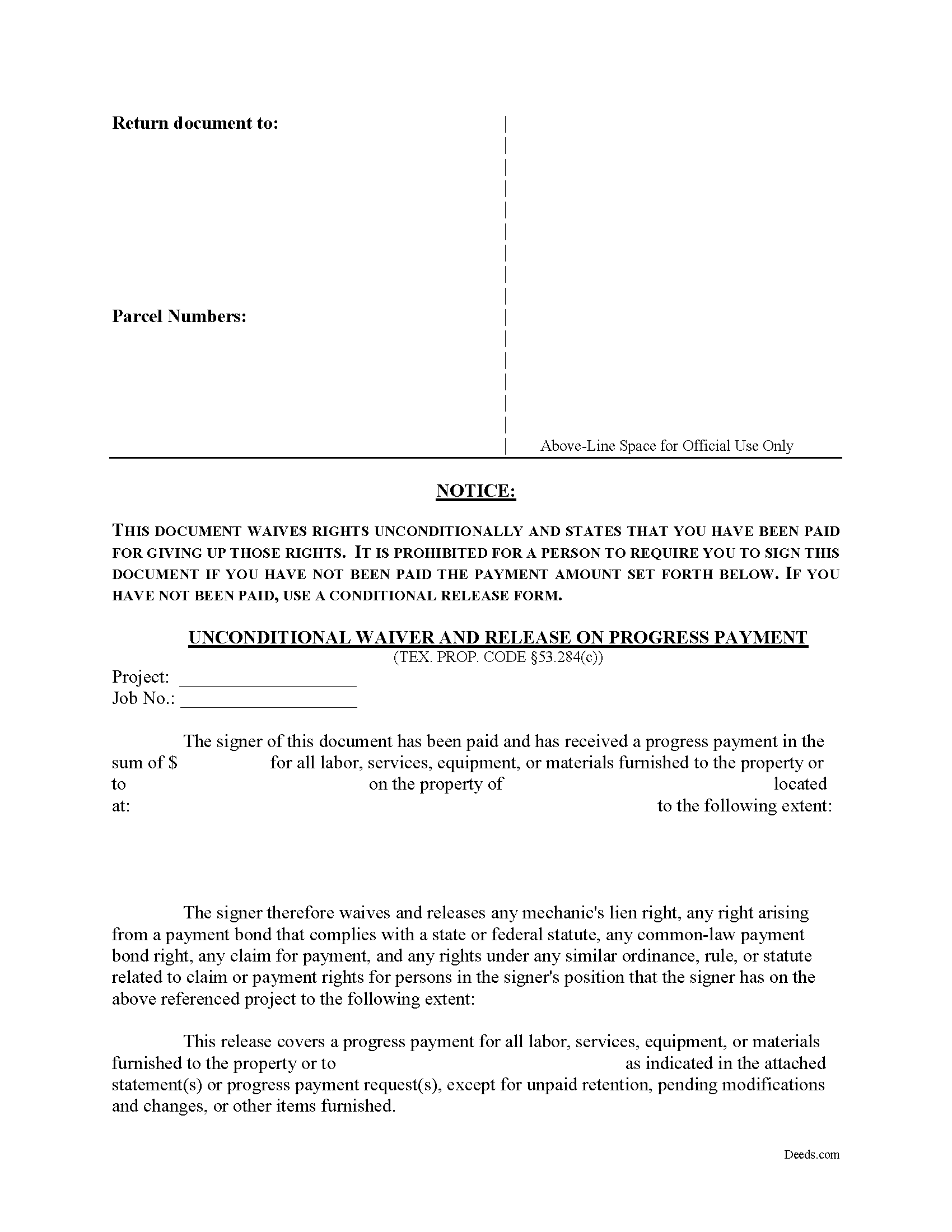
San Saba County Unconditional Waiver on Progress Payment Form
Fill in the blank Unconditional Waiver on Progress Payment form formatted to comply with all Texas recording and content requirements.
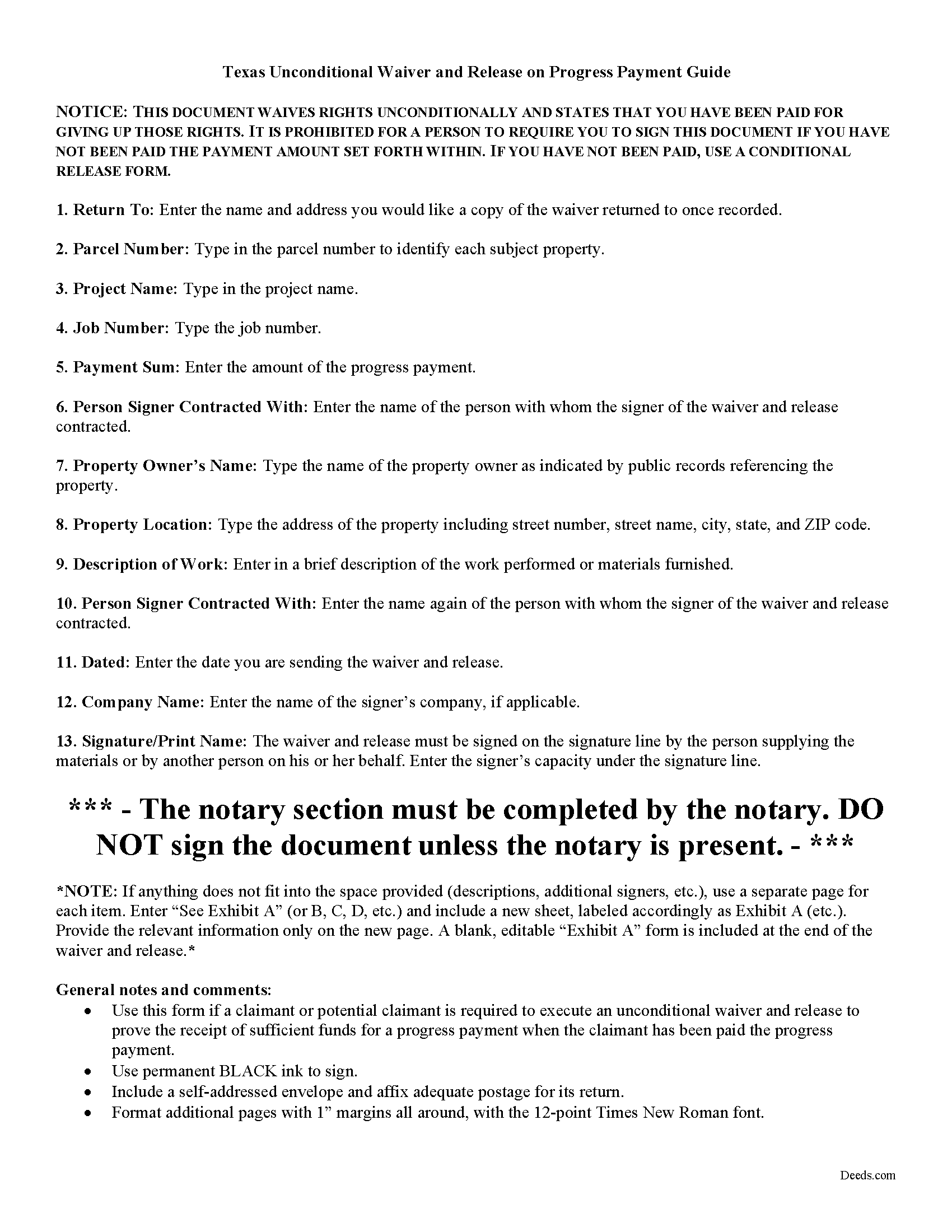
San Saba County Unconditional Waiver of Progress Payment Guide
Line by line guide explaining every blank on the form.
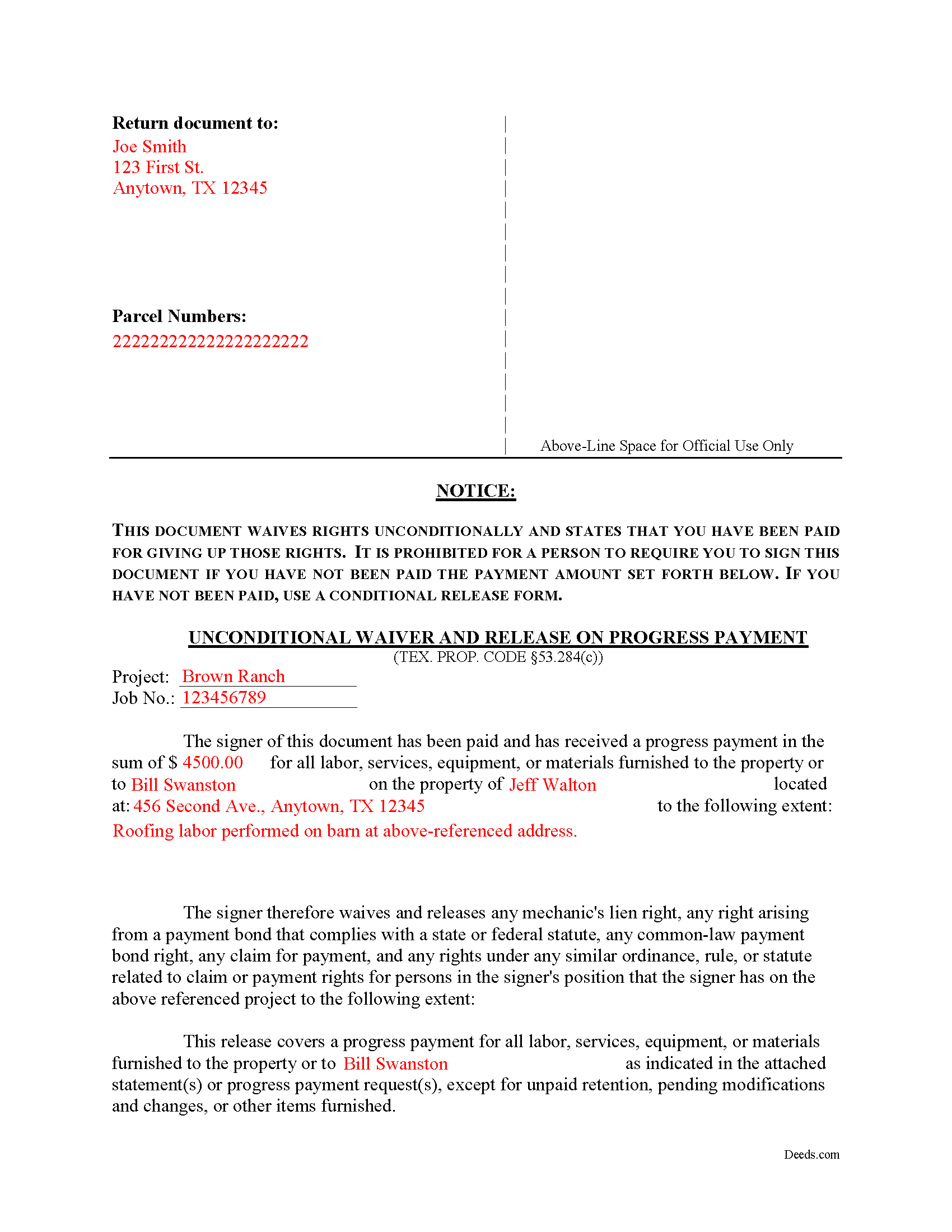
San Saba County Completed Example of the Unconditional Waiver on Progress Payment Document
Example of a properly completed form for reference.
All 3 documents above included • One-time purchase • No recurring fees
Immediate Download • Secure Checkout
Additional Texas and San Saba County documents included at no extra charge:
Where to Record Your Documents
San Saba County Clerk
San Saba, Texas 76877
Hours: Monday - Friday 8:00am - 12:00 & 1:00 - 5:00pm
Phone: (325) 372-3614
Recording Tips for San Saba County:
- Bring your driver's license or state-issued photo ID
- Ensure all signatures are in blue or black ink
- Double-check legal descriptions match your existing deed
- Verify all names are spelled correctly before recording
- White-out or correction fluid may cause rejection
Cities and Jurisdictions in San Saba County
Properties in any of these areas use San Saba County forms:
- Bend
- Cherokee
- Richland Springs
- San Saba
Hours, fees, requirements, and more for San Saba County
How do I get my forms?
Forms are available for immediate download after payment. The San Saba County forms will be in your account ready to download to your computer. An account is created for you during checkout if you don't have one. Forms are NOT emailed.
Are these forms guaranteed to be recordable in San Saba County?
Yes. Our form blanks are guaranteed to meet or exceed the applicable formatting requirements used for recording in San Saba County, including margin requirements, font requirements, and other layout standards. This guarantee applies to formatting, not to the legal sufficiency of information entered by the user or the suitability of a form for a particular transaction.
Can I reuse these forms?
Yes. You can reuse the forms for your personal use. For example, if you have multiple properties in San Saba County you only need to order once.
What do I need to use these forms?
The forms are PDFs that you fill out on your computer. The free Adobe Acrobat Reader is recommended, and most PDF apps also work. You do NOT enter your property information online - you download the blank forms and complete them privately on your own computer.
Are there any recurring fees?
No. This is a one-time purchase. Nothing to cancel, no memberships, no recurring fees.
How much does it cost to record in San Saba County?
Recording fees in San Saba County vary. Contact the recorder's office at (325) 372-3614 for current fees.
Questions answered? Let's get started!
A lien waiver is used by a lien claimant or potential claimant to forfeit his or her right to a lien upon a progress payment or final payment. The waiver can be conditional, meaning that the payment must clear the bank before the lien is released, or unconditional, meaning the lien is released upon the recording of the waiver regardless of whether or not the claimant is ever actually paid.
A waiver and release given by a claimant or potential claimant is unenforceable unless it substantially complies with the applicable form described in Sec. 53.284 of the Texas Property Code.
The four types of lien waivers in the State of Texas include:
- Conditional Waiver and Release on Progress Payment;
- Unconditional Waiver and Release on Progress Payment;
- Conditional Waiver and Release on Final Payment; and
- Unconditional Waiver and Release on Final Payment
Let's say a contractor reaches an agreed-upon point a project where she recorded a lien. The owner wants the lien released up to that point, and writes a check for the amount due on the work completed. The contractor offers an unconditional waiver and release on progress payment, which protects her interests in case the bank refuses to honor the check. As long as the check is good, the lien gets released up to the date of the progress payment. Otherwise, the claimant retains the lien until the responsible party finds another way to pay the bill.
Texas lien law requires an actual payment before an owner may request an unconditional waiver. A person may not require a claimant or potential claimant to execute an unconditional waiver and release for a progress payment or final payment amount unless the claimant or potential claimant received payment in that amount in good and sufficient funds. See Sec. 53.283.
Under Sec. 53.284(c), if a claimant or potential claimant is required to execute an unconditional waiver and release in exchange for or to induce a progress payment, the waiver becomes effective immediately, up to the point set out in the document.
All unconditional waivers must be titled as such and contain the following required statutory warning: "This document waives rights unconditionally and states that you have been paid for giving up those rights. It is prohibited for a person to require you to sign this document if you have not been paid the payment amount set forth below. If you have not been paid, use a conditional release form."
Further, the waiver identifies the parties, the project, the work and/or materials provided, and relevant dates and payment amounts. Sign it in front of a notary and submit it to the local recording office.
In summary, a lien waiver is an important tool, but take care to use the proper form. The wrong choice can lead to a loss of lien rights before receiving payment. Each case is unique, and Texas lien law can be complicated. Contact an attorney for complex situations, with questions about waivers, or any other issues related to mechanic's liens.
Important: Your property must be located in San Saba County to use these forms. Documents should be recorded at the county recording office listed above.
This Unconditional Waiver on Progress Payment meets all recording requirements specific to San Saba County.
Our Promise
The documents you receive here are guaranteed to meet or exceed the applicable San Saba County recording format requirements. If there is a rejection caused by our formatting, we will correct the issue or refund your payment. This guarantee applies to document formatting only and does not extend to information entered by the user, the selection of the form, or the legal effect of the completed document.
Save Time and Money
Get your San Saba County Unconditional Waiver on Progress Payment form done right the first time with Deeds.com Uniform Conveyancing Blanks. At Deeds.com, we understand that your time and money are valuable resources, and we don't want you to face a penalty fee or rejection imposed by a county recorder for submitting nonstandard documents. We constantly review and update our forms to meet rapidly changing state and county recording requirements for roughly 3,500 counties and local jurisdictions.
4.8 out of 5 - ( 4,828 Reviews )
LEON S. 5 out of 5 stars
recorded deed space to small for corrective deed requirement
Thank you for your feedback. We really appreciate it. Have a great day!
Bill M. 3 out of 5 stars
I found the path from the home page to actually ordering the document I wanted extremely convoluted and non-intuitive. I went around in circles several times before I figured out how to actually buy the document.
Thank you for your feedback. We really appreciate it. Have a great day!
Brian R. 2 out of 5 stars
A waste of my time
We do hope that you found something more suitable to your needs elsewhere Brian. Have a wonderful day.
Harold F. 5 out of 5 stars
You're a creditable company that performs well and provides what I requested.
Thank you!
Pedro M. 5 out of 5 stars
Fast and professional service.
Thank you for your positive words! We’re thrilled to hear about your experience.
Charles S. 5 out of 5 stars
Quick and easy. Highly recommend. Thanks!
Thank you for your feedback. We really appreciate it. Have a great day!
Rodrigo M. 5 out of 5 stars
Excellent service
Thank you!
Thomas D. 2 out of 5 stars
The documents themselves are fine and the information provided with them is helpful. I find the actual processing of the documents, however, to be difficult particularly once the document has been saved. First, I note that the box for the date only allows entry of the last 2 digits of the year. Unfortunately, my download only allows me to enter one of the 2 digits required. When I delete it repeatedly, it eventually allows both digits to be entered but puts them in extremely small text and in superscrypt. I have not found a solution to this problem and am not sure the deed can even be recorded with this problem. Another problem is that if you try to revise the document after you have saved it the curser goes to the end of the line after each key entry. This means that there basically is no way to efficiently save the document for reworking later since you will have to delete everything you have entered in the text box unless you only need to make a single keystroke change or are willing to replace the curser after each entry. Try that with a long property description! Please note that I am using a Mac to prepare my documents and perhaps this is part of an "incompatibility problem". However, I didn't see a disclaimer regarding Mac use and so would expect the documents to perform correctly. Overall, I give the program a "2 star" rating because I am experiencing significant difficulties in entering dates in the documents even before saving them and because saving your work for later revision appears to be basically unworkable.
Thank you for your feedback Thomas, we appreciate you being specific about the issues you encountered. Adobe and Mac have a fairly long history of issues working together.
Wayne R. 5 out of 5 stars
Couldn't believe how simple it was to do such a very important family support task and the price was right! Thank you
We appreciate your business and value your feedback. Thank you. Have a wonderful day!
David P. 5 out of 5 stars
The forms were easy to follow and it was good to have an example to follow as well. It was convenient that they had forms for each County.
We truly value your business and appreciate your review.
Leslie P. 5 out of 5 stars
Fantastic deed forms, formatting was spot on, nice not to have to worry about it considering how picky our clerk is. Great job you guys and gals!
Thank you for the kind words Leslie!
Felix M. 5 out of 5 stars
Very useful. I'm a Miami attorney and needed an amended deed specific to Texas. Document and instructions were very good.
Your feedback is appreciated. Thank you for letting us know how we did.
Stephen B. 5 out of 5 stars
This was the first time to use the Deeds.com website for preparing my deed document. This was painless and easy to follow the instructions and sample package for filling in the blank boxes document. The city clerk was impressed to review my document and easily filed my deed record without questions. I would recommend anyone to prepare a legal form that is available from the Deeds.com website.
Your appreciative words mean the world to us. Thank you.
Vonnie F. 5 out of 5 stars
This service is very user-friendly and efficient.
Thank you!
Irwin C. 5 out of 5 stars
For starters, enrolling was as easy as could be. Then, it only took minutes before my entry was formatted and filed. Finally, when I asked a question, I got an answer within a few minutes. Couldn't be happier with service
We appreciate your business and value your feedback. Thank you. Have a wonderful day!