Carbon County Notice of Claim Form
Last validated October 7, 2026 by our Forms Development TeamFormatted for recording in Carbon County, for property anywhere in the county: rural and unincorporated areas as well as East Carbon, Helper, Kenilworth, Price, Sunnyside, Wellington.
- 3 documents included
- Immediate PDF download
- Formatting guarantee
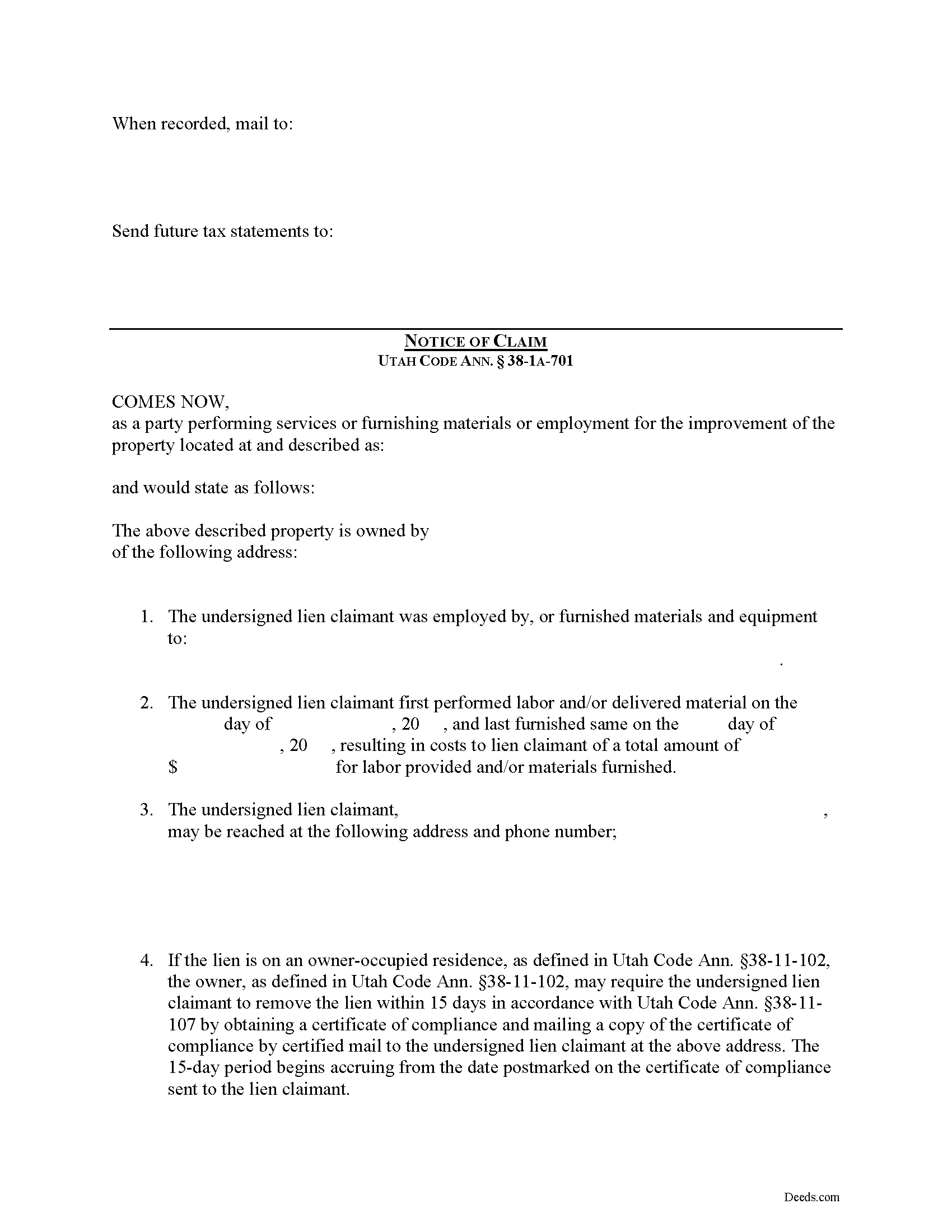
Carbon County Notice of Claim Form
Fill in the blank Notice of Claim form formatted to comply with all Utah recording and content requirements.
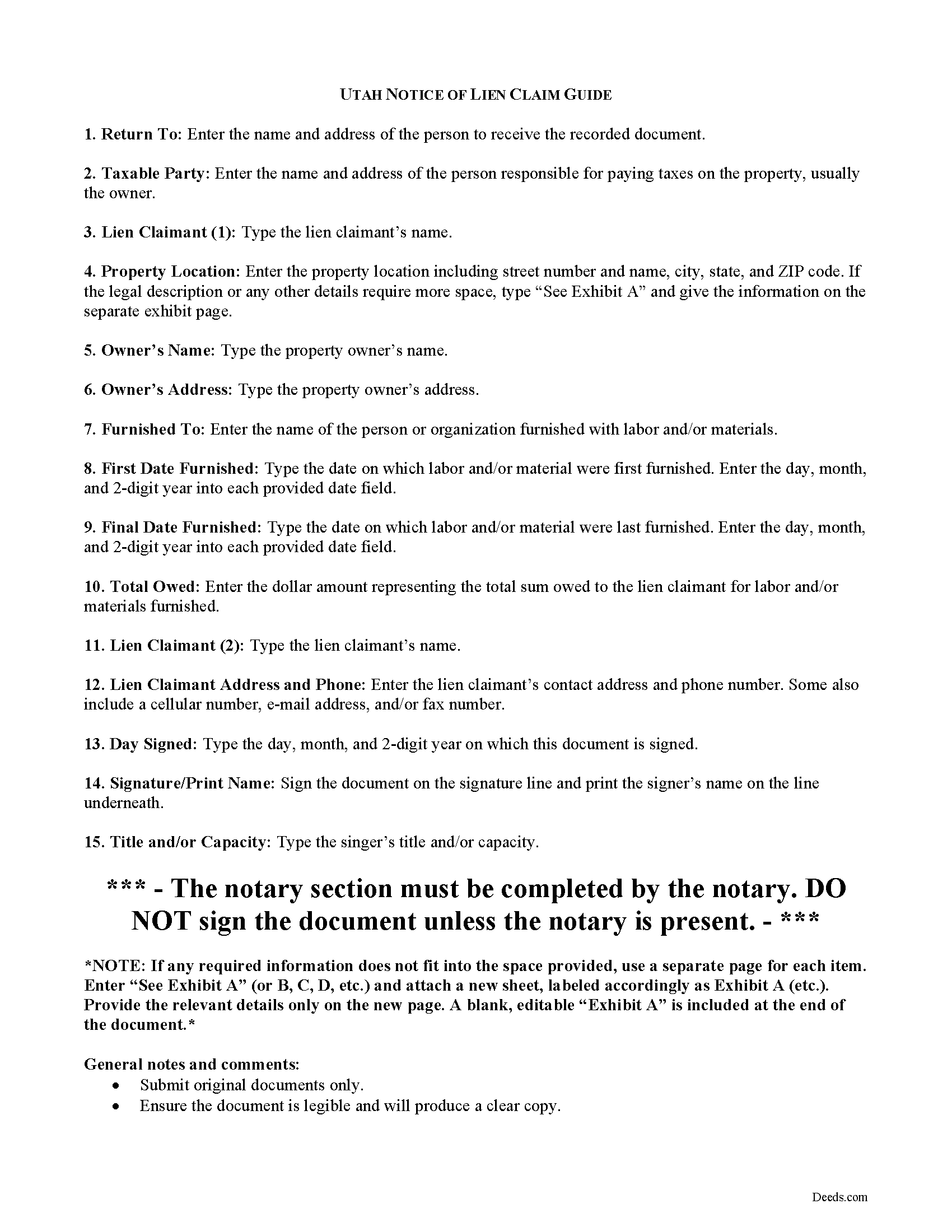
Carbon County Notice of Claim Guide
Line by line guide explaining every blank on the form.
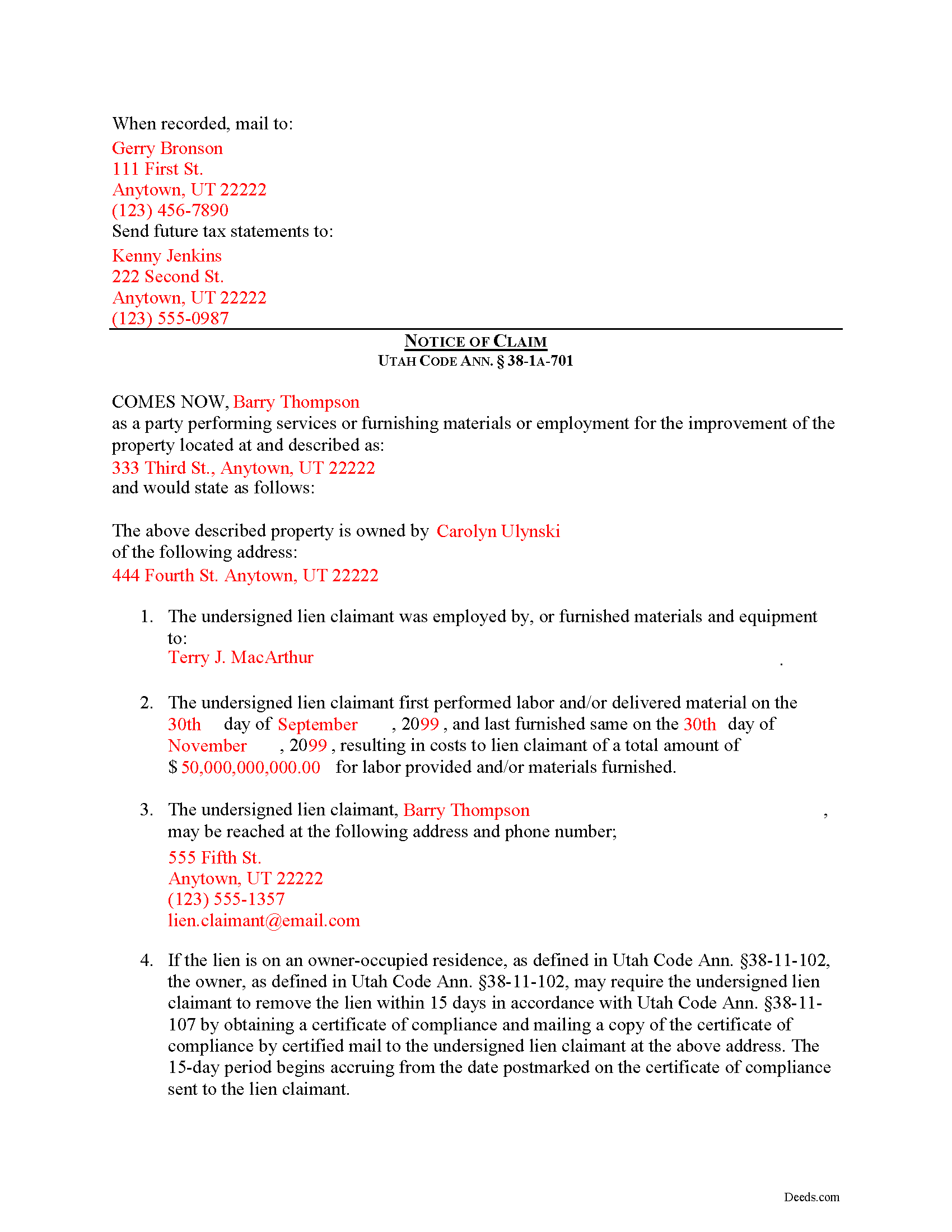
Carbon County Completed Example of the Notice of Claim Document
Example of a properly completed form for reference.
All 3 documents above included • One-time purchase • No recurring fees
Immediate Download • Secure Checkout
Additional Utah and Carbon County documents included at no extra charge:
Where to Record Your Documents
Carbon County Recorder
Price, Utah 84501
Hours: 8:00 to 5:00 M-F
Phone: (435) 636-3244
Recording Tips for Carbon County:
- Bring your driver's license or state-issued photo ID
- Ensure all signatures are in blue or black ink
- Ask about accepted payment methods when you call ahead
- Ask for certified copies if you need them for other transactions
- Ask if they accept credit cards - many offices are cash/check only
Cities and Jurisdictions in Carbon County
Properties in any of these areas use Carbon County forms:
- East Carbon
- Helper
- Kenilworth
- Price
- Sunnyside
- Wellington
Hours, fees, requirements, and more for Carbon County
How do I get my forms?
Forms are available for immediate download after payment. The Carbon County forms will be in your account ready to download to your computer. An account is created for you during checkout if you don't have one. Forms are NOT emailed.
Are these forms guaranteed to be recordable in Carbon County?
Yes. Our form blanks are guaranteed to meet or exceed the applicable formatting requirements used for recording in Carbon County, including margin requirements, font requirements, and other layout standards. This guarantee applies to formatting, not to the legal sufficiency of information entered by the user or the suitability of a form for a particular transaction.
Can I reuse these forms?
Yes. You can reuse the forms for your personal use. For example, if you have multiple properties in Carbon County you only need to order once.
What do I need to use these forms?
The forms are PDFs that you fill out on your computer. The free Adobe Acrobat Reader is recommended, and most PDF apps also work. You do NOT enter your property information online - you download the blank forms and complete them privately on your own computer.
Are there any recurring fees?
No. This is a one-time purchase. Nothing to cancel, no memberships, no recurring fees.
How much does it cost to record in Carbon County?
Recording fees in Carbon County vary. Contact the recorder's office at (435) 636-3244 for current fees.
Questions answered? Let's get started!
Claiming a Construction Lien in Utah
In Utah, mechanic's liens are governed under Title 38, Chapter 1A of the Utah Code.
Construction liens, also known as mechanic's liens, are used the put a block or burden on an owner's title when construction work or materials delivery has taken place on the owner's property and the person or company providing the work or materials is not paid according to the contract. In Utah, a construction lien means a lien for construction work. Utah Code Ann. 38-1A-102(8). Construction work means labor, service, material, or equipment provided for the purpose and during the process of constructing, altering, or repairing an improvement; and includes scheduling, estimating, staking, supervising, managing, materials testing, inspection, observation, and quality control or assurance involved in constructing, altering, or repairing an improvement. 38-1A-102(11).
To enforce a preconstruction lien or construction lien in Utah, a claimant shall file an action to enforce the lien within 180 days after the day on which the claimant files: (i) a notice of preconstruction lien, for a preconstruction lien; or (ii) a notice of construction lien, for a construction lien. Utah Code Ann. 38-1A-701(2)(a). Each notice must be filed with the county recorder in the county where the property is located. However, if an owner files for protection under the bankruptcy laws of the United States before the expiration of the 180-day period, the lien must be filed within 90 days after the automatic stay under the bankruptcy proceeding is lifted or expires. 38-1A-701(2)(b).
A claimant shall file for record with each applicable county recorder a notice of the pendency of the action. Utah Code Ann. 38-1A-701(3)(a)(i). If a claimant fails to file for record a notice of the pendency of the action, the preconstruction lien or construction lien, as applicable, is void, except as to persons who have been made parties to the action and persons having actual knowledge of the commencement of the action. 38-1A-701(3)(a)(ii). The burden of proof is upon the claimant and those claiming under the claimant to show actual knowledge. 38-1A-701(3)(b). A preconstruction lien or construction lien is automatically and immediately void if an action to enforce the lien is not filed within the time required. 38-1A-701(4)(a).
If a claimant files an action to enforce a preconstruction or construction lien involving a residence, the claimant must, when serving the complaint to the owner, include: (i) instructions relating to the owner's rights under Title 38, Chapter 11, Residence Lien Restriction and Lien Recovery Fund Act; and (ii) a form to enable the owner of the residence to specify the grounds upon which the owner may exercise those available rights. Utah Code Ann. 38-1A-701(6)(a). If a claimant fails to provide the instructions and form as required, the claimant is barred from maintaining or enforcing the preconstruction or construction lien upon the residence. 38-1A-701(6)(c).
This article is provided for informational purposes only and should not be relied upon as a substitute for advice from an attorney. Please contact a Utah attorney with questions about filing a notice of claim, or with any other issues regarding construction liens.
Important: Your property must be located in Carbon County to use these forms. Documents should be recorded at the county recording office listed above.
This Notice of Claim meets all recording requirements specific to Carbon County.
Our Promise
The documents you receive here are guaranteed to meet or exceed the applicable Carbon County recording format requirements. If there is a rejection caused by our formatting, we will correct the issue or refund your payment. This guarantee applies to document formatting only and does not extend to information entered by the user, the selection of the form, or the legal effect of the completed document.
Save Time and Money
Get your Carbon County Notice of Claim form done right the first time with Deeds.com Uniform Conveyancing Blanks. At Deeds.com, we understand that your time and money are valuable resources, and we don't want you to face a penalty fee or rejection imposed by a county recorder for submitting nonstandard documents. We constantly review and update our forms to meet rapidly changing state and county recording requirements for roughly 3,500 counties and local jurisdictions.
4.8 out of 5 - ( 4,836 Reviews )
Howard K. 5 out of 5 stars
Great products, quick downloads, the "guides" are extremely helpful. Overall 5 stars!
Thank you!
Glenn N. 5 out of 5 stars
Made a hard task easy! Very smooth and we were printed and ready to go
Thank you for your feedback. We really appreciate it. Have a great day!
John B. 5 out of 5 stars
Simply amazing. I had absolutely no idea how to properly file a deed, until someone told me about deeds.com. It's just such a well designed service, with fantastic customer support, and speed. Bravo to everyone at deeds.
We appreciate your business and value your feedback. Thank you. Have a wonderful day!
Roger G. 4 out of 5 stars
was difficult to find the location on the website to actually download the form I needed. Initially was directed only to information pages related to the form I needed
Thank you for your feedback. We really appreciate it. Have a great day!
Wendy S. 5 out of 5 stars
Very easy and affordable.
We appreciate your business and value your feedback. Thank you. Have a wonderful day!
Ruth R. 5 out of 5 stars
Very pleased with the service, solved an immediate problem for me and at good price.
We appreciate your business and value your feedback. Thank you. Have a wonderful day!
James B. 5 out of 5 stars
Was a lot easier than driving to the County Building and faster than expected. Thank you!
We appreciate your business and value your feedback. Thank you. Have a wonderful day!
Abigail Frances B. 5 out of 5 stars
Thanks for the easy download, clear instructions, good price- I'm looking forward to filling them out.
Thank you for your feedback. We really appreciate it. Have a great day!
Elaine S. 4 out of 5 stars
Being new at this, the system was somewhat difficult to understand at first. It took a couple of tries before I got it. It seems to be somewhat slow as well. However, it's a wonderful idea to have documents recorded from the comfort of your home, especially in the times that we are in with COVID19. I definitely don't mind paying the fee which I thought was reasonable.
Thank you!
Robert J. 5 out of 5 stars
Ordered the quitclaim forms. Amazing value! Received everything I needed and then some. The forms were easy to use and understand with the help of the guide. The best part was that once completed I used deeds.com's e-recording service to submit the document for recording (our county offices are still closed). Outstanding!
Thank you for the kinds words Robert, glad we could help.
Eppie G. 5 out of 5 stars
Perfect
Thank you!
Pam B. 4 out of 5 stars
This form really helped me out a lot could be a little more explanatory in some areas but all and all it works.
Thanks Pam, we appreciate your feedback.
Heidi J. 3 out of 5 stars
The form was useful, however the formatting is terrible once completed. A lot of white space with no option to remove extra spacing or to improve the overall formatting.
Thank you for your feedback, Heidi. We’re glad to hear the form itself was useful. We also understand your concern about the formatting and extra spacing once completed. Our forms are designed to meet strict county recording requirements, which can sometimes result in additional white space. That said, we’re always working to improve usability and presentation without compromising acceptance. Your input helps us identify where refinements are possible, and we’ll keep it in mind as we continue updating our templates.
SHIRLEY H. 3 out of 5 stars
I like that they have all the forms, but I could not find it they would submit the forms to the recorders office
Thank you!
Alicia S. 5 out of 5 stars
It's been a difficult time during my divorce. Glad I was able to get the house related documents easily here.
Thank you!