Page County Correction Deed Form
Last validated October 30, 2026 by our Forms Development TeamFormatted for recording in Page County, for property anywhere in the county or independent city: rural and unincorporated areas as well as Luray, Rileyville, Shenandoah, Stanley.
- 3 documents included
- Immediate PDF download
- Formatting guarantee
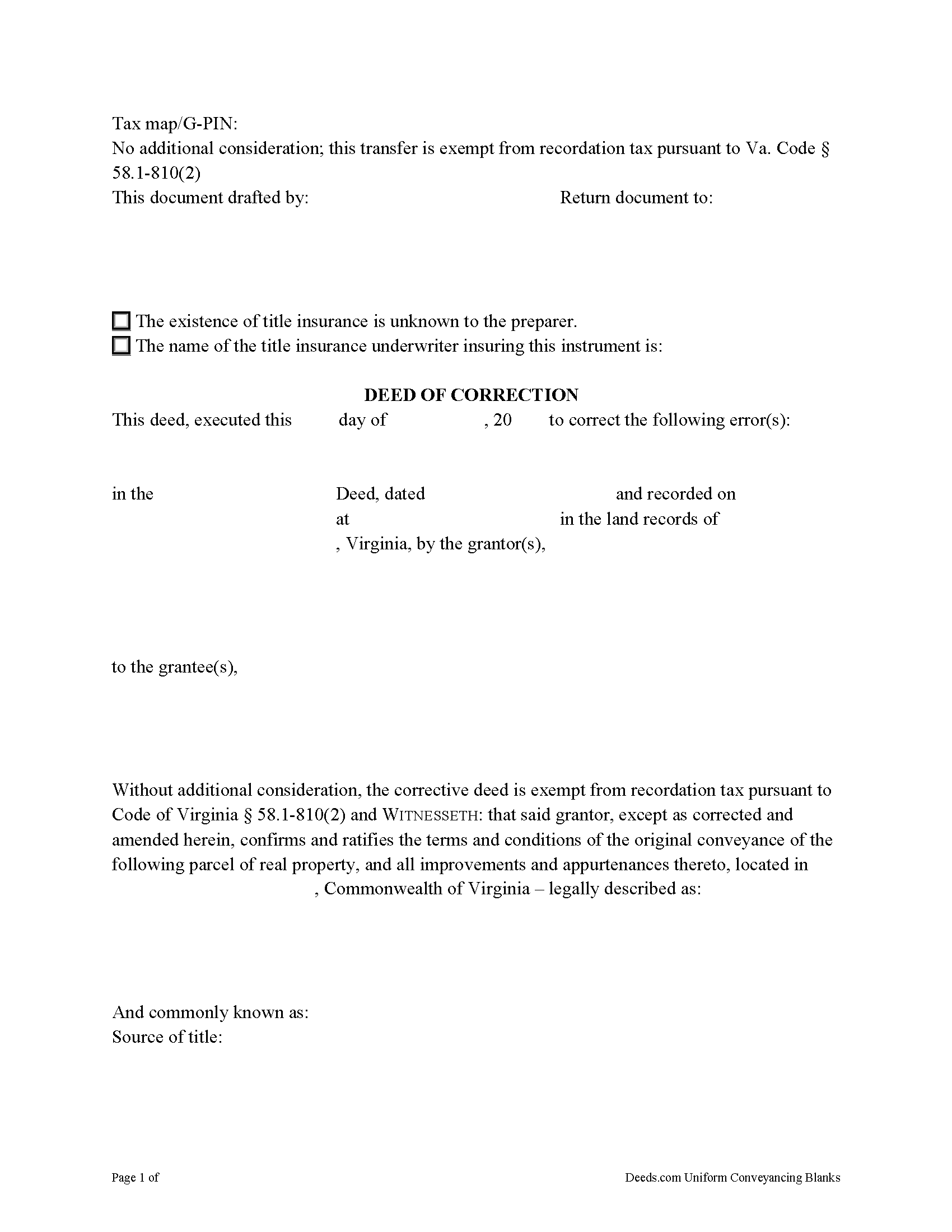
Page County Correction Deed Form
Fill in the blank form formatted to comply with all recording and content requirements.
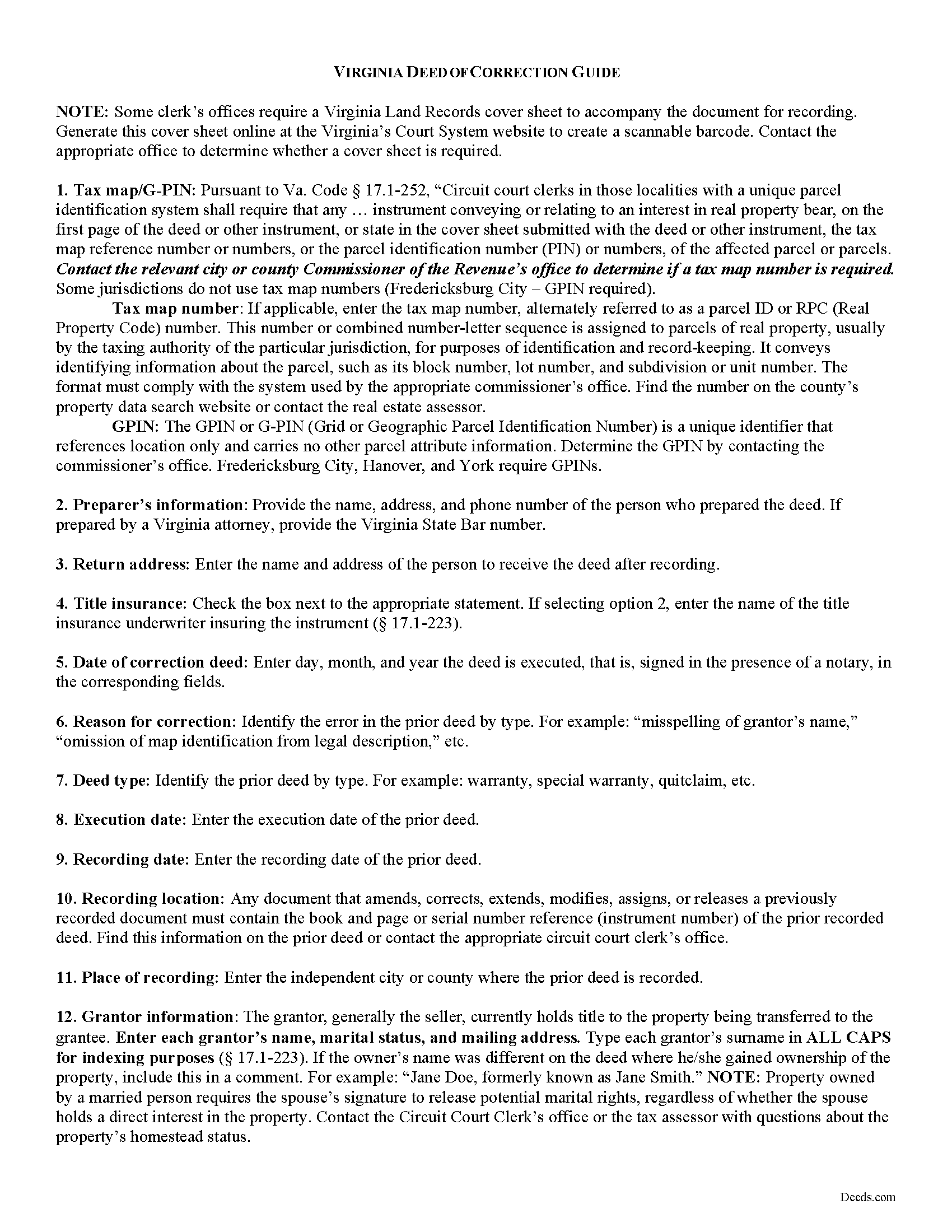
Page County Correction Deed Guide
Line by line guide explaining every blank on the form.
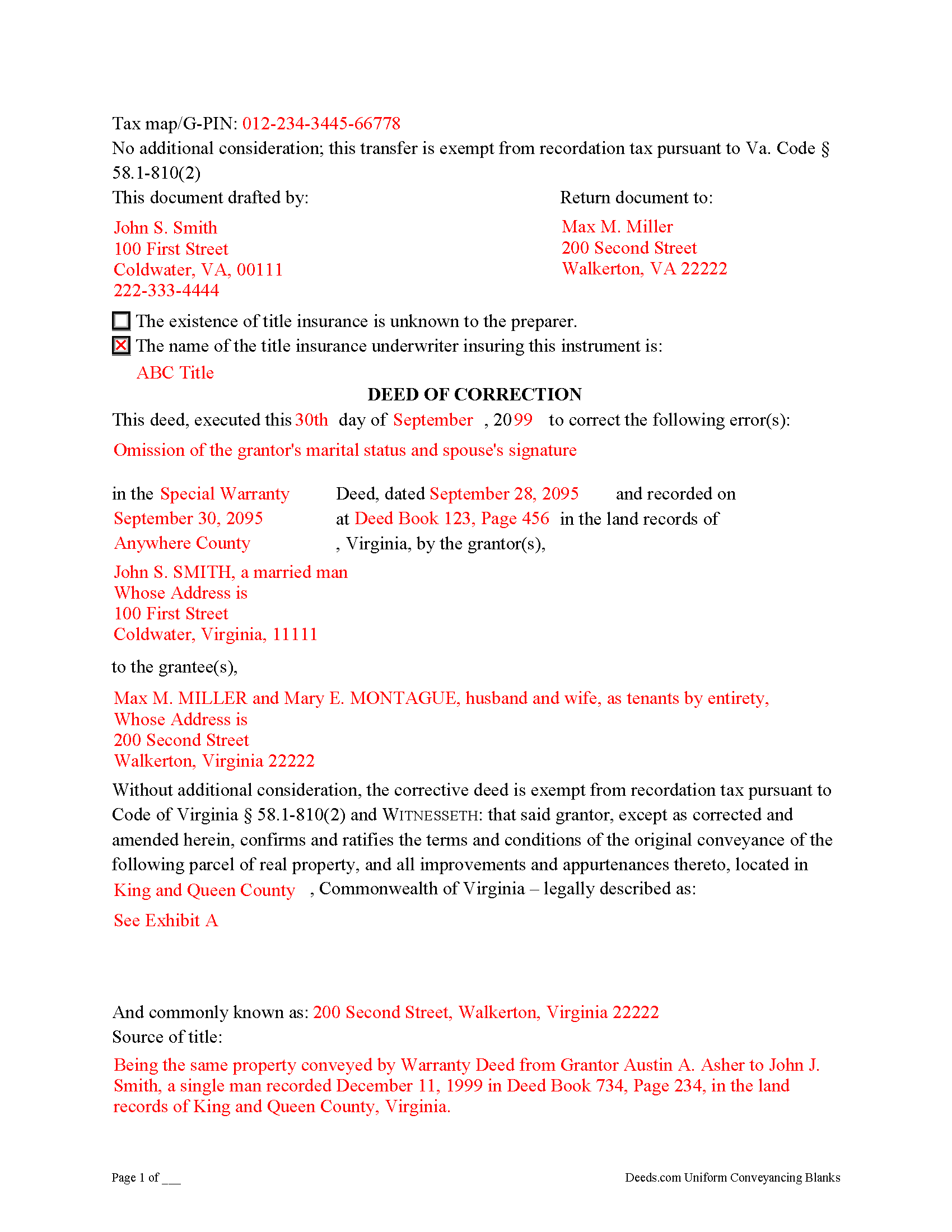
Page County Completed Example of the Correction Deed Document
Example of a properly completed form for reference.
All 3 documents above included • One-time purchase • No recurring fees
Immediate Download • Secure Checkout
Additional Virginia and Page County documents included at no extra charge:
Where to Record Your Documents
Page County Circuit Court Clerk
Luray, Virginia 22835-1200
Hours: 9:00am to 5:00pm M-F
Phone: (540) 743-4064
Recording Tips for Page County:
- Bring your driver's license or state-issued photo ID
- Ensure all signatures are in blue or black ink
- Check margin requirements - usually 1-2 inches at top
- Leave recording info boxes blank - the office fills these
- Make copies of your documents before recording - keep originals safe
Cities and Jurisdictions in Page County
Properties in any of these areas use Page County forms:
- Luray
- Rileyville
- Shenandoah
- Stanley
Hours, fees, requirements, and more for Page County
How do I get my forms?
Forms are available for immediate download after payment. The Page County forms will be in your account ready to download to your computer. An account is created for you during checkout if you don't have one. Forms are NOT emailed.
Are these forms guaranteed to be recordable in Page County?
Yes. Our form blanks are guaranteed to meet or exceed the applicable formatting requirements used for recording in Page County, including margin requirements, font requirements, and other layout standards. This guarantee applies to formatting, not to the legal sufficiency of information entered by the user or the suitability of a form for a particular transaction.
Can I reuse these forms?
Yes. You can reuse the forms for your personal use. For example, if you have multiple properties in Page County you only need to order once.
What do I need to use these forms?
The forms are PDFs that you fill out on your computer. The free Adobe Acrobat Reader is recommended, and most PDF apps also work. You do NOT enter your property information online - you download the blank forms and complete them privately on your own computer.
Are there any recurring fees?
No. This is a one-time purchase. Nothing to cancel, no memberships, no recurring fees.
How much does it cost to record in Page County?
Recording fees in Page County vary. Contact the recorder's office at (540) 743-4064 for current fees.
Questions answered? Let's get started!
Use a deed of correction from the original grantor to amend an error in a previously recorded deed in Virginia.
Errors in a previously recorded deed in Virginia may be cured by a deed of correction from the grantor to the grantee of the original deed. The new document identifies the error by type, the prior deed by date and recording number, and inserts the correct information; otherwise it duplicates the format of the original deed. The deed requires no consideration statement and is exempt from transfer tax. State the exemption on the face of the deed and refer to the relevant Virginia Code.
A deed of correction is most often used for minor mistakes such as misspelled names or variation in name by which the record title holder acquired title and a name by which he holder conveyed title. It can also be used for obvious errors in the property description. For example: errors transcribing courses and distances; errors incorporating a recorded plat or deed reference; errors in listing a lot number or designation; omitted exhibits that supply the legal description of the property.
Correction deeds can help to clarify the manner in which title to the property is held by the same, initially named grantee, but they cannot be used to change the grantee or to add or omit a grantee. Also, do not use a corrective deed to change a greater estate to a lesser estate, for example to transfer ownership to an heir while reserving a right to remain on the property for the remainder of the original grantee's life. In Virginia, the relation back principle is generally applied so that a correction deed is considered to relate back to the date of the first deed which it purports to correct.
(Virginia CD Package includes form, guidelines, and completed example)
Important: Your property must be located in Page County to use these forms. Documents should be recorded at the county or independent city recording office listed above.
This Correction Deed meets all recording requirements specific to Page County.
Our Promise
The documents you receive here are guaranteed to meet or exceed the applicable Page County recording format requirements. If there is a rejection caused by our formatting, we will correct the issue or refund your payment. This guarantee applies to document formatting only and does not extend to information entered by the user, the selection of the form, or the legal effect of the completed document.
Save Time and Money
Get your Page County Correction Deed form done right the first time with Deeds.com Uniform Conveyancing Blanks. At Deeds.com, we understand that your time and money are valuable resources, and we don't want you to face a penalty fee or rejection imposed by a county recorder for submitting nonstandard documents. We constantly review and update our forms to meet rapidly changing state and county recording requirements for roughly 3,500 counties and local jurisdictions.
4.8 out of 5 - ( 4,842 Reviews )
Kitty H. 5 out of 5 stars
I have had it reviewed by a mortgage broker and a title manager and both said it was done correctly! Your product and the instructions are what made this possible. It took me several hours as I continued to review your information. I just finished printing and ready to file. Yeah! Thanks! Highly recommend the product!
We appreciate your business and value your feedback. Thank you. Have a wonderful day!
Andre W. 5 out of 5 stars
I was very please with their professionalism and dedication. The young lady that was working with me was AWESOME. i could not thank her enough.
Thank you!
albert C. 5 out of 5 stars
thumbs up
Thank you!
Tina C. 5 out of 5 stars
Quick and easy ordering and download. Appreciated that I could get the form that is used in my county. Would have like to be able to add paragraphs to form.
We appreciate your business and value your feedback. Thank you. Have a wonderful day!
Margaret D. 5 out of 5 stars
They deliver!
Thank you!
Matthew G. 5 out of 5 stars
Second time using Deeds.com. Easy and professional
Thank you Matthew. Have a great day!
Tammy A. 5 out of 5 stars
I transferred my property to my child when I moved to another state. I don't know what I would have done without Deeds.com. I was able to find all of the forms and instructions for the state where the property was located. Highly recommend!
Thank you, Tammy. We’re honored to have been part of such an important transition for you. We’re glad the forms and state-specific instructions made the process clear and manageable. We truly appreciate your recommendation!
Donald S. 2 out of 5 stars
Guidelines somewhat helpful. Forms fillable but not editable unless you buy an Adobe conversion service subscription. End product looks crude and amateurish. Fields can't be reduced or enlarged to accommodate unique data. Very disappointing.
Thank you for your feedback. We really appreciate it. Have a great day!
Raymond M. 5 out of 5 stars
It would be really nice if you had an example of the document full size that can be examined/read before having to pay. I was gambling that it was the exact document that I needed when I paid my fee. Fortunately, it was, and I commend you for that.
Thank you for your feedback. We really appreciate it. Have a great day!
MIchael T. 5 out of 5 stars
very helpful in a trouble free manner.
Thank you!
Gene L. 5 out of 5 stars
Worked perfect. Thanks.
Thank you!
MARY LACEY M. 5 out of 5 stars
Excellent service! From setting up an account to successfully recording, the instructions were clear and easy to follow. I am very pleased to have this service available, and favorably impressed by our current Maricopa County Recorder for pursuing its availability. Thank you.
We appreciate your business and value your feedback. Thank you. Have a wonderful day!
reed w. 5 out of 5 stars
Great service that saved me a lot of time for under 30 bucks.
We appreciate your business and value your feedback. Thank you. Have a wonderful day!
rosie s. 5 out of 5 stars
Very please with the service
Thank you!
Roy Y. 5 out of 5 stars
I paid for and received the form for a Quit Claim Deed. Hoping it is the form I need to complete my transaction. Thank you for making it possible to obtain the form I was in need of.
Thank you for your feedback Roy. We appreciate it!