Rockbridge County Trustee Deed Form
Last validated October 13, 2026 by our Forms Development TeamFormatted for recording in Rockbridge County, for property anywhere in the county or independent city: rural and unincorporated areas as well as Brownsburg, Fairfield, Glasgow, Goshen, Natural Bridge, Natural Bridge Station, Raphine, Rockbridge Baths and 1 more.
- 3 documents included
- Immediate PDF download
- Formatting guarantee
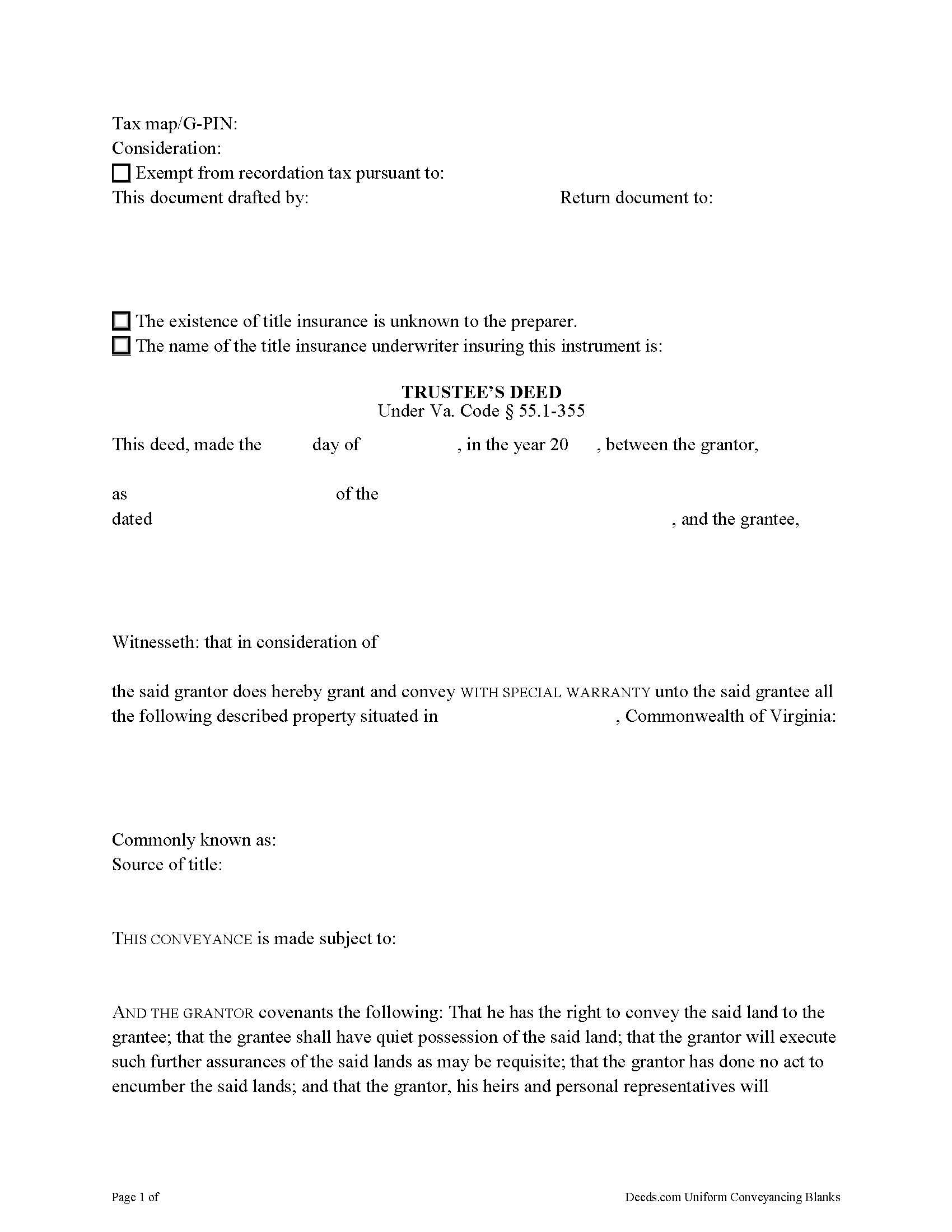
Rockbridge County Trustee Deed Form
Fill in the blank form formatted to comply with all recording and content requirements.
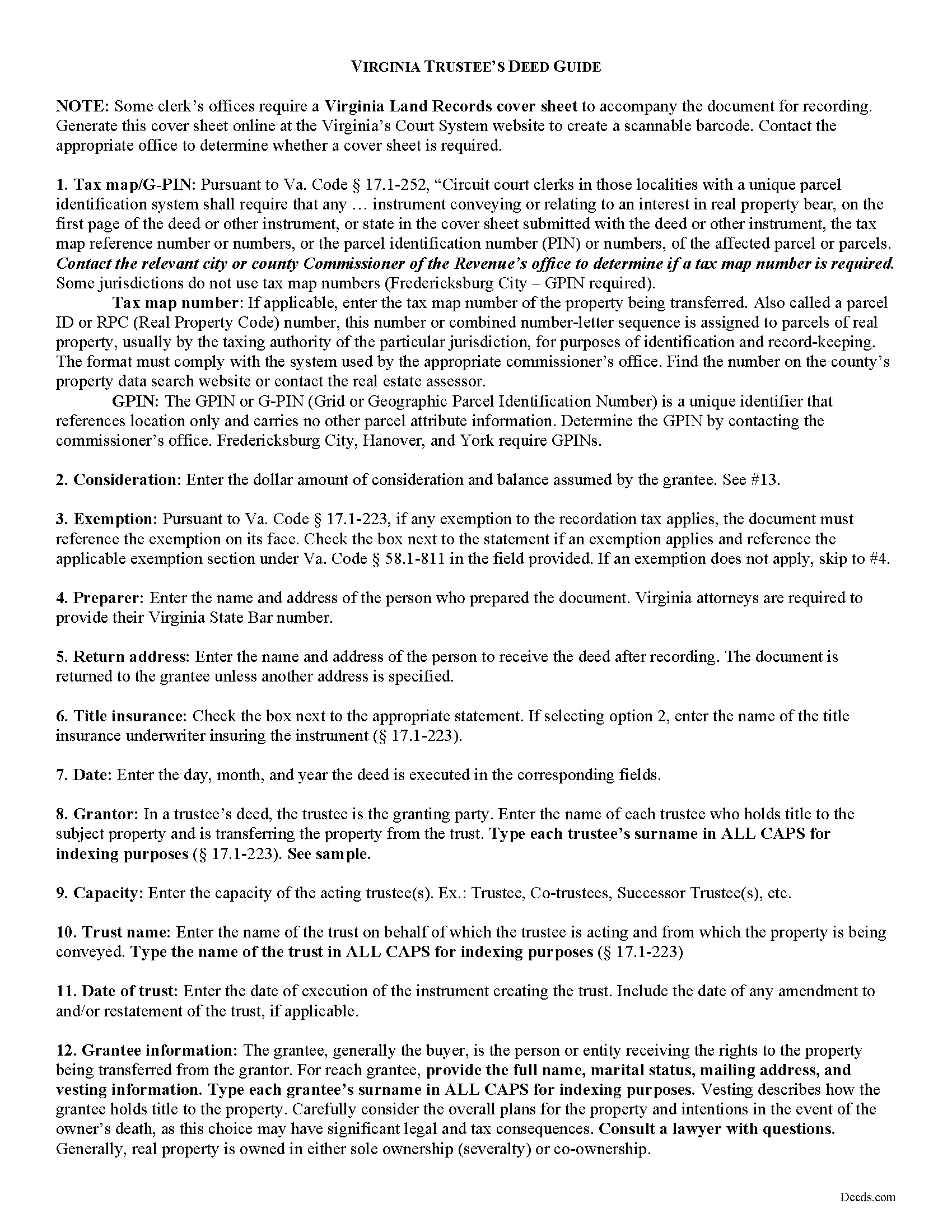
Rockbridge County Trustee Deed Guide
Line by line guide explaining every blank on the form.
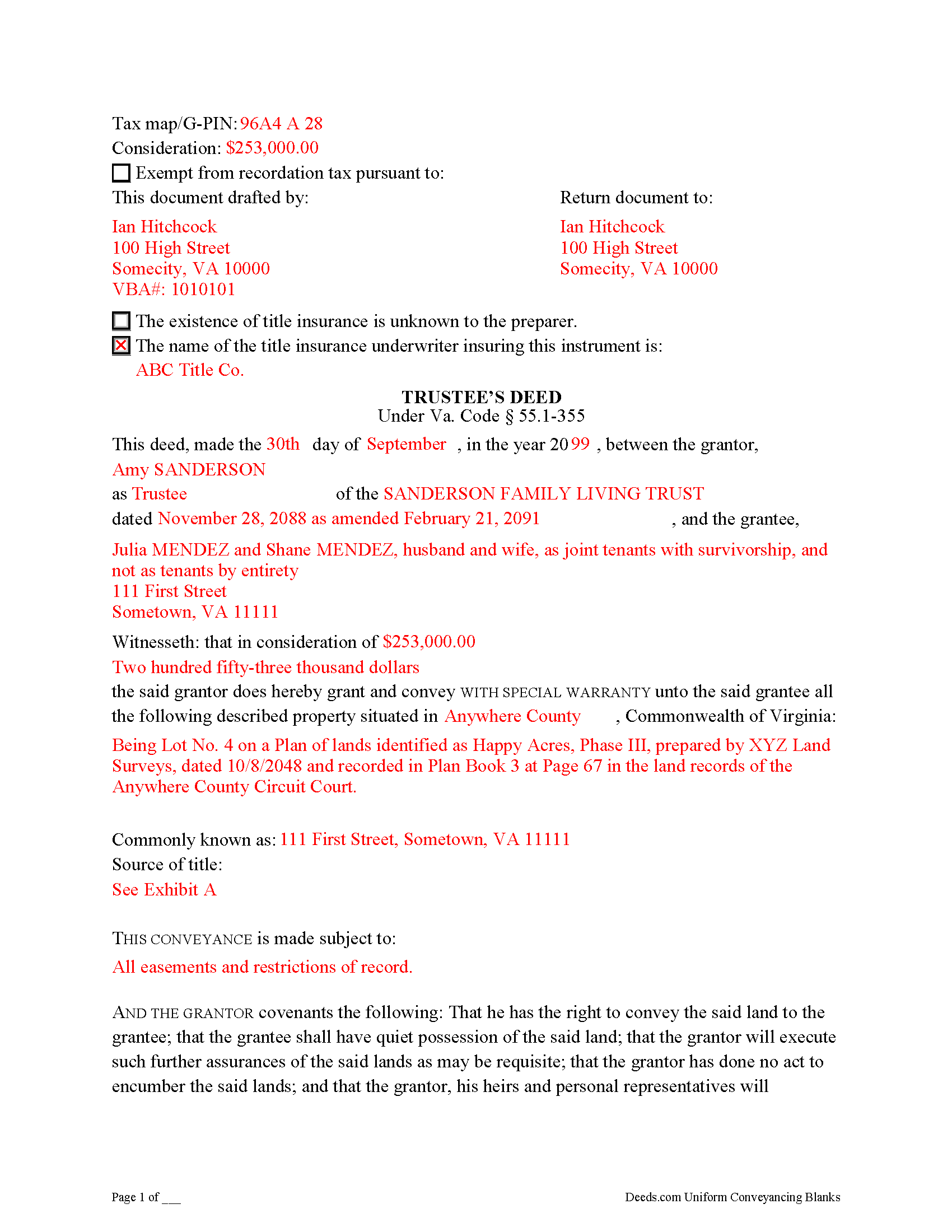
Rockbridge County Completed Example of the Trustee Deed Document
Example of a properly completed form for reference.
All 3 documents above included • One-time purchase • No recurring fees
Immediate Download • Secure Checkout
Additional Virginia and Rockbridge County documents included at no extra charge:
Where to Record Your Documents
Rockbridge Circuit Court Clerk
Lexington, Virginia 24450-2552
Hours: 8:30 to 4:30 M-F
Phone: (540) 463-2232
Recording Tips for Rockbridge County:
- Bring your driver's license or state-issued photo ID
- Ensure all signatures are in blue or black ink
- Documents must be on 8.5 x 11 inch white paper
- Double-check legal descriptions match your existing deed
- Verify all names are spelled correctly before recording
Cities and Jurisdictions in Rockbridge County
Properties in any of these areas use Rockbridge County forms:
- Brownsburg
- Fairfield
- Glasgow
- Goshen
- Natural Bridge
- Natural Bridge Station
- Raphine
- Rockbridge Baths
- Vesuvius
Hours, fees, requirements, and more for Rockbridge County
How do I get my forms?
Forms are available for immediate download after payment. The Rockbridge County forms will be in your account ready to download to your computer. An account is created for you during checkout if you don't have one. Forms are NOT emailed.
Are these forms guaranteed to be recordable in Rockbridge County?
Yes. Our form blanks are guaranteed to meet or exceed the applicable formatting requirements used for recording in Rockbridge County, including margin requirements, font requirements, and other layout standards. This guarantee applies to formatting, not to the legal sufficiency of information entered by the user or the suitability of a form for a particular transaction.
Can I reuse these forms?
Yes. You can reuse the forms for your personal use. For example, if you have multiple properties in Rockbridge County you only need to order once.
What do I need to use these forms?
The forms are PDFs that you fill out on your computer. The free Adobe Acrobat Reader is recommended, and most PDF apps also work. You do NOT enter your property information online - you download the blank forms and complete them privately on your own computer.
Are there any recurring fees?
No. This is a one-time purchase. Nothing to cancel, no memberships, no recurring fees.
How much does it cost to record in Rockbridge County?
Recording fees in Rockbridge County vary. Contact the recorder's office at (540) 463-2232 for current fees.
Questions answered? Let's get started!
Transferring Real Property from a Living Trust Using a Virginia Trustee's Deed
A trustee's deed conveys interest in real property held in a living (inter vivos) trust. The deed is named for the granting party, the trustee, who holds legal title to property contributed to the trust by the trust's settlor. A settlor is any person who creates or contributes property to a trust by transferring it to another. Property held in trust is administered by the trustee for the benefit of a trust beneficiary. In most living trusts, the settlor designates himself as trustee and names a successor, who will take over fiduciary duties upon the settlor's death or incapacitation.
The trust is established by a written instrument executed by the settlor and governed by the Uniform Trust Code, codified in Virginia at Va. Code Ann. 64.2-7. The trust instrument contains the terms of the trust and sets forth the settlor's estate plan. The document names the trustees and enumerates the trustee's powers in acting on behalf of the trust, and designates the trust beneficiary or beneficiaries. Generally, the settlor designates himself as the living trust's beneficiary during his lifetime, and identifies another in the trust instrument who will receive the benefit of the trust's assets upon his death.
Trustees rely on the terms of the trust instrument and statutory trustee powers to convey property held in trust. A deed executed by trustee to convey real property from a trust typically carries a special warranty covenant of title. This means that the grantor promises to warrant and defend the property for the grantee "against the claims and demands of the grantor, and all persons claiming or to claim by, through, or under him" (Va. Code Ann. 55.1-355). Because the trustee is acting "in a fiduciary capacity," a narrower covenant than a general warranty is offered "to warrant title [only] during the time they had legal possession of it" [1].
A trustee's deed requires additional information because the grantor is acting in a fiduciary capacity. When real property is held in trust, the assets vest in the name of the trustee on behalf of the trust. Therefore, the trustee's deed names the acting trustee, the trust, and the date of the trust when reciting the grantor's information. The trustee's deed should comply with the statutory form for deeds and satisfy recording requirements for documents pertaining to interest in real property in Virginia (55.1-300, 17.1-223 et seq.). A trustee may provide a certification of trust under 64.2-804 to confirm the trust's existence and his authority to convey real property.
Before recording the deed in the independent city or county wherein the subject property is located, the deed must be signed by each acting trustee and acknowledged in the presence of a notary public.
(Virginia TD Package includes form, guidelines, and completed example)
Important: Your property must be located in Rockbridge County to use these forms. Documents should be recorded at the county or independent city recording office listed above.
This Trustee Deed meets all recording requirements specific to Rockbridge County.
Our Promise
The documents you receive here are guaranteed to meet or exceed the applicable Rockbridge County recording format requirements. If there is a rejection caused by our formatting, we will correct the issue or refund your payment. This guarantee applies to document formatting only and does not extend to information entered by the user, the selection of the form, or the legal effect of the completed document.
Save Time and Money
Get your Rockbridge County Trustee Deed form done right the first time with Deeds.com Uniform Conveyancing Blanks. At Deeds.com, we understand that your time and money are valuable resources, and we don't want you to face a penalty fee or rejection imposed by a county recorder for submitting nonstandard documents. We constantly review and update our forms to meet rapidly changing state and county recording requirements for roughly 3,500 counties and local jurisdictions.
4.8 out of 5 - ( 4,828 Reviews )
GERALD P. 5 out of 5 stars
Product is as advertised. Most beneficial is including detailed instructions and examples. Most other options did not include instructions.
Thank you for your feedback. We really appreciate it. Have a great day!
Vickie G. 5 out of 5 stars
The form and instruction were perfect. Thank you.
Thank You Vickie!
john t. 5 out of 5 stars
it worked well and printed out well.
Thank you!
Kristen H. 5 out of 5 stars
This was such a money saver. I was told by someone at the courthouse that I had to have a lawyer prepare the paper work for my mom. They stated that family members couldn't prepare the papers. I was hopeful when I found that I could prepare the survivorship affidavit on Deeds. I was able to prepare everything myself and had no issues today when at the courthouse for all the changes. Thank you!
We appreciate your business and value your feedback. Thank you. Have a wonderful day!
Marites T. 5 out of 5 stars
Extremely helpful team of professionals who are patient when you need to get things filed correctly. Very small price for the comfort of knowing your DOCUMENTS are FILED with you local Recorder's Office. Some of the filings, if they are correctly formatted are already uploaded and official within a few hours. Here's the ALTERNATIVE you may encounter. For Example: King County Recorder's Office moved which means most filings are backed up 7-10 days if you DROP your filing in a BOX with your CHECK or MAIL IT. Neither is a great option, since they have no WALK IN HOURS.
We appreciate your business and value your feedback. Thank you. Have a wonderful day!
Matt G. 4 out of 5 stars
The process went smoothly and gave me what I needed. As an improvement, I would recommend that deeds.com sends an email when there is a new message in the portal. I didn't get any updates and had to log in to track progress each time.
Thank you for your feedback. We really appreciate it. Have a great day!
Nanc T. 5 out of 5 stars
Great experience, highly recommend.
Thank you for your positive words! We’re thrilled to hear about your experience.
Glenda W. 5 out of 5 stars
It is a very helpful and awesome website. I was so glad to hear about it. It is very convenient and saves money as well. I'm sure I will be using it again in the future. Thumbs up to deeds.com!
Thank you for your feedback. We really appreciate it. Have a great day!
Cessaly D H. 5 out of 5 stars
Excellent service bc you create your own account and have immediate access to documents!
We appreciate your business and value your feedback. Thank you. Have a wonderful day!
Samuel Shera Singh B. 5 out of 5 stars
I found the documents I needed and so many more that I will utilize for business, personal and family needs. Also I made a purchase of an additional document I did not need that serves the same purpose as one I purchased and Deeds.com had no issue refunding the unnecessary document in an unbelievably quick response and refund. I would recommend this document provider to everyone including legal office management.
Thank you for your feedback. We really appreciate it. Have a great day!
Paula S. 5 out of 5 stars
I highly recommend this website. It was quick and easy with very helpful guides and examples! I am so very thankful that I stumbled across the Deed website! Definitely worth every penny spent!
We appreciate your business and value your feedback. Thank you. Have a wonderful day!
Beverly D. 5 out of 5 stars
Thank You, Job well done. So nice not to have to leave house and drive all over to record these documents. Very satisfied.
Thank you for your feedback. We really appreciate it. Have a great day!
diana c. 5 out of 5 stars
quick and easy, thankyou
Thank you!
LeiLoni L. 5 out of 5 stars
This site was easy to use.
Thank you for your positive words! We’re thrilled to hear about your experience.
Erika K. 5 out of 5 stars
Very Easy to use, especially since the county recorder's office is closed due to COVID-19
Thank you!