Tazewell County Unconditional Lien Waiver on Final Payment Form
Last validated October 29, 2026 by our Forms Development TeamFormatted for recording in Tazewell County, for property anywhere in the county or independent city: rural and unincorporated areas as well as Amonate, Bandy, Bishop, Bluefield, Boissevain, Broadford, Burkes Garden, Cedar Bluff and 11 more.
- 3 documents included
- Immediate PDF download
- Formatting guarantee
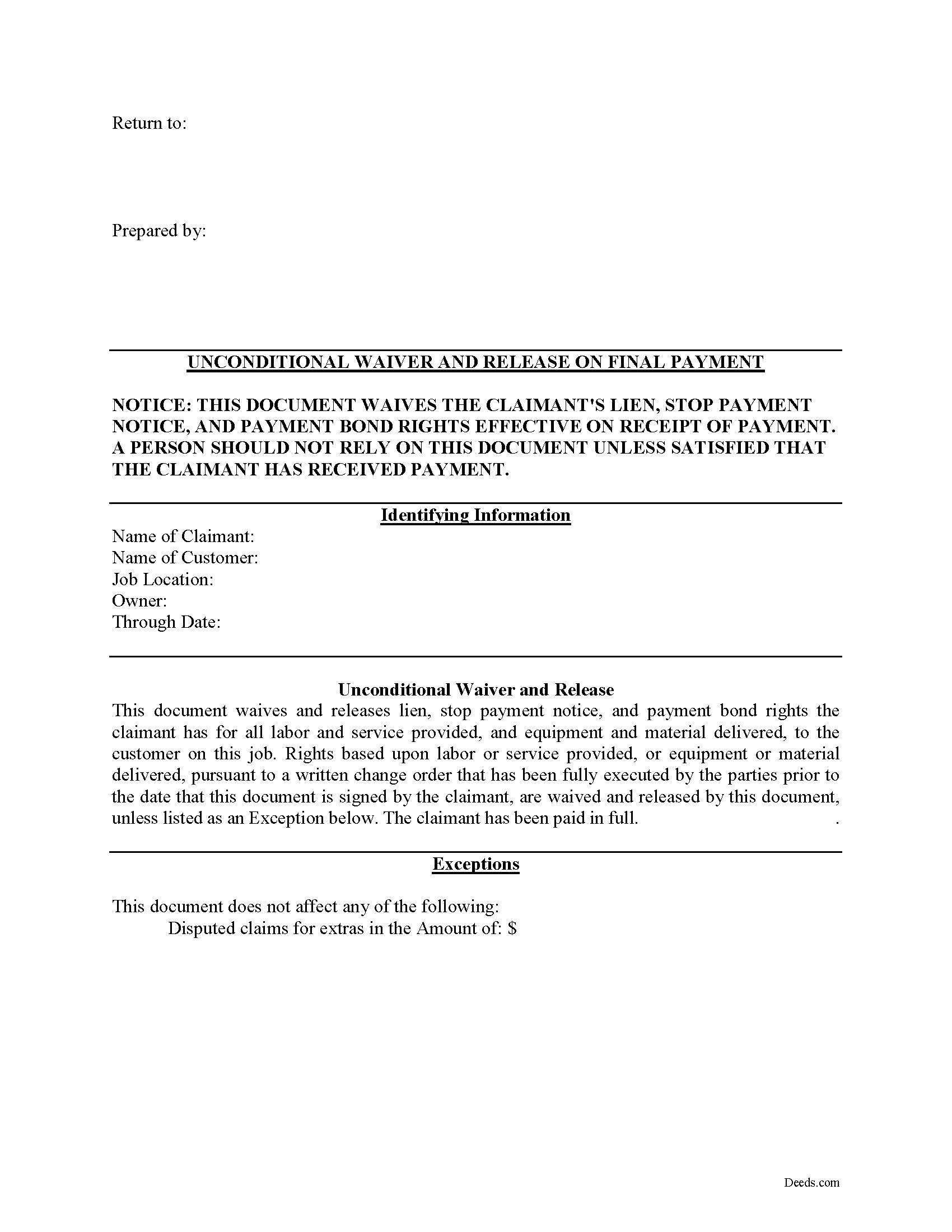
Tazewell County Unconditional Lien Waiver on Final Payment Form
Fill in the blank Unconditional Lien Waiver on Final Payment form formatted to comply with all Virginia recording and content requirements.
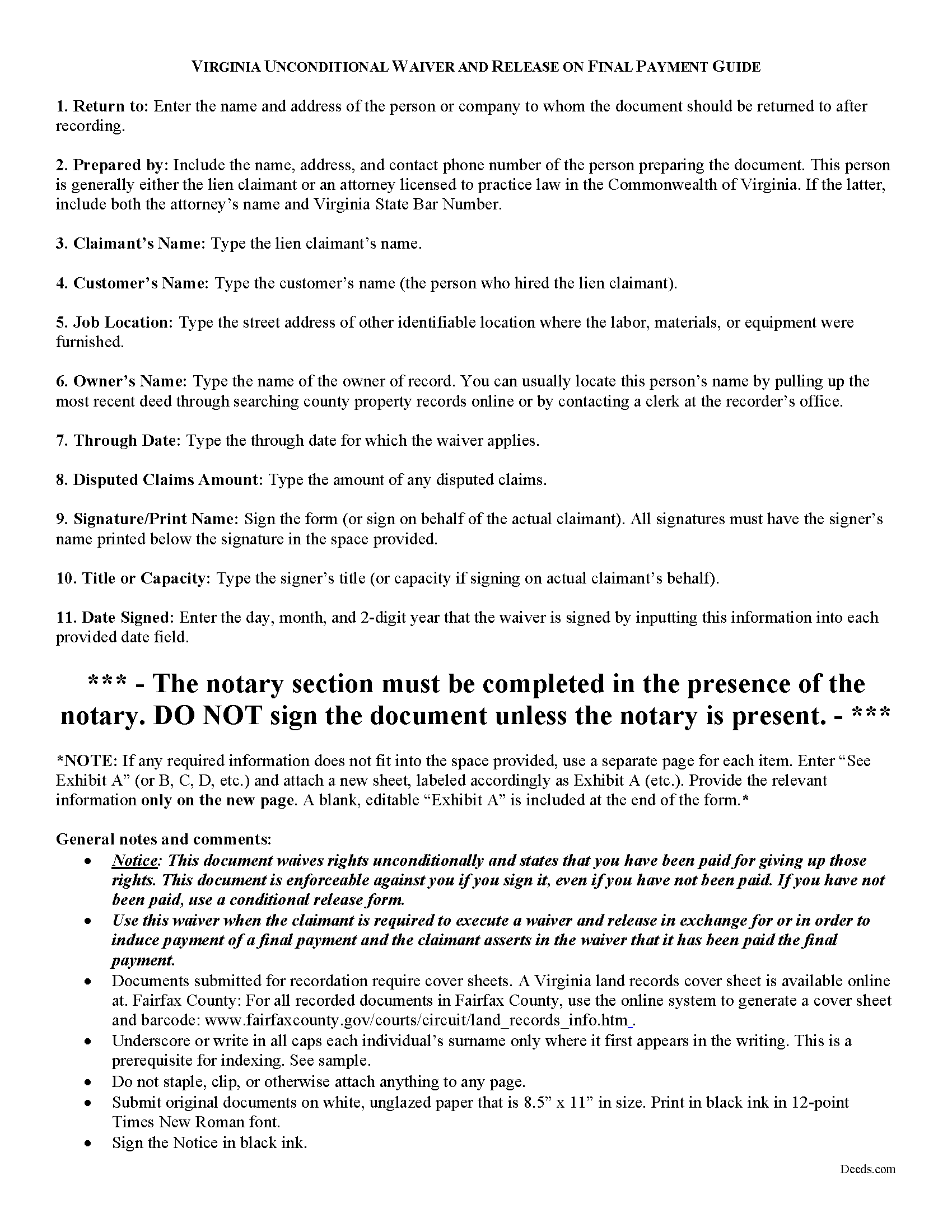
Tazewell County Unconditional Lien Waiver on Final Payment Guide
Line by line guide explaining every blank on the form.
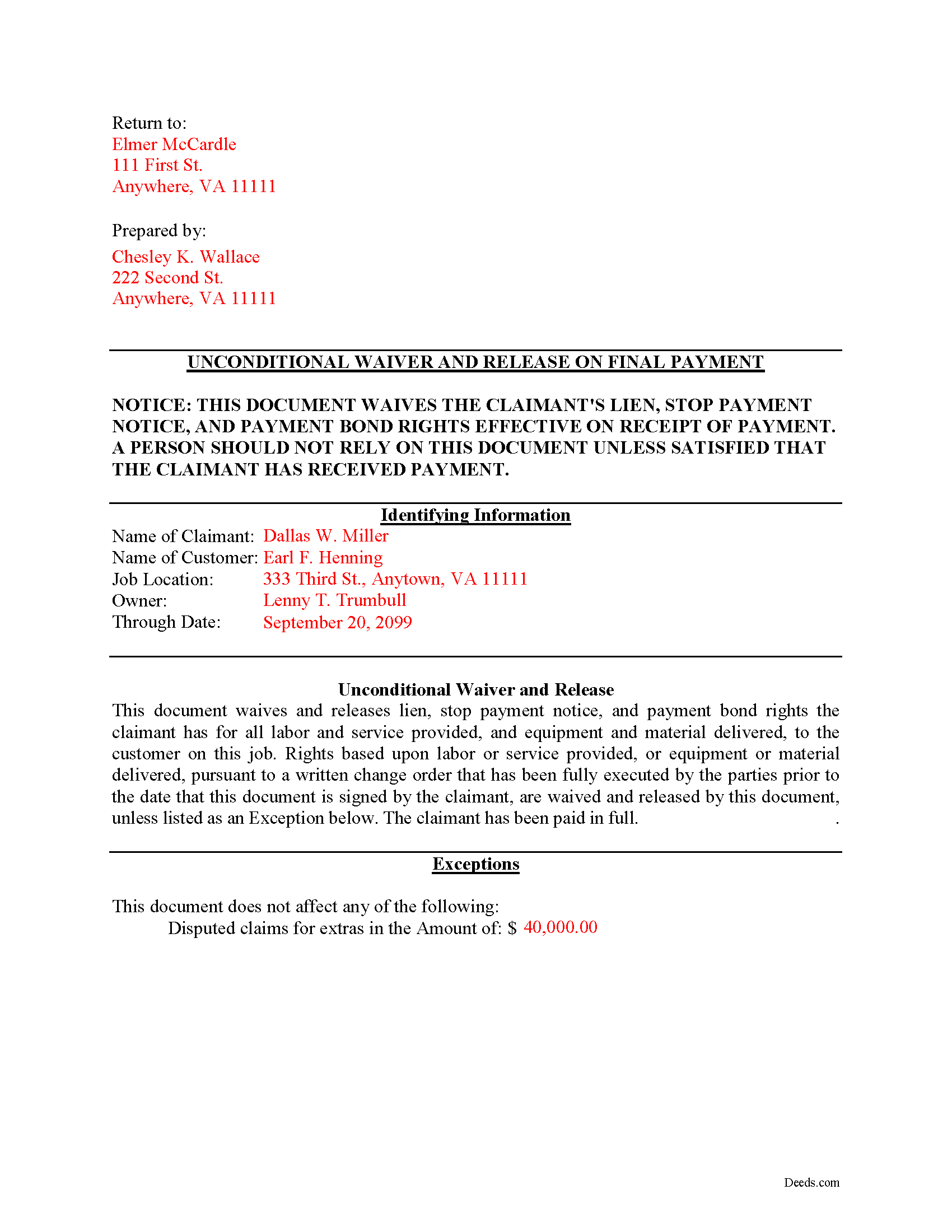
Tazewell County Completed Example of the Unconditional Lien Waiver on Final Payment Document
Example of a properly completed form for reference.
All 3 documents above included • One-time purchase • No recurring fees
Immediate Download • Secure Checkout
Additional Virginia and Tazewell County documents included at no extra charge:
Where to Record Your Documents
Tazewell Circuit Court Clerk
Tazewell, Virginia 24651-1071
Hours: Monday through Friday 8:00am - 4:30pm
Phone: (276) 385-1222
Recording Tips for Tazewell County:
- Bring your driver's license or state-issued photo ID
- Ensure all signatures are in blue or black ink
- Make copies of your documents before recording - keep originals safe
- Recorded documents become public record - avoid including SSNs
- Recording fees may differ from what's posted online - verify current rates
Cities and Jurisdictions in Tazewell County
Properties in any of these areas use Tazewell County forms:
- Amonate
- Bandy
- Bishop
- Bluefield
- Boissevain
- Broadford
- Burkes Garden
- Cedar Bluff
- Doran
- Falls Mills
- Horsepen
- Jewell Ridge
- North Tazewell
- Pocahontas
- Pounding Mill
- Red Ash
- Richlands
- Tannersville
- Tazewell
Hours, fees, requirements, and more for Tazewell County
How do I get my forms?
Forms are available for immediate download after payment. The Tazewell County forms will be in your account ready to download to your computer. An account is created for you during checkout if you don't have one. Forms are NOT emailed.
Are these forms guaranteed to be recordable in Tazewell County?
Yes. Our form blanks are guaranteed to meet or exceed the applicable formatting requirements used for recording in Tazewell County, including margin requirements, font requirements, and other layout standards. This guarantee applies to formatting, not to the legal sufficiency of information entered by the user or the suitability of a form for a particular transaction.
Can I reuse these forms?
Yes. You can reuse the forms for your personal use. For example, if you have multiple properties in Tazewell County you only need to order once.
What do I need to use these forms?
The forms are PDFs that you fill out on your computer. The free Adobe Acrobat Reader is recommended, and most PDF apps also work. You do NOT enter your property information online - you download the blank forms and complete them privately on your own computer.
Are there any recurring fees?
No. This is a one-time purchase. Nothing to cancel, no memberships, no recurring fees.
How much does it cost to record in Tazewell County?
Recording fees in Tazewell County vary. Contact the recorder's office at (276) 385-1222 for current fees.
Questions answered? Let's get started!
Lien waivers are used between contractors and property owners as a quid-pro-quo arrangement to induce payment from an owner in return for the contractor waiving some or all available mechanic's lien rights. If the appropriate waivers are used, they offer advantages for both the contractor and the owner.
In Virginia, any right to file or enforce any mechanics' lien may be waived in whole or in part at any time by any person entitled to such lien, except that a subcontractor, lower-tier subcontractor, or material supplier may not waive or diminish his lien rights in a contract in advance of furnishing any labor, services, or materials. Va. Code 43-3(C). A provision that waives or diminishes a subcontractor's, lower-tier subcontractor's, or material supplier's lien rights in a contract executed prior to providing any labor, services, or materials is null and void. Id.
The Virginia legislature does not mandate a required form of a lien waiver, so common law principles of contract allow for the parties to use any form that clearly spells out their intentions. Note that it is a felony for any person to knowingly present a waiver form to an owner, his agent, contractor, lender, or title company for the purpose of obtaining funds or title insurance if the person forges or signs the form without authority. Va. Code. 43-13.1.
Waivers fall under two broad categories of "conditional" and "unconditional," and there are two subcategories of waivers for a "partial" or "final" payment. Each type comes with benefits and risks, so take care to use the correct form for the situation.
An unconditional waiver becomes effective when presented to the owner or other party, regardless of whether or not the payment is valid. If you unconditionally waive a lien, you can still sue on a breach of contract or other legal theory, but that is no substitute for the protections and ease of a mechanic's lien in recovering any money owed. An unconditional waiver gives an owner more protection while taking away some rights from the contractor.
Only use an unconditional final waiver AFTER receiving the final or full payment.
So, when used properly, waivers can facilitate the flow of business and encourage prompt payment.
This article is provided for informational purposes only and should not be relied upon a substitute for the advice of an attorney. For any questions about Virginia lien waivers, please speak with a lawyer.
Important: Your property must be located in Tazewell County to use these forms. Documents should be recorded at the county or independent city recording office listed above.
This Unconditional Lien Waiver on Final Payment meets all recording requirements specific to Tazewell County.
Our Promise
The documents you receive here are guaranteed to meet or exceed the applicable Tazewell County recording format requirements. If there is a rejection caused by our formatting, we will correct the issue or refund your payment. This guarantee applies to document formatting only and does not extend to information entered by the user, the selection of the form, or the legal effect of the completed document.
Save Time and Money
Get your Tazewell County Unconditional Lien Waiver on Final Payment form done right the first time with Deeds.com Uniform Conveyancing Blanks. At Deeds.com, we understand that your time and money are valuable resources, and we don't want you to face a penalty fee or rejection imposed by a county recorder for submitting nonstandard documents. We constantly review and update our forms to meet rapidly changing state and county recording requirements for roughly 3,500 counties and local jurisdictions.
4.8 out of 5 - ( 4,837 Reviews )
Bernadette K. 2 out of 5 stars
Your system is completely unfriendly to the user. There is no clear way, unless you are a lawyer, to go through the the process without making mistakes. Very disappointed attempted user
Sorry to hear that we failed you Bernadette. We do hope that you were able to find something more suitable to your needs elsewhere.
Michael M. 5 out of 5 stars
THE PROCESS WENT VERY SMOOTH AND EASY
Thank you for your feedback. We really appreciate it. Have a great day!
Cindy W. 5 out of 5 stars
The site is a good idea, however, I couldn't find what I needed with just the address alone. I was looking to get the name of a former landlord, as I can't remember it.
Thank you!
Rachel S. 5 out of 5 stars
It would be nice to get a reply in a small window that says "Your request package has been submitted." That way I can log out and wait for the email. I do love the efficient service.
Thank you!
Michael B. 4 out of 5 stars
I'm very pleased with the service provided by Deeds.com. After a format issue caused my scanner, it was a very smooth and speedy process. Highly recommended.
Thank you for your feedback. We really appreciate it. Have a great day!
Dorothea B. 4 out of 5 stars
The Affidavit- Death of Joint Tenant form you provided is not the same form as showed on the Los Angeles County property tax website. It appears that the LA county form requires entering additional info that is not included in your form.
Thank you!
Anthony L. 5 out of 5 stars
I recently needed an affidavit of death. The form and help tools made it easy to fill out and file. the Recorder accepted this form . Which made the experience painless and easy . All things considered..
We appreciate your business and value your feedback. Thank you. Have a wonderful day!
Erica W. 5 out of 5 stars
Very easy and convenient. I will use this service again!
Thank you!
Jim H. 5 out of 5 stars
Well written form, and the guidance document and example supplied were very helpful.
Thank you!
James M. 4 out of 5 stars
It would be helpful to have a joint tenant example.
Thank you!
Erika M. 5 out of 5 stars
Received the forms I ordered, found them to be easy to complete with the guide and example that was included. Had no issues recording them, smooth as silk from start to finish.
Thank you for your feedback. We really appreciate it. Have a great day!
Imari E. 5 out of 5 stars
QUICK SERVICE
Thank you!
Gerald C. 2 out of 5 stars
Pros, quick purchase and document availability including instructions and examples. Cons, For the cert. of trust, the form would not accept the length of our trust name with no way to get around. The pdf file printing did not meet the requirements for 2.5" top margin and .5" other margins as well as the 10pt font size as the form information was shrunk down even when normal printing.
Thank you for your feedback. We really appreciate it. Have a great day!
John L. 5 out of 5 stars
Everything worked great. I hope I can get back to the document if I need to make changes. Thanks, John Lazur
Thank you!
Justin Z. 5 out of 5 stars
Easy to work with.
Your satisfaction is important to us. Thank you for the feedback.