Douglas County Easement Deed Form
Last validated September 18, 2026 by our Forms Development TeamFormatted for recording in Douglas County, for property anywhere in the county: rural and unincorporated areas as well as Bridgeport, East Wenatchee, Mansfield, Orondo, Palisades, Rock Island, Waterville.
- 4 documents included
- Immediate PDF download
- Formatting guarantee
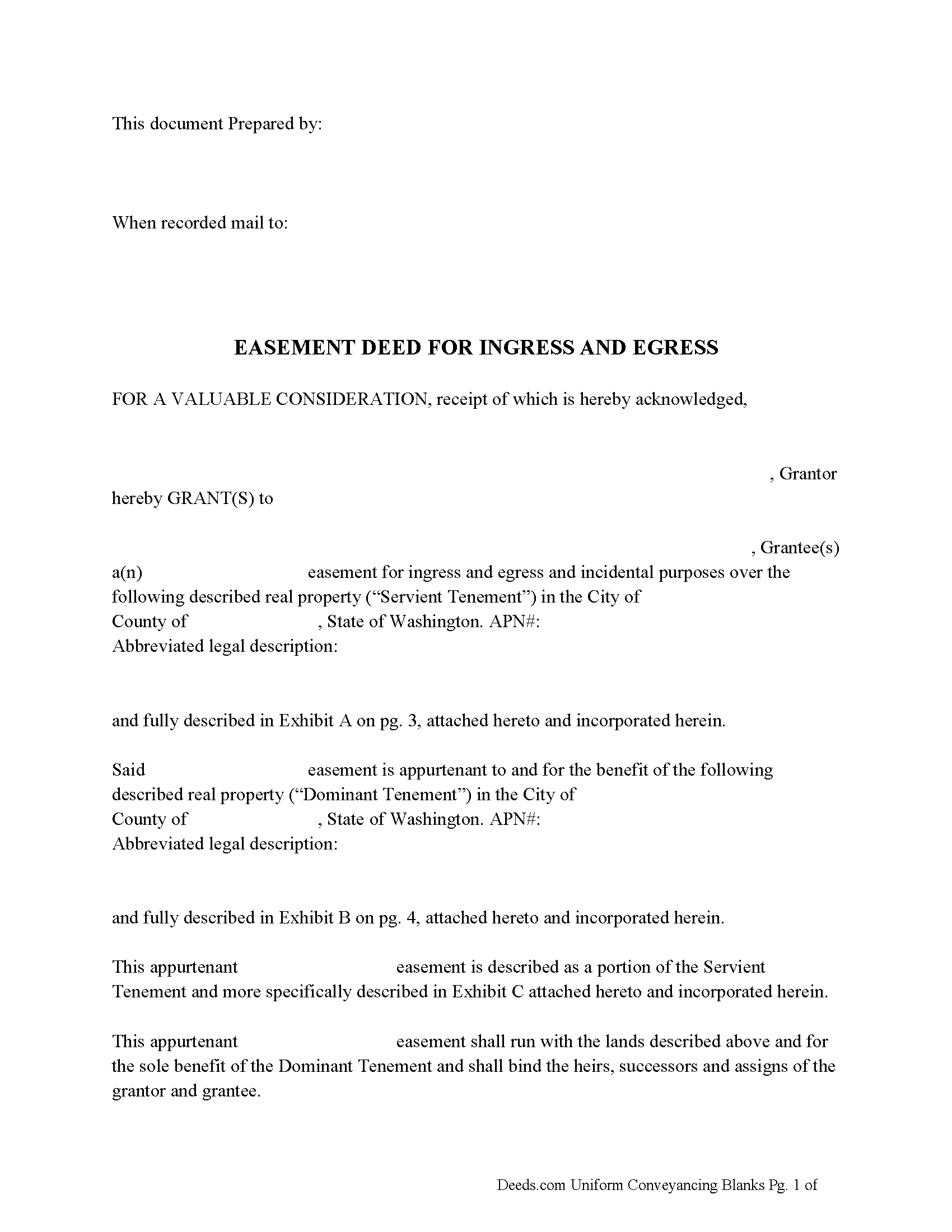
Douglas County Easement Deed Form
Fill in the blank form formatted to comply with all recording and content requirements.
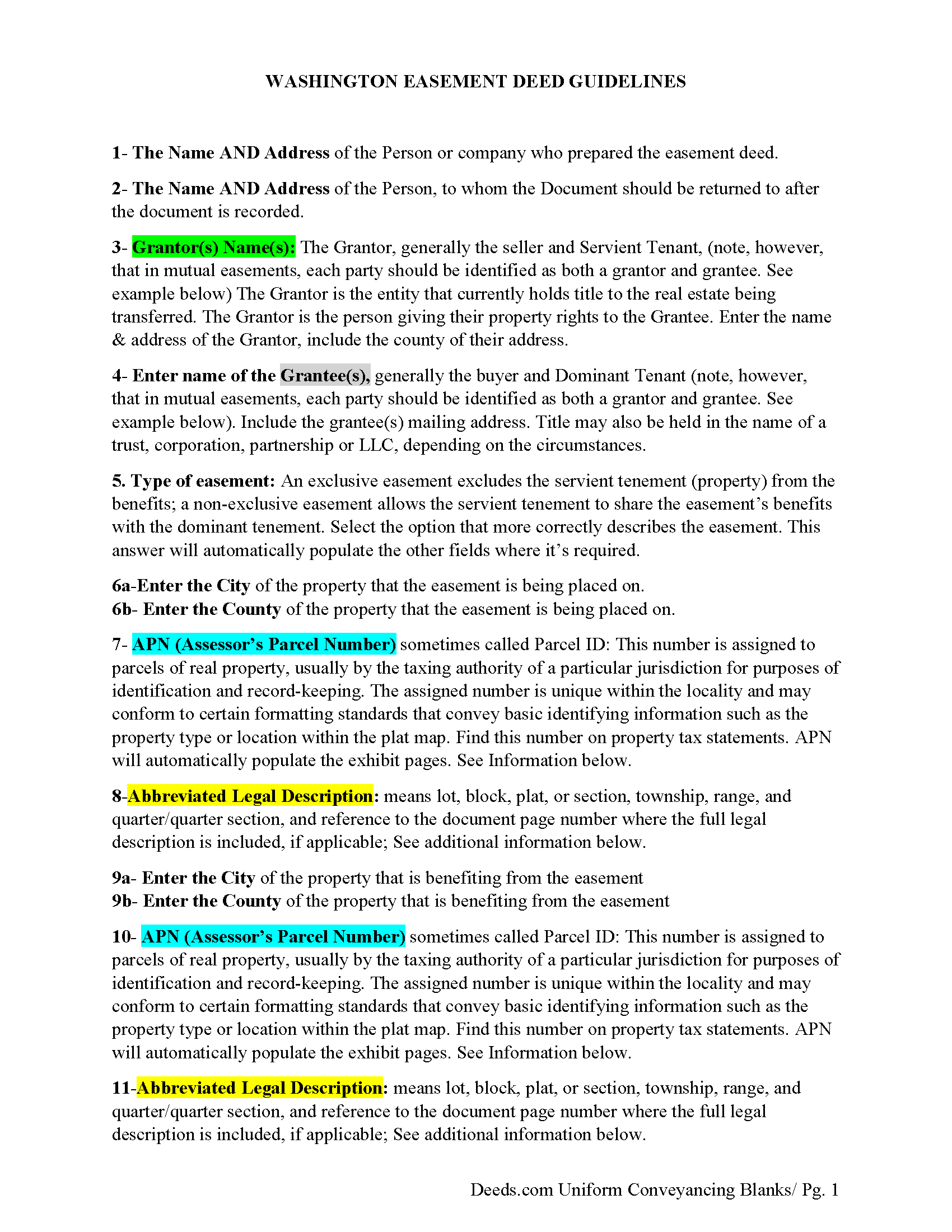
Douglas County Easement Deed Guidelines
Line by line guide explaining every blank on the form.
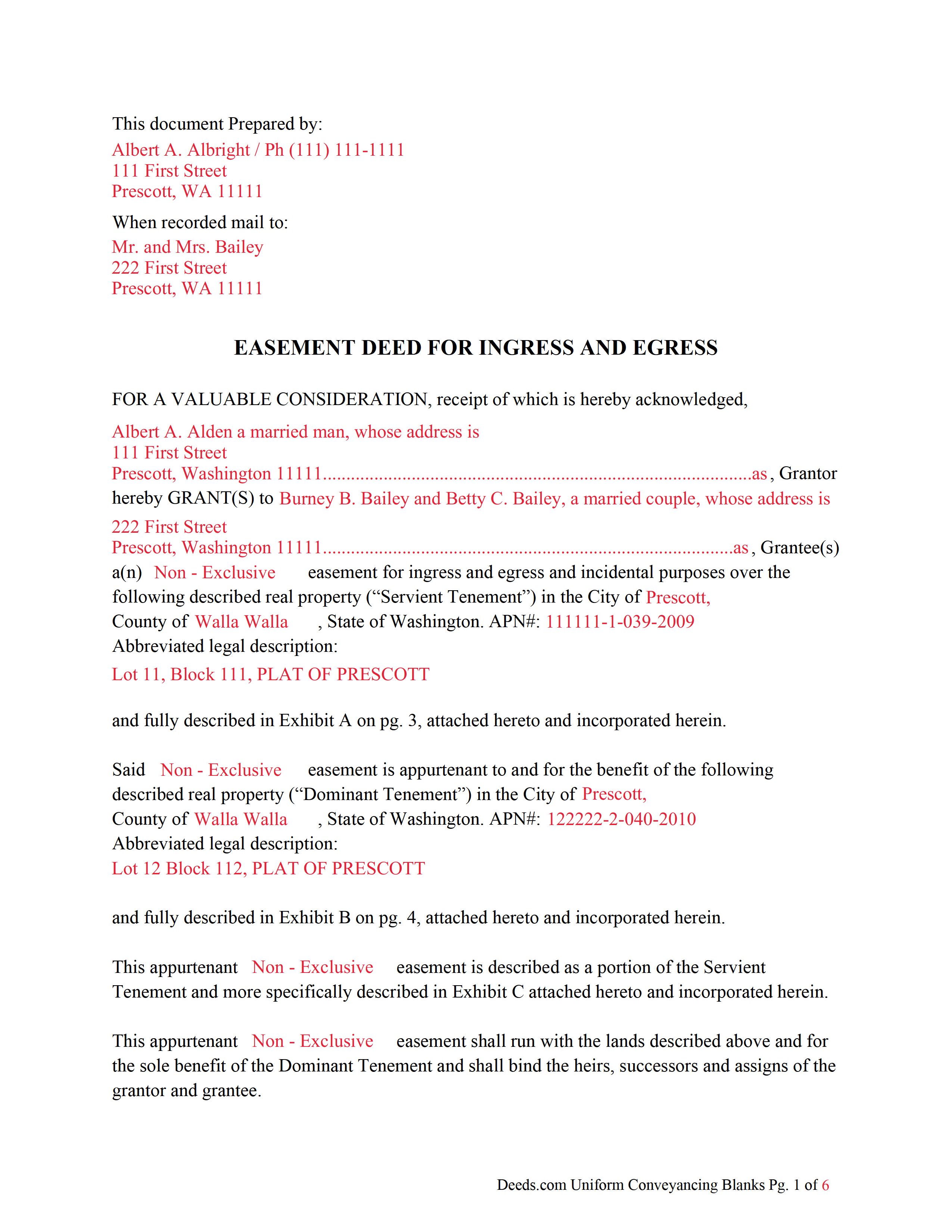
Douglas County Completed Example of an Easement Deed Document
Example of a properly completed form for reference.
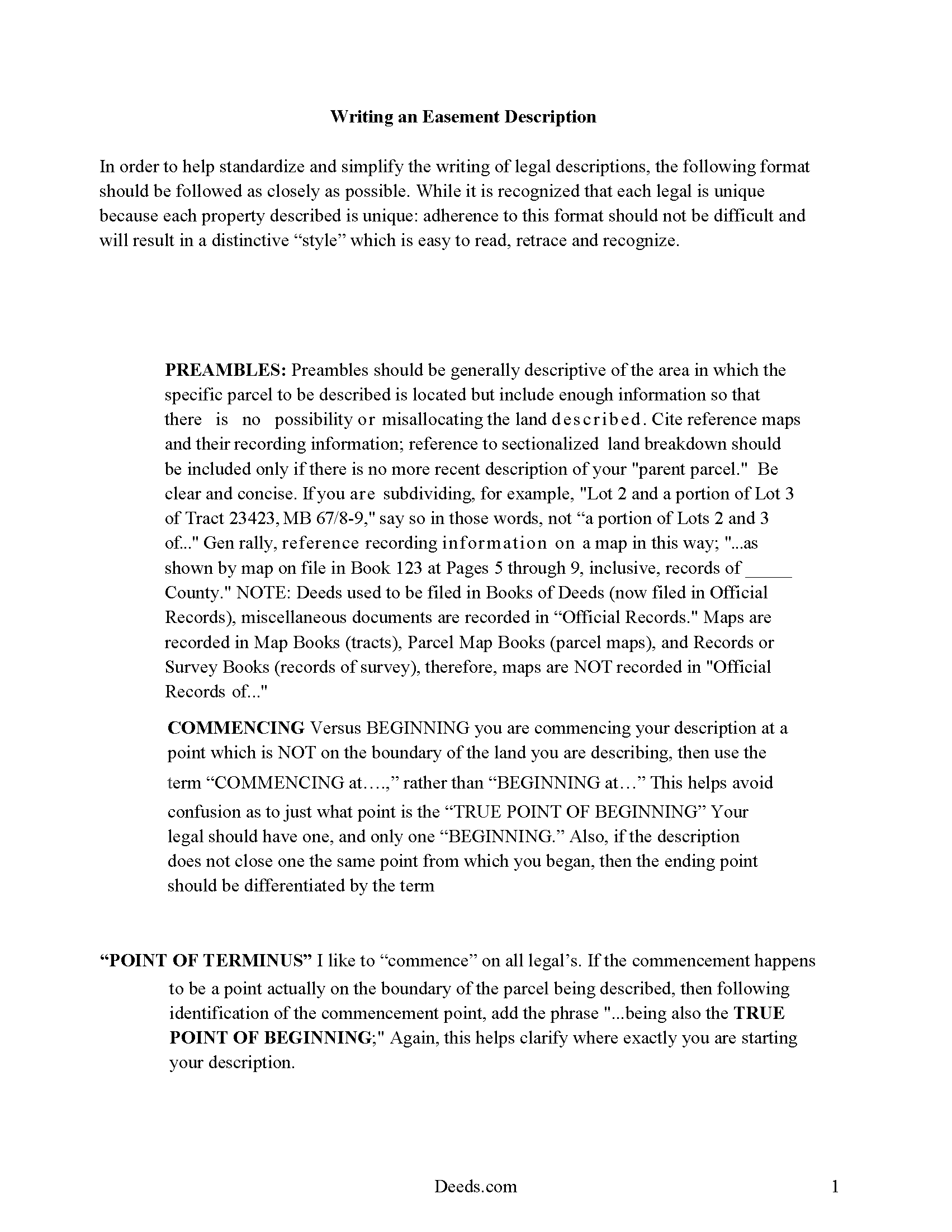
Douglas County Easement Deed Description
A Description of the Easement will be required. This will show how to write an acceptable description for a Right of Way Easement, which gives access, to and from - point A to point B.
All 4 documents above included • One-time purchase • No recurring fees
Immediate Download • Secure Checkout
Additional Washington and Douglas County documents included at no extra charge:
Where to Record Your Documents
Douglas County Recorder
Waterville , Washington 98858-0456
Hours: Monday through Friday 8:30am - 4:30pm / Recording until 4:00pm
Phone: (509) 745-8527
Recording Tips for Douglas County:
- Bring your driver's license or state-issued photo ID
- Ensure all signatures are in blue or black ink
- Ask for certified copies if you need them for other transactions
- Ask if they accept credit cards - many offices are cash/check only
- Check that your notary's commission hasn't expired
Cities and Jurisdictions in Douglas County
Properties in any of these areas use Douglas County forms:
- Bridgeport
- East Wenatchee
- Mansfield
- Orondo
- Palisades
- Rock Island
- Waterville
Hours, fees, requirements, and more for Douglas County
How do I get my forms?
Forms are available for immediate download after payment. The Douglas County forms will be in your account ready to download to your computer. An account is created for you during checkout if you don't have one. Forms are NOT emailed.
Are these forms guaranteed to be recordable in Douglas County?
Yes. Our form blanks are guaranteed to meet or exceed the applicable formatting requirements used for recording in Douglas County, including margin requirements, font requirements, and other layout standards. This guarantee applies to formatting, not to the legal sufficiency of information entered by the user or the suitability of a form for a particular transaction.
Can I reuse these forms?
Yes. You can reuse the forms for your personal use. For example, if you have multiple properties in Douglas County you only need to order once.
What do I need to use these forms?
The forms are PDFs that you fill out on your computer. The free Adobe Acrobat Reader is recommended, and most PDF apps also work. You do NOT enter your property information online - you download the blank forms and complete them privately on your own computer.
Are there any recurring fees?
No. This is a one-time purchase. Nothing to cancel, no memberships, no recurring fees.
How much does it cost to record in Douglas County?
Recording fees in Douglas County vary. Contact the recorder's office at (509) 745-8527 for current fees.
Questions answered? Let's get started!
Easements are created to allow one person to use another's real property for a specific purpose. An easement in this state can be established by a deed in writing, by implication, or by prescription. Easements established by dedication are property rights that cannot be extinguished or altered without the approval of the easement owner, unless the plat or other document creating the dedicated easement provides for an alternative method to extinguish or alter the easement (RCW 64.04.175). Solar easements for assuring continued access to direct sunlight for solar energy systems can be created in this state and privately negotiated (RCW 64.04.140). A solar easement can only be created by written agreement, but is not authorized to be created by an implied or prescriptive easement (RCW 64.04.160). An easement deed in Washington should specify the terms, duration, and location of the easement.
To entitle an easement deed to be recorded in this state, it must be signed and acknowledged by the grantor. An easement deed can be acknowledged in this state before a justice or clerk of the Supreme Court, a judge or clerk of the court of appeals, a judge of the superior court or a qualified court commissioner thereof, a county auditor, or a notary public (RCW 64.08.010). Acknowledgments taken out of state can be taken before any person authorized to take acknowledgments of deeds by the laws of such state. Unless out-of-state acknowledgments are taken before the officers listed in RCW 64.08.010, the deed must be accompanied by a certificate of acknowledgment. Officers taking acknowledgments of an easement deed within this state should have a certificate of acknowledgment attached to the instrument (RCW 64.08.050).
A duly acknowledged and certified easement deed can be recorded in the office of the county auditor in the county where the property subject to the easement is located. An unrecorded easement deed will be valid between the parties bound by it but will not be valid as against a subsequent purchaser in good faith and for a valuable consideration from the same vendor of the same real property, or portion thereof, whose conveyance is first duly recorded. The document will be considered recorded the moment it is filed for record (RCW 65.08.070).
(Washington ED Package includes form, guidelines, and completed example) For use in Washington only.
Important: Your property must be located in Douglas County to use these forms. Documents should be recorded at the county recording office listed above.
This Easement Deed meets all recording requirements specific to Douglas County.
Our Promise
The documents you receive here are guaranteed to meet or exceed the applicable Douglas County recording format requirements. If there is a rejection caused by our formatting, we will correct the issue or refund your payment. This guarantee applies to document formatting only and does not extend to information entered by the user, the selection of the form, or the legal effect of the completed document.
Save Time and Money
Get your Douglas County Easement Deed form done right the first time with Deeds.com Uniform Conveyancing Blanks. At Deeds.com, we understand that your time and money are valuable resources, and we don't want you to face a penalty fee or rejection imposed by a county recorder for submitting nonstandard documents. We constantly review and update our forms to meet rapidly changing state and county recording requirements for roughly 3,500 counties and local jurisdictions.
4.8 out of 5 - ( 4,842 Reviews )
Dana H. 5 out of 5 stars
Thanks for making this process a seamless one! I love Deeds.com and will recommend it to others!
Thank you for your feedback. We really appreciate it. Have a great day!
Andrew M. 5 out of 5 stars
Very easy to find the Quitclaim Deed form I needed. It was correct format and was accepted by my bank.
We appreciate your business and value your feedback. Thank you. Have a wonderful day!
John H. 1 out of 5 stars
Re: Idaho Affidavit of Successor: Decedent's residence may be a state other than Idaho. Death certificate documnet# field is too small.
Thank you for your feedback. We have emailed you an amended document to address your specific needs outlined in your feedback, hope this helps. Have a wonderful day.
Joseph R. 5 out of 5 stars
Deeds.com has saved me quite a bit in attorney fees by making legal forms available on line. Easy to use, just fill in the blanks.
Thank you for your feedback. We really appreciate it. Have a great day!
Donna C. 5 out of 5 stars
I was very impressed with the system. Easy to navigate. Took less than 15 minutes to get what I needed.
We appreciate your business and value your feedback. Thank you. Have a wonderful day!
Daniel L. 5 out of 5 stars
Very good. The right forms and instructions . Thanks
We appreciate your business and value your feedback. Thank you. Have a wonderful day!
Kevin M. 5 out of 5 stars
Maricopa County Recorders office directed to use Deeds.com for all forms, etc. Easily found the Warranty Deed form, instructions & sample form I was looking for.
Thank you!
Nancy H. 5 out of 5 stars
Site was excellent and saved a trip to the County office to pick up forms.
Thank you Nancy. Glad we could help. Have a great day!
Deborah Anne C. 5 out of 5 stars
Easy, Comprehensive and most importantly Easy!
We appreciate your business and value your feedback. Thank you. Have a wonderful day!
Peter L. 3 out of 5 stars
Waiting for response to questions about TOD deed. Language doesn't accommodate more than one Grantor and user cannot edit language.
Peter, thank you for your feedback. We're sorry our form didn't meet your needs. We've issued a full refund for your order. Please note that our forms are designed for common transfer scenarios, and we're unable to provide legal advice or guidance on how to complete them. If your situation involves multiple grantors or other complexities, we'd recommend consulting with a local real estate attorney who can ensure your deed is properly drafted for your specific circumstances. We wish you the best.
David W. 5 out of 5 stars
Thanks to all of you. You provide a great service! Dave in Ca.
Thank you for your feedback. We really appreciate it. Have a great day!
Susan L. 5 out of 5 stars
Instructions easy to follow, example form was a big help.
We appreciate your business and value your feedback. Thank you. Have a wonderful day!
Steven H. 5 out of 5 stars
Great Product!!! Used the more commonly known websites before, but never again. It was easy, great examples to follow so that I was sure and confident that I completed the document correctly. Thank You!
Thank you for your feedback. We really appreciate it. Have a great day!
Roxanne B. 5 out of 5 stars
This is an excellent service during a pandemic! Recording documents can be challenging with changing hours and rules. Yesterday I was able to file an important document from the comfort of my home.
Thank you for your feedback. We really appreciate it. Have a great day!
Desmond L. 5 out of 5 stars
Easy access
We appreciate your business and value your feedback. Thank you. Have a wonderful day!