Hampshire County Memorandum of Trust Form
Last validated October 13, 2026 by our Forms Development TeamFormatted for recording in Hampshire County, for property anywhere in the county: rural and unincorporated areas as well as Augusta, Bloomery, Capon Bridge, Capon Springs, Delray, Green Spring, High View, Levels and 8 more.
- 3 documents included
- Immediate PDF download
- Formatting guarantee
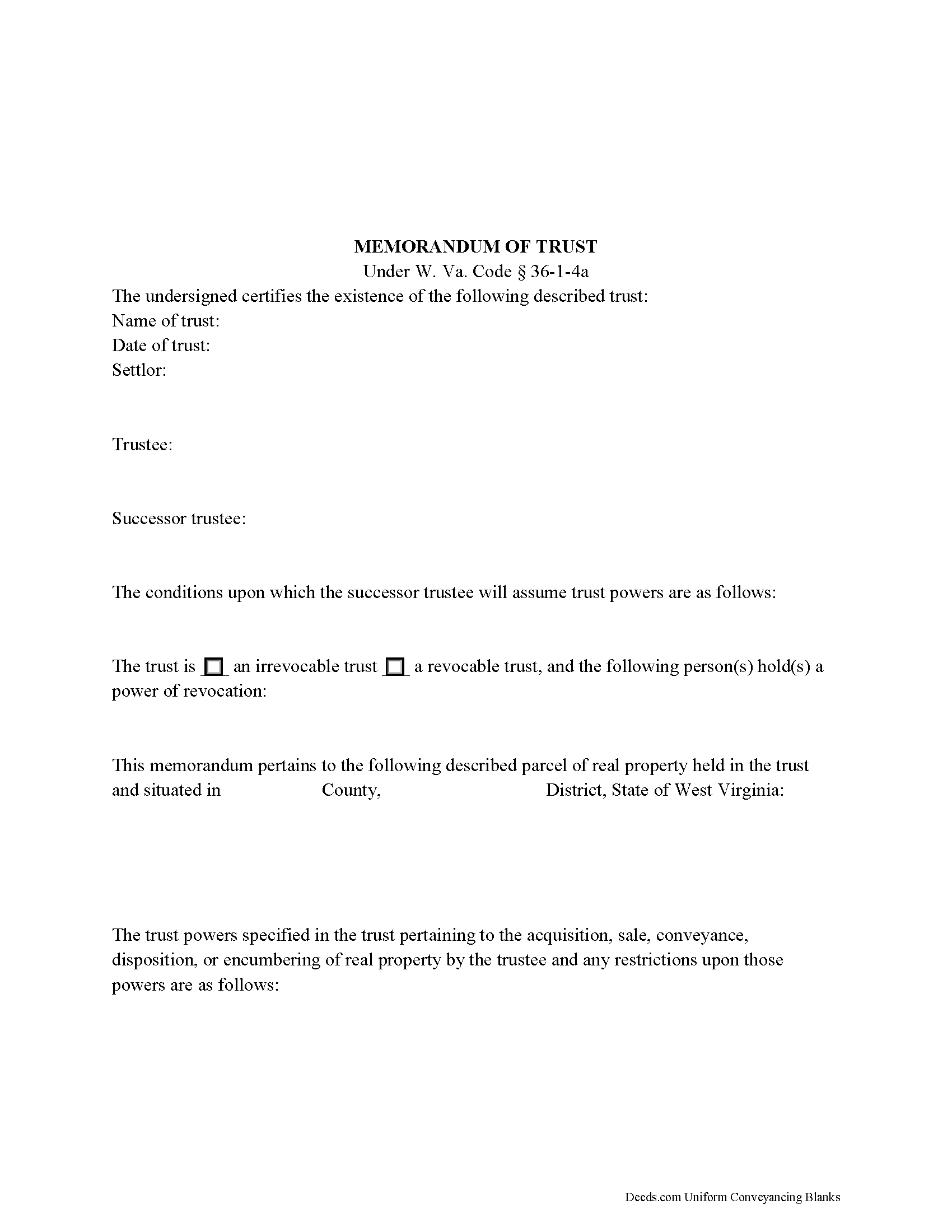
Hampshire County Memorandum of Trust Form
Fill in the blank form formatted to comply with all recording and content requirements.
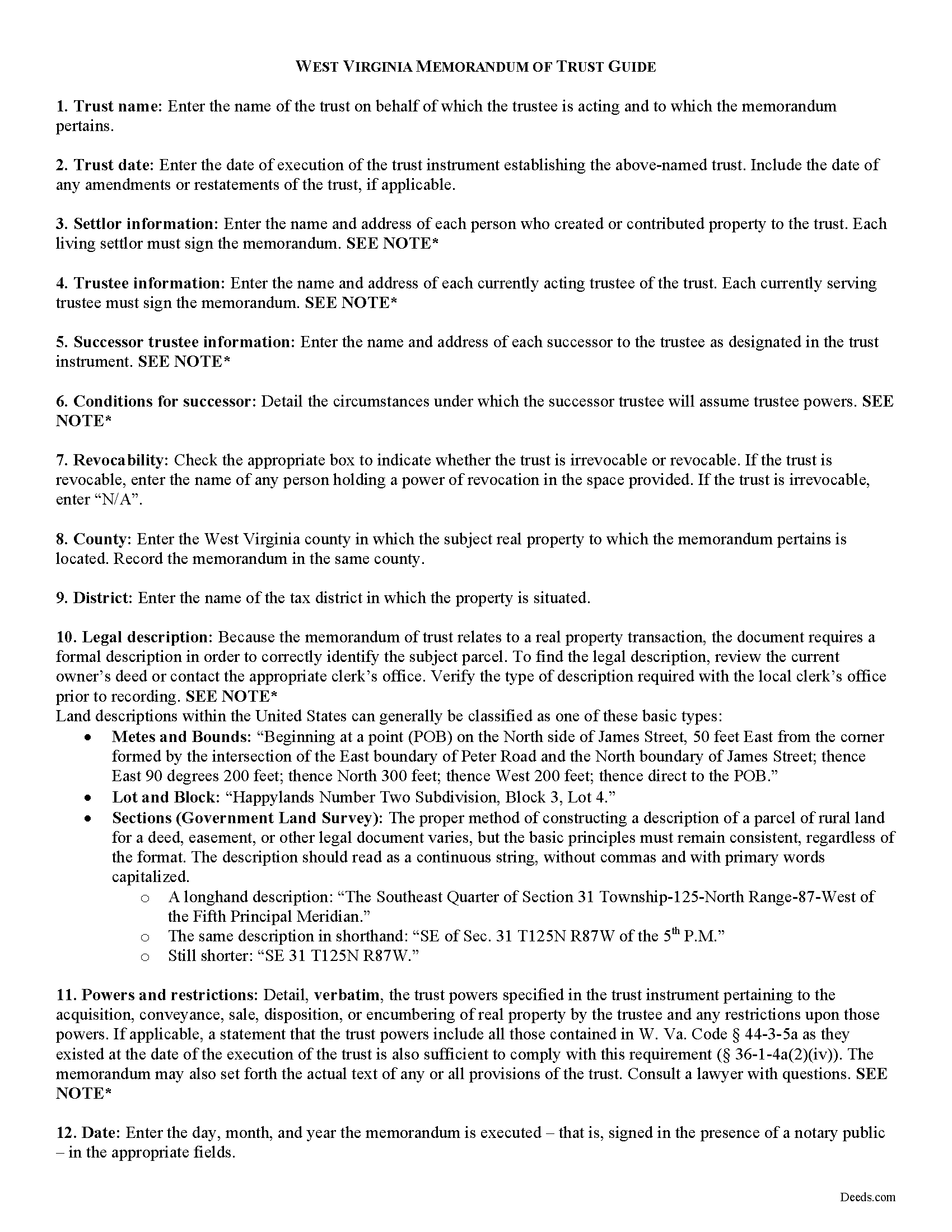
Hampshire County Memorandum of Trust Guide
Line by line guide explaining every blank on the form.
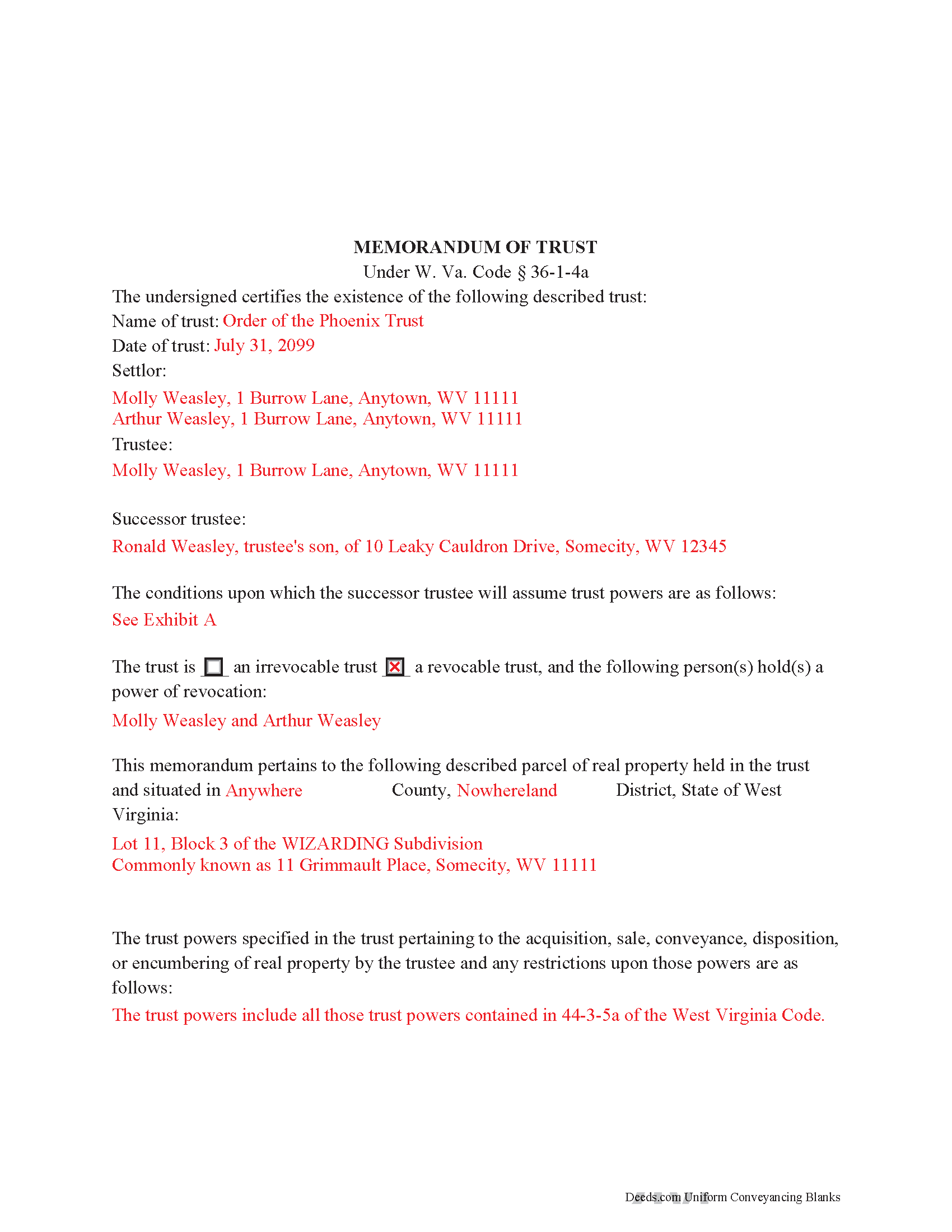
Hampshire County Completed Example of the Memorandum of Trust Document
Example of a properly completed form for reference.
All 3 documents above included • One-time purchase • No recurring fees
Immediate Download • Secure Checkout
Additional West Virginia and Hampshire County documents included at no extra charge:
Where to Record Your Documents
Hampshire County Clerk
Romney, West Virginia 26757
Hours: 8:00 to 4:00 M-F
Phone: (304) 822-5112
Recording Tips for Hampshire County:
- Bring your driver's license or state-issued photo ID
- Ensure all signatures are in blue or black ink
- Avoid the last business day of the month when possible
- Both spouses typically need to sign if property is jointly owned
- Bring extra funds - fees can vary by document type and page count
Cities and Jurisdictions in Hampshire County
Properties in any of these areas use Hampshire County forms:
- Augusta
- Bloomery
- Capon Bridge
- Capon Springs
- Delray
- Green Spring
- High View
- Levels
- Points
- Purgitsville
- Rio
- Romney
- Shanks
- Slanesville
- Springfield
- Yellow Spring
Hours, fees, requirements, and more for Hampshire County
How do I get my forms?
Forms are available for immediate download after payment. The Hampshire County forms will be in your account ready to download to your computer. An account is created for you during checkout if you don't have one. Forms are NOT emailed.
Are these forms guaranteed to be recordable in Hampshire County?
Yes. Our form blanks are guaranteed to meet or exceed the applicable formatting requirements used for recording in Hampshire County, including margin requirements, font requirements, and other layout standards. This guarantee applies to formatting, not to the legal sufficiency of information entered by the user or the suitability of a form for a particular transaction.
Can I reuse these forms?
Yes. You can reuse the forms for your personal use. For example, if you have multiple properties in Hampshire County you only need to order once.
What do I need to use these forms?
The forms are PDFs that you fill out on your computer. The free Adobe Acrobat Reader is recommended, and most PDF apps also work. You do NOT enter your property information online - you download the blank forms and complete them privately on your own computer.
Are there any recurring fees?
No. This is a one-time purchase. Nothing to cancel, no memberships, no recurring fees.
How much does it cost to record in Hampshire County?
Recording fees in Hampshire County vary. Contact the recorder's office at (304) 822-5112 for current fees.
Questions answered? Let's get started!
The memorandum of trust, codified under the Estates and Trusts chapter of the West Virginia Code at 36-1-4a is executed jointly by all acting trustees and living settlors of a trust. It is recorded in the land records with an acquisition and/or conveyance of real property by a trust in order to maintain a clear account for potential title examinations.
A memorandum contains a statement that the trust exists and the date of the trust; the names of each settlor, current trustee, and successor trustee; the conditions under which the successor assumes trustee powers; and whether or not the trust is revocable. The form also requires a verbatim accounting of the trustee's powers "relative to the acquisition, sale, disposition, or encumbering of real property ... or the conveyance or disposition of real property," depending on the situation, and any restrictions on those powers (W. Va. Code 36-1-4a(a)(2)(iv)). Due to the nature of the transaction for which the memorandum is recorded, a legal description of the subject property is also required. The memorandum may also include the entire text "of any or all of the provisions of the trust" ( 36-1-4a(b)).
Each case is unique, so contact an attorney with questions about this form or anything else relating to trusts in West Virginia.
(West Virginia MOT Package includes form, guidelines, and completed example)
Important: Your property must be located in Hampshire County to use these forms. Documents should be recorded at the county recording office listed above.
This Memorandum of Trust meets all recording requirements specific to Hampshire County.
Our Promise
The documents you receive here are guaranteed to meet or exceed the applicable Hampshire County recording format requirements. If there is a rejection caused by our formatting, we will correct the issue or refund your payment. This guarantee applies to document formatting only and does not extend to information entered by the user, the selection of the form, or the legal effect of the completed document.
Save Time and Money
Get your Hampshire County Memorandum of Trust form done right the first time with Deeds.com Uniform Conveyancing Blanks. At Deeds.com, we understand that your time and money are valuable resources, and we don't want you to face a penalty fee or rejection imposed by a county recorder for submitting nonstandard documents. We constantly review and update our forms to meet rapidly changing state and county recording requirements for roughly 3,500 counties and local jurisdictions.
4.8 out of 5 - ( 4,829 Reviews )
Brenda H. 1 out of 5 stars
I purchased this thinking I would be able to complete the QuitClaim Deed myself because an example was provided, but you still need to be a lawyer to figure all the wording out. It was not worth the price I paid for it.
Thank you for your feedback. We really appreciate it. Have a great day!
Cynthia M. 5 out of 5 stars
I wanted the Lady Bird Deed for my estate, and it was very easy to download, fill out and file. My county records department accepted it with no issue. Thank you Deeds.com! You saved me over $500.00!
We appreciate your business and value your feedback. Thank you. Have a wonderful day!
Daniel S. 5 out of 5 stars
It was easy to find the forms I was looking for and the guided steps and examples of how to use the form were beneficial.
Thank you for your feedback. We really appreciate it. Have a great day!
MARIO D S. 5 out of 5 stars
Well worth the $20.00 for the Transfer on Death Deed, if you are willing to do the leg work to notarize and record the deed. Money well spent and money well saved. The value is in the short, bullet type instructions and State specific forms and requirements.
Thank you!
Karen B. 5 out of 5 stars
Completed although having the sample really helped. Now to file.
Thank you for your feedback. We really appreciate it. Have a great day!
Lesley B. 5 out of 5 stars
It was so quick and easy to access.. Thank you!!
Thank you for your feedback. We really appreciate it. Have a great day!
John Z. 5 out of 5 stars
Very easy to use. Straight forward. Am glad I found the tools to process an important document of property ownership. Thanks much. Will recommend to friends and family.
Thank you!
Ronald B. 5 out of 5 stars
Simple to use, download, fill-in and print.
We appreciate your business and value your feedback. Thank you. Have a wonderful day!
GEORGE Q. 5 out of 5 stars
Assistance from the associate was good. He told me what I needed to hear and took the time to look up deeds that I was looking for. Though the deed was not available he gave me recommendation on my future calls to ask. Great personality and very helpful.
Thank you for your feedback. We really appreciate it. Have a great day!
Sharon L. 5 out of 5 stars
Both experiences were professional. Thank you
We’re always here to help. Thank you for your feedback.
Anne-Marie B. 5 out of 5 stars
This was the first time I have ever e-recorded a document. The process was smooth and simple. I loved being informed at each step along the way. I am glad I chose deeds.com and plan to use them in the future for all my electronic recording of legal documents.
Thank you!
David L. 5 out of 5 stars
Good quick service. The forms helped guide and explain each section and question.
Thank you for your feedback. We really appreciate it. Have a great day!
Pamela P. 5 out of 5 stars
I liked the speed and efficiency of your website.
Thank you for your feedback. We really appreciate it. Have a great day!
Melvin L. 5 out of 5 stars
So easy, very simple to use. I was very pleased with the service Deeds provided. Would definely use again.
We appreciate your business and value your feedback. Thank you. Have a wonderful day!
Scott R. 5 out of 5 stars
Thanks that was great.
Thank you for your feedback. We really appreciate it. Have a great day!