Summers County Memorandum of Trust Form
Last validated October 13, 2026 by our Forms Development TeamFormatted for recording in Summers County, for property anywhere in the county: rural and unincorporated areas as well as Elton, Forest Hill, Green Sulphur Springs, Hinton, Jumping Branch, Meadow Creek, Nimitz, Pence Springs and 3 more.
- 3 documents included
- Immediate PDF download
- Formatting guarantee
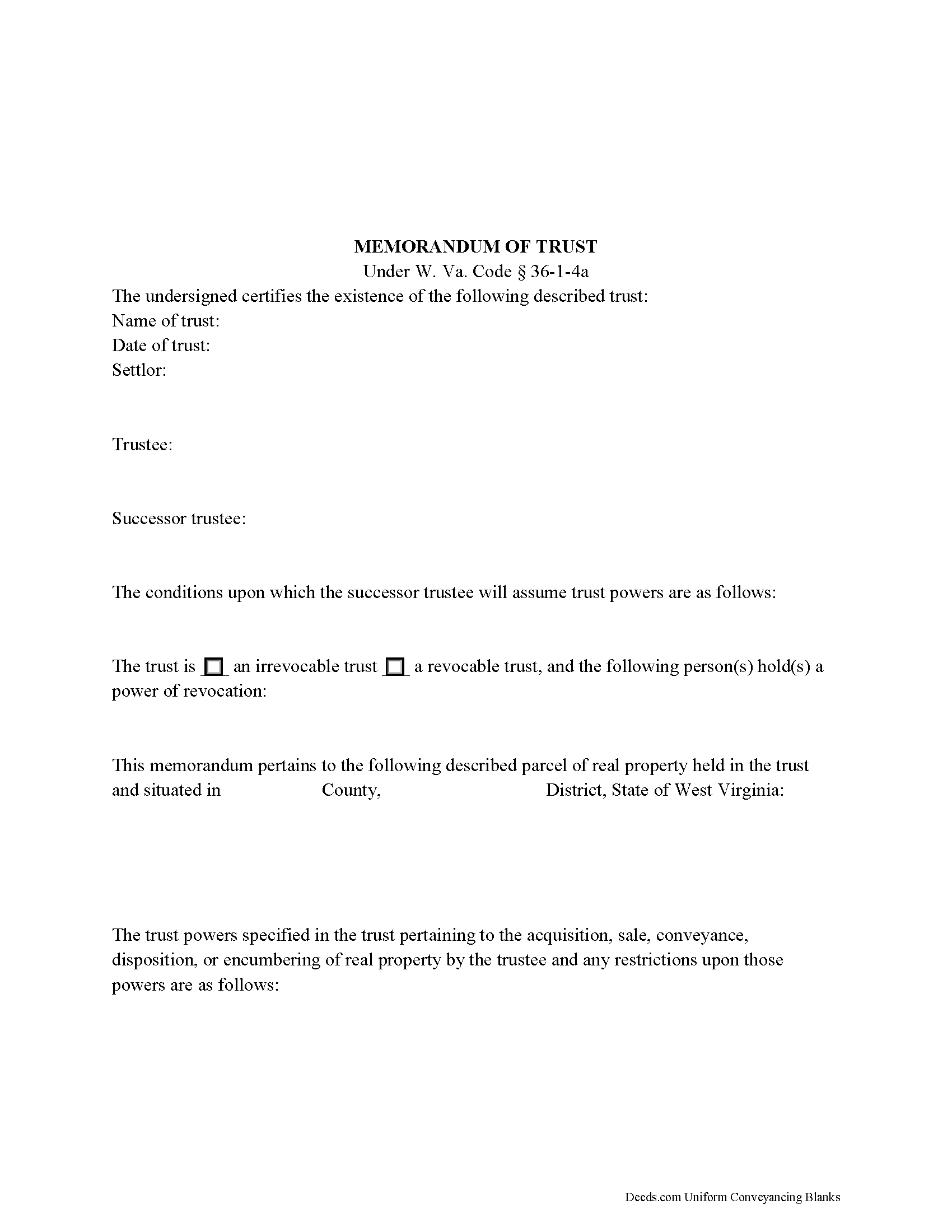
Summers County Memorandum of Trust Form
Fill in the blank form formatted to comply with all recording and content requirements.
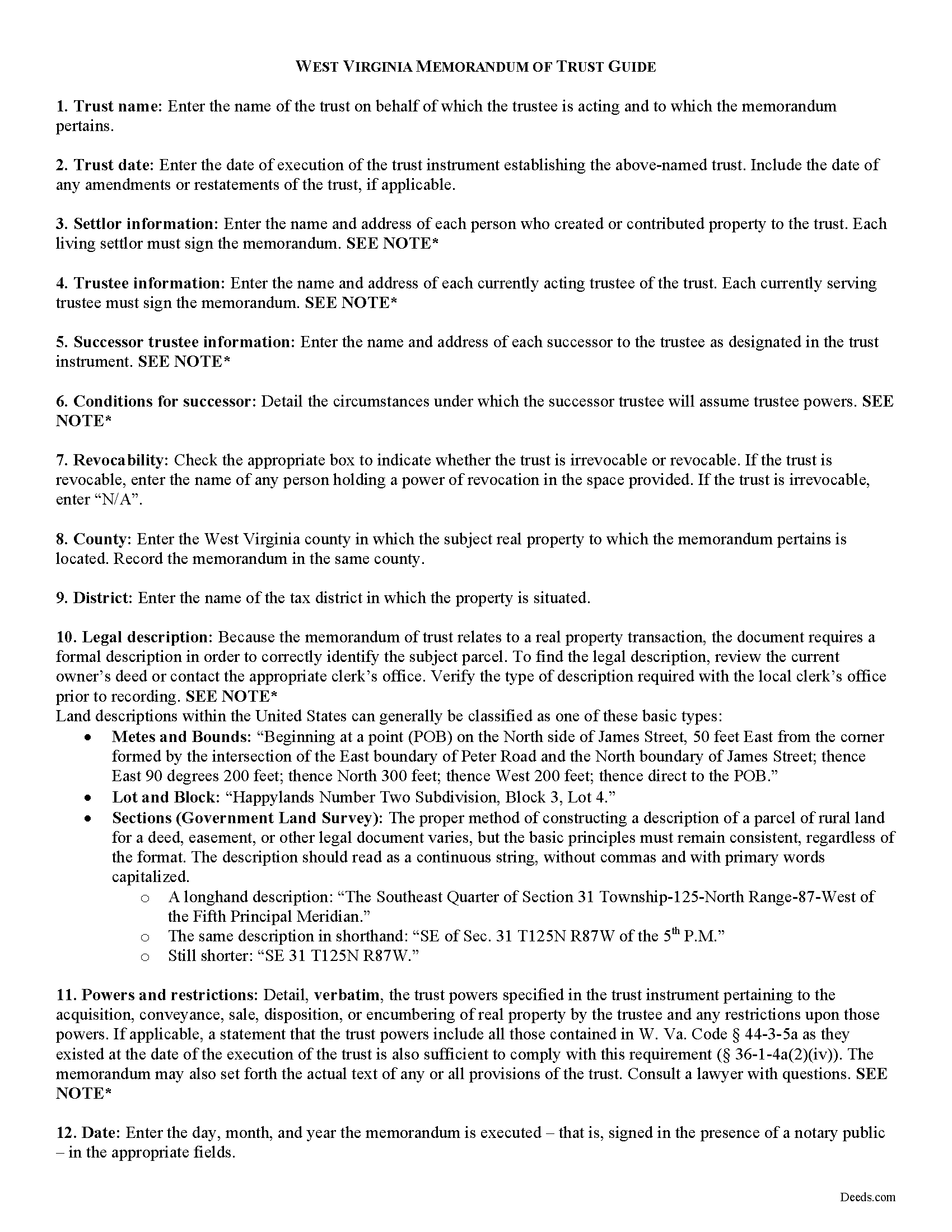
Summers County Memorandum of Trust Guide
Line by line guide explaining every blank on the form.
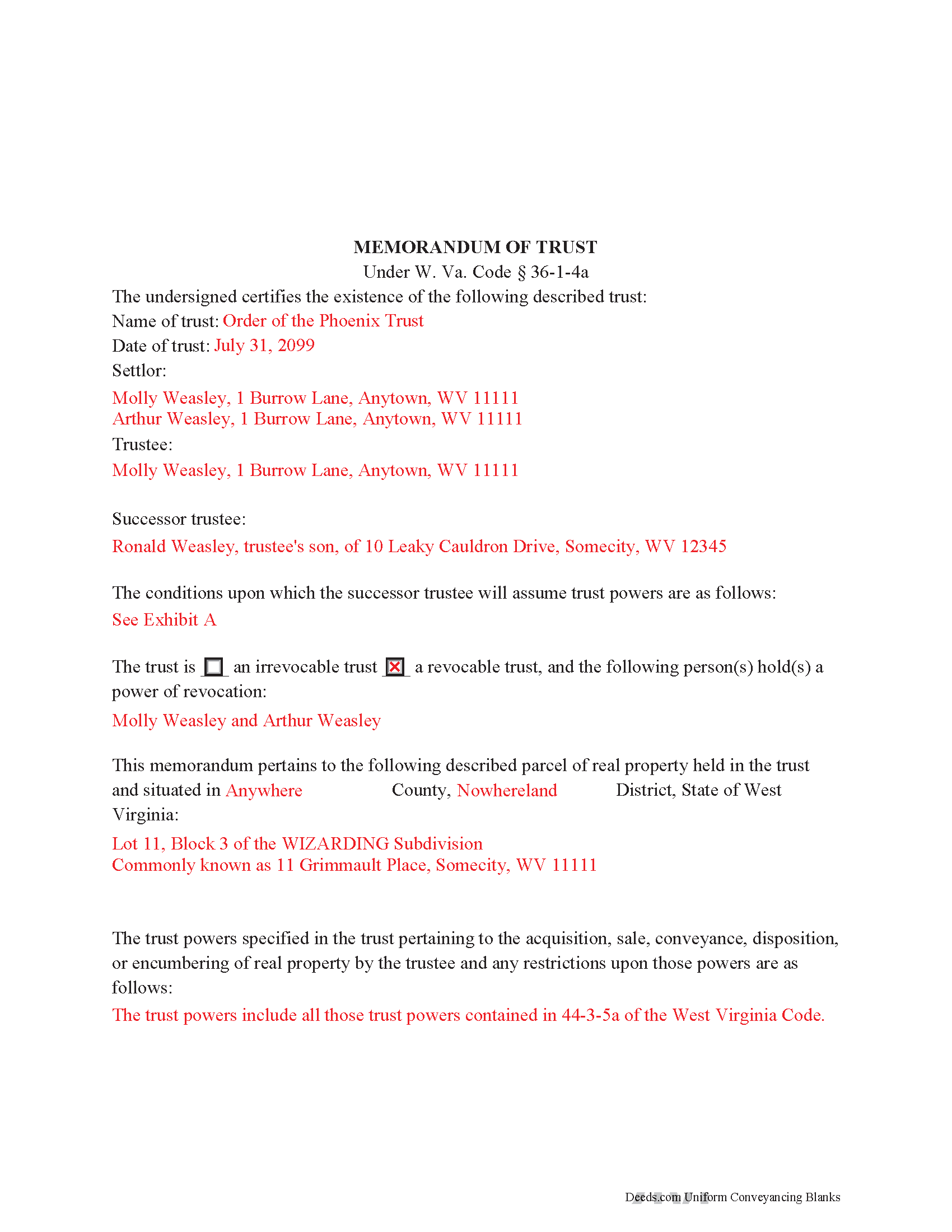
Summers County Completed Example of the Memorandum of Trust Document
Example of a properly completed form for reference.
All 3 documents above included • One-time purchase • No recurring fees
Immediate Download • Secure Checkout
Additional West Virginia and Summers County documents included at no extra charge:
Where to Record Your Documents
Summers County Clerk
Hinton, West Virginia 25951
Hours: 8:30 to 4:30 M-F
Phone: (304) 466-7104
Recording Tips for Summers County:
- Bring your driver's license or state-issued photo ID
- Ensure all signatures are in blue or black ink
- Check that your notary's commission hasn't expired
- Documents must be on 8.5 x 11 inch white paper
- Double-check legal descriptions match your existing deed
Cities and Jurisdictions in Summers County
Properties in any of these areas use Summers County forms:
- Elton
- Forest Hill
- Green Sulphur Springs
- Hinton
- Jumping Branch
- Meadow Creek
- Nimitz
- Pence Springs
- Pipestem
- Sandstone
- Talcott
Hours, fees, requirements, and more for Summers County
How do I get my forms?
Forms are available for immediate download after payment. The Summers County forms will be in your account ready to download to your computer. An account is created for you during checkout if you don't have one. Forms are NOT emailed.
Are these forms guaranteed to be recordable in Summers County?
Yes. Our form blanks are guaranteed to meet or exceed the applicable formatting requirements used for recording in Summers County, including margin requirements, font requirements, and other layout standards. This guarantee applies to formatting, not to the legal sufficiency of information entered by the user or the suitability of a form for a particular transaction.
Can I reuse these forms?
Yes. You can reuse the forms for your personal use. For example, if you have multiple properties in Summers County you only need to order once.
What do I need to use these forms?
The forms are PDFs that you fill out on your computer. The free Adobe Acrobat Reader is recommended, and most PDF apps also work. You do NOT enter your property information online - you download the blank forms and complete them privately on your own computer.
Are there any recurring fees?
No. This is a one-time purchase. Nothing to cancel, no memberships, no recurring fees.
How much does it cost to record in Summers County?
Recording fees in Summers County vary. Contact the recorder's office at (304) 466-7104 for current fees.
Questions answered? Let's get started!
The memorandum of trust, codified under the Estates and Trusts chapter of the West Virginia Code at 36-1-4a is executed jointly by all acting trustees and living settlors of a trust. It is recorded in the land records with an acquisition and/or conveyance of real property by a trust in order to maintain a clear account for potential title examinations.
A memorandum contains a statement that the trust exists and the date of the trust; the names of each settlor, current trustee, and successor trustee; the conditions under which the successor assumes trustee powers; and whether or not the trust is revocable. The form also requires a verbatim accounting of the trustee's powers "relative to the acquisition, sale, disposition, or encumbering of real property ... or the conveyance or disposition of real property," depending on the situation, and any restrictions on those powers (W. Va. Code 36-1-4a(a)(2)(iv)). Due to the nature of the transaction for which the memorandum is recorded, a legal description of the subject property is also required. The memorandum may also include the entire text "of any or all of the provisions of the trust" ( 36-1-4a(b)).
Each case is unique, so contact an attorney with questions about this form or anything else relating to trusts in West Virginia.
(West Virginia MOT Package includes form, guidelines, and completed example)
Important: Your property must be located in Summers County to use these forms. Documents should be recorded at the county recording office listed above.
This Memorandum of Trust meets all recording requirements specific to Summers County.
Our Promise
The documents you receive here are guaranteed to meet or exceed the applicable Summers County recording format requirements. If there is a rejection caused by our formatting, we will correct the issue or refund your payment. This guarantee applies to document formatting only and does not extend to information entered by the user, the selection of the form, or the legal effect of the completed document.
Save Time and Money
Get your Summers County Memorandum of Trust form done right the first time with Deeds.com Uniform Conveyancing Blanks. At Deeds.com, we understand that your time and money are valuable resources, and we don't want you to face a penalty fee or rejection imposed by a county recorder for submitting nonstandard documents. We constantly review and update our forms to meet rapidly changing state and county recording requirements for roughly 3,500 counties and local jurisdictions.
4.8 out of 5 - ( 4,832 Reviews )
Melody L. 3 out of 5 stars
Beware, you cannot save the information you typed and change it later. It will be a PDF upon saving. So if you need corrections...you have to start all over!
Thank you for your feedback. We really appreciate it. Have a great day!
Judy F. 5 out of 5 stars
The site was easy to use, I just wasn't sure which of all these documents I needed.
Thank you!
Robert M. 5 out of 5 stars
Got the documents needed.. simple to use!!!
Thank you Robert, we appreciate your feedback. Have a great day.
Karen F. 5 out of 5 stars
The documents' format contained information needed to complete the necessary paperwork for filing with Georgia. However, the fields were not large enough to put the legal description in, and there was no way to enlarge the area. These were only semi-helpful in providing what I needed per Georgia's filing requirement.
Thank you!
bill h. 5 out of 5 stars
so far getting what i needed was easy the site is well done thank you
We appreciate your business and value your feedback. Thank you. Have a wonderful day!
Kimberly F. 5 out of 5 stars
Ordered and received the quitclaim form. Exactly what I expected, perfect.
Thank you for your feedback. We really appreciate it. Have a great day!
Ashley D. 5 out of 5 stars
Was able to print my documents immediately. Documents included deed form, a guide, a sample document, etc. Very helpful!
Thank you for your feedback. We really appreciate it. Have a great day!
Michael S. 5 out of 5 stars
Thanks for making what I thought would be complicated, so easy. I loved being able to avoid getting a lawyer along with their high fees.
Glad to hear the process was straightforward for you, Michael. Thanks for choosing us—we appreciate your feedback!
Patrick A. 5 out of 5 stars
Real value. Excellent forms, guidance & samples. Included Homestead Exemption form & info are also valuable & greatly appreciated.
Thank you for your feedback. We really appreciate it. Have a great day!
Dianne W. 5 out of 5 stars
Thank you for responding so quickly to my question. I was able to locate the form and get everything downloaded. Once I saw the icon, it was easy peasy!!
Thank you!
BARRY D. 5 out of 5 stars
Could not have been easier. Instructions were clear. Guidelines and example were clearly written. Erecording worked fast and let me skip a dreaded trip downtown to be ignored by government employees who hate their jobs.
Thank you for your positive words! We’re thrilled to hear about your experience.
lindsey r. 5 out of 5 stars
easy to use
Thank you!
Robby T. 4 out of 5 stars
Most people coming to this sight will not have the knowledge for deeds. Therefore, I wish there were more instructions on when the Grantor signs and when the Grantee signs and the process steps to making the transaction final. I would give it 4 out of 5 starts
Thank you for your feedback. We really appreciate it. Have a great day!
Miranda C. 3 out of 5 stars
very expensive
Thank you for your continued trust and repeated purchases with us over the past year. We deeply value our loyal customers and understand the importance of providing value for your investment. Our pricing reflects the meticulous care, research, and expertise we put into each of our legal forms. However, we always strive to improve and genuinely value your feedback.
pete k. 5 out of 5 stars
Excellent service and quick turnaround time.I ordered a copy of my property deed and I received a downloadable digital copy in about 10 to 15 minutes. Very impressed. Thank You
Thank you for your feedback. We really appreciate it. Have a great day!