Wyoming County Memorandum of Trust Form
Last validated November 12, 2026 by our Forms Development TeamFormatted for recording in Wyoming County, for property anywhere in the county: rural and unincorporated areas as well as Allen Junction, Amigo, Brenton, Bud, Clear Fork, Coal Mountain, Corinne, Covel and 28 more.
- 3 documents included
- Immediate PDF download
- Formatting guarantee
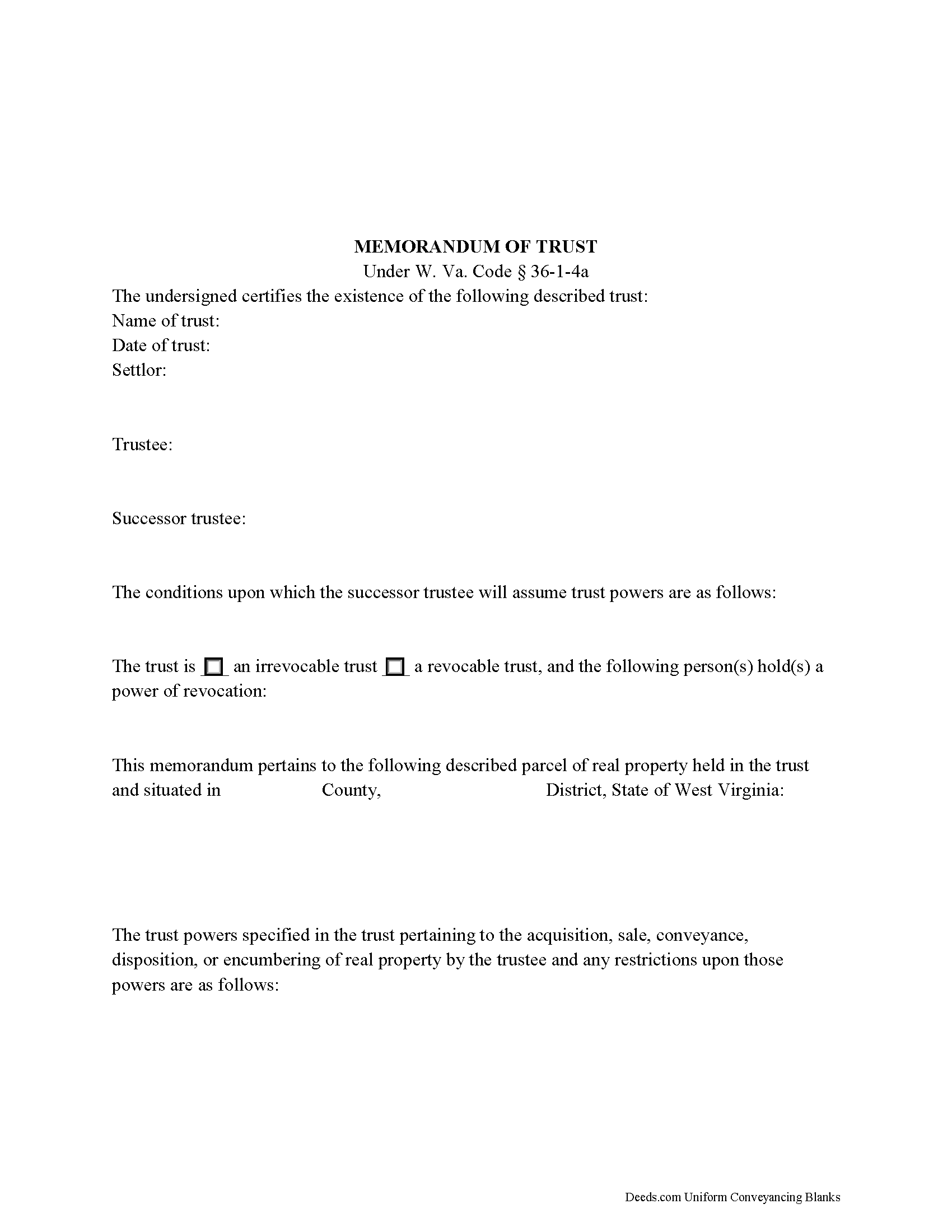
Wyoming County Memorandum of Trust Form
Fill in the blank form formatted to comply with all recording and content requirements.
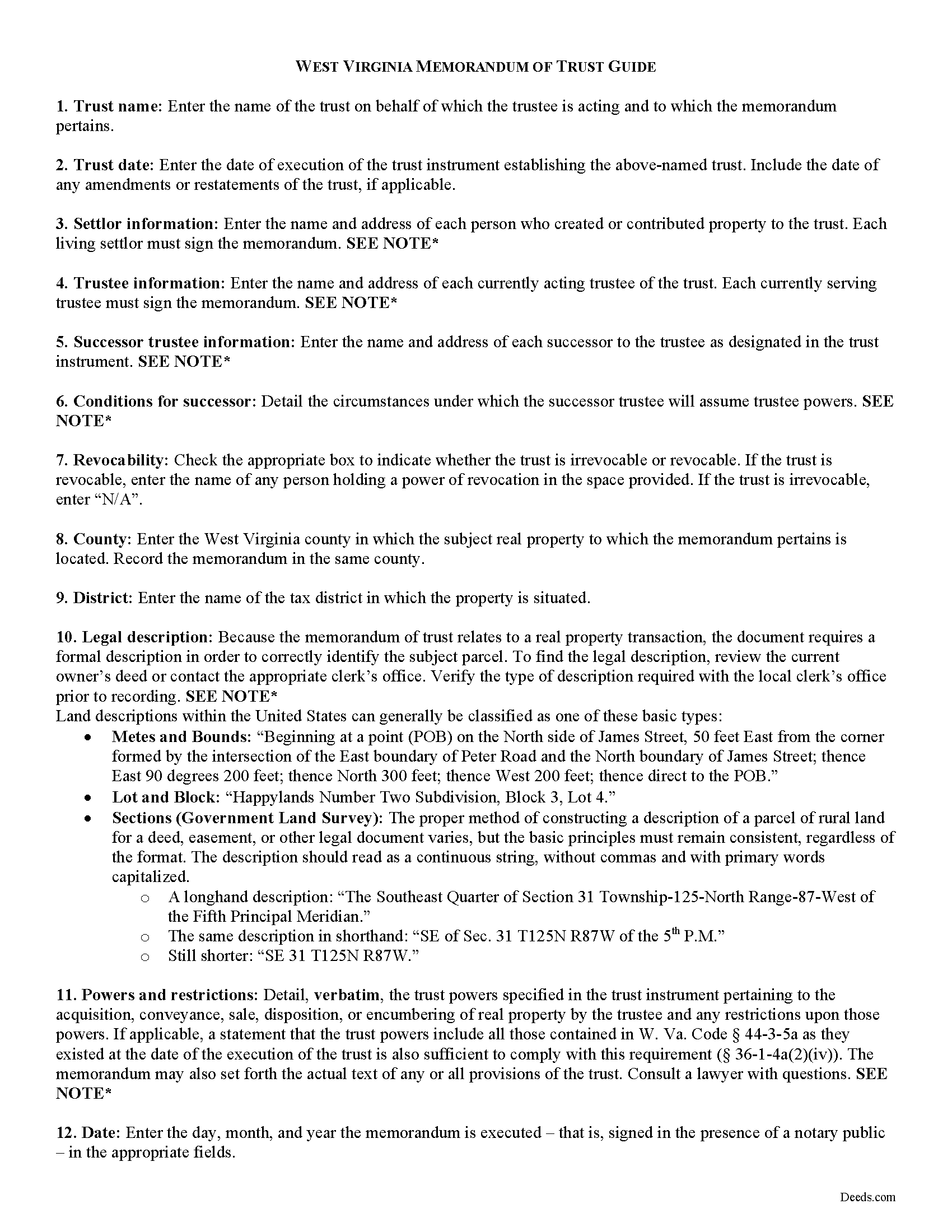
Wyoming County Memorandum of Trust Guide
Line by line guide explaining every blank on the form.
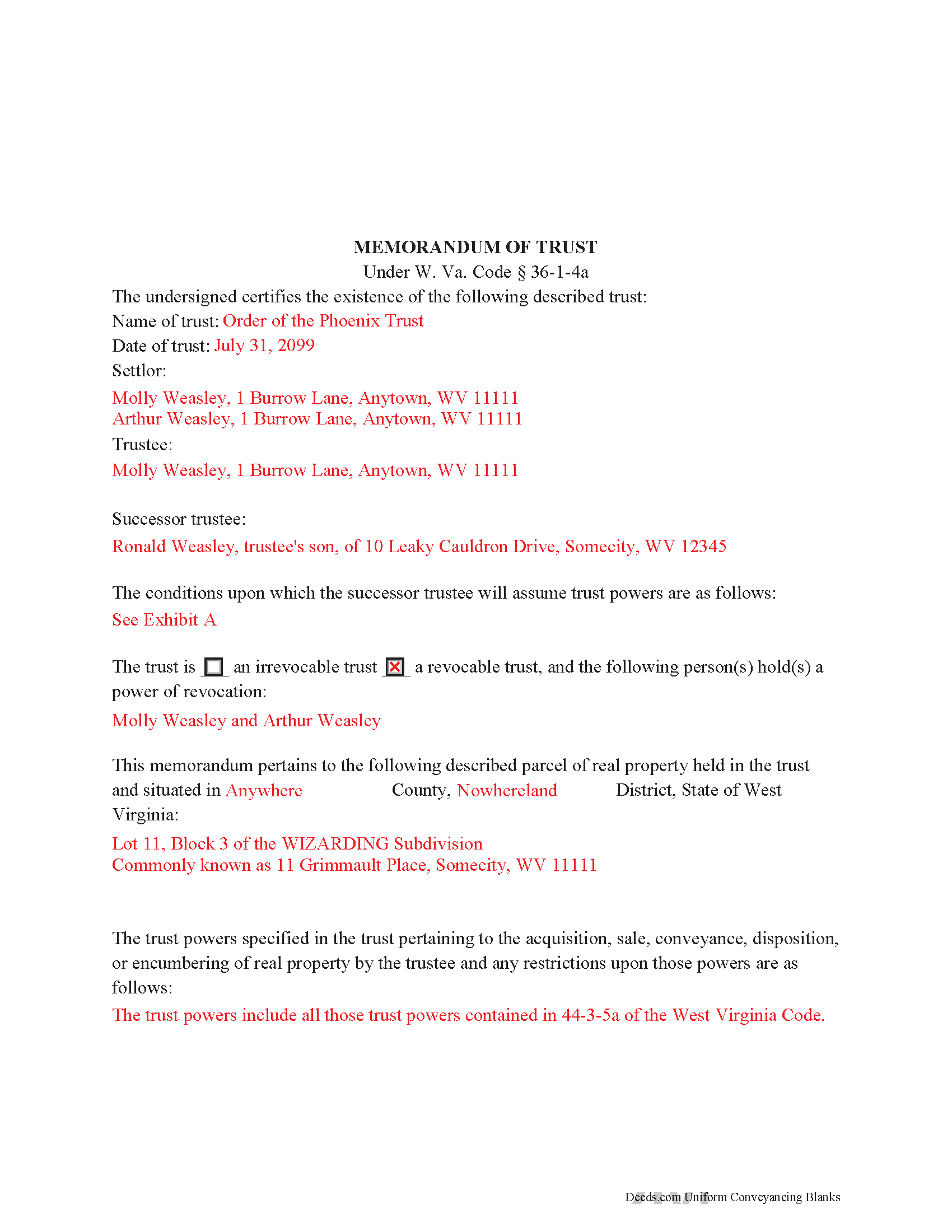
Wyoming County Completed Example of the Memorandum of Trust Document
Example of a properly completed form for reference.
All 3 documents above included • One-time purchase • No recurring fees
Immediate Download • Secure Checkout
Additional West Virginia and Wyoming County documents included at no extra charge:
Where to Record Your Documents
Wyoming County Clerk
Pineville, West Virginia 24874
Hours: Monday - Friday 8:00 am - 4:30 pm
Phone: (304) 732-8000
Recording Tips for Wyoming County:
- Bring your driver's license or state-issued photo ID
- Ensure all signatures are in blue or black ink
- Make copies of your documents before recording - keep originals safe
- Recorded documents become public record - avoid including SSNs
- Recording fees may differ from what's posted online - verify current rates
Cities and Jurisdictions in Wyoming County
Properties in any of these areas use Wyoming County forms:
- Allen Junction
- Amigo
- Brenton
- Bud
- Clear Fork
- Coal Mountain
- Corinne
- Covel
- Cyclone
- Fanrock
- Glen Fork
- Glen Rogers
- Hanover
- Herndon
- Ikes Fork
- Itmann
- Jesse
- Kopperston
- Lynco
- Maben
- Marianna
- Matheny
- Mc Graws
- Mullens
- New Richmond
- North Spring
- Oceana
- Pineville
- Ravencliff
- Rock View
- Sabine
- Saulsville
- Simon
- Stephenson
- Wyco
- Wyoming
Hours, fees, requirements, and more for Wyoming County
How do I get my forms?
Forms are available for immediate download after payment. The Wyoming County forms will be in your account ready to download to your computer. An account is created for you during checkout if you don't have one. Forms are NOT emailed.
Are these forms guaranteed to be recordable in Wyoming County?
Yes. Our form blanks are guaranteed to meet or exceed the applicable formatting requirements used for recording in Wyoming County, including margin requirements, font requirements, and other layout standards. This guarantee applies to formatting, not to the legal sufficiency of information entered by the user or the suitability of a form for a particular transaction.
Can I reuse these forms?
Yes. You can reuse the forms for your personal use. For example, if you have multiple properties in Wyoming County you only need to order once.
What do I need to use these forms?
The forms are PDFs that you fill out on your computer. The free Adobe Acrobat Reader is recommended, and most PDF apps also work. You do NOT enter your property information online - you download the blank forms and complete them privately on your own computer.
Are there any recurring fees?
No. This is a one-time purchase. Nothing to cancel, no memberships, no recurring fees.
How much does it cost to record in Wyoming County?
Recording fees in Wyoming County vary. Contact the recorder's office at (304) 732-8000 for current fees.
Questions answered? Let's get started!
The memorandum of trust, codified under the Estates and Trusts chapter of the West Virginia Code at 36-1-4a is executed jointly by all acting trustees and living settlors of a trust. It is recorded in the land records with an acquisition and/or conveyance of real property by a trust in order to maintain a clear account for potential title examinations.
A memorandum contains a statement that the trust exists and the date of the trust; the names of each settlor, current trustee, and successor trustee; the conditions under which the successor assumes trustee powers; and whether or not the trust is revocable. The form also requires a verbatim accounting of the trustee's powers "relative to the acquisition, sale, disposition, or encumbering of real property ... or the conveyance or disposition of real property," depending on the situation, and any restrictions on those powers (W. Va. Code 36-1-4a(a)(2)(iv)). Due to the nature of the transaction for which the memorandum is recorded, a legal description of the subject property is also required. The memorandum may also include the entire text "of any or all of the provisions of the trust" ( 36-1-4a(b)).
Each case is unique, so contact an attorney with questions about this form or anything else relating to trusts in West Virginia.
(West Virginia MOT Package includes form, guidelines, and completed example)
Important: Your property must be located in Wyoming County to use these forms. Documents should be recorded at the county recording office listed above.
This Memorandum of Trust meets all recording requirements specific to Wyoming County.
Our Promise
The documents you receive here are guaranteed to meet or exceed the applicable Wyoming County recording format requirements. If there is a rejection caused by our formatting, we will correct the issue or refund your payment. This guarantee applies to document formatting only and does not extend to information entered by the user, the selection of the form, or the legal effect of the completed document.
Save Time and Money
Get your Wyoming County Memorandum of Trust form done right the first time with Deeds.com Uniform Conveyancing Blanks. At Deeds.com, we understand that your time and money are valuable resources, and we don't want you to face a penalty fee or rejection imposed by a county recorder for submitting nonstandard documents. We constantly review and update our forms to meet rapidly changing state and county recording requirements for roughly 3,500 counties and local jurisdictions.
4.8 out of 5 - ( 4,862 Reviews )
Deborah P. 5 out of 5 stars
Great site. Official. Easy to use. Less expensive than those other sites as well. Saved me approximately $20! My records were available immediately. I highly recommend this site.
Thank you!
Lance G. 5 out of 5 stars
Fast and dependable service, which is so critical in the real estate business. Excellent experience.
We appreciate your business and value your feedback. Thank you. Have a wonderful day!
Ruthea M. 4 out of 5 stars
It was easy to download, but you need to open an account before doing so. That was not clear.
Your insights are invaluable to us and help us strive for better service. Thank you for taking the time to share your thoughts.
Patricia G. 5 out of 5 stars
Very easy to order and download all the promised forms and instructions
We appreciate your business and value your feedback. Thank you. Have a wonderful day!
Desiree T. 5 out of 5 stars
In a world where "immediate satisfaction" takes too long, Deeds provided exceptionally satisfying service. Answered all of my questions quickly, and had my document recorded within one day. Thank you so much!
We appreciate your business and value your feedback. Thank you. Have a wonderful day!
Allan y. 5 out of 5 stars
I liked the guide and example to follow to fill out the form. Very helpful!!
Thank you!
David K. 5 out of 5 stars
My 1st trip to your site. I give it a full 5-star rating! Thank you. I'll be back.
Thank you for your feedback. We really appreciate it. Have a great day!
Lutz P. 5 out of 5 stars
Your forms are great but I couldn’t use them with my computer and acrobats reader didn’t work. And then my thermal printer would only print 1/3 size pages with no way to fix it. I ordered a new color printer and we’ll see what happens.
Thank you, Lutz. We're glad you like the forms, and we're sorry getting them working turned into such a hassle. That shrunken page is typical of thermal printers: most use narrow receipt or label paper, so a full page gets scaled down to fit, and no setting can change that. Thermal paper also fades over time, which you don't want on a document you're recording, so the new printer is the right call. When it arrives, print on plain white paper with “Actual size” selected in the print settings so the page comes out full size with its margins intact. If Acrobat Reader gives you trouble again, save the form to your computer first and open the saved file in Acrobat Reader rather than in your web browser. Still stuck? Contact our support team and we'll walk you through it.
lola d. 5 out of 5 stars
wonderful
Thank you!
Anne-Marie B. 5 out of 5 stars
This was the first time I have ever e-recorded a document. The process was smooth and simple. I loved being informed at each step along the way. I am glad I chose deeds.com and plan to use them in the future for all my electronic recording of legal documents.
Thank you!
Mary D. B. 5 out of 5 stars
BIG THANK YOU EXCELLENT WEBSITE
Thank you!
John G. 5 out of 5 stars
Great on line help with the recording process!
We appreciate your business and value your feedback. Thank you. Have a wonderful day!
michael o. 5 out of 5 stars
After trying to get help locally I found your website. Very easy
Thank you for your feedback. We really appreciate it. Have a great day!
Judith S. 5 out of 5 stars
Nice and Easy: two of my favorite things.
Thank you!
Shabaz W. 5 out of 5 stars
Very convenient
Thank you!