Lafayette County Quitclaim Deed (Interspousal) Form
Last validated October 6, 2026 by our Forms Development TeamFormatted for recording in Lafayette County, for property anywhere in the county: rural and unincorporated areas as well as Argyle, Belmont, Benton, Blanchardville, Darlington, Gratiot, Shullsburg, South Wayne and 1 more.
- 3 documents included
- Immediate PDF download
- Formatting guarantee
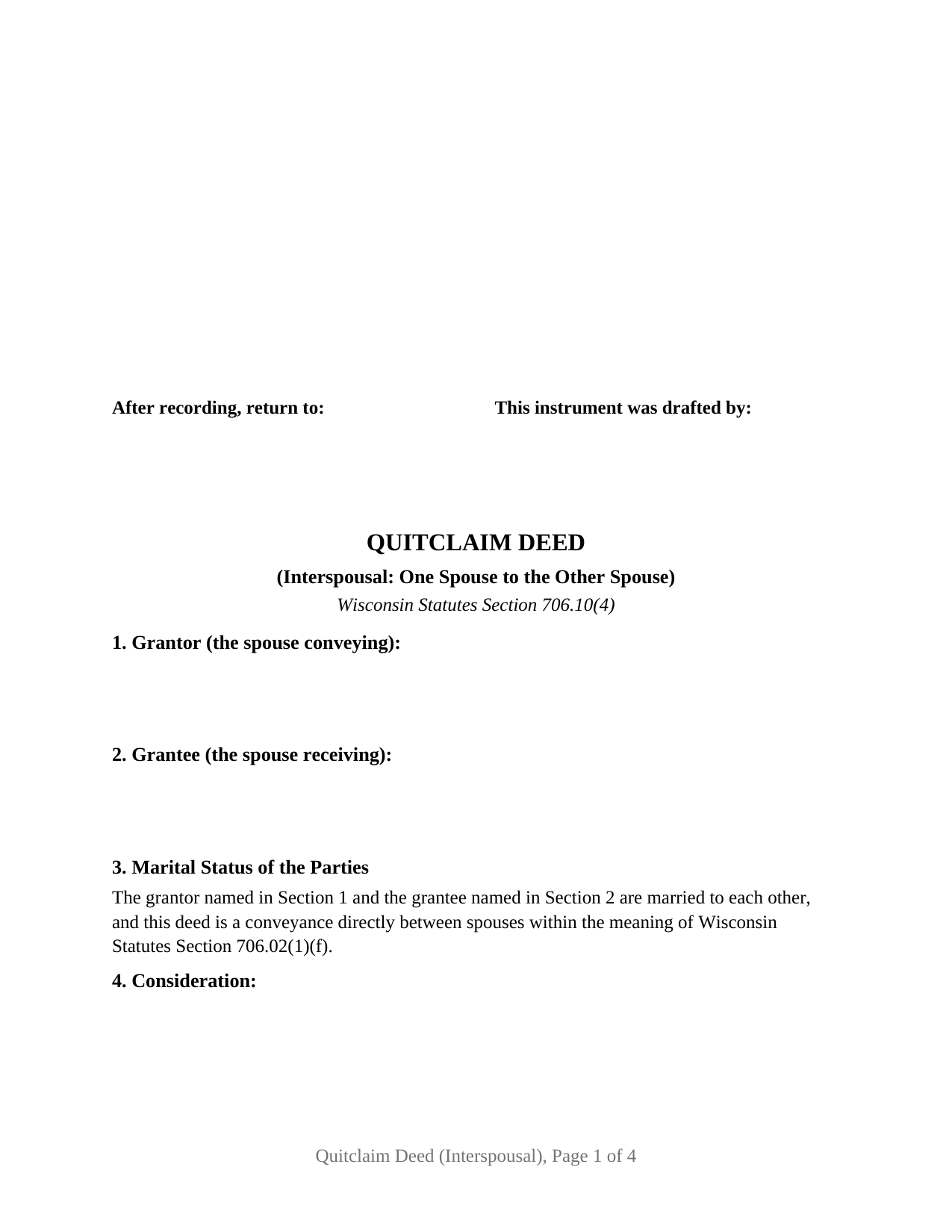
Lafayette County Quitclaim Deed (Interspousal) Form
Fill in the blank Quitclaim Deed (Interspousal) form formatted to comply with all Wisconsin recording and content requirements.
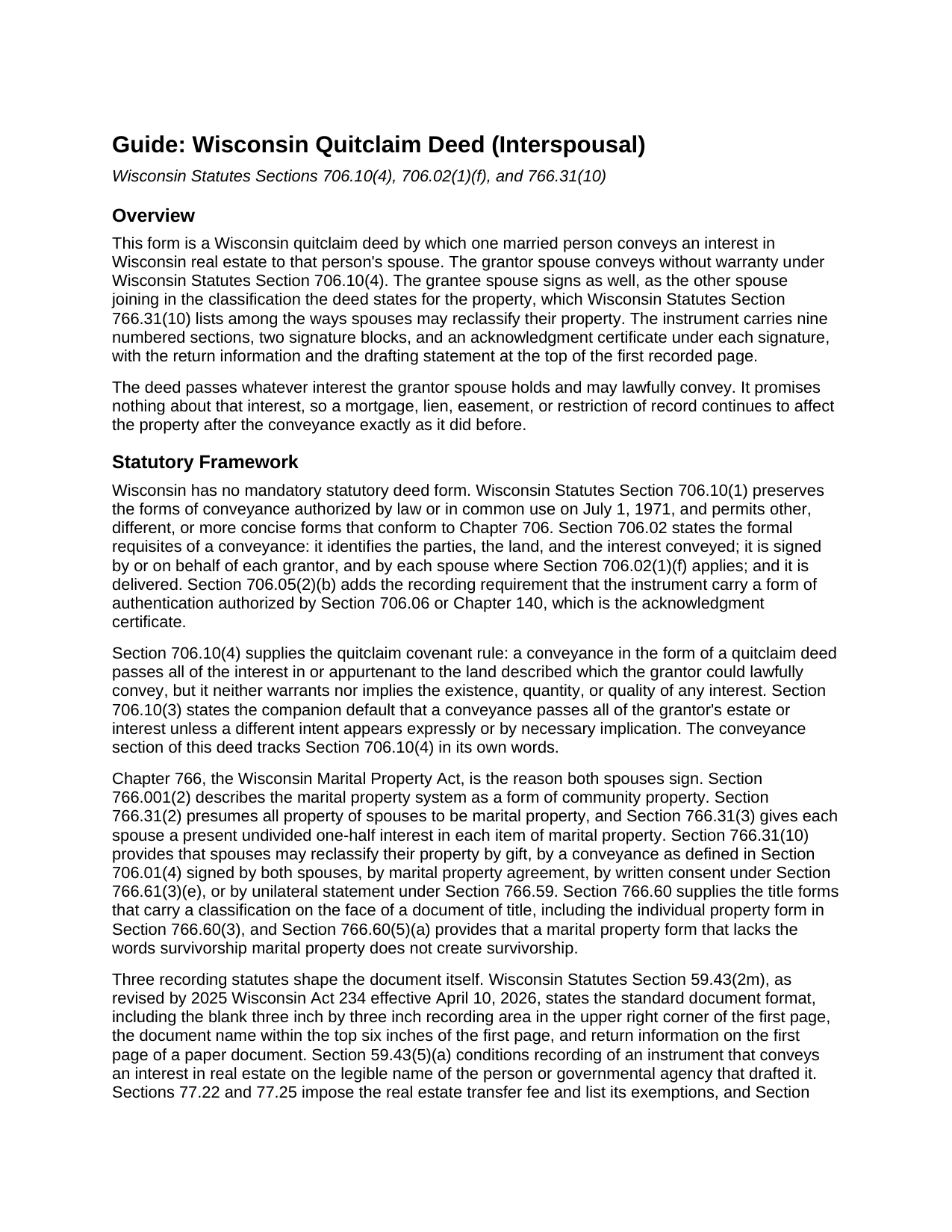
Lafayette County Quitclaim Deed (Interspousal) Guide
Line by line guide explaining every blank on the Quitclaim Deed (Interspousal) form.
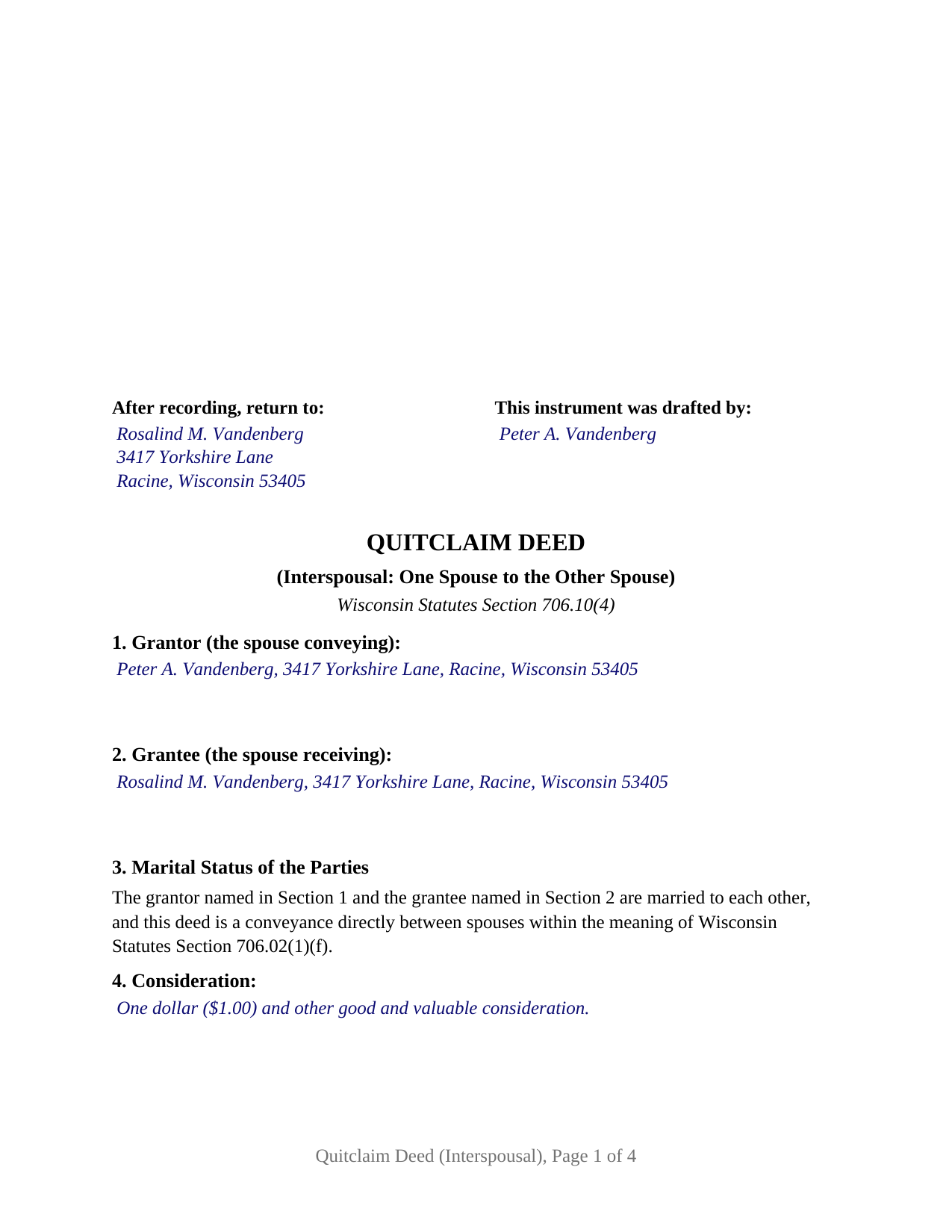
Lafayette County Completed Example of the Quitclaim Deed (Interspousal) Document
Example of a properly completed Wisconsin Quitclaim Deed (Interspousal) document for reference.
All 3 documents above included • One-time purchase • No recurring fees
Immediate Download • Secure Checkout
Additional Wisconsin and Lafayette County documents included at no extra charge:
Where to Record Your Documents
Lafayette County RoD
Darlington, Wisconsin 53530
Hours: Monday - Friday 8:00am to 4:30pm
Phone: (608) 776-4838
Recording Tips for Lafayette County:
- Bring your driver's license or state-issued photo ID
- Ensure all signatures are in blue or black ink
- Check margin requirements - usually 1-2 inches at top
- Leave recording info boxes blank - the office fills these
- Make copies of your documents before recording - keep originals safe
Cities and Jurisdictions in Lafayette County
Properties in any of these areas use Lafayette County forms:
- Argyle
- Belmont
- Benton
- Blanchardville
- Darlington
- Gratiot
- Shullsburg
- South Wayne
- Woodford
Hours, fees, requirements, and more for Lafayette County
How do I get my forms?
Forms are available for immediate download after payment. The Lafayette County forms will be in your account ready to download to your computer. An account is created for you during checkout if you don't have one. Forms are NOT emailed.
Are these forms guaranteed to be recordable in Lafayette County?
Yes. Our form blanks are guaranteed to meet or exceed the applicable formatting requirements used for recording in Lafayette County, including margin requirements, font requirements, and other layout standards. This guarantee applies to formatting, not to the legal sufficiency of information entered by the user or the suitability of a form for a particular transaction.
Can I reuse these forms?
Yes. You can reuse the forms for your personal use. For example, if you have multiple properties in Lafayette County you only need to order once.
What do I need to use these forms?
The forms are PDFs that you fill out on your computer. The free Adobe Acrobat Reader is recommended, and most PDF apps also work. You do NOT enter your property information online - you download the blank forms and complete them privately on your own computer.
Are there any recurring fees?
No. This is a one-time purchase. Nothing to cancel, no memberships, no recurring fees.
How much does it cost to record in Lafayette County?
Recording fees in Lafayette County vary. Contact the recorder's office at (608) 776-4838 for current fees.
Questions answered? Let's get started!
The receiving spouse signs this deed too, and that second signature does statutory work: Wis. Stat. § 766.31(10) counts a conveyance signed by both spouses among the ways Wisconsin spouses may reclassify their property, so an interspousal quitclaim deed that states a classification collects both names at the bottom. This form prepares that instrument for Wisconsin real estate, one married person conveying an interest to that person's spouse, without warranty.
The one conveyance Wisconsin's spousal signature rule excepts
Wisconsin ordinarily wants both names when homestead property moves. Wis. Stat. § 706.02(1)(f) invalidates a conveyance unless it is signed, or joined in by separate conveyance, by or on behalf of each spouse where the conveyance alienates any interest of a married person in a homestead, and the same paragraph then carves out conveyances between spouses. A deed from one spouse to the other sits inside that carve out, so this form has no joinder block and no conditional signature line, and the homestead character of the property under Wis. Stat. § 706.01(7) does not change the signature set. What the exception does not soften is the quitclaim arithmetic: under Wis. Stat. § 706.10(4) the deed passes the interest the grantor could lawfully convey and warrants nothing about its existence, quantity, or quality, so liens, easements, and restrictions of record ride through the transfer.
Why the receiving spouse still signs
Chapter 766 is the reason. Wisconsin's marital property system is a form of community property under Wis. Stat. § 766.001(2), all property of spouses is presumed marital under Wis. Stat. § 766.31(2), and each spouse holds a present undivided one-half interest in each item of marital property under Wis. Stat. § 766.31(3). Moving record title from one spouse to the other leaves the classification question standing, and Wis. Stat. § 766.31(10) answers it: spouses may reclassify by gift, by a conveyance as defined in Wis. Stat. § 706.01(4) signed by both spouses, by marital property agreement, by written consent, or by unilateral statement. This form is drawn for the second of those. Section 7 takes the classification the spouses state, and printed text in Section 9 keeps the grantee's signature from reading later as a conveyance or a covenant nobody made.
What this configuration carries
The form recites one grantor spouse and one grantee spouse, a printed statement of the marriage between them, the conveyance section, the classification section, two signature blocks, and a Wis. Stat. § 140.16(1) short form certificate under each signature. With a single grantee named, record title lands in that spouse's name alone, which narrows the ch. 766 title forms to the ones one name can carry: the individual property designation of Wis. Stat. § 766.60(3), which the completed example states, or no stated classification, leaving ch. 766 to classify the property apart from the deed. The two name forms are out of reach here, and Wis. Stat. § 766.60(5)(a) says plainly that a marital property form alone establishes no survivorship. Wisconsin records carry the instrument under several names, among them interspousal deed, spousal quitclaim deed, and quit claim deed to a spouse. The form is not drawn for a grantor conveying to anyone other than that grantor's spouse, for a grantee side that names both spouses, or for a signer acting as an agent, a trustee, or a personal representative.
No transfer fee, and a return anyway
A conveyance between spouses names exemption 8m of Wis. Stat. § 77.25 on the face of the instrument, a recording condition imposed by Wis. Stat. § 77.22(1), and Section 5 is the labeled line built for that entry. The electronic transfer return is a separate obligation that outlives the exemption, because Wis. Stat. § 77.255 waives the return for conveyances exempt under Wis. Stat. § 77.25(1) or (10m) alone. The register of deeds collects the flat $30 document fee of Wis. Stat. § 59.43(2)(ag)1, and the instrument is drawn to the standard format of Wis. Stat. § 59.43(2m): the first page recording square left empty, the document name high on page one, return information on that page, and the drafter statement required by Wis. Stat. § 59.43(5)(a).
The download holds the interspousal quitclaim deed as a fillable PDF, a completed example filled in for a transfer between spouses in Racine County, and a plain language guide covering every blank, the execution rules, and the recording package. These materials describe Wisconsin law in general terms and are informational; they are not legal advice.
Important: Your property must be located in Lafayette County to use these forms. Documents should be recorded at the county recording office listed above.
This Quitclaim Deed (Interspousal) meets all recording requirements specific to Lafayette County.
Our Promise
The documents you receive here are guaranteed to meet or exceed the applicable Lafayette County recording format requirements. If there is a rejection caused by our formatting, we will correct the issue or refund your payment. This guarantee applies to document formatting only and does not extend to information entered by the user, the selection of the form, or the legal effect of the completed document.
Save Time and Money
Get your Lafayette County Quitclaim Deed (Interspousal) form done right the first time with Deeds.com Uniform Conveyancing Blanks. At Deeds.com, we understand that your time and money are valuable resources, and we don't want you to face a penalty fee or rejection imposed by a county recorder for submitting nonstandard documents. We constantly review and update our forms to meet rapidly changing state and county recording requirements for roughly 3,500 counties and local jurisdictions.
4.8 out of 5 - ( 4,828 Reviews )
David T. 5 out of 5 stars
This is a great service and terrific value. The form package provided (blank form, example form & set of instructions) was clear and easy to follow. Being able to complete the forms using the computer to insert the needed information saved countless hours. My completed form was accepted by the Clerk & Recorder office without any issue. Well worth the investment
We appreciate your business and value your feedback. Thank you. Have a wonderful day!
Michael H. 5 out of 5 stars
Very responsive and thorough. Glad to have found such a great company for our recording needs.
Thank you!
Paul R. 5 out of 5 stars
So far, so good. Great looking site.
Thank you!
LeAnn B. 5 out of 5 stars
Excellent service. Very helpful staff that guided me through the process since this was my first time e-recording. We were so surprised to get the recorded deeds within an hour. Thank you very much. LeAnn
We appreciate your business and value your feedback. Thank you. Have a wonderful day!
Jeffery H. 5 out of 5 stars
Very easy to use. Thanks for your quick response on my document submissions and follow up and guidance on specific questions.
Thank you for your positive words! We’re thrilled to hear about your experience.
Joan P. 5 out of 5 stars
Thank you for combining all necessary documents in one simple location.
Thank you!
Victoria L. 5 out of 5 stars
This is a fantastic website and financial savings to many. Being able to download and complete the document I needed vs having my attorney complete saved me $800. I would highly recommend this website.
Thank you for the kind words Victoria. Have a great day!
Sun H. 5 out of 5 stars
It was great working with deeds.com. I needed to record quickclaim deed and the staff was very responsive and communicative throughout the process where I needed to modify the documents repeated. Thank you for making the recording much easy by setting up the e-recording service!
Your feedback is greatly appreciated. Thank you for taking the time to share your experience!
THUY N. 5 out of 5 stars
It's convenience.
Thank you for your feedback. We really appreciate it. Have a great day!
BARBARA S. 5 out of 5 stars
Easy to use; great back-up documentation; reasonably priced.
We appreciate your business and value your feedback. Thank you. Have a wonderful day!
ALI T. 5 out of 5 stars
It is very easy to use Deeds.Com to perform eRecording. The case staff are very professional and punctual. My eRecording package was completed within a day where it usually takes months. Thank You
We appreciate your business and value your feedback. Thank you. Have a wonderful day!
Jared D. 5 out of 5 stars
Yes it was awsome experience,thank you
Thank you!
Doris M M. 5 out of 5 stars
EXCELLENT SERVICE. WILL MAINTAIN CONTACT FOR FUTURE REFERENCE. THANK YOU!
We appreciate your business and value your feedback. Thank you. Have a wonderful day!
Robert G. 5 out of 5 stars
Very nice. Especially liked that I could re-use the form since I have a couple of properties.
Thank you!
Margaret M. 5 out of 5 stars
Great job with these forms. Super easy and up to date, a rare find online these days. Thank you.
Thank you!