Richland County Termination of Decedent Property Interest Form
Last validated September 29, 2026 by our Forms Development TeamFormatted for recording in Richland County, for property anywhere in the county: rural and unincorporated areas as well as Cazenovia, Gotham, Lone Rock, Richland Center, Sextonville, Viola.
- 3 documents included
- Immediate PDF download
- Formatting guarantee
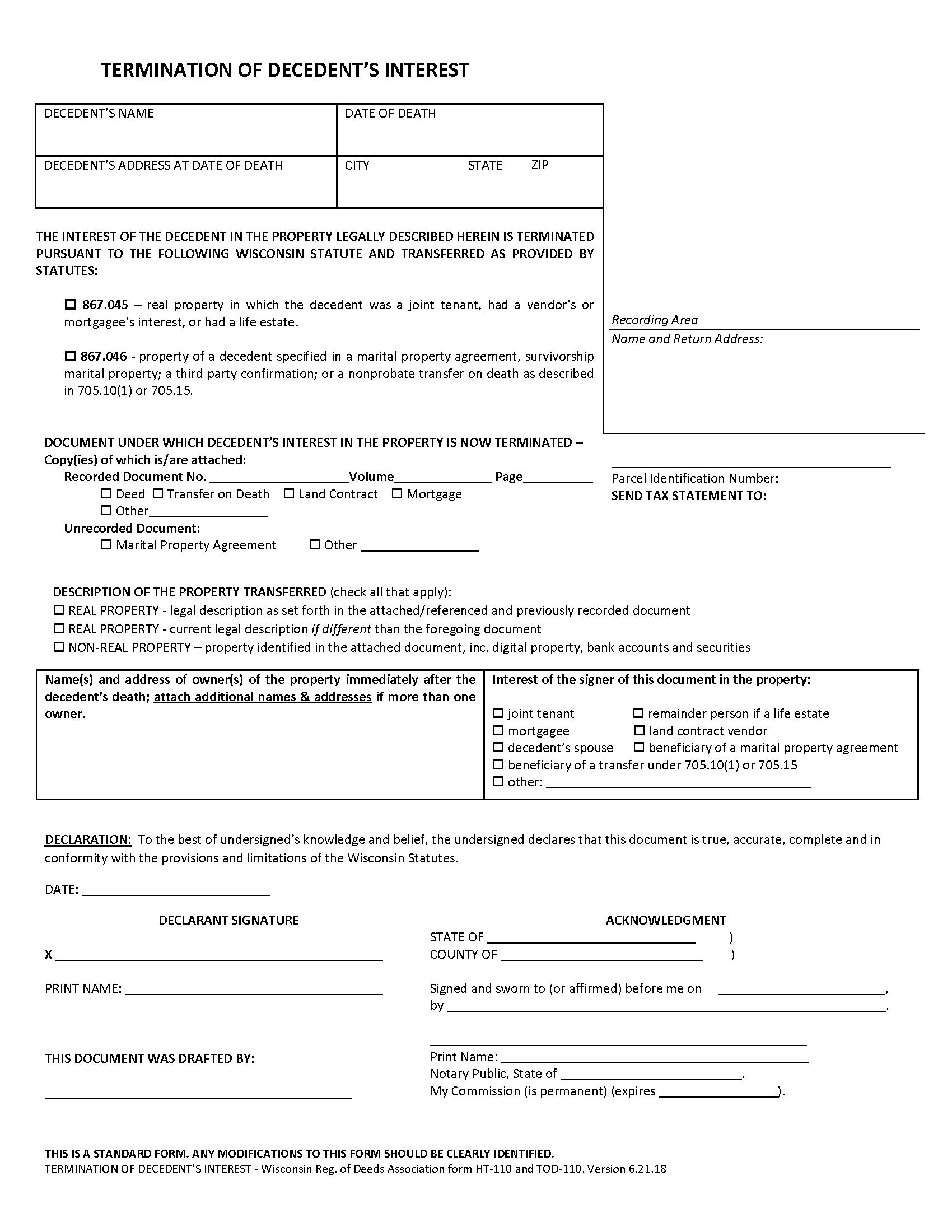
Richland County Termination of Decedents Interest Form
Fill in the blank form formatted to comply with all recording and content requirements.
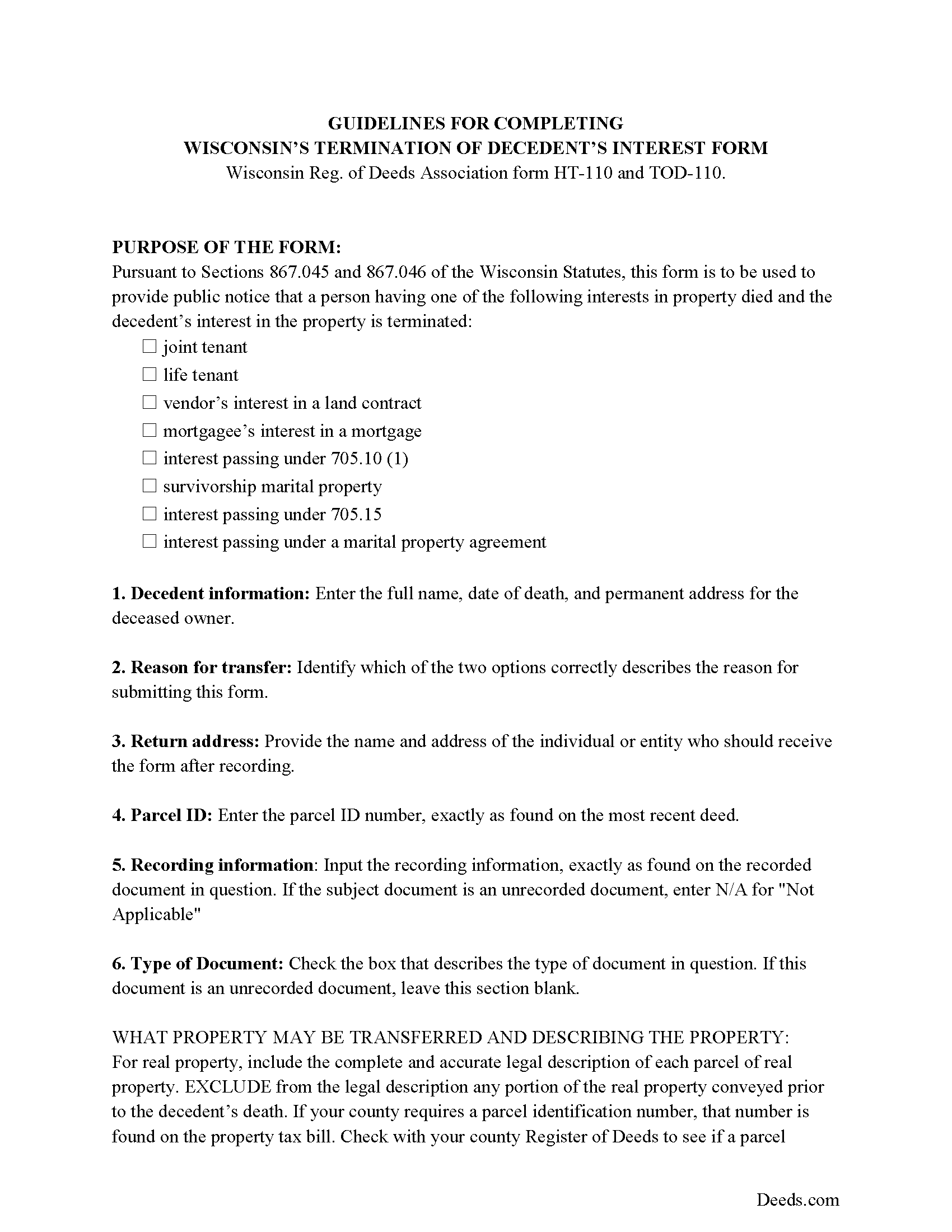
Richland County Termination of Decedents Interest Guide
Line by line guide explaining every blank on the form.
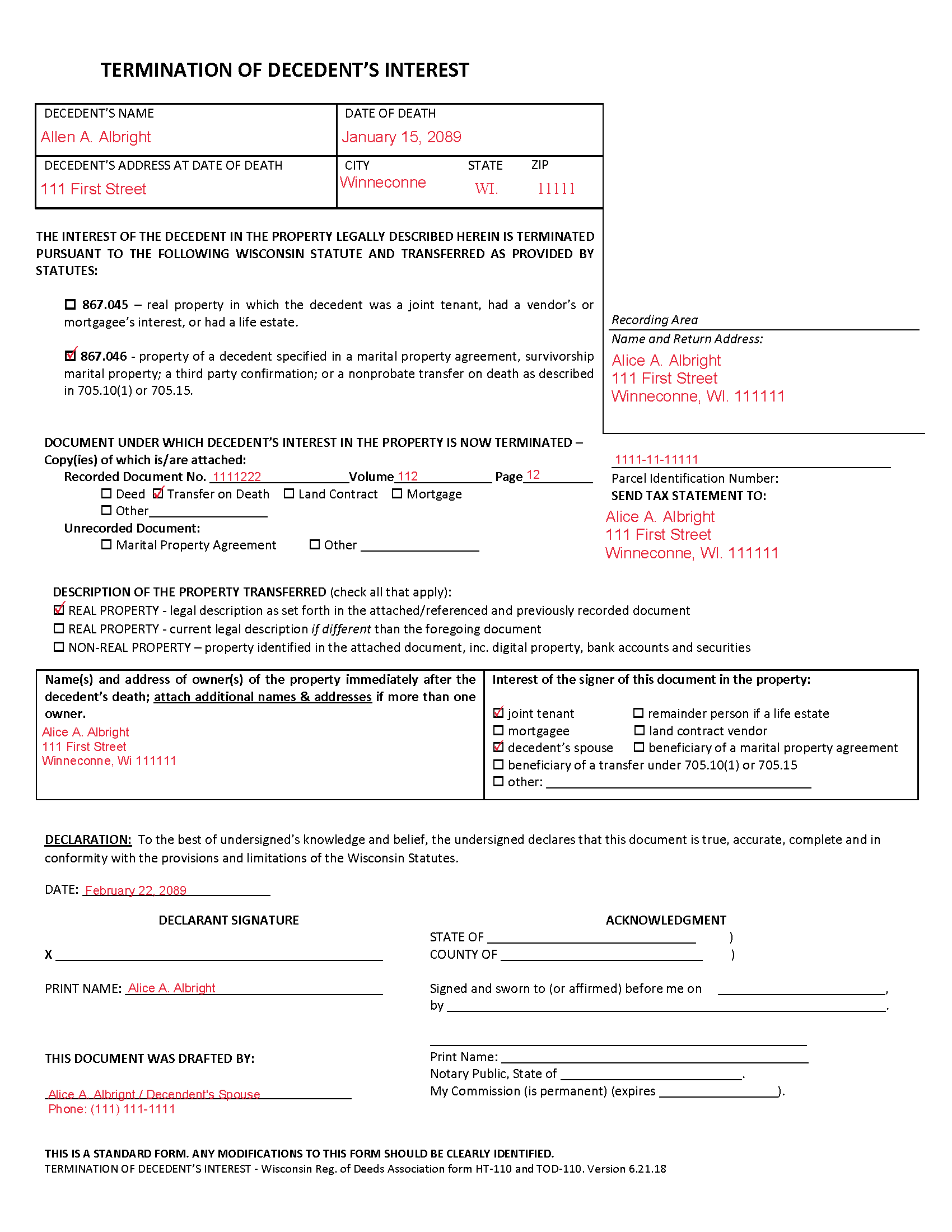
Richland County Completed Example of the Termination of Decedents Interest Document
Example of a properly completed form for reference.
All 3 documents above included • One-time purchase • No recurring fees
Immediate Download • Secure Checkout
Additional Wisconsin and Richland County documents included at no extra charge:
Where to Record Your Documents
Richland County Register of Deeds
Richland Center, Wisconsin 53581
Hours: 8:30 to 4:30 M-F (occasionally closed 12:00 to 1:00) / Recording Cut Off: 4:00pm
Phone: (608) 647-3011
Recording Tips for Richland County:
- Bring your driver's license or state-issued photo ID
- Ensure all signatures are in blue or black ink
- Ask about their eRecording option for future transactions
- Avoid the last business day of the month when possible
- Both spouses typically need to sign if property is jointly owned
Cities and Jurisdictions in Richland County
Properties in any of these areas use Richland County forms:
- Cazenovia
- Gotham
- Lone Rock
- Richland Center
- Sextonville
- Viola
Hours, fees, requirements, and more for Richland County
How do I get my forms?
Forms are available for immediate download after payment. The Richland County forms will be in your account ready to download to your computer. An account is created for you during checkout if you don't have one. Forms are NOT emailed.
Are these forms guaranteed to be recordable in Richland County?
Yes. Our form blanks are guaranteed to meet or exceed the applicable formatting requirements used for recording in Richland County, including margin requirements, font requirements, and other layout standards. This guarantee applies to formatting, not to the legal sufficiency of information entered by the user or the suitability of a form for a particular transaction.
Can I reuse these forms?
Yes. You can reuse the forms for your personal use. For example, if you have multiple properties in Richland County you only need to order once.
What do I need to use these forms?
The forms are PDFs that you fill out on your computer. The free Adobe Acrobat Reader is recommended, and most PDF apps also work. You do NOT enter your property information online - you download the blank forms and complete them privately on your own computer.
Are there any recurring fees?
No. This is a one-time purchase. Nothing to cancel, no memberships, no recurring fees.
How much does it cost to record in Richland County?
Recording fees in Richland County vary. Contact the recorder's office at (608) 647-3011 for current fees.
Questions answered? Let's get started!
Removing a Deceased Joint Tenant from a Wisconsin Real Estate Deed
Wisconsin laws provide that two or more people may hold real estate as joint tenants with right of survivorship. If one joint tenant dies, his/her share of the property is distributed evenly amongst the remaining co-owners without the need to pass through probate.
To terminate the decedent's interest in the property and to complete the distribution, file a form HT-110 under Wis. Stat. 867.045, with the register of deeds for the county where the property is located.
Recording the form formalizes the transfer of property rights, but the deceased joint tenant's name will still appear on the deed. Complete and record an updated deed from all joint tenants, but identify the deceased co-owner, and convey the property to the survivors only. It might be necessary to provide copies of the original deed, the death certificate, and the recorded HT-110 when submitted the revised deed.
(Wisconsin TODPI Package includes form, guidelines, and completed example)
Important: Your property must be located in Richland County to use these forms. Documents should be recorded at the county recording office listed above.
This Termination of Decedent Property Interest meets all recording requirements specific to Richland County.
Our Promise
The documents you receive here are guaranteed to meet or exceed the applicable Richland County recording format requirements. If there is a rejection caused by our formatting, we will correct the issue or refund your payment. This guarantee applies to document formatting only and does not extend to information entered by the user, the selection of the form, or the legal effect of the completed document.
Save Time and Money
Get your Richland County Termination of Decedent Property Interest form done right the first time with Deeds.com Uniform Conveyancing Blanks. At Deeds.com, we understand that your time and money are valuable resources, and we don't want you to face a penalty fee or rejection imposed by a county recorder for submitting nonstandard documents. We constantly review and update our forms to meet rapidly changing state and county recording requirements for roughly 3,500 counties and local jurisdictions.
4.8 out of 5 - ( 4,828 Reviews )
Sue C. 5 out of 5 stars
Very helpful. Easy to use. Able to avoid the cost of having an attorney prepare the document I needed.
Your appreciative words mean the world to us. Thank you and we look forward to serving you again!
yaakov f. 5 out of 5 stars
you are awesome never had such a great expriance will be back with other transfers you the best
Great to hear Yaakov! Hope you have a great day!
Chanda C. 5 out of 5 stars
It's going well so far!
Thank you!
Fallon G. 5 out of 5 stars
Very easy to use, thank you!
Knowing our customers are happy is our top priority. Thank you for the wonderful feedback!
Diana H. 4 out of 5 stars
little expensive same document in other county is free. however quite fast in responding. and just what i needed.
We appreciate your business and value your feedback. Thank you. Have a wonderful day!
Margarette S. 5 out of 5 stars
I found your website easy to use and very informative.
Thank you for your feedback. We really appreciate it. Have a great day!
Santo W. 5 out of 5 stars
Quality platform! Five Stars for sure and easy to navigate!
We appreciate your comments and your trust in us. Thank you.
Angel T. 5 out of 5 stars
First the convenience to get forms without going or calling Recorder's office is outstanding. Suggest that Recorder's staff be able to guide or assist users in filling up the forms.
We appreciate your business and value your feedback. Thank you. Have a wonderful day!
Janice W. 5 out of 5 stars
Great instructions, samples, ease in getting the form I needed, filling it out as a PDF, and having it ready for a Notary's signature. I was hesitant a first, but glad I paid the fee - now it is done!
Great to hear Janice! Thanks, have a great day!
Anita M W. 5 out of 5 stars
This process is outstanding, and it saved the hassle of going downtown and dealing with traffic.
Thank you for the kinds words Anita. Glad we could be of assistance. Have an amazing day!
james h. 5 out of 5 stars
Service was quick and easy to use. I got not only the necessary forms, but instructions and sample forms filled out. Highly recommended.
Thank you!
Zunika B. 5 out of 5 stars
Was quick and easy compared to visiting downtown where the recorders office is closed or just the thought of mailing important documents and waiting until someone hopefully reaches back out to you. All responses were timely and process was easy. No complaints.
Thank you!
Shelba M. 3 out of 5 stars
The web site is alright, not the easiest to navigate and the wording on the papers could be simpler to understand.
Thank you for your feedback! We appreciate your input regarding the website's navigation and the wording on our documents. We'll definitely take your suggestions into account to improve the user experience and make the content more accessible and easier to understand. Your insights are valuable to us as we strive to enhance our services. If you have any further suggestions or concerns, please feel free to share them with us. Thank you again for your feedback!
Donna C. 5 out of 5 stars
Easy to use.
Thank you!
Rubin C. 5 out of 5 stars
Very good forms and the online recording was a blessing.
Thank you for your feedback. We really appreciate it. Have a great day!