Platte County Transfer on Death Affidavit Form
Last validated October 5, 2026 by our Forms Development TeamFormatted for recording in Platte County, for property anywhere in the county: rural and unincorporated areas as well as Chugwater, Glendo, Guernsey, Hartville, Wheatland.
- 3 documents included
- Immediate PDF download
- Formatting guarantee
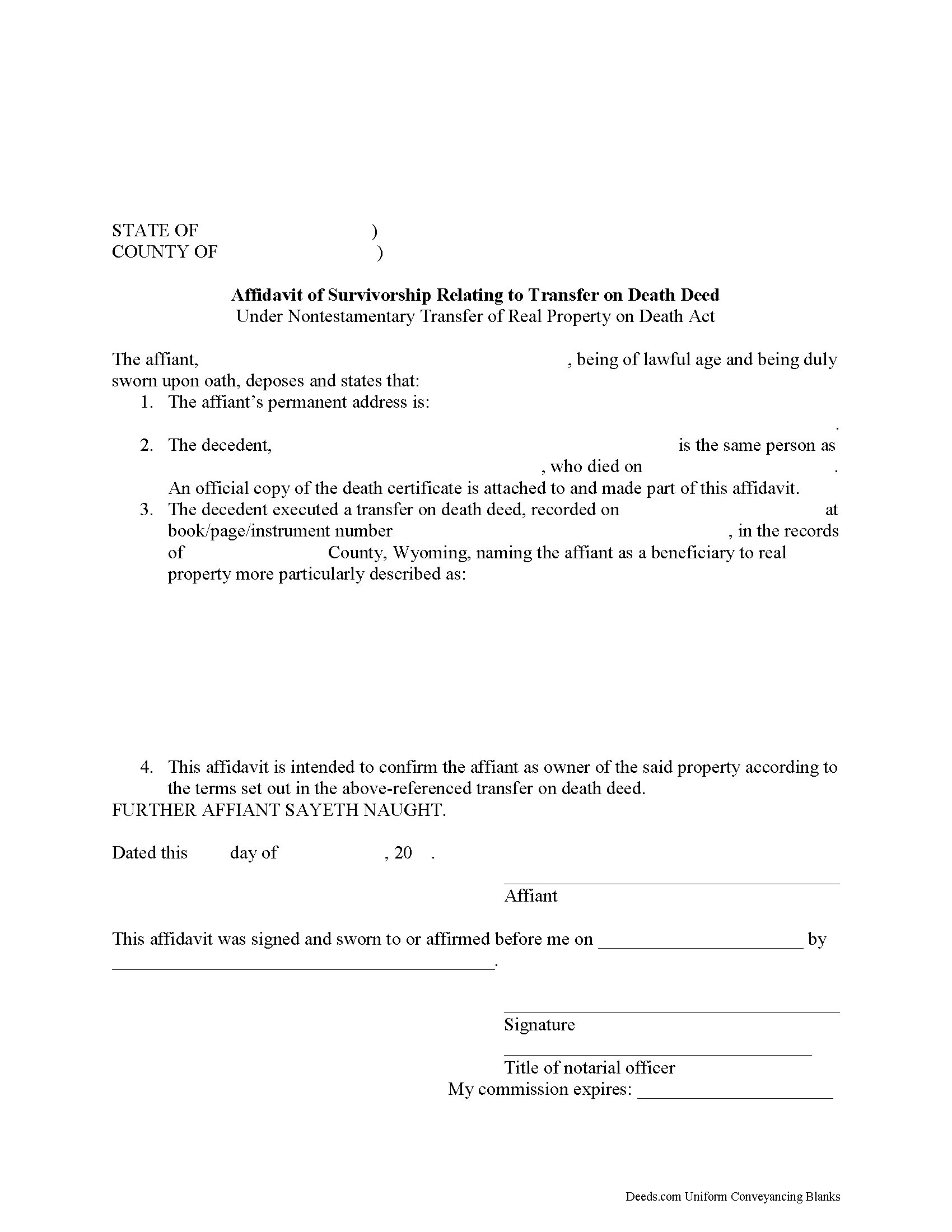
Platte County Transfer on Death Affidavit Form
Fill in the blank form formatted to comply with all recording and content requirements.
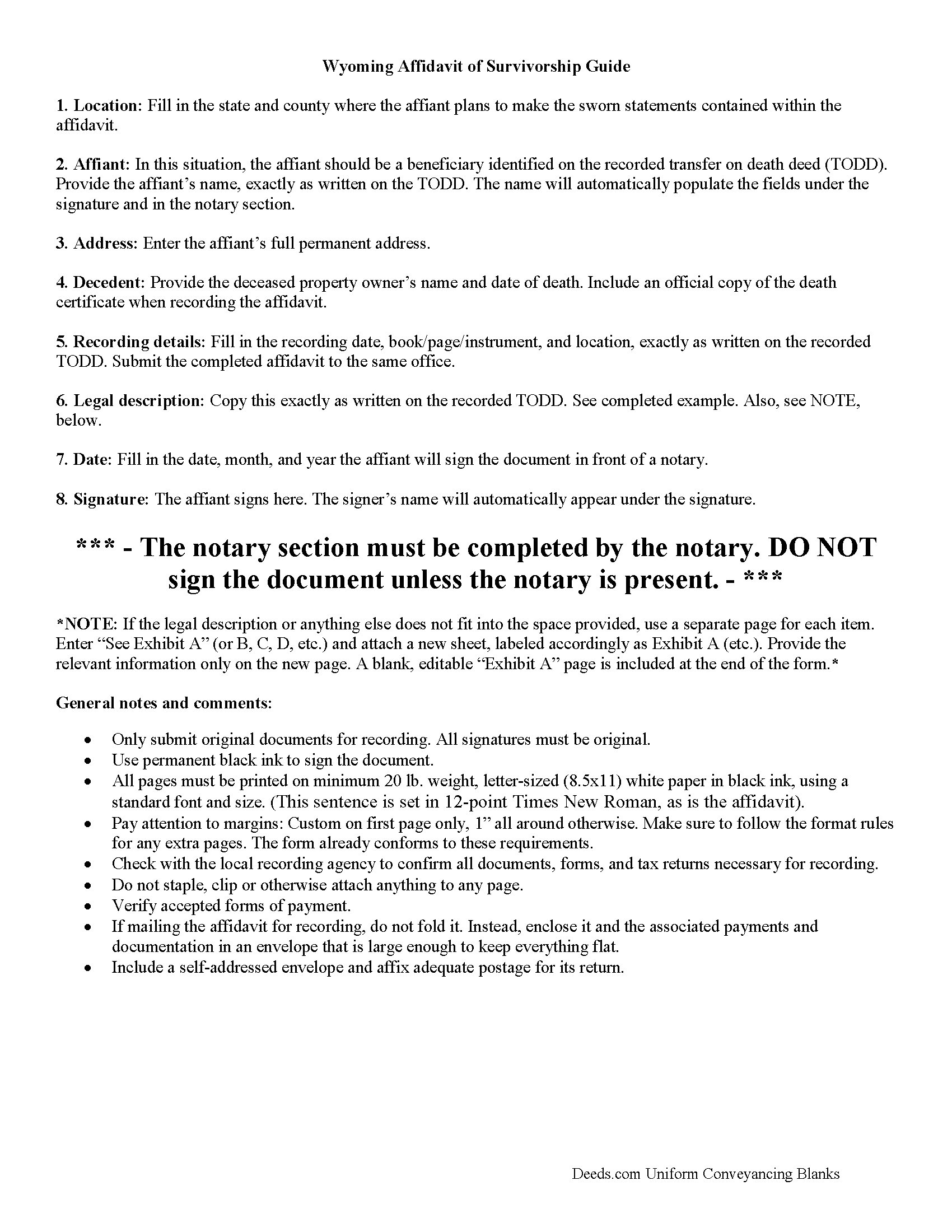
Platte County Transfer on Death Affidavit Guide
Line by line guide explaining every blank on the form.
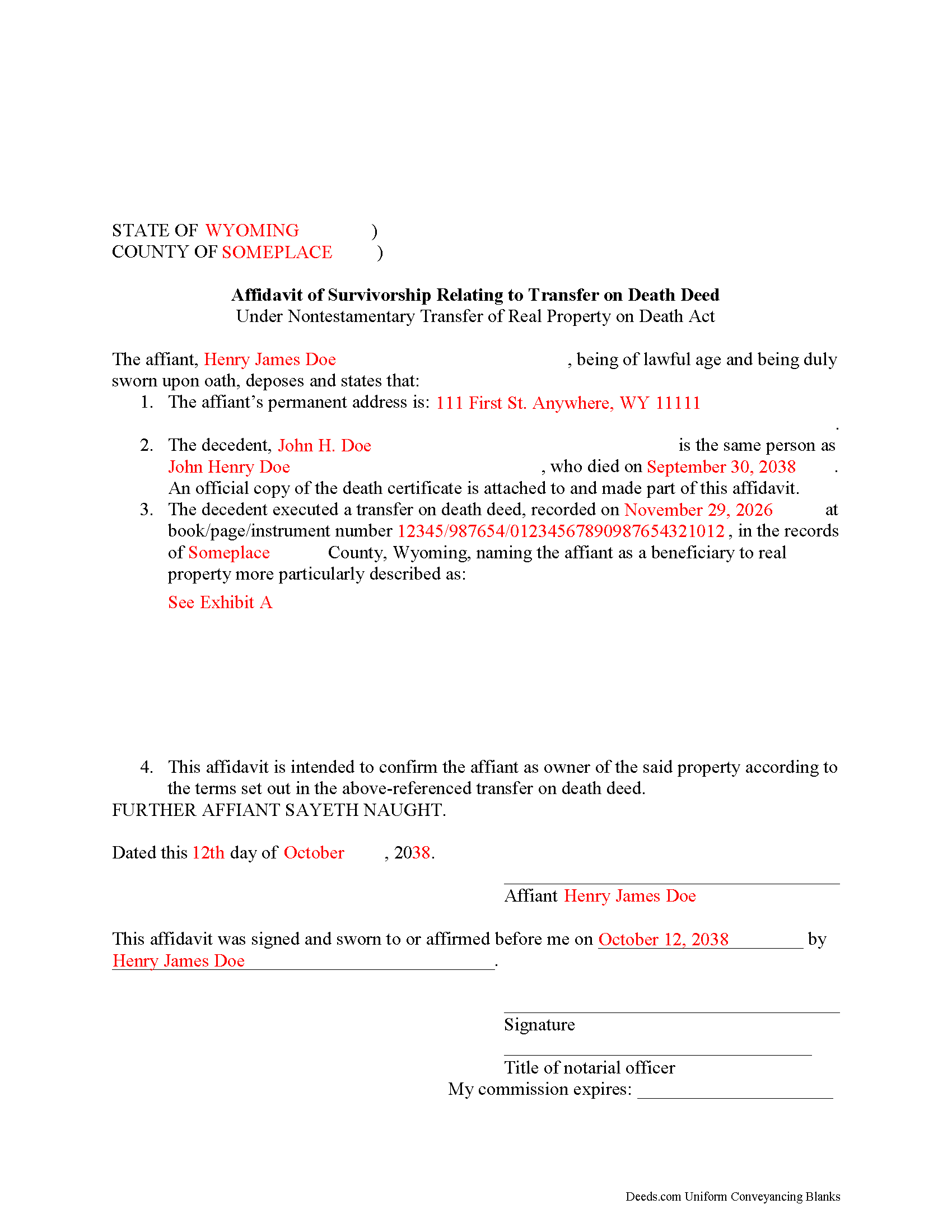
Platte County Completed Example of the Transfer on Death Affidavit Document
Example of a properly completed form for reference.
All 3 documents above included • One-time purchase • No recurring fees
Immediate Download • Secure Checkout
Additional Wyoming and Platte County documents included at no extra charge:
Where to Record Your Documents
Platte County Clerk
Wheatland, Wyoming 82201-0728
Hours: Monday - Friday 7:00am - 4:00pm
Phone: (307) 322-2315
Recording Tips for Platte County:
- Bring your driver's license or state-issued photo ID
- Ensure all signatures are in blue or black ink
- Documents must be on 8.5 x 11 inch white paper
- Double-check legal descriptions match your existing deed
- Verify all names are spelled correctly before recording
Cities and Jurisdictions in Platte County
Properties in any of these areas use Platte County forms:
- Chugwater
- Glendo
- Guernsey
- Hartville
- Wheatland
Hours, fees, requirements, and more for Platte County
How do I get my forms?
Forms are available for immediate download after payment. The Platte County forms will be in your account ready to download to your computer. An account is created for you during checkout if you don't have one. Forms are NOT emailed.
Are these forms guaranteed to be recordable in Platte County?
Yes. Our form blanks are guaranteed to meet or exceed the applicable formatting requirements used for recording in Platte County, including margin requirements, font requirements, and other layout standards. This guarantee applies to formatting, not to the legal sufficiency of information entered by the user or the suitability of a form for a particular transaction.
Can I reuse these forms?
Yes. You can reuse the forms for your personal use. For example, if you have multiple properties in Platte County you only need to order once.
What do I need to use these forms?
The forms are PDFs that you fill out on your computer. The free Adobe Acrobat Reader is recommended, and most PDF apps also work. You do NOT enter your property information online - you download the blank forms and complete them privately on your own computer.
Are there any recurring fees?
No. This is a one-time purchase. Nothing to cancel, no memberships, no recurring fees.
How much does it cost to record in Platte County?
Recording fees in Platte County vary. Contact the recorder's office at (307) 322-2315 for current fees.
Questions answered? Let's get started!
Wyoming's Non-testamentary Transfer of Real Property on Death Act went into effect on July 1, 2013. Find it at Sections 2-18-101-106 of the Wyoming Statutes.
By using transfer on death deeds (TODDs), people who own real estate in Wyoming have access to a flexible tool that allows them to direct what happens to their land after they die, independent from a will, and without the need for probate. As defined at W.S. 2-18-103, a TODD conveys the owner's interest in real property, subject to any debts or obligations in place during the owner's lifetime, to a designated grantee beneficiary. Until the owner dies, though, the beneficiary has absolutely no interest in or rights to the property.
To gain title to the property after the owner's death, beneficiaries must follow the procedure set out at W.S. 2-18-103(n). This involves completing and executing an affidavit of survivorship form, obtaining a certificate of clearance from the Wyoming department of health, and getting an official copy of the deceased owner's death certificate. Record the affidavit and accompanying documentation in the office of the county clerk of the county in which the real property is situated.
The process described above might not be appropriate in every situation. Contact an attorney with specific questions or for complex circumstances.
(Wyoming TODA Package includes form, guidelines, and completed example)
Important: Your property must be located in Platte County to use these forms. Documents should be recorded at the county recording office listed above.
This Transfer on Death Affidavit meets all recording requirements specific to Platte County.
Our Promise
The documents you receive here are guaranteed to meet or exceed the applicable Platte County recording format requirements. If there is a rejection caused by our formatting, we will correct the issue or refund your payment. This guarantee applies to document formatting only and does not extend to information entered by the user, the selection of the form, or the legal effect of the completed document.
Save Time and Money
Get your Platte County Transfer on Death Affidavit form done right the first time with Deeds.com Uniform Conveyancing Blanks. At Deeds.com, we understand that your time and money are valuable resources, and we don't want you to face a penalty fee or rejection imposed by a county recorder for submitting nonstandard documents. We constantly review and update our forms to meet rapidly changing state and county recording requirements for roughly 3,500 counties and local jurisdictions.
4.8 out of 5 - ( 4,828 Reviews )
Jesse H. 5 out of 5 stars
Good & friendly software, complete & clear instructions & guidance, generates proper forms that were readily accepted @ Clerk & Recorder Office, all of this @ reasonable cost. Five Stars!
Thank you for your feedback. We really appreciate it. Have a great day!
Robert M. 1 out of 5 stars
Ultimately, it directed me to the wrong form. Not very helpful. I had to turn to a title company to get my issue addressed.
Our website makes documents available to you. It does not direct you as to which one to use. We are glad that you sought the assistance it sounds like you needed. Have a wonderful day
Clarence R. 5 out of 5 stars
service from your team was quick and very accurate. My experience was excellent.
Thank you!
Teresa H. 5 out of 5 stars
cost effective and quick!
Thank you!
Michael P. 5 out of 5 stars
excellent and timely service.
Thank you!
Corey G. 5 out of 5 stars
Very informative and helpful Thank you so much
Thank you for the kinds words Corey, glad we could help.
Kahn B. 4 out of 5 stars
The Quitclaim deed seems pretty simple However I wonder if I can fll out the paper as easily as it looks I appreciate very much the sample and the direction for filling out the deed. Now I am in the process of gathering document to fill out the deed and I think only when after everything done, I may have a clear idea how good the Quitclaim Deed is. I hope I can follow instruction and will successfully done the paperwork. Thank you very much.
Thank you for your feedback. We really appreciate it. Have a great day!
Shonda S. 5 out of 5 stars
This is the best thing I have ever done with this being my first time doing a quick claim. This has save me and my family money instead of paying a lawyer. Thanks again.
We appreciate your business and value your feedback. Thank you. Have a wonderful day!
Linda E. 5 out of 5 stars
Forms were perfect, guide was very helpful. Passed recording official's scrutiny with flying colors. Will be back should the need arise.
Thank you!
Christina P. 5 out of 5 stars
Fantastic!! The gals at Deeds really seem to have their stuff together! Great Forms, easy, exhaustive, and most importantly... accepted at the recorder the FIRST TIME!
Thank you so much for your review! Your feedback is highly appreciated, and we look forward to assisting you again in the future!
James J. 5 out of 5 stars
Thank you for service. The deed process was easy to complete. My new deed was accepted by the county clerk and the tax assessors office.
Thank you for your feedback. We really appreciate it. Have a great day!
Raad A. 3 out of 5 stars
Not easy to navigate
Thank you for your feedback.
Christine S. 5 out of 5 stars
One stop shopping for your Deed needs. Downloaded the forms and filled them out with ease following the step by step instructions. Saved me hundreds of dollars for not having to hire an attorney to do the exact same thing.
Thank you for your feedback. We really appreciate it. Have a great day!
Cherene K. 4 out of 5 stars
The process was easy and reasonable. My only problem was that, when I filled out my form on the computer, the writing I did overlapped with the pre-written words on the form, so that I had to end up doing it by hand. I've used DEEDS before and have not had that problem.
Thank you for your feedback Cherene. We've emailed you for some followup regarding the issue you reported.
Kristen R. 5 out of 5 stars
wonderful experience. highly recommend. will use again.
We deeply appreciate the trust you have placed in our services. Thank you for your valuable feedback and for choosing us.