Lauderdale County Memorandum and Notice of Agreement Form
Last validated November 13, 2026 by our Forms Development TeamFormatted for recording in Lauderdale County, for property anywhere in the county: rural and unincorporated areas as well as Anderson, Cloverdale, Florence, Killen, Lexington, Rogersville, Waterloo.
- 3 documents included
- Immediate PDF download
- Formatting guarantee
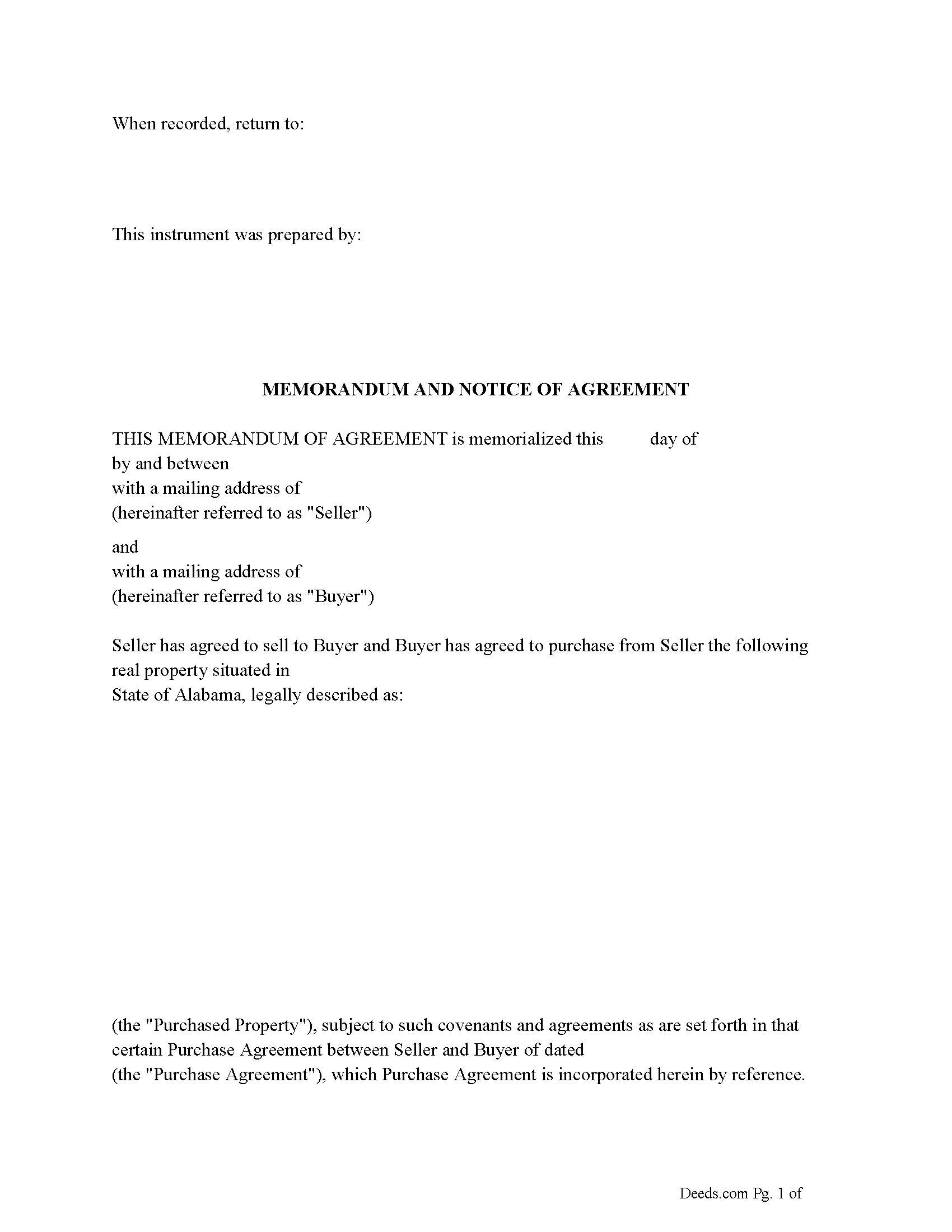
Lauderdale County Memorandum and Notice of Agreement Form
Fill in the blank Memorandum and Notice of Agreement form formatted to comply with all Alabama recording and content requirements.
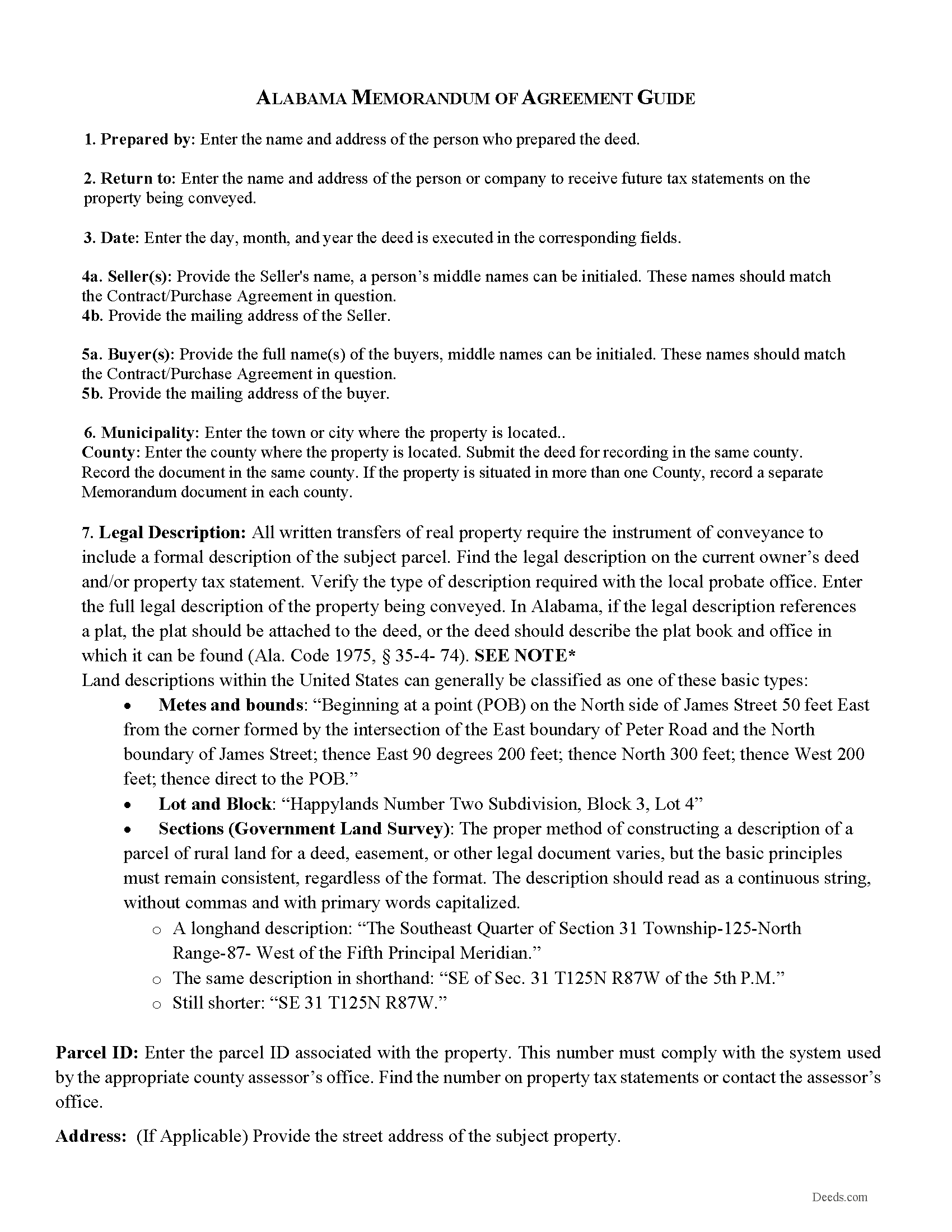
Lauderdale County Memorandum and Notice of Agreement Guide
Line by line guide explaining every blank on the Memorandum and Notice of Agreement form.
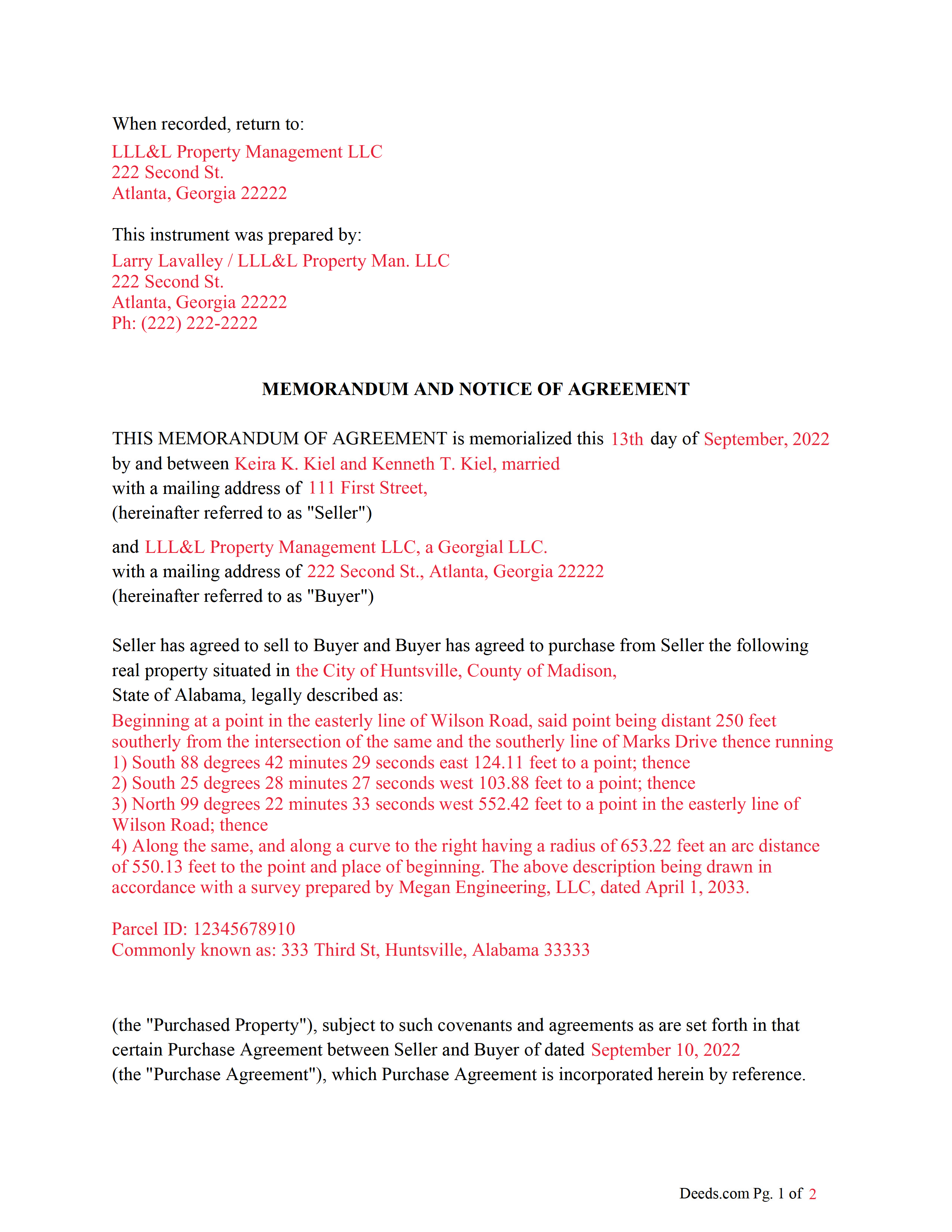
Lauderdale County Completed Example of the Memorandum and Notice of Agreement Document
Example of a properly completed Alabama Memorandum and Notice of Agreement document for reference.
All 3 documents above included • One-time purchase • No recurring fees
Immediate Download • Secure Checkout
Additional Alabama and Lauderdale County documents included at no extra charge:
Where to Record Your Documents
Judge of Probate: Recording
Florence, Alabama 35630
Hours: 8:00am-5:00pm M-F
Phone: (256) 760-5800
Recording Tips for Lauderdale County:
- Bring your driver's license or state-issued photo ID
- Ensure all signatures are in blue or black ink
- Verify all names are spelled correctly before recording
- White-out or correction fluid may cause rejection
- Ask about their eRecording option for future transactions
Cities and Jurisdictions in Lauderdale County
Properties in any of these areas use Lauderdale County forms:
- Anderson
- Cloverdale
- Florence
- Killen
- Lexington
- Rogersville
- Waterloo
Hours, fees, requirements, and more for Lauderdale County
How do I get my forms?
Forms are available for immediate download after payment. The Lauderdale County forms will be in your account ready to download to your computer. An account is created for you during checkout if you don't have one. Forms are NOT emailed.
Are these forms guaranteed to be recordable in Lauderdale County?
Yes. Our form blanks are guaranteed to meet or exceed the applicable formatting requirements used for recording in Lauderdale County, including margin requirements, font requirements, and other layout standards. This guarantee applies to formatting, not to the legal sufficiency of information entered by the user or the suitability of a form for a particular transaction.
Can I reuse these forms?
Yes. You can reuse the forms for your personal use. For example, if you have multiple properties in Lauderdale County you only need to order once.
What do I need to use these forms?
The forms are PDFs that you fill out on your computer. The free Adobe Acrobat Reader is recommended, and most PDF apps also work. You do NOT enter your property information online - you download the blank forms and complete them privately on your own computer.
Are there any recurring fees?
No. This is a one-time purchase. Nothing to cancel, no memberships, no recurring fees.
How much does it cost to record in Lauderdale County?
Recording fees in Lauderdale County vary. Contact the recorder's office at (256) 760-5800 for current fees.
Questions answered? Let's get started!
An Alabama Memorandum and Notice of Agreement is used to place a limited public record of a real estate contract in the county probate records without recording the full agreement. In Alabama, this matters because once a memorandum is recorded, it becomes part of the grantor-grantee index and can affect title until it is released. The Alabama version must meet probate recording standards, include required recitals, and properly reference the property and parties, or it may be rejected or fail to provide the intended notice.
What the Alabama Memorandum and Notice of Agreement does
An Alabama Memorandum and Notice of Agreement provides public notice that a buyer or other party has an equitable interest in a property based on an underlying agreement, such as a purchase contract, option, or land contract. It is commonly used during the period between contract execution and closing, allowing the essential facts—such as the parties and property—to be recorded while keeping detailed terms private. Once recorded, it signals to third parties that the property is subject to an existing agreement.
Alabama statutory framework and recording status
In Alabama, instruments affecting real property may be recorded in the office of the Judge of Probate in the county where the property is located (Ala. Code § 35-4-62). Recording provides constructive notice of the instrument’s contents (Ala. Code § 35-4-63), and Alabama’s recording statute protects later purchasers and lenders without notice (Ala. Code § 35-4-90). Because a memorandum places the world on notice of an agreement, it can impact title searches and priority, even though it does not itself transfer ownership.
Execution requirements for an Alabama memorandum
To be recorded, the Alabama Memorandum and Notice of Agreement must be properly executed. The party placing the notice—often the buyer—should sign the instrument. Alabama requires that execution be attested by at least one witness when the signer writes his or her name, unless the document is properly acknowledged before a notary (Ala. Code § 35-4-20). A valid acknowledgment satisfies the execution requirement for recording (Ala. Code § 35-4-23).
Names of the parties should match the underlying agreement and be consistent with how parties are identified in the public record. If multiple buyers or entities are involved, each interest being placed on record should be reflected in the execution of the memorandum.
Alabama-specific traps that cause recording or title problems
- Marital-status recital: Alabama requires a statement of the grantor’s or conveying party’s marital status before recording (Ala. Code § 35-4-73). Even for a memorandum, this recital is often required by probate offices.
- Preparer identification: The instrument must include the name and address of the preparer (Ala. Code § 35-4-110). Missing this information is a frequent reason for rejection.
- Legal description accuracy: The property description must be sufficient for indexing and identification. If the description references a subdivision or plat, the recorded plat information should be included (Ala. Code § 35-4-74).
- County-specific recording location: The memorandum must be recorded in the county where the property is located. Recording in the wrong county does not provide effective notice for the subject property.
- Partial or vague references to the agreement: The memorandum should clearly identify the existence of the agreement without ambiguity. Overly vague memoranda can create confusion in title searches.
- Exact name matching: Party names should match the underlying agreement and any related recorded documents to avoid indexing inconsistencies in Alabama’s grantor-grantee system.
- Execution defects: Missing acknowledgment or witness compliance can prevent the probate office from accepting the document for recording.
Recording process in Alabama
The Alabama Memorandum and Notice of Agreement is recorded with the Judge of Probate in the county where the property is located. Recording promptly after execution helps ensure that the buyer’s interest is reflected in the public record before other claims or conveyances are recorded. Once indexed, the memorandum becomes part of the title chain and is typically reviewed by title companies and attorneys during subsequent transactions.
Recording fees apply, and Alabama probate offices may assess recordation taxes depending on the nature of the instrument presented under Title 40, Chapter 22. The probate office determines applicable fees and any required tax stamps at the time of filing (Ala. Code §§ 40-22-1, 40-22-2).
Vesting considerations in Alabama
Although a memorandum does not transfer title, it reflects an interest tied to the parties named in the underlying agreement. Alabama requires clear identification of parties in recorded instruments, and survivorship rights are not implied unless expressly stated in the creating instrument (Ala. Code § 35-4-7). Aligning the memorandum with the ownership and party structure in the agreement helps ensure the recorded notice accurately reflects the intended interest.
What is included in the download package
The Alabama Memorandum and Notice of Agreement package includes the form, detailed instructions, and a completed example. It is designed for Alabama probate recording requirements, addressing acknowledgment or witness compliance, preparer identification, marital-status recitals, and proper property description formatting for recording.
Important: Your property must be located in Lauderdale County to use these forms. Documents should be recorded at the county recording office listed above.
This Memorandum and Notice of Agreement meets all recording requirements specific to Lauderdale County.
Our Promise
The documents you receive here are guaranteed to meet or exceed the applicable Lauderdale County recording format requirements. If there is a rejection caused by our formatting, we will correct the issue or refund your payment. This guarantee applies to document formatting only and does not extend to information entered by the user, the selection of the form, or the legal effect of the completed document.
Save Time and Money
Get your Lauderdale County Memorandum and Notice of Agreement form done right the first time with Deeds.com Uniform Conveyancing Blanks. At Deeds.com, we understand that your time and money are valuable resources, and we don't want you to face a penalty fee or rejection imposed by a county recorder for submitting nonstandard documents. We constantly review and update our forms to meet rapidly changing state and county recording requirements for roughly 3,500 counties and local jurisdictions.
4.8 out of 5 - ( 4,862 Reviews )
Thomas D. 2 out of 5 stars
The documents themselves are fine and the information provided with them is helpful. I find the actual processing of the documents, however, to be difficult particularly once the document has been saved. First, I note that the box for the date only allows entry of the last 2 digits of the year. Unfortunately, my download only allows me to enter one of the 2 digits required. When I delete it repeatedly, it eventually allows both digits to be entered but puts them in extremely small text and in superscrypt. I have not found a solution to this problem and am not sure the deed can even be recorded with this problem. Another problem is that if you try to revise the document after you have saved it the curser goes to the end of the line after each key entry. This means that there basically is no way to efficiently save the document for reworking later since you will have to delete everything you have entered in the text box unless you only need to make a single keystroke change or are willing to replace the curser after each entry. Try that with a long property description! Please note that I am using a Mac to prepare my documents and perhaps this is part of an "incompatibility problem". However, I didn't see a disclaimer regarding Mac use and so would expect the documents to perform correctly. Overall, I give the program a "2 star" rating because I am experiencing significant difficulties in entering dates in the documents even before saving them and because saving your work for later revision appears to be basically unworkable.
Thank you for your feedback Thomas, we appreciate you being specific about the issues you encountered. Adobe and Mac have a fairly long history of issues working together.
Steven W. 5 out of 5 stars
Good form with an example and instructions
Thanks, Steven! We’re glad the example and instructions were helpful. We appreciate you taking the time to leave a review.
Elizabeth M. 5 out of 5 stars
Thanks for making the Quitclaim Mineral Deed easy to understand, and the process so affordable.
Thank you, Elizabeth. We're glad the Quitclaim Mineral Deed package made the process clear and accessible. Mineral rights conveyances can feel intimidating without the right tools, and we appreciate you taking the time to share your experience.
Stephen F. 5 out of 5 stars
Easy to use. Outstanding interface.
Thank you!
John v. 4 out of 5 stars
Process is well laid out, clear and concise. Check out is easy. Recommendations: * Assign names to the downloadable files that are meaningful, such as: WARRANTY DEED instead of the useless and cryptic 1420490866F11417.pdf. * Provide a ONE BUTTON DOWNLOAD for all forms ordered. It's aggravating to have to click on each of the 20 documents and download them individually.
Thank you for your feedback. We really appreciate it. Have a great day!
JOHNNY M. 5 out of 5 stars
The information provided is quite thorough.I recommend this Site to anyone, in need of Material for Quit Claim Deeds.
Thank you!
Johnette E. 5 out of 5 stars
Easy and quick to use!!
Thank you!
Gerry V. 5 out of 5 stars
Easy to use, fast and reliable. love deeds.com
We appreciate your business and value your feedback. Thank you. Have a wonderful day!
LISA B. 5 out of 5 stars
GOT WHAT I NEEDED FORMS WORKED FINE.
Thank you!
Connie J L. 5 out of 5 stars
Fast and easy to use. Easy to print.
Thank you!
Andre W. 5 out of 5 stars
I was truly impress with the customer service. The young lady that assisted me was AWESOME. She was very professional,patienc was extraordinary and very knowledgable. Thank you thank you
Thank you for your feedback. We really appreciate it. Have a great day!
Johanna R. 5 out of 5 stars
As soon as payment was received the forms were downloaded, printed and were useable. The guide was helpful and I was able to get my forms filled out and filed with no problem here in Linn County Oregon. I would recommend the site to anyone.
Thank you for your feedback. We really appreciate it. Have a great day!
joab k. 3 out of 5 stars
Usable mediocre average stuff. functional but not extraordinary but the price and service is quite good
Thank you for your feedback. We really appreciate it. Have a great day!
Maria Lucy A. 4 out of 5 stars
Very good service. Directions were easy to follow to obtain the document I needed.
Thank you!
Freda S. 5 out of 5 stars
Excellent Services!
Thank you!