Greene County Quitclaim Deed (LLC Grantor) Form
Last validated November 3, 2026 by our Forms Development TeamFormatted for recording in Greene County, for property anywhere in the county: rural and unincorporated areas as well as Boligee, Clinton, Eutaw, Forkland, Knoxville, West Greene.
- 3 documents included
- Immediate PDF download
- Formatting guarantee
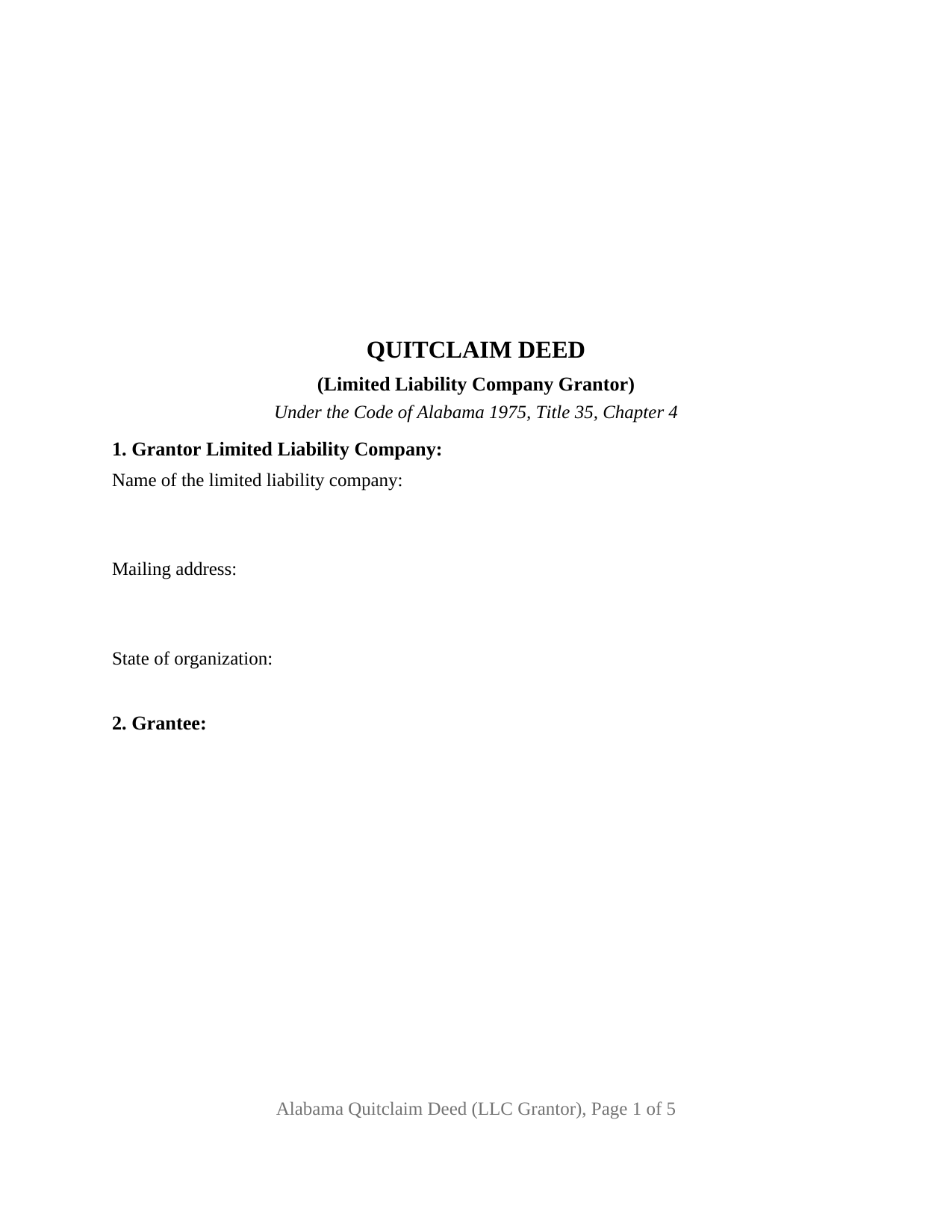
Greene County Quitclaim Deed (LLC Grantor) Form
Fill in the blank Quitclaim Deed (LLC Grantor) form formatted to comply with all Alabama recording and content requirements.
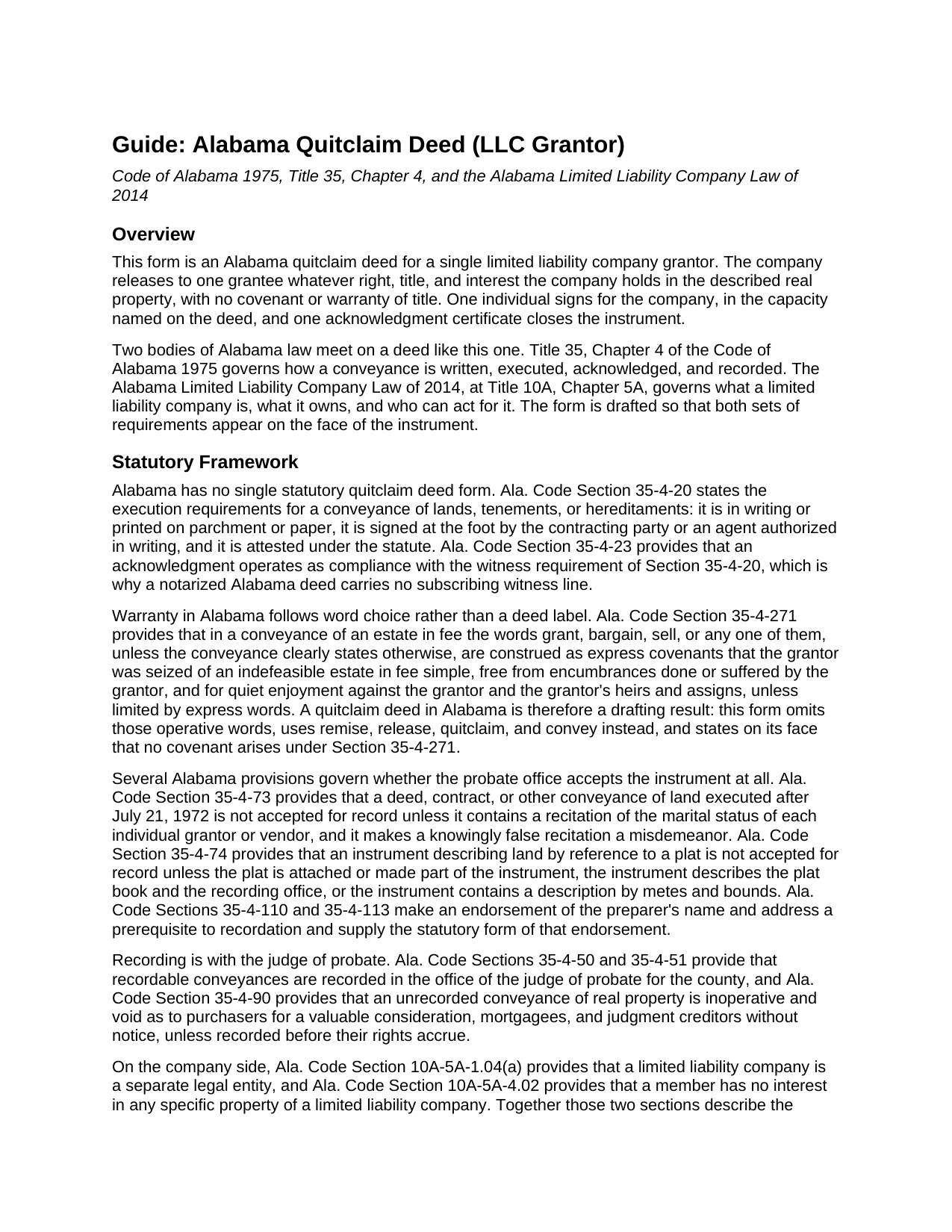
Greene County Quitclaim Deed (LLC Grantor) Guide
Line by line guide explaining every blank on the Quitclaim Deed (LLC Grantor) form.
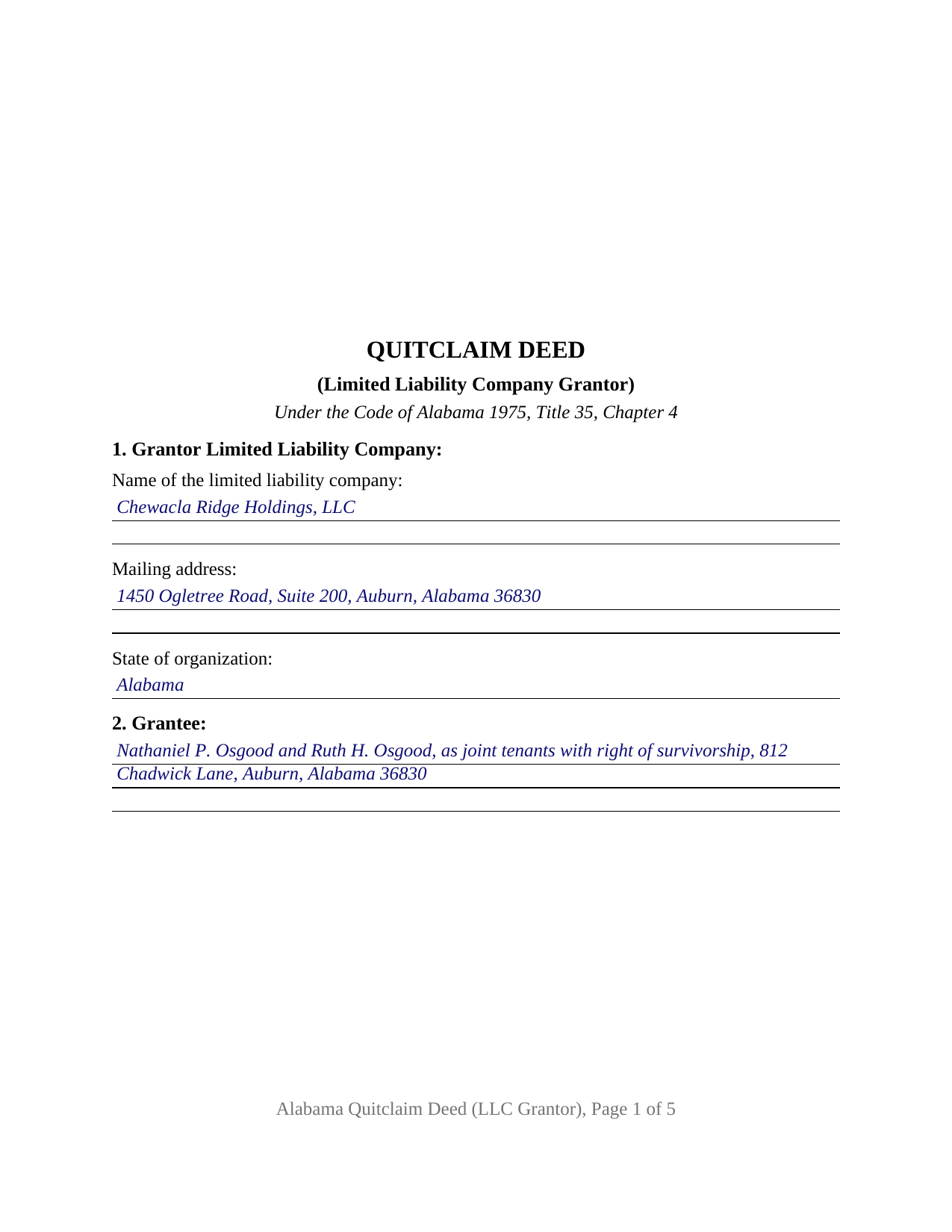
Greene County Completed Example of the Quitclaim Deed (LLC Grantor) Document
Example of a properly completed Alabama Quitclaim Deed (LLC Grantor) document for reference.
All 3 documents above included • One-time purchase • No recurring fees
Immediate Download • Secure Checkout
Additional Alabama and Greene County documents included at no extra charge:
Where to Record Your Documents
Greene Probate Office
Eutaw, Alabama 35462
Hours: 8:00 to 4:00 M-F
Phone: (205) 372-3340
Recording Tips for Greene County:
- Bring your driver's license or state-issued photo ID
- Ensure all signatures are in blue or black ink
- Recording fees may differ from what's posted online - verify current rates
- Request a receipt showing your recording numbers
- Ask about accepted payment methods when you call ahead
Cities and Jurisdictions in Greene County
Properties in any of these areas use Greene County forms:
- Boligee
- Clinton
- Eutaw
- Forkland
- Knoxville
- West Greene
Hours, fees, requirements, and more for Greene County
How do I get my forms?
Forms are available for immediate download after payment. The Greene County forms will be in your account ready to download to your computer. An account is created for you during checkout if you don't have one. Forms are NOT emailed.
Are these forms guaranteed to be recordable in Greene County?
Yes. Our form blanks are guaranteed to meet or exceed the applicable formatting requirements used for recording in Greene County, including margin requirements, font requirements, and other layout standards. This guarantee applies to formatting, not to the legal sufficiency of information entered by the user or the suitability of a form for a particular transaction.
Can I reuse these forms?
Yes. You can reuse the forms for your personal use. For example, if you have multiple properties in Greene County you only need to order once.
What do I need to use these forms?
The forms are PDFs that you fill out on your computer. The free Adobe Acrobat Reader is recommended, and most PDF apps also work. You do NOT enter your property information online - you download the blank forms and complete them privately on your own computer.
Are there any recurring fees?
No. This is a one-time purchase. Nothing to cancel, no memberships, no recurring fees.
How much does it cost to record in Greene County?
Recording fees in Greene County vary. Contact the recorder's office at (205) 372-3340 for current fees.
Questions answered? Let's get started!
The grantor on this deed cannot hold a pen. The Alabama Quitclaim Deed (LLC Grantor) is drafted for a limited liability company that releases Alabama real property to one grantee, so it must say who signs for the company and what that person's authority rests on. Section 8 collects both, and the certificate at the end is worded for an officer rather than for a person signing in his or her own right.
Title stands in the company, not in its members
The Alabama Limited Liability Company Law of 2014 describes the ownership this release acts on. Ala. Code Section 10A-5A-1.04(a) provides that a limited liability company is a separate legal entity, and Ala. Code Section 10A-5A-4.02 provides that a member has no interest in any specific property of a limited liability company. The parcel stands in the company's name, and no member holds a sliver of it to pass along. Both provisions are printed in the operative section. Section 1 takes the company's full name, including the designation Ala. Code Section 10A-1-5.06 requires, its mailing address, and its state of organization.
The signature question Alabama law actually asks
Ala. Code Section 10A-5A-3.02 provides that no person has the power to bind a limited liability company except as authorized to act as its agent under or pursuant to the limited liability company agreement, under three further sections of the same chapter, or by law outside it. Section 8 is built around that sentence and asks three things: the individual's name, that person's title or capacity, such as manager, managing member, or sole member, and the source of the authority relied on, such as a numbered section of the company agreement or a dated written consent. Those governing documents stay with the company.
A certificate written for an officer
Ala. Code Section 35-4-29 prints what it calls substantially the forms of acknowledgment used in Alabama on recorded conveyances, and alongside the individual wording it prints an entity form: the officer certifies that the person whose name as the stated officer of the entity is signed to the conveyance, being informed of the contents, executed it as such officer and with full authority for and as the act of the entity. The certificate here closes with that substance. Ala. Code Section 35-4-25, on acknowledgments of conveyances to or by a corporation, was amended by Act 2024-314 and Act 2025-365 to name limited liability companies too.
The blanks an entity grantor leaves behind
Two entries that dominate an individual Alabama deed drop out here. Ala. Code Section 35-4-73 keeps a conveyance out of the record unless it recites the marital status of each individual grantor or vendor, and this deed states instead that the grantor is a company and that no individual grantor is named. Ala. Code Section 6-10-3 conditions a married person's homestead conveyance on a spouse's signature and assent, and a company is not a married person, so no spouse signature block appears. The form recites one company grantor and one authorized signer; it is not set up for two grantors, an individual or corporate grantor, co-signature by two managers, or a release of series assets under Ala. Code Section 10A-5A-11.03.
Release words, then the probate counter
Alabama attaches title covenants to word choice: in a fee conveyance, grant, bargain, and sell are read as express covenants of an indefeasible fee, of freedom from encumbrances, and of quiet enjoyment, unless the instrument limits them (Ala. Code Section 35-4-271). This deed leaves those words out and says on its face that no Section 35-4-271 covenant arises. The deed goes to the judge of probate where the land lies, where an unrecorded Alabama conveyance is void against purchasers, mortgagees, and judgment creditors without notice (Ala. Code Section 35-4-90), and where the deed tax of Ala. Code Section 40-22-1 is collected with the sales value information the state gathers on Form RT-1.
Page one holds its upper three inches clear for the recording stamp, and the preparer endorsement Ala. Code Sections 35-4-110 and 35-4-113 require is printed in the deed's text. Buyers reach this Alabama quitclaim deed as a quit claim deed, a quick claim deed, or an LLC deed. The download delivers the blank fillable PDF, a completed example set in Lee County, and a guide covering every entry, the authority section, and the certificate. These pages set out Alabama law generally and are not legal advice; an Alabama attorney can weigh them against a particular company and title.
Important: Your property must be located in Greene County to use these forms. Documents should be recorded at the county recording office listed above.
This Quitclaim Deed (LLC Grantor) meets all recording requirements specific to Greene County.
Our Promise
The documents you receive here are guaranteed to meet or exceed the applicable Greene County recording format requirements. If there is a rejection caused by our formatting, we will correct the issue or refund your payment. This guarantee applies to document formatting only and does not extend to information entered by the user, the selection of the form, or the legal effect of the completed document.
Save Time and Money
Get your Greene County Quitclaim Deed (LLC Grantor) form done right the first time with Deeds.com Uniform Conveyancing Blanks. At Deeds.com, we understand that your time and money are valuable resources, and we don't want you to face a penalty fee or rejection imposed by a county recorder for submitting nonstandard documents. We constantly review and update our forms to meet rapidly changing state and county recording requirements for roughly 3,500 counties and local jurisdictions.
4.8 out of 5 - ( 4,852 Reviews )
Nancy J. 5 out of 5 stars
Forms were not to hard to fill out, Will go to Douglas County Oregon Recorders office in a few weeks and hope I filled them out correctly.
Thank you for your feedback. We really appreciate it. Have a great day!
Michael B. 4 out of 5 stars
Download was easy to complete, but difficult to revisit site to review purchased forms on line. Suggest you download everything at one sitting to make sure you get everything you need from your purchase.
Thank you!
Eddy O. 5 out of 5 stars
Your site was very helpful.
Thank you for your feedback. We really appreciate it. Have a great day!
Jacqueline H. 5 out of 5 stars
Thank you for all your assistance and patience in doing the deed. I can honestly say that DEEDs.com will be permanently on my list as a go to company. I will use the company as a referral to friends and family.
We appreciate your business and value your feedback. Thank you. Have a wonderful day!
Marianne L. 5 out of 5 stars
I filled in the form, following the instructions. I submitted to the County Recorder, no problem. Thank you.
Thanks for your feedback. We’re glad we could help.
Linda C. 5 out of 5 stars
If I hadn't spent my career as an escrow officer (albeit in another state), I may have had a hard time figuring out exactly which deed I needed and how to prepare them, even with the back-up informational, how-to pdf documents, without an attorney. My experience speaks to how much the general public doesn't understand and how confusing it can be. Nonetheless, the access to so many documents at a fairly reasonable cost, the basic how-to docs made available along with the purchased doc makes all the difference. I appreciate having such things available to the public. Many thanks.
We appreciate your business and value your feedback. Thank you. Have a wonderful day!
Kimberly B. 5 out of 5 stars
Absolutely recommend Deeds.com! The process to recording your document is explained step by step. If you have any questions, you just send a message and almost instantly a staff member will reply. Super quick processing. I uploaded my document late Friday afternoon, it was reviewed by Deeds.com staff and sent to the county for recording on Monday. By Tuesday, my document was successfully recorded by the County Recorder's Office and a copy of my recorded document was available for me, as well!
We appreciate your business and value your feedback. Thank you. Have a wonderful day!
cora c. 5 out of 5 stars
ALTHOUGH IT TOOK A LITTLE LONGER THAN EXPECTED TO RECEIVE AN INVOICE TO ALLOW ME TO PAY THE REQUIRED FEES AND HAVE MY DOCUMENT SUBMITTED FOR RECORDING, I REALLY APPRECIATED THE SERVICE AND PROMPT RESPONSES TO MY MESSAGES, SEEKING ASSISTANCE. THANK YOU SO MUCH!
We appreciate your business and value your feedback. Thank you. Have a wonderful day!
Peter N. 5 out of 5 stars
Your website was easy to use and I was able to accomplish my task. Thank You very much.
Thank you for your feedback. We really appreciate it. Have a great day!
Luis C. 5 out of 5 stars
Excellent forms but the instructions are not to clear.
Thank you for your feedback. We really appreciate it. Have a great day!
Sallie S. 5 out of 5 stars
Great speedy service with access to areas beyond my reach.
Thank you Sallie, have a great day!
Richard B. 4 out of 5 stars
Had trouble filling in the forms not very user friendly. The text always had to be manipulated to look in the best place. Could not easily move existing text to look more professional with the text being inserted.
Thank you for your feedback. We really appreciate it. Have a great day!
Nathan M. 5 out of 5 stars
It had the info, but when I would type into the document the items I needed in adobe all that would print out was the info I typed and none of the document information.
Thank you!
Matilde A. 5 out of 5 stars
Very easy to navigate... will be back to use!
Thank you for your feedback. We really appreciate it. Have a great day!
David N. 5 out of 5 stars
Thank you fine Deeds Company. I hope all goes well for you and all your team!
Your feedback is greatly appreciated. Thank you for taking the time to share your experience!