Wilcox County Quitclaim Deed (Married Grantor with Non-Owner Spouse Joinder) Form
Last validated September 11, 2026 by our Forms Development TeamFormatted for recording in Wilcox County, for property anywhere in the county: rural and unincorporated areas as well as Alberta, Annemanie, Arlington, Boykin, Camden, Catherine, Coy, Furman and 5 more.
- 3 documents included
- Immediate PDF download
- Formatting guarantee
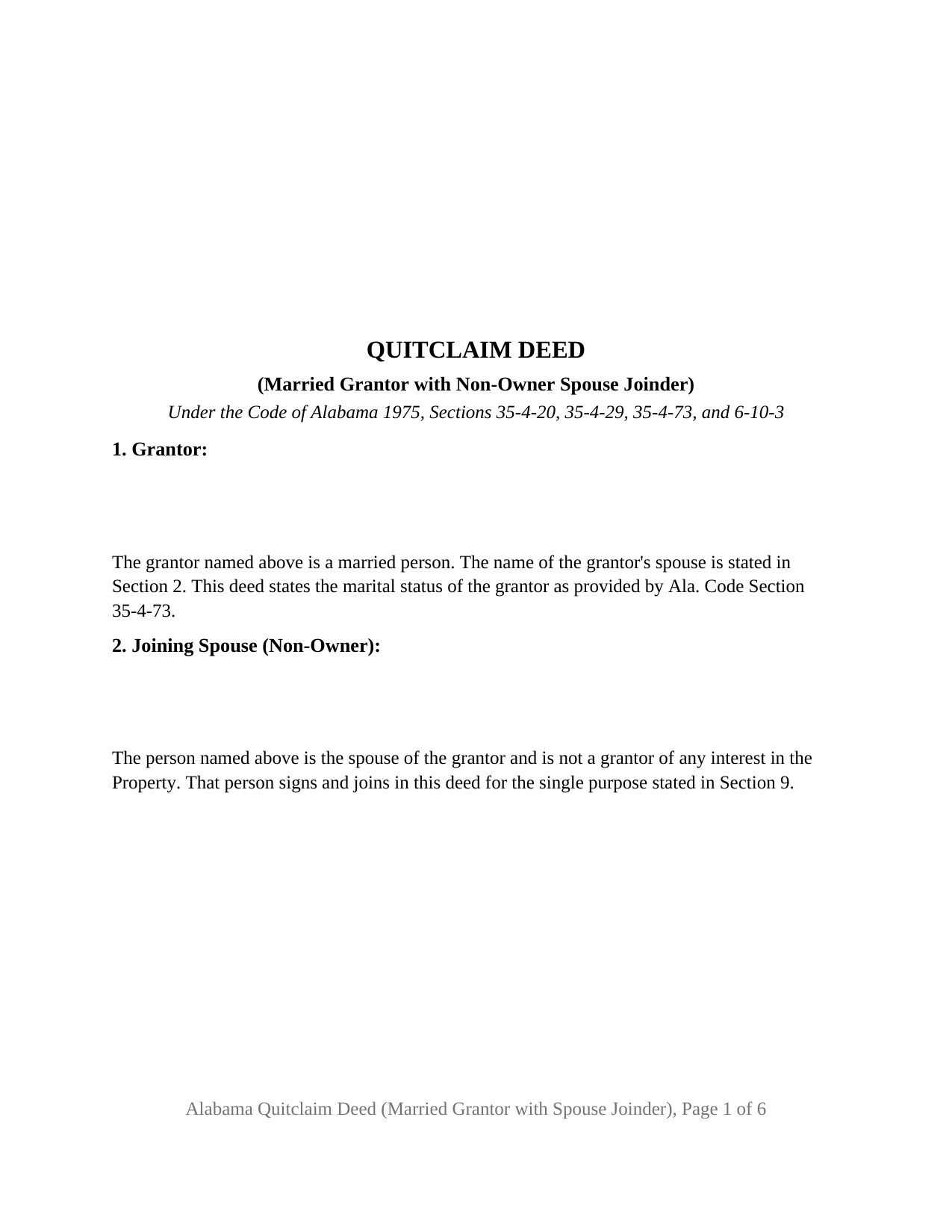
Wilcox County Quitclaim Deed (Married Grantor with Non-Owner Spouse Joinder) Form
Fill in the blank Quitclaim Deed (Married Grantor with Non-Owner Spouse Joinder) form formatted to comply with all Alabama recording and content requirements.
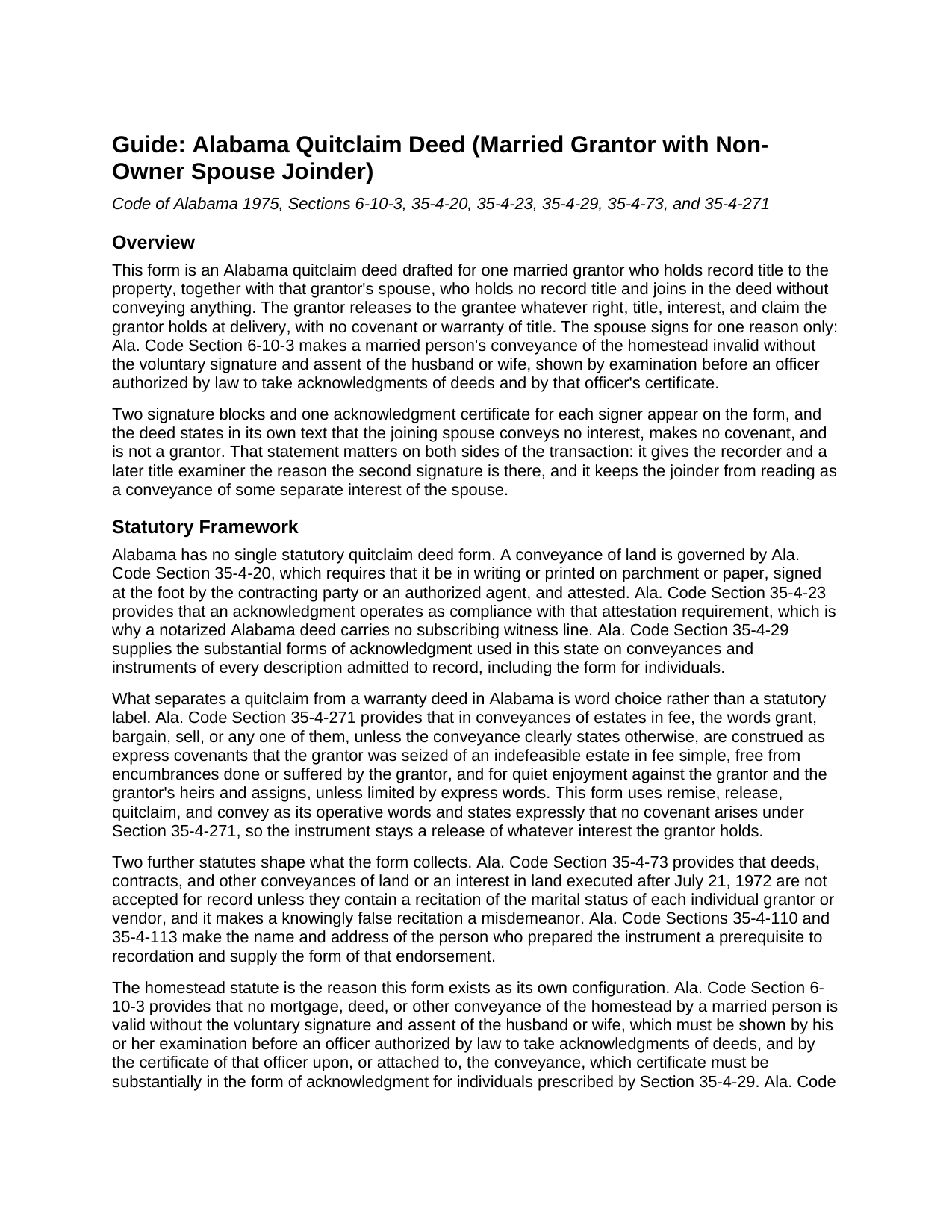
Wilcox County Quitclaim Deed (Married Grantor with Non-Owner Spouse Joinder) Guide
Line by line guide explaining every blank on the Quitclaim Deed (Married Grantor with Non-Owner Spouse Joinder) form.
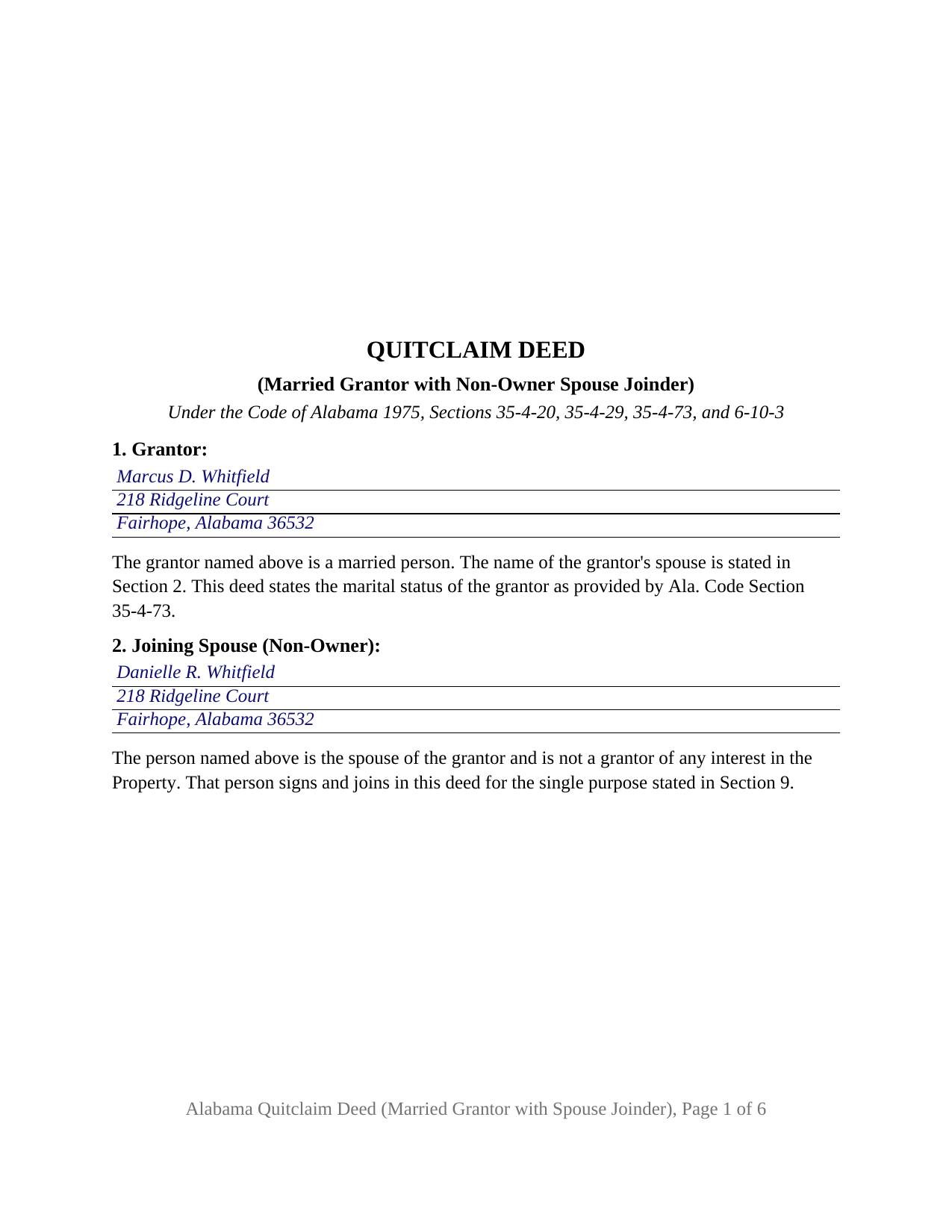
Wilcox County Completed Example of the Quitclaim Deed (Married Grantor with Non-Owner Spouse Joinder) Document
Example of a properly completed Alabama Quitclaim Deed (Married Grantor with Non-Owner Spouse Joinder) document for reference.
All 3 documents above included • One-time purchase • No recurring fees
Immediate Download • Secure Checkout
Additional Alabama and Wilcox County documents included at no extra charge:
Where to Record Your Documents
Wilcox Probate Office
Camden, Alabama 36726
Hours: 8:00 to 4:30 M-F
Phone: (334) 682-4883
Recording Tips for Wilcox County:
- Bring your driver's license or state-issued photo ID
- Ensure all signatures are in blue or black ink
- Documents must be on 8.5 x 11 inch white paper
- Double-check legal descriptions match your existing deed
- Verify all names are spelled correctly before recording
Cities and Jurisdictions in Wilcox County
Properties in any of these areas use Wilcox County forms:
- Alberta
- Annemanie
- Arlington
- Boykin
- Camden
- Catherine
- Coy
- Furman
- Lower Peach Tree
- Mc Williams
- Oak Hill
- Pine Apple
- Pine Hill
Hours, fees, requirements, and more for Wilcox County
How do I get my forms?
Forms are available for immediate download after payment. The Wilcox County forms will be in your account ready to download to your computer. An account is created for you during checkout if you don't have one. Forms are NOT emailed.
Are these forms guaranteed to be recordable in Wilcox County?
Yes. Our form blanks are guaranteed to meet or exceed the applicable formatting requirements used for recording in Wilcox County, including margin requirements, font requirements, and other layout standards. This guarantee applies to formatting, not to the legal sufficiency of information entered by the user or the suitability of a form for a particular transaction.
Can I reuse these forms?
Yes. You can reuse the forms for your personal use. For example, if you have multiple properties in Wilcox County you only need to order once.
What do I need to use these forms?
The forms are PDFs that you fill out on your computer. The free Adobe Acrobat Reader is recommended, and most PDF apps also work. You do NOT enter your property information online - you download the blank forms and complete them privately on your own computer.
Are there any recurring fees?
No. This is a one-time purchase. Nothing to cancel, no memberships, no recurring fees.
How much does it cost to record in Wilcox County?
Recording fees in Wilcox County vary. Contact the recorder's office at (334) 682-4883 for current fees.
Questions answered? Let's get started!
One of the two signatures on this deed transfers nothing. The Alabama Quitclaim Deed (Married Grantor with Non-Owner Spouse Joinder) is built for a single married owner of record who releases Alabama real property to a grantee, with the owner's spouse signing beside the grantor for one statutory reason and taking no part in the conveyance itself. The grantor releases whatever right, title, and interest the grantor holds, without warranty; the spouse gives an assent.
A signature that gives assent, not title
Ala. Code Section 6-10-3 makes no mortgage, deed, or other conveyance of the homestead by a married person valid without the voluntary signature and assent of the husband or wife. The statute then says how that assent is shown: by the spouse's examination before an officer authorized by law to take acknowledgments of deeds, and by that officer's certificate, in substantially the individual acknowledgment form of Ala. Code Section 35-4-29. The signature alone is not the whole of what the statute asks for, so this deed gives the joining spouse a signature block and a full acknowledgment certificate beside the grantor's.
Why the deed states that the spouse is not a grantor
A second name on a deed invites a reader to assume a second conveyance. The operative section here closes that reading: it states that the spouse named in the deed conveys no interest, makes no covenant or warranty, and is not a grantor, and that the spouse signs for the single purpose of giving the Section 6-10-3 assent to the grantor's conveyance, to the extent the property is or may be the homestead. That phrasing lets the deed work whether or not the parcel is homestead property, a question the public record often leaves open, without turning the spouse into a source of title.
Configured for one owner of record and one joining spouse
Section 1 takes the grantor's name and mailing address and states that the grantor is married, meeting the Ala. Code Section 35-4-73 rule that a recorded conveyance state the marital status of each individual grantor. Section 2 takes the spouse's name and address and identifies that person as a spouse who is not an owner. Section 10 carries two signature lines, and one certificate per signer closes the instrument. A married owner of record placing title in a family member's name where the spouse has never appeared in the chain of title, an owner who acquired the parcel before the marriage and releases it under a family arrangement, and a release where the grantee's title examiner wants the Section 6-10-3 certificate in the record all present the pattern this deed recites. The form is not set up for two owners each conveying an interest, for an unmarried grantor, or for an entity.
A joinder, not a dower release
Older Alabama deeds carried a release of dower, and that is not what this signature does. Ala. Code Section 43-8-57 abolished dower and curtesy effective January 1, 1983, so dower survives only as a question about pre-1983 title. Alabama also recognizes no tenancy by the entirety and is not a community property state, so marriage by itself gives the non-owner spouse no estate in the land. What the spouse holds is the homestead protection Section 6-10-3 describes, and the assent on this deed is addressed to that protection alone.
Release words, and one trip to the probate office
The deed remises, releases, quitclaims, and conveys, and it says on its face that no covenant arises under Ala. Code Section 35-4-271, which reads covenants of title into the words grant, bargain, and sell. Recording is with the judge of probate where the land lies, and the tax Ala. Code Section 40-22-1 imposes on a recorded conveyance, fifty cents for each five hundred dollars or fraction of the value conveyed, is collected there with Alabama's sales value information; page one holds its top three inches open for the recording stamp and the form prints the preparer endorsement Ala. Code Sections 35-4-110 and 35-4-113 make a recording prerequisite.
This Alabama quitclaim deed, searched for as often as a quit claim deed or a quick claim deed, downloads as a blank fillable PDF, with a completed example worked through a Baldwin County transfer and a guide covering each entry, the homestead statute, and both certificates. These materials explain Alabama law generally and are not legal advice; questions about a particular homestead, marriage, or chain of title belong with an Alabama attorney.
Important: Your property must be located in Wilcox County to use these forms. Documents should be recorded at the county recording office listed above.
This Quitclaim Deed (Married Grantor with Non-Owner Spouse Joinder) meets all recording requirements specific to Wilcox County.
Our Promise
The documents you receive here are guaranteed to meet or exceed the applicable Wilcox County recording format requirements. If there is a rejection caused by our formatting, we will correct the issue or refund your payment. This guarantee applies to document formatting only and does not extend to information entered by the user, the selection of the form, or the legal effect of the completed document.
Save Time and Money
Get your Wilcox County Quitclaim Deed (Married Grantor with Non-Owner Spouse Joinder) form done right the first time with Deeds.com Uniform Conveyancing Blanks. At Deeds.com, we understand that your time and money are valuable resources, and we don't want you to face a penalty fee or rejection imposed by a county recorder for submitting nonstandard documents. We constantly review and update our forms to meet rapidly changing state and county recording requirements for roughly 3,500 counties and local jurisdictions.
4.8 out of 5 - ( 4,828 Reviews )
MARIZON M. 5 out of 5 stars
This site/service is amazing! The response is almost real-time and the fees are super reasonable. I will be using this again in the future should I need to file any other documents with the county and will also recommend it to others! Thank you!
Thank you for your feedback. We really appreciate it. Have a great day!
Robert R. 5 out of 5 stars
Big savings and easy to use. Thanks so much.
We appreciate your business and value your feedback. Thank you. Have a wonderful day!
Dexter Lamar H. 5 out of 5 stars
Quick service!
Thank you!
Abram A. 5 out of 5 stars
Very easy to navigate around and to obtain desired forms and service.
We appreciate your business and value your feedback. Thank you. Have a wonderful day!
Gina I. 5 out of 5 stars
Found the forms I needed with no problem and easy to fill out thanks to the guide that is with it. Big help!
Thank you for your feedback. We really appreciate it. Have a great day!
Ralph E. 5 out of 5 stars
I wish I had found this site earlier!!! Not only was it helpful and just what I needed but I got my information so fast AND on the weekend. I would recommend this site to everyone. I plan on using it more. Its cheap and I can get my information while sitting at home. Very impressed!
Thank you for the kinds words Ralph. Have a great day!
Joyce S. 5 out of 5 stars
Download very easy. Forms are just what I need. Thanks
Thank you for your feedback. We really appreciate it. Have a great day!
Terriana H. 5 out of 5 stars
Order processed and fulfilled in the same day!
Thank you!
Kathy O. 5 out of 5 stars
I was so happy to be able to print the Quit Claim Deed form and learn about other forms. Very pleased with this service! Took the stress out of preparing needed deeds for notirization for our Trust. Very grateful. Thank you. Kathy
We appreciate your business and value your feedback. Thank you. Have a wonderful day!
Charles B. 5 out of 5 stars
Excellent andeasy to navigate website for non-lawyers. Needed some forms for a specific county in a specific state, and Deeds.com took me right there, where I downloaded the forms and a guide on how to fill them out.
We appreciate your business and value your feedback. Thank you. Have a wonderful day!
Victoria T. 5 out of 5 stars
This is a great website!!! Easy to use and inexpensive. Thank you deeds.com!
We appreciate your business and value your feedback. Thank you. Have a wonderful day!
Mica M. 5 out of 5 stars
I love deeds.com - hands down, the quickest way to record a warranty deed. The process and communication is so quick - the recording transaction too. Worth the extra $20 to me for my time! I didn't spend over an hour driving around, talking to someone via a kiosk to record the deed, didn't have to spend the energy of loading kids into the car to come with me, etc. The efficiency and timely process is worth the cost! Love having this available! The whole process via deeds.com took less than 5 minutes to upload a document and less than 3 minutes to pay the invoice shortly thereafter. The final recording was in my inbox in less than an hour. Thank you!
Thank you for your feedback. We really appreciate it. Have a great day!
Barbara S. 5 out of 5 stars
I had an issue due to the fact that I had many beneficiaries. I was and still am not sure how to handle this. We do have Adobe Pro and can modify the form, if needed. But I would like to talk to your organization for more information.
While we are unable to assist you specifically with completing the document we can note that this is addressed in the guide. Information that does not fit in the available space should be included in an exhibit page.
katherine a. 5 out of 5 stars
loved the ease of use for the forms. went on line to find out about Adobe Reader, too. Had a test to see if I had it. Took few seconds. Then on to ordering and downloading which took only 5 minutes for the three forms I wanted. Thanks, Katie Anderson
Thank you for your feedback. We really appreciate it. Have a great day!
Kevin C. 2 out of 5 stars
I like your service, but the error message I received yesterday was confusing. It said that Utah County does not record cover pages, so I should either remove the cover page or change the “order“ of the documents being submitted. This is ambiguous. I examined my package and it looked like the cover page was already being submitted separately, as a supporting document at the end, and there was no way to explicitly change the ordering of the submitted documents, that is up to your service. So I removed the cover page. But that makes me nervous, how will they know where to route it when it is done? So now I’m not sure if it was submitted correctly.
Thank you for the review, Kevin, and for laying out exactly what you saw.
The message you received ("Utah County does not accept cover pages for recording. Please remove or reorder to the back. Thank you.") came directly from the Utah County Recorder. We pass recorder rejection notes along as written, and we agree it was ambiguous. Rejection notes from recording offices often are, since they are written for people who file in that county every day.
Supporting documents always travel behind the main document they belong to, so there was nothing for you to reorder, and by your description the cover page was already at the back. With the cover page removed, the package matched what the recorder's note asked for.
On routing: nothing is mailed back with e-recording. The recorder records the document image, adds the recording information, and returns the recorded copy electronically through the e-recording system to us. It then appears on your package in your account and you get a message from us. A cover page plays no part in that, so leaving it out did not affect where your document goes.