Fairbanks North Star Borough Notice of Completion Form
Last validated October 13, 2026 by our Forms Development TeamFormatted for recording in Fairbanks North Star Borough, for property anywhere in the borough or census area: rural and unincorporated areas as well as Eielson Afb, Ester, Fairbanks, Fort Wainwright, North Pole, Salcha, Two Rivers.
- 3 documents included
- Immediate PDF download
- Formatting guarantee
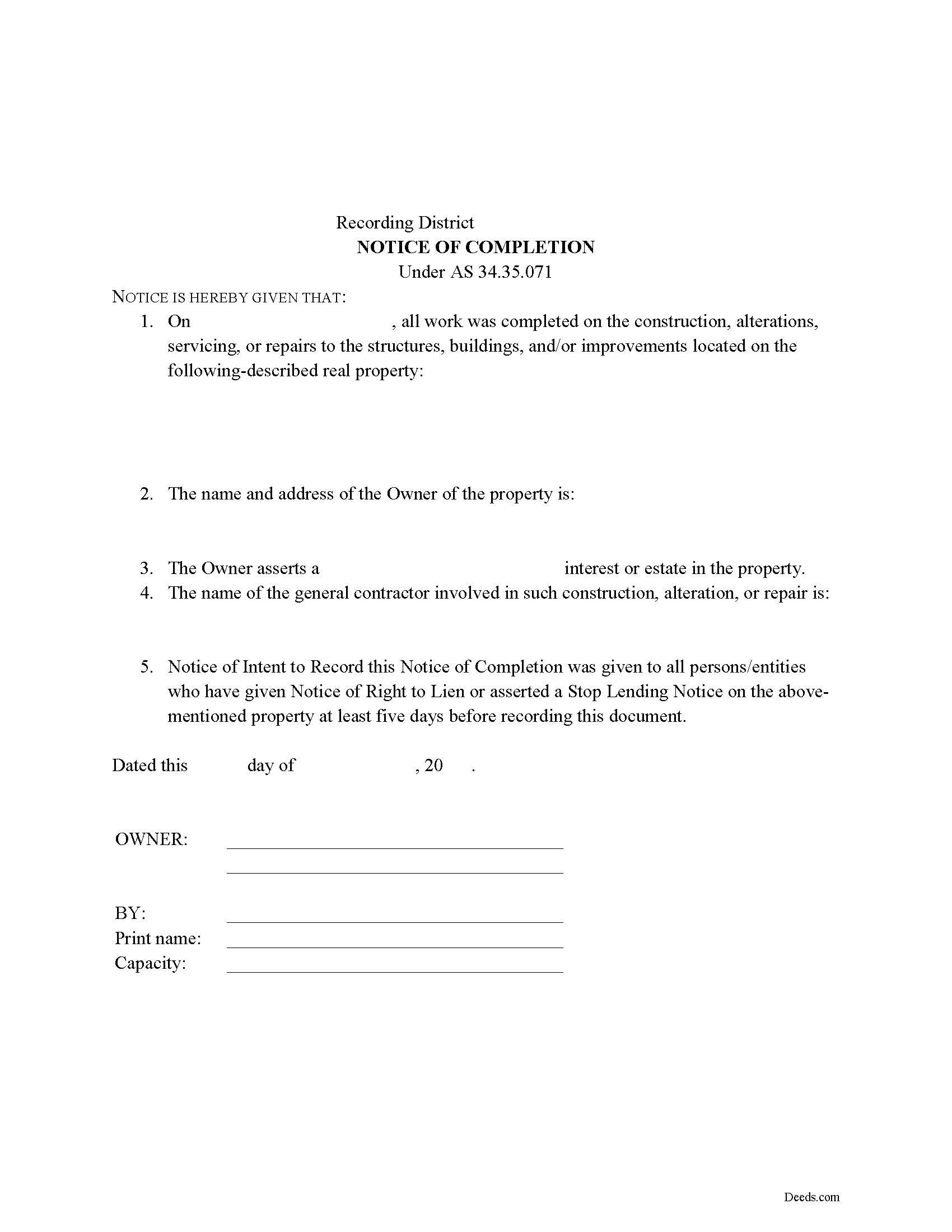
Fairbanks North Star Borough Notice of Completion Form
Fill in the blank Notice of Completion form formatted to comply with all Alaska recording and content requirements.
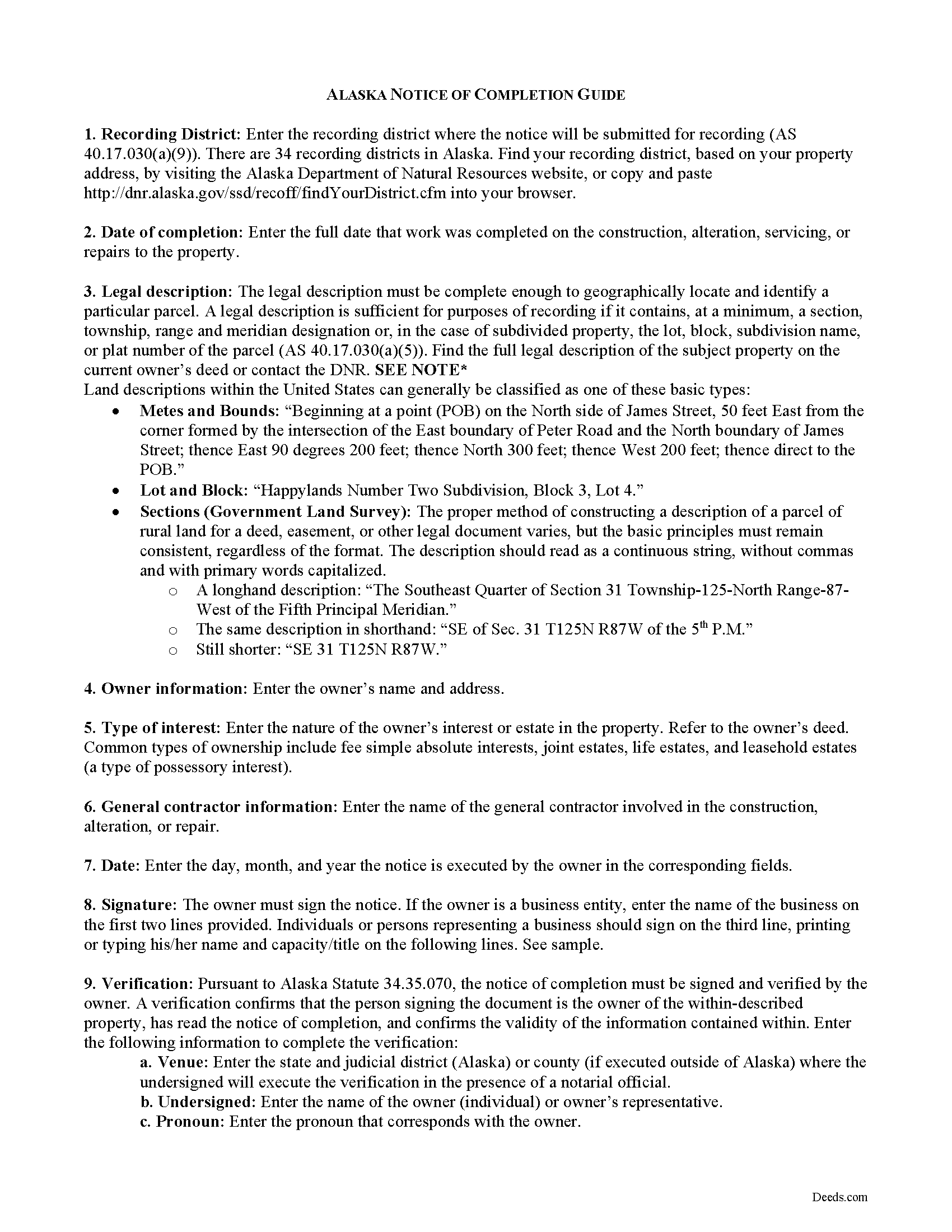
Fairbanks North Star Borough Notice of Completion Guide
Line by line guide explaining every blank on the form.
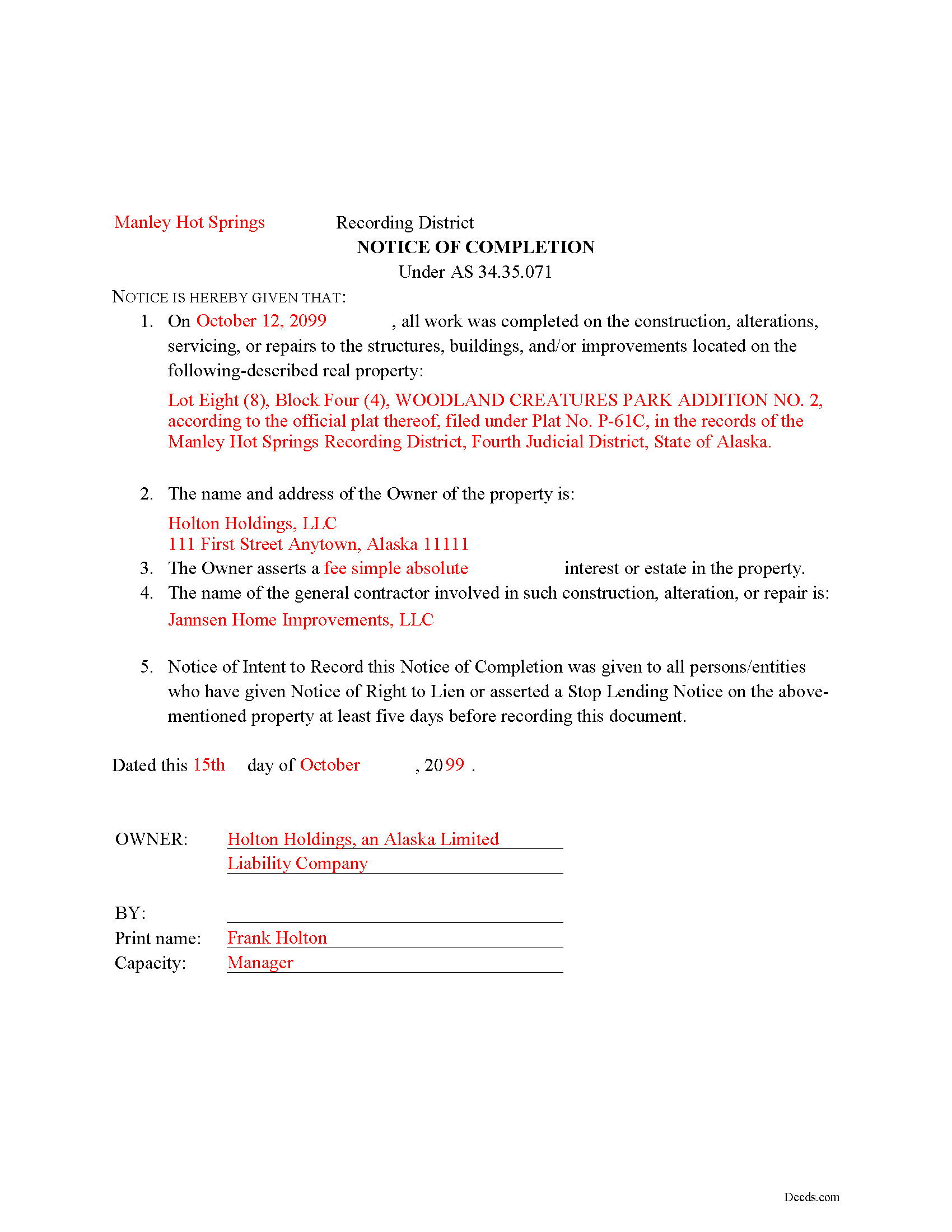
Fairbanks North Star Borough Completed Example of the Notice of Completion Document
Example of a properly completed form for reference.
All 3 documents above included • One-time purchase • No recurring fees
Immediate Download • Secure Checkout
Additional Alaska and Fairbanks North Star Borough documents included at no extra charge:
Where to Record Your Documents
Fairbanks District Office
Fairbanks, Alaska 99709-4699
Hours: 8:00 to 3:30 M-F / Research from 7:30am
Phone: (907) 452-2298 or 452-3521
Recording Tips for Fairbanks North Star Borough:
- Bring your driver's license or state-issued photo ID
- Ensure all signatures are in blue or black ink
- Ask about accepted payment methods when you call ahead
- Ask for certified copies if you need them for other transactions
- Ask if they accept credit cards - many offices are cash/check only
Cities and Jurisdictions in Fairbanks North Star Borough
Properties in any of these areas use Fairbanks North Star Borough forms:
- Eielson Afb
- Ester
- Fairbanks
- Fort Wainwright
- North Pole
- Salcha
- Two Rivers
Hours, fees, requirements, and more for Fairbanks North Star Borough
How do I get my forms?
Forms are available for immediate download after payment. The Fairbanks North Star Borough forms will be in your account ready to download to your computer. An account is created for you during checkout if you don't have one. Forms are NOT emailed.
Are these forms guaranteed to be recordable in Fairbanks North Star Borough?
Yes. Our form blanks are guaranteed to meet or exceed the applicable formatting requirements used for recording in Fairbanks North Star Borough, including margin requirements, font requirements, and other layout standards. This guarantee applies to formatting, not to the legal sufficiency of information entered by the user or the suitability of a form for a particular transaction.
Can I reuse these forms?
Yes. You can reuse the forms for your personal use. For example, if you have multiple properties in Fairbanks North Star Borough you only need to order once.
What do I need to use these forms?
The forms are PDFs that you fill out on your computer. The free Adobe Acrobat Reader is recommended, and most PDF apps also work. You do NOT enter your property information online - you download the blank forms and complete them privately on your own computer.
Are there any recurring fees?
No. This is a one-time purchase. Nothing to cancel, no memberships, no recurring fees.
How much does it cost to record in Fairbanks North Star Borough?
Recording fees in Fairbanks North Star Borough vary. Contact the recorder's office at (907) 452-2298 or 452-3521 for current fees.
Questions answered? Let's get started!
What happens after a contractor notifies the property owner of their right to file a lien? Generally, upon the project's conclusion, the owner responds by filing a notice of completion with the local recording office.
A notice of completion under Alaska Statute 34.35.071 announces the date of completion of a project under contract. The title holder records the notice in the office of the recorder in the recording district where the affected property is located, but only after the completion of the project. The notice is ineffective if recorded before completion (AS 34.35.071(d)).
A recorded notice of completion initiates the period in which a potential claimant may file a claim of lien. The total time a potential claimant has for filing a lien depends on whether the claimant has given notice of right to lien and whether the owner has given proper notice of his intent to record the notice of completion.
The owner files a notice of completion in the district recorder's office where the property is located, in addition to giving five-days' notice (notice of intent to file) before recording to all claimants who have given a notice of right to lien at least 10 days prior to the notice of completion (AS 34.35.071). If the owner served the claimant with a notice of intent prior to filing the notice of completion, the claimant must file a response within 15 days. Without advance notice, this time expands to 120 days. Therefore, best practice dictates that it makes sense to provide notice of intent.
In addition to the date of completion, an effective notice of completion states the name and address of the property owner, the nature of the owner's interest or estate in the property, a complete legal description of the property, and the name of the general contractor. A notice of completion must be signed and verified by the property owner (AS 34.35.071(b)). Before recording documents, ensure the notice meets standards of form and content as required by AS 40.17.030.
Consult an attorney with questions about using a notice of completion, mechanic's/construction liens, or for any other issues related to real property in Alaska.
Important: Your property must be located in Fairbanks North Star Borough to use these forms. Documents should be recorded at the borough or census area recording office listed above.
This Notice of Completion meets all recording requirements specific to Fairbanks North Star Borough.
Our Promise
The documents you receive here are guaranteed to meet or exceed the applicable Fairbanks North Star Borough recording format requirements. If there is a rejection caused by our formatting, we will correct the issue or refund your payment. This guarantee applies to document formatting only and does not extend to information entered by the user, the selection of the form, or the legal effect of the completed document.
Save Time and Money
Get your Fairbanks North Star Borough Notice of Completion form done right the first time with Deeds.com Uniform Conveyancing Blanks. At Deeds.com, we understand that your time and money are valuable resources, and we don't want you to face a penalty fee or rejection imposed by a county recorder for submitting nonstandard documents. We constantly review and update our forms to meet rapidly changing state and county recording requirements for roughly 3,500 counties and local jurisdictions.
4.8 out of 5 - ( 4,837 Reviews )
Julia M. 5 out of 5 stars
I live in AZ and have an existing beneficiary deed on my property. I needed to know the process of revoking a beneficiary deed. Your site was very helpful by providing the correct form and instructions for recording it. Thank you!
Your satisfaction with our services is of utmost importance to us. Thank you for letting us know how we did!
Aron H. 5 out of 5 stars
Impressed with how quick the process was to e-record our documents. Will recommend this service to anyone needing to record a document.
Thank you!
Joseph L. 5 out of 5 stars
I am an invalid and needed just one quitclaim form. I was able to quickly enter and complete the form. Unfortunately, it will probably be a last hurrah for me..
We appreciate your business and value your feedback. Thank you. Have a wonderful day!
Andre W. 5 out of 5 stars
I was truly impress with the customer service. The young lady that assisted me was AWESOME. She was very professional,patienc was extraordinary and very knowledgable. Thank you thank you
Thank you for your feedback. We really appreciate it. Have a great day!
Annette A. 5 out of 5 stars
I requested a property report and it was completed fast and accurately. I would highly recommend this service.
We appreciate your business and value your feedback. Thank you. Have a wonderful day!
Juliet M. 5 out of 5 stars
So far I am having a good experience.
It was a pleasure serving you. Thank you for the positive feedback!
BARBARA L. 4 out of 5 stars
Fairly easy to use. I had to really search to get some info. I had to use the Exhibit feature because the description box was way too small and I ended up re-typing it. The package had good and useful links. The County Clerk looked at it and said, "I see you used an online form, and that's OK, but..." and proceeded to show me a couple of things that were left out. They recorded it with no problems.
Thank you!
Omid B. 5 out of 5 stars
Super efficient, extremely responsive , and above all quick turnaround. Thank you! Will definitely use your services again!
Thank you!
ROBERET D. 5 out of 5 stars
after a poor start was able to get to the forms page and find what I was looking for and every thing worked good. Just getting to the right area was a struggle but we made thanks Bob
Thank you for your feedback. We really appreciate it. Have a great day!
Richard W. 5 out of 5 stars
Very happy I tried your service/product. The quit deed forms were excepted by the register of deeds with no issue. Thank You
We appreciate your business and value your feedback. Thank you. Have a wonderful day!
Debbi B. 4 out of 5 stars
The deeds were a very reasonable price. However, it was made to seem like it was part of Jefferson County, and I didn't love the deceptiveness.
Debbi, we understand that you came away with the impression that Deeds.com was part of Jefferson County, but we respectfully disagree with the characterization of our website as deceptive. Deeds.com is an independent document provider and does not represent itself as affiliated with Jefferson County or any other government agency. Jefferson County is identified because customers need forms and recording information appropriate for the correct jurisdiction. If a particular page or statement caused confusion, please contact Deeds.com Customer Care so we can review it.
Desmond L. 5 out of 5 stars
Easy access
We appreciate your business and value your feedback. Thank you. Have a wonderful day!
Amanda S. 5 out of 5 stars
Thank you! My husband and I went in the get notary stamps for a Special Warranty Deed and a Post Nuptial Agreement. The representative was very knowledgeable and thorough with the notary process. She made sure we read and understood all documents that we were signing and they required us to recite in sworn statements that everything there was true and understood! I will be using the notary service again at Bank of America! The representative was very respectful and had a nice smile the entire time to make our visit great!
Thank you!
Rafael R. 5 out of 5 stars
This was my first time using Deed.com. It was easier than I expected. The service is more convenient than filing documents in person or by mail. The response from Deeds.com upon the submission of my order was almost instantaneous.
We appreciate your business and value your feedback. Thank you. Have a wonderful day!
Isaac T. 5 out of 5 stars
Had no problem getting my forms. It was quick,easy, and reasonable priced. Will use again if needed
We appreciate your business and value your feedback. Thank you. Have a wonderful day!