Santa Cruz County Work Stop Notice Form
Last validated October 13, 2026 by our Forms Development TeamFormatted for recording in Santa Cruz County, for property anywhere in the county: rural and unincorporated areas as well as Amado, Elgin, Nogales, Patagonia, Rio Rico, Sonoita, Tubac, Tumacacori.
- 3 documents included
- Immediate PDF download
- Formatting guarantee
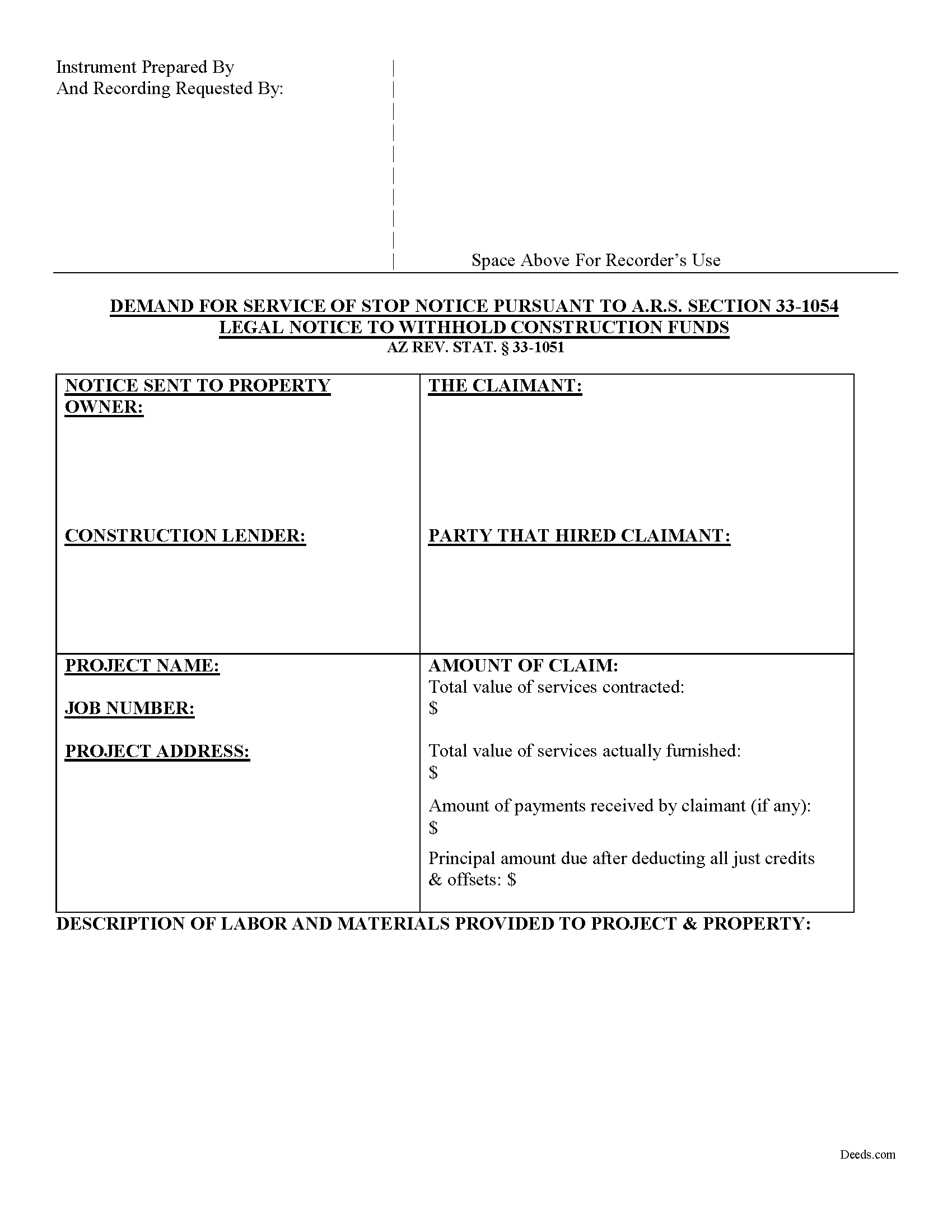
Santa Cruz County Work Stop Notice Form
Fill in the blank form formatted to comply with all recording and content requirements.
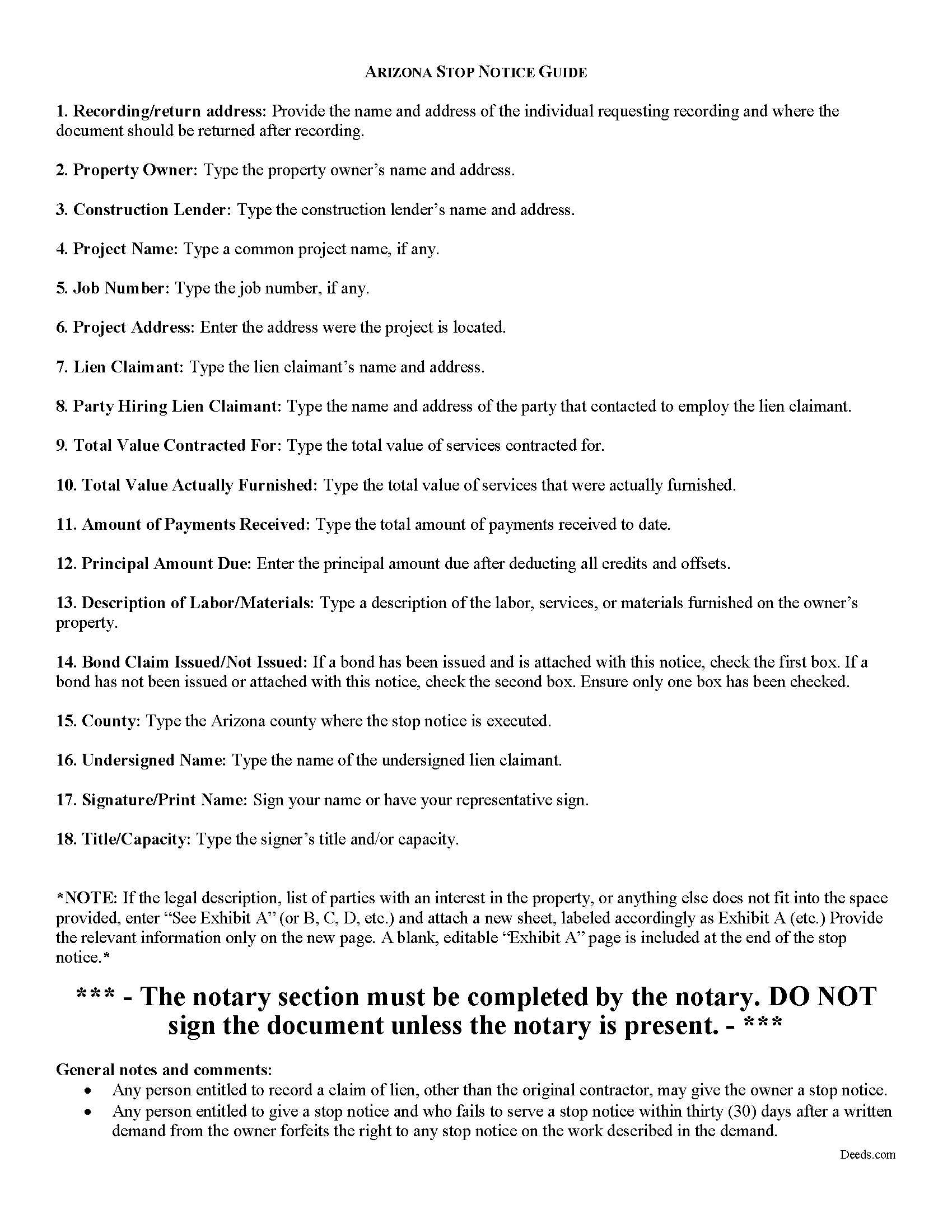
Santa Cruz County Work Stop Notice Guide
Line by line guide explaining every blank on the form.
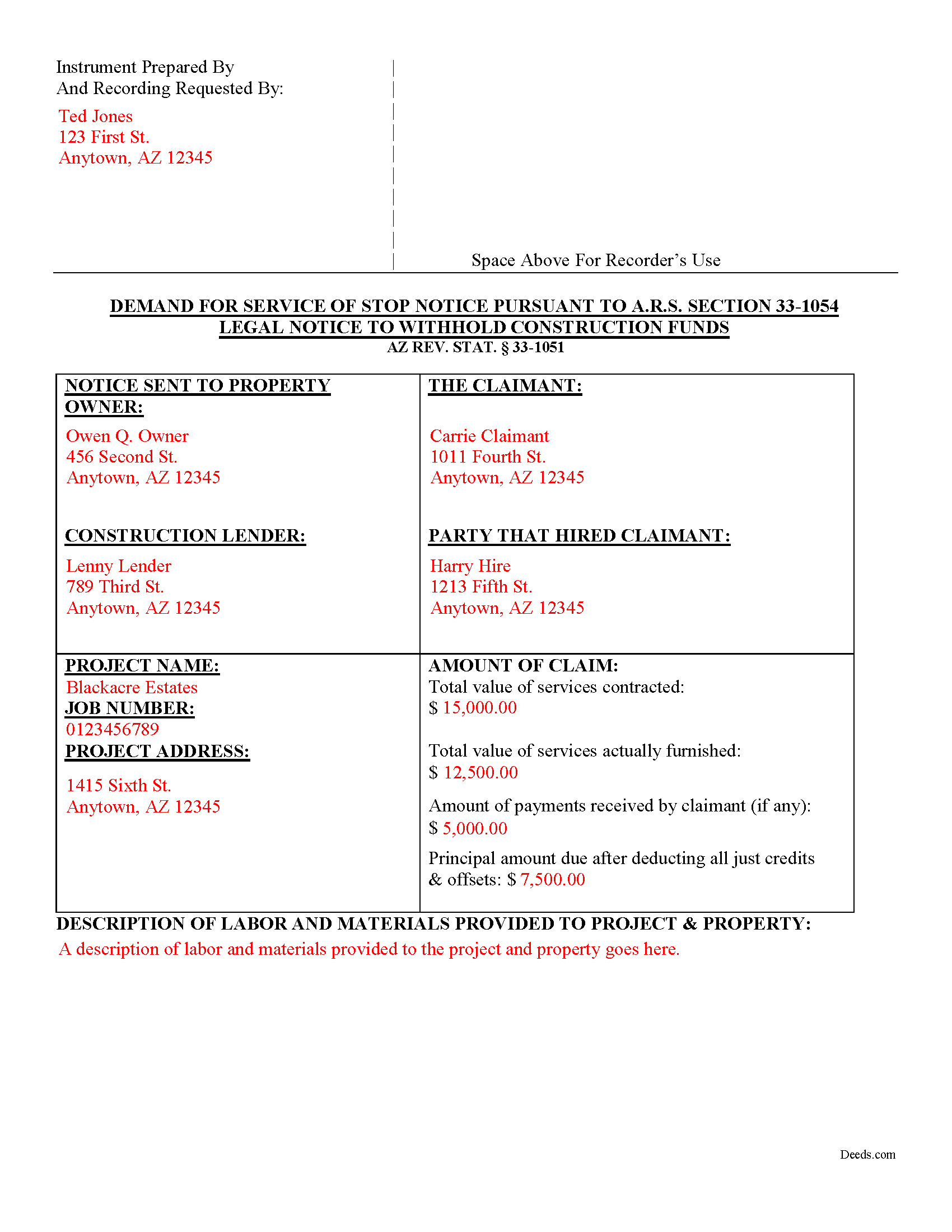
Santa Cruz County Completed Example of the Work Stop Notice Document
Example of a properly completed form for reference.
All 3 documents above included • One-time purchase • No recurring fees
Immediate Download • Secure Checkout
Additional Arizona and Santa Cruz County documents included at no extra charge:
Where to Record Your Documents
Recorder's Office
Nogales, Arizona 85621
Hours: 8:00am - 5:00pm M-F
Phone: 520-375-7990
Recording Tips for Santa Cruz County:
- Bring your driver's license or state-issued photo ID
- Ensure all signatures are in blue or black ink
- Ask if they accept credit cards - many offices are cash/check only
- Check that your notary's commission hasn't expired
- Documents must be on 8.5 x 11 inch white paper
Cities and Jurisdictions in Santa Cruz County
Properties in any of these areas use Santa Cruz County forms:
- Amado
- Elgin
- Nogales
- Patagonia
- Rio Rico
- Sonoita
- Tubac
- Tumacacori
Hours, fees, requirements, and more for Santa Cruz County
How do I get my forms?
Forms are available for immediate download after payment. The Santa Cruz County forms will be in your account ready to download to your computer. An account is created for you during checkout if you don't have one. Forms are NOT emailed.
Are these forms guaranteed to be recordable in Santa Cruz County?
Yes. Our form blanks are guaranteed to meet or exceed the applicable formatting requirements used for recording in Santa Cruz County, including margin requirements, font requirements, and other layout standards. This guarantee applies to formatting, not to the legal sufficiency of information entered by the user or the suitability of a form for a particular transaction.
Can I reuse these forms?
Yes. You can reuse the forms for your personal use. For example, if you have multiple properties in Santa Cruz County you only need to order once.
What do I need to use these forms?
The forms are PDFs that you fill out on your computer. The free Adobe Acrobat Reader is recommended, and most PDF apps also work. You do NOT enter your property information online - you download the blank forms and complete them privately on your own computer.
Are there any recurring fees?
No. This is a one-time purchase. Nothing to cancel, no memberships, no recurring fees.
How much does it cost to record in Santa Cruz County?
Recording fees in Santa Cruz County vary. Contact the recorder's office at 520-375-7990 for current fees.
Questions answered? Let's get started!
Stop Notices in Arizona
In addition to recording a mechanic's lien, a stop notice is another way to recover the money you are owed on a construction project. A stop notice is a written and verified notice, sent to the owner or construction lender that instructs them to withhold payment of the amounts not yet disbursed in order to satisfy the unpaid claim. AZ REV. STAT. 33-1051(4).
Any person entitled to record a claim of lien, other than the original contractor, may give the owner or lender a stop notice. AZ REV. STAT. 33-1054. However, stop notices are only available on private jobs. AZ REV. STAT. 33-1053. If someone is entitled to give a stop notice and fails to serve it within thirty days after a written demand from the owner, he or she forfeits the right to any stop notice on the work described in the demand. Id. Unlike mechanic's liens, a stop notice is not invalid if the form is defective, as long as it is sufficient to substantially inform the owner of the information required. AZ REV. STAT. 33-1052. There are harsh penalties for falsifying a stop notice. Any person who willfully gives a false stop notice or bonded stop notice or includes in the notice any labor, professional services, materials, machinery, fixtures or tools not furnished for the property described in that notice forfeits all right to participate in the pro rata distribution of monies, forfeits all right to any lien, and is subject to additional penalties provided by statute. AZ REV. STAT. 33-1061.
The stop notice must contain all of the following:
- a description of the labor, professional services, materials, machinery, fixtures or tools furnished or agreed to be furnished by the claimant;
- the name of the person to or for whom the labor, professional services, materials, machinery, fixtures or tools were furnished or agreed to be furnished;
- the amount in value of the labor, professional services, materials, machinery, fixtures or tools already furnished and the total amount agreed to be furnished;
- the amount, if any, of payment received by the claimant for the labor, professional services, materials, machinery, fixtures or tools furnished or agreed to be furnished; and 5) the name and address of the claimant. 33-1051(4).
If a stop notice has been served, an action against the owner or lender may be commenced at any time after ten days from the date of the service of the stop notice. AZ REV. STAT. 33-1063(A). The action expires after three months after the period for filing a claim of lien could be filed, unless the parties stipulate in writing to an extension of time. Id.
This article is provided for informational purposes only and should not be relied upon as a substitute for the advice of an attorney. If you have any question about serving a stop notice in Arizona, please contact an attorney.
Important: Your property must be located in Santa Cruz County to use these forms. Documents should be recorded at the county recording office listed above.
This Work Stop Notice meets all recording requirements specific to Santa Cruz County.
Our Promise
The documents you receive here are guaranteed to meet or exceed the applicable Santa Cruz County recording format requirements. If there is a rejection caused by our formatting, we will correct the issue or refund your payment. This guarantee applies to document formatting only and does not extend to information entered by the user, the selection of the form, or the legal effect of the completed document.
Save Time and Money
Get your Santa Cruz County Work Stop Notice form done right the first time with Deeds.com Uniform Conveyancing Blanks. At Deeds.com, we understand that your time and money are valuable resources, and we don't want you to face a penalty fee or rejection imposed by a county recorder for submitting nonstandard documents. We constantly review and update our forms to meet rapidly changing state and county recording requirements for roughly 3,500 counties and local jurisdictions.
4.8 out of 5 - ( 4,831 Reviews )
Thomas D. 2 out of 5 stars
The documents themselves are fine and the information provided with them is helpful. I find the actual processing of the documents, however, to be difficult particularly once the document has been saved. First, I note that the box for the date only allows entry of the last 2 digits of the year. Unfortunately, my download only allows me to enter one of the 2 digits required. When I delete it repeatedly, it eventually allows both digits to be entered but puts them in extremely small text and in superscrypt. I have not found a solution to this problem and am not sure the deed can even be recorded with this problem. Another problem is that if you try to revise the document after you have saved it the curser goes to the end of the line after each key entry. This means that there basically is no way to efficiently save the document for reworking later since you will have to delete everything you have entered in the text box unless you only need to make a single keystroke change or are willing to replace the curser after each entry. Try that with a long property description! Please note that I am using a Mac to prepare my documents and perhaps this is part of an "incompatibility problem". However, I didn't see a disclaimer regarding Mac use and so would expect the documents to perform correctly. Overall, I give the program a "2 star" rating because I am experiencing significant difficulties in entering dates in the documents even before saving them and because saving your work for later revision appears to be basically unworkable.
Thank you for your feedback Thomas, we appreciate you being specific about the issues you encountered. Adobe and Mac have a fairly long history of issues working together.
Patricia And James J. 5 out of 5 stars
No review provided.
Thank you for your feedback. We really appreciate it. Have a great day!
Deborah M. 5 out of 5 stars
Absolutely great. The staff is responsive and knowledgeable. The online interface is excellent. The total cost for finalizing the sale on our property (minus state filing fees) was $39. A wonderful experience.
Thank you for your feedback. We really appreciate it. Have a great day!
Beata K. 5 out of 5 stars
Loved it! Extremely easy to use. Quick and efficient. I was able to officially record my documents within a day.
We appreciate your business and value your feedback. Thank you. Have a wonderful day!
Charles D. 5 out of 5 stars
Very easy to download, very easy to use. Good examples to answer questions.
Thank you!
JOHN R. 5 out of 5 stars
This is an Outstanding Website for easy access in expediting my property investment needs. Thank you for this much needed online service.
Thank you!
Ebony L. 5 out of 5 stars
Very pleased with deeds.com. I highly recommend them to anyone, from clueless beginners like myself to the more advanced. Thank you for simplifying this process.
Thank you for your feedback. We really appreciate it. Have a great day!
Boyd B. 5 out of 5 stars
I had an issue because of what I was doing, thanks to these guys. I received an email and lickety-split done no more problems.
We appreciate your business and value your feedback. Thank you. Have a wonderful day!
Johnnie R. 5 out of 5 stars
quick and easy to use
We appreciate your business and value your feedback. Thank you. Have a wonderful day!
Heather G. 5 out of 5 stars
This entire process was painless. I couldn't be happier with how simple and easy it was to get the document I needed.
We’re so glad the process was smooth and easy, Heather—thanks for sharing your experience!
Georgana T. 3 out of 5 stars
Not clear information on ownership, which is what I wanted.
Sorry to hear that we were unable to find the information you need Georgana. Your account has been credited. Have a wonderful day.
Nancy R. 5 out of 5 stars
I AM NOT TOO SMART WHEN IT COMES TO COMPUTER STUFF, BUT THIS WEBSITE MADE IT SO VERY EASY & SIMPLE TO ACCOMPLISH THE TASK THAT WAS NEEDED. I FOUND MY STATE, FOUND THE TYPE OF DEED I NEEDED, FILLED IN THE BLANKS, PRINTED IT OUT & THEN GOT THE REQUIRED SIGNATURES WITNESSED & NOTARIZED -- EASY-PEASY! I WILL BE USING DEEDS.COM IN THE FUTURE & WILL CERTAINLY RECOMMEND IT TO FRIENDS & FAMILY. I REALLY APPRECIATED ALL THE OTHER FORMS OF EXPLANATION THEY GIVE YOU AS WELL AS AN EXAMPLE OF HOW YOUR COMPLETED DOCUMENT SHOULD LOOK ONCE YOU'RE FINISHED.
Thank you for your feedback. We really appreciate it. Have a great day!
Scott H. 5 out of 5 stars
Very helpful
Thank you!
Jennifer L L. 5 out of 5 stars
So far this has been a great experience. Very easy to use the deeds.com website and download the forms. Very nice that they give example forms and guides to help you fill out the forms. I just have to wait to make sure that the forms are accepted and recorded with no issues.
Your insights are invaluable to us and help us strive for better service. Thank you for taking the time to share your thoughts.
Scott W. 5 out of 5 stars
Finding and downloading necessary forms, and especially the example forms, were tremendously easy and trouble free, and the fact the forms were updated recently was a big selling point. If other forms are needed, this is were I'm coming.
We appreciate your business and value your feedback. Thank you. Have a wonderful day!