Franklin County Assignment of Mortgage or Deed of Trust Form
Last validated October 26, 2026 by our Forms Development TeamFormatted for recording in Franklin County, for property anywhere in the county: rural and unincorporated areas as well as Alix, Altus, Branch, Cecil, Charleston, Ozark.
- 6 documents included
- Immediate PDF download
- Formatting guarantee
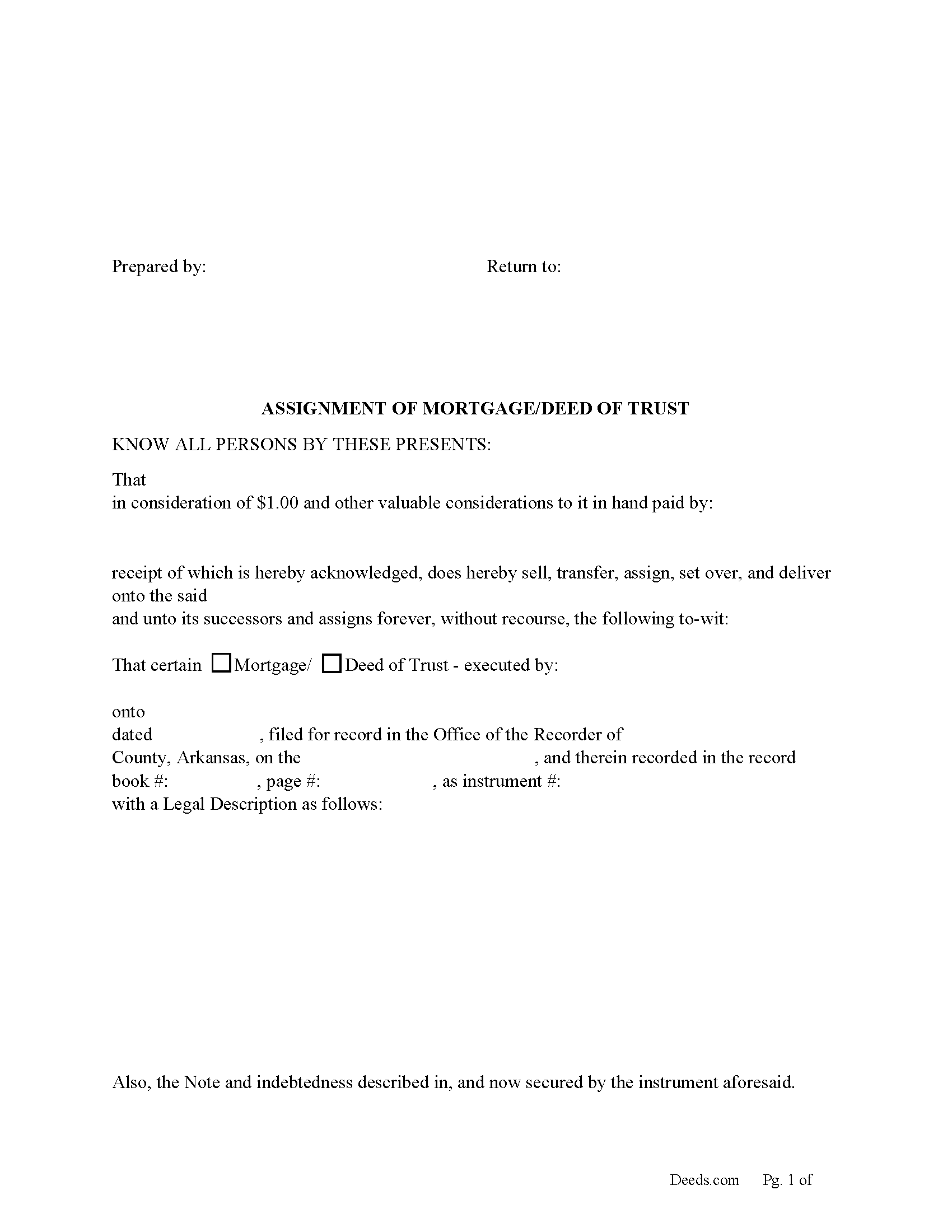
Franklin County Assignment of Mortgage or Deed of Trust form
Fill in the blank form formatted to comply with all recording and content requirements.
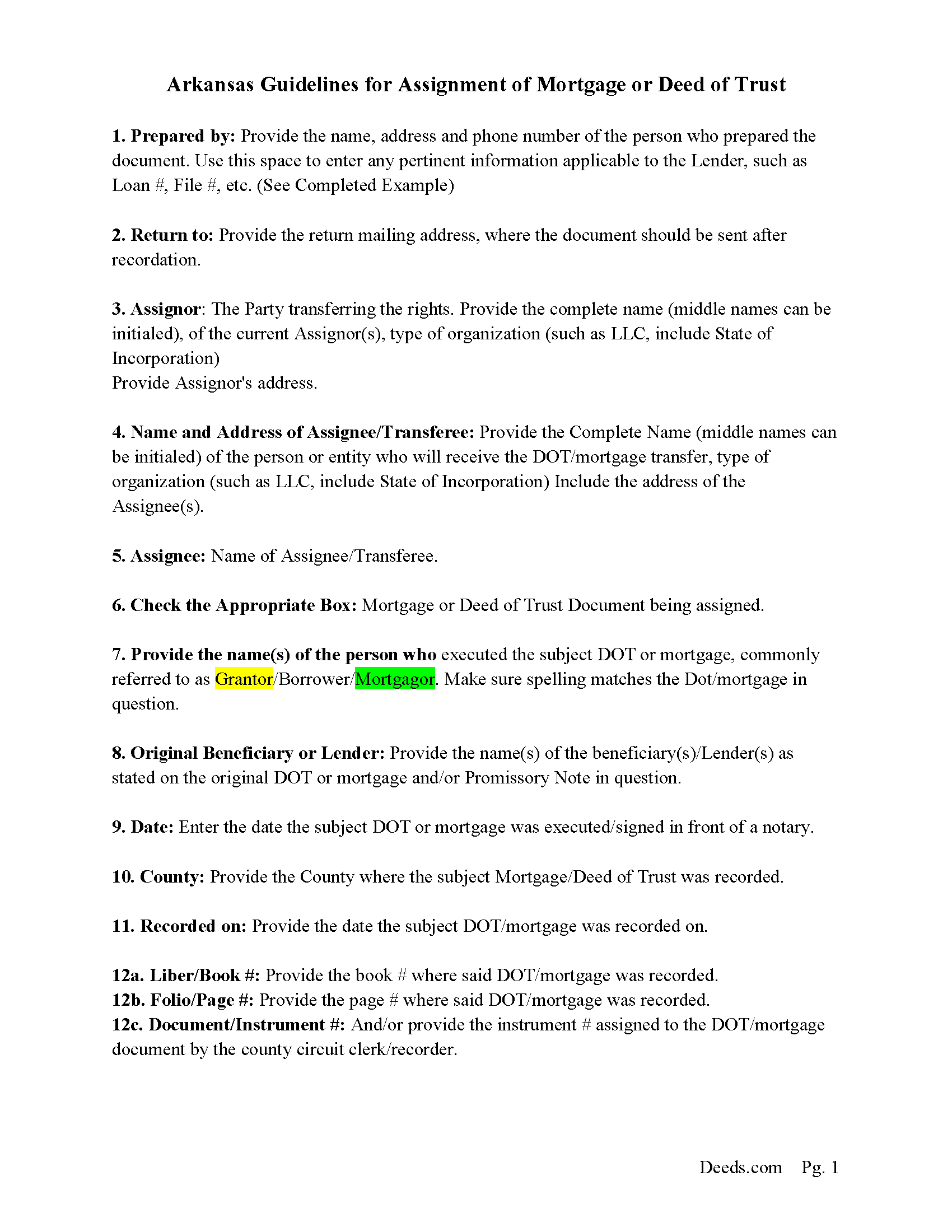
Franklin County Assignment Guidelines
Line by line guide explaining every blank on the form.
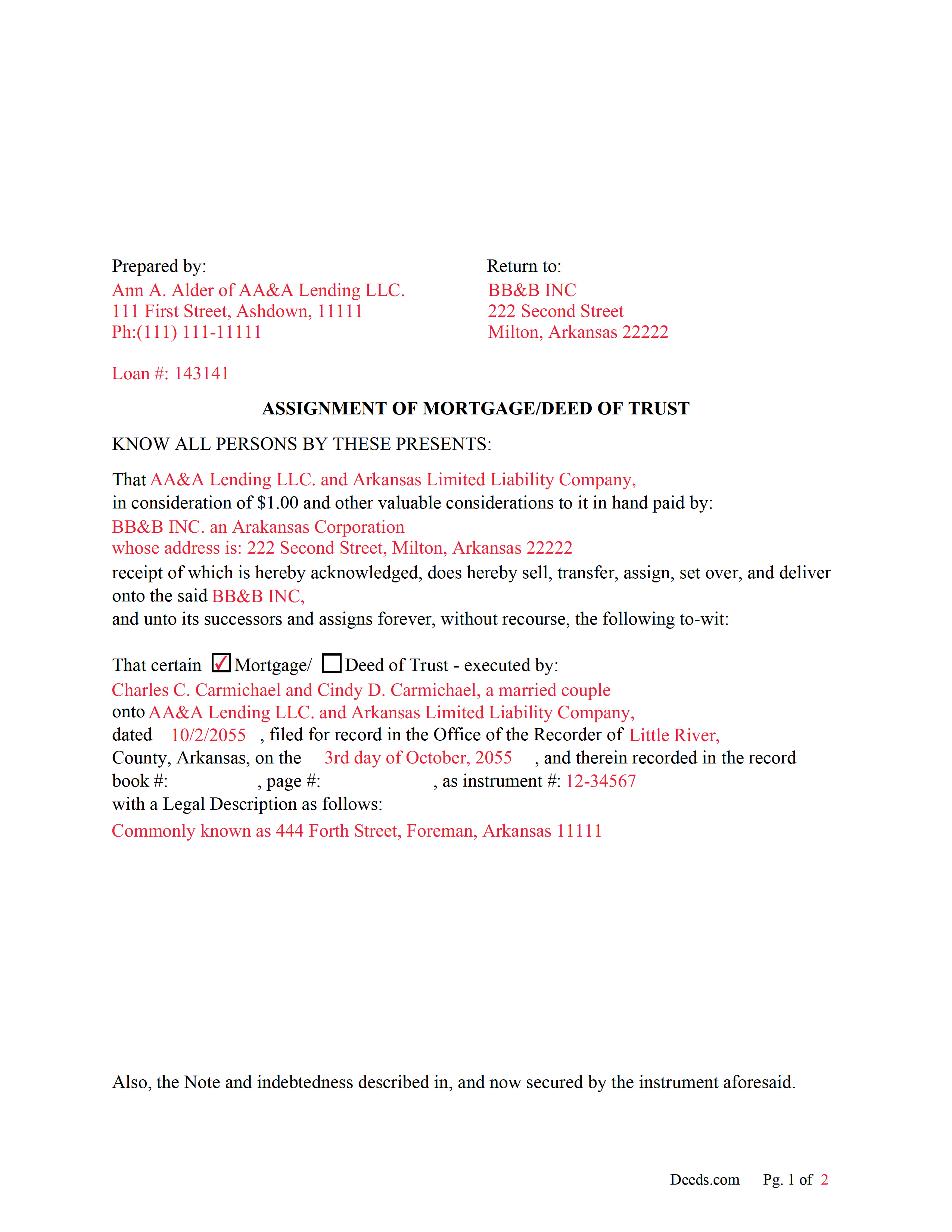
Franklin County Completed Example of an Assignment Document
Example of a properly completed form for reference.
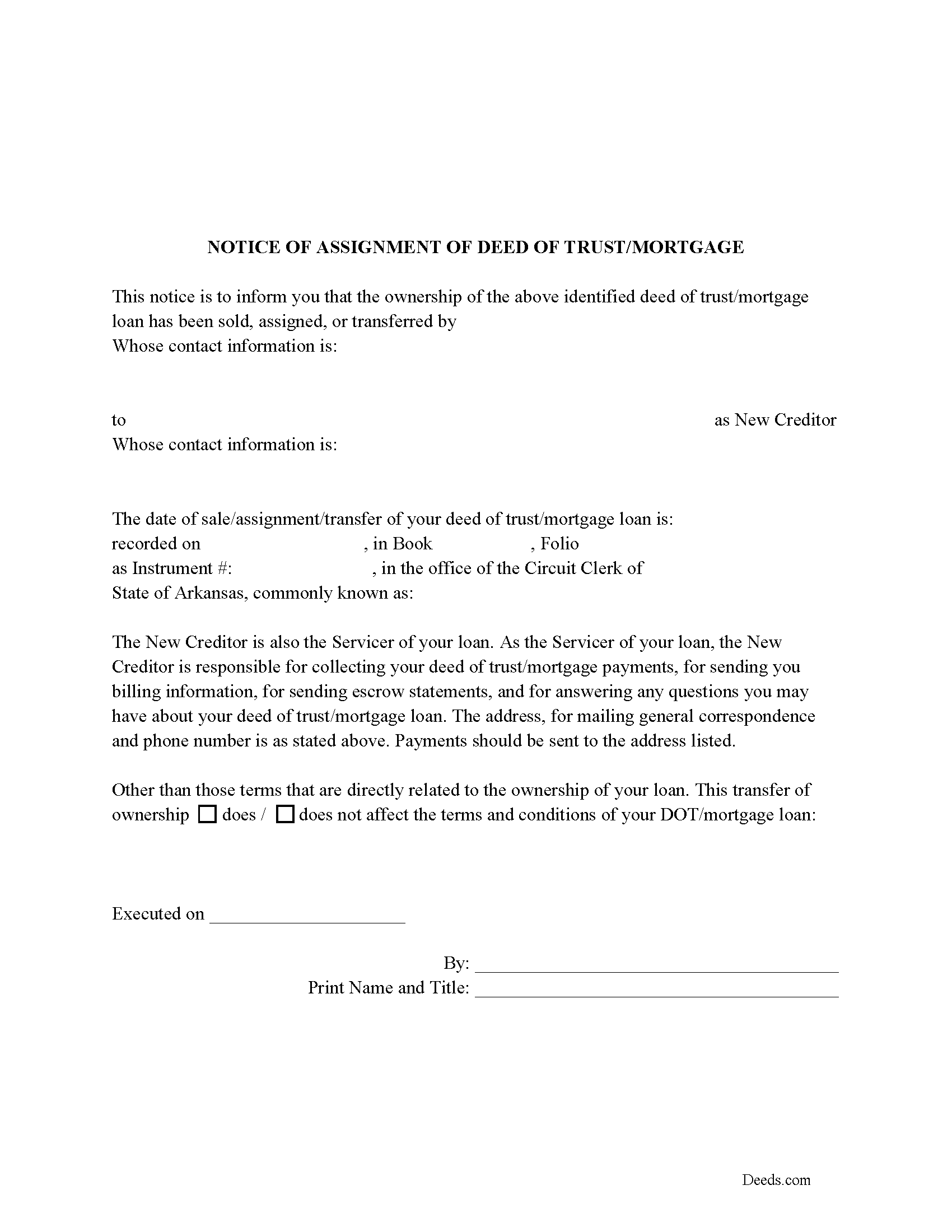
Franklin County Notice of Assignment of Mortgage or DOT
Required form notifies borrowers of the recorded Assignment.
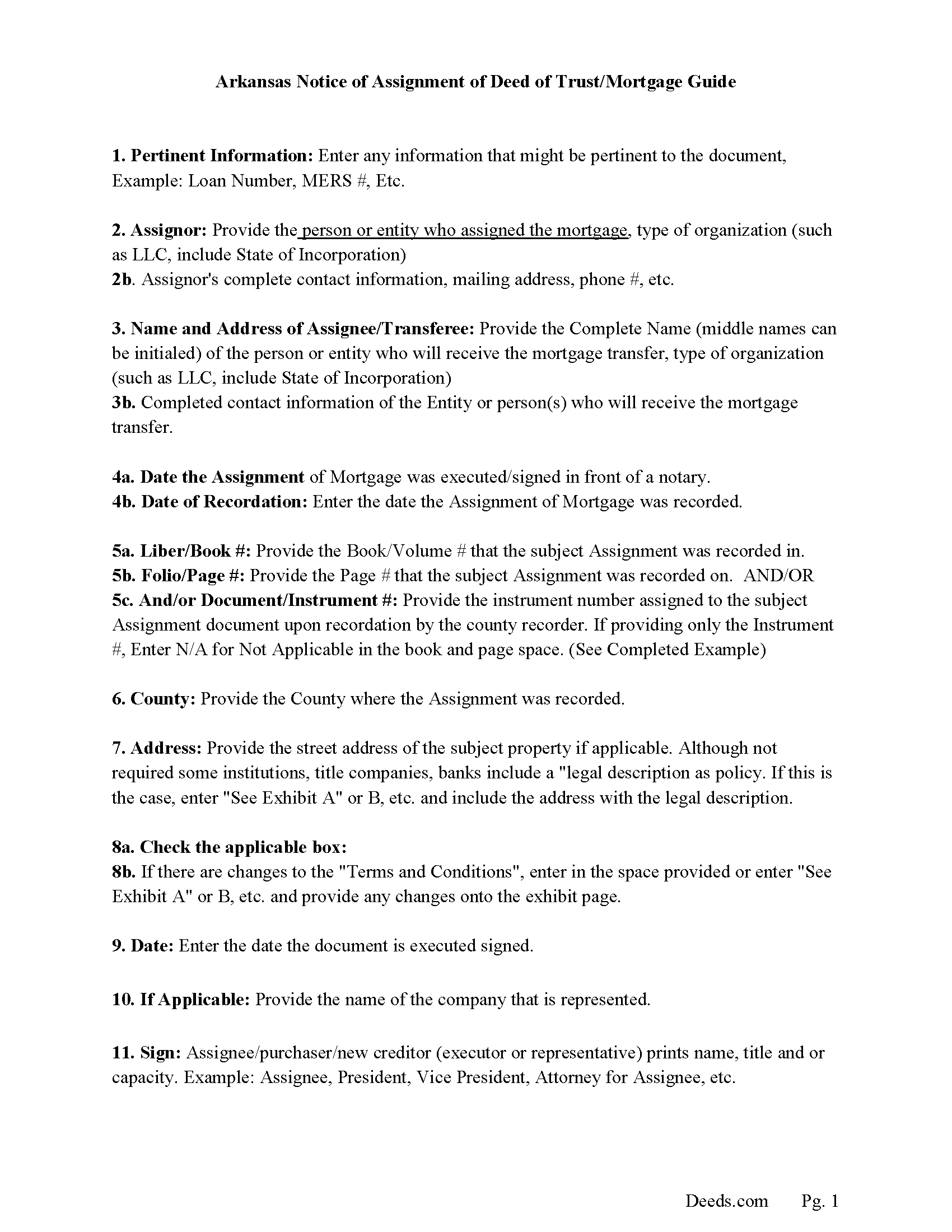
Franklin County Notice of Assignment Guidelines
Line by line guide explaining every blank on the form.
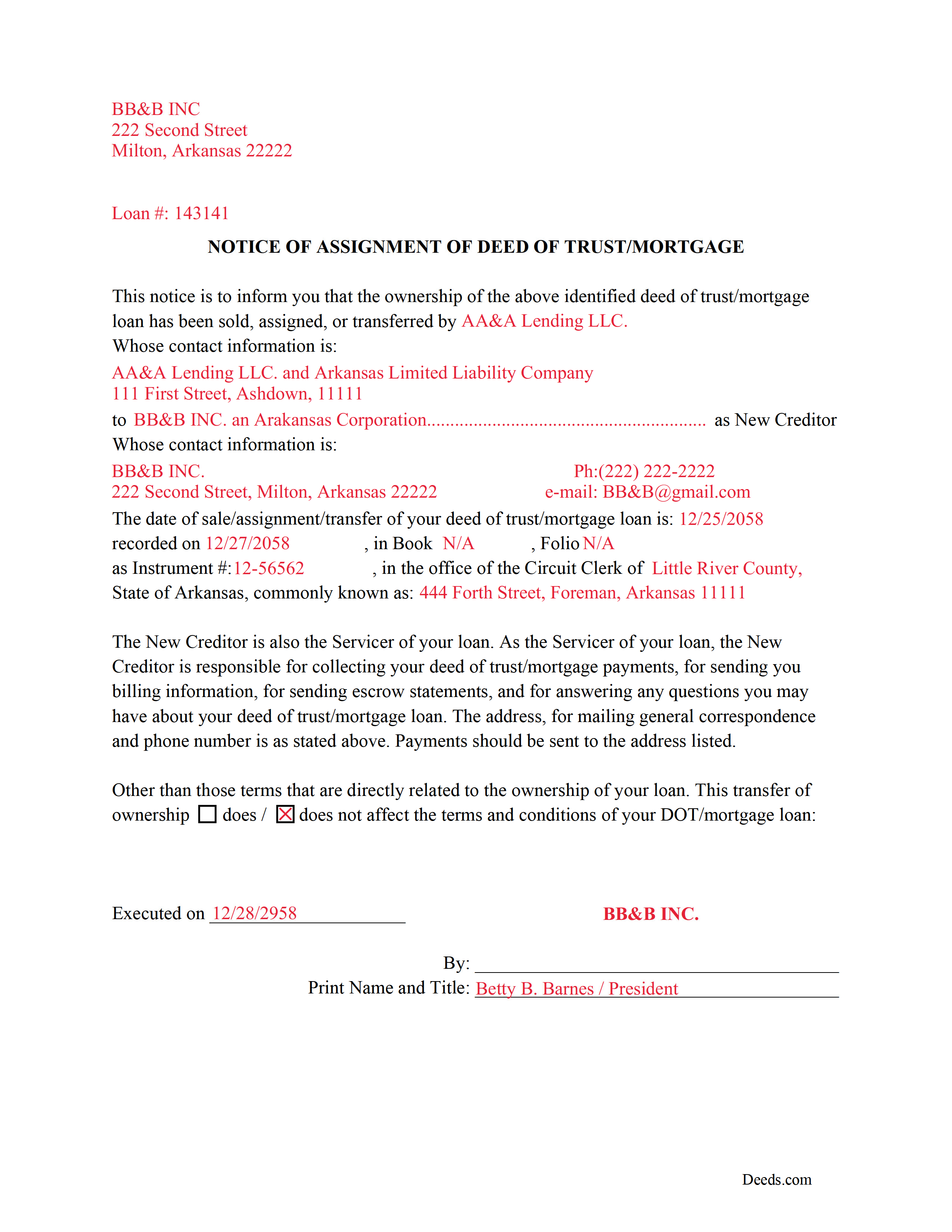
Franklin County Completed Example of a Notice of Assignment Document
Example of a properly completed form for reference.
All 6 documents above included • One-time purchase • No recurring fees
Immediate Download • Secure Checkout
Additional Arkansas and Franklin County documents included at no extra charge:
Where to Record Your Documents
Franklin County Circuit Clerk - Ozark Office
Ozark, Arkansas 72949
Hours: 8:00am to 4:30pm.M-F
Phone: (479) 667-3818
Recording Tips for Franklin County:
- Bring your driver's license or state-issued photo ID
- Ensure all signatures are in blue or black ink
- Both spouses typically need to sign if property is jointly owned
- Bring extra funds - fees can vary by document type and page count
- Check margin requirements - usually 1-2 inches at top
Cities and Jurisdictions in Franklin County
Properties in any of these areas use Franklin County forms:
- Alix
- Altus
- Branch
- Cecil
- Charleston
- Ozark
Hours, fees, requirements, and more for Franklin County
How do I get my forms?
Forms are available for immediate download after payment. The Franklin County forms will be in your account ready to download to your computer. An account is created for you during checkout if you don't have one. Forms are NOT emailed.
Are these forms guaranteed to be recordable in Franklin County?
Yes. Our form blanks are guaranteed to meet or exceed the applicable formatting requirements used for recording in Franklin County, including margin requirements, font requirements, and other layout standards. This guarantee applies to formatting, not to the legal sufficiency of information entered by the user or the suitability of a form for a particular transaction.
Can I reuse these forms?
Yes. You can reuse the forms for your personal use. For example, if you have multiple properties in Franklin County you only need to order once.
What do I need to use these forms?
The forms are PDFs that you fill out on your computer. The free Adobe Acrobat Reader is recommended, and most PDF apps also work. You do NOT enter your property information online - you download the blank forms and complete them privately on your own computer.
Are there any recurring fees?
No. This is a one-time purchase. Nothing to cancel, no memberships, no recurring fees.
How much does it cost to record in Franklin County?
Recording fees in Franklin County vary. Contact the recorder's office at (479) 667-3818 for current fees.
Questions answered? Let's get started!
Use these forms to assign/transfer a previously recorded mortgage or deed of trust onto a new party, this is frequently done when a mortgage/deed of trust has been sold.
Notice of Assignment Form Included.
The Truth and lending act requires that borrowers be notified when their Mortgage/Deed of Trust debt has been sold, transferred, or assigned to a new creditor.
Title 18 - Property
Subtitle 4 - Mortgages and Liens
Chapter 40 - Mortgages
18-40-109. Transfer, etc., by separate instrument
(a)
(1) No provision contained in 18-40-103, 18-40-106, 18-40-107, and this section shall prevent any mortgagee, trustee, agent of owner of record, or the owner of record, transferee, or assignee appearing of record, from selling, transferring, or assigning any deed of trust, mortgage, or vendor's lien retained in deed by separate instrument duly acknowledged and recorded.
(2) At the time of recording any separate instrument transferring any mortgage, deed of trust, vendor's lien, or lien retained in deed, note, bond, or other instrument, the clerk and ex officio recorder in the office in which the transfer or assignment shall appear shall note on the margin of the record of the original mortgage, deed of trust, or deed retaining vendor's lien a memorandum noting that the lien contained in the instrument, and the notes or other instruments evidenced thereby, have been transferred, to whom transferred, the date of the transfer, and the book and page where the separate instrument and transfer may be found.
(3) The failure of the clerk and ex officio recorder to make the marginal entry or notation shall not invalidate the sale, transfer, or assignment recorded as provided in this section.
(b)
(1) The clerks in counties which use other than paper recording systems shall not allow any assignment by marginal notation after December 31, 1995.
(2) Any such marginal notation entered after December 31, 1995, is void
(Arkansas Assignment Package includes form, guidelines, and completed example) For use in Arkansas only.
Important: Your property must be located in Franklin County to use these forms. Documents should be recorded at the county recording office listed above.
This Assignment of Mortgage or Deed of Trust meets all recording requirements specific to Franklin County.
Our Promise
The documents you receive here are guaranteed to meet or exceed the applicable Franklin County recording format requirements. If there is a rejection caused by our formatting, we will correct the issue or refund your payment. This guarantee applies to document formatting only and does not extend to information entered by the user, the selection of the form, or the legal effect of the completed document.
Save Time and Money
Get your Franklin County Assignment of Mortgage or Deed of Trust form done right the first time with Deeds.com Uniform Conveyancing Blanks. At Deeds.com, we understand that your time and money are valuable resources, and we don't want you to face a penalty fee or rejection imposed by a county recorder for submitting nonstandard documents. We constantly review and update our forms to meet rapidly changing state and county recording requirements for roughly 3,500 counties and local jurisdictions.
4.8 out of 5 - ( 4,839 Reviews )
Donna M. 5 out of 5 stars
Appreciated the ability to not only download the form but the instruction's AND a sample.
Thank you for your feedback. We really appreciate it. Have a great day!
Christopher H. 2 out of 5 stars
The product is as advertised. I was unable to navigate this process because It is complicated and I am concerned about doing it wrong. The law is written in stupid language to make it difficult for all and keep the layering business going. Its a solid form but did not work for me. Thanks Chris
Thank you for your feedback Christopher. Sorry to hear that we’re not comfortable completing the process. It is always best to seek the advice of a legal professional is you are not completely sure of what you are doing.
Joshua M. 5 out of 5 stars
Fast service, very responsive. Thank you!
We appreciate your business and value your feedback. Thank you. Have a wonderful day!
janna C. 5 out of 5 stars
Great site! I found everything I needed.
We appreciate your business and value your feedback. Thank you. Have a wonderful day!
Johnna G. 5 out of 5 stars
Fantastic experience. Deeds.com worked with me on any corrections required by the county. Filing was super easy.
We appreciate your business and value your feedback. Thank you. Have a wonderful day!
Jan M. 5 out of 5 stars
Fantastic company. They are the absolute best and helped me get the information I needed.
We appreciate your business and value your feedback. Thank you. Have a wonderful day!
Judy H. 5 out of 5 stars
great response to my question.
We are delighted to have been of service. Thank you for the positive review!
Melinda P. 5 out of 5 stars
I received my documents immediately! Thats was a huge relief!
We appreciate your business and value your feedback. Thank you. Have a wonderful day!
Leo b. 5 out of 5 stars
Awesome site great paperwork EZ Forms great.
Thank you Leo.
Pamela J. 5 out of 5 stars
The form was short, and explainable.. so that is my feed back on that...but we have not received anything back to actually see if we filled the form out correctly. So I definitely can not say if I'm satisfied with it or not until I know that it is approved. I would recommend Coos County web site for Forms to people. Thank you.
Thank you for your feedback. We really appreciate it. Have a great day!
William C. 5 out of 5 stars
Excellent, easy to use. Technically accurate in all information offered.
Thank you!
Nola B. 4 out of 5 stars
I like the form except the title should be ENHANCED LIFE ESTATE DEED and not Quit Claim Deed
Thank you for your feedback. We really appreciate it. Have a great day!
Margo M. 4 out of 5 stars
So far help has been good given some of the information you don't have as far as making corrections. This is my first time using your service so maybe I will be better at utilizing it if I have to again.
Thank you for your feedback. We really appreciate it. Have a great day!
Debra W. 5 out of 5 stars
I found this site a must. It provided all the forms I needed to file a Quit Claim Deed. I filed what use to be called a Quick Claim Deed 30 years ago. You only had to file the one form. Today it is called a Quit Claim Deed. The pack provided forms that I had no idea had to be filed with the Quit Claim Deed. I would not have known this otherwise if the option hadn't presented itself. Thank you!
Thanks for taking the time to leave your feedback Debra, we really appreciate it.
Gwen R. 5 out of 5 stars
Happy with the forms no complaints at all.
Thank you Gwen!