Howard County Assignment of Mortgage or Deed of Trust Form
Last validated October 26, 2026 by our Forms Development TeamFormatted for recording in Howard County, for property anywhere in the county: rural and unincorporated areas as well as Dierks, Mineral Springs, Nashville, Saratoga, Umpire.
- 6 documents included
- Immediate PDF download
- Formatting guarantee
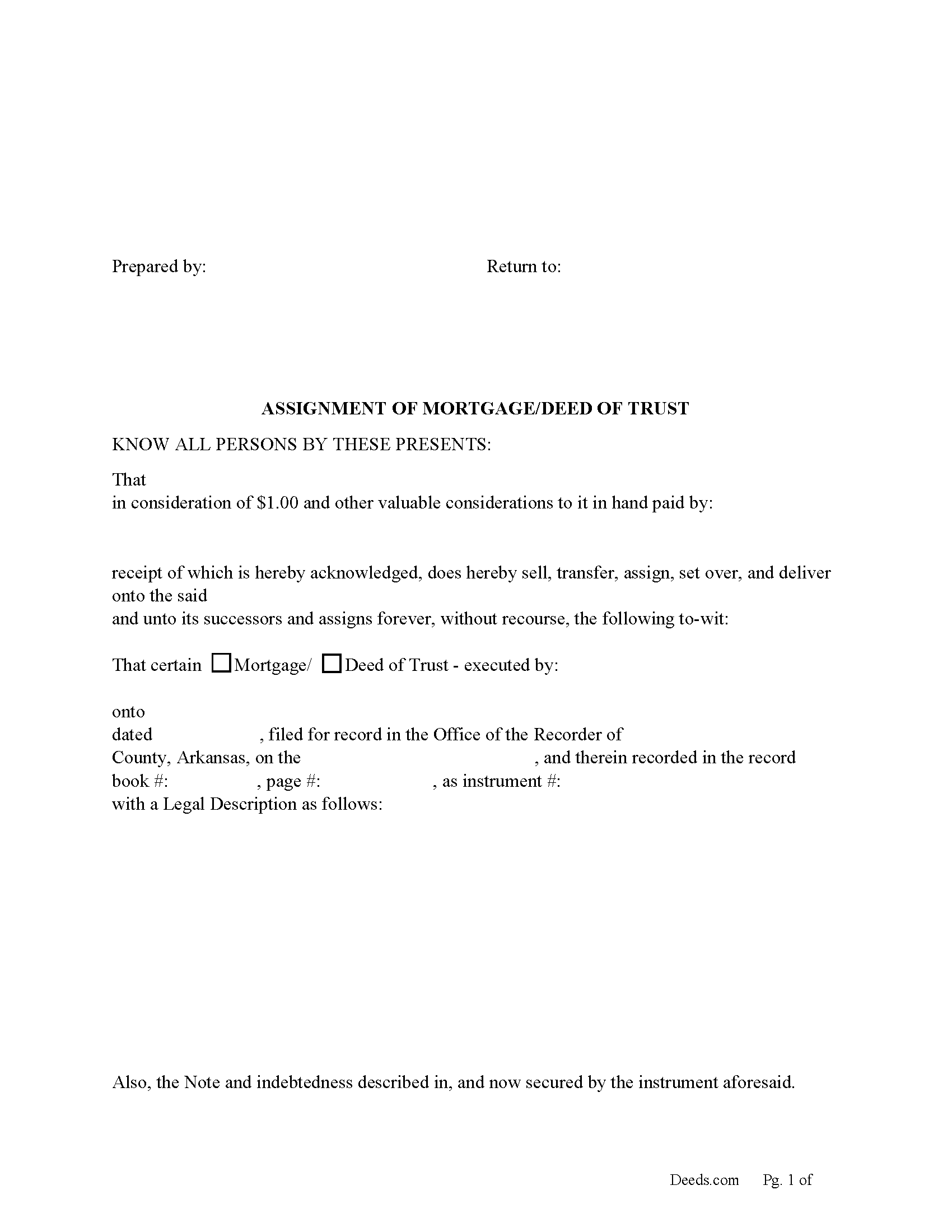
Howard County Assignment of Mortgage or Deed of Trust form
Fill in the blank form formatted to comply with all recording and content requirements.
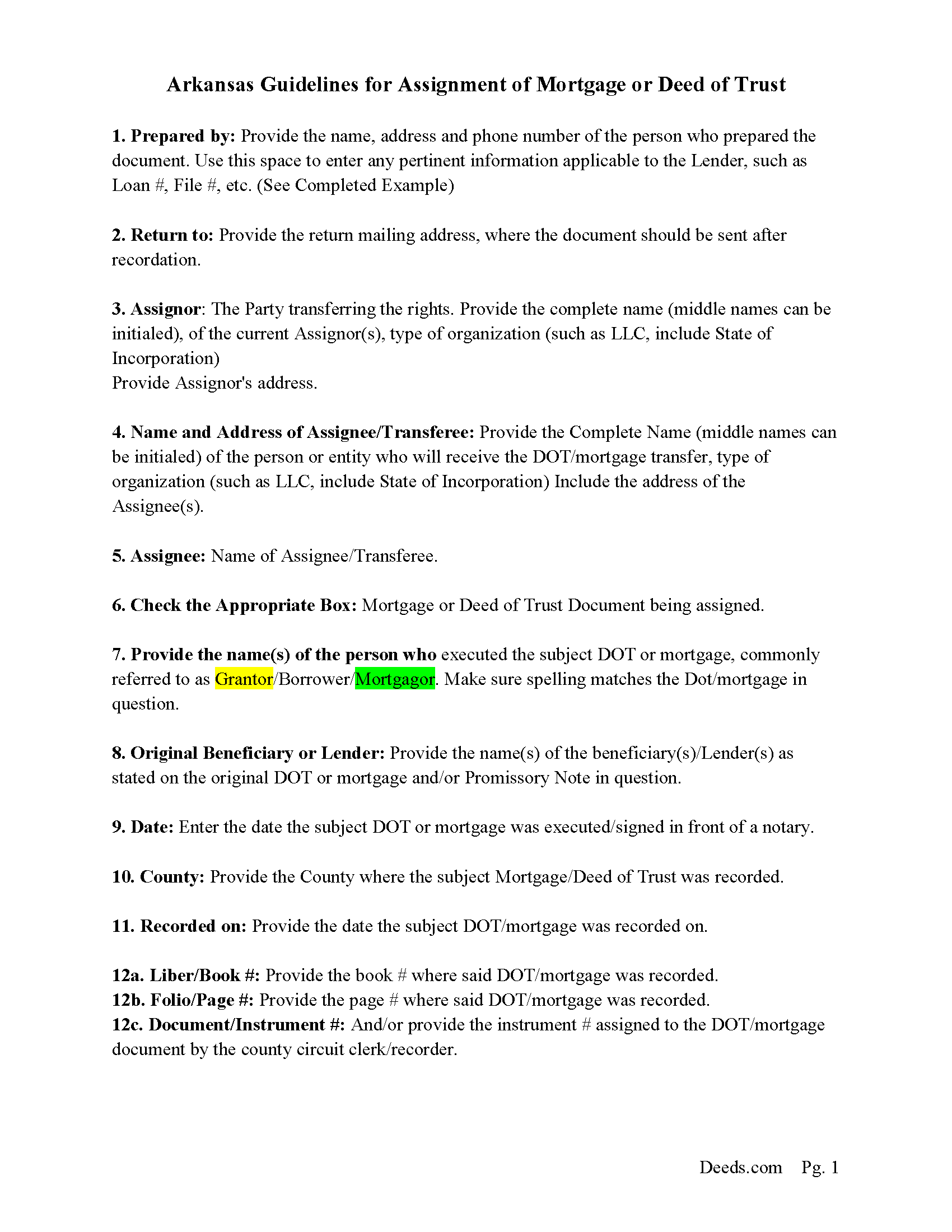
Howard County Assignment Guidelines
Line by line guide explaining every blank on the form.
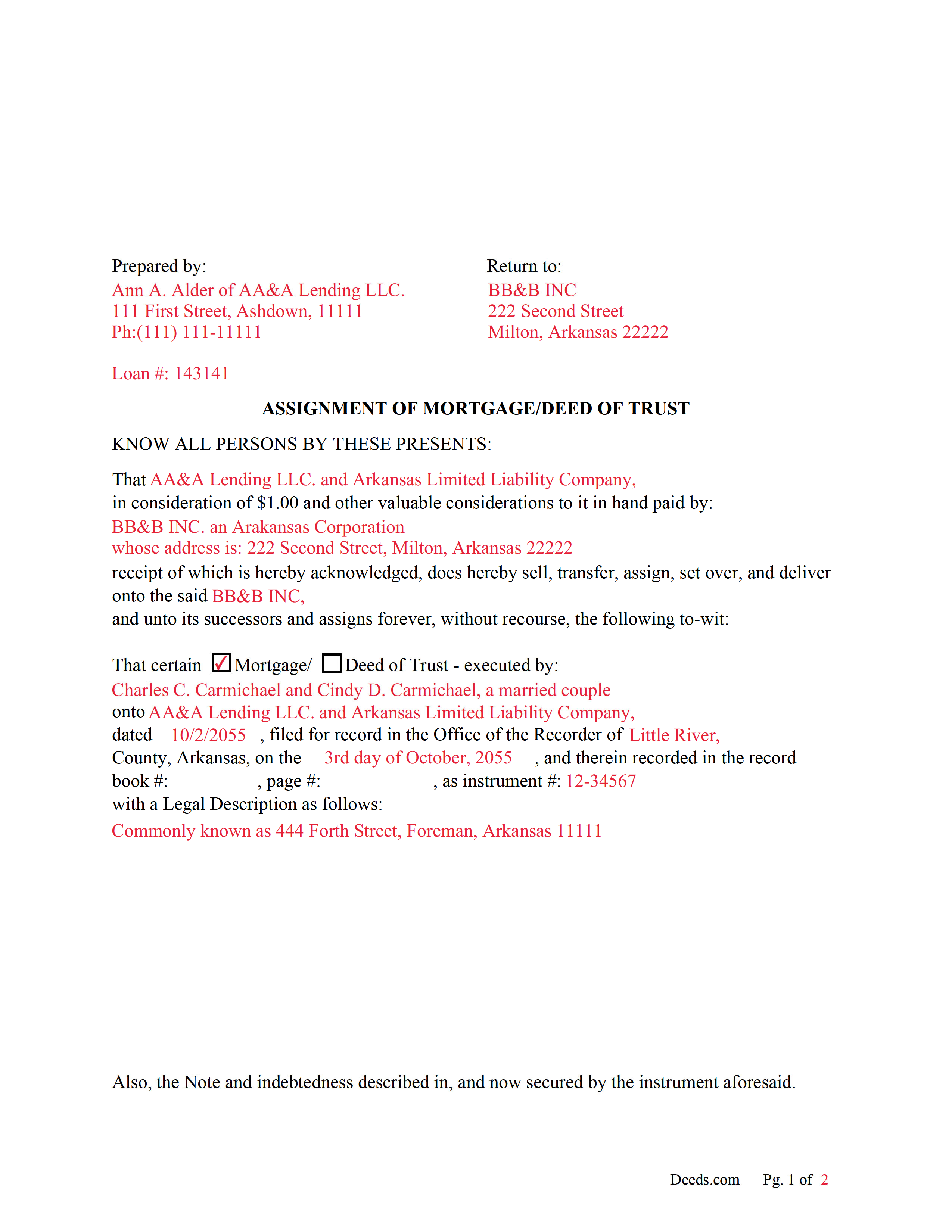
Howard County Completed Example of an Assignment Document
Example of a properly completed form for reference.
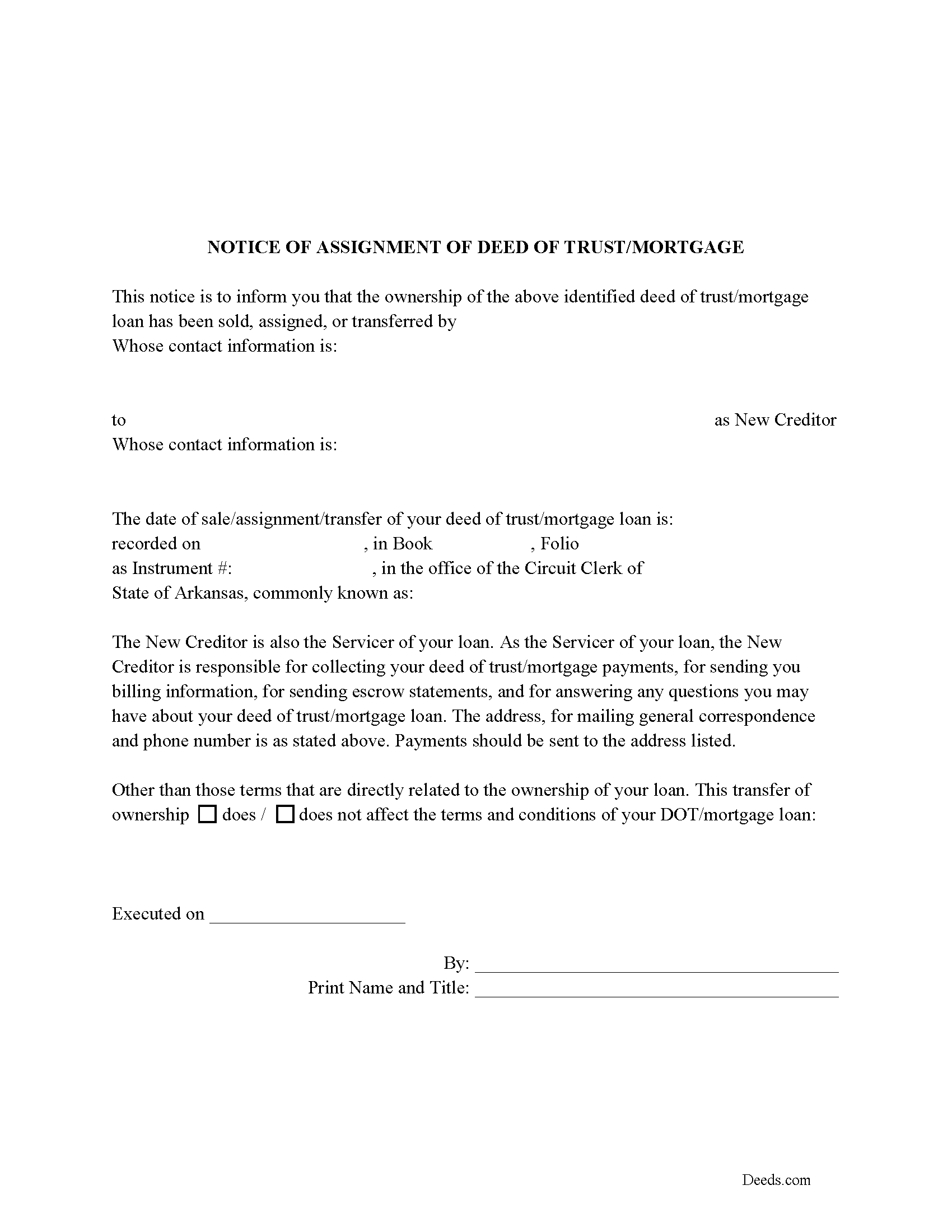
Howard County Notice of Assignment of Mortgage or DOT
Required form notifies borrowers of the recorded Assignment.
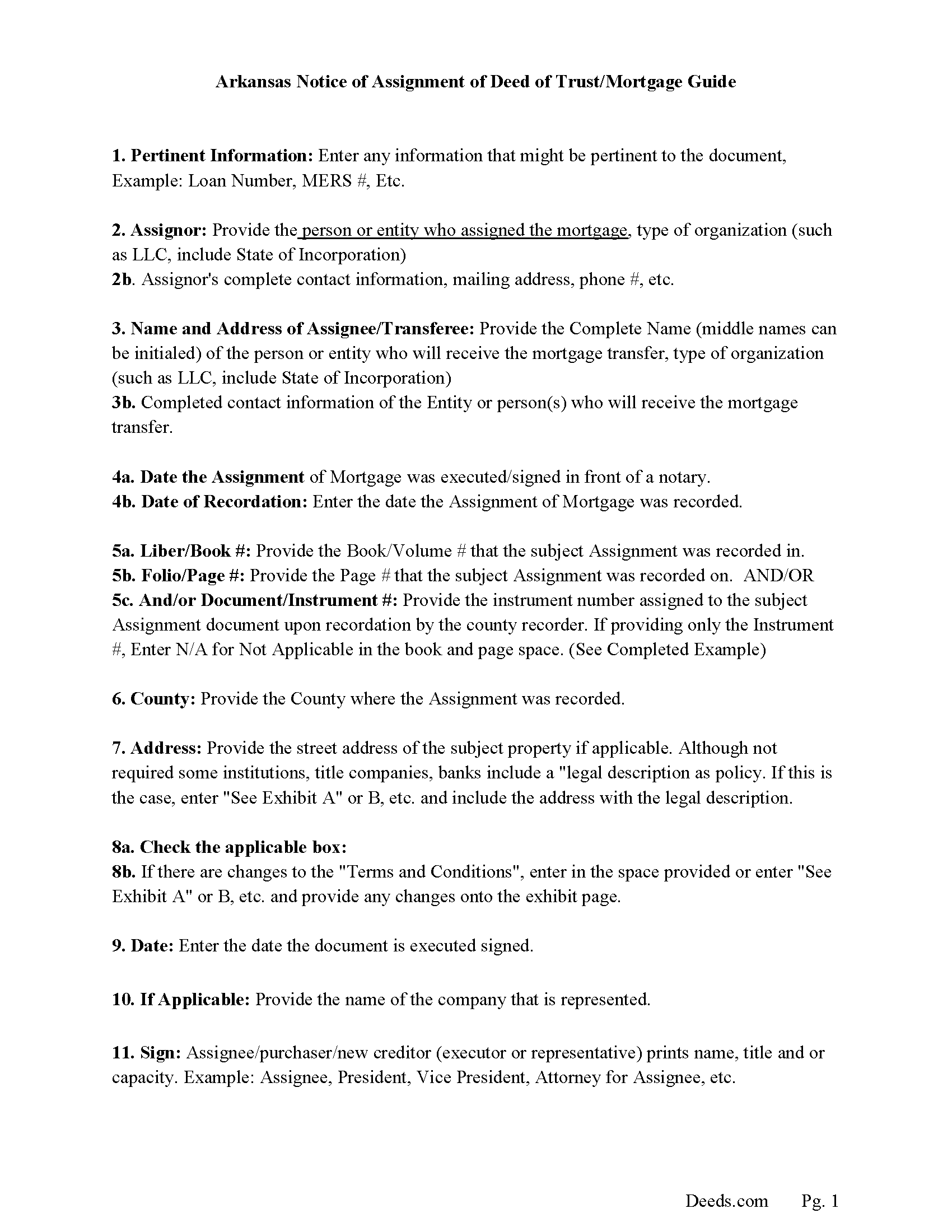
Howard County Notice of Assignment Guidelines
Line by line guide explaining every blank on the form.
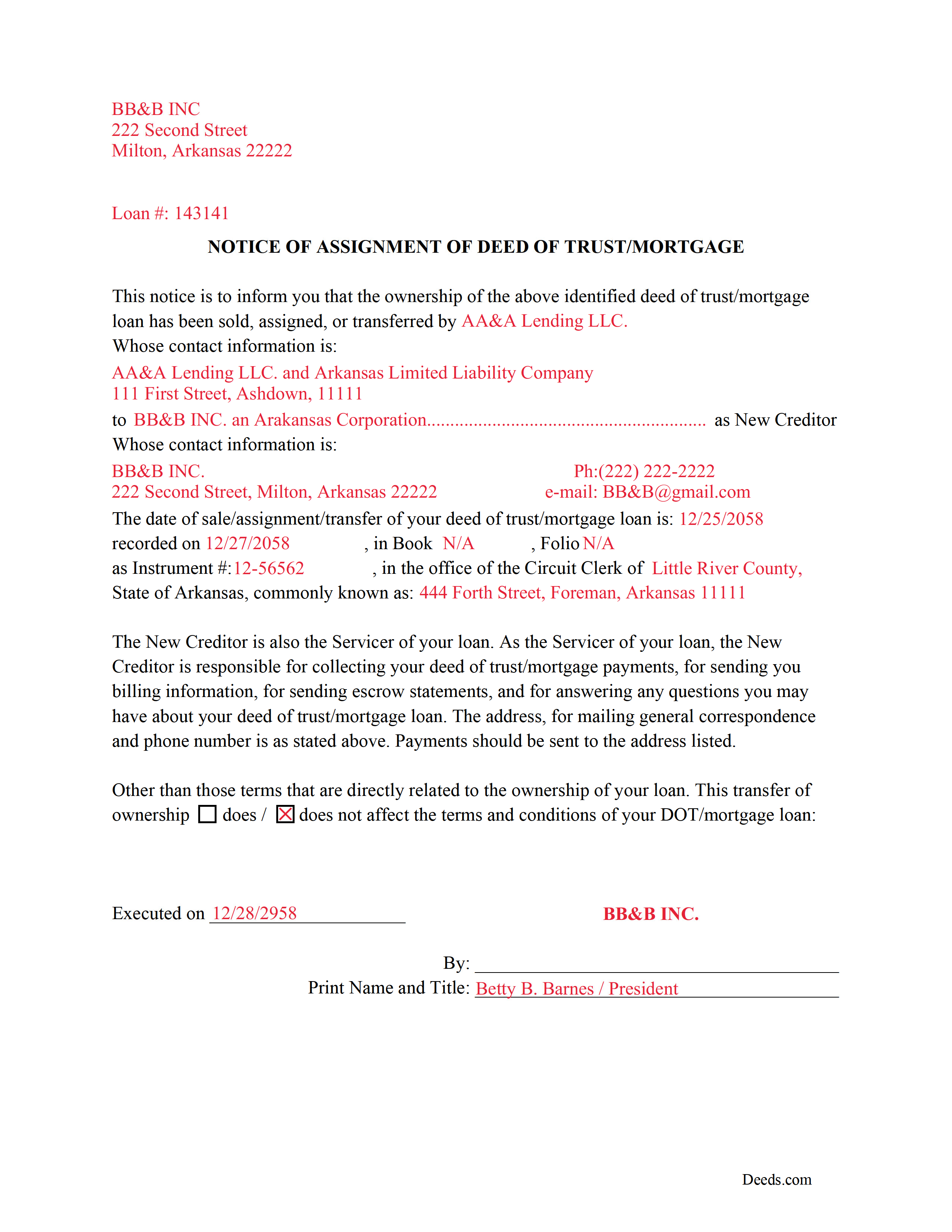
Howard County Completed Example of a Notice of Assignment Document
Example of a properly completed form for reference.
All 6 documents above included • One-time purchase • No recurring fees
Immediate Download • Secure Checkout
Additional Arkansas and Howard County documents included at no extra charge:
Where to Record Your Documents
Howard County Circuit Clerk
Nashville, Arkansas 71852
Hours: 8:00am to 4:30pm M-F
Phone: (870) 845-7506
Recording Tips for Howard County:
- Bring your driver's license or state-issued photo ID
- Ensure all signatures are in blue or black ink
- Ask for certified copies if you need them for other transactions
- Ask if they accept credit cards - many offices are cash/check only
- Check that your notary's commission hasn't expired
Cities and Jurisdictions in Howard County
Properties in any of these areas use Howard County forms:
- Dierks
- Mineral Springs
- Nashville
- Saratoga
- Umpire
Hours, fees, requirements, and more for Howard County
How do I get my forms?
Forms are available for immediate download after payment. The Howard County forms will be in your account ready to download to your computer. An account is created for you during checkout if you don't have one. Forms are NOT emailed.
Are these forms guaranteed to be recordable in Howard County?
Yes. Our form blanks are guaranteed to meet or exceed the applicable formatting requirements used for recording in Howard County, including margin requirements, font requirements, and other layout standards. This guarantee applies to formatting, not to the legal sufficiency of information entered by the user or the suitability of a form for a particular transaction.
Can I reuse these forms?
Yes. You can reuse the forms for your personal use. For example, if you have multiple properties in Howard County you only need to order once.
What do I need to use these forms?
The forms are PDFs that you fill out on your computer. The free Adobe Acrobat Reader is recommended, and most PDF apps also work. You do NOT enter your property information online - you download the blank forms and complete them privately on your own computer.
Are there any recurring fees?
No. This is a one-time purchase. Nothing to cancel, no memberships, no recurring fees.
How much does it cost to record in Howard County?
Recording fees in Howard County vary. Contact the recorder's office at (870) 845-7506 for current fees.
Questions answered? Let's get started!
Use these forms to assign/transfer a previously recorded mortgage or deed of trust onto a new party, this is frequently done when a mortgage/deed of trust has been sold.
Notice of Assignment Form Included.
The Truth and lending act requires that borrowers be notified when their Mortgage/Deed of Trust debt has been sold, transferred, or assigned to a new creditor.
Title 18 - Property
Subtitle 4 - Mortgages and Liens
Chapter 40 - Mortgages
18-40-109. Transfer, etc., by separate instrument
(a)
(1) No provision contained in 18-40-103, 18-40-106, 18-40-107, and this section shall prevent any mortgagee, trustee, agent of owner of record, or the owner of record, transferee, or assignee appearing of record, from selling, transferring, or assigning any deed of trust, mortgage, or vendor's lien retained in deed by separate instrument duly acknowledged and recorded.
(2) At the time of recording any separate instrument transferring any mortgage, deed of trust, vendor's lien, or lien retained in deed, note, bond, or other instrument, the clerk and ex officio recorder in the office in which the transfer or assignment shall appear shall note on the margin of the record of the original mortgage, deed of trust, or deed retaining vendor's lien a memorandum noting that the lien contained in the instrument, and the notes or other instruments evidenced thereby, have been transferred, to whom transferred, the date of the transfer, and the book and page where the separate instrument and transfer may be found.
(3) The failure of the clerk and ex officio recorder to make the marginal entry or notation shall not invalidate the sale, transfer, or assignment recorded as provided in this section.
(b)
(1) The clerks in counties which use other than paper recording systems shall not allow any assignment by marginal notation after December 31, 1995.
(2) Any such marginal notation entered after December 31, 1995, is void
(Arkansas Assignment Package includes form, guidelines, and completed example) For use in Arkansas only.
Important: Your property must be located in Howard County to use these forms. Documents should be recorded at the county recording office listed above.
This Assignment of Mortgage or Deed of Trust meets all recording requirements specific to Howard County.
Our Promise
The documents you receive here are guaranteed to meet or exceed the applicable Howard County recording format requirements. If there is a rejection caused by our formatting, we will correct the issue or refund your payment. This guarantee applies to document formatting only and does not extend to information entered by the user, the selection of the form, or the legal effect of the completed document.
Save Time and Money
Get your Howard County Assignment of Mortgage or Deed of Trust form done right the first time with Deeds.com Uniform Conveyancing Blanks. At Deeds.com, we understand that your time and money are valuable resources, and we don't want you to face a penalty fee or rejection imposed by a county recorder for submitting nonstandard documents. We constantly review and update our forms to meet rapidly changing state and county recording requirements for roughly 3,500 counties and local jurisdictions.
4.8 out of 5 - ( 4,844 Reviews )
Yosvany D. 5 out of 5 stars
Very easy and fast service for legal forms.
Thank you for your feedback. We really appreciate it. Have a great day!
Shawn B. 5 out of 5 stars
Deeds.com support is very quick and responsive. Would use again and recommend to others in need of e-recording.
Thank you for your feedback. We really appreciate it. Have a great day!
Patricia C. 5 out of 5 stars
Deeds.com saved me time and research by offering a beneficiary deed and full instructions for filling it out. My home will now pass directly to my only son without probate. This form and other complimentary forms was an excellent value.
Thank you for your feedback. We really appreciate it. Have a great day!
Martha B. 5 out of 5 stars
Not too hard to do, I did get it checked out by an attorney after I completed it just to be safe. He said it was fine, made no changes.
We appreciate your business and value your feedback. Thank you. Have a wonderful day!
Bryan C. 5 out of 5 stars
Your service is sweet. It is self-explanatory and easy to download. I am excited about finding your website.
Thank you!
Angela M. 5 out of 5 stars
Great communication and always on timely manner unless issue appears with the document. I like their customer service, very helpful and assisting when necessary.
We are sincerely grateful for your feedback and are committed to providing the highest quality service. Thank you for your trust in us.
Nick J. 4 out of 5 stars
We aimed to handle a survivorship affidavit (deed change) without a lawyer following my dad's death. After some searching, deeds.com seemed to have the most comprehensive and "correct looking" form we could find for our locale, so we went with it, and it was accepted by our recorder's office. I'm not sure why our local government office doesn't offer a standard form, but they don't, and deeds.com came through for us in a pinch.
We appreciate your business and value your feedback. Thank you. Have a wonderful day!
Jeffrey G. 5 out of 5 stars
We had a one-time-only recording to make in the District of Columbia. We could not have e-filed the document without the assistance Deeds.com! The service they provided was wonderful.
Thank you for your feedback. We really appreciate it. Have a great day!
Barbara M. 5 out of 5 stars
Easy to do.
We appreciate your business and value your feedback. Thank you. Have a wonderful day!
Helen L. 5 out of 5 stars
The website was easy to navigate but only needed one form. The guide was helpful also. Cost want high but contains many documents that I didn't need but may someday. Could not save form after completed but printed copies that needed to be court filed.
We appreciate your business and value your feedback. Thank you. Have a wonderful day!
Judy W. 5 out of 5 stars
Very easy to fill out the form especially with the detailed guide and the sample. I will use deeds.com again if needed.
Thank you for your feedback. We really appreciate it. Have a great day!
Lisa B. 5 out of 5 stars
Awesome service. User friendly, simple, easy and quick to fill out with instructions and sample copy and print.
Thank you Lisa, we appreciate your feedback.
Thomas W. 5 out of 5 stars
The serevice was fast and accurate. I would highly recommend Deeds.com to my friends and associates.
Thank you!
James S. 5 out of 5 stars
Forms used, created quitclaim deed that the county accepted without a second look (turns out they see deeds.com forms regularly via erecording and in person). Will be back for any real estate related forms I need and they carry. Will always be my first stop. Also, will use erecording next time, mad I didn't see it this time.
Thanks for the kind words James, glad we could help. Look forward to seeing you again.
gary c. 5 out of 5 stars
process was easy and simple to do
Thank you for your feedback. We really appreciate it. Have a great day!