Boone County Beneficiary Deed Revocation Form
Last validated October 21, 2026 by our Forms Development TeamFormatted for recording in Boone County, for property anywhere in the county: rural and unincorporated areas as well as Alpena, Bergman, Diamond City, Everton, Harrison, Lead Hill, Omaha, Valley Springs.
- 3 documents included
- Immediate PDF download
- Formatting guarantee
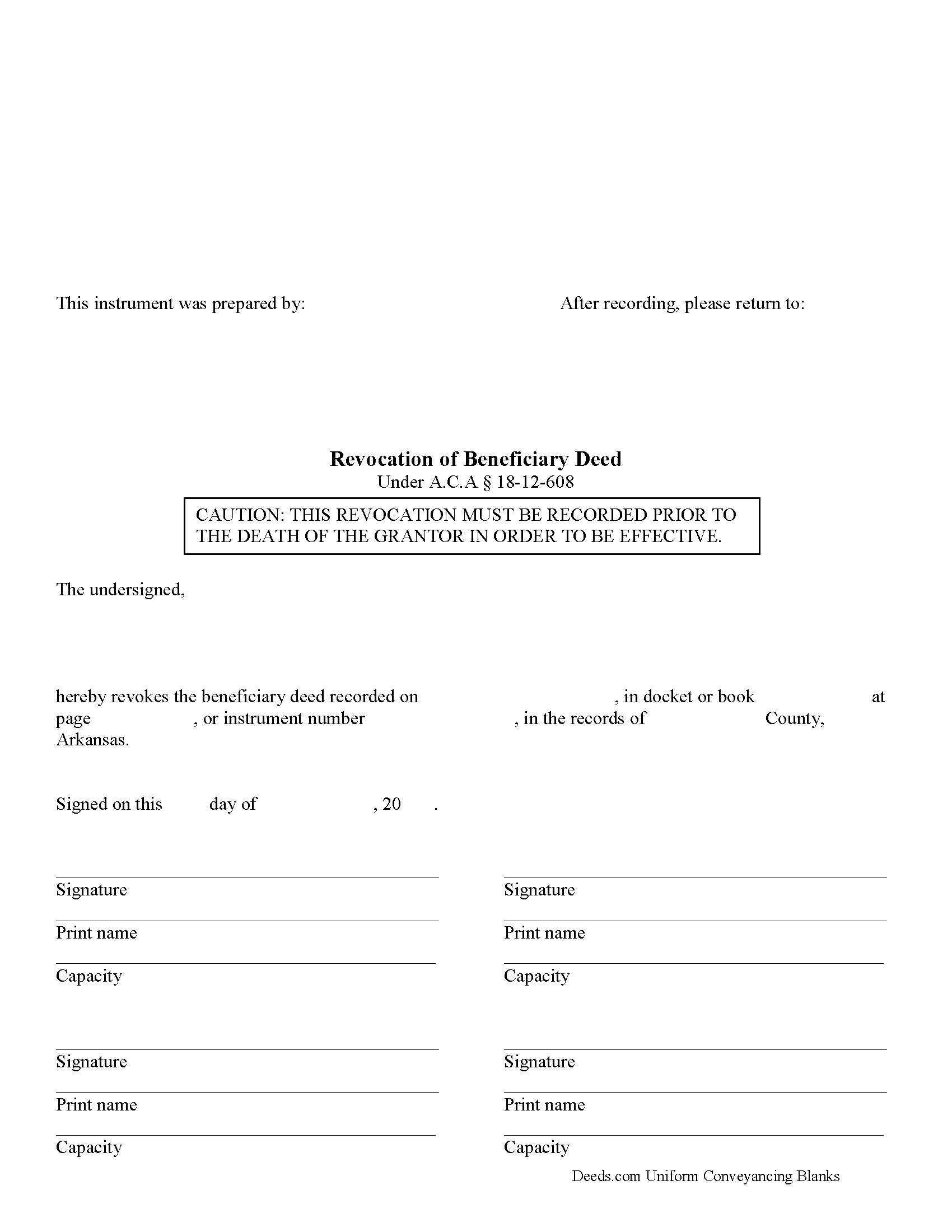
Boone County Beneficiary Deed Revocation Form
Fill in the blank form formatted to comply with all recording and content requirements.
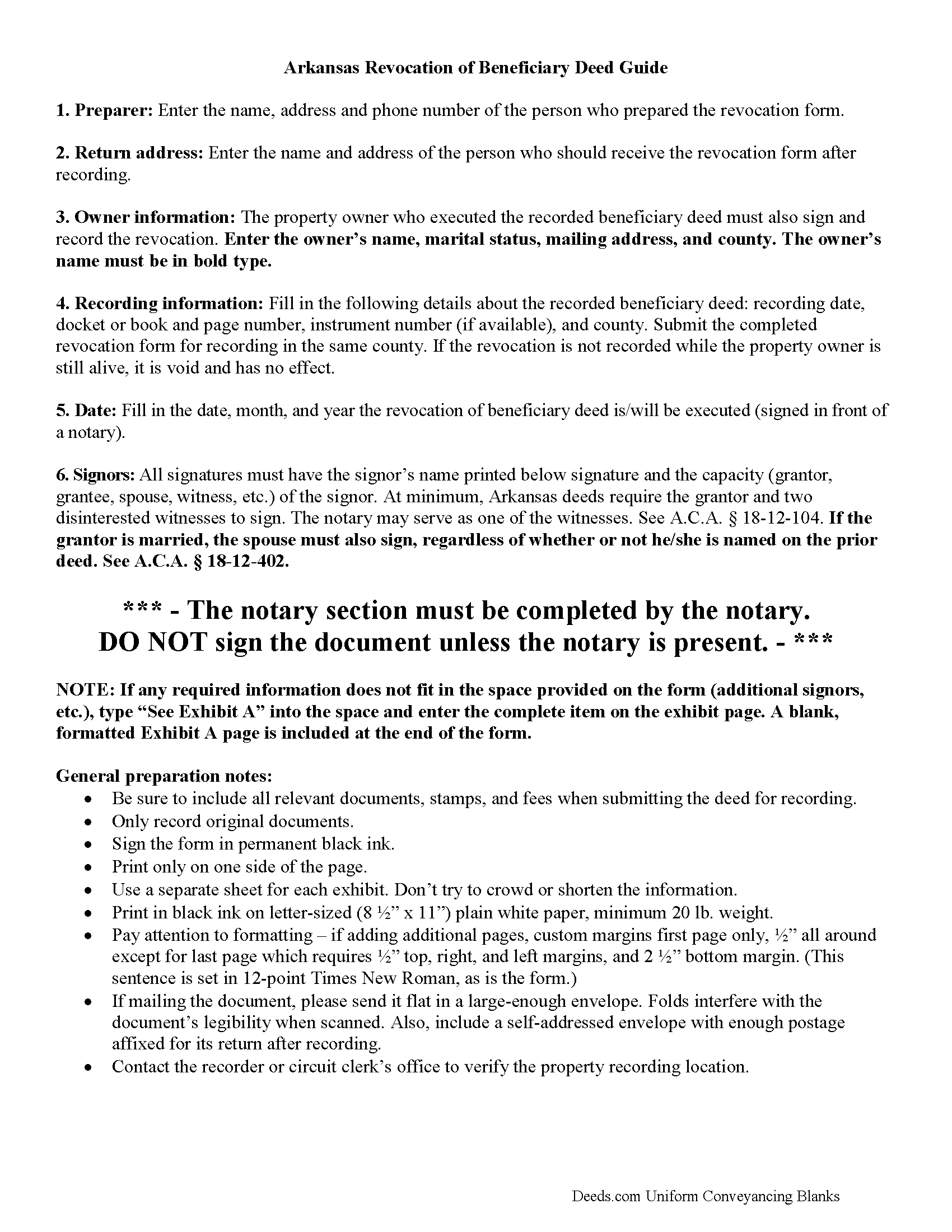
Boone County Beneficiary Deed Revocation Guide
Line by line guide explaining every blank on the form.
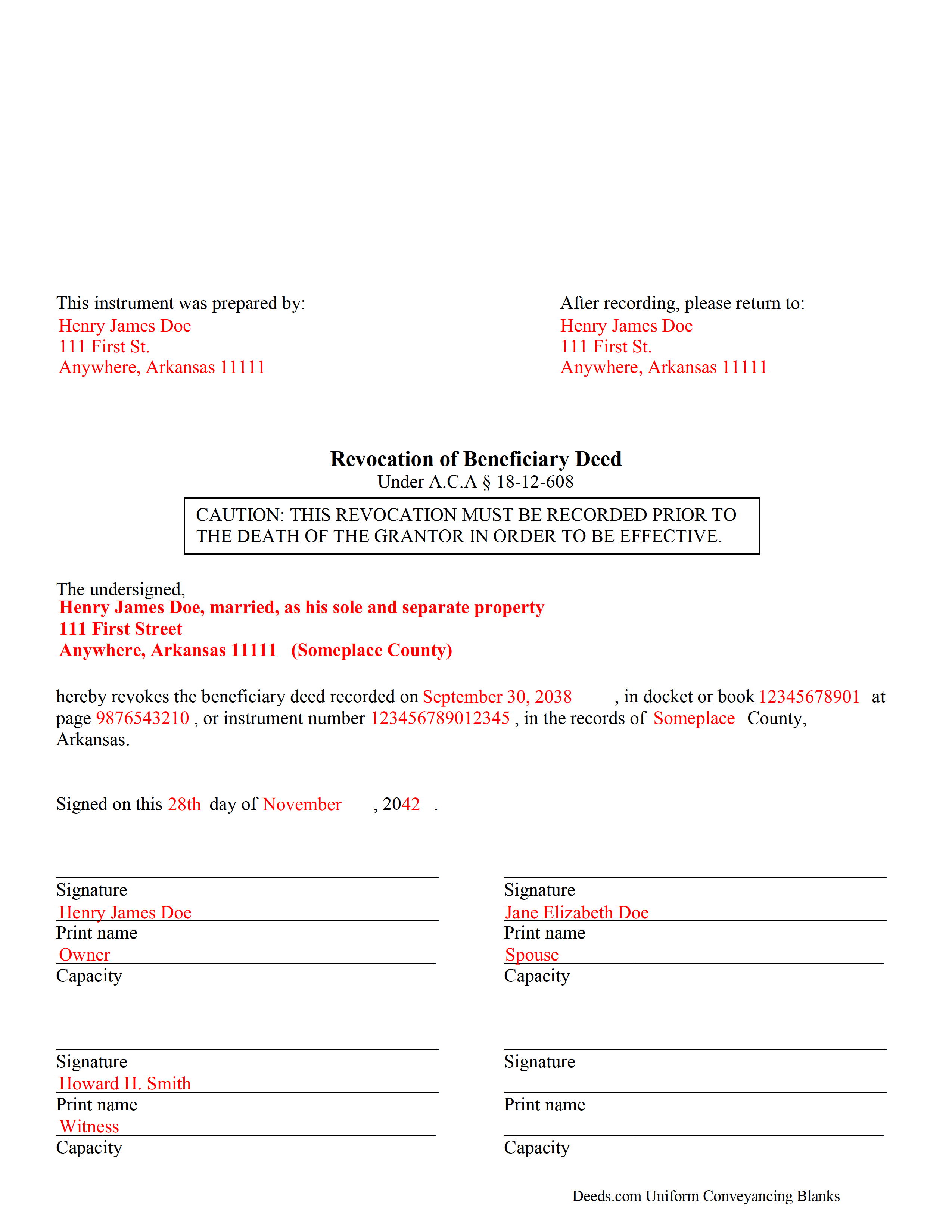
Boone County Completed Example of the Beneficiary Deed Revocation Document
Example of a properly completed form for reference.
All 3 documents above included • One-time purchase • No recurring fees
Immediate Download • Secure Checkout
Additional Arkansas and Boone County documents included at no extra charge:
Where to Record Your Documents
Boone County Circuit Clerk
Harrison, Arkansas 72601
Hours: 8:00 to 4:30 M-F
Phone: (870) 741-5560
Recording Tips for Boone County:
- Bring your driver's license or state-issued photo ID
- Ensure all signatures are in blue or black ink
- Leave recording info boxes blank - the office fills these
- Make copies of your documents before recording - keep originals safe
- Recorded documents become public record - avoid including SSNs
Cities and Jurisdictions in Boone County
Properties in any of these areas use Boone County forms:
- Alpena
- Bergman
- Diamond City
- Everton
- Harrison
- Lead Hill
- Omaha
- Valley Springs
Hours, fees, requirements, and more for Boone County
How do I get my forms?
Forms are available for immediate download after payment. The Boone County forms will be in your account ready to download to your computer. An account is created for you during checkout if you don't have one. Forms are NOT emailed.
Are these forms guaranteed to be recordable in Boone County?
Yes. Our form blanks are guaranteed to meet or exceed the applicable formatting requirements used for recording in Boone County, including margin requirements, font requirements, and other layout standards. This guarantee applies to formatting, not to the legal sufficiency of information entered by the user or the suitability of a form for a particular transaction.
Can I reuse these forms?
Yes. You can reuse the forms for your personal use. For example, if you have multiple properties in Boone County you only need to order once.
What do I need to use these forms?
The forms are PDFs that you fill out on your computer. The free Adobe Acrobat Reader is recommended, and most PDF apps also work. You do NOT enter your property information online - you download the blank forms and complete them privately on your own computer.
Are there any recurring fees?
No. This is a one-time purchase. Nothing to cancel, no memberships, no recurring fees.
How much does it cost to record in Boone County?
Recording fees in Boone County vary. Contact the recorder's office at (870) 741-5560 for current fees.
Questions answered? Let's get started!
Revoking a Beneficiary Deed in Arkansas
Beneficiary deeds in Arkansas are governed by A.S.A. 18-12-608. This statute also includes information about revoking an executed and recorded beneficiary deed.
Section 18-12-608 (d)(1) states that a beneficiary deed "may be revoked at any time by the owner or, if there is more than one (1) owner, by any of the owners who executed the beneficiary deed." Why is this flexibility important? Well, life is uncertain and circumstances change. The original beneficiary may no longer be an appropriate recipient of the real property. Perhaps the beneficiary knows about the transfer, but is unable or unwilling to accept it. Instead of disclaiming the gift when the owner dies, thus forcing the property back into the estate for probate, the owner has the option to revoke the beneficiary deed and designate someone else to receive it.
Regardless of the reason, to revoke a beneficiary deed, the owner must execute a document setting forth the revocation and then record it, DURING HIS/HER LIFE, in the county where the property is situated. This should be the same county where the beneficiary deed was recorded earlier.
The owner may also simply sell the property outright, thereby extinguishing any remaining interest in it and leaving nothing to transfer at death. Or, he/she may execute and record another beneficiary deed, naming someone else to receive the real estate. This method is effective because "the recorded beneficiary deed that is last signed before the owner's death is the effective beneficiary deed, regardless of the sequence of recording." ( 18-12-608(e))
Even though there are several options available to revoke or change a recorded beneficiary deed, recording a revocation is the most efficient way to ensure the owner's wishes are carried out. A revocation discontinues the potential future interest described in the beneficiary deed, which then frees the real estate for whatever the owner wishes to do with it next. This is also important because it helps maintain a clear chain of title, which will make later sales or mortgages of the property less complicated.
Note: as with beneficiary deeds, any changes or revocations must be executed and recorded while the owner is alive.
(Arkansas Beneficiary Revocation Package includes form, guidelines, and completed example)
Important: Your property must be located in Boone County to use these forms. Documents should be recorded at the county recording office listed above.
This Beneficiary Deed Revocation meets all recording requirements specific to Boone County.
Our Promise
The documents you receive here are guaranteed to meet or exceed the applicable Boone County recording format requirements. If there is a rejection caused by our formatting, we will correct the issue or refund your payment. This guarantee applies to document formatting only and does not extend to information entered by the user, the selection of the form, or the legal effect of the completed document.
Save Time and Money
Get your Boone County Beneficiary Deed Revocation form done right the first time with Deeds.com Uniform Conveyancing Blanks. At Deeds.com, we understand that your time and money are valuable resources, and we don't want you to face a penalty fee or rejection imposed by a county recorder for submitting nonstandard documents. We constantly review and update our forms to meet rapidly changing state and county recording requirements for roughly 3,500 counties and local jurisdictions.
4.8 out of 5 - ( 4,836 Reviews )
Muhamed H. 5 out of 5 stars
Nice!
Thank you!
Cassandra C. 5 out of 5 stars
I was easy fast and easy to order and download.
We appreciate your business and value your feedback. Thank you. Have a wonderful day!
David K. 3 out of 5 stars
Price seemed high (~$28) for just some forms (especially because we may not actually use the forms), but it beats navigating the Hawaii state and Honolulu county websites for forms. It would be better if a single button push would download all 7 or 8 forms.
Thank you for your feedback. We really appreciate it. Have a great day!
William T. 5 out of 5 stars
Very skeptical at first...but it worked easily and perfectly.
We’re glad you had a positive experience. Thank you.
Heather W. 5 out of 5 stars
Easy to use Example provided Clear instructions
Thank you for your feedback. We really appreciate it. Have a great day!
Wendling D. 4 out of 5 stars
Good
Thank you!
Linda W. 5 out of 5 stars
Very easy to use. They had the exact document I was looking for.
We appreciate your business and value your feedback. Thank you. Have a wonderful day!
Tiffany P. 5 out of 5 stars
Very quick and gave me exactly what I needed! I would have had to go down to the courts and take off work to get this info otherwise.
Thank you for your feedback. We really appreciate it. Have a great day!
Joy V. 5 out of 5 stars
Very helpful and efficient!
Thank you for your feedback. We really appreciate it. Have a great day!
Nancy B. 5 out of 5 stars
This was the easiest, quickest, most understandable way I've seen yet to retrieve deeds from various counties. The government websites are "clunky" and each one seems different than the other. I like this service and will use them again in the future. NANCY
Thank you for your feedback. We really appreciate it. Have a great day!
Jacqueline B. 5 out of 5 stars
The service was very clear and direct. I was able to get everything I need right now. Your website is set up well. Thank you
Thank you for your feedback. We really appreciate it. Have a great day!
Robyn R. 5 out of 5 stars
Deeds.com was so simple and easy to use! My local recorders office is closed due to COVID-19 and their recording said to use Deeds.com. I thought it was going to either be very complicated or very expensive and it was neither!!! The site walked me through step by step and the price of their service was very fair and affordable. They were very timely and efficient and my documents were recorded almost immediately! Thank you Deeds.com!!!
Thank you Robyn, glad we could help.
Dale V. 5 out of 5 stars
Great site good price everything easy to use and correct.. Thanks
We appreciate your business and value your feedback. Thank you. Have a wonderful day!
Ismael I. 5 out of 5 stars
The service was fast and outstanding. Thank you.
Thank you!
Cheryl C. 5 out of 5 stars
So far this looks like exactly what I need and at a reasonable price. Glad it was so easy to find online. Thank you.
Thank you for your feedback. We really appreciate it. Have a great day!