Conway County Claim of Mechanics Lien Form
Last validated September 29, 2026 by our Forms Development TeamFormatted for recording in Conway County, for property anywhere in the county: rural and unincorporated areas as well as Center Ridge, Cleveland, Hattieville, Jerusalem, Menifee, Morrilton, Plumerville, Solgohachia and 1 more.
- 3 documents included
- Immediate PDF download
- Formatting guarantee
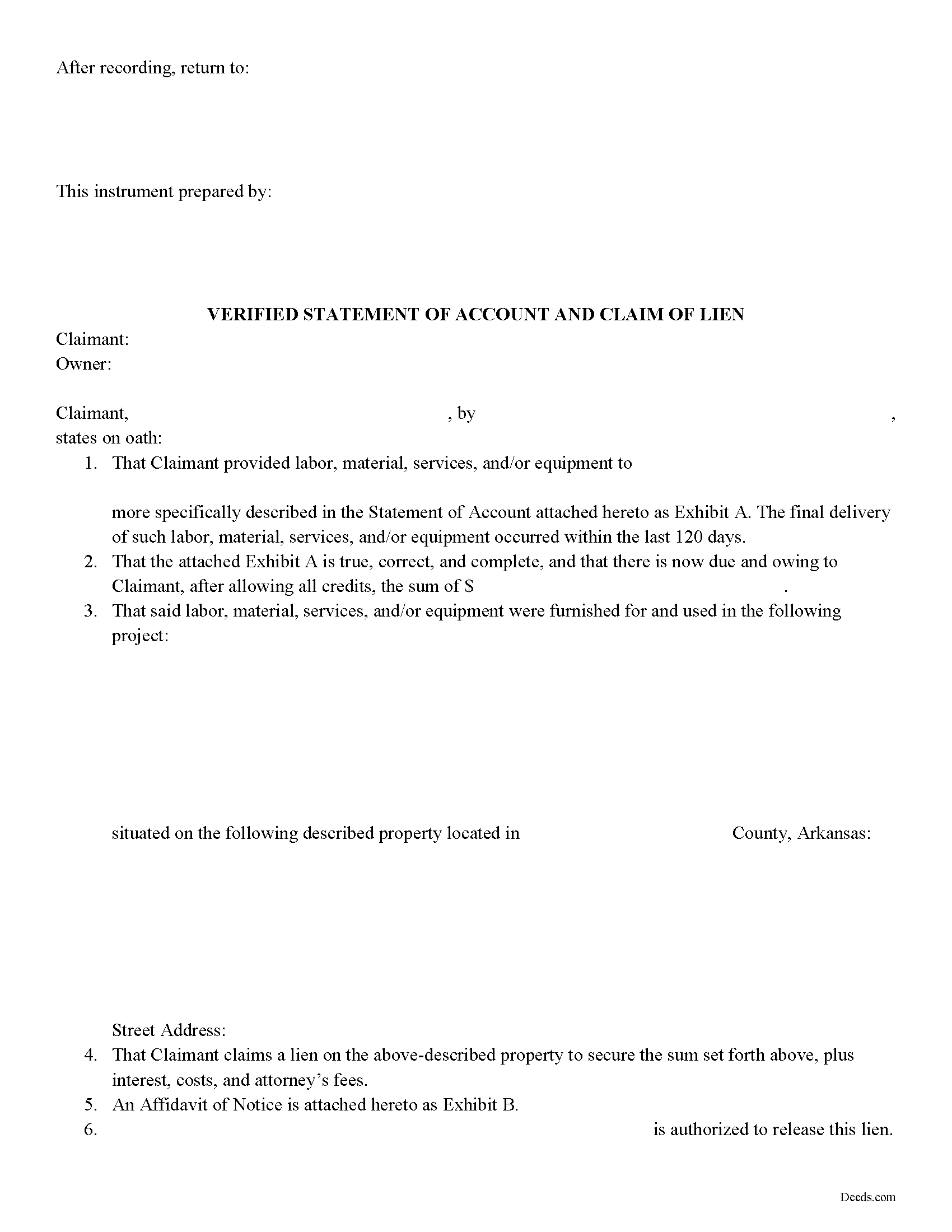
Conway County Claim of Mechanics Lien Form
Fill in the blank Claim of Mechanics Lien form formatted to comply with all Arkansas recording and content requirements.
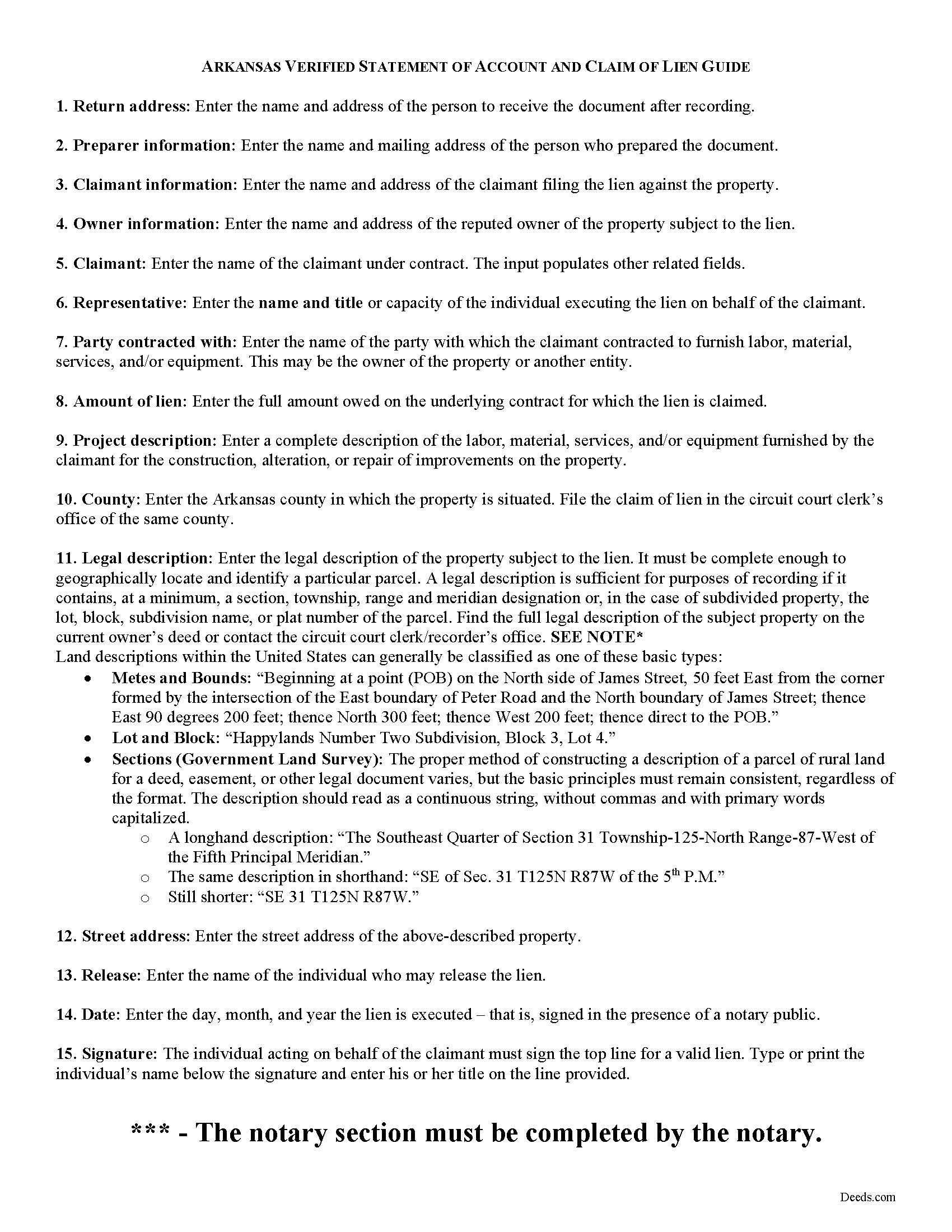
Conway County Claim of Mechanics Lien Guide
Line by line guide explaining every blank on the form.
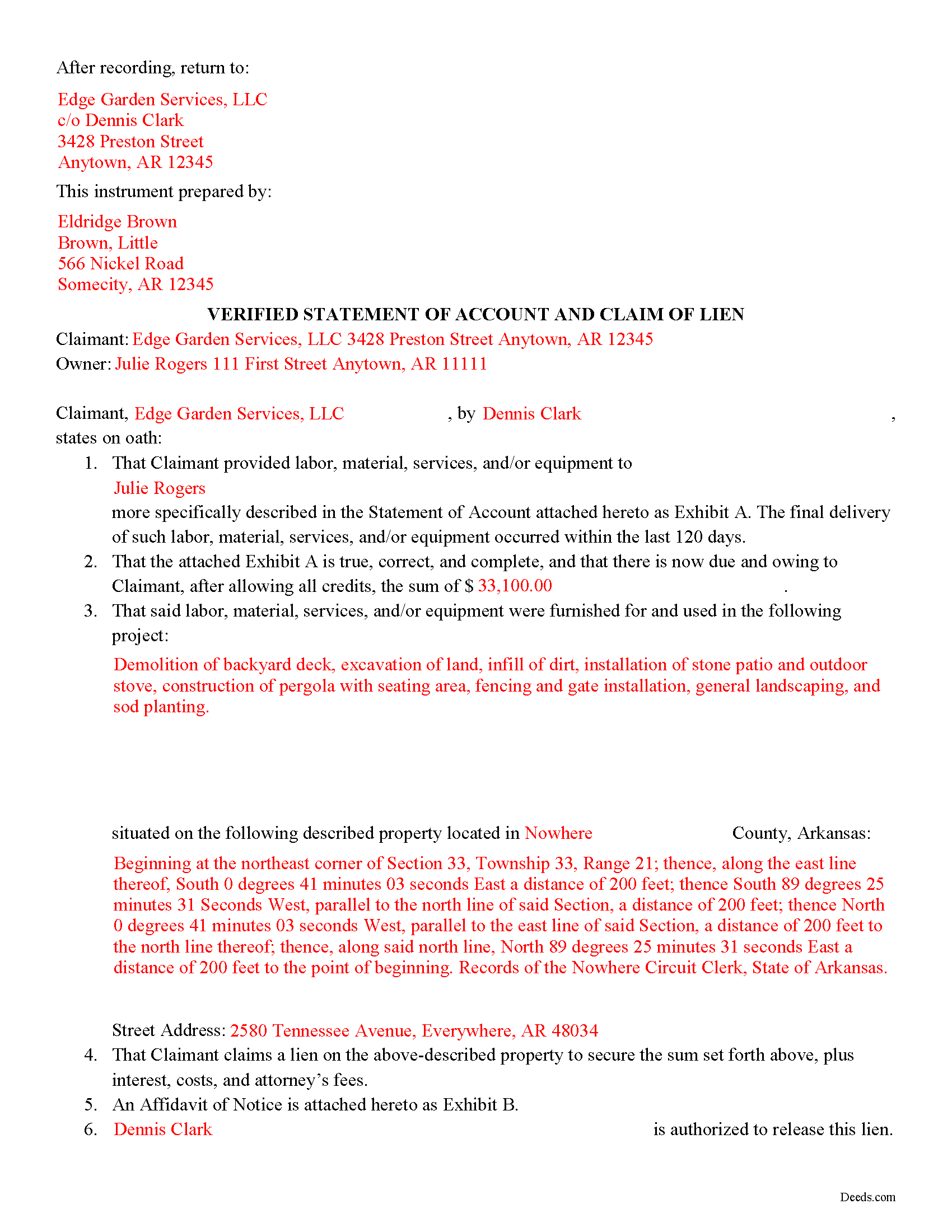
Conway County Completed Example of the Claim of Mechanics Lien Document
Example of a properly completed form for reference.
All 3 documents above included • One-time purchase • No recurring fees
Immediate Download • Secure Checkout
Additional Arkansas and Conway County documents included at no extra charge:
Where to Record Your Documents
Conway County Circuit Clerk
Morrilton, Arkansas 72110
Hours: 8:00am to 4:30pm M-F
Phone: (501) 354-9617
Recording Tips for Conway County:
- Bring your driver's license or state-issued photo ID
- Ensure all signatures are in blue or black ink
- Make copies of your documents before recording - keep originals safe
- Recorded documents become public record - avoid including SSNs
- Recording fees may differ from what's posted online - verify current rates
Cities and Jurisdictions in Conway County
Properties in any of these areas use Conway County forms:
- Center Ridge
- Cleveland
- Hattieville
- Jerusalem
- Menifee
- Morrilton
- Plumerville
- Solgohachia
- Springfield
Hours, fees, requirements, and more for Conway County
How do I get my forms?
Forms are available for immediate download after payment. The Conway County forms will be in your account ready to download to your computer. An account is created for you during checkout if you don't have one. Forms are NOT emailed.
Are these forms guaranteed to be recordable in Conway County?
Yes. Our form blanks are guaranteed to meet or exceed the applicable formatting requirements used for recording in Conway County, including margin requirements, font requirements, and other layout standards. This guarantee applies to formatting, not to the legal sufficiency of information entered by the user or the suitability of a form for a particular transaction.
Can I reuse these forms?
Yes. You can reuse the forms for your personal use. For example, if you have multiple properties in Conway County you only need to order once.
What do I need to use these forms?
The forms are PDFs that you fill out on your computer. The free Adobe Acrobat Reader is recommended, and most PDF apps also work. You do NOT enter your property information online - you download the blank forms and complete them privately on your own computer.
Are there any recurring fees?
No. This is a one-time purchase. Nothing to cancel, no memberships, no recurring fees.
How much does it cost to record in Conway County?
Recording fees in Conway County vary. Contact the recorder's office at (501) 354-9617 for current fees.
Questions answered? Let's get started!
Arkansas Verified Statement of Account and Claim of Lien
A claimant may file a lien against a residential property to secure the amount owed on a contract. Contractors, subcontractors, or suppliers providing labor, services, material, or equipment for improvements of a property under a contract with an owner, proprietor, contractor, or subcontractor are eligible to file mechanic's liens in the State of Arkansas (18-44-101(a)). Claimants have 120 days after the final furnishing of labor, materials, services, or equipment in which to file a lien (18-44-117(a)(1))).
To assert a lien against a property's title, the claimant must execute and record a statement of account and claim of lien in the circuit court clerk's office of the county where the property subject to the lien is located.
The claim of lien is a legal document composed of two parts -- the verified statement of account and lien and an affidavit of notice. The actual lien portion of the document has two requirements by law: a correct description of the property subject to the lien, and an account of the amount owed to the claimant after allowing all credits (18-44-117(a)(1)(B)). The affidavit of notice includes a statement that the claimant has complied with applicable notices under Ark. Code Secs. 18-44-114--18-44-116, along with a copy of each notice.
Before construction begins, the potential claimant is required to provide a "notice to owner by contractor" stating that the claimant is entitled to file a lien against the property if not paid in full (18-44-115). Arkansas law also mandates that claimants give a "notice of intent to file lien" at least 10 days before filing a claim of lien (18-44-114).
Though a claim of lien has only two statutory requirements, additional information is necessary to enforce the lien. The document should name the claimant and the legal owner of the property, and any party the claimant contracted with who is not the owner. Claims of lien typically contain a description of the project, and identify the party or person authorized to release the lien.
The lien must be signed by the claimant in the presence of a notary public. Arkansas requires the lien to be verified, which means that the claimant swears under oath that the information contained within the document is true and correct. Because the claim of lien is required to be recorded in the real property records, it must comply with the standardized document form act, codified at Ark. Code Sec. 14-15-402.
Consult a lawyer with questions about mechanic's liens, preliminary notice requirements, or for any other issue related to real property in Arkansas.
Important: Your property must be located in Conway County to use these forms. Documents should be recorded at the county recording office listed above.
This Claim of Mechanics Lien meets all recording requirements specific to Conway County.
Our Promise
The documents you receive here are guaranteed to meet or exceed the applicable Conway County recording format requirements. If there is a rejection caused by our formatting, we will correct the issue or refund your payment. This guarantee applies to document formatting only and does not extend to information entered by the user, the selection of the form, or the legal effect of the completed document.
Save Time and Money
Get your Conway County Claim of Mechanics Lien form done right the first time with Deeds.com Uniform Conveyancing Blanks. At Deeds.com, we understand that your time and money are valuable resources, and we don't want you to face a penalty fee or rejection imposed by a county recorder for submitting nonstandard documents. We constantly review and update our forms to meet rapidly changing state and county recording requirements for roughly 3,500 counties and local jurisdictions.
4.8 out of 5 - ( 4,825 Reviews )
Dee R. 5 out of 5 stars
Quick, Simple order process with many options of forms to download!
We appreciate your business and value your feedback. Thank you. Have a wonderful day!
Lanette H. 5 out of 5 stars
I liked getting the forms but I was charged twice for some reason. I'm not sure what happened with that. Can you reimburse me? Thank you. Lanette
Thank you for your feedback Lanette. In review, it looks like your first payment was declined, second one was approved and processed. What you are seeing is one payment and a hold placed by your financial institution for the declined attempt. We are not sure why they do this but the hold usually falls off after a few day depending on their policy. If you have further questions about this you can contact your financial institution and they will explain. Have a great day.
Kate J. 5 out of 5 stars
Easy to use.
Thank you!
Curtise L. 5 out of 5 stars
Excellent experience. Quickly responded and was able to get us exactly what we needed!
Thank you!
Julie A. 5 out of 5 stars
After receiving the forms online and reviewing them, it was very easy to fill this out and the additional information was very helpful. Saved a lot of money by not having to use a lawyer/paralegal to do this simple task. Will definitely use Deeds.com in the future for any further needs. Thank you
Thank you Julie. We appreciate you taking the time to leave your review. Have a wonderful day.
Kent B. 2 out of 5 stars
Disappointed on most recent order. Format did not permit changing the "boilerplate" language to change "grantor" to "grantors". In so restricting, could not use pre-printed form to make a joint party conveyance.
Sorry to hear of your disappointment. We've canceled your order and payment for the warranty deed document. Have a wonderful day.
GINA G. 5 out of 5 stars
Excelente service!
Thank you!
Robert R. 5 out of 5 stars
Big savings and easy to use. Thanks so much.
We appreciate your business and value your feedback. Thank you. Have a wonderful day!
Willard V. 3 out of 5 stars
While it's nice to get all the forms and info in one package for a reasonable cost, the fixed format of the form does not allow for a lengthy meet and bounds property description for real property. Also, the Cover Sheet has big fillable sections with no instructions about what's supposed to go there. I tried the "Contact Us" link, but all it does is spin saying it's trying verify the security of my connection. Looks like I;m going to have to create my own deed in MS Word instead of just filling in the blacks of the PDF file that I downloaded. Bummer!
Your feedback is a crucial part of our dedication to ongoing improvement. Thank you for your insightful comments.
Conrad N. 5 out of 5 stars
It worked well for me.
Thank you!
STANLEY F. 5 out of 5 stars
Forms were spot on and able to save over $100 by not going to an attorney to complete the same documents. There were templates on how forms are supposed to be completed. You just need a notary to sign.
Thank you Stanley, we really appreciate your feedback.
Arthur H. 5 out of 5 stars
Deeds.com was informative, quick, and complete. Found everything I needed complete with instructions and examples. Easy to use and understand. And VERY reasonably priced.
We appreciate your business and value your feedback. Thank you. Have a wonderful day!
Stephanie B. 5 out of 5 stars
Site is SO easy to use. Thank you for such a valuable resource.
Thank you for your feedback. We really appreciate it. Have a great day!
Robert H. 5 out of 5 stars
Easy to use and understand. I am glad to have found this resource.
Your appreciative words mean the world to us. Thank you and we look forward to serving you again!
Gary J. 5 out of 5 stars
Whomever "KCH" is, that person was of great help. It took me several tries due my inexperience with ADOBE SCAN, but that certainly is no fault of yours!! KVH was very patient with me, and in fact resolved the things I was doing wrong for me, without my even requesting the assistance.
Thank you!