Van Buren County Quitclaim Deed (Trustee Grantee) Form
Last validated October 8, 2026 by our Forms Development TeamFormatted for recording in Van Buren County, for property anywhere in the county: rural and unincorporated areas as well as Bee Branch, Choctaw, Clinton, Damascus, Dennard, Fairfield Bay, Scotland, Shirley.
- 3 documents included
- Immediate PDF download
- Formatting guarantee
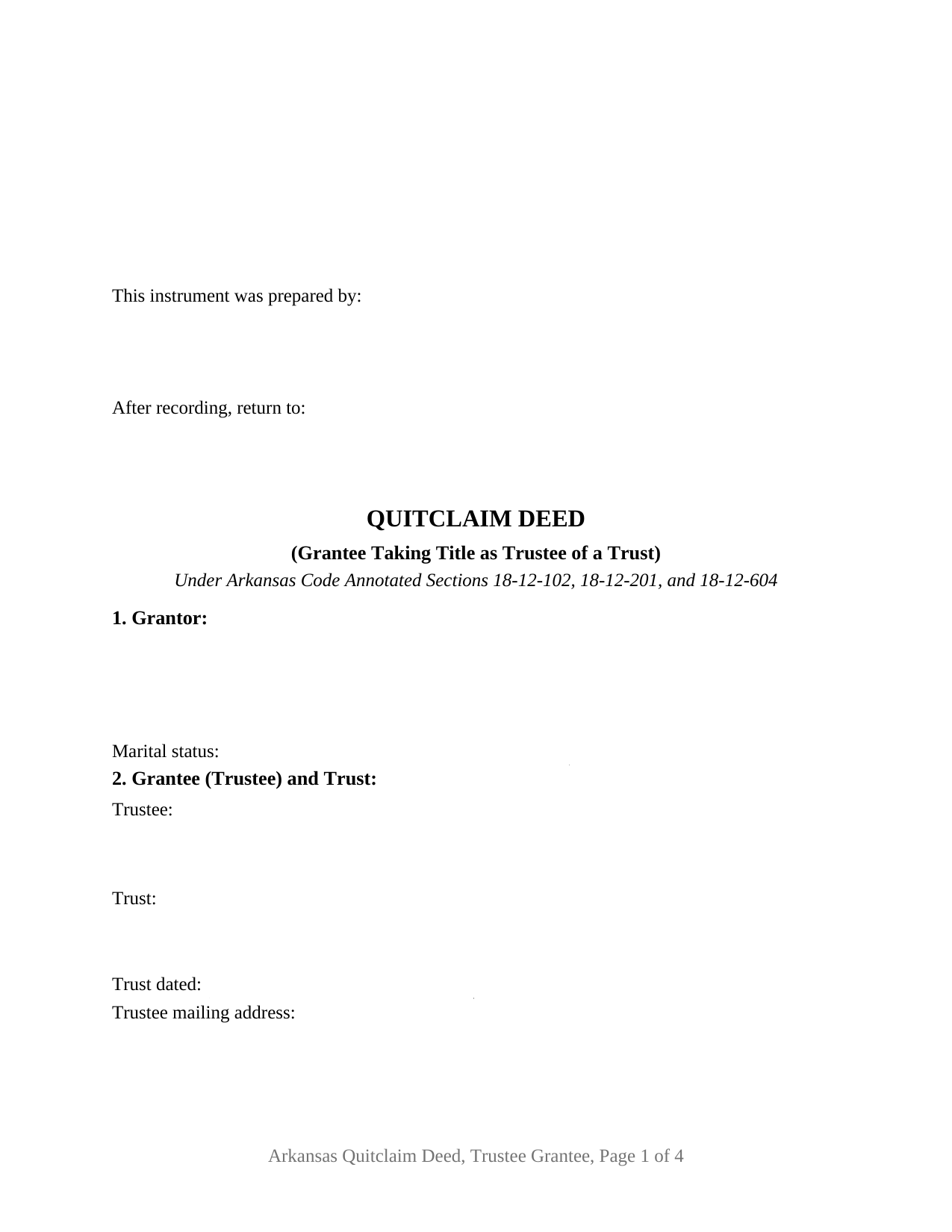
Van Buren County Quitclaim Deed (Trustee Grantee) Form
Fill in the blank Quitclaim Deed (Trustee Grantee) form formatted to comply with all Arkansas recording and content requirements.
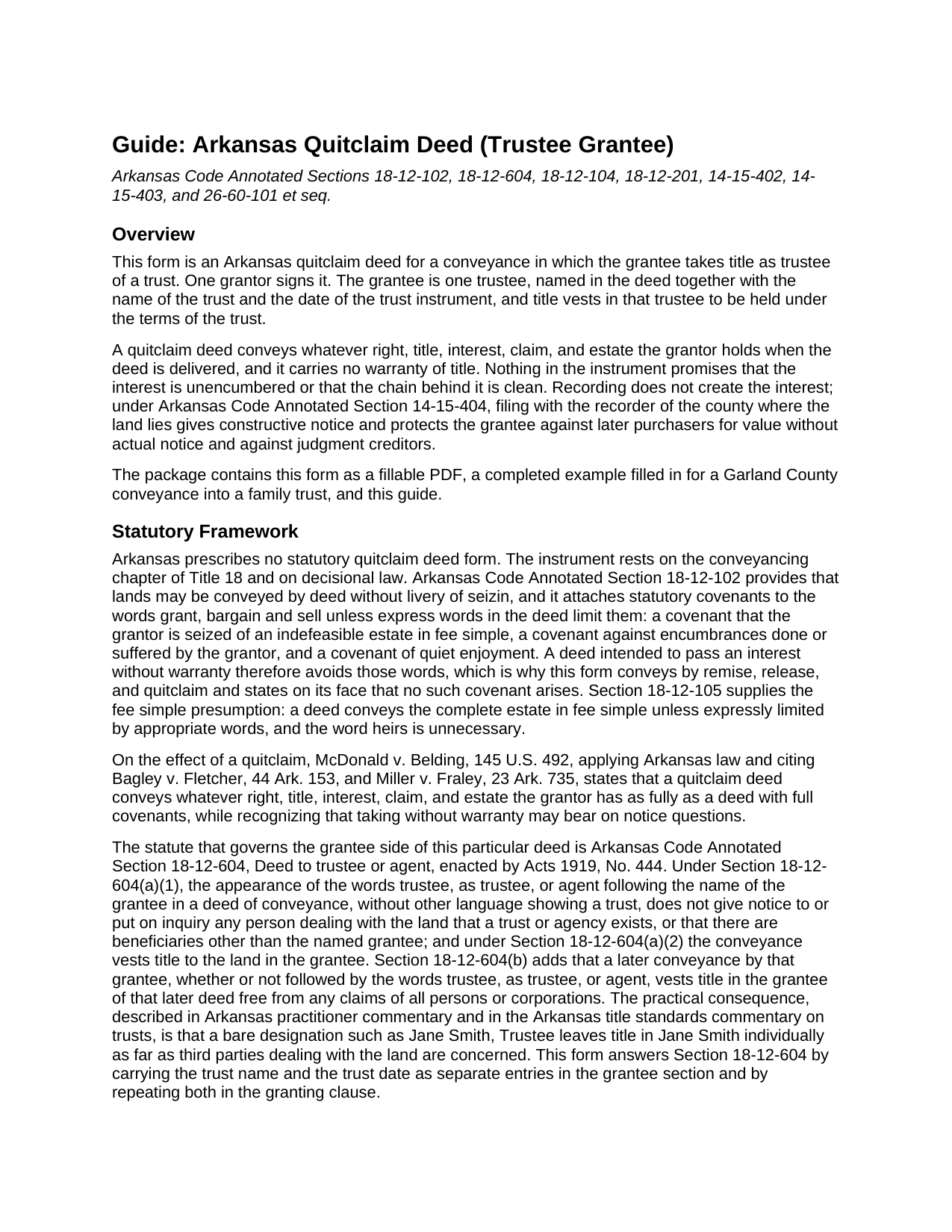
Van Buren County Quitclaim Deed (Trustee Grantee) Guide
Line by line guide explaining every blank on the Quitclaim Deed (Trustee Grantee) form.
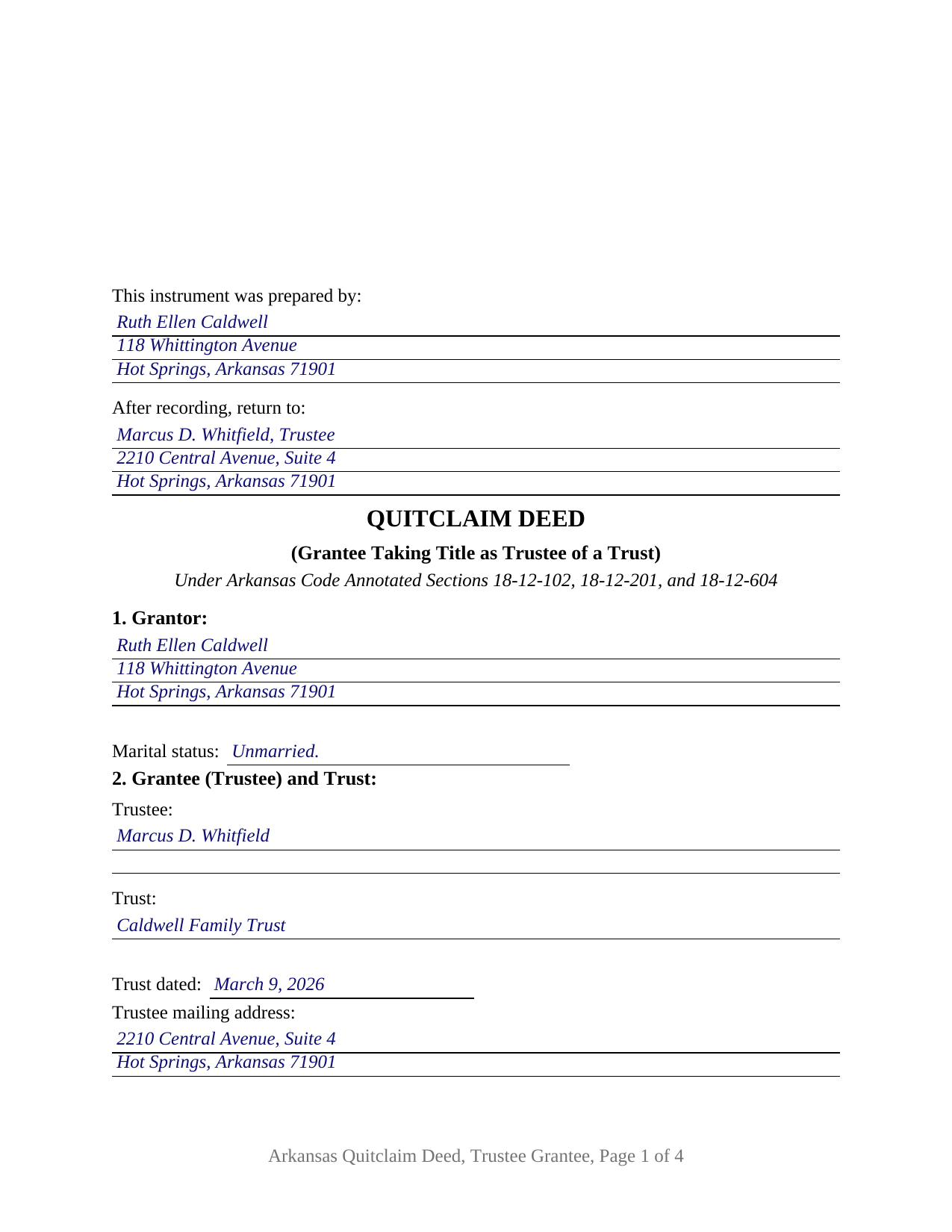
Van Buren County Completed Example of the Quitclaim Deed (Trustee Grantee) Document
Example of a properly completed Arkansas Quitclaim Deed (Trustee Grantee) document for reference.
All 3 documents above included • One-time purchase • No recurring fees
Immediate Download • Secure Checkout
Additional Arkansas and Van Buren County documents included at no extra charge:
Where to Record Your Documents
Circuit and County Clerk
Clinton, Arkansas 72031
Hours: 8:00 to 4:30 M-F
Phone: (501) 745-4140
Recording Tips for Van Buren County:
- Bring your driver's license or state-issued photo ID
- Ensure all signatures are in blue or black ink
- Verify all names are spelled correctly before recording
- White-out or correction fluid may cause rejection
- Ask about their eRecording option for future transactions
Cities and Jurisdictions in Van Buren County
Properties in any of these areas use Van Buren County forms:
- Bee Branch
- Choctaw
- Clinton
- Damascus
- Dennard
- Fairfield Bay
- Scotland
- Shirley
Hours, fees, requirements, and more for Van Buren County
How do I get my forms?
Forms are available for immediate download after payment. The Van Buren County forms will be in your account ready to download to your computer. An account is created for you during checkout if you don't have one. Forms are NOT emailed.
Are these forms guaranteed to be recordable in Van Buren County?
Yes. Our form blanks are guaranteed to meet or exceed the applicable formatting requirements used for recording in Van Buren County, including margin requirements, font requirements, and other layout standards. This guarantee applies to formatting, not to the legal sufficiency of information entered by the user or the suitability of a form for a particular transaction.
Can I reuse these forms?
Yes. You can reuse the forms for your personal use. For example, if you have multiple properties in Van Buren County you only need to order once.
What do I need to use these forms?
The forms are PDFs that you fill out on your computer. The free Adobe Acrobat Reader is recommended, and most PDF apps also work. You do NOT enter your property information online - you download the blank forms and complete them privately on your own computer.
Are there any recurring fees?
No. This is a one-time purchase. Nothing to cancel, no memberships, no recurring fees.
How much does it cost to record in Van Buren County?
Recording fees in Van Buren County vary. Contact the recorder's office at (501) 745-4140 for current fees.
Questions answered? Let's get started!
A 1919 Arkansas statute decides what a deed to a trustee accomplishes. Under Arkansas Code Annotated Section 18-12-604, the words as trustee following a grantee's name, standing alone, give no notice of any trust and vest title in that grantee. This quitclaim deed is configured around that sentence: one grantor conveys, and the grantee section names the trustee, the trust, and the date of the trust instrument, so the record shows a conveyance held in trust rather than one to an individual called trustee.
What the words as trustee do not accomplish
Section 18-12-604 is short and consequential. Where a deed follows the grantee's name with trustee or as trustee and carries nothing else showing a trust, those words put nobody dealing with the land on notice, and title vests in the grantee. Practitioner commentary is blunt: a deed to Jane Smith, Trustee leaves title in Jane Smith. Commentary on the Arkansas title standards adds that no statute or decision settles whether a trust itself may hold record title. The form answers both points by collecting the trustee's name, the trust's name, and the trust date as separate entries, and by carrying the trust and any successor trustee into the granting clause.
One grantor, one trustee, one certificate
The form recites a single grantor with a marital status entry and a single grantee taking as trustee. Under the operative sections sit the grantor's signature and date line, the two disinterested witness blocks of Section 18-12-104, and a single acknowledgment certificate covering the grantor, because a grantee does not sign a conveyance. The trustee's one signature line belongs to the transfer tax certification, which Section 26-60-110 assigns to the grantee or the grantee's agent. Configurations that present this pattern recur in the Arkansas records: a settlor deeding a rental parcel to the trustee of a trust signed weeks earlier, an heir releasing an inherited fractional interest to the trustee already holding the rest of the tract, and a trustee buying a parcel under Section 28-73-816. A conveyance by two record owners, or one naming cotrustees, falls outside these blocks, and Section 18-12-603 is why: its tenancy in common default for multiple grantees expressly excludes a grant to trustees.
No covenants, and everything that rides along
Section 18-12-102 attaches covenants of seisin, freedom from grantor caused encumbrances, and quiet enjoyment to a deed built on the words grant, bargain and sell, unless express words limit them, so a no warranty conveyance stays clear of that phrase. This deed operates by remise, release, and quitclaim and states on its face that no statutory covenant arises. The trustee receives the interest the grantor holds at delivery, with mortgages, tax liens, easements, restrictions, and severed minerals riding along untouched.
A gift into trust meets the transfer tax
A deed funding a trust often carries no price, and the Arkansas exemption list has no line for it: Section 26-60-102 excuses governmental transfers, security instruments, tax sale land, leaseholds, short term timber rights, divorce divisions, entity reorganizations, and beneficiary deeds, and a private trust is none of those. The measure of the tax resolves it. The $3.30 per $1,000 rate reaches actual consideration above one hundred dollars, so a gift produces nothing to pay, and Section 26-60-107 furnishes the affidavit stating that no tax is due.
At the Arkansas recording counter
The first page opens with the preparer statement of Section 14-15-403 and the return address block, and the pages follow the format numbers of Section 14-15-402: letter paper, two and one half inches clear at the top for the file mark, half inch side and bottom margins, and the same reserve at the foot of the last page. Photo identification arrived on August 5, 2025, when Act 752 of 2025 began conditioning counter and mail filings on the grantor's state or federal identification card, subject to the statutory exceptions the guide lists. A trustee asked for evidence of authority answers with the trust instrument or a certification of trust under Section 28-73-1013, prepared apart from the deed and not included here.
Inside the package
The download holds the Arkansas quitclaim deed in its trustee grantee configuration as a fillable PDF, a completed example worked through a Garland County conveyance into a family trust, and a plain language guide to the blanks, the execution formalities, and the recording steps. Searches that land here include quit claim deed to a trust and quick claim deed to a trustee. The materials are informational and are not legal advice.
Important: Your property must be located in Van Buren County to use these forms. Documents should be recorded at the county recording office listed above.
This Quitclaim Deed (Trustee Grantee) meets all recording requirements specific to Van Buren County.
Our Promise
The documents you receive here are guaranteed to meet or exceed the applicable Van Buren County recording format requirements. If there is a rejection caused by our formatting, we will correct the issue or refund your payment. This guarantee applies to document formatting only and does not extend to information entered by the user, the selection of the form, or the legal effect of the completed document.
Save Time and Money
Get your Van Buren County Quitclaim Deed (Trustee Grantee) form done right the first time with Deeds.com Uniform Conveyancing Blanks. At Deeds.com, we understand that your time and money are valuable resources, and we don't want you to face a penalty fee or rejection imposed by a county recorder for submitting nonstandard documents. We constantly review and update our forms to meet rapidly changing state and county recording requirements for roughly 3,500 counties and local jurisdictions.
4.8 out of 5 - ( 4,830 Reviews )
Suzette H. 5 out of 5 stars
helped clarify how process works Thanks
Thank you!
Chris M. 5 out of 5 stars
simple, Clean, and easy, to retrieve the forms i needed, while on this site. and the Fee for the Fill-in forms is Remarkably inexpensive, to say the least!
Thank you!
John D. 5 out of 5 stars
Forms were easy to complete, with the instructions that were provided. Very satisfied!
Thank you!
Maribel I. 5 out of 5 stars
It would be helpful to be able to edit verbiage on the form. I was preparing a Deed of Distribution; therefore, there was no consideration paid. I had to type the language into a Word document instead.
Thank you for your feedback. We really appreciate it. Have a great day!
Gabriel R. 4 out of 5 stars
So far the service seems good, simple to use. One criticism, the password change feature should require the user to re-enter their old password, new password, and re-enter the new password to make sure there is no typos. Thanks.
Thank you for your feedback. We really appreciate it. Have a great day!
sean m. 5 out of 5 stars
Wow everything I need in one place... what a concept. thanks Deeds.com for the deeds, the guides and the transfer certificate all included for a great price
We appreciate your business and value your feedback. Thank you. Have a wonderful day!
Aaron H. 5 out of 5 stars
Excellent service! Easy to use interface and quick response post-recording.
Thank you for your feedback. We really appreciate it. Have a great day!
David P. 5 out of 5 stars
This service and company are THE best. We are out of State and needed to efile, and we got it done for the closing. Thanks Deeds.com
We appreciate your business and value your feedback. Thank you. Have a wonderful day!
Cynthia M. 5 out of 5 stars
I wanted the Lady Bird Deed for my estate, and it was very easy to download, fill out and file. My county records department accepted it with no issue. Thank you Deeds.com! You saved me over $500.00!
We appreciate your business and value your feedback. Thank you. Have a wonderful day!
James R. 5 out of 5 stars
This site is a blessing in disguise-/>
Thank you!
Martin M. 5 out of 5 stars
This site is great. Simple to use with excellent instructions. Will recommend to others.
Thank you!
F Michael C. 5 out of 5 stars
Very easy to use and no hidden costs. You get to download whatever you need and can save it and even reuse it. So it's like having your own library of form that you pay for once. They even give you more related forms than you ask for and it turned out we needed some if those forms as well. The forms meet what our county requires for margins in records and so on. So I will use deeds.com again when I need a different kind of legal form.
We appreciate your business and value your feedback. Thank you. Have a wonderful day!
Kim H. 5 out of 5 stars
Great site. quick turnaround and communication. I needed an exception that they told me I needed and where to get the info within hours. I returned warranty deed with exception and the deed was recorded the same day! Great turnaround!
Thank you for your feedback. We really appreciate it. Have a great day!
Rebecca M. 5 out of 5 stars
This was pretty easy to fill out. The directions on all of the forms was very good. This should make life much easier at the County Recorder. Thank you!
We appreciate your business and value your feedback. Thank you. Have a wonderful day!
Janice T. 5 out of 5 stars
The downloads were a great help in understanding of both what a Warranty Deed was and how to follow the steps as well as filling out the forms.
Thank you for your feedback. We really appreciate it. Have a great day!